Teleport your device anywhere instantly with one click.

 100% Security Verified | No Subscription Required | No Malware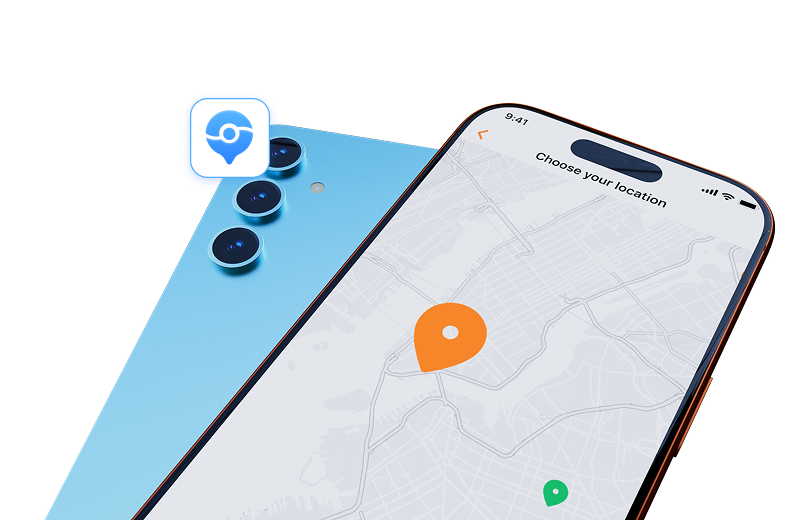

 :
: 
 ChatGPT
 Perplexity
 Gemini
 Claude
 Grok
Grok
Pokémon Day turns February 27 into a fan moment, with game news, themed events, and reasons to open Pokémon GO. If you are searching for national Pokémon Day offers, one Dr.Fone campaign stands out for a simple reason: it mixed a game with a price cut. Wondershare’s event page offered a 33% discount on Dr.Fone - Virtual Location after players completed a connect-the-dots challenge.
The campaign itself ran in 2024, so the original offer window is now over. Still, the page is useful for checking how the Pokémon Day coupon worked and what the tool can do. Below, you will see the event rules, checkout steps, Pokémon GO tips, location features, and the key safety limits to know first.
In this article
- 1. Why February 27 Still Feels Like a Trainer Holiday
- 2. Celebrate Pokémon Day with Dr.Fone - Virtual Location
- 3. Unlock the Reward with the Connect-the-Dots Game
- 4. Pokémon GO Tips Before You Use Any GPS Tool
- 5. What Is Dr.Fone - Virtual Location?
- 6. Who Is a Master Trainer? Put Your Pokémon Knowledge to the Test
1. Why February 27 Still Feels Like a Trainer Holiday
Pokémon Day was set for February 27 because the first Pokémon video games were released in Japan on this date in 1996. The official 2026 event was also 30 Years of Pokémon.
That date gives fans a reason to check new game updates, special activities, and Pokémon-themed offers. Wondershare used the occasion to promote Dr.Fone - Virtual Location.
2. Celebrate Pokémon Day with Dr.Fone - Virtual Location
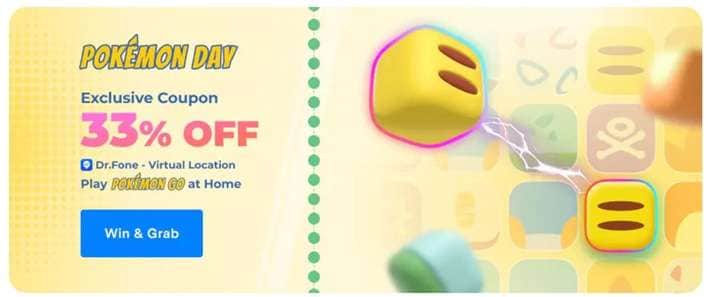
Wondershare’s campaign mixed a quick connect-the-dots mini-game with a 33% discount on Dr.Fone - Virtual Location.
2.1. Event Time: Check the Date Before Checkout
2.2. What About the Discount Available Now?
There is an important difference between the old event and the current product page. At the time of this source check, the main Dr.Fone - Virtual Location page advertises a different discount rather than the old 33% Pokémon Day deal. This confirms that promotional pricing can change.
So, do not assume the archived Dr. Fone Virtual Location 33% off offer is active just because the event page remains online. Always check the live price before paying.
2.3. Exclusive Requirements: One Small Game
Visitors had to complete a connect-the-dots challenge. The campaign copy says participants could complete the game within one minute, while successful players received the event reward.
The published terms do not list required registration, an email signup, or a regional eligibility rule. If a similar campaign returns, check its new terms because those conditions may change.
2.4. Exclusive Reward: A 33% Event Discount
The reward was 33% off Dr.Fone - Virtual Location.
There is one useful detail here. The archived page doesn't publish a coupon code that users must enter in a coupon box. Instead, the discount was automatically applied during checkout when the buyer entered through the event purchase link.
That means the old Pokémon Day coupon worked more like an event-linked discount than a traditional promo code.
3. Unlock the Reward with the Connect-the-Dots Game
The event flow was short:
-
Step 1 Open the Pokémon Day campaign page.
-
Step 2 Start the connect-the-dots game.
-
Step 3 Complete the challenge successfully.
-
Step 4 Follow the event purchase link for Dr.Fone - Virtual Location.
-
Step 5 Check that the reduced price appears before payment.
This setup also avoided the need to copy a long coupon code.
3.1. Coupon Usage Recommendations
-
Step 1 Add the Windows or Mac version of Dr.Fone - Virtual Location to the cart through the Pokémon Day event page.
-
Step 2 Review the price at checkout. The campaign says the 33% reduction was applied automatically.
-
Step 3 Complete your purchase only after confirming that the expected price is displayed.
The event terms also state that the discount could not be combined with another promotion and could not be redeemed for cash.

4. Pokémon GO Tips Before You Use Any GPS Tool
A fuller Pokédex does not depend on one method.
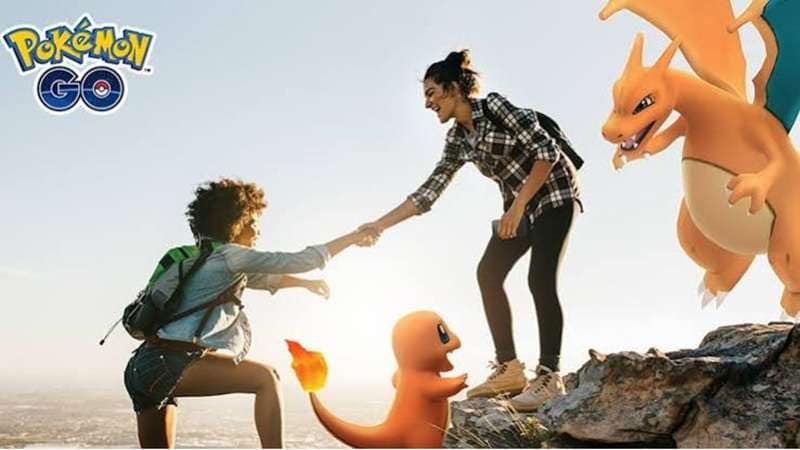
Raids, research tasks, Incense, Lure Modules, eggs, Community Day periods, and other events can give Trainers more chances to meet useful or limited Pokémon. It is also worth watching official event schedules because availability can change for short periods.
Trading may help fill missing Pokédex entries too. Currently in Pokémon GO, trainers must be near each other to trade.
To get regional Pokémon, look out for events that increase availability, do some in-person trading with someone who already has the Pokémon, or catch one during travel.
5. What Is Dr.Fone - Virtual Location?
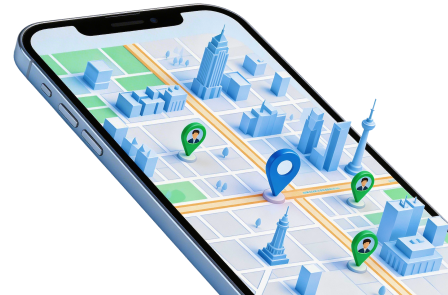
Dr.Fone - Virtual Location is a GPS location changer for supported iOS and Android devices. The tool has the ability to change the reported location of a mobile phone to a different physical location, simulate movement along pre-defined routes, and appoint direction controls that work like a computer joystick.
Wondershare further claims that the tool doesn't require any jailbreaking of iOS or rooting of Android. There is one major compatibility point Pokémon GO players should know.
Although Dr.Fone Virtual Location supports Android location changing in general, Wondershare's current product page specifically states that Pokémon GO is not supported on Android. Its current Pokémon GO use is therefore most relevant to iPhone users.
 Set your map route to simulate GPS movement.
- Set your wanted movement speed.
- HD and large map view to check location.
- Fake GPS location to anywhere.
5.1. Why Dr.Fone Gives Trainers More Route Control
For supported devices and apps, Dr.Fone combines several useful GPS controls:
- Teleport Mode: Move the reported GPS position to a selected place.
- One-Stop Route: Simulate movement between two points.
- Multi-Stop Route: Build movement through several locations.
- 360-Degree Joystick: Change direction in real time.
- Custom Speed: Simulate different movement speeds.
- Realistic/Fluctuation Mode: Add variation instead of perfectly uniform motion.
- Cooldown Timer: Estimate waiting time based on the distance between locations.
- GPX Support: Import and export saved route files.
These tools can produce smoother movement than repeated instant jumps. However, they do not make location spoofing invisible. No GPS-changing tool can honestly guarantee that Pokémon GO will never detect its use.
5.2. How to Change Pokémon GO Location at Home with Dr.Fone on iPhone
For supported iPhones, Teleport Mode follows a short setup.
-
Step 1 Open Dr.Fone - Virtual Location
Install Dr.Fone on your Windows PC or Mac. Launch the program and open Virtual Location.
-
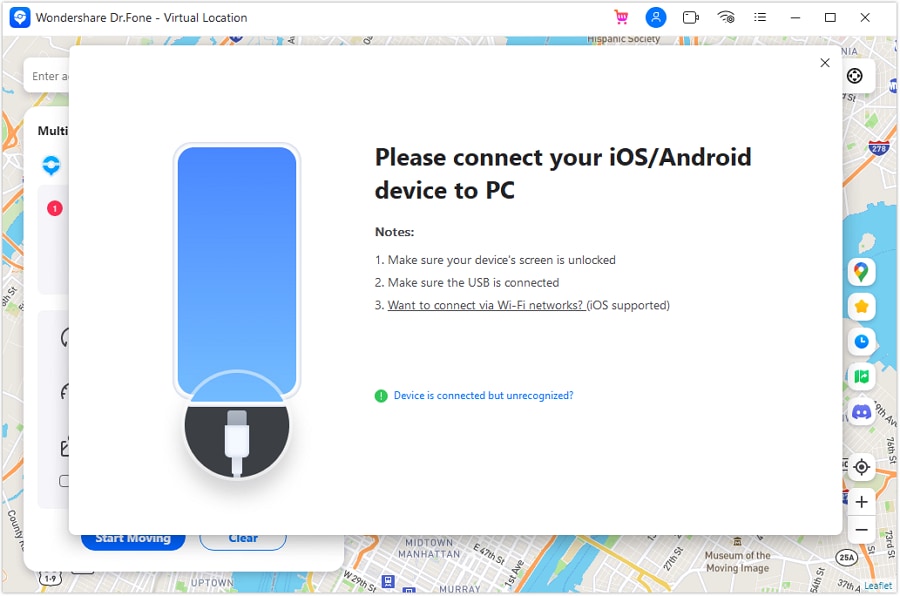
Step 2 Connect Your iPhone
Connect the phone to the computer. Dr.Fone supports a USB connection. For iPhones, Wi-Fi connection can also become available after the first connection.
-
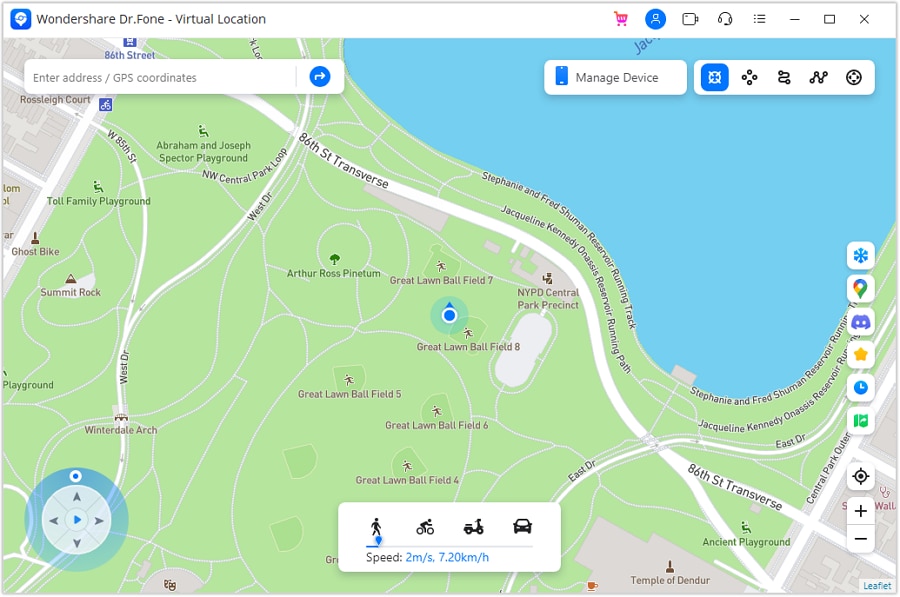
Step 3 Pick Teleport Mode
On the Virtual Location map, choose Teleport Mode from the controls near the top-right corner.
-
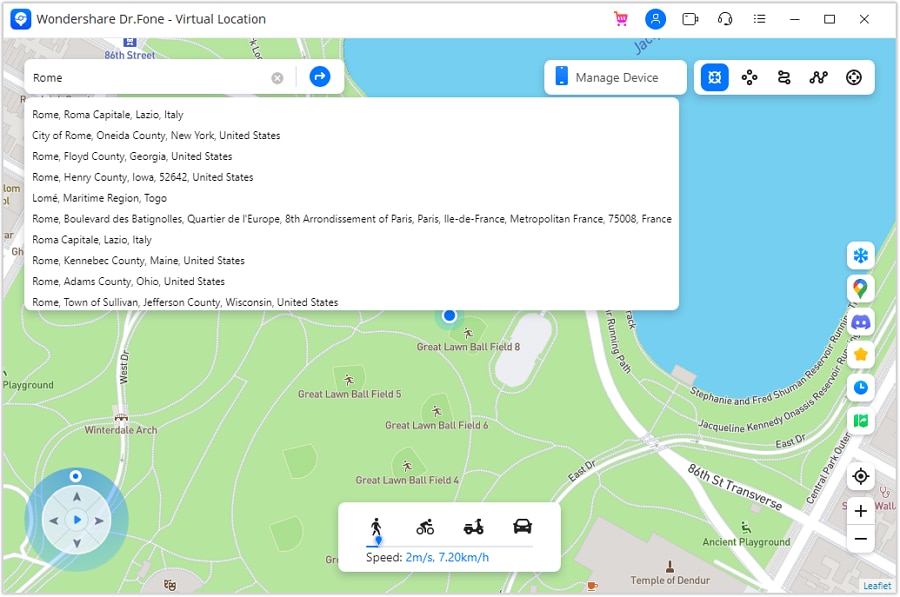
Step 4 Search for a Place
Enter your target place in the search box and confirm it.
-
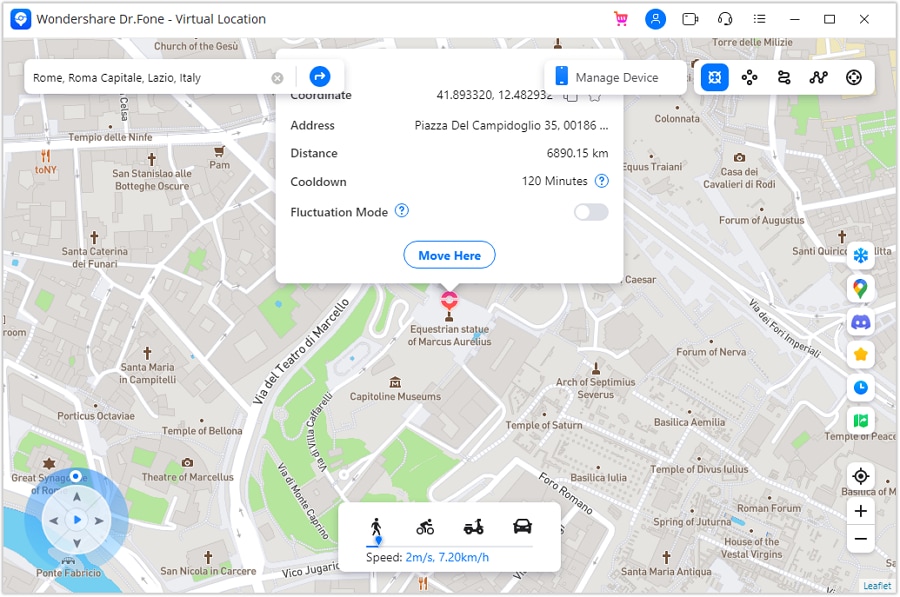
Step 5 Move the Virtual GPS Point
Select Move Here. Dr.Fone then changes the location reported by the connected phone.
-
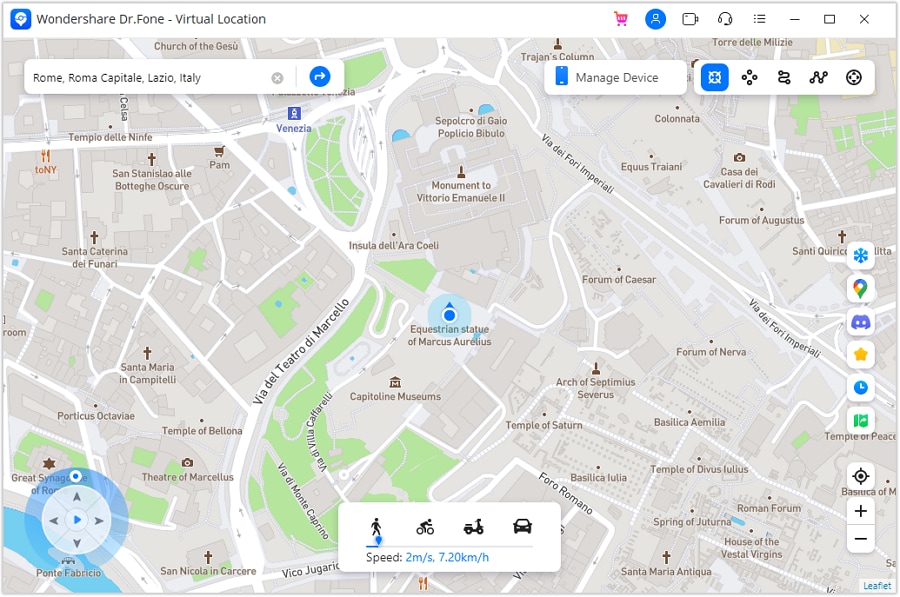
Step 6 Confirm the New Position
Check the phone's current location before opening a location-based app. This confirms that the virtual position has been applied.




5.3. Play Pokémon GO with a Joystick on iPhone
Teleport Mode handles a fixed point. The joystick gives you more control when you want the GPS position to move.
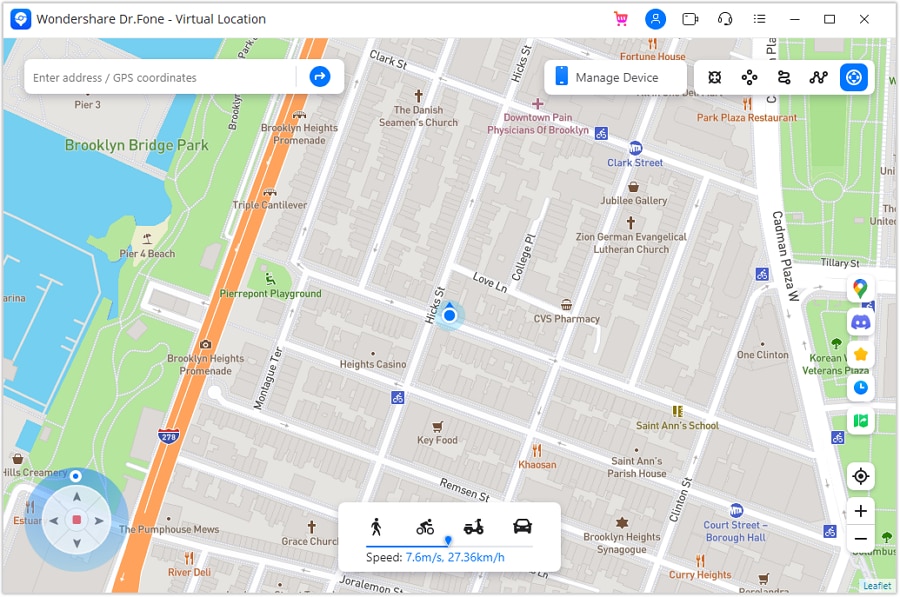
Dr.Fone supports 360-degree direction changes. You can control movement through its on-screen joystick or use W, A, S, and D and the arrow keys on your keyboard.
Automatic GPS Movement
Press the joystick's Start control to begin automatic movement. You can then steer with the left and right controls, move the point around the direction circle, or use A/D and Left/Right keys. This option suits longer virtual movement where you mainly want to control direction.
Manual GPS Movement
For direct control, use the joystick arrows to move forward or backward. You can also hold W or Up to move forward and S or Down to reverse. Manual mode is useful when you want smaller movements and frequent stops.
5.4. Is Dr.Fone - Virtual Location Safe for Pokémon GO?
When it comes to safe location spoofing apps, Dr.Fone by Wondershare is at the top of the list. With this powerful app, you do not need to worry about losing your Pokémon GO account. Dr.Fone - Virtual Location ensures your location spoofing is as realistic as possible!
Unlike most other location-faking apps, Dr.Fone - Virtual Location works without jailbreaking your device. This means your phone data stays secure while you use the app. So wave those worries goodbye! Get ready to celebrate this year's Pokémon Day better than ever before with Dr.Fone - Virtual Location.
6. Who Is a Master Trainer? Put Your Pokémon Knowledge to the Test
In Pokémon: Let's Go, Pikachu! and Let's Go, Eevee!, Master Trainers are elite opponents who specialize in a single Pokémon species. They appear across the Kanto region after you become Champion.
Each Master Trainer focuses on one particular Pokémon. If you challenge one, you must bring the same species into battle. These matches are also more demanding because you can't use healing items or other medicines. Winning proves how well you have trained that specific Pokémon and can earn you its Master title.
6.1. Think You Know Pokémon? Try These Questions
1. How many Master Trainers can be found in Pokémon: Let's Go, Pikachu! and Let's Go, Eevee!?
A. 100
B. 151
C. 153
D. 200
2. Which famous Pokémon character spends much of his journey aiming to become a Pokémon Master?
A. Brock
B. Ash Ketchum
C. Professor Oak
D. Giovanni
3. True or False: You can use healing items during a normal Master Trainer battle.
Answers: 1-C, 2-B, 3-False.
The trainers added in the recent game are called Masters, and these trainers give expert players a different challenge.
6.2. Event Terms Worth Reading Before You Buy
The 33% offer was created specifically for the Pokémon Day promotion, so a few conditions applied.
- The discount can't be used with another coupon, sale, or promotional offer.
- The voucher couldn't be redeemed for cash. It had no cash value.
- The promotional price was only available through the official Pokémon Day event.
- The prices on that page included the discount, so buyers did not have to do the maths themselves.
If Wondershare launches another Dr. Fone Virtual Location 33% off event, check the latest campaign page before purchasing. New promotions may use different dates, eligibility rules, or checkout conditions.
Conclusion
Pokémon Day is a chance to refresh goals, finish Pokédex entries, and try new ways to play. The archived National Pokémon Day campaign from Wondershare added a bonus: a connect-the-dots game that unlocked a 33% Dr.Fone discount. While that Pokémon Day coupon period has ended, Dr.Fone - Virtual Location still offers teleporting, route simulation, and joystick control for supported devices.
For Pokémon GO, check compatibility first and remember that Niantic bans location falsification under its rules. If a Dr.Fone - Virtual Location 33% off offer returns, verify the event page before checkout and use the offer while it is valid.
 Add Wondershare Dr.Fone as a preferred source on Google