Dr.Fone - Screen Unlock (iOS) iOS 27 & iPhone 18 series Supported
Forgot Screen Time Passcode? Remove It Without Data Loss
How Dr.Fone - Screen Unlock (iOS) solves your problems:
Remove Screen Time Passcode even if you don't know the Apple ID.
Unlock your device after 9 failed passcode attempts or more.
No usage restrictions, gain unrestricted access to all apps.
Sign out of your Apple ID without seeing any error messages.
Bypass parental control and start using your favorite apps .

Remove iOS Screen Time passcode without data loss.

based on 1000+ reviews on Trustpilot


1,000+ POSITIVE MEDIA COVERAGE










Forgot Sreen Time passcode? That's how we fix it.

Download and connect
Launch Dr.Fone - Screen Unlock iOS, choose iOS, then click Unlock Screen Time Passcode, and connect your iOS/iPadOS device to your computer.


Confirm and turn off FMI
Follow the on-screen instructions to confirm your device information, and head to Find My settings and turn off the Find My feature from the toggle.


Unlock the Screen Time Passcode
Within minutes, your Screen Time Passcode will be completely removed. You can now check your device and enjoy its features and apps.

It may be a good idea to remove Screen Time passcode
If you've set up a Screen Time passcode and you forget it, your access to Screen Time settings will be locked. Repeatedly entering the wrong passcode can trigger a lockout.
Or sometimes, a software update can cause issues with Screen Time settings, including passcode-related problems. No matter what it is. Dr.Fone - Screen Unlock is here to help.
Or sometimes, a software update can cause issues with Screen Time settings, including passcode-related problems. No matter what it is. Dr.Fone - Screen Unlock is here to help.
-
Forgotten my screen time passcodeSet a Screen Time passcode to limit the app usage time on your or your child’s iPhone/iPad/iPod touch, but unfortunately forgot it. After 10 failed screen time passcode attempts, you will not be able to try again until 60 minutes later. What’s worse, you have to remove the forgotten passcode by erasing your device.
Learn More > -
Apple ID sign out is not available due to restrictionsWhy Can’t I Sign Out of My Apple ID Due to Restrictions on iPhone or iPad? As you have enabled Screen Time and locked the feature with a screen time passcode, you cannot sign out of Apple ID. The problem can be fixed by disabling screen time (including the password). You can then sign out of your Apple ID without seeing any error messages after all restrictions have been removed.
Learn More > -
Someone else has changed the Screen Time passcode without your knowledgeIn some cases, your little naughty kids might change the Screen Time passcode out of curiosity or experimentation. They may want to see how it affects device usage or simply explore the settings. Or, a miscommunication within a family or among users regarding Screen Time settings. As a result, you'll get stuck in the screen time passcode loop.
Learn More > -
Unknown iOS vulnerability emerges after iPhone jailbreakYou may want to modify your Screen Time settings or disable restrictions after jailbreaking. However, if an unknown iOS vulnerability exists, it can interfere with attempts to change or disable the Screen Time passcode.
Learn More > -
Bypass parental controlScreen Time app limits and restrictions can be frustrating. If you’re hoping to bypass the limits and start using your favorite apps on your iPhone or iPad again
Learn More >
Forgotten my screen time passcode

Apple ID sign out is not available due to restrictions

Someone else has changed the Screen Time password without your knowledge

Unknown iOS vulnerability emerges after iPhone jailbreak

Bypass parental control

Remove Screen Time passcode if you want to
The Screen Time passcode has been successfully removed with Dr.Fone - Screen Unlock.
You are able to enjoy the following features and service on your devices smoothly.
You are able to enjoy the following features and service on your devices smoothly.

No Usage Restrictions

Ease of Device Sharing

Simplified Access

Reduced Dependency
Unlock iPhone, iPad, and iPod at ease, no matter iOS & iPadOS
It's able to remove Screen Time for an iPhone, iPad, or iPod touch even if you don't know the password, and the unlocking process won't make your important data lost. And it helps you get full access again in minutes.
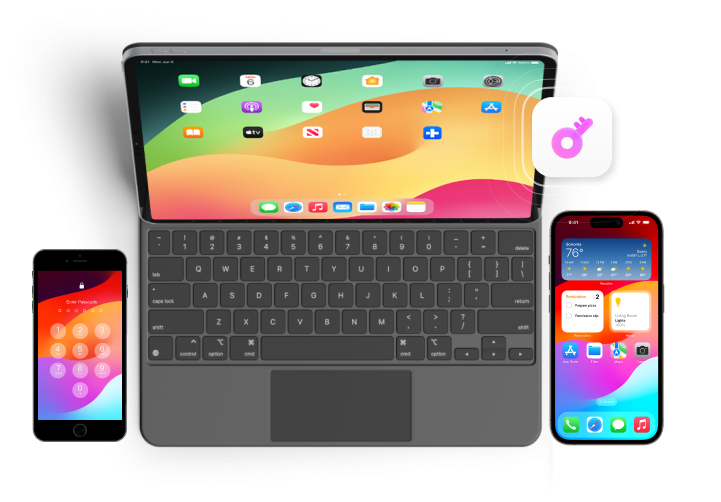

Please Note:
1. Remove screen time without password with no data loss. All content will be kept complete without any data loss
2. To remove Screen Time passcode, please disable "Find My iPhone" first.
2. To remove Screen Time passcode, please disable "Find My iPhone" first.
Why Dr.Fone - Screen Unlock becomes your best choice?
|
Screen Unlock
|
iTunes
|
iCloud
|
|
| Unlock iOS screen | |||
| Apple ID | |||
| Bypass MDM | |||
| Unlock Screen Time lock | |||
| Status of "Locate" |
Never mind
|
“Locate” is disabled
|
“Locate” is disabled
|
| Apple ID and password required | |||
| Requires an iPhone already backed up in iTunes |
Never mind
|
||
| Requires a stable internet connection on iPhone |
Never mind
|
||
| Complex and long-lasting |
Only 3 steps
|
||
| Success rate |
High
|
Average
|
Average
|
| High risk of system tracking issues | |||
Scan the QR Code Below for Installation




Resources & tips on how to turn off Screen Time without passcode


More Related FAQs on
iPad/iPod/iPhone Screen Time passcode.
-
Q1. What happens after 10 failed Screen Time passcode attempts?After 10 consecutive failed Screen Time passcode attempts, your device will be disabled for a specific period of time. The length of the timeout period increases with each failed attempt. You'll need to wait for the timeout to expire before you can try again. It's a security measure to prevent unauthorized access.
-
Q2. How do I remove the Screen Time password from my childs iPhone?To remove the Screen Time passcode from your child's iPhone, you can follow these steps:
- Go to "Settings" on the child's device.
- Scroll down and tap on "Screen Time."
- Tap on "Change Screen Time Passcode."
- Enter the current passcode if prompted.
- Choose the option to "Turn Off Screen Time Passcode."
-
Q3. What is the default Screen Time passcode for iPhone?There is no universal default Screen Time passcode for iPhones. When you set up Screen Time for the first time, you need to create your own passcode. If you forget it, you can reset it using your Apple ID credentials.
-
Q4. Can you bypass Screen Time passcode?Here are a few ways to bypass the Screen Time Password. You can turn off the device and turn it back on, or you could try to guess the password by entering different combinations. You could also try resetting the device, but this may delete all the data. To protect your data intact, you can try professional and reliable tools, like Dr.Fone - Screen Unlock (iOS) to bypass Screen Time passcode with ease process. You don’t need to provide password for your iDevice or Apple ID.
-
Q5. Is Screen Time passcode the same as restrictions passcode?No, the Screen Time passcode and the Restrictions passcode are not the same, although they serve similar purposes. The Restrictions passcode was used in earlier iOS versions to restrict certain features and settings on the device. With iOS 12 and later, Apple introduced Screen Time, which replaced the Restrictions feature. The Screen Time passcode is used to control and monitor app usage and screen time limits and is separate from the older Restrictions passcode. If you set up a Restrictions passcode in the past, it won't automatically become the Screen Time passcode.
Technical Specification
Operating supported
Windows
Windows 7 or later
macOS
macOS 10.13 or later
iOS
Compatible with all iOS versions starting from iOS 7.0
iDevices supported
iPhone
iPhone 5, 5s, 6, 6s, 6 plus, 7, 7plus, 8, 8plus, x, xs, xs Max, XR, 11, 11 Pro, SE, 12 to 18 serises
iPad
All models of iPad Air, iPad mini, iPad Pro and iPad
iPod
iPod
iPod 1 ~ iPod 7
Disclaimer
Dr.Fone - Screen Unlock iOS is purposefully designed to aid iPhone, iPad, and iPod touch users in recovering
access to their devices by unlocking forgotten passwords, bypassing MDM and iCloud Activation Lock, and
removing SIM Lock. This software is intended exclusively for personal use. Any form of misuse, including but
not limited to using Dr.Fone - Screen Unlock iOS for commercial or illegal purposes, is strictly prohibited.
Discover More About Dr.Fone - Screen Unlock iOS


Dr.Fone - Screen Unlock (iOS)
The most reliable tool that helps unlock various iOS lock issues. Help you unlock your
iPhone/iPad/iPod touch without compromising security.
Unlock iPhone/iPad/iPod Touch screen
Unlock Screen Time passcode
Bypass iCloud activation lock
Remove SIM lock
Unlock Apple ID
Unlock iTunes Encrypted Backup
Bypass MDM
Turn Off Camera Sound
Disable Call Recording Sound

Download the latest version | Secure & verified
150M+
Downloads
148.5M+
Satisfied Customers
22+ Years
Experience
95+
Countries Served
100%
Data Security
99%
Success Rate