Effortlessly manage data through preview, delete, export, etc.

 100% Security Verified | No Subscription Required | No Malware

 :
: 
 ChatGPT
 Perplexity
 Gemini
 Claude
 Grok
Grok
Do you want to relive your favorite Nintendo Wii moments on your modern computer or mobile device? While the Wii hardware has aged, the passion for its iconic library remains stronger than ever. To bridge this gap, a robust Wii emulator is essential, as it allows you to upscale game graphics and enjoy seamless gameplay on contemporary operating systems.
This guide highlights the top 10 Wii emulators available in 2026, helping you choose the right tool to unlock legendary gaming experiences on your hardware of choice. Whether you are seeking peak graphical performance or compatibility with older titles, we have you covered.
In this article
Part 1. Understanding the Nintendo Wii Console
Released in November 2006, the Nintendo Wii was a groundbreaking seventh-generation console that redefined interactive gaming. It competed directly with the Xbox 360 and PlayStation 3 by emphasizing motion-controlled gameplay via the Wii Remote. Early models were fully compatible with Nintendo GameCube titles, offering a bridge between generations, though later "Family Edition" models removed this feature.
The console relied on unique features like the WiiConnect24 service and the Virtual Console, which allowed digital distribution of retro games. Today, the original hardware is harder to maintain, making software-based emulation the preferred method for preservation and enhanced playback.
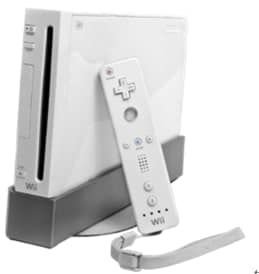
1-1. Technical Specifications of the Wii
Understanding the hardware architecture is key to choosing an emulator that can accurately interpret original game code. The Wii hardware includes:
- Processor: PowerPC-based "Broadway" CPU.
- Graphics: ATI "Hollywood" GPU with dedicated texture memory.
- Memory: 88MB of main memory plus 3MB of embedded GPU cache.
- Connectivity: Bluetooth for remotes, USB ports, and Wi-Fi functionality.
- Output: Native support for 480p and 480i resolutions.
Part 2. Why Use a Wii Emulator?
The primary motivation for using a Wii emulator is to achieve a modernized gaming experience. While the Wii console was revolutionary for its time, it is limited to standard-definition output. Emulators allow you to render games at 1080p, 4K, and beyond, providing a significant boost in visual fidelity. Furthermore, emulators enable custom control schemes, save states, and external enhancements that the original console lacked.
Most high-end emulators are cross-platform, allowing users to run games on Windows, Linux, macOS, and Android, making your library truly portable. Whether you want to preserve your childhood classics or experience them with modern graphical filters, emulation is the definitive path forward.
Part 3. Top 10 Famous Wii Emulators
1. Dolphin
Dolphin is widely considered the best Wii and GameCube emulator available. It is an open-source project that has achieved immense maturity. It supports high-definition rendering, multiplayer network play, and extensive controller customization. It is essentially the standard for modern Wii gaming.
Website: https://dolphin-emu.org/
2. Dolwin
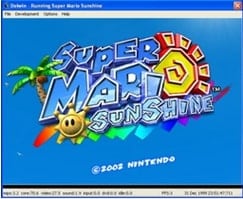
Dolwin is a specialized C-based GameCube and Wii emulator. While it focuses heavily on GameCube software, it serves as a historical benchmark for those interested in the evolution of Nintendo emulation. It is best suited for tech enthusiasts looking to test specific homebrew applications.
Website: http://www.emulator-zone.com/doc.php/gamecube/dolwin.html
3. SuperGCube
A Windows-exclusive emulator based on the GCube project. It is known for its highly efficient core, which makes it performant on older hardware configurations that might struggle with more resource-intensive software.
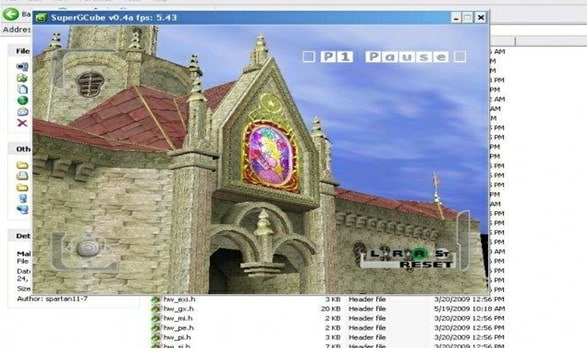
Website: http://www.emulator-zone.com/doc.php/gamecube/supergcube.html
4. Whinecube
Whinecube is a C++ project designed for Windows systems. While it lacks commercial game compatibility, it is a great tool for running specific homebrew programs. It requires a graphics card capable of handling D3DFMT_YUY2 conversions.
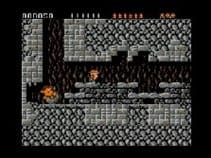
Website: http://www.emulator-zone.com/doc.php/gamecube/whinecube.html
5. GCEmu
GCEmu employs recompilation techniques to achieve speed advantages. Though incomplete, it provides a look at how early developers attempted to bridge the gap between console architecture and PC x86 processing.

Website: http://www.emulator-zone.com/doc.php/gamecube/gcemu.html
6. GCube
An open-source project focused primarily on homebrew. It is valuable for developers and those interested in how emulators emulate individual console functions.
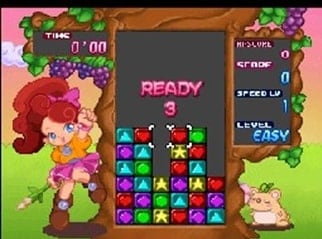
Website: http://www.emulator-zone.com/doc.php/gamecube/gcube.html
7. CubeSX
A specialized emulator that allows the Wii or GameCube to run PlayStation 1 titles. It is a testament to the versatility of the Wii hardware when paired with homebrew software.
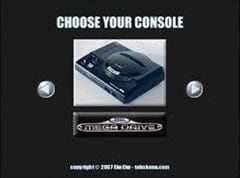
Website: http://www.theisozone.com/downloads/gamecube/emulators/
8. Cube64 Beta
This project enables N64 emulation on Wii and GameCube consoles via SD or DVD. It is a niche but functional choice for fans of Nintendo 64 software.
Website: http://www.theisozone.com/downloads/gamecube/emulators/cube64/
9. GCSX (PSX Emulator)
Another iteration of PSX emulation for Nintendo platforms. While it lacks features like saved states or advanced GUI, it serves as a lightweight solution for basic game execution.
Website: http://www.theisozone.com/downloads/gamecube/emulators/gcsx-psx-emulator-beta/
Part 4. 5 Famous Games that based on Wii
With a reliable emulator like Dolphin configured, you can revisit these masterpieces. These titles represent the best of the Wii library, showcasing innovative design and timeless fun.
- Super Mario Galaxy 2: A masterclass in level design and creative movement that challenges even the most experienced players.
- Metroid Prime Trilogy: An epic collection featuring Samus Aran, offering a seamless and immersive first-person adventure experience.
- Resident Evil 4 (Wii Edition): Widely considered the definitive version, featuring superior motion-assisted aiming controls.
- Dead Space Extraction: An intense, high-stakes rail shooter that excels at atmosphere and horror.
- The Legend of Zelda: Twilight Princess: A darker entry in the Zelda franchise that brings sophisticated combat and scale to the console.
Conclusion
Emulation is a vital tool for both preservation and enjoyment of the Nintendo Wii library in 2026. While many experimental emulators exist, Dolphin remains the most recommended choice for the vast majority of users due to its active community, superior graphical upscaling, and cross-platform compatibility. Always ensure you are using original game backups to remain compliant with copyright regulations.
FAQ
1. Is using a Wii emulator legal?
Using a Wii emulator is legal for running backups of games you personally own. However, downloading copyrighted game files (ROMs) from the internet is typically a violation of copyright law. Always use your own physical media.2. Can I run Wii games on my smartphone?
Yes, provided you have a high-performance Android device. Dolphin offers an Android port that can play many Wii titles, though performance will vary based on your phone's processor and RAM.3. Do I need a Wii remote to play on an emulator?
No, you do not. Modern emulators like Dolphin allow you to map game inputs to your PC mouse, keyboard, or any modern game controller (like Xbox or PlayStation controllers), often making the experience more comfortable.4. Why is my game running slowly on the emulator?
Slow performance is usually caused by inadequate PC hardware (specifically CPU clock speed or lack of a dedicated GPU) or incorrect emulator settings. Try lowering the internal resolution or disabling heavy post-processing effects.
 Add Wondershare Dr.Fone as a preferred source on Google