Effortlessly manage data through preview, delete, export, etc.

 100% Security Verified | No Subscription Required | No Malware

 :
: 
 ChatGPT
 Perplexity
 Gemini
 Claude
 Grok
Grok
The Nintendo Entertainment System (NES) is a legendary 8-bit video game console manufactured by Nintendo. Initially released in Japan in 1983 as the Famicom and later globally in 1985, the NES is widely considered to be the most influential gaming console of its time. It single-handedly helped revitalize the gaming industry following the notorious video game crash of 1983. With the NES, Nintendo introduced a strictly controlled and now-standard business model of licensing third-party developers, authorizing them to produce and distribute titles exclusively for Nintendo's platform.
After the crash, many retailers and electronic manufacturers left the home video game market for dead, believing it was a passing fad. However, Nintendo saw an unprecedented opportunity and took full advantage of it. Despite its immense popularity and industry dominance, the original NES hardware was known to be prone to malfunction. Dirty game cartridges or worn connector pins could easily contaminate the system, causing it to freeze or refuse to load games. Today, using NES emulators allows players to bypass these physical limitations and enjoy retro gaming flawlessly.
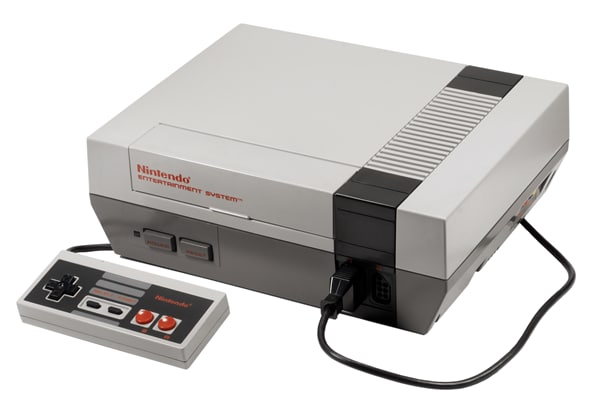
Hardware Specifications of the Original NES
- RAM: 16 Kbit (2kb)
- Video RAM: 16 Kbit (2kb)
- Min/Max cart size: 192 Kbit - 4 Mbit
- Processor speed: 1.79 MHz
- Resolution: 256x224 (NTSC) or 256x239 (PAL)
- Colors available: 52
- Max Colors on screen: 16, 24 or 25
- Max sprites: 64 (Max sprites per line: 8)
- Sprite size: 8x8 or 8x16
- Sound: PSG sound, 5 channels including 2 square waves
Modern NES emulators have been developed to run seamlessly on a variety of operating systems, including Windows, iOS, and Android.
In this article
 Effortlessly manage data through preview, delete, export, etc.
- Transfer all data between devices.
- Robust backup solutions for reliable data protection.
- Mirror screens to PC for meetings, teaching, and control.
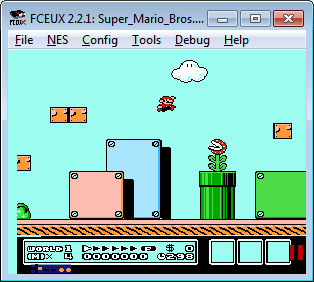
1. FCEUX
The core concept behind FCEUX is to merge the best elements from various FCE branches—including FCE Ultra, FCEU rerecording, FCEUXD, FCEUXDSP, and FCEU-mm—into a single, comprehensive software solution. With FCEUX, users can effortlessly play almost all favorite NES classics with very few exceptions. It provides highly accurate emulation while catering to a diverse user base. FCEUX is a cross-platform, NTSC, and PAL Famicom/NES emulator that evolved directly from the original FCE Ultra. It serves as an all-encompassing tool that gives the best of both worlds, providing simple playback for the general player alongside advanced debugging tools for the ROM-hacking and speedrunning community.
Features and Functionalities:
- Highly configurable control pad setup.
- Extensive support for gamepads, joysticks, and keyboard inputs.
- Broad compatibility across multiple operating systems.
- Flawless support for original commercial games.
- Incredibly easy setup process for loading ROMs quickly.
- Exceptionally fast and lightweight emulator.
- Ultra-high graphical rendering coupled with superior sound output.
- Can accurately play the vast majority of NES games.
- Seamless multiple platform support.
- Almost no discernible flaws or notable compatibility bugs.
2. JNES
JNES is a dedicated NES emulator primarily designed for Windows and Android-based systems. The software's emulation capabilities go way beyond many standard emulators currently on the market. JNES boasts a remarkably intuitive user interface equipped with instant save slots and movie recording functions, making playing NES games significantly more enjoyable and accessible for modern audiences. One of the coolest features is the included pre-loaded database of Pro-Action-Replay and Game Genie cheats, generously provided by Gent. Furthermore, this emulator smoothly transitions between full-screen and windowed modes, allowing you to easily record video gameplay, snap screenshots, and connect with a netplay client for multiplayer fun.
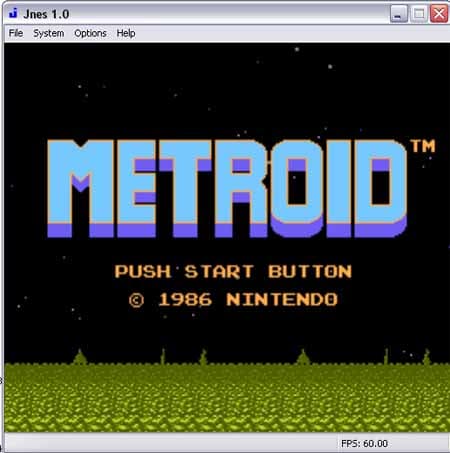
Features and Functionalities:
- Native support for Game Genie and Pro Action Replay cheats.
- Flexible Full-screen and Windowed viewing modes, Bitmap screen capture, and audio output recording.
- Conveniently Save and Load NES states from up to 11 dedicated slots.
- Highly configurable input mapping, sound output graphs, and an integrated ROM browser.
- Real-time patching of ROMS using the popular IPS patch format.
- Direct loading of compressed ZIP files.
- Highly stable engine with heavily optimized performance.
- Reliably plays most commercial games without visual glitches.
- Extensive built-in cheat code support.
- Reliable and easy-to-use video recording and screenshot tools.
- Contains a few minor bugs regarding less common ROM types.
3. NESTOPIA EMULATOR
Nestopia firmly holds its position as one of the best and most accurate open-source Nintendo/Famicom emulators available. It receives frequent updates from its dedicated community. The Windows port has been masterfully rewritten from scratch, which means its core architecture has been drastically improved for modern OS environments. A standout feature of this emulator is that stable netplay is fully supported through the integrated Kaillera network. Just remember, before you jump into competitive or cooperative online play, tweaking your controller settings can make playing your favorite retro titles incredibly fun. Nestopia also features a fantastic compatibility list that handles complex Japanese mappers beautifully.
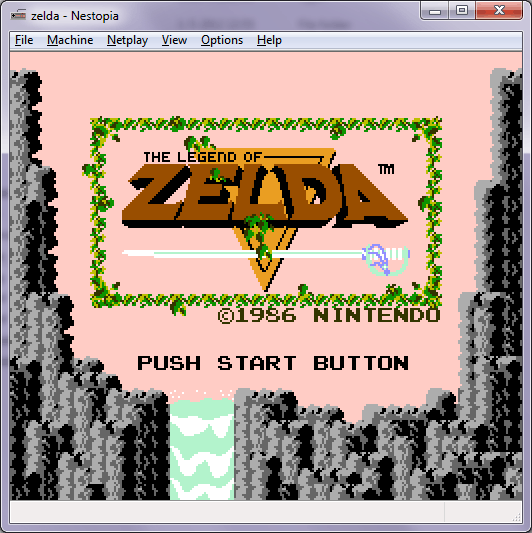
Features and Functionalities:
- Impressive support for 201 different cartridge mappers.
- Built-in cheat code support fully enabled.
- Exceptionally fast and lag-free emulation engine.
- Authentic Famicom Disk System (FDS) emulation.
- Hardware support for the Zapper Light Gun peripherals.
- Audio support for the five most common additional custom sound chips found in specialized carts.
- Highly stable architecture providing beautifully optimized performance.
- Cheat system works seamlessly with most games.
- Easily supports rapid audio/video recording and high-res screenshots.
- Superior Netplay mode for stable online multiplayer matches.
- Suffers from a few minor graphical bugs on extremely obscure titles.
4. HIGAN EMULATOR
Higan is an ambitious multi-system emulator that natively supports a variety of consoles, primarily including the NES, SNES, Game Boy, Game Boy Color, and Game Boy Advance. The name Higan translates to "Hero of Fire" in Japanese. Although active development of Higan has unfortunately been stopped, it remains a landmark piece of software. Its core philosophy was centered around uncompromising, cycle-accurate hardware emulation rather than relying on speed hacks. This ensures a perfect reproduction of original gameplay logic, albeit at a heavy cost to processing efficiency.

Features and Functionalities:
- Immaculate Full-screen Resolution mapping and upscaling support.
- Robust multiple system emulation engine in one package.
- Incredibly accurate audio recreation and Good Sound Support.
- Pioneered the innovative concept of dedicated Game folders for superior file management.
- Cheats, SRAM (save data), and specific input settings are intelligently stored alongside the game.
- Multiple retro gaming platforms accurately supported in a single app.
- Unique Game folders are incredibly helpful to cleanly organize SRAM, Cheats, and control mapping settings.
- Prone to crashing frequently due to its heavy architecture.
- Fundamentally designed primarily for the cycle-accurate SNES core, making NES a secondary focus.
- Can be quite slow on older or low-spec machines.
5. NINTENDULATOR
Nintendulator is an uncompromising piece of software that was written primarily in the C++ programming language with one main objective: to be the most perfectly accurate NES emulator possible. To achieve this, the entire Picture Processing Unit (PPU) was rewritten to run cycle-by-cycle in strict accordance with the most deeply researched technical documentation available. Following that, the CPU was painstakingly rewritten to execute hardware instructions with flawless timing. Then, the Audio Processing Unit (APU) was completed to give the emulator proper, genuine sound synthesis. Despite recognizing that some C++ code optimizations could be improved, the eventual and ongoing goal of Nintendulator is absolute precision, faithfully recreating hardware quirks right down to the microscopic level. Consequently, it is primarily used by developers to test homebrew NES code, offering the total confidence that if a game works properly in Nintendulator, it will function identically on the physical hardware.
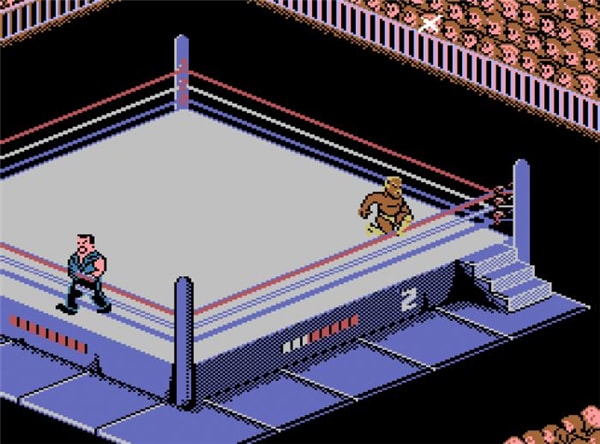
Features and Functionalities:
- True hardware cycle-accurate emulation for pure authenticity.
- Outstanding and faithful sound support mapping original hardware.
- Supports nearly every game without game-specific emulation hacks.
- Unparalleled accuracy guarantees it supports effectively all games.
- Deeply configurable control settings for developers.
- Incredibly slow emulator that demands substantial CPU power.
- Can experience lots of bugs or crash sometimes during complex loading sequences.
Conclusion
Reliving the golden age of classic 8-bit gaming has never been easier or more authentic thanks to these top-tier NES emulators. Whether you prioritize intuitive, user-friendly interfaces with built-in cheats like JNES, the all-in-one comprehensive toolsets of FCEUX, the ultra-smooth netplay capabilities of Nestopia, or the uncompromising hardware cycle accuracy required by developers using Nintendulator and Higan, there is a perfect software solution tailored to your needs. By selecting the most suitable emulator for your Windows, Mac, or mobile device, you can effortlessly dive back into the timeless Nintendo classics that shaped video game history.
FAQ
-
1. Are NES emulators completely legal to download and use?
Yes, downloading and using emulator software itself is entirely legal, as the emulator merely acts as a hardware bridge. However, downloading commercial ROM files for games you do not physically own is considered copyright infringement. To stay strictly within legal boundaries, you should legally acquire the games and rip the ROMs yourself. -
2. Can I play multiplayer NES games online with friends?
Absolutely. Many modern emulators, such as Nestopia and FCEUX, support online netplay via networks like Kaillera. This allows you to connect with players worldwide and enjoy local multiplayer games over the internet, provided both players share identical ROM files and stable connections. -
3. Do I need an incredibly powerful computer to run these emulators?
Not necessarily. Emulators like JNES and FCEUX are highly optimized and run flawlessly on almost any low-end hardware or older mobile device. However, cycle-accurate emulators like Nintendulator and Higan require significantly more CPU power to perfectly replicate the original hardware logic without lag. -
4. How do I easily save my progress while using an NES emulator?
Unlike the original console, which often relied on passwords or finicky battery saves, modern NES emulators utilize "Save States." This feature allows you to freeze and save the exact state of your game at any given moment and load it instantly later, completely bypassing the game's internal save mechanics.
 Add Wondershare Dr.Fone as a preferred source on Google