Teleport your device anywhere instantly with one click.


 100% Security Verified | No Subscription Required | No Malware

 :

 ChatGPT
 Perplexity
 Gemini
 Claude
 Grok
A Pokémon GO joystick changes a device's reported GPS position or simulates movement; it is not an official control offered by the game. Android mock-location utilities, modified game clients, and desktop location simulators are different categories, even when search results group them under the same name.
For a 2026 comparison, start with platform compatibility, route controls, and account risk rather than promises of an undetectable Pokémon GO hack. The game's official Gameplay Fairness Policy explicitly prohibits falsifying location and unauthorized clients. Neither a paid subscription nor a realistic walking speed makes spoofing permitted or guarantees protection from suspension.
In this article
1. GPS Joystick - Fake GPS Location
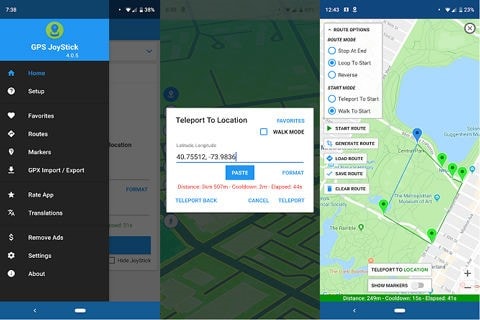
GPS Joystick by The App Ninjas is an Android location-testing utility with an on-screen directional overlay. Its developer describes map selection, latitude and longitude entry, and routes that can run automatically. The original article incorrectly treated this Android app as an iPhone utility; an Android APK cannot be installed as an iOS app.
Its practical distinction is the combination of manual steering and repeatable paths. Instead of repeatedly searching for a destination, a tester can define points on a map, choose movement speeds, pause the route, and resume it. Those controls are useful for authorized location-based app testing, but they do not establish compatibility with Pokémon GO.
- Select a map position or supply coordinates to set the simulated starting point.
- Build a route containing multiple points and choose loop or reverse operation.
- Configure three movement speeds rather than assuming a walking or cycling preset suits every test.
- Save favorite positions and routes, and use GPX import or export when supported by the installed version.
Pros: The overlay provides direct directional control, while saved routes make repeated tests easier. Automatic movement and customizable joystick appearance reduce the need to keep reopening the map.
Cons: Android configuration and the receiving app's behavior determine whether mock coordinates are accepted. There is no basis for the original claim that locations cannot be saved: the developer's listing explicitly includes favorites. An available joystick also does not mean a game will accept it or leave an account unrestricted.
2. Fake GPS Joystick
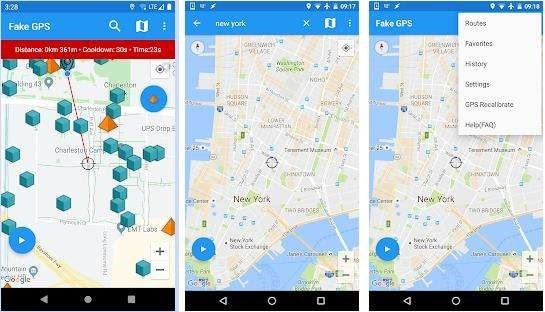
The label 'Fake GPS Joystick' appears on several location utilities, so verify the developer and package before comparing features. The original recommendation focused on controls for update interval, movement speed, altitude, and reported accuracy. These are configuration options for simulated location data, not evidence that an app is an officially supported Pokémon GO controller.
For example, the developer listing for Fake GPS Joystick & Routes Go describes history, favorites, joystick movement, and settings for speed and accuracy. An update interval changes how frequently a simulated position is supplied; it does not force another app to refresh at the same rate or conceal the fact that the position is mocked.
- Check whether the installed edition includes manual movement or only a static location pin.
- Review speed and altitude settings separately so a test does not combine incompatible values.
- Confirm that favorites and destination search are included before paying for an upgrade.
- Read the current setup requirements: permissions, Android versions, and paid features can differ between similarly named apps.
Pros: Favorites help revisit test locations, and adjustable parameters offer more control than a single fixed coordinate. Map search or coordinate entry can make destination selection more precise when the particular app supports them.
Cons: A generic app name makes it easy to select the wrong download. Free and paid editions can both violate game rules when used to falsify gameplay location; risk is not limited to free software. Avoid treating payment as account insurance or an assurance that an installer is trustworthy.
3. Fly GPS for Android
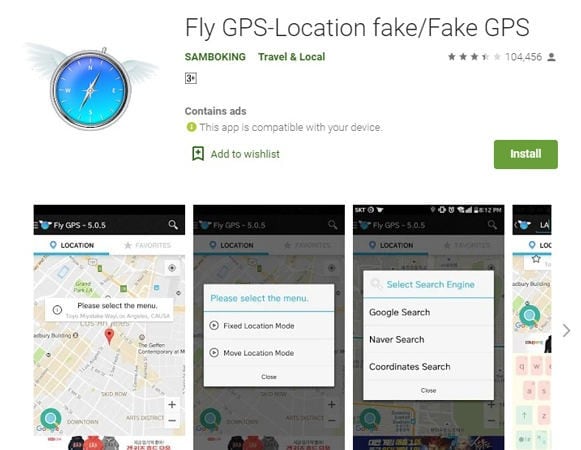
Fly GPS is the Android option in this comparison for readers interested in fixed-position and movement modes. The source describes setting a destination, adjusting a simulated travel pace, and searching for locations. Treat that feature list as something to confirm against the current release, rather than a promise that an older screenshot represents today's interface.
A static mock point and a route are not interchangeable. The former reports one location; the latter changes the reported coordinates over time. Choosing a movement setting can change the testing scenario, but cannot make a prohibited gameplay action legitimate or guarantee that every app will use the same coordinates.
- Use place search or coordinates, where available, to identify the intended test area.
- Inspect the difference between fixed location and simulated movement before starting.
- Review route and pace options if a test requires travel between multiple points.
- Confirm which controls are available without payment instead of assuming all examples are included.
Pros: The source's fixed-versus-moving distinction is straightforward for comparing a single-location test with a route simulation. Direction and pace controls can provide a more flexible scenario than repeatedly moving a map pin.
Cons: The original comparison reported fewer options and a more limited free edition. Exact restrictions require a current listing check. Its assertion that Fly GPS can make every app, including the game operator, believe a false location is not supportable: apps can use additional signals and reject mock locations.
4. Fake GPS Location - Routes and Joystick

This recommendation concerns route-based simulation rather than simply moving a location marker. The original wording mixed a developer name, broad iOS compatibility, and superlatives without establishing a particular current release. The verified Google Play listing for Fake GPS Joystick & Routes Go is an Android listing; it should not be presented as proof of an equivalent iPhone app.
The documented feature set includes joystick movement, routes, automated altitude, favorites, history, and configurable update intervals. The developer also distinguishes setup modes, including modes with different device requirements. Match the exact product name and developer to the listing rather than assuming every app with 'Routes and Joystick' in its title is identical.
- Choose a single map position or define multiple waypoints for a route.
- Review direction and simulated speed controls for the scenario being tested.
- Retain favorite locations and route history when those options are enabled.
- Check the vendor's current setup instructions before changing developer settings or attempting a mode with additional requirements.
Pros: Combining a joystick with saved destinations and automated routes supports repeated location tests. Coordinates and map points make it possible to define a path deliberately rather than rely on imprecise dragging.
Cons: Some editions or functions may be paid, and older descriptions of three pricing modes should not be treated as a current price sheet. This is not a verified 'most advanced' app, a cross-platform guarantee, or a mechanism for forcing all location-aware services to accept a false position.
5. iPogo Joystick
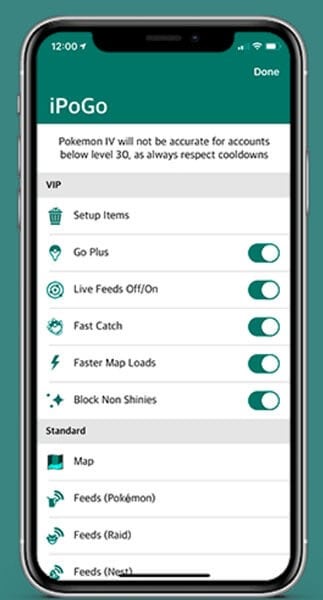
iPogo differs from ordinary mock-location utilities because its tools are designed around Pokémon GO gameplay. Its website advertises teleporting, global feeds, custom routes, and enhanced throws, with additional automation in paid tiers. Those advertised capabilities explain the search interest, but they are not an endorsement from the game's operator.
The original description was iOS-only and confused unrelated product names by calling the comparison tool 'Dr.Fone AnyGo'. iPogo's current site lists both iOS and Android options, with installation methods and device requirements that must be checked separately. Do not equate an APK with an iPhone installer or assume a signing method remains available indefinitely.
- Manual direction and route controls are intended to simulate movement without physical travel.
- Location feeds surface game-related destinations; they do not guarantee that an encounter remains available.
- Enhanced-throw and automated gameplay features are separate from basic GPS simulation.
- Free and VIP plans differ; inspect the actual feature table rather than assuming every demonstrated function is free.
Pros: Game-oriented feeds and route controls are integrated in one tool, which makes the feature set different from a general-purpose GPS testing app. The original navigation examples illustrate why users compare joystick interfaces.
Cons: Modified clients, third-party add-ons, and false locations fall within the official fairness policy's prohibited behaviors. High-accuracy location settings are not a universal fix or protection against detection. Even iPogo's own site does not guarantee account safety.
Dr.Fone - Virtual Location for controlled GPS simulation
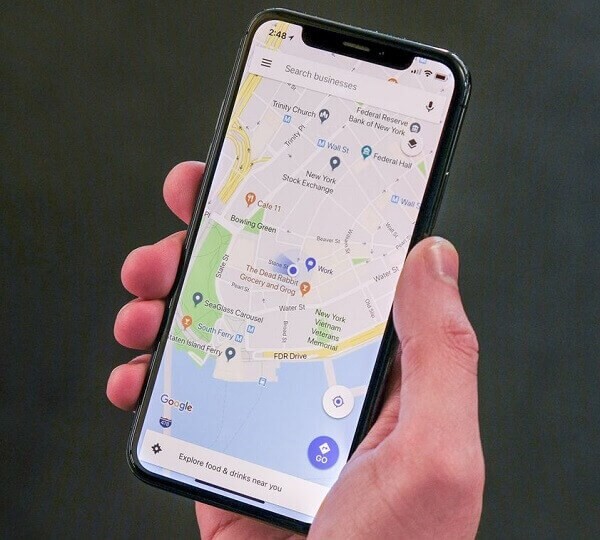
 Set your map route to simulate GPS movement.
- Set your wanted movement speed.
- HD and large map view to check location.
- Fake GPS location to anywhere.
For a separate desktop-controlled location-testing workflow, Dr.Fone - Virtual Location offers map-based GPS changes and simulated movement on supported device configurations. Its route and speed controls address location simulation; they do not supply iPogo's enhanced throws, guarantee game compatibility, or exempt a game account from its rules.
Check the current device requirements before connecting a phone. Use a maps app to verify the result in an authorized test, rather than using a successful coordinate change as proof that another service will accept it. The official teleport guide describes the following sequence.
Step 1 Connect the supported phone
Open the desktop program, connect the device, and complete its connection and permission prompts.
Step 2 Select a destination
Choose Teleport Mode and search for the intended test location. Inspect the map result before confirming it.
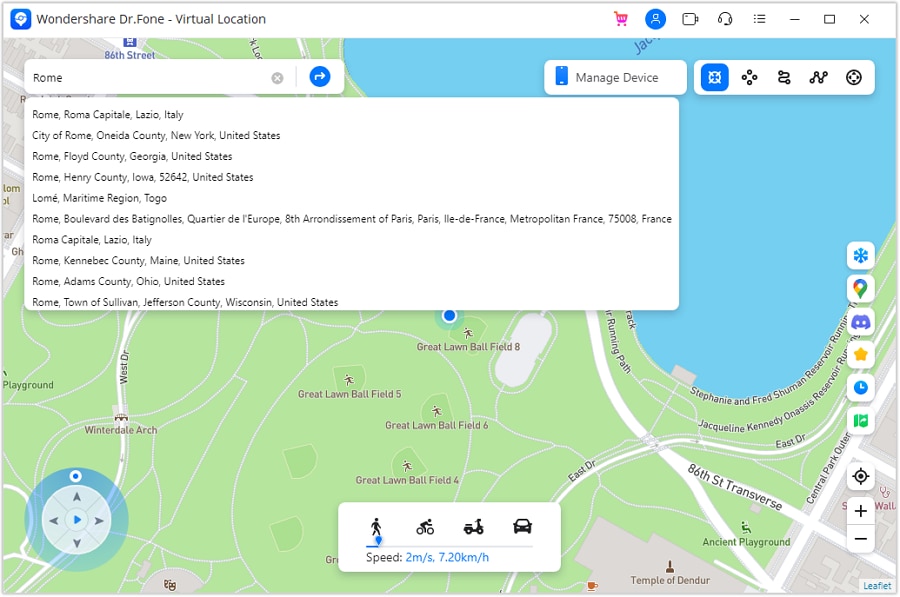
Step 3 Verify and restore
Select Move Here, then check the position in the phone's maps app. When the test is over, restart the device to restore the real GPS location as described by the official guide.
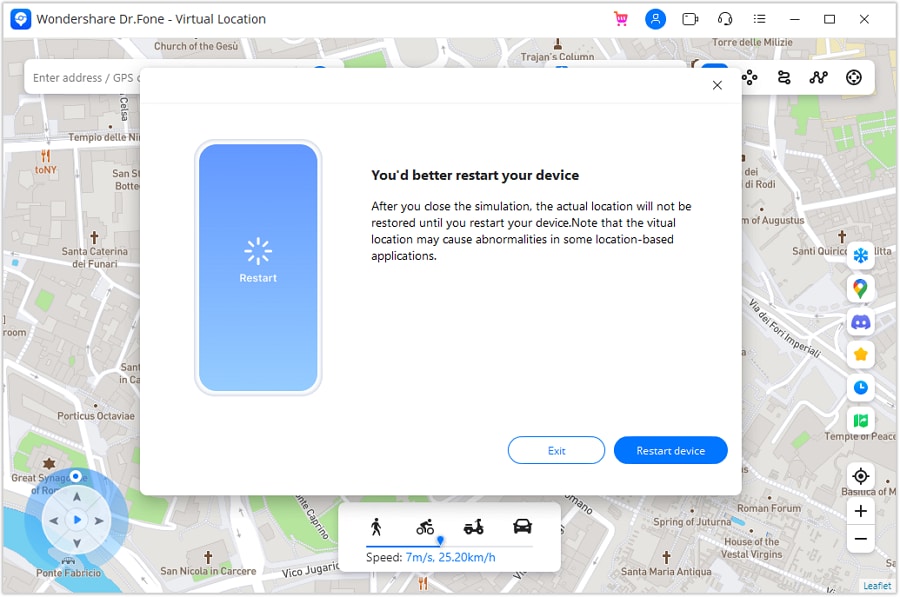
A changed map pin confirms only the location simulation you checked. It does not demonstrate privacy protection, a changed IP address, or immunity from Pokémon GO enforcement.




Conclusion
Compare these Pokémon GO joystick options as different kinds of software, not interchangeable safe hacks. App Ninjas and the verified Routes Go listing concern Android location testing; iPogo adds game-specific modifications. Current platform support, installer identity, and permissions matter more than an old screenshot, and the safest compliant gameplay choice is the official app used at your real location. A separate location-testing option is Dr.Fone - Virtual Location, discussed above.
FAQ
1. Is a Pokémon GO joystick an official game feature?
No. The tools discussed here are external utilities or modifications. The official fairness policy prohibits falsifying location and unauthorized third-party clients or add-ons.2. Can I install an Android GPS joystick APK on an iPhone?
No. Android and iOS use different app formats and installation systems. Confirm the exact vendor, platform, and current device requirements rather than following an Android screenshot on an iPhone.3. Does buying a paid joystick prevent bans?
No. Payment changes access to features, not the game's rules. Free and paid tools can both put an account at risk when used for prohibited location spoofing.4. How is Dr.Fone - Virtual Location different from iPogo?
Dr.Fone - Virtual Location is presented here as a GPS simulation workflow controlled from a computer. iPogo advertises game-specific functions such as feeds and enhanced throws. Neither should be described as guaranteed safe for Pokémon GO.
 Add Wondershare Dr.Fone as a preferred source on Google