Teleport your device anywhere instantly with one click.


 100% Security Verified | No Subscription Required | No Malware

 :

 ChatGPT
 Perplexity
 Gemini
 Claude
 Grok
Searching for a Pokemon Go hack for Android usually leads to mock-GPS apps, but changing an Android location is not the same as making Pokémon GO accept it. None of the five apps in the original shortlist should be treated as a verified, current, ban-safe Pokémon GO solution. Their useful, documented role is location simulation for development or other permitted testing.
This 2026 review keeps the original five tools, screenshots, and store references while separating source-reported features from current evidence. It also explains an important product limit: Dr.Fone's Android compatibility statement explicitly excludes Pokémon GO. A joystick, route speed setting, or working map pin does not remove a game's rules or anti-cheat checks.

In this article
Five Android GPS Tools: Compare Features, Not Game-Safety Claims
The original list grouped mock-location utilities under a Pokémon GO recommendation. That overstates what their feature descriptions establish. A utility can produce test coordinates and still be rejected by an app, unsupported on your phone, or prohibited by the service you use it with.
The official Pokémon GO fairness policy explicitly identifies falsifying GPS location as cheating. It describes warnings, suspensions, and permanent termination, and does not guarantee that every offender receives all three stages. Avoid modified clients, unofficial APK mirrors, and promises of undetectable play.
Dr.Fone - Virtual Location: Supported GPS Simulation, with an Android Exception
 Set your map route to simulate GPS movement.
- Set your wanted movement speed.
- HD and large map view to check location.
- Fake GPS location to anywhere.
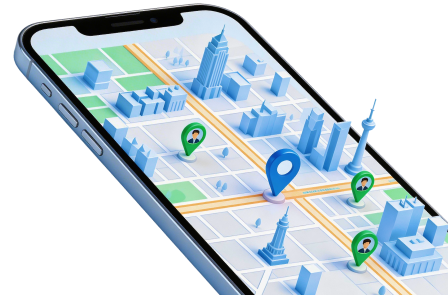
Dr.Fone - Virtual Location offers location selection, simulated routes, adjustable movement, and directional GPS controls for supported devices. These functions can help with an authorized location-based test. They do not prove compatibility with every game, override a game's enforcement, or award Pokémon, raid access, or account privileges.
Android Pokémon GO is not supported in the product page's Android application statement. The same page separately lists iOS use cases, but a listing is not proof of compatibility with every current iOS/game build or permission to spoof. This distinction matters more than the broad iOS-and-Android wording inside the fixed product box.
Step 1 Confirm the permitted test and device
Check the current device and operating-system requirements, open the desktop software, choose Virtual Location, and connect your own supported phone.
Step 2 Choose a location in Teleport Mode
Search for a place or coordinate, review the pin, and confirm Move Here only for an application or test environment where you have permission to simulate GPS.
Step 3 Verify the reported coordinates
Inspect a maps app on the phone. For route tests, select the supported movement mode and appropriate parameters; do not treat a changing map dot as a Pokémon GO compatibility test.
End the simulation when finished and follow the program's restart instruction to restore real-location reporting. This is a general GPS-testing workflow, not an Android Pokémon GO hack or an anti-ban procedure.




1. Fake GPS Location with Joystick by Ninja Toolkit
The current store description identifies this app as a GPS simulator primarily intended for testing location-based features. It documents search by place, manual latitude and longitude, favorite locations, history, joystick movement, and both point-to-point and multi-point routes. These are concrete testing controls, not evidence that a protected game will accept the result.
- Search for a location by name or enter coordinates when a reproducible test point is needed.
- Use step or continuous joystick movement to model a changing position.
- Save frequently used positions and inspect previous test locations.
- The source also mentioned CSV import; confirm that feature in the installed version, because it was not established by the current description read for this review.
The source reported Android 4.1+, a free price, and a 4.5/5 rating. Those are source-reference details, not a current compatibility, pricing, or rating guarantee. Availability and requirements must be checked for your device and region. Android mock-location setup requires Developer Options; that setting does not conceal mock data from another app.
Original store reference: https://play.google.com/store/apps/details?id=com.ninja.toolkit.pulse.fake.gps.pro

2. FGL Pro by LTP
The source presented FGL Pro as a paid, more advanced option with map layers, an auto-fix function, joystick controls, and simulated movement. Its exact original store URL returned an unavailable-page response during this review. That is not proof of worldwide removal, but it prevents treating the old listing as a verified current recommendation.
- The original description claimed an ad-free experience; current advertising and purchase terms were not verified.
- Map search, moving a location pin, and different geographic layers were the source's navigation features.
- The listed joystick and walking, running, or cycling speed settings describe simulation controls, not approved gameplay.
- An auto-fix label is not evidence that the app can defeat current location checks.
For traceability, the source listed Android 4.0.3+, a $2.50 price, and a 3.7/5 rating. Do not rely on those figures to buy or sideload a copy today. If the official listing is unavailable to you, do not assume an APK mirror is an equivalent or trustworthy replacement.
Original store reference: https://play.google.com/store/apps/details?id=com.ltp.pro.fakelocation

3. Fake Router / Mock Location: Fake GPS Route Simulator
The supplied app.steve.fakeroute reference currently describes a route simulator. The original article called it Fake Router and emphasized a map interface. The listing read for this review documents multi-waypoint routes, movement-speed control, joystick movement, saved routes, and developer mock-location testing.
- Use a selected map position for a static test, or a route when the application must react to travel.
- Walking, running, and driving profiles represent simulated movement, not a guarantee of accepted in-game distance.
- Saved routes can make repeated authorized tests more consistent.
- The source mentioned Google Maps integration and address/coordinate entry; check the current interface before depending on an exact workflow.
The original comparison recorded Android 6.0+, in-app purchases, and a 4.4/5 rating. Treat those as the article's source snapshot, not current store facts. Read the actual purchase terms, permissions, and device compatibility shown to you before installing.
Original store reference: https://play.google.com/store/apps/details?id=app.steve.fakeroute

4. Lockito GPS Itinerary Faker
Lockito's current description focuses on developer testing of itineraries and geofencing. It documents control over speed, altitude, GPS accuracy, and a static simulated location. That makes its purpose clearer than the source's unsupported claim that it runs smoothly on every device.
- A fixed coordinate can test a location-triggered behavior without real travel.
- An itinerary can test movement through several places, with speed and signal parameters under your control.
- The source described address or keyword search and favorite points; verify those controls in the current app before planning a test around them.
- The store notes mock-location requirements on an unrooted device. Old rooted-device instructions are not a reason to modify system files for this comparison.
The source's Android 4.1+, free-price, and 4/5-rating entries are preserved as reference information only. They are not a universal compatibility promise. A modern phone's Android version and the consuming app's location handling still affect the result.
Original store reference: https://play.google.com/store/apps/details?id=fr.dvilleneuve.lockito

5. Fake GPS by ByteRev
The original ByteRev entry points to the com.blogspot.newapphorizons.fakegps listing. Its current description positions the tool as a way to test another app's GPS behavior by setting a simulated phone location. It also discusses mock-location settings and the possibility of cached mock coordinates after stopping.
- The source described a map-like interface for choosing a test location.
- It also mentioned favorites and movement at a selected speed; confirm those features in the installed release rather than assuming every edition includes them.
- Another app may ignore or reject the simulated data. The old claim that the result automatically works in Pokémon GO, Tinder, and all GPS apps is not supported.
- After a test, stop the simulator and verify that the phone reports its real position again.
The source recorded Android 4.1+, in-app purchases, and a 4.3/5 rating. These are not verified current specifications or purchase terms. Use the original listing to identify the app, then check its live information and help instructions.
Original store reference: https://play.google.com/store/apps/details?id=com.blogspot.newapphorizons.fakegps

A download-security icon does not establish app privacy, game compatibility, or account safety. Check the publisher and permissions separately, and do not enter game credentials into a location utility.
Conclusion
The five original Android tools offer different ways to simulate coordinates or movement, but their feature lists do not establish a reliable Pokémon GO hack. Current store availability, phone compatibility, and each service's rules must be considered separately. Dr.Fone's Android statement specifically excludes Pokémon GO, and no joystick or speed setting makes falsified gameplay ban-safe.
For Pokémon GO itself, use the official client and supported play features. For authorized location testing, choose the utility whose documented controls match the test, stop simulation afterward, and confirm normal GPS reporting before returning to everyday apps.
FAQ
1. Is any Android Pokémon GO spoofer guaranteed safe?
No. The game's fairness policy treats falsified GPS location as cheating. A tool working in a maps app does not prove game compatibility or protection from penalties.2. Does Dr.Fone support Pokémon GO on Android?
The official product page's Android application statement explicitly says Pokémon GO is not supported. General Android GPS simulation must not be presented as an exception to that limit.3. Are the old app prices and ratings current?
No. They are retained as source-reference values, not verified live store information. Check the listing visible to your account, device, and region.4. Why can a map show the mock location while a game does not?
Apps can process or validate location differently. Accepting a test coordinate in one app does not require another service to accept it, and does not override its terms.
 Add Wondershare Dr.Fone as a preferred source on Google