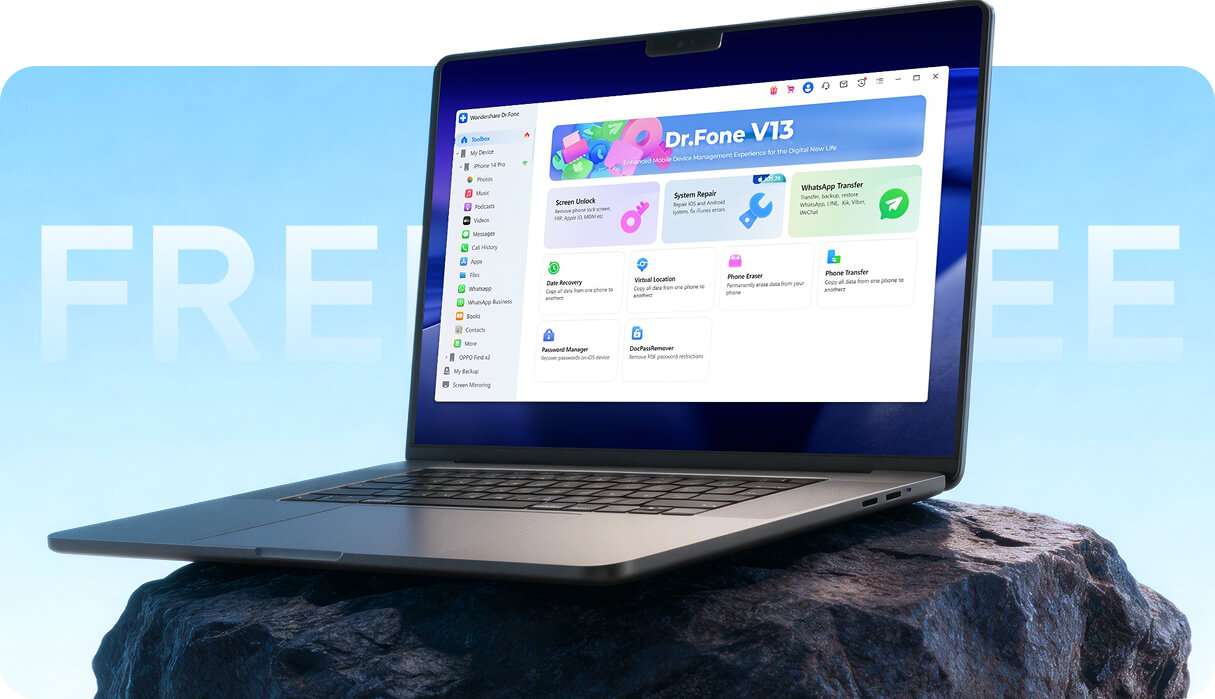
No credit card required to download. Official Wondershare installer.
Official Wondershare Download Windows & Mac Support Try Before You Activate EXCELLENT Trusted By 50M+ Users 24/7 Customer Support

What Can You Do with Dr.Fone for FREE?

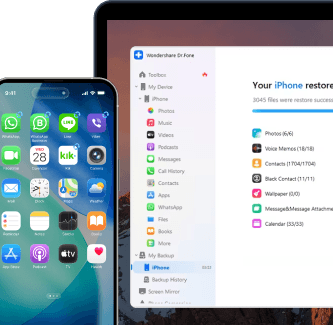
The Dr.Fone free trial is designed to help you evaluate the product before you buy. Depending on the module, you can scan for recoverable content, preview results, back up data, review supported options, or use selected free utilities. If you want to complete the full task, activation is required.

Best for

Confirming results before paying

  • Run scans and preview what's recoverable
  • Backing up supported WhatsApp data
  • Exploring supported device tools and utilities
  • See if Dr.Fone fits your needs

When Activation Is Needed

When you want to complete the job

  • Recover or export found data
  • Restore a backup to a device
  • Complete a full phone transfer
  • Run a full repair or complete an unlock

Free Trial vs. Activated Access

Use the free trial to check what Dr.Fone can do on your device before making a purchase. Activate only the module you need when you’re ready to complete the job.
Tip: Use the quick table to find your module, then expand for the exact free limits and what activation unlocks.

Single module vs Full Toolkit (how to choose)

Only need one task? Choose the module that matches your goal.
Need several workflows across recovery, transfer, repair, or unlock? A broader plan may offer better value.

{{ activeTab.toUpperCase() }}

{{ selectedTool.group }}

{{ selectedTool.name }}

  • {{ feat }}

Free Tools Included in Dr.Fone

Dr.Fone also includes selected utility tools for everyday mobile tasks. Availability may vary by device and platform.

root checker

Enter Recovery Mode (1-Click)

Support: iOS only

Stuck on the Apple logo? Put your iPhone into Recovery Mode safely with a single click—no buttons or iTunes required.
drfone free heic converter

iPhone Device Verification Report

Support: iOS only

Buying a used iPhone? Generate a deep verification report to check component authenticity and detect hidden hardware issues instantly.
drfone free ringtone maker

Enter Download Mode (1‑Click)

Support: Samsung devices

Skip the complex key combinations. Access Samsung Download Mode instantly to prepare your device for flashing or system repairs.
drfone root checker

HEIC Converter

Support: iOS & Android

Make your iPhone photos compatible everywhere. Batch-convert HEIC/HEIF images to high-quality JPEGs in seconds.
drfone free root checker

Root Checker

Support: Samsung devices

Verify your root status instantly or unlock your device’s full potential with our safe rooting utility.
drfone free ringtone maker

Ringtone Maker

Support: Windows only

Stop settling for default sounds. Trim your favorite tracks and create personalized ringtones for your device in seconds.

Official Free Trial vs. Unofficial Downloads
Why Cracked Downloads Don't Work

If you are looking for a Dr.Fone free download, the safest option is the official Wondershare installer. Unofficial downloads, cracked installers, modified files, and unsupported activators may fail to work properly and may expose you to security, privacy, or reliability risks.
The official free trial gives you a safer way to evaluate the software before paying. You can check supported features first, then activate only if you decide the product is right for your device and workflow.

Safe path: Official installer → scan/preview → activate only when needed.

What “official download” means here

  • Downloaded from Wondershare’s official source
  • Designed for a supported trial experience before activation
  • Intended to help you evaluate features before purchase
  • Supported through official Wondershare channels

Claims appear on the official Download Center FAQ section.

For the safest experience, use the official Wondershare Dr.Fone Download Center.

Official Dr.Fone free trial download

How to Get Started with Dr.Fone

No technical experience is required to get started. Install the free trial, connect your device, and see what features are available before deciding whether to activate a module.

Step 1

Download

Get the official installer for Windows or Mac.

Step 2

Connect

Connect your iPhone or Android device.

Step 3

Preview

Scan, back up, or review supported options based on the module you choose.

Step 4

Activate if Needed

Activate only when you want to complete a premium action.

Step 1

Download

Get the official installer for Windows or Mac.

Step 2

Connect

Connect your iPhone or Android device.

Step 3

Preview

Scan, back up, or review supported options based on the module you choose.

Step 4

Activate if Needed

Activate only when you want to complete a premium action.

Technical Specifications

drfone processor

Processor

1 GHz or faster (Intel or AMD)

drfone hard disk space

Hard Disk Space

7 GB of available hard disk space

drfone ram

RAM

1 GB of free RAM (2 GB or higher recommended)

drfone ios

Supported OS

- iOS 5.0 and later
- Android 5.0 and later

drfone operating system

Computer OS

- Windows 11, 10, 8.1, 8, 7
- macOS 10.13 or later

drfone processor

Processor

1 GHz or faster processor (Intel or AMD)
7 GB of available hard disk space
1 GB of free RAM (2 GB or higher recommended)
Compatible with all iOS versions starting from iOS 5.0
- Windows 11, 10, 8.1, 8, 7
- macOS 10.13 or later

Why Choose Dr.Fone?

148.5 M+
Satisfied Customers
95+
Countries Served
100%
Data Security
650K+
Partners Worldwide
24/7
Technical Support
148.5 M+
Satisfied Customers
95+
Countries Served
100%
Data Security
650K+
Partners Worldwide
24/7
Technical Support
drfone user
Kirill Lokshyn - Netherlands
star
I used Dr.Fone for WhatsApp transfer from Android to iPhone because Apple’s Move to iOS app kept failing for me. I was skeptical at first, but once I followed the steps carefully, my chat history and media transferred successfully.
drfone user
Wan - Malaysia
star
Dr.Fone was easy to use, and the steps were clear on screen. In my case, I had forgotten the PIN for my iPad after not using it for years, and the software helped me unlock it much faster than I expected.
drfone user
Liz Spears - United States
star
The whole process felt simple and fast. I was especially impressed with the iOS screen lock removal workflow because it was much easier to follow than I expected.
drfone user
TheMobileFixers TM - United States
star
I had an iPhone 13 Pro Max that would not restore after multiple attempts. Dr.Fone helped me figure out that the issue was hardware-related, which made it much easier to keep troubleshooting and complete the reset.
drfone user
Hafzal Azeez - Qatar
star
I had a hard time finding a reliable way to move my WhatsApp Business chats from Android to iPhone. Dr.Fone handled the transfer well, kept my chats and media intact, and the on-screen instructions were easy to follow as long as I went step by step.
drfone user
Ewan Runkh - United Kingdom
star
After losing two months of WhatsApp business messages, I decided to give Dr.Fone a try. It took a while, but the process was easy to follow and it helped me restore the messages I needed.
drfone user
Subbarao Vutukuri - India
star
I ran into an error halfway through restoring my iPhone 12 mini with Apple’s tools. Dr.Fone helped me restore the firmware and continue setting up the device.
drfone user
Carpe Verbam - France
star
I tried all the usual Apple steps to get my iPhone 7 out of restore mode, but nothing worked. After I downloaded Dr.Fone, it got the phone restored and working again in just a few minutes.
drfone user
Kirill Lokshyn - Netherlands
star
I used Dr.Fone for WhatsApp transfer from Android to iPhone because Apple’s Move to iOS app kept failing for me. I was skeptical at first, but once I followed the steps carefully, my chat history and media transferred successfully.
drfone user
Wan - Malaysia
star
Dr.Fone was easy to use, and the steps were clear on screen. In my case, I had forgotten the PIN for my iPad after not using it for years, and the software helped me unlock it much faster than I expected.
drfone user
Liz Spears - United States
star
The whole process felt simple and fast. I was especially impressed with the iOS screen lock removal workflow because it was much easier to follow than I expected.
drfone user
TheMobileFixers TM - United States
star
I had an iPhone 13 Pro Max that would not restore after multiple attempts. Dr.Fone helped me figure out that the issue was hardware-related, which made it much easier to keep troubleshooting and complete the reset.
drfone user
Hafzal Azeez - Qatar
star
I had a hard time finding a reliable way to move my WhatsApp Business chats from Android to iPhone. Dr.Fone handled the transfer well, kept my chats and media intact, and the on-screen instructions were easy to follow as long as I went step by step.
drfone user
Ewan Runkh - United Kingdom
star
After losing two months of WhatsApp business messages, I decided to give Dr.Fone a try. It took a while, but the process was easy to follow and it helped me restore the messages I needed.
drfone user
Subbarao Vutukuri - India
star
I ran into an error halfway through restoring my iPhone 12 mini with Apple’s tools. Dr.Fone helped me restore the firmware and continue setting up the device.
drfone user
Carpe Verbam - France
star
I tried all the usual Apple steps to get my iPhone 7 out of restore mode, but nothing worked. After I downloaded Dr.Fone, it got the phone restored and working again in just a few minutes.

Frequently Asked Questions

Straight answers about the Dr.Fone free version, activation, safe downloading, and what each trial module really includes.

Free Feature Boundaries

What the Dr.Fone free version can (and can’t) do.

Is Dr.Fone really free?

Yes. Dr.Fone offers a free trial with real features you can use before paying. You can scan, preview, check compatibility, and use selected free tools. Full recovery, restore, transfer, repair, and unlock actions may require activation.

What does the Dr.Fone free trial include?

The free trial lets you explore supported features before activation. Depending on the module, this may include scanning, previewing recoverable content, backing up data, reviewing supported options, or using selected utility tools.

What can I do with the Dr.Fone free version on PC or Mac?

On Windows PC and Mac, the free version lets you run scans, preview recoverable items, view device details, and try selected tools so you can see whether Dr.Fone fits your needs before upgrading.

Can I use Dr.Fone for free without paying?

Yes, you can download and try Dr.Fone for free. You only pay if you choose to unlock a premium module for full actions such as recovery, restore, transfer, repair, or screen unlock.

Can I recover data for free with Dr.Fone?

You can scan and preview recoverable data in the free trial. Activation is required to recover or export selected data. For Android-specific recovery options, see Android Data Recovery.

Can I export data in the Dr.Fone free trial?

Some tools may allow limited exports so you can verify the workflow. For full exports and complete recovery or restore actions, activation is required.

Can I transfer WhatsApp data for free with Dr.Fone?

The free trial supports backup in theWhatsApp Transfer module. Activation is required for restore or transfer actions.

Can I use Dr.Fone Phone Transfer for free?

You can try limited transfer-related actions in the free version to check compatibility and workflow. Full phone transfer requires activation.

Can I use Dr.Fone System Repair for free?

Yes, but only for selected utilities. In Dr.Fone - System Repair (Android), you can use Enter & Exit Download Mode for free. In Dr.Fone - System Repair (iOS), free features include Explore iOS Beta Features, General Reset Device, Enter Recovery Mode, and Exit DFU Mode. Full repair actions such as Android Repair, iOS Repair, iOS Upgrade/Downgrade, Anti-Recovery Repair, 1110 Error Repair, 4013 Error Repair, iTunes Repair, and Factory Reset Device require activation. The current page also positions System Repair overall as “FREE: limited utilities” and “Activation: full repair”.

Can I use Dr.Fone Screen Unlock for free?

You can access the Screen Unlock module in the free trial and review supported options, but activation is required to Unlock the device. For device-specific solutions, visit Android Unlock, Android FRP Bypass, iPhone Unlock, or iCloud Activation Bypass.

Is Dr.Fone available for Windows and Mac?

Yes. Dr.Fone is available for both Windows PC and Mac.

Does the Dr.Fone free trial work on Windows 10 or Windows 11?

Dr.Fone is designed for Windows PCs, including common modern Windows environments such as Windows 10 and Windows 11, as well as Mac.

Do I need a credit card to try Dr.Fone?

No credit card is required just to download and explore the free trial.

Is the Dr.Fone free trial time-limited?

The trial is mainly limited by feature access rather than by a strict countdown. You can use preview, scan, and selected demo-style features first, then activate only when you need full actions.

What is the difference between the Dr.Fone free version and the paid version?

The free version is designed for proof-before-pay. It lets you scan, preview, test compatibility, and try selected tools. The paid version unlocks full recovery, export, restore, transfer, repair, and unlock workflows where applicable.

Paid Unlock Scenarios

When you’ll need activation—and why.

When do I need to activate Dr.Fone?

You need to activate Dr.Fone when you move from preview to action. That includes recovering lost files, exporting full datasets, restoring backups, transferring chats, completing repairs, or unlocking a device.

Why does Dr.Fone ask me to activate after scanning my device?

Because scanning and previewing are part of the free trial, while full completion actions are premium. The scan helps you confirm that your device is supported and shows what may be recoverable before you pay.

Why can I preview recoverable data but not recover it for free?

Preview is there so you can verify results before buying. Full recovery, export, and restore actions require activation because they involve the complete workflow, product maintenance, and ongoing support.

Do I need a license key to use Dr.Fone?

You can use the free trial without activating a paid license first. A license or activation is needed when you want to unlock premium actions and remove trial limits.

Can I use Dr.Fone without activation?

Yes, you can use Dr.Fone without activation for free trial features such as scan, preview, compatibility checks, and selected utilities. Activation is only needed when you want to complete premium actions.

What happens after I upgrade?

After activation, you unlock premium functions for the module you purchased, such as recovery, export, restore, transfer, repair, or unlock features, depending on the product.

Can I unlock an iPhone or Android phone for free with Dr.Fone?

No, full device unlocking requires activation. The free trial can help you access the module and understand the process, but the actual unlock action is not fully free.

Do I need to pay to recover deleted iPhone data?

You can scan and preview recoverable data first. To complete full recovery of deleted iPhone data, activation is typically required.

Do I need to pay to transfer WhatsApp chats to a new phone?

Yes, the free trial can help with backup and checking compatibility, but full restore and transfer actions require activation.

Do I need to pay to export recovered files?

In most cases, yes. Some tools may allow limited exports for validation, but full export actions require activation.

Which Dr.Fone tools are free, and which ones require activation?

Free access mainly covers scan, preview, backup, device information, and selected limited utilities. Activation is required for full recovery, restore, transfer, repair, screen unlock, and other advanced completion actions.

Can I test Dr.Fone before buying a license?

Yes. The free trial is specifically designed to let you test supported features, preview results, and decide whether you need a premium module before you pay.

Why do some Dr.Fone features require payment?

Because the free trial is meant to help you evaluate the tool first, while full completion actions are part of premium workflows. This lets users confirm results before purchasing the exact module they need.

Is there a full version of Dr.Fone without activation?

The official way to use Dr.Fone is to start with the free trial and activate the module you need if you want full access. The page promotes an official proof-before-pay path rather than unrestricted premium access without activation.

What is included after upgrading from the Dr.Fone free trial?

Upgrading unlocks the premium functions for your selected module, such as full data recovery, export, restore, transfer, repair, or unlock actions, depending on what you buy.

Refund & Safety Assurance

Risk reversal, support, and secure downloading.

Is Dr.Fone safe to download?

The recommended way to download Dr.Fone is through Wondershare’s official source. That is the safest path if you want an official installer and a supported trial experience.

Where can I download the official Dr.Fone installer?

Download it from the official Wondershare Dr.Fone website or the official Wondershare Download Center.

What is the safest way to download Dr.Fone for free?

Use the official installer on the Wondershare Dr.Fone site, then scan, preview, and evaluate the tool before deciding whether to activate a premium module.

Is there an official free trial instead of a cracked version?

Yes. The official Dr.Fone free trial is the recommended way to test the software before purchase.

Are unofficial or cracked Dr.Fone downloads safe?

Unofficial or modified downloads may create security, privacy, or reliability risks. The safer option is the official Wondershare installer.

Why should I avoid Dr.Fone crack or unofficial license keys?

Because unofficial downloads can create security and reliability risks. They may not work as expected, may put your data at risk, and are not the safe or supported way to use the product.

Can cracked Dr.Fone versions contain malware?

Yes, that is one of the main risks highlighted on the page. Cracked installers and unofficial activators may contain malware or other harmful modifications.

What are the risks of using unofficial Dr.Fone downloads?

Unofficial downloads may contain malware, break drivers, expose personal data, fail during important workflows, or leave you without reliable support. The safer path is to use the official installer.

Does Wondershare offer a money-back guarantee for Dr.Fone?

Yes, the page highlights a money-back guarantee to help reduce purchase risk after you preview results. Always check the exact terms shown during checkout.

What if Dr.Fone does not support my device or workflow?

Start with the free trial first. It helps you check available features and supported results before you decide whether to activate a module.

How do I know whether Dr.Fone supports my device before purchase?

The free trial is designed to help you check compatibility and preview possible results first. That way, you can make a decision based on what the software actually shows on your device.

Do free features stay free forever?

Yes, the page states that free features remain free and that you only pay if you choose to unlock a premium module.

Are there hidden charges in the Dr.Fone free trial?

No, the page states that there are no hidden charges. You only pay if you decide to activate a premium module.

Does Dr.Fone include bundled ads in the official installer?

The page states that the official installer does not include bundled ads, which supports its positioning as a safer download path.

What kind of support is available after purchase?

Premium access is positioned as part of a supported, official workflow. For exact support scope, users should follow the official Wondershare purchase and support channels shown during checkout and product use.

wondershare drfone ios data recovery

Ready to Try Dr.Fone Free?

Stop guessing. Run a scan, preview what’s possible, and decide based on real results.