drfone logo
Dr.Fone – Phone Unlock&Clean

Clean iPhone storage & block apps

Dr.Fone – Data&Photo Recovery

Recover deleted or lost Android data

Supports Android 16 & iOS 26
Dr.Fone - Data Eraser Supports Android 16 & iOS 26

Erase iOS & Android Data Permanently

Wipe all data from your mobile devices securely.

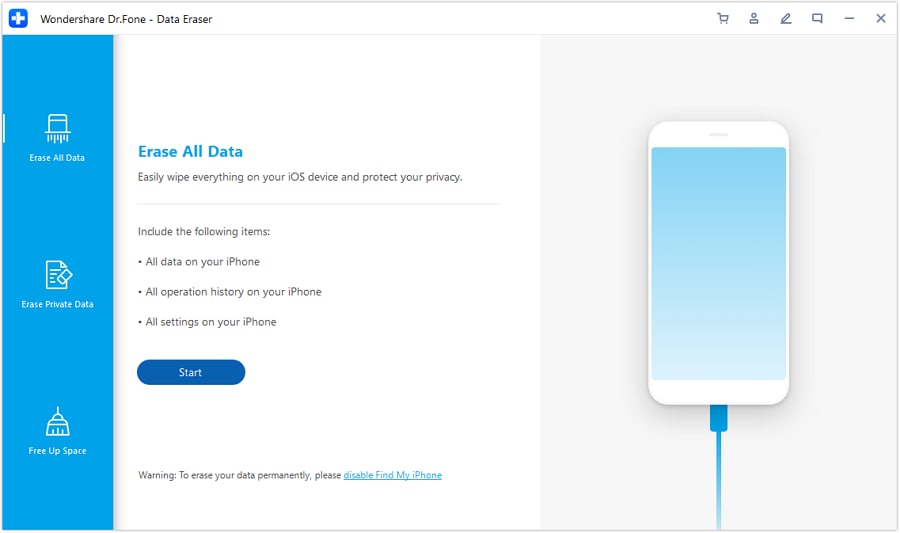
  • Erase all data on iOS or Android devices, completely unrecoverable.
  • Military-grade erasure to fully protect your privacy.
  • Generate verified erasure reports to increase device resale value.
  • Selectively erase private data on iOS devices.
  • Remove junk and large files to free up iOS storage.
Watch how to erase data on your iOS/Android devices

Data Erasure Solutions for Every Scenario — 100% Unrecoverable

Dr.Fone - Data Eraser provides complete solutions to erase iOS and Android data with military-grade standards. Whether you're preparing your
phones and tablets for resale, recycling, or privacy protection, all erased data is securely wiped and permanently destroyed.

Erase All Data Before Selling or Trading In

Permanently wipe your entire device with military-grade DoD 5220.22-M standard
before resale or disposal. Generate verifiable data erasure reports to ensure compliance and boost buyer confidence.

complete phone wipe Try It Free

Delete Private Data Without Factory Reset

Erase private data securely without performing a
factory reset
. Choose between a full-device wipe or selective deletion of media, personal files, and app traces—exclusive to iPhone users.
data eraser software for android and ios Try It Free ios data eraser

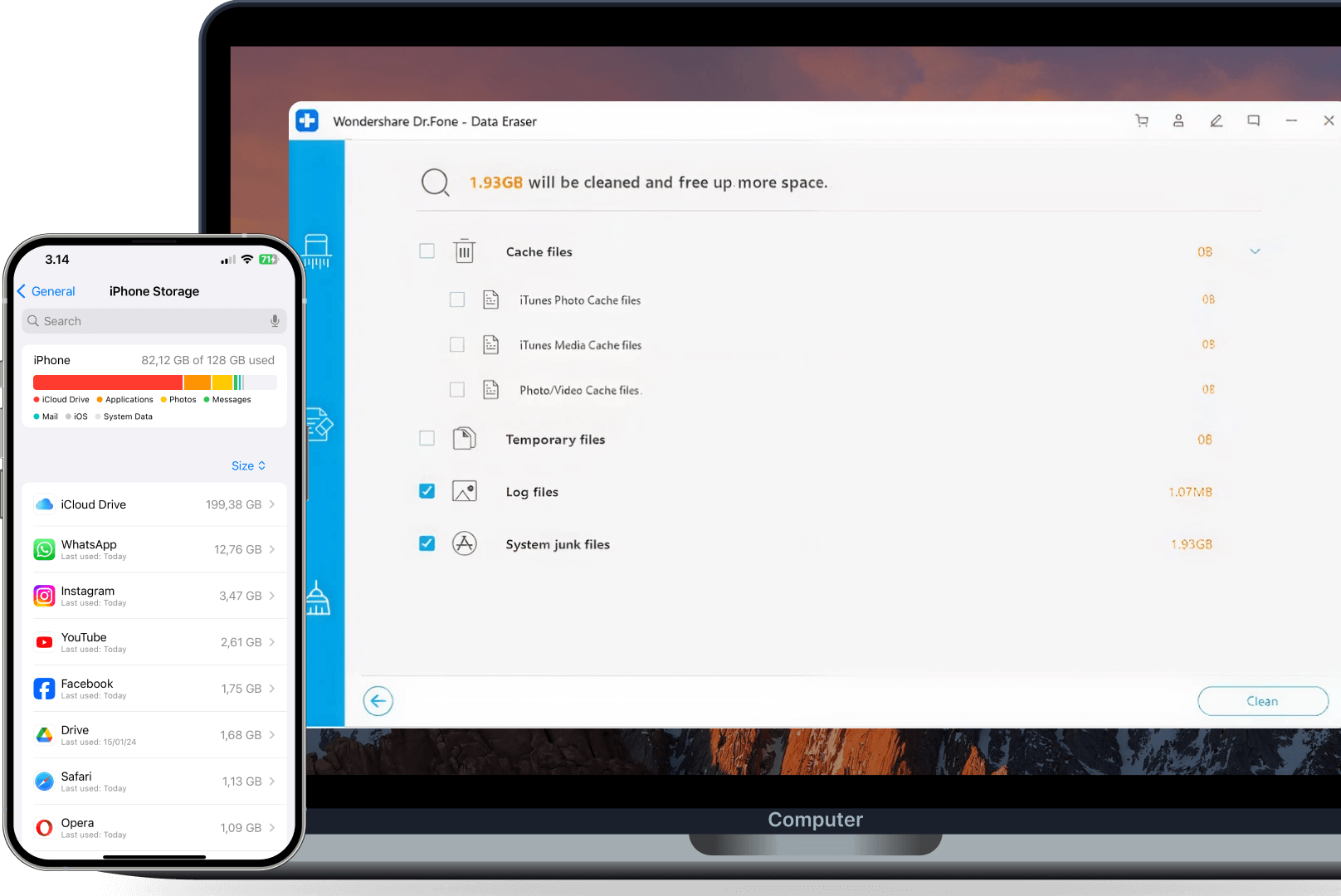
Free Up Storage for Better Performance

Free up gigabytes instantly by removing junk files, compressing photos, and managing large files—
without losing any important data. Boost performance and keep your iPhone running like new.
iphone storage cleaner Try It Free ios data eraser

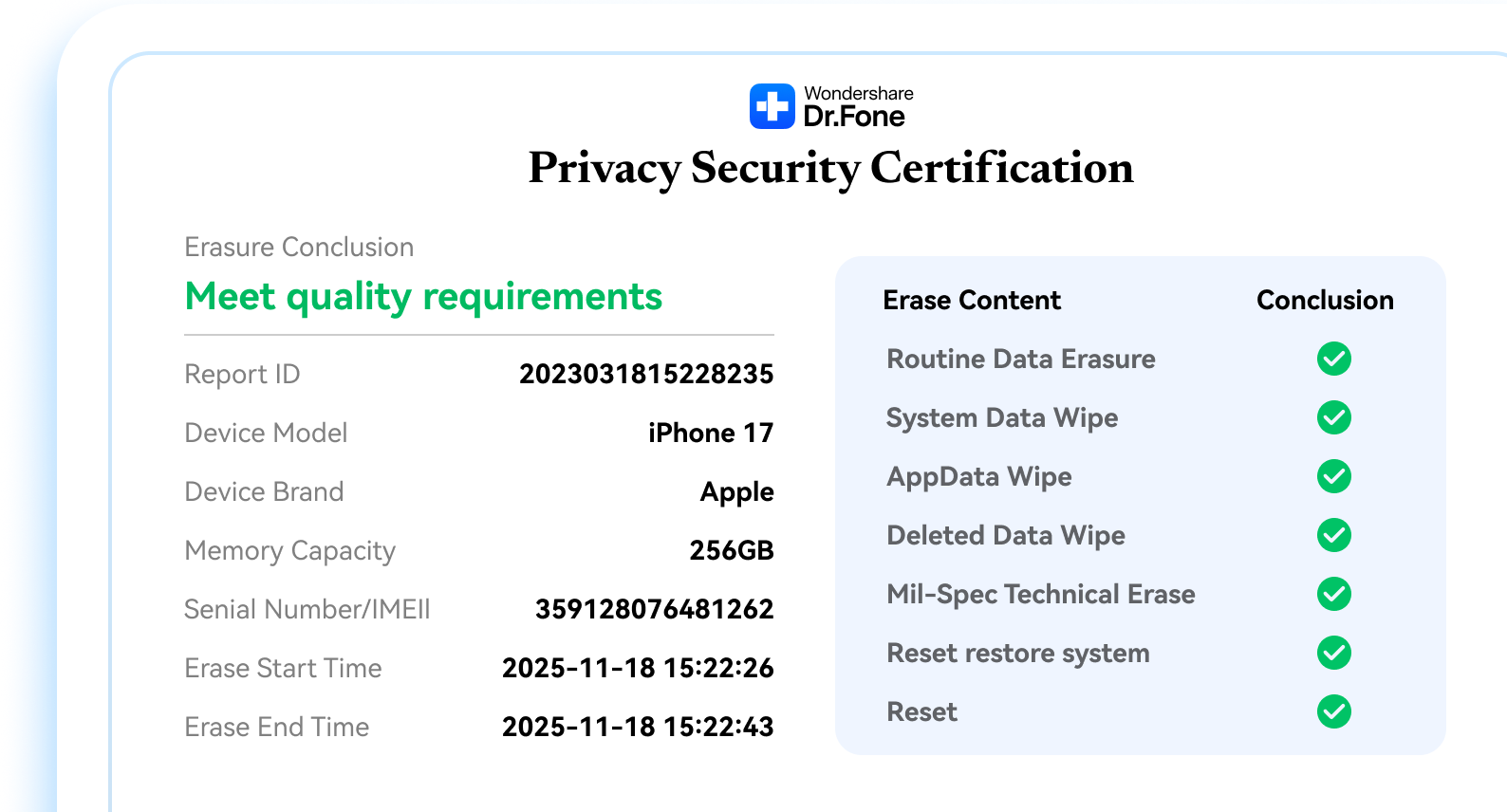
Professional Data Erasure Report for iOS & Android

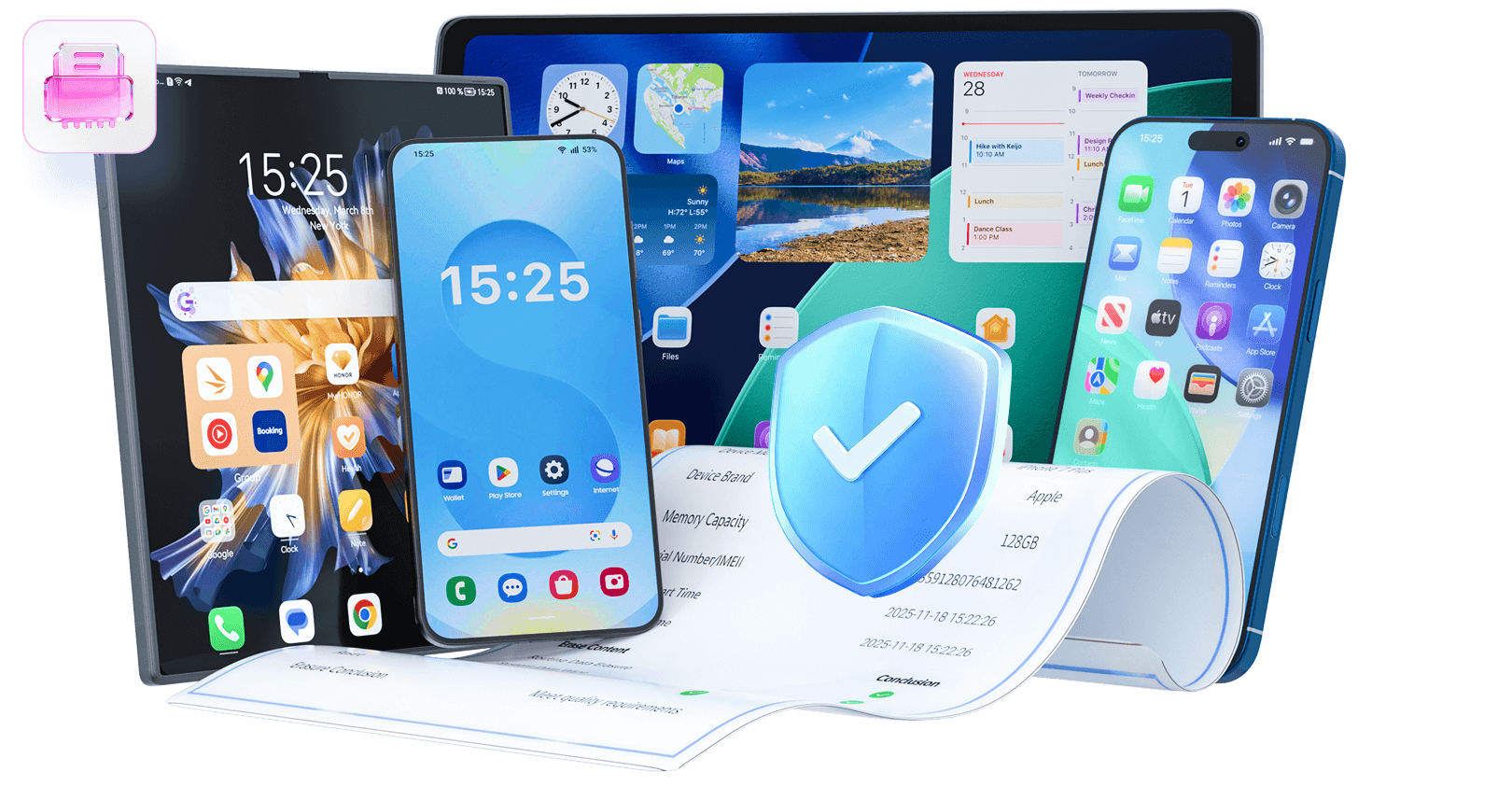
Every secure wipe comes with a verifiable data erasure report, giving you reliable proof that your iOS or Android device has been completely and permanently erased—ideal for buyers and recyclers who require full transparency.

Unique and traceable report ID
Device information overview
Erasure summary and final status
Exportable proof for compliance
android and ios data erasure report

Permanent Full-Device Data Wipe

Wipe everything on iOS and Android devices permanently with military-grade security. Choose from three protection
levels and ensure your data is completely unrecoverable.

High-Security Erase
Flexible Choice 🔥

Provide 1 pass of random data to overwrite your existing and deleted Android data, ensuring all data is permanently erased without a trace, guaranteeing 100% unrecoverability.

High-Security Erase

3 Security
Levels for Data
Wiping

Low, Medium, or High — customize your data wipe for personal or forensic-level security

Military-Grade
Security Standards

Certified to U.S. DoD 5220.22-M — military-grade security ensures your personal data cannot be recovered.

Try It Free
Try It Free
Try It Free
Try It Free

Multi-Platform
Compatibility

Works with iPhone, iPad, and Android devices — one solution for all your phones and tablets.

Try It Free
Try It Free
Try It Free
Try It Free

iOS Only

Selective Private Data Erase

iphone clean up tool

Target 12 Specific Data Types

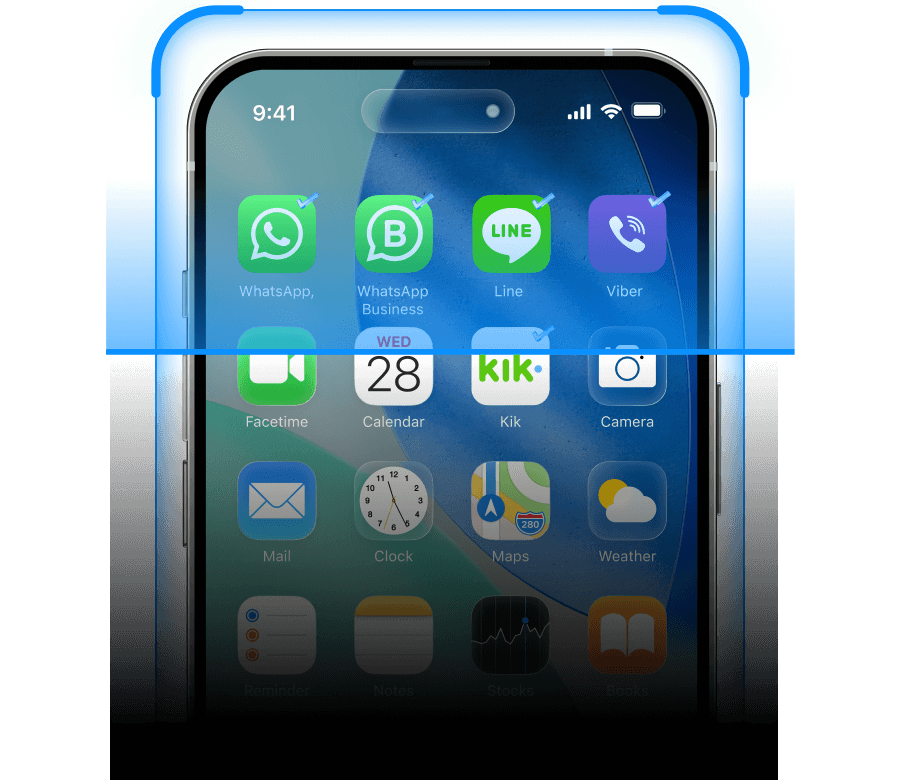
Erase specific data without wiping your entire device. Deep-scan and preview both current and previously deleted files before permanent removal — keeping your iPhone fully functional while your privacy stays protected.

Photos
Voice Memos
Contacts
Messages
Call History
Notes
Calendars
Safari Data
WhatsApp & Attachments
LINE & Attachments
Viber & Attachments
Kik & Attachments
Media Data
Personal Data
Social App Data
how to erase iphone photos completely delete voice memo recordings on iphone and ipad how to delete multiple contacts on iphone to free up space how to erase text messages on iphone to free up space erase call history on iphone to free up space erase iphone notes to free up space delete calendars and events on iPhone to free up space how to erase safari data on iphone to free up space
free up storage on WhatsApp iphone iphone erase app cache to free up space how to delete kik data on iphone to free up space how to erase viber messages on iphone to free up space

iOS Only

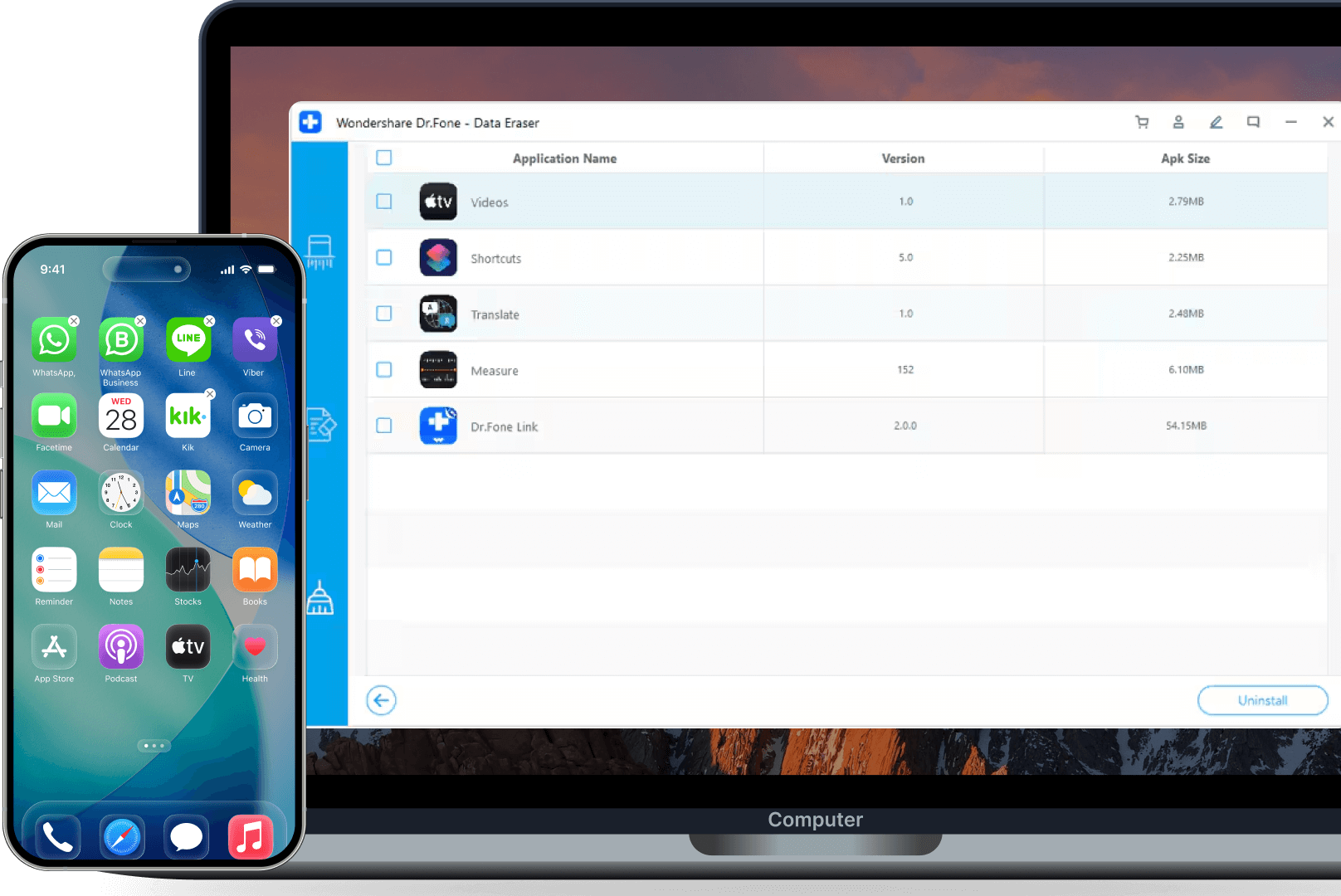
Advanced Storage Cleanup & Management

Free up iPhone storage without losing data. Detect unnecessary files, large duplicates, and cached items — then
safely clean, compress, or export them to keep your iOS device fast and healthy.

Deep Clean Junk Files

Remove hidden cache, app logs, temp files, and system junk that iOS can't access.
Batch-uninstall unwanted apps and their residual data.
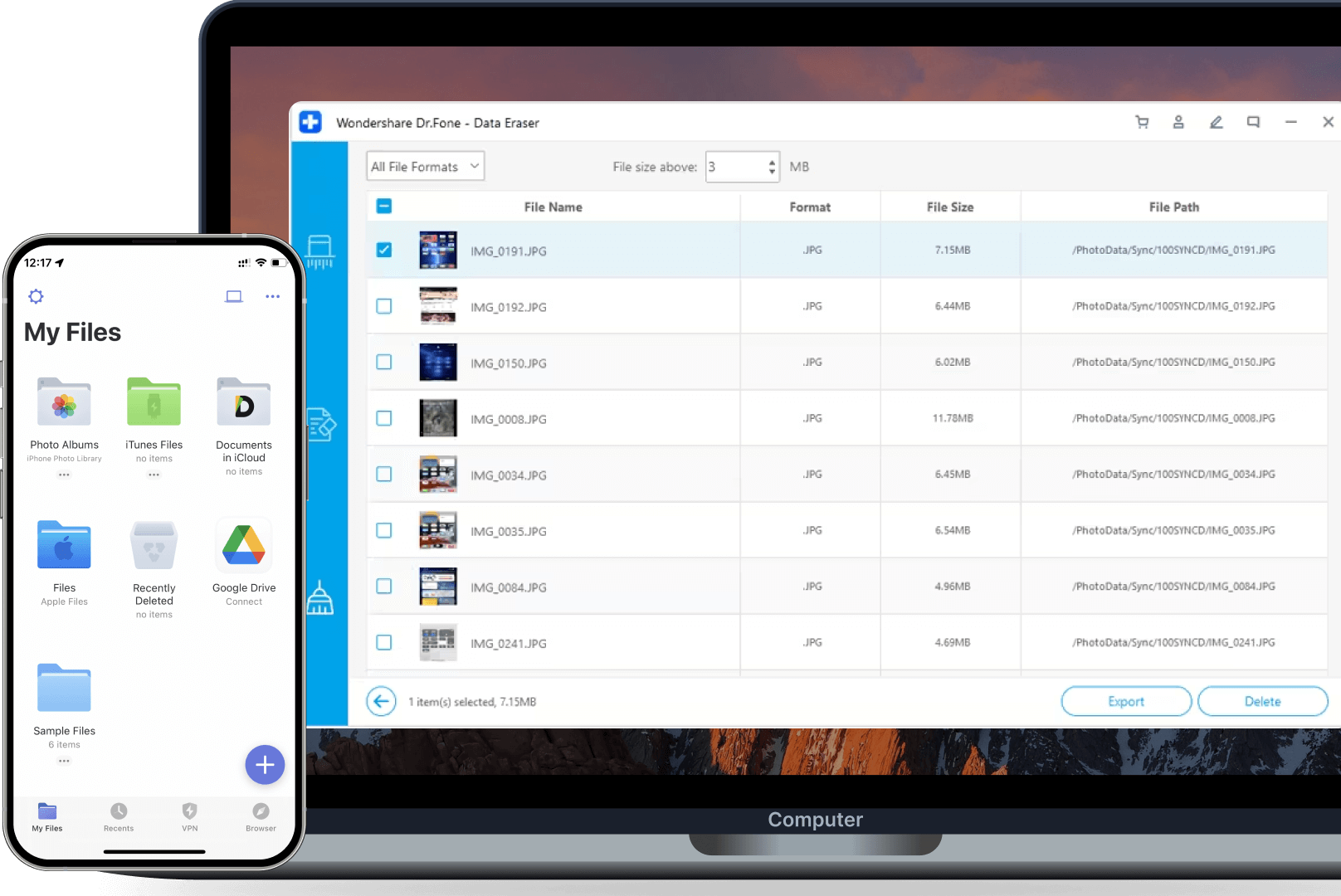
Scan by size to find space hogs, then export to PC or permanently erase.
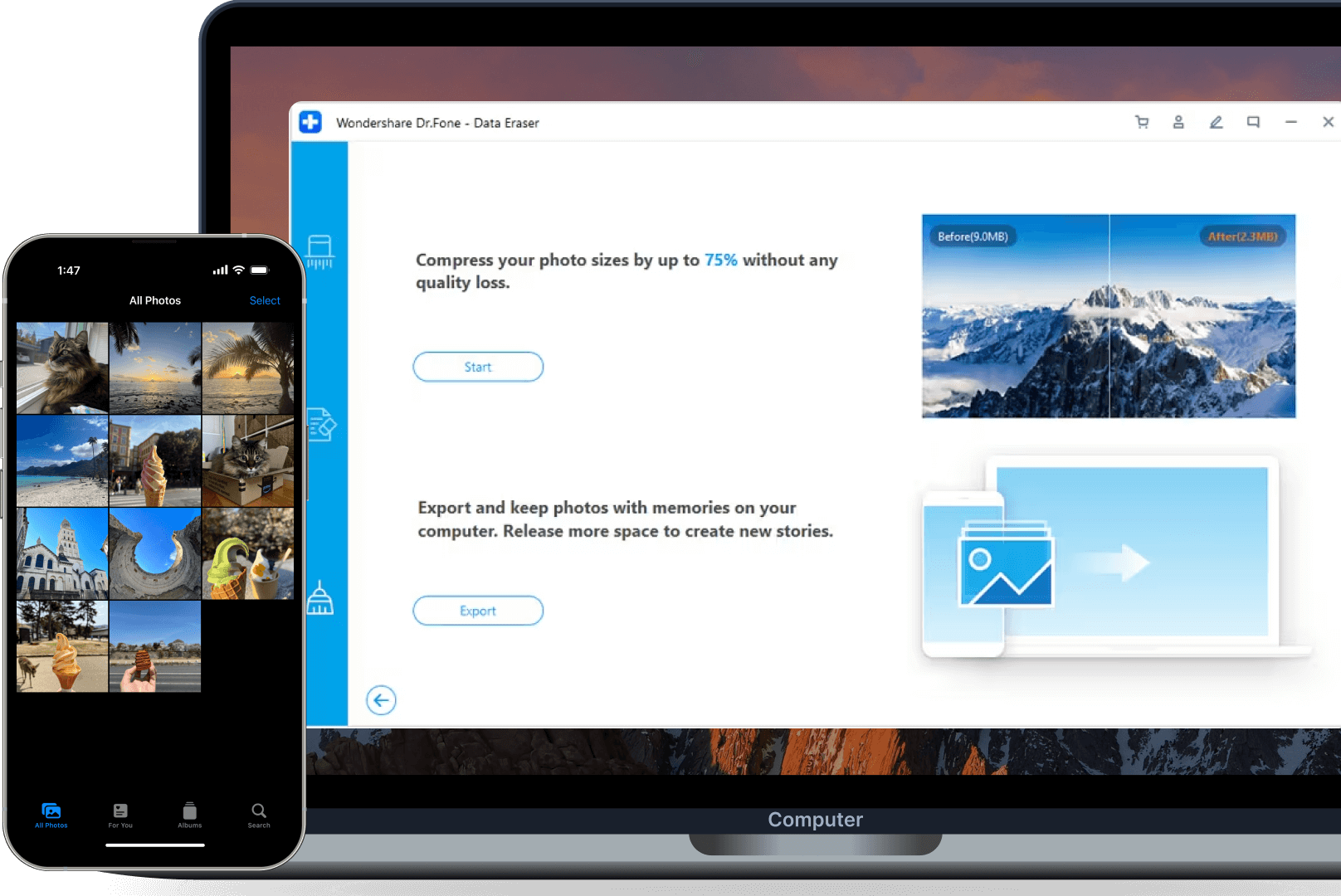
Free up space by compressing photos losslessly (up to 75%), or batch-export originals to PC and selectively delete.
iphone deep clean junk files app
how to completely uninstall apps on iphone
how to wipe phone iphone
how to optimize your iphone storage and save space

Intuitive Data Erasure with Live Monitoring

Easily erase data on iOS and Android devices with step-by-step guidance and real-time progress tracking.
Safe and simple for all users.

Step-by-Step Guidance

Simple on-screen instructions guide you through secure data erasure.

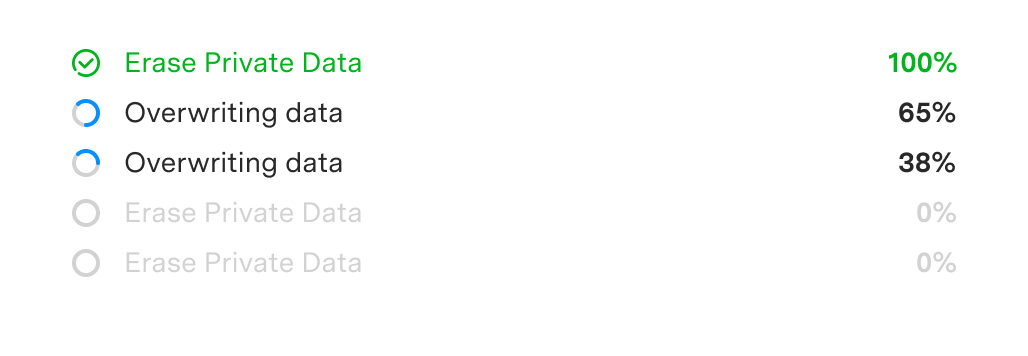
Live Progress Tracking

Monitor completion percentage in real-time throughout the entire process.
data eraser live progress tracking

Pause or cancel anytime without device damage, then resume where you left off.

Dr.Fone App — Clean Up iPhone Storage on the Go

AI-powered storage cleanup in your pocket. No computer needed.

Smart Clean in One Tap

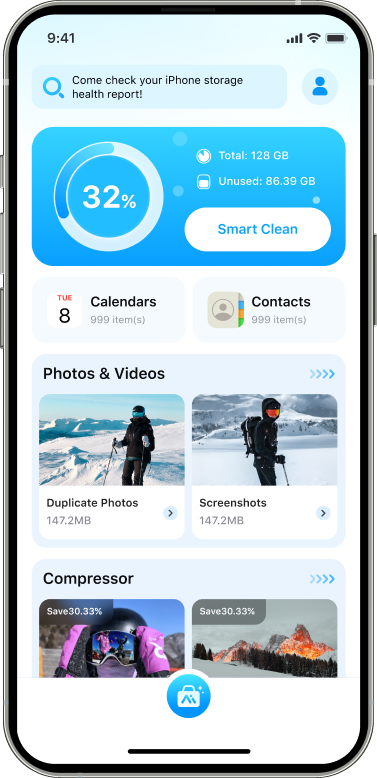
Dr.Fone also offers a mobile app to clean up iPhone storage instantly. AI-powered scan identifies redundant content automatically. Preview and remove with one tap — no computer required.

iphone clean up tool
iphone wipe software

No More "Storage
Almost Full" Alerts

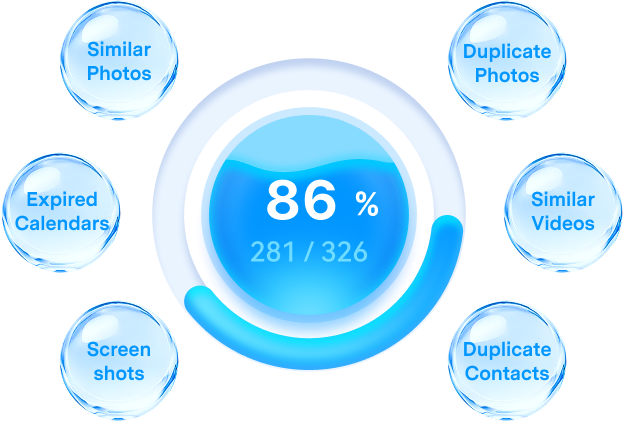
Tired of those annoying alerts? Free up iPhone storage in seconds — from screenshots to similar photos quietly draining your space. Reclaim gigabytes instantly. Keep your iPhone fast, light, and ready for what matters.
free up iphone storage

Why Choose Dr.Fone?

148.5 M+
Satisfied Customers
95+
Countries Served
100%
Data Security
650K+
Partners Worldwide
24/7
Technical Support
148.5 M+
Satisfied Customers
95+
Countries Served
100%
Data Security
650K+
Partners Worldwide
24/7
Technical Support
phone eraser trusted top

System Repair by Wondershare Dr.Fone is an excellent alternative to iTunes for fixing iOS issues. It resolves many problems by re-installing the latest package, which doesn't wipe out your iPhone's data.

phone eraser trusted top

With its new powerful desktop and online solution, Wondershare Dr.Fone offers a complete mobile device solution for Android and iOS devices, with useful how-to guides and technical fixes for a wide variety of mobile issues.

phone eraser trusted top

Wondershare's Dr.Fone offers iPhone and iPad users a full software suite that goes beyond the iOS management that's possible with iTunes/Finder in macOS. Features include data recovery, erasing/restoring all or just parts of your data, system repair, restoring social media apps, getting around your device's lock screen, and more.

phone eraser trusted top

If your iPhone is not responding or turning on, then this is probably one of the best tools to fix it. The tool guarantees that during the recovery process, none of your data will be lost.

phone eraser trusted top

Dr.Fone can help you with your smartphone in many ways. It can recover deleted data, back up and transfer files, unlock screens, repair your OS, switch between different types of smartphones, transfer WhatsApp chats between iOS and Android, and more.

phone eraser trusted top

Dr.Fone is a comprehensive software suite developed by Wondershare that addresses a wide range of needs for smartphone and computer users. When transferring data between Android devices, Dr.Fone offers a mix of ease, efficiency, and security, making it a preferred choice for many.

phone eraser trusted top

System Repair by Wondershare Dr.Fone is an excellent alternative to iTunes for fixing iOS issues. It resolves many problems by re-installing the latest package, which doesn't wipe out your iPhone's data.

phone eraser trusted top

With its new powerful desktop and online solution, Wondershare Dr.Fone offers a complete mobile device solution for Android and iOS devices, with useful how-to guides and technical fixes for a wide variety of mobile issues.

phone eraser trusted top

Wondershare's Dr.Fone offers iPhone and iPad users a full software suite that goes beyond the iOS management that's possible with iTunes/Finder in macOS. Features include data recovery, erasing/restoring all or just parts of your data, system repair, restoring social media apps, getting around your device's lock screen, and more.

phone eraser trusted top

If your iPhone is not responding or turning on, then this is probably one of the best tools to fix it. The tool guarantees that during the recovery process, none of your data will be lost.

phone eraser trusted top

Dr.Fone can help you with your smartphone in many ways. It can recover deleted data, back up and transfer files, unlock screens, repair your OS, switch between different types of smartphones, transfer WhatsApp chats between iOS and Android, and more.

phone eraser trusted top

Dr.Fone is a comprehensive software suite developed by Wondershare that addresses a wide range of needs for smartphone and computer users. When transferring data between Android devices, Dr.Fone offers a mix of ease, efficiency, and security, making it a preferred choice for many.

phone eraser trusted avatar1
Ryan Park — Event Photographer, Seoul, Korea, 31
phone eraser trusted star1
With Smart Clean, my iPhone 16 feels lighter and faster. I didn't realize how much storage was wasted on duplicates until I used Dr.Fone app.
phone eraser trusted avatar2
Priya Desai — PhD Candidate, Toronto, Canada, 27
phone eraser trusted star2
I traded in my old iPhone 12 and felt completely safe knowing Dr.Fone erased everything with the high-security option. The store confirmed the phone was wiped clean, which gave me peace of mind.
phone eraser trusted avatar3
Alexander Bennett — HR Manager, Sydney, Australia, 35
phone eraser trusted star1
Switching from a Galaxy S21 to a new phone was smoother because I used Dr.Fone to erase the old one first. The DoD wipe option made sure nothing could be recovered.
phone eraser trusted avatar4
Carlos Mendez — Wedding Photographer, Miami, FL, 39
phone eraser trusted star2
I've tried free cleaner apps before, but Dr.Fone app's Smart Clean on my iPhone actually freed up meaningful space without deleting the stuff I needed. It's become a weekly routine for me.
phone eraser trusted avatar5
Tyler "Beatfox" Jones — Music Producer, Portland, OR, 27
phone eraser trusted star1
Selling my iPad Air, I wanted to be 100% sure my banking details and photos were gone. The verifiable erasure report from Dr.Fone gave me the proof I needed for peace of mind.
phone eraser trusted avatar6
Nadia Petrova — App Developer, Berlin, Germany, 34
phone eraser trusted star1
My old Android phone had years of personal files. Dr.Fone wiped it with multiple overwrite passes, and even after checking with recovery tools, nothing came back. That's impressive.
phone eraser trusted avatar7
Megan O'Connor — Marketing Consultant, Chicago, IL, 45
phone eraser trusted star2
I use Dr.Fone to erase work files after projects end. Being able to choose medium or high security depending on the situation makes it flexible for both personal and professional use.
phone eraser trusted avatar8
Liam Jensen — Interior Designer, Copenhagen, Denmark, 38
phone eraser trusted star1
Before donating my daughter's old iPhone 8, I ran Dr.Fone's full wipe. It was quick, and I loved knowing her personal messages and photos couldn't be retrieved.
phone eraser trusted avatar9
Daniel Fisher — IT Technician, Manchester, UK, 41
phone eraser trusted star1
What I like most is that Dr.Fone doesn't just delete—it permanently erases. I tested it on my Galaxy Note 10 before recycling it, and nothing was recoverable afterward.
phone eraser trusted avatar10
Simon Whitman — Architect, San Francisco, CA, 42
phone eraser trusted star1
The clear reports after each wipe make me confident my data is really gone. I use it every time I refresh devices in my small business fleet.
phone eraser trusted avatar11
Ethan Williams — Software Engineer, Austin, TX, 37
phone eraser trusted star1
My phone kept showing "iPhone storage full", so I connected it to Dr.Fone and it actually free up iPhone space fast—especially after clear cache iPhone and removing large junk. The process felt controlled with the live progress.
phone eraser trusted avatar12
Emily Carter — Marketing Director, London, UK, 40
phone eraser trusted star2
Before returning a company iPhone, I searched "data eraser software" and chose Dr.Fone. The verified erasure report made sign-off simple, and I didn't have to worry about client data later.
phone eraser trusted avatar1
Ryan Park — Event Photographer, Seoul, Korea, 31
phone eraser trusted star1
With Smart Clean, my iPhone 16 feels lighter and faster. I didn't realize how much storage was wasted on duplicates until I used Dr.Fone app.
phone eraser trusted avatar2
Priya Desai — PhD Candidate, Toronto, Canada, 27
phone eraser trusted star2
I traded in my old iPhone 12 and felt completely safe knowing Dr.Fone erased everything with the high-security option. The store confirmed the phone was wiped clean, which gave me peace of mind.
phone eraser trusted avatar3
Alexander Bennett — HR Manager, Sydney, Australia, 35
phone eraser trusted star1
Switching from a Galaxy S21 to a new phone was smoother because I used Dr.Fone to erase the old one first. The DoD wipe option made sure nothing could be recovered.
phone eraser trusted avatar4
Carlos Mendez — Wedding Photographer, Miami, FL, 39
phone eraser trusted star2
I've tried free cleaner apps before, but Dr.Fone app's Smart Clean on my iPhone actually freed up meaningful space without deleting the stuff I needed. It's become a weekly routine for me.
phone eraser trusted avatar5
Tyler "Beatfox" Jones — Music Producer, Portland, OR, 27
phone eraser trusted star1
Selling my iPad Air, I wanted to be 100% sure my banking details and photos were gone. The verifiable erasure report from Dr.Fone gave me the proof I needed for peace of mind.
phone eraser trusted avatar6
Nadia Petrova — App Developer, Berlin, Germany, 34
phone eraser trusted star1
My old Android phone had years of personal files. Dr.Fone wiped it with multiple overwrite passes, and even after checking with recovery tools, nothing came back. That's impressive.
phone eraser trusted avatar7
Megan O'Connor — Marketing Consultant, Chicago, IL, 45
phone eraser trusted star2
I use Dr.Fone to erase work files after projects end. Being able to choose medium or high security depending on the situation makes it flexible for both personal and professional use.
phone eraser trusted avatar8
Liam Jensen — Interior Designer, Copenhagen, Denmark, 38
phone eraser trusted star1
Before donating my daughter's old iPhone 8, I ran Dr.Fone's full wipe. It was quick, and I loved knowing her personal messages and photos couldn't be retrieved.
phone eraser trusted avatar9
Daniel Fisher — IT Technician, Manchester, UK, 41
phone eraser trusted star1
What I like most is that Dr.Fone doesn't just delete—it permanently erases. I tested it on my Galaxy Note 10 before recycling it, and nothing was recoverable afterward.
phone eraser trusted avatar10
Simon Whitman — Architect, San Francisco, CA, 42
phone eraser trusted star1
The clear reports after each wipe make me confident my data is really gone. I use it every time I refresh devices in my small business fleet.
phone eraser trusted avatar11
Ethan Williams — Software Engineer, Austin, TX, 37
phone eraser trusted star1
My phone kept showing "iPhone storage full", so I connected it to Dr.Fone and it actually free up iPhone space fast—especially after clear cache iPhone and removing large junk. The process felt controlled with the live progress.
phone eraser trusted avatar12
Emily Carter — Marketing Director, London, UK, 40
phone eraser trusted star2
Before returning a company iPhone, I searched "data eraser software" and chose Dr.Fone. The verified erasure report made sign-off simple, and I didn't have to worry about client data later.

3 Steps to Erase All Data on iOS/Android Devices

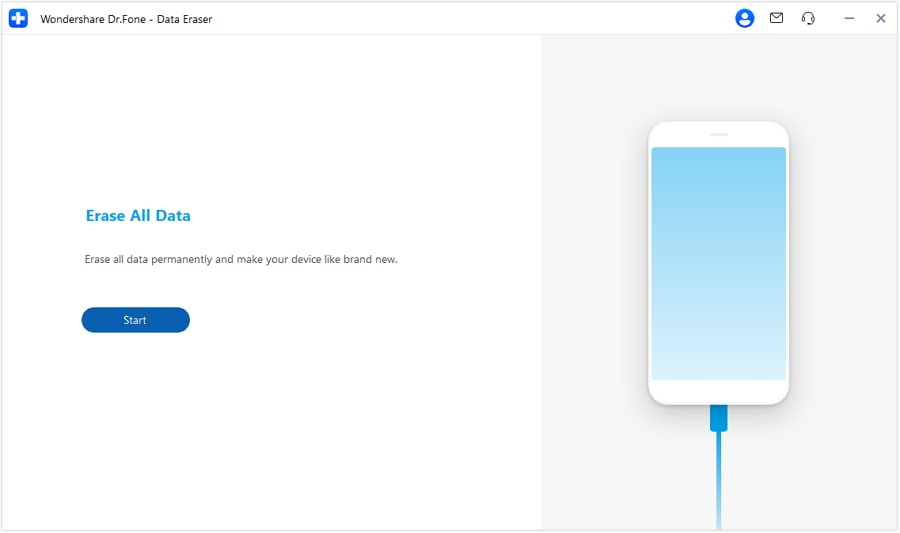
Step 1:

Launch Dr.Fone, and connect your iOS device. Then, navigate to Data Eraser.
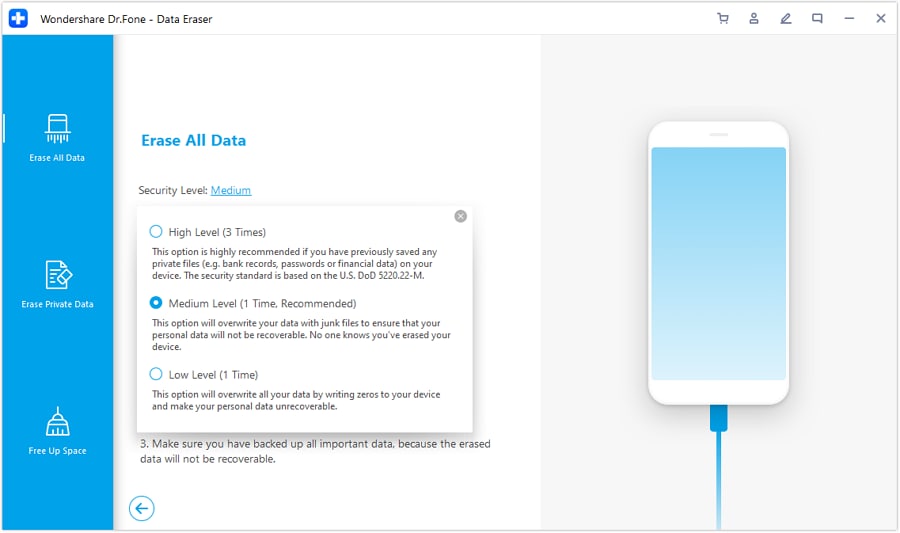
Step 2:

Select the security level for data erasing and confirm.
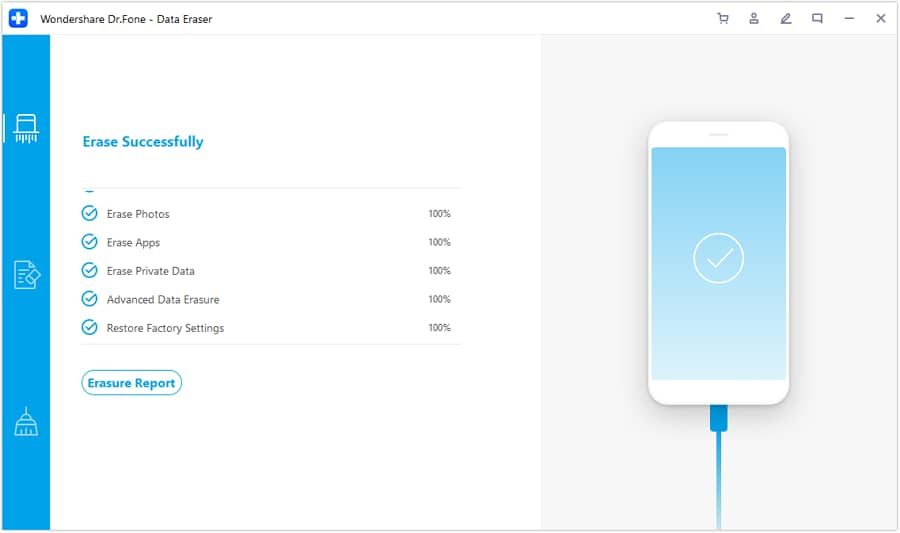
Step 3:

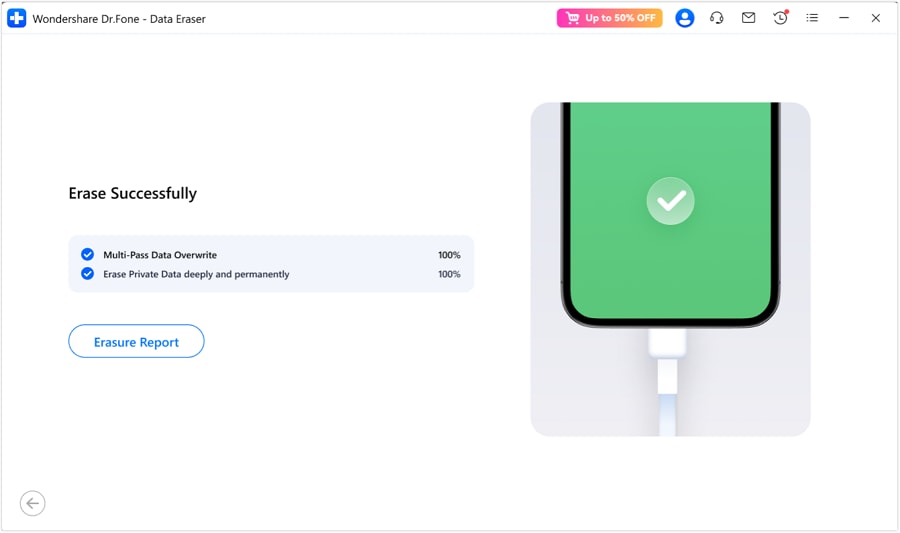
Wait for the data wiping process to finish without disconnecting, and check the Erasure Report.
ios full erase 01

Step 1:

Launch Dr.Fone, and connect your iOS device. Then, navigate to Data Eraser.

ios full erase 01 1

Step 2:

Select the security level for data erasing and confirm.

ios full erase 05

Step 3:

Wait for the data wiping process to finish without disconnecting, and check the Erasure Report.

Step 1:

Launch Dr.Fone, connect your Android device, and then click Start to begin the data erasure process.

Step 2:

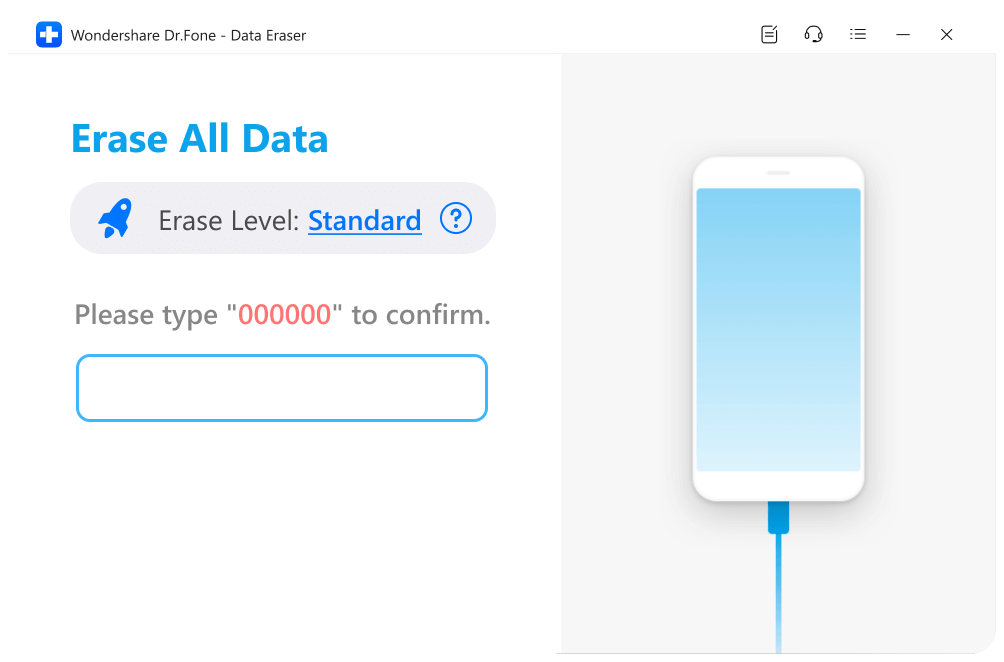
Choose an Erase Level, enter the confirmation code, and click Erase Now to proceed.

Step 3:

Follow the on-screen instructions and wait for the process to complete. View the Erasure Report to check erased data.

android erase 02

Step 1:

Launch Dr.Fone, connect your Android device, and then click Start to begin the data erasure process.

android erase 11

Step 2:

Choose an Erase Level, enter the confirmation code, and click Erase Now to proceed.

android erase 12

Step 3:

Follow the on-screen instructions and wait for the process to complete. View the Erasure Report to check erased data.

Dr.Fone - Data Eraser Tech Specs

phone eraser unlock1

Processor

1 GHz or faster (Intel or AMD)

phone eraser unlock2

Hard Disk Space

7 GB of available hard disk space

phone eraser unlock3

RAM

1 GB of free RAM (2 GB or higher recommended)

phone eraser unlock4

Mobile OS

- iOS 5.0 or later
- Android 5.0 or later

phone eraser unlock5

Computer OS

- Windows 11, 10, 8.1, 8, 7
- macOS 10.13 or later

phone eraser unlock1

Processor

1 GHz or faster (Intel or AMD)
7 GB of available hard disk space
1 GB of free RAM (2 GB or higher recommended)
- iOS 5.0 or later
- Android 5.0 or later
- Windows 11, 10, 8.1, 8, 7
- macOS 10.13 or later

Data Eraser – FAQs

Q1. What is "Document & Data" on my iPhone?

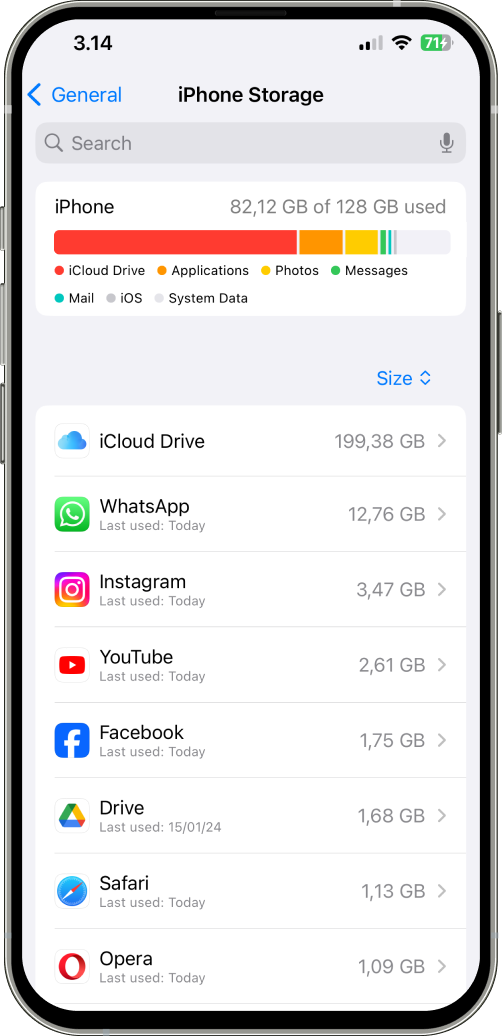
When you use Apps on the iPhone, iPad, or iPod touch, a lot of extra data, such as logs info, cookies, caches, or downloaded images and videos will be generated. These files and data are marked as "Documents and Data" on your iPhone and eat up your iPhone storage. This iOS data eraser can clean up all these junk files and vastly free up the iPhone space.

Yes, we can. After the iPhone is completely erased, no data can ever be retrieved. To erase an iPhone, follow the steps below.

Step 1. Launch Dr.Fone on your computer and select the Data Eraser module.
Step 2. Select Erase All Data and connect your iPhone to the computer.
Step 3. Click Erase and enter "delete" to confirm your choice.
Step 4. Everything on the iPhone will be erased completely in a few minutes.

It depends. Text messages or any other data on the iPhone are not permanently deleted from your device after you delete them in the usual way. Data recovery tools can still retrieve them. To permanently delete a text message on the iPhone, we can use a professional iPhone data eraser to completely delete all text messages or a specific message thread, 100% unrecoverable.

Show MoreLess

Hot Topics

drfone horizontal white

The Ultimate Solution for Secure Data Erasure on iOS & Android


Ensure 100% secure, permanent erasure of your mobile data—impossible to recover.