Samsung FRP, Xiaomi/iCloud Bypass, Carrier SIM Unlock, Free IMEI Check.
Try Online FreeMirror screen and access files online
Convert HEIC to JPG online for free
Professional solution hubs covering unlocking, data transfer, repair, and more.
FAQs, troubleshooting, and common solutions.
See what's new and unlock exclusive benefits with Dr.Fone 13.
Team/enterprise plans and priority support.
Discounts and academic licenses.
We're here to assist with technical or account questions.

![]()
Capture the system audio of your device.
![]()
Mirror your device in real time with no lag.
![]()
Start recording quickly and easily.
![]()
Set up your recording according to your needs.
With iOS Screen Recorder, you can play the most polular games (like Clash royale, clash of clans, Pokemon ...) on your PC easily and smoothly.
iOS Screen Recorder lets you share your pictures on a big screen wirelessly without uploading them.
You can easily record your games, videos and more with one click.
iOS Screen Recorder can export HD videos to you computer. It is saved as MP4 file and you can share it to your friends or upload to Youtube.
No matter you're using the latest iPhone XS/X/8, iPad Pro, or the old iPhone 4, iPad 1, this iOS Screen Recorder is fully compatible with all models of iPhone, iPad and iPod touch.
![]()
Use a projector to share your device's screen with a room full of people.
![]()
Record assignments and share them wirelessly with an entire classroom.
![]()
Mirror and record mobile gameplay on a larger screen.
![]()
Use your iPhone in your presentations at work.
![]()
Use real-time mirroring to showcase products and create demonstrations.
![]()
Record apps, games, and other content from your iPhone.
Safe, fast, and simple.
![]()
Start recording with one click.
![]()
No risk to your phone or data.
![]()
Simple, intuitive, process.
No. Your videos are saved to your computer. iOS Screen Recorder cannot access them, or any other data stored on your computer or mobile device.
No. Make sure the computer or projector is on the same local area network as your phone and connect wirelessly.
Yes. iOS Screen Recorder supports both jailbroken and non-jailbroken devices.
Thanks so much of recording and mirroring my iPhone 5 to the computer.
Hassan, iPhone 5
iOS Screen Recorder helps me to record games from my iPhone 6s, it is very easy to use. I like it.
N. Socas, iPhone 6s
It is amazing that iOS Screen Recorder can both mirror and record my iPhone to my computer.
Joshua Brenne, iPhone

Recover lost or deleted contacts, messages, photos, notes, etc. from iPhone, iPad and iPod touch.
Backup and restore any item on/to a device, and export what you want from the backup to your computer.
Transfer contacts, SMS, photos, music, video, and more between your iOS devices and computers.

Easily record screens of iPhone and iPad.
Available for iOS 8, iOS 9 and iOS 10
No jailbreak required.
Record Audio
Capture the system audio of your device.
HD Mirroring
Mirror your device in real time with no lag.
1 Click to Start
Start recording quickly and easily.
Customized Settings
Set up your recording according to your needs.


Fast
Start recording with one click.
100% Secure
No risk to your phone or data.
Easy to Use
Simple, intuitive, process.
*Please note that Wondershare™ programs do not allow you to copy protected material. You may use this software in copying material in which you own the copyright or have obtained permission to copy from the copyright owner.
Browser compatibility :
IE/Firefox/Chrome/Opera/Safari/Maxthon/Netscape
About Dr.Fone | Terms & Conditions | Promise | Contact Us
Copyright © 2007-2018 Wondershare. All Rights Reserved.


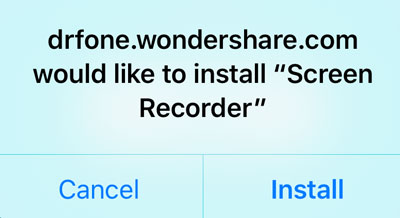
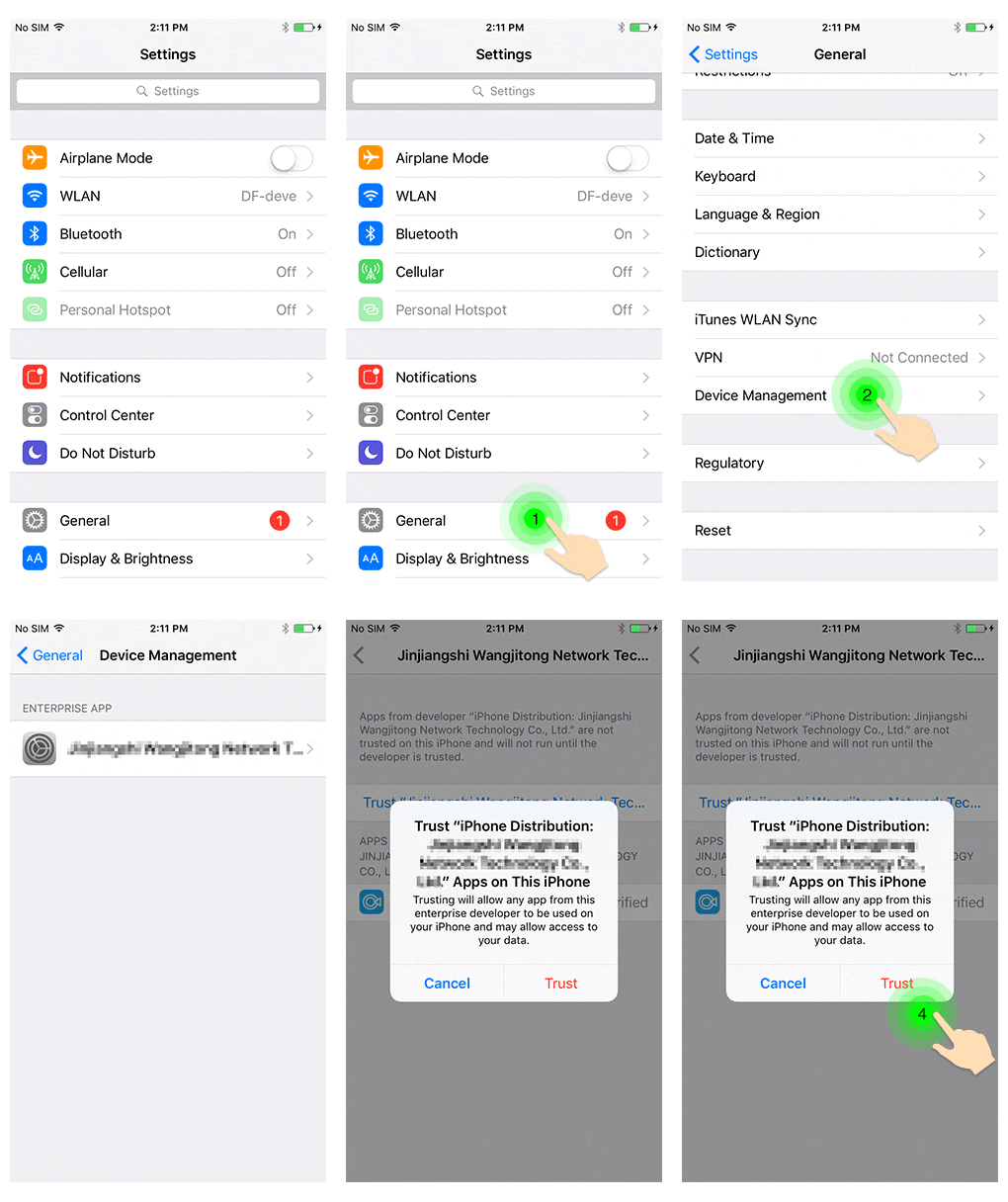
The app has been installed. Please press Home to use it,
or check installation guide here