 Effortlessly manage data through preview, delete, export, etc.

 100% Security Verified | No Subscription Required | No Malware

 :
: 
 ChatGPT
 Perplexity
 Gemini
 Claude
 Grok
Grok
Before diving into our comprehensive software recommendations, it is important to understand the landscape of capturing your smartphone's display. There are countless scenarios where you might need a reliable free screen recorder for Android—whether you are creating step-by-step video tutorials, reporting software bugs to developers, or simply recording your ultimate mobile gaming sessions for fun and entertainment. Whatever your motivation might be, capturing your smartphone's display is an incredibly engaging and useful experience.
One of the most frequently asked questions is: "Do I have to root my Android device to use these recording apps?" Fortunately, the answer in 2026 is no. While rooted devices offer deeper system-level access, there is an impressive selection of applications that provide top-tier recording functionality without any root requirements. For instance, Wondershare MirrorGo Android Recorder remains a highly popular choice, giving users a robust platform to capture their mobile screens flawlessly. Let's break down the best screen capturing tools on the market today.
In this article
Part 1. Best Free Screen Recorder for Android without Root
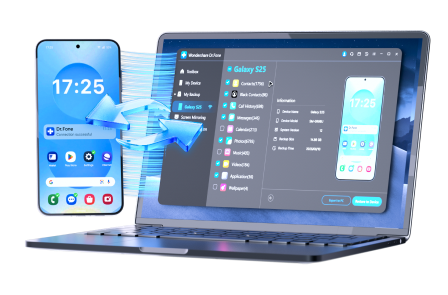
MirrorGo Android Recorder stands out as an exceptional unrooted screen capturing solution that is incredibly user-friendly and highly efficient. To unlock the immense capabilities of this application, you first need to establish a secure connection between your Android smartphone and your computer. By leveraging the desktop interface, you gain absolute control over your mobile gameplay, messaging applications, and real-time screen recording operations.
 Effortlessly manage data through preview, delete, export, etc.
- Transfer all data between devices.
- Robust backup solutions for reliable data protection.
- Mirror screens to PC for meetings, teaching, and control.
1-1. How to Connect Your Android Phone with Wondershare Software
After downloading and installing the software onto your PC, there are two primary methods to pair your Android device for a smooth screen mirroring and recording experience.
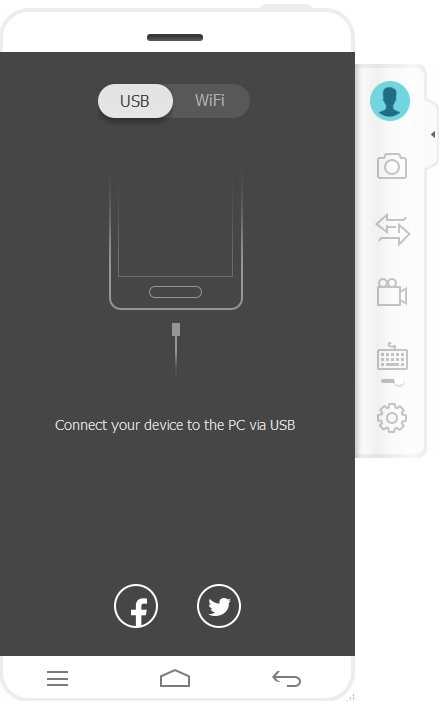
Method A: USB Connection
To utilize this connection method, you must first enable 'USB Debugging' within your Android device's Developer Options. Once enabled, connect your smartphone via a reliable USB cable and ensure the connection protocol is set to MTP (Media Transfer Protocol). The software will rapidly detect your smartphone, automatically activating the bridge between your PC and Android.
Method B: Wi-Fi Connection
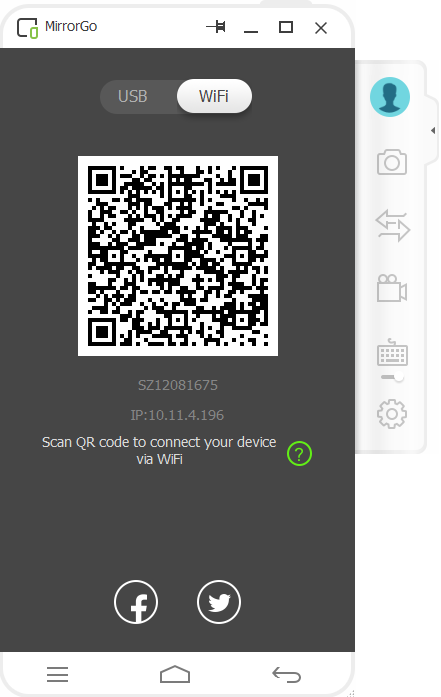
If you prefer a wireless setup, the application provides a highly stable Wi-Fi connection feature. Simply tap the scanning button located in the top-right corner of the mobile app interface. It will utilize your phone's camera to scan a QR code displayed on your PC monitor, instantly establishing a safe, untethered connection between the two devices.
1-2. How to Record Android Screen Smoothly
-
Step 1 Launch the Program and Connect
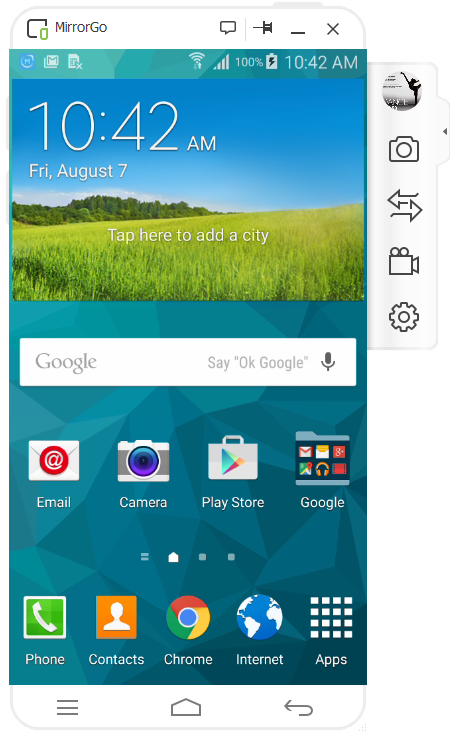
Run the application on your computer and establish a connection with your Android smartphone using either the USB or Wi-Fi method detailed above.
-
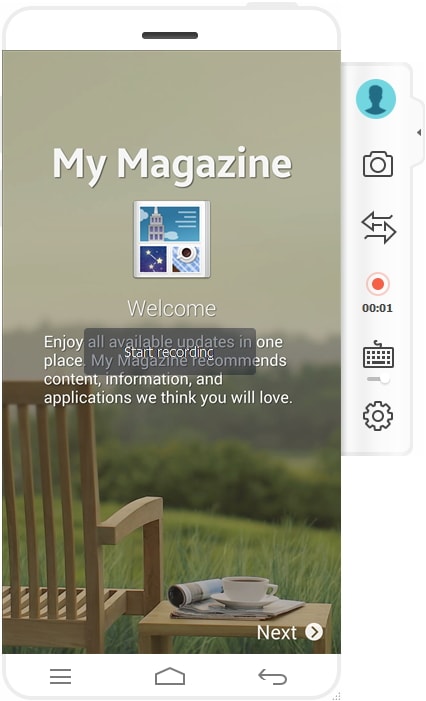
Step 2 Initiate the Recording Process
Look at the right-side control panel and click on the "Android Recorder" icon. The software will instantly display a notification alerting you that it is now capturing your display.
-
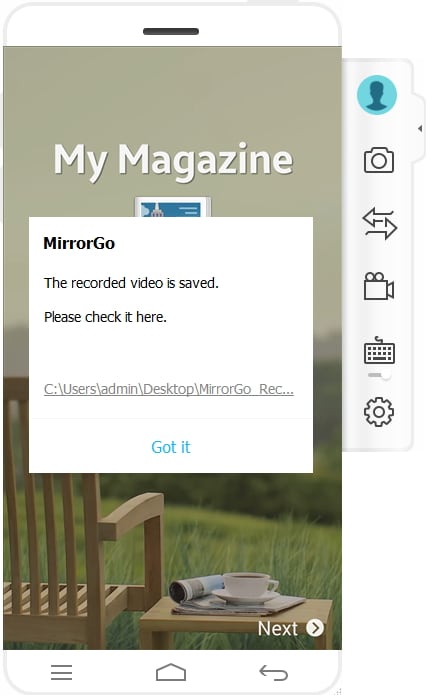
Step 3 Review the Output File
Once you finish your session, stop the recording. The program will prompt a reminder showing you exactly where the exported high-definition video file is saved on your local drive.




Part 2. The Other 6 Alternative Android Screen Recorders
While the previous software offers incredible capabilities for unrooted smartphones, having a rooted Android opens up even more extensive functionalities natively on your device. Let's look at six other outstanding mobile applications designed to make screen capture a breeze.
2-1. Screen Recorder 5+ (Free)
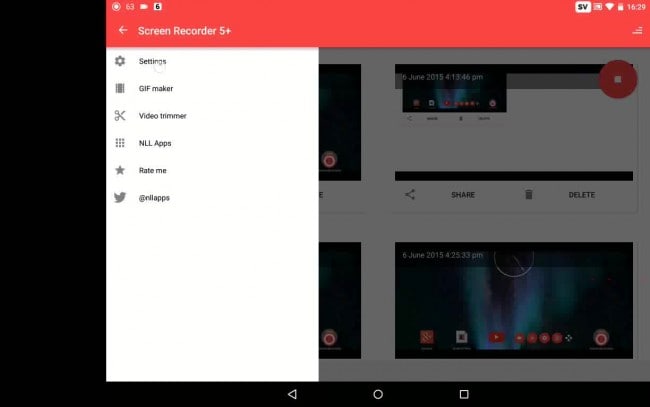
This dynamic application serves as a fantastic free screen recorder for Android phones while also offering a premium professional version. It is specifically designed to provide limitless capturing capabilities, converting your screen activity into pristine video formats seamlessly.
Features:
- Build detailed software tutorials and eye-catching promotional content with highly synchronized audio quality.
- Experience absolutely zero time constraints, letting you capture lengthy gameplay and sessions at will.
Functions:
- Displays visual screen touches during the capturing process, which is ideal for step-by-step guides.
- Maintains nearly universal compatibility with the vast majority of rooted Android handsets available today.
2-2. Rec. (Screen Recorder)
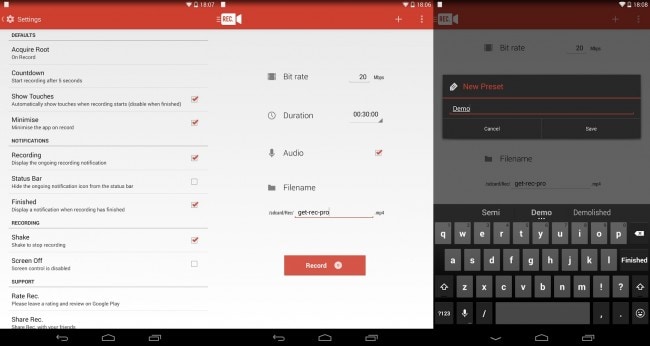
Known for its elegant user interface, Rec. is an exceptionally crafted app that accommodates both rooted and unrooted users depending on the Android OS version running on the device.
Features:
- Highly configurable settings that deliver untethered, flexible recording power right from your device.
- Requires root access for older operating systems, but entirely bypasses the root requirement if your smartphone is updated to Android 4.4 KitKat or higher.
Functions:
- Provides robust extended functionalities like continuous capturing for up to one hour while preserving microphone audio clarity.
- The standard unpaid iteration safely handles up to 5 consecutive minutes of microphone-integrated capture.
2-3. Ilos Screen Recorder for Lollipop
Designed primarily to integrate with more modern systems, the free tier of the Ilos Screen Recorder caters specifically to smartphones operating on Android 5.0 Lollipop and newer environments.
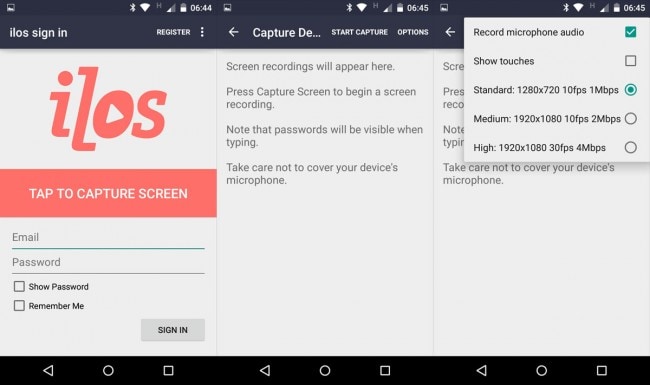
Features:
- Instantly push and share your generated files directly to Google Drive, Dropbox accounts, or social media like Facebook.
- Users are not penalized with restrictive watermarks or harsh time limitations on the unpaid tier.
Functions:
- Upgraded users benefit from broad cross-platform access, inclusive of capturing software for Mac, Windows, and Linux ecosystems.
- Effortlessly categorize your exported media files into customized playlists for superior content organization.
2-4. Screen Recorder For the Android Kitkat
As the name suggests, this utility is meticulously optimized for older devices. It commands your handset's capturing hardware autonomously without necessitating a paired PC, provided you have established full root privileges.
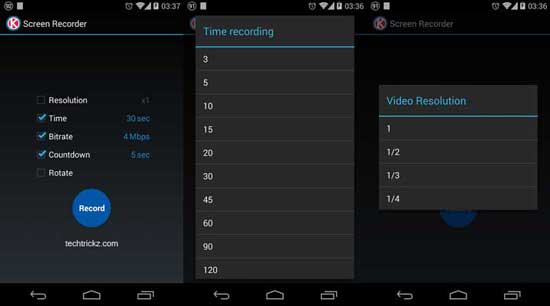
Features:
- Engineered to initiate capture command protocols entirely automatically upon activation.
- Presents quick, accessible menus to modify and select the perfect video resolution for your display's aspect ratio.
Functions:
- Empowers you to tweak the video bit rate intricately and employ a helpful countdown timer prior to starting.
- Fully supports both dynamic portrait orientations and immersive landscape gaming platforms.
2-5. Shou TV
Standing as a premium ad-free tool, Shou TV guarantees an interruption-free experience. Operating parameters vary by OS: Android Lollipop users bypass root demands, whereas Jelly Bean users still need root unlocking to proceed.
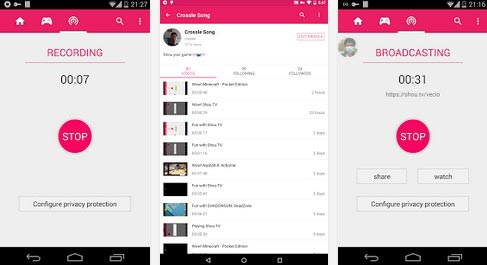
Features:
- Goes beyond standard capture by mirroring your active screen directly onto an Apple TV via network streaming.
- Operates beautifully across a wide spectrum of both rooted and unrooted mobile systems.
Functions:
- Completely free to operate while granting an unlimited timeframe for all your capturing needs.
- Maintains a pristine output video devoid of invasive watermarks or annoying pop-up advertisements.
2-6. SCR 5+ SCR Screen Recorder
Aiming squarely at the upper echelon of video quality, the SCR 5+ Screen Recorder harnesses advanced hardware-accelerated video encoding to push out unmatched frame rates and sharp visual clarity.
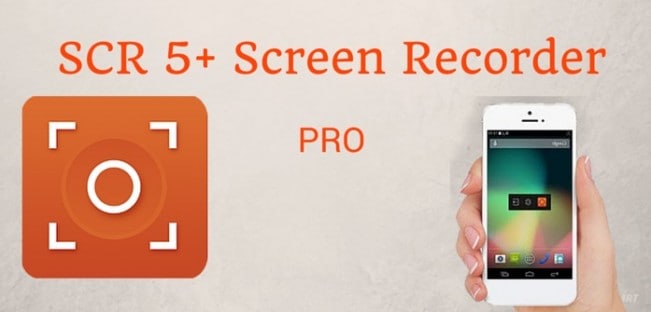
Features:
- The evaluation variant restricts total length to an adequate 3 minutes per session for non-subscribers.
- Generates a distinct software watermark that is superimposed over the exported video file.
Functions:
- Upgrading to the Pro tier unlocks immense advantages, fundamentally removing the duration limit and erasing all watermark traces.
- While boasting cutting-edge functions, user success highly depends on the specific device manufacturer due to varied hardware encoders.
Conclusion
Whether you need a quick clip or an hour-long gaming broadcast, these top-tier free screen recorder for Android applications offer incredible utility in 2026. While many dedicated apps function well natively on rooted devices, we wholeheartedly advocate for the Wondershare MirrorGo Android Screen Recorder. Its capabilities extend far beyond standard screen capture. By allowing you to project your gameplay onto large computer monitors and operate your device with a mouse and keyboard, it delivers a flawless mirroring emulation experience that makes recording smoother and more professional than ever.
FAQ
-
1. Do I still need to root my Android phone to record my screen in 2026?
No, rooting is generally no longer required for screen recording on modern Android devices. Operating systems starting from Android 5.0 (Lollipop) and higher have native APIs that allow third-party apps to capture the display seamlessly. However, if you are using a legacy device with older OS versions like Jelly Bean, root access may still be necessary for certain applications. -
2. Will using a screen recorder cause my mobile games to lag?
Recording your screen requires processing power, which can occasionally cause frame rate drops or lag during graphics-heavy gaming. To minimize this, we recommend using hardware-accelerated software or a PC-mirroring solution like Wondershare MirrorGo, which offloads much of the heavy processing to your computer. -
3. Can I record internal system audio alongside my screen video?
Yes, but this feature depends entirely on the Android version and the specific recording app you choose. Newer Android systems support internal audio capture by default, whereas older versions typically only permit recording via the external microphone unless the device is actively rooted. -
4. Are there completely free screen recorders without watermarks?
Yes! Several apps, such as Shou TV and specific versions of Ilos, provide watermark-free recording entirely for free. Other popular software might apply a subtle watermark in their basic free tiers, requiring an upgrade to a pro version to remove it completely.
 Add Wondershare Dr.Fone as a preferred source on Google



