Dr.Fone Online Unlock Get Started Guide
If your phone or tablet is restrained by Google FRP Lock, iCloud Activation Lock, SIM Lock, or Mi Account Lock, the first challenge is usually not the unlock step itself. It is figuring out what your device needs, whether it is supported, and what information including IMEI info you must prepare before you start.
Dr.Fone Online Unlock is designed to make that process clearer. Instead of forcing users into one generic workflow, it offers different online unlocking services for different lock scenarios, along with device identification and pre-check steps that help reduce submission errors.
This Get Started guide gives you a quick overview of the preparation process and the main online unlock features currently available. If you already know your lock type, you can jump directly to the matching section and open the dedicated guide for the full step-by-step instructions.
Manage Your Phone Wherever You Go
Index
Part 1: Preparations Before Using Dr.Fone Online Unlock
1.1 What is IMEI?
IMEI stands for International Mobile Equipment Identity. It is a unique number assigned to your phone and is often used to identify the device on a mobile network. In this guide, the IMEI is especially important because Dr.Fone Online Unlock uses it to check your device details and process the unlock request correctly.
Before you start an online unlock, make sure you have the correct IMEI number for the device you want to unlock. If the IMEI is entered incorrectly, the system may return the wrong information or fail to match your device with the unlock request. That is why checking and confirming your IMEI is one of the most important preparations before using Dr.Fone Online Unlock.
1.2 Prepare Your Device IMEI and SN
Before using most Dr.Fone Online Unlock services, you should first prepare your device IMEI or SN. These identifiers are commonly used to verify the device model, check compatibility, and submit the correct unlock request.
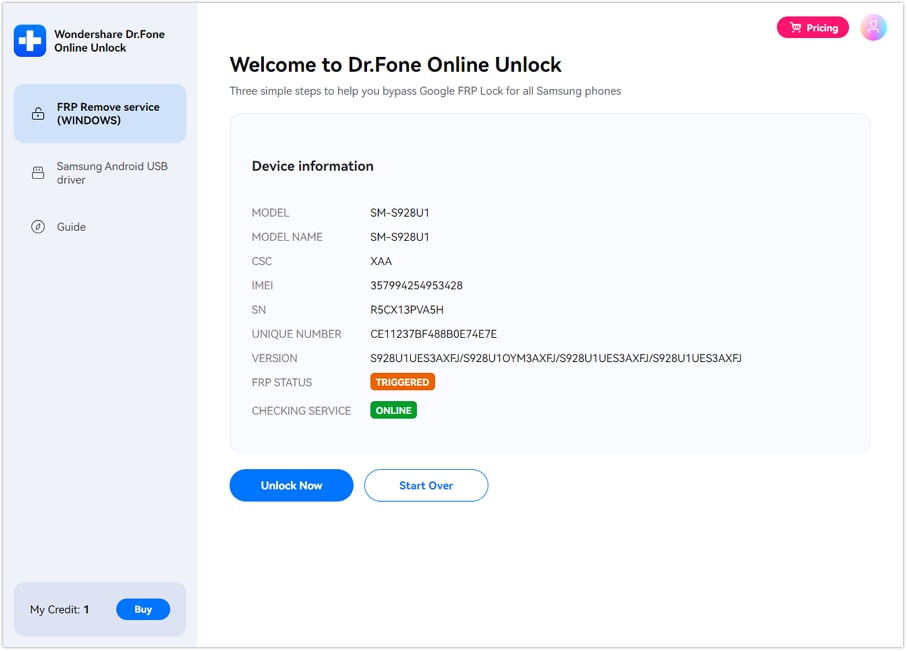
1.3 Check Detailed Phone Information by IMEI
If you are not fully sure about your phone model, lock status, or service eligibility, it is a good idea to check the device details by IMEI before submitting an unlock request. With the Dr.Fone online checking workflow, users can review device-related information such as supported lock type, model-related details, or service-specific status checks, depending on the selected function. This is especially useful when you need to distinguish between carrier lock, activation lock, FRP lock, or Xiaomi account-related restrictions.
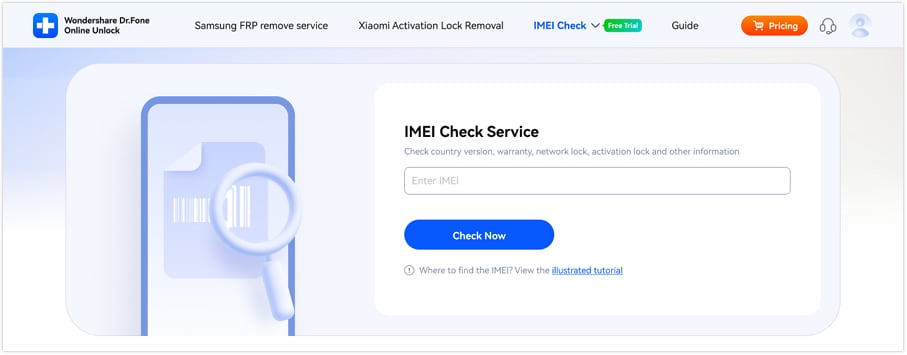
💡 Tips: You can find steps to check your device’s IMEI number in the [IMEI Check Online guide].
🎉 Bonus: You can get your first IMEI check for free—no login required! Just enter your IMEI on the dashboard and view your report instantly.
Part 2: Samsung FRP Removal
Dr.Fone Online Unlock provides an online solution for users who are locked out of Samsung devices after a factory reset triggers Factory Reset Protection. This feature is designed to help eligible users regain access to the device setup process without handling a long manual bypass route on their own.
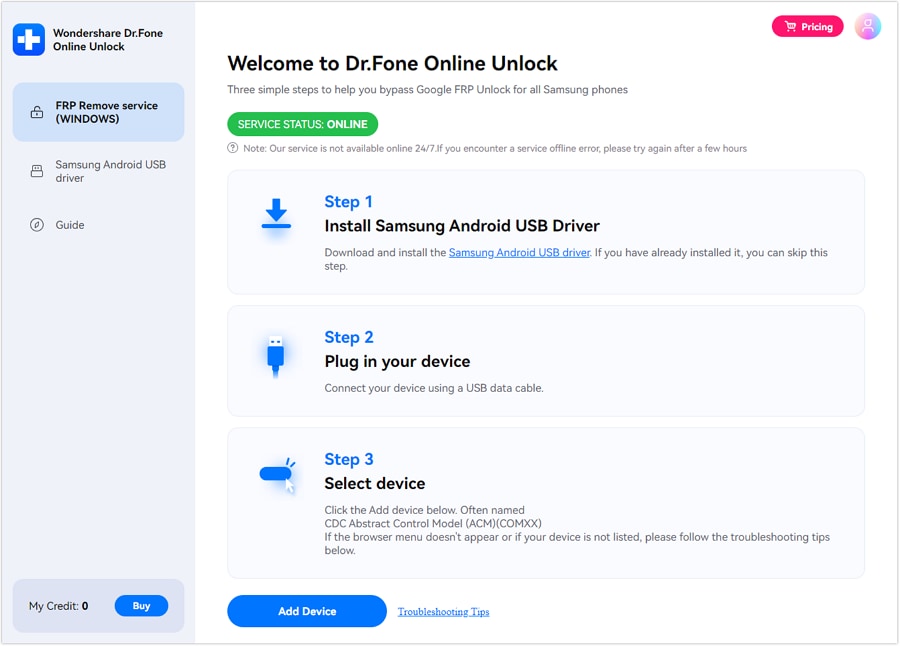
Device Compatibility
- Compatible Models: All Samsung phones and tablets, including Galaxy A/M/F/S/Z/Fold/Flip models and the latest Galaxy S26 series.
- Supported Android Versions: Android 15, Android 16, Android 17 Beta and earlier.
If your Samsung device is stuck on Google verification after reset, check the detail guide here: Bypass FRP on Samsung Online.
Part 3: iCloud Unlock
For users who are blocked by iCloud Activation Lock after reset, Dr.Fone Online Unlock offers a dedicated online workflow that helps qualified users submit an activation lock removal request through the official platform. This feature is intended for users who need a guided route to handle activation-related access issues on supported Apple devices.
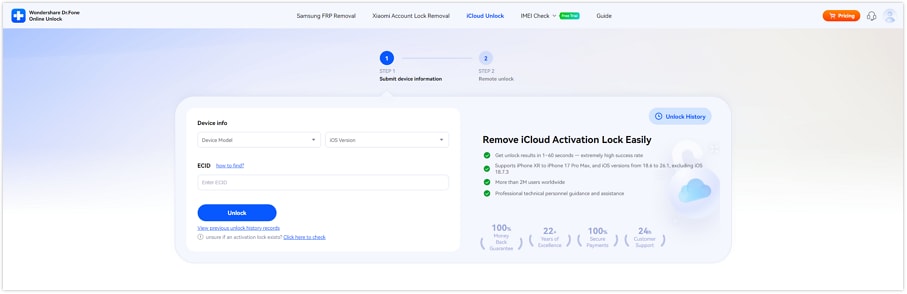
Supported Devices: (Running iOS/iPadOS 18.6-26.1)
- iPhone: XR / XS / XS Max, SE (2nd / 3rd), 11 / 11 Pro / 11 Pro Max, 12 / 12 Mini / 12 Pro / 12 Pro Max, 13 / 13 Mini / 13 Pro / 13 Pro Max, 14 / 14 Plus / 14 Pro / 14 Pro Max, 15 / 15 Plus / 15 Pro / 15 Pro Max, 16 / 16 Plus / 16 Pro / 16 Pro Max / 16e, 17 / 17 Pro / 17 Pro Max
- iPad: iPad (8th), iPad (9th), iPad (10th), iPad (11th)
- iPad Mini: iPad Mini 5, iPad Mini 6, iPad Mini 7
- iPad Air: iPad Air 3, iPad Air 4, iPad Air 5, iPad Air 6, iPad Air 7
- iPad Pro: iPad Pro 11‑inch (1st / 2nd / 3rd / 4th / 5th / 6th), iPad Pro 12.9‑inch (3rd / 4th / 5th / 6th), iPad Pro 13‑inch (1st / 2nd)
If your device is locked on the activation screen, continue with the full guide here: Remove iCloud Activation Lock Online.
Part 4: SIM Unlock
If your phone is tied to a carrier and cannot accept another SIM card, Dr.Fone Online Unlock includes an online SIM unlock workflow that helps users first verify carrier-lock status and then submit the unlock request with the required device details.
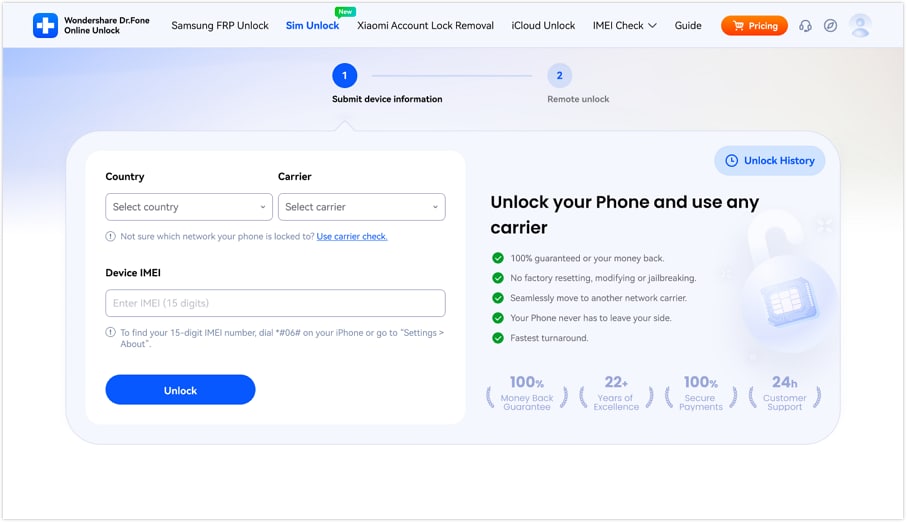
Supported Devices:
- Carriers: AT&T (more carriers will be supported soon)
- Phone Brands: All phone brands
- Phone Operate System: All iOS and Android versions
If you want to check whether your device is carrier locked and start the unlock request, open the full guide here: Remove SIM Lock Online.
Part 5: Xiaomi Account Lock Removal
Dr.Fone Online Unlock also provides a dedicated online service for Xiaomi-related account lock scenarios. This feature is intended for users who cannot complete activation because the device is locked by a Mi Account after reset or credential loss.
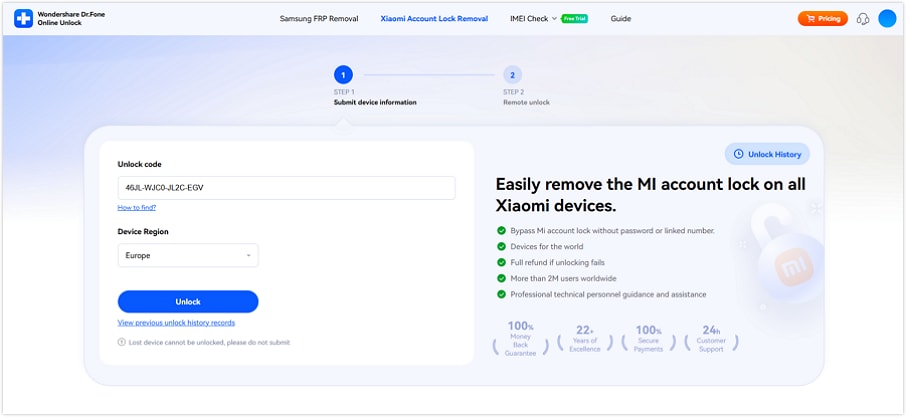
Supported Devices:
- Models: Wide coverage across Xiaomi, Redmi and POCO devices — including mainstream Mi, Redmi Note/Series and POCO series.
- Regions: Global coverage — works with devices from most countries and regions worldwide.
If your Xiaomi device is blocked by a Mi Account lock, continue with the full guide here: Bypass Mi Account Lock Online.
WHAT YOU'LL NEED
Dr.Fone provides a complete set of tools for solving all iOS/Android phone problems.
Need help?
You might find the answer to your question in the FAQ or additional information below:
FAQs
 What should I prepare before using Dr.Fone Online Unlock?How do I know which Dr.Fone Online Unlock feature I should use?Can I use the same workflow for Samsung, iPhone, and Xiaomi devices?Why is checking device information by IMEI important?