Tracover User Guide
Discover Tracover - the ultimate WhatsApp tool for Android. Save view-once messages and track chat activity effortlessly. Download now!



- View Once Saver for Disappearing Messages
- WA Tracker with Online Status Alerts
- Seamless WhatsApp Data Transfer
- File Transfer Across Devices
How to Save View Once Messages on WhatsApp with Tracover
With Tracover's View Once Saver, you can finally keep important WhatsApp "view once" messages — texts, photos, videos, or even audio — that normally disappear after a single view. Whether you want to know how to view one time photo in WhatsApp again, save a voice note, or make sure you never lose a special memory, Tracover app makes it simple and reliable to preserve content that WhatsApp does not normally allow you to keep.
Table of Contents
Your All-in-One WhatsApp Solution
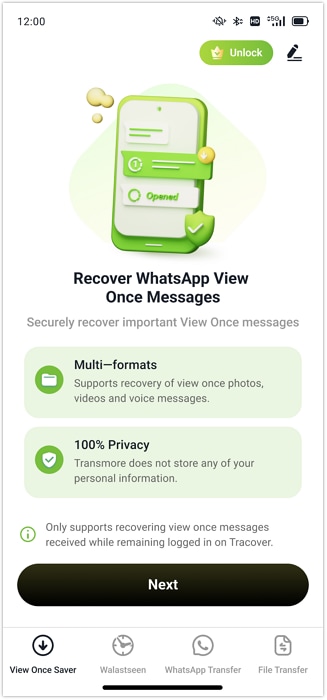
01: Open View Once Saver in Tracover
To begin saving WhatsApp "view once" messages, open Tracover on your Android device and navigate to View Once Saver. This feature makes it possible to keep content that normally disappears after a single view.
- Launch Tracover on your Android phone.
- Tap View Once Saver → Next.
02: Get Your 6-Digit Code
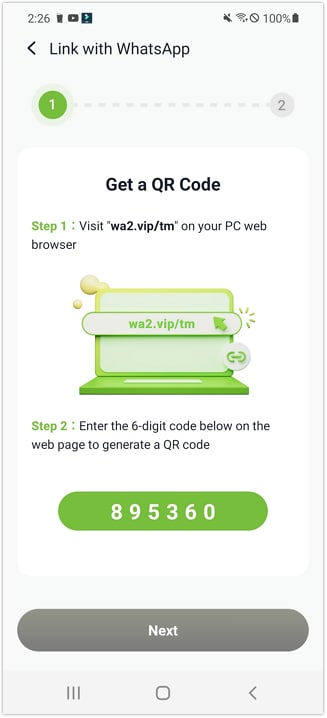
Tracover will generate a secure 6-digit code required to link your WhatsApp account. This code is essential for enabling access to disappearing messages.
- After tapping Next, note down the 6-digit code displayed on your screen.
03: Enter the Code on PC to Generate a QR Code
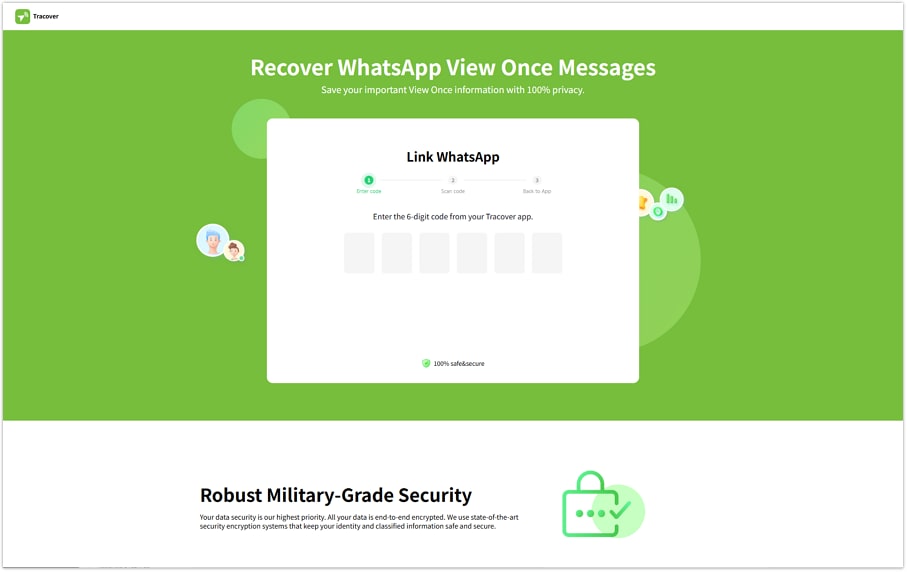
Use your computer's browser to enter the 6-digit code. A QR code will then be generated, establishing the secure connection between your WhatsApp and Tracover.
- On your PC browser, go to wa2.vip/tm.
- Enter the 6-digit code you received in the previous step.
- Once completed, a QR code will appear on the browser page. Keep this page open.
04: Scan the QR Code with WhatsApp to Link the Device
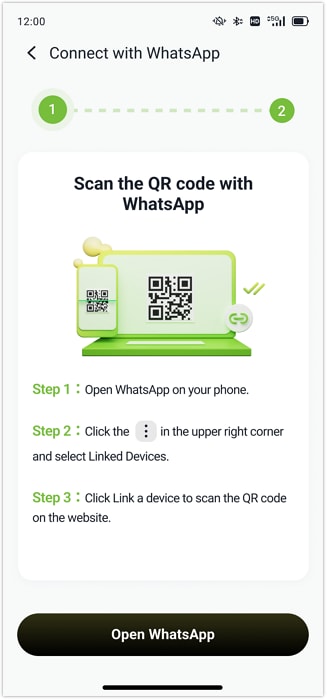
Use WhatsApp's Linked Devices scanner to link your account to the Tracover web page. Linking allows Tracover to collect "view once" items.
- Open WhatsApp on your Android device.
- Go to Linked Devices → Link a device.
- Scan the QR code displayed in your PC browser.
05: Access and Save View Once Messages
After linking, all "view once" media from your chats and groups will be available directly in Tracover. You can decide how to save them based on your needs — either bulk saving or saving specific photos and videos individually..
You can save them in two ways:
- Bulk Save: Tap Select in the top-right corner → choose texts, voice notes, photos, or videos → tap Save.
- Preview & Save (for photos/videos): Open an item to preview it → tap Save in the top-right corner.
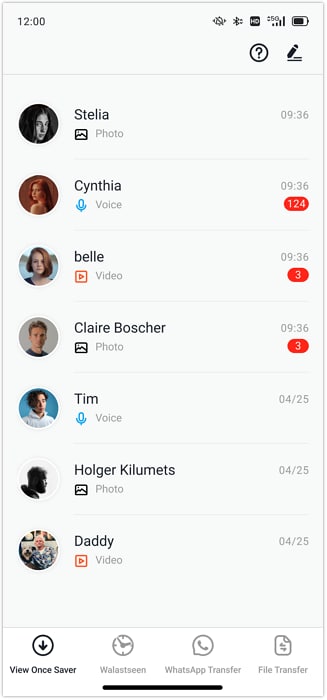
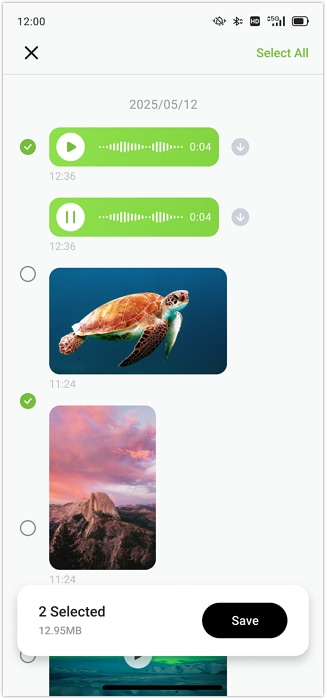
With these options, you can always recover disappearing WhatsApp messages. Your important moments are now permanently saved and can be revisited anytime with Tracover.
Need help?
You might find the answer to your question in the FAQ or additional information below: