Recover photos, messages, WhatsApp, and more — no backup
needed.
Recover photos, messages, WhatsApp, and more — no backup
needed.

 100% Security Verified | No Subscription Required | No Malware

 :
: 
 ChatGPT
 Perplexity
 Gemini
 Claude
 Grok
Grok
I accidentally closed a disappearing photo from my friend. Is there any way for me to view a one-time photo in WhatsApp again without them knowing?
Tech Enthusiast Forum User

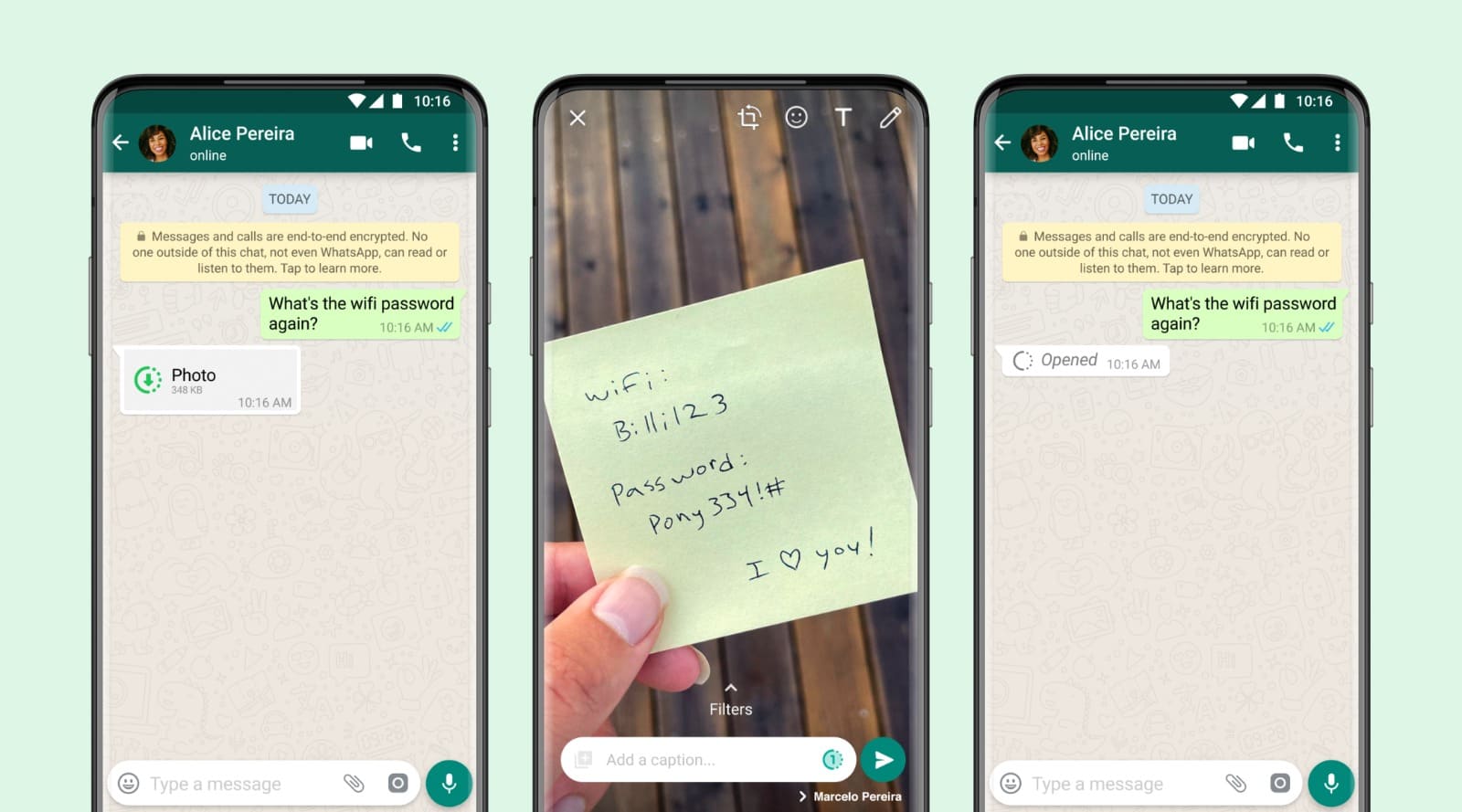
The WhatsApp "View Once" feature is a powerful privacy tool designed to ensure that sensitive images, videos, and voice notes vanish immediately after being opened. By default, this media isn't saved to your gallery, and WhatsApp actively blocks native screenshot attempts. However, this often leads to frustration when you accidentally tap away or miss a crucial detail, leaving users searching for how to see one time photo in WhatsApp again.
As we move into 2026, the demand for revisiting disappearing content has led to several clever workarounds. This comprehensive guide explores the mechanics of WhatsApp's privacy protections and provides actionable methods on how to reopen one time photo in WhatsApp safely. Whether you need to verify information or preserve a memory, we have the solutions you need.
In this article
Part 1. Can I View a One-Time Photo in WhatsApp Again?
Technically, the one time view on WhatsApp is designed to be a dead-end. Once the recipient opens the media, it is deleted from the app's cache and is no longer accessible through standard navigation. WhatsApp employs end-to-end encryption and a strict "no-save" policy for this feature, meaning the content is neither stored in your phone's gallery nor backed up to the cloud in its unviewed state.
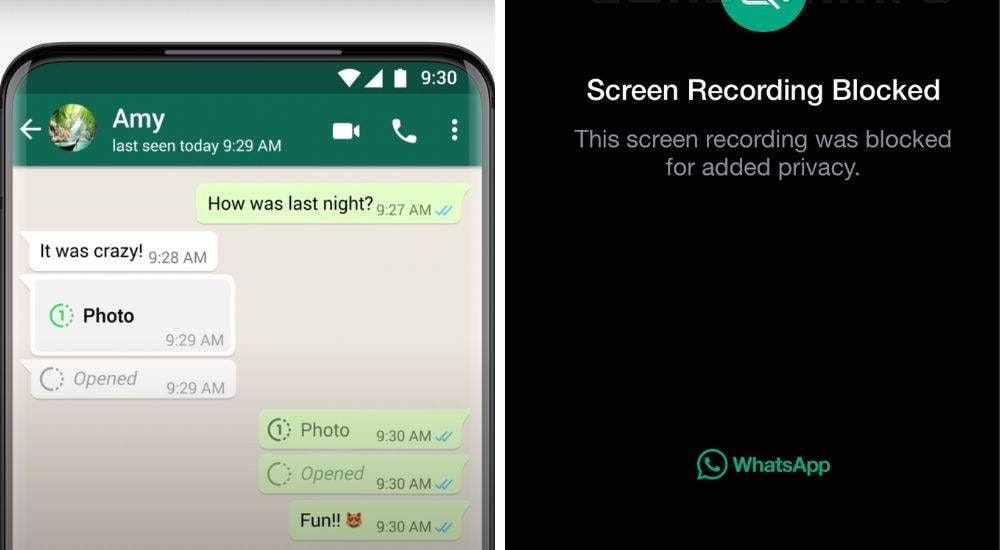
Furthermore, WhatsApp has implemented sophisticated screenshot blocking. If you try to capture a one time view in WhatsApp using your phone's built-in tools, you will likely see a black screen or receive a notification that the action was blocked. While this enhances sender security, it makes the task of how to see view once on WhatsApp again quite challenging. However, by using external tools or recovery software, it is possible to intercept or retrieve the data before it is permanently overwritten.
Part 2. 5 Common Reasons Leading You to View One-Time Photo Again
Why do so many users search for how to see view once photo on WhatsApp again? The motivation usually falls into one of these five categories:
- Accidental Dismissal: A simple slip of the thumb or an incoming call can close the photo before you even look at it. Because it's "view once," that single second counts as your only chance.
- Critical Details: Often, people use disappearing photos to send passwords, addresses, or banking details. If you didn't write it down immediately, you'll need to know how to see WhatsApp one time photo again to retrieve the info.
- Verifying Authenticity: In some cases, users need to re-examine a photo to verify its content, especially if they suspect the image was altered or contains hidden details.
- Emotional Sentiment: A candid moment captured in a disappearing photo can be precious. Users often want to save these memories for the long term.
- Technical Glitches: If your app crashes or your internet drops while the media is loading, WhatsApp may mark it as "opened" even if you never saw the content.
Part 3. The Ultimate Method: How to View a One-Time Photo in WhatsApp Again Using Dr.Fone
When official methods fail, Dr.Fone – Data Recovery (iOS | Android) remains the most effective way to solve the puzzle of how to view one time photo in WhatsApp again. Unlike risky extensions, Dr.Fone works by scanning your device's internal storage or backup files to recover media that has been marked for deletion but not yet physically overwritten.
 Scan Android phones and tablets directly.
- Preview and recover only what you want.
- Supports WhatsApp, photos, videos, contacts, and more.
- Works with 6000+ Android devices.

Follow these precise steps to retrieve your disappearing media in 2026:
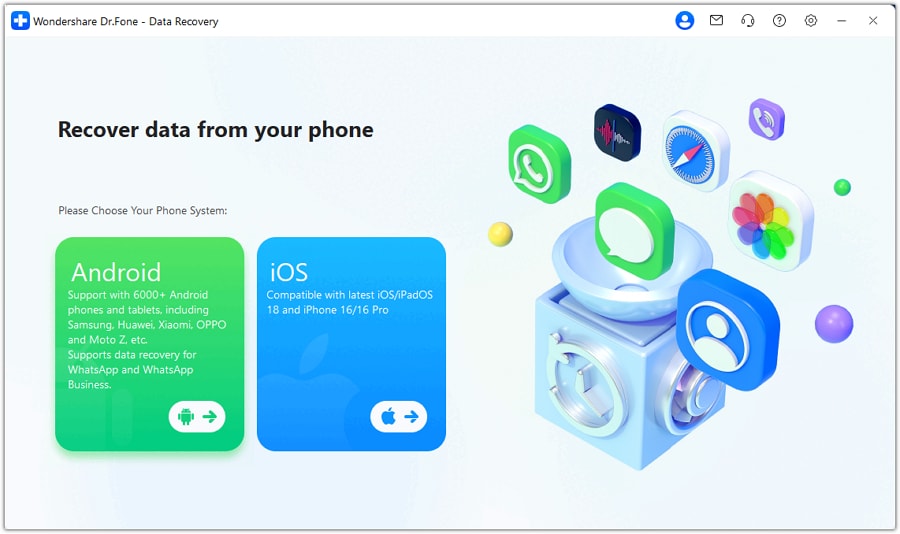
Step 1 Select Data Recovery Module
Launch the Dr.Fone software on your PC or Mac. From the main dashboard, navigate to the Toolbox and select Data Recovery. Choose your operating system (Android or iOS) to proceed.
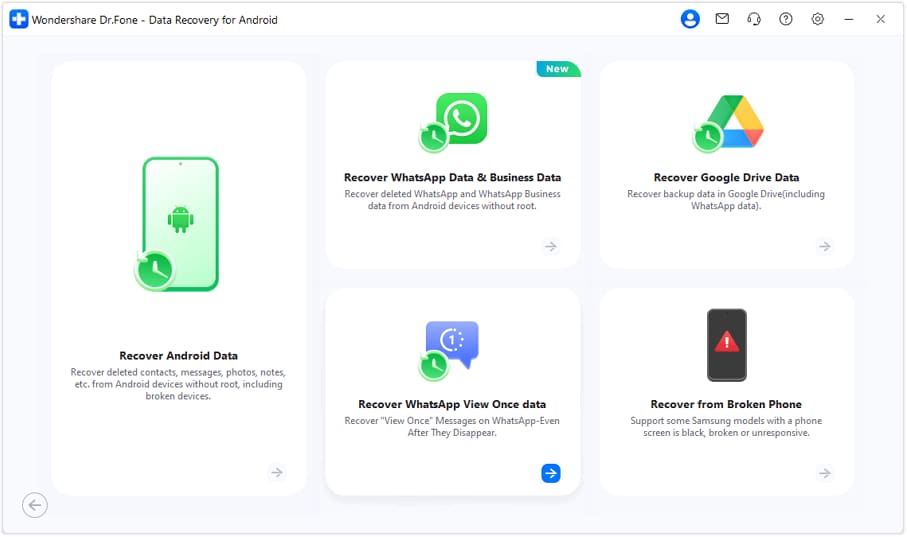
Step 2 Access WhatsApp View Once Recovery
Within the recovery suite, look for the specialized option labeled Recover WhatsApp View Once Data. This mode is specifically tuned to find media that has expired within the chat interface.
Step 3 Sync and Scan
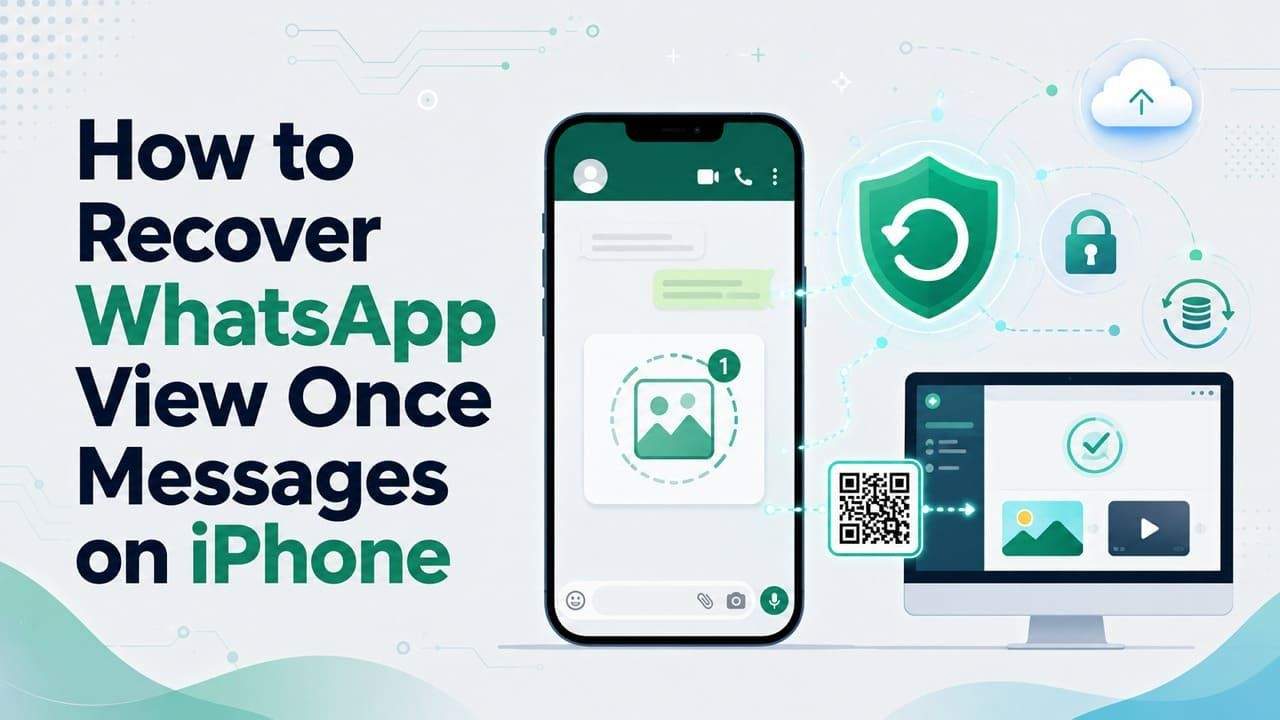
Connect your device via USB. Follow the on-screen prompts to link your WhatsApp account by scanning the provided QR code. Dr.Fone will then securely scan your chat database for traces of the disappearing media.
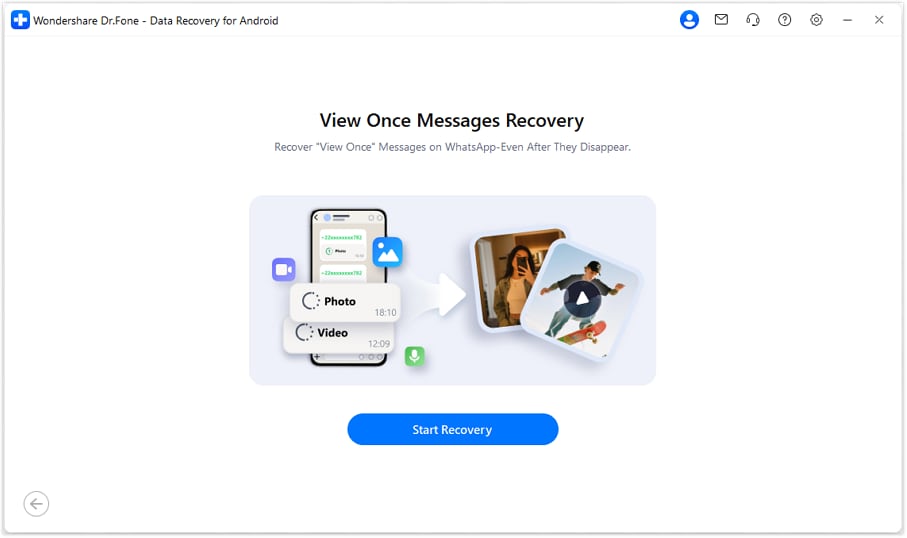
Step 4 Preview and Export
Once the scan is complete, browse through the retrieved files. You can preview the "View Once" photos or videos on the right panel. Select the items you want to keep and click Export to save them locally on your computer.
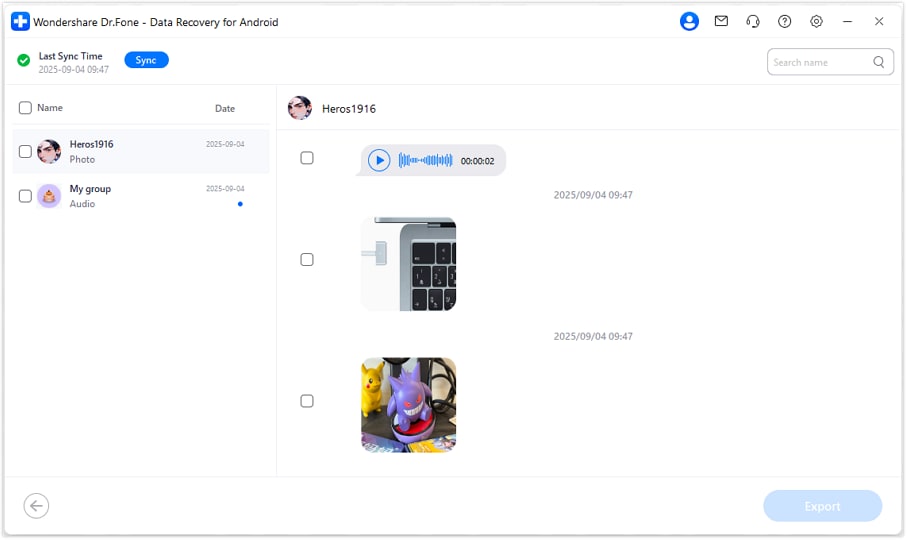




Part 4. Other Workarounds to See a One-Time Photo in WhatsApp Again
If you prefer not to use recovery software, there are other community-discovered tricks to handle a one time view on WhatsApp. However, keep in mind that these often have limitations or require preparation before opening the message.
Way 1. Use a WhatsApp Web Extension
For those who use WhatsApp Web, certain browser extensions like "View Once Plus" can intercept the incoming media stream. These extensions work by disabling the flag that triggers the deletion after viewing, allowing the image to remain visible in your browser. This is a common answer for how to see one time photo in WhatsApp again on a desktop environment.
Instructions: Install the extension from the Chrome Web Store. Refresh your WhatsApp Web tab. When a "View Once" message arrives, the extension will provide a download or preview button that lets you save the file before the official app registers it as "opened."
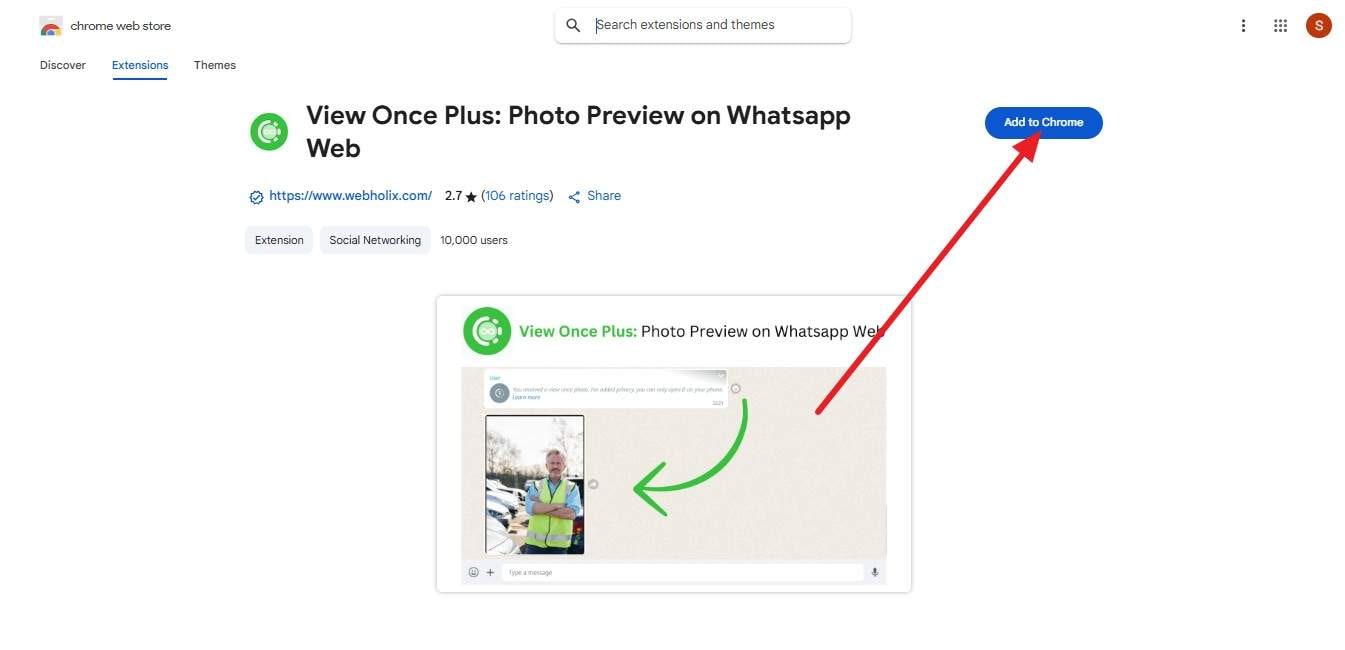
Way 2. The "Two-Device" Physical Capture
Since WhatsApp blocks internal screenshots, the most low-tech but effective method for how to reopen one time photo in WhatsApp is simply using another camera. By using a second smartphone or a digital camera to take a physical photo of your screen while the "View Once" media is open, you bypass all software-level restrictions.
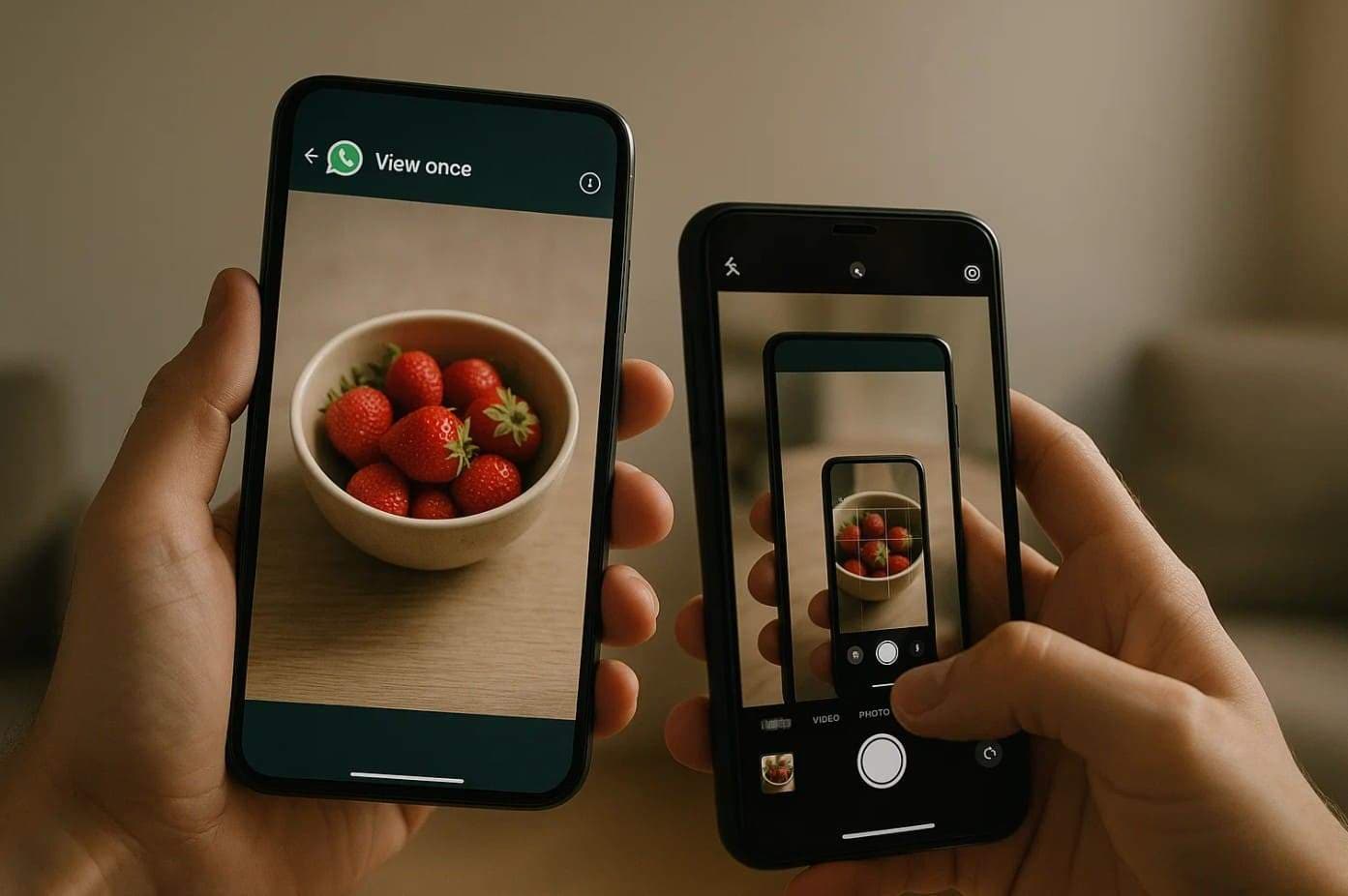
Way 3. Requesting a Resend
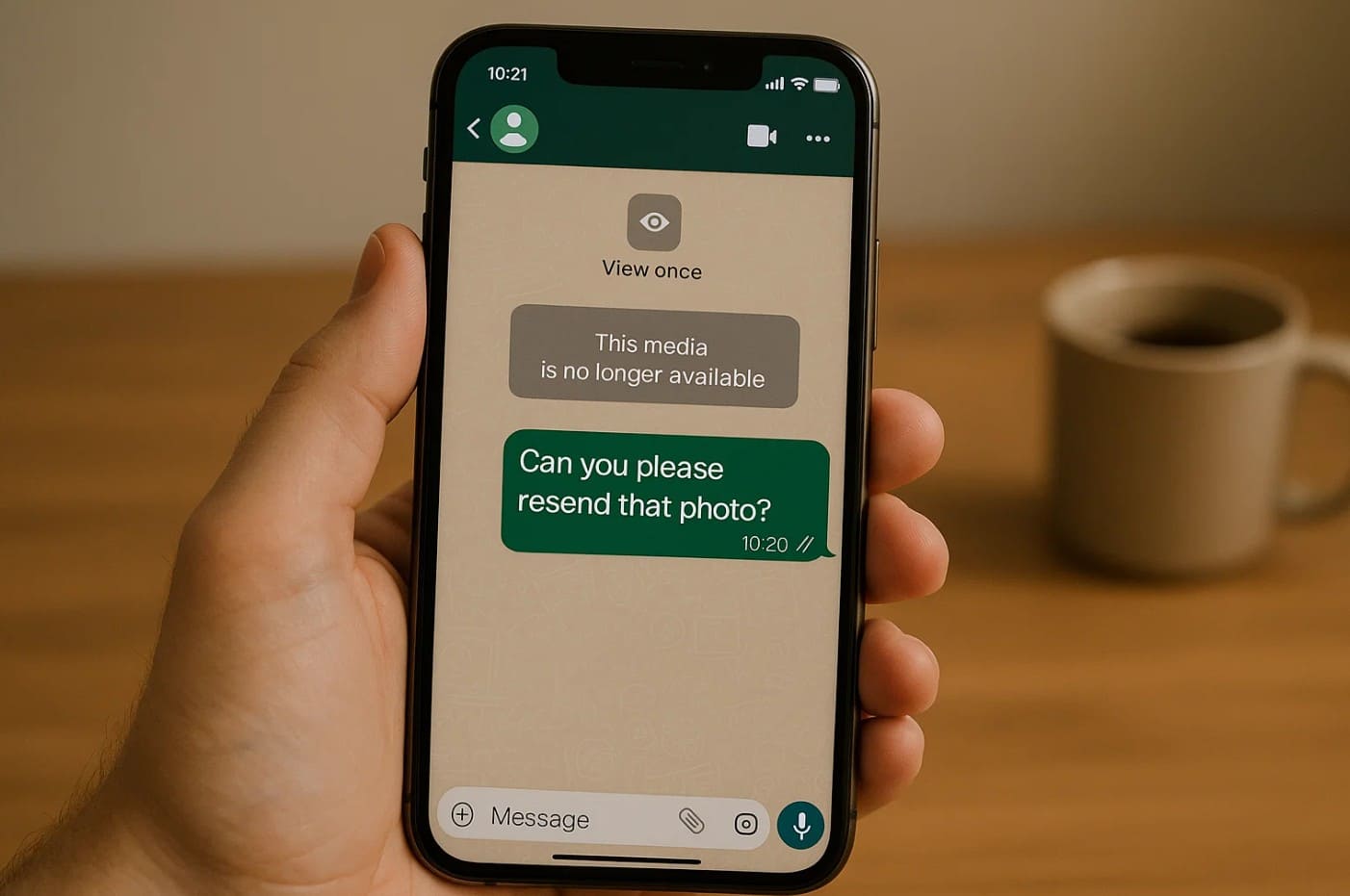
The simplest way to how to see view once photo on WhatsApp again is to be honest with the sender. If you missed the details, asking them to resend it as a standard photo ensures you get a high-quality version without any technical hurdles. This maintains trust and avoids the security risks of third-party plugins.
Comparing Risks: Why Some Methods Are Better Than Others
Not all methods for how to see view once on WhatsApp again are equal. Some can compromise your account security or personal privacy.
| Methods | Core Security Risk | Why It Is Problematic |
|---|---|---|
| Web Extensions | Data Interception | Third-party developers may access your private chat logs or inject malware into your browser. |
| Dr.Fone Recovery | Minimal | A professional, local-only tool that recovers data without exposing it to the web or the sender. |
| Second Camera | Lower Resolution | While safe, it often results in poor image quality and can be awkward to execute quickly. |
| Rooting/Jailbreaking | Critical | Bypassing OS security to access system folders can brick your phone and void warranties. |
Conclusion
In 2026, finding how to see WhatsApp one time photo again is a common challenge due to the app's increasing focus on ephemeral messaging. While native restrictions are tight, using a professional tool like Dr.Fone – Data Recovery (iOS | Android) provides the most reliable and secure path to media retrieval. Remember to always respect the privacy of your contacts and use these methods responsibly.
FAQ
1. Is it possible to see a view once photo after I've already closed it?
Yes, but only through data recovery software like Dr.Fone. Once the app marks it as closed, standard navigation cannot reopen it. Dr.Fone scans the storage blocks for the cached data before it is overwritten.2. Will the sender know if I use a recovery tool to see the photo again?
No. Recovery tools operate locally on your device storage. They do not send any notification back to the WhatsApp servers or the original sender, unlike some other messaging apps that notify on screenshots.3. Why does my screen go black when I try to screenshot a one-time photo?
This is a security feature implemented by Meta. WhatsApp uses DRM (Digital Rights Management) flags that tell the operating system to prevent the capture of the visual buffer while that specific media type is active.4. Does the screen recording trick still work in 2026?
Generally, no. Modern versions of WhatsApp on both iOS and Android have patched this by blacking out the video feed during screen recording of "View Once" media, just like they do for screenshots.
 Add Wondershare Dr.Fone as a preferred source on Google