

May 19, 2026 • Filed to: Device Data Management • Proven solutions
 TL;DR:
Rooting a Samsung device without a PC is possible using APKs like Kingoapp, KingRoot, or Framaroot, though success heavily depends on having an older device model with lenient bootloader and security patch restrictions.
● Framaroot executes specific exploits tailored for older Android versions and installs SuperSU, whereas Kingoapp and KingRoot prioritize beginner-friendly, one-tap rooting that requires a stable internet connection.
● The Root Android without PC app provides a built-in device details checker to verify compatibility, which is crucial since newer Samsung models with advanced system protections frequently block APK rooting attempts.
● Applying any of these tools carries inherent security risks, including permanently voiding the device warranty and triggering boot failures, making a full system backup a necessary precondition.
Ask AI for a summary
 ChatGPT
 Perplexity
 Gemini
 Claude
 Grok
Grok
Dr.Fone Basic:
Better Control for Your Phone
Manage, transfer, back up, restore, and mirror your device
If you want to root Samsung without PC, using a reliable Samsung root APK can be one of the simplest options. These apps are designed to help users gain root access directly on their phones, without connecting the device to a computer. However, not every Samsung root app is equally safe, effective, or compatible with modern Samsung models.
In this guide, we introduce the best Samsung root APK tools for users who want a practical way to root Samsung phones without a PC. You will learn what each Samsung root software option does, its strongest features, and which root for Samsung devices may suit your needs best.
Here are our top six Samsung root apps.
Remember to backup your Samsung phone before the root process.
Part 1: Top 6 Samsung Root Apps
If you are searching for a Samsung root app or a Samsung root APK without PC, the tools below are among the most talked-about options. Each app offers a different balance of compatibility, ease of use, and control, so it is important to compare them carefully before deciding how to root Samsung safely.
1. Kingoapp
Kingoapp is a popular Samsung root app that works with many Samsung smartphones and tablets. It is often chosen by users who want a quick root Samsung APK solution because it offers a one-click process and a beginner-friendly interface. For people looking for a Samsung root APK without PC, Kingoapp remains one of the most recognizable names in this category.
This free application works best when the device has a stable internet connection, and it is generally preferred by users who want convenience over complex manual rooting methods.
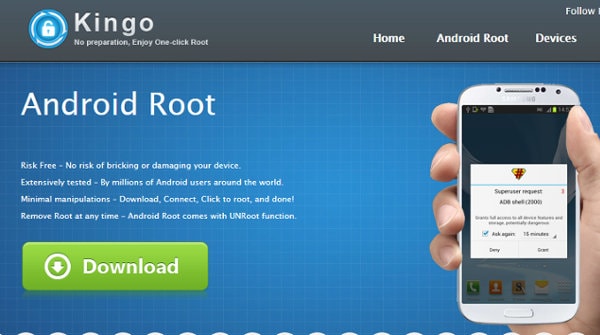
Here are some of its best features:
- Does not drain users' battery life because it is designed to run efficiently during the root process.
- Able to remove different types of carrier bloatware so that the device can perform better.
- Allows users to remove system applications and gain deeper control over Samsung settings.
2. FRAMAROOT
Framaroot is one of the best-known tools for users who want to root Samsung without PC using an APK-based method. It is especially useful for older Android devices and users who are comfortable handling slightly more technical rooting steps. Compared with simpler one-click tools, Framaroot gives more flexibility, which is why many users still search for it as a root for Samsung solution.
The app uses different exploits depending on the Android version, device model, and chipset. That makes it more adaptable in some cases, but also means results can vary depending on your specific Samsung phone.
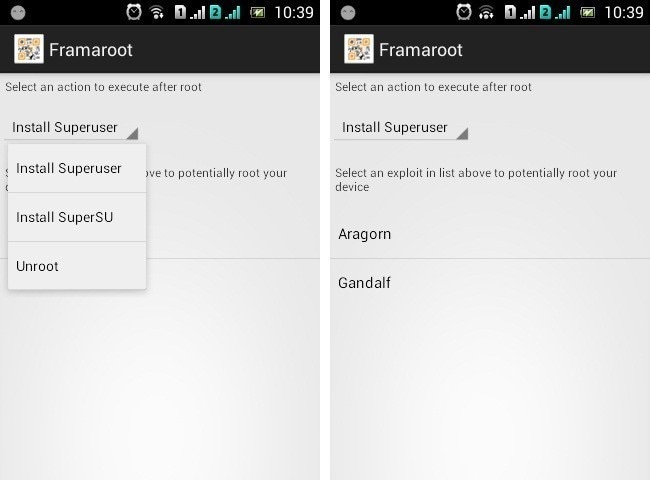
Here are some of its best features:
- Supports a wide range of Android devices.
- Lets users run custom rooting commands and improve execution efficiency.
- Easy to install SuperSU with clear on-screen instructions.
3. KINGROOT
Although KingRoot is newer than some traditional tools, it supports a wide range of Android devices and is often mentioned when users look for Samsung root software that works without a computer. It is especially known for trying to keep pace with Android updates and newer device environments.
For users comparing Samsung root APK options, KingRoot stands out because of its simple interface and its emphasis on one-tap rooting. It is often considered by people searching for a Samsung galaxy root APK that is easy to test before attempting more advanced methods.

Here are some of its best features:
- A simple and easy way of getting rooting privileges.
- Able to safeguard devices after rooting is completed.
- Regular updates have improved its effectiveness and user interface.
4. ROOTMASTER
Root Master app is another Samsung root app designed for users who want quick access to superuser privileges. It supports Samsung devices as well as many other Android models, and it appeals to users looking for a straightforward root Samsung path without complicated setup.
Because it focuses on one-click rooting, Root Master is often treated as a practical Samsung root APK choice for users who want deeper system control, performance tuning, and the ability to uninstall preloaded apps.
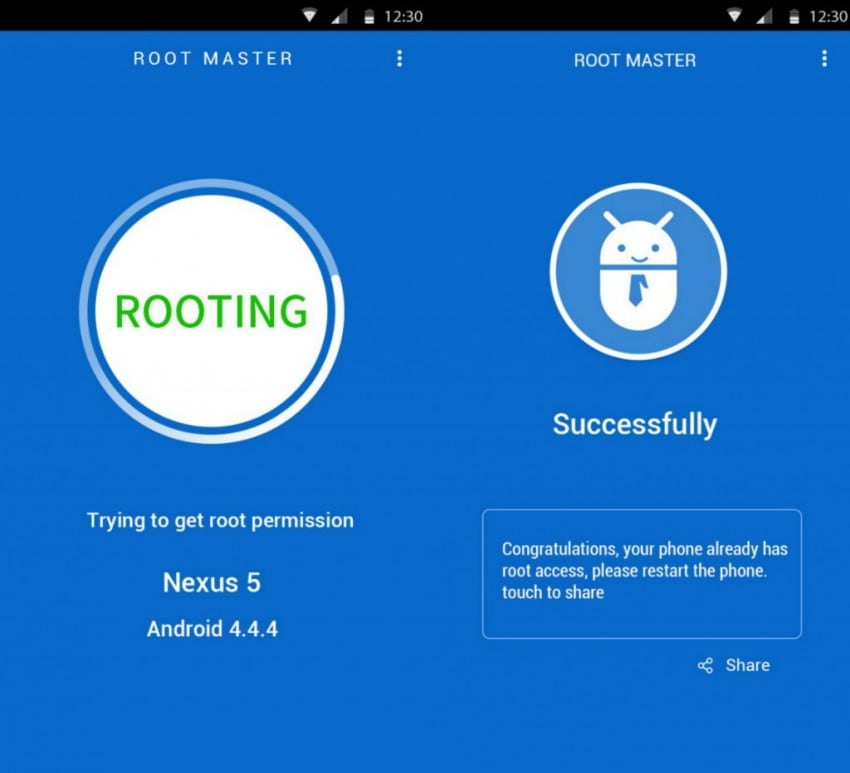
Here are some of its best features:
- Optimises your operating system so that it can perform more effectively and efficiently.
- Enables users to have granular control over Android devices.
- Helps uninstall default apps to free up device memory.
5. Z4ROOT
Z4Root is a lightweight Samsung root app that many users prefer because it is simple, fast, and easy to navigate. For users who want a more minimal root Samsung APK, this tool is often appreciated for not overloading the device or interface.
It is also known for being ad-free and beginner-friendly, making it appealing to users who want a root for Samsung method with less distraction. While compatibility may depend heavily on the device and Android version, it remains a notable name among Samsung root software options.
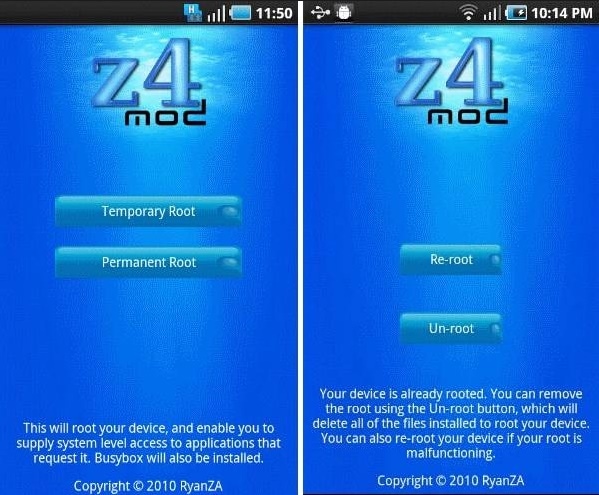
Here are some of its features:
- Helps safeguard your Android device and improve rooted device usability.
- Compatible with many Android devices.
- If something goes wrong during rooting, rebooting the device usually does not harm it.
6. ROOT ANDROID WITHOUT PC
This app is specifically positioned for users who want to root Samsung without PC in the most direct way possible. As its name suggests, it focuses on helping users root Android phones without a computer in a simple multi-step workflow. For users specifically searching “samsung root apk without pc,” this app is naturally relevant.
The app also includes device detail checking, which is useful before starting the root process. That added visibility can help users understand whether their device is a better candidate for rooting and whether the chosen Samsung root APK method is worth trying.
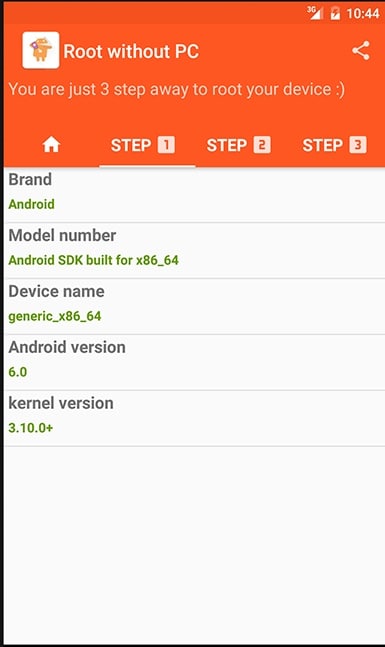
Here are some of its features:
- It has an inbuilt device details checker that helps retrieve information about your device.
- Material Design makes the interface more intuitive and easier to use.
- 24/7 support helps users understand the root process step by step.
These are some of the best Samsung root APK options for users who want to root Samsung phones without a PC. Still, before you choose any Samsung root app, keep in mind that rooting success depends on your exact Samsung model, Android version, security patch level, and bootloader restrictions.
If you are considering Samsung root software, it is best to choose tools carefully, back up your device first, and understand the risks. Rooting can improve control and customization, but it can also void warranties, create boot issues, or fail on newer Samsung devices with stronger system protections.
If you find this useful, do not forget to tell your family and friends about it!
FAQs
 Q1. Can I root Samsung without PC using an APK?Q2. What is the best Samsung root app?Q3. Is Samsung root software safe to use?Q4. Does a Samsung Galaxy root APK work on all Samsung phones?
Dr.Fone Basic:
Better Control for Your Phone
Manage, transfer, back up, restore, and mirror your device


Samsung Manage
- Samsung Data Manage
- 1. Best Samsung Manager
- 2. Manage Contacts on S9/S8
- 3. Manage Music on Samsung
- 4. Manage Music on Samsung S8
- 5. Transfer Photos to Samsung S8
- 6. Manage Photos on Samsung S9
- 7. Best Galaxy S9 Manager
- 8. Samsung Gear Manager
- 9. Samsung Task Manager
- 10. Remove Samsung Bloatware
- Samsung Erase
- 1. Tips for Selling Old Samsung
- 2. Wipe A Samsung Phone
- 3. Tips to Erase Data
- 4. Remove Samsung Apps
- 5. Uninstall Apps on Samsung
- Samsung Mirror
- 1. Share the Phone Screen
- 2. Screen mirror to Samsung TV
- 3. Use Allshare Cast To Mirror
- 4. Samsung Mirror Screen to PC
- Samsung Record
- 1. Screen Record on Samsung A50
- 2. Screen Record on Samsung S10
- 3. Screen Record on Samsung s9
- 4. Samsung S8 Screen Record
- 5. Top Samsung Screen Recorder
- Samsung Root
- 1. Root Samsung Galaxy S7
- 2. Jailbreak Samsung Phones
- 3. Root Samsung Galaxy S3
- 4. Root Samsung Galaxy S4
- 5. Root Samsung Galaxy S5
- 6. Root Samsung Galaxy J5
- 7. Samsung Root Apps Without PC
- 8. Top 6 Samsung Root Software
- 9. Used Apps to Root Samsung Note
- 10. Root Samsung Galaxy S3 mini
- 11. Root Galaxy Tab 2 7.0
- 12. Unroot Android Devices
- Samsung to Mac
- 1. Transfer Photos to Mac
- 2. Samsung File Transfer for Mac
- 3. Transfer Photos from Samsung
- 4. Transfer Pictures to Mac
- 5. Transfer Pictures from Samsung
- 6. Transfer Files to Macbook
- Samsung to PC
- 1. Transfer Contact from Samsung
- 2. Transfer Photos to PC
- 3. Transfer Photos to Laptop
- 4. Transfer Photos from Samsung
- 5. Transfer Files to PC
- 6. Transfer Photos From Note 8 to PC
- USB Debugging
- Samsung Tips
- ● Manage/transfer/recover data
- ● Unlock screen/activate/FRP lock
- ● Fix most iOS and Android issues
- Manage Now Manage Now Manage Now




James Davis
staff Editor