drfone logo
Dr.Fone App (iOS)

Transfer all data with just one click.

Dr.Fone App (Android)

Transfer data from phone to phone

Dr.Fone - WhatsApp Transfer Supports Android 16 & iOS 27 Supports Android 16 & iOS 27

WhatsApp Transfer, Backup & Restore for iPhone and Android

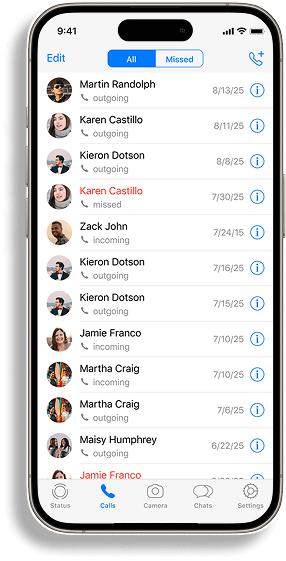
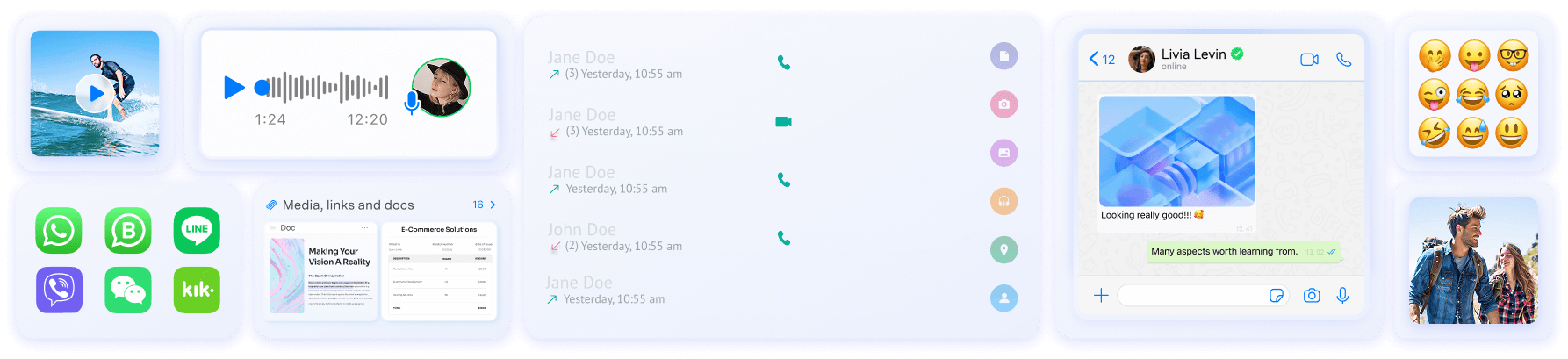
Move WhatsApp and WhatsApp Business chats between iPhone and Android, or back them up to your computer for later restore and export. Dr.Fone supports messages, photos, videos, voice notes, stickers, documents, call logs, and other WhatsApp data.

Best for: cross-platform moves after the new phone is already set up, transfers where you want to keep or back up existing destination WhatsApp data, and users who also need local backup, restore, or export.
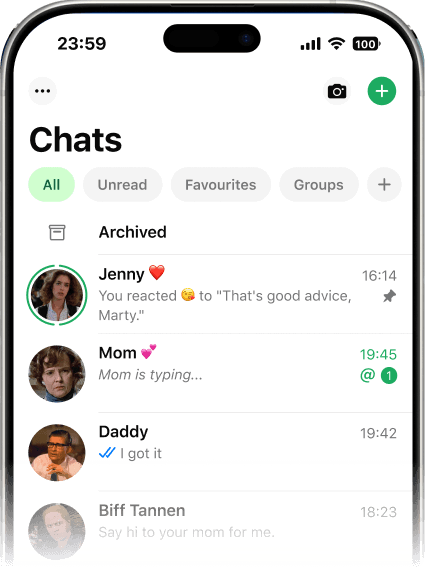
Watch How To Transfer WhatsApp

Transfer WhatsApp Between iPhone and Android

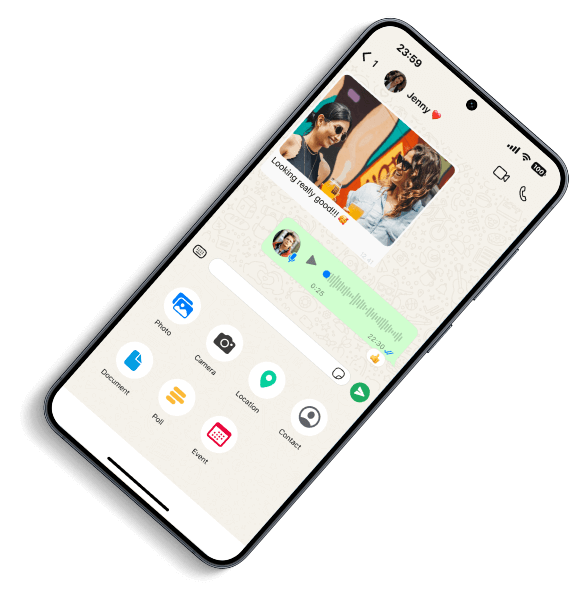
Use Dr.Fone to transfer WhatsApp or WhatsApp Business in four directions: Android to iPhone, iPhone to Android, Android to Android, and iPhone to iPhone. Official migration tools are a good first option when their setup requirements fit; Dr.Fone is designed for users who also need desktop-guided transfer, local backup, restore, export, or options to keep or back up existing WhatsApp data on the destination phone.
android phone
ios phone
whatsapp icon 1 whatsapp icon 1
whatsapp icon 2 whatsapp icon 2

Transfer WhatsApp from Android to iPhone

Move WhatsApp and WhatsApp Business chats from Android to iPhone, including messages, photos, videos, voice notes, stickers, documents, and call logs. If the iPhone is already set up or you need a workflow that can keep existing destination WhatsApp data, Dr.Fone provides a computer-guided alternative to Apple’s setup transfer.

See the Android-to-iPhone WhatsApp transfer guide.

Transfer WhatsApp from Android to Android

Transfer WhatsApp chat history and supported media between Android phones with a guided device-to-device workflow. For same-platform moves, WhatsApp’s own backup or transfer options may be enough; use Dr.Fone when you also want a computer-based workflow, local backup, restore, or export.

Transfer WhatsApp from iPhone to Android

Move WhatsApp and WhatsApp Business from iPhone to Android with messages and supported attachments. If the Android phone is already in use or the official setup migration does not fit your case, Dr.Fone provides a desktop-guided source-to-target workflow.

See the iPhone-to-Android WhatsApp transfer guide.

Transfer WhatsApp from iPhone to iPhone

Move WhatsApp between iPhones in a guided desktop workflow. If iCloud already fits your same-platform move, you can use the official path; Dr.Fone is useful when you also want local computer backup, restore, or export options.


Industry-Leading Speed for Large
WhatsApp Transfers

When dealing with massive chat histories or media-heavy backups, speed matters. Dr.Fone - WhatsApp Transfer delivers up to 96% faster performance compared to conventional tools, significantly reducing wait times and errors. Whether you're switching phones or archiving years of conversations, enjoy a seamless, time-saving experience that outpaces other solutions.
pic

Back Up, Restore & Export WhatsApp on PC or Mac

WhatsApp Backup

Back up WhatsApp or WhatsApp Business to your computer, preview supported backup content, and export records in available formats such as PDF, HTML, CSV, or Excel. This gives you a local copy you can review or archive outside the phone.

iPhone WhatsApp backup & restore guide · Android WhatsApp backup & restore guide
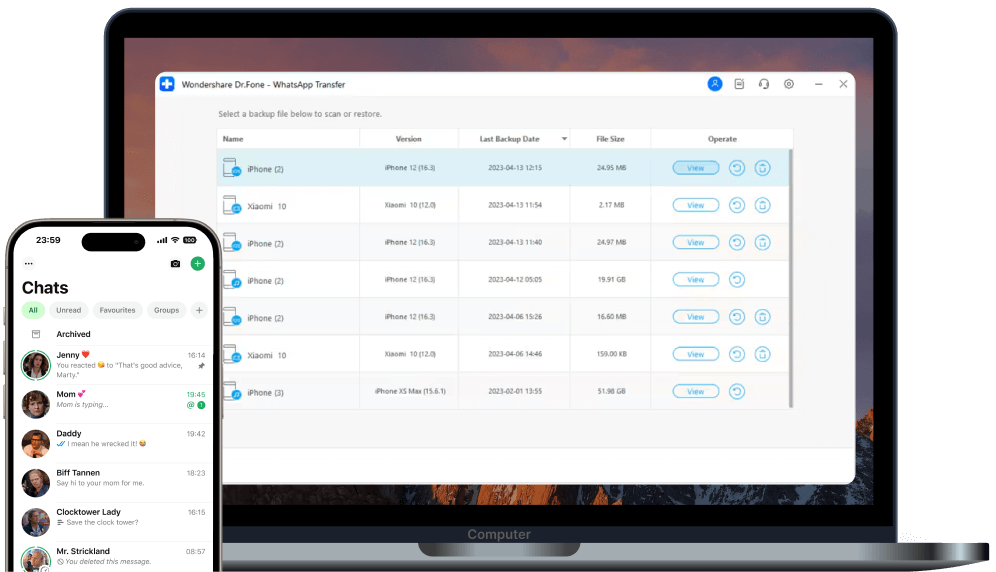
Back up WhatsApp to a Windows PC or Mac with Dr.Fone

WhatsApp Restore

Restore a Dr.Fone WhatsApp backup to an iPhone or Android device. When restoring Android WhatsApp data to iPhone, you can choose specific data types to restore. Other restore modes use full data-type restore.
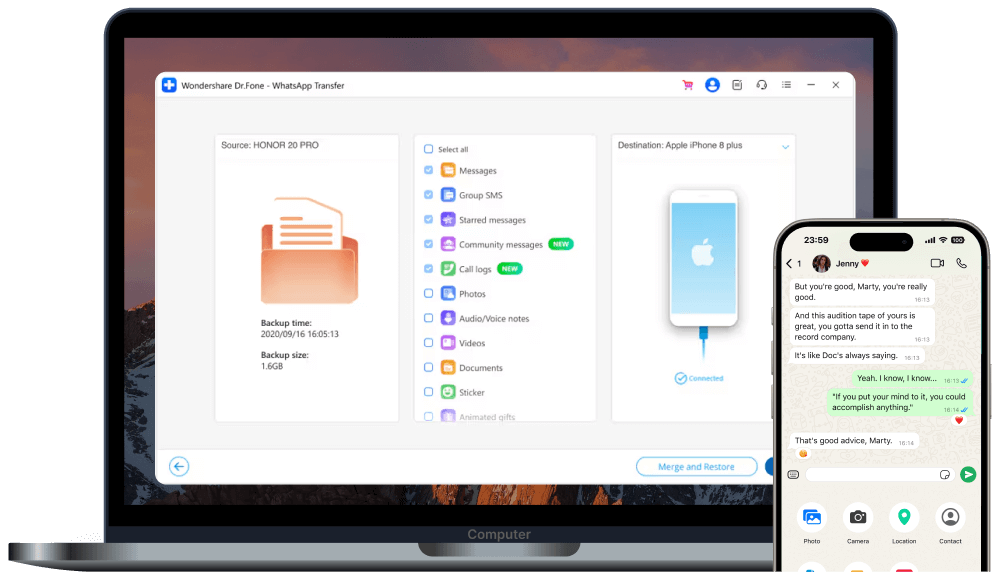
Restore a Dr.Fone WhatsApp backup to a supported phone
Back up WhatsApp to a Windows PC or Mac with Dr.Fone

WhatsApp Backup

Back up WhatsApp or WhatsApp Business to your computer, preview supported backup content, and export records in available formats such as PDF, HTML, CSV, or Excel. This gives you a local copy you can review or archive outside the phone.

Try It Free
Try It Free
Keeps Your Data
Restore a Dr.Fone WhatsApp backup to a supported phone

WhatsApp Restore

Restore a Dr.Fone WhatsApp backup to an iPhone or Android device. When restoring Android WhatsApp data to iPhone, you can choose specific data types to restore. Other restore modes use full data-type restore.

Try It Free
Try It Free
Restores Your Data

Manage WhatsApp Data Beyond a One-Time Transfer

Choose supported WhatsApp data for transfer with Dr.Fone
Transfer selected WhatsApp media with Dr.Fone
Transfer a full supported WhatsApp data set with Dr.Fone
Transfer by Data Type

Choose WhatsApp Data Types to Transfer

When transferring WhatsApp from Android to iPhone, you can choose specific data types such as messages, photos, videos, voice notes, documents, stickers, and call logs. Other transfer directions use full data-type transfer.

Work
Family
Daily
Choose supported WhatsApp data for transfer with Dr.Fone

Move Work-Critical WhatsApp Data

When transferring WhatsApp from Android to iPhone, choose the data types that matter most for work, such as messages, documents, and call logs.

Transfer selected WhatsApp media with Dr.Fone

Move the WhatsApp Media You Need

For Android-to-iPhone transfers, choose the photos, videos, voice notes, and other WhatsApp media you want to move.

Transfer a full supported WhatsApp data set with Dr.Fone

Move Your Full WhatsApp Data Set

Select all WhatsApp data types—including messages, media files, documents, call history, etc.—to replicate your full experience on a new device.

Merge Old & New Data
Support More Apps
Merge Old & New Data

Protect Existing WhatsApp Data on the Destination Phone

If the destination phone already contains WhatsApp data, Dr.Fone gives you options before the transfer continues. For Android-to-iPhone transfers, you can choose to keep the existing WhatsApp data on the iPhone. For other transfer directions, Dr.Fone can prompt you to back up the destination WhatsApp data before continuing.

Support More Apps

Backup & Restore
LINE/Kik/Viber/WeChat

Dr.Fone - WhatsApp Transfer allows you to back up all your LINE, Kik, Viber, and WeChat chat history-covering personal and group conversations, text, voice, and video messages, plus images and stickers. With flexible options, you can preview backups, restore complete chat history, or selectively export specific items with ease.
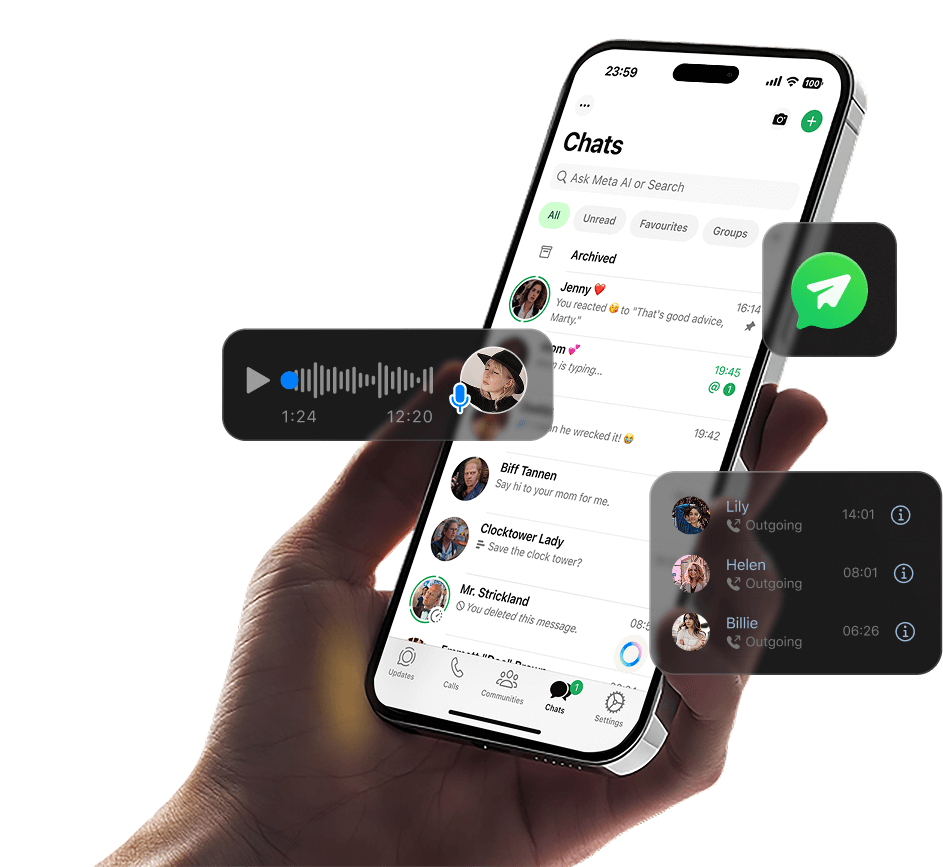
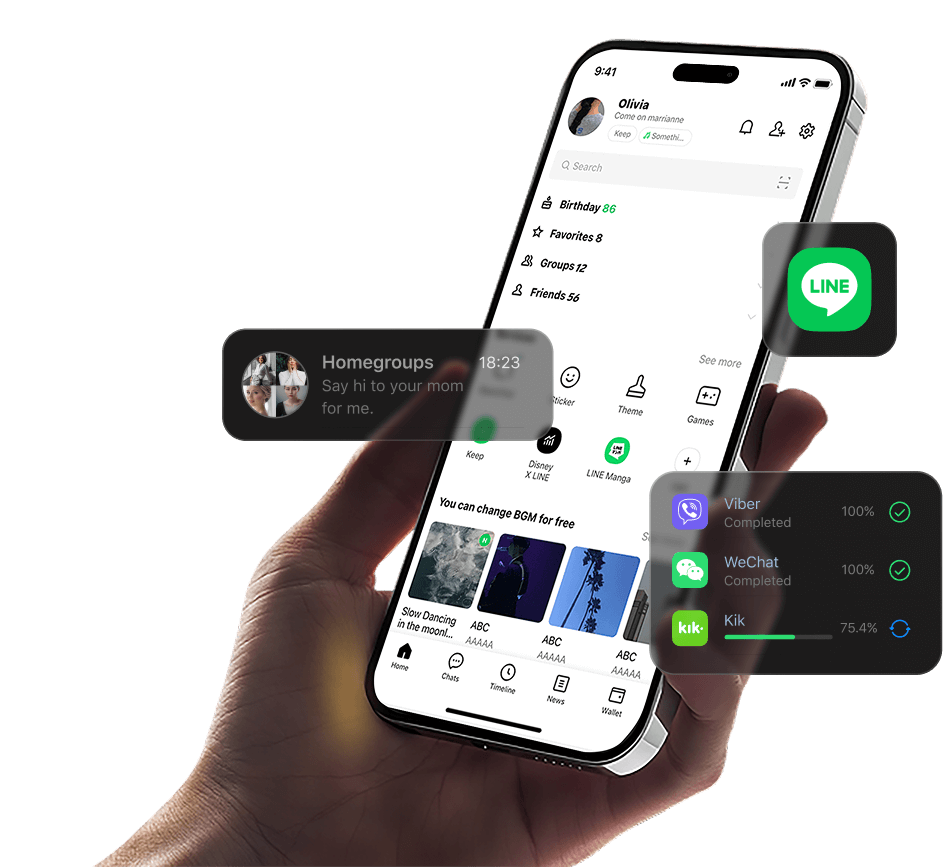
Keep existing WhatsApp data during a supported Dr.Fone transfer workflow
Back up and restore supported social app data with Dr.Fone

Need to Recover Deleted WhatsApp Chats?

Dr.Fone - WhatsApp Transfer is for moving, backing up, restoring, and exporting supported WhatsApp data. If chats were deleted or lost on the device, use Dr.Fone - Data Recovery instead: Data Recovery for Android or Data Recovery for iOS.
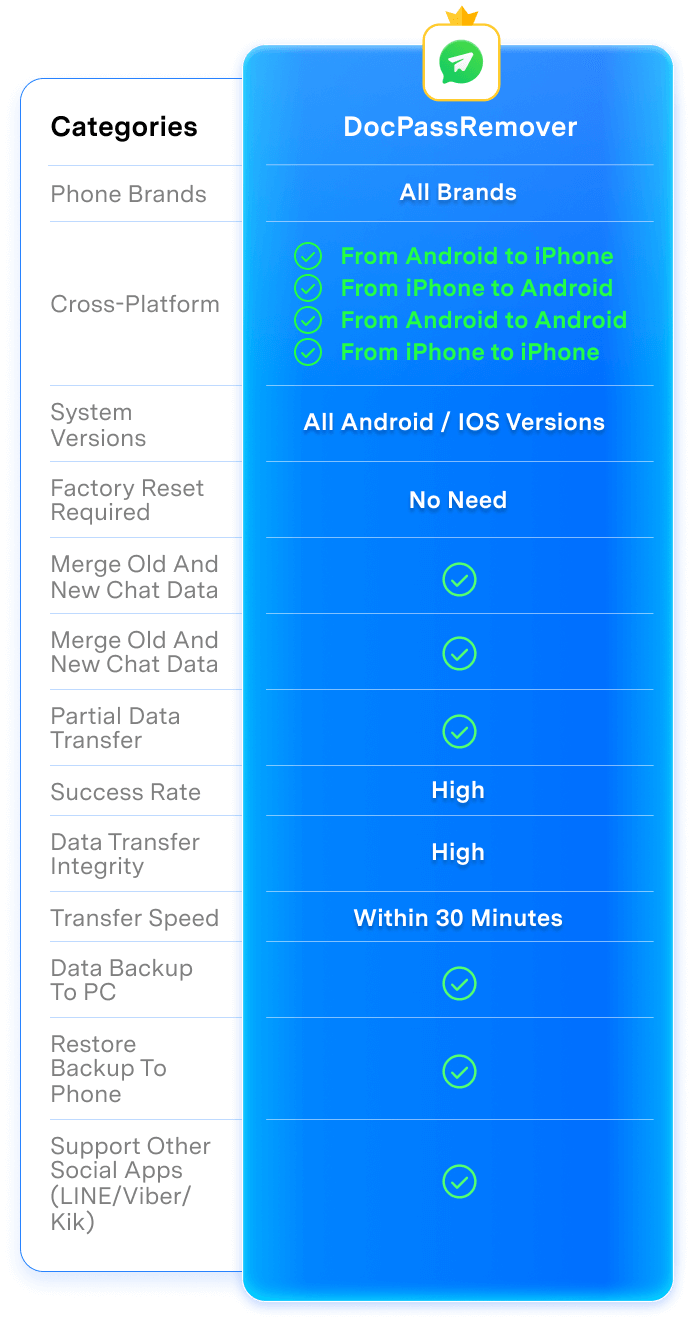
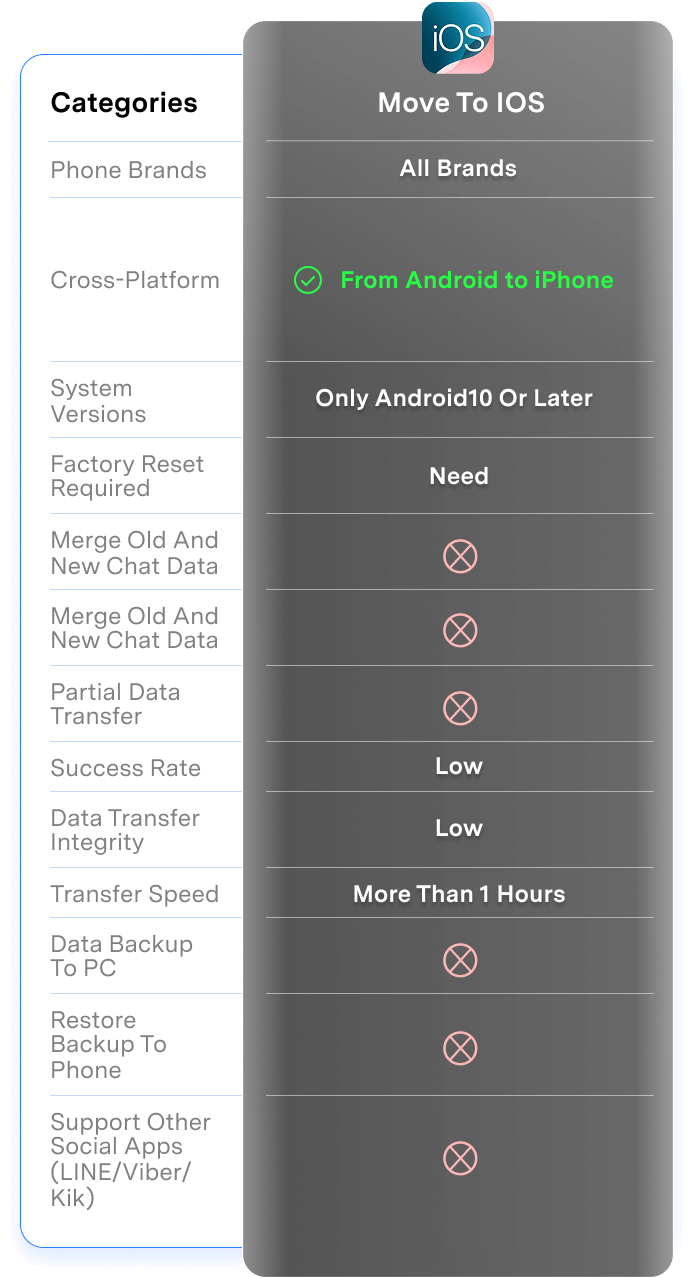
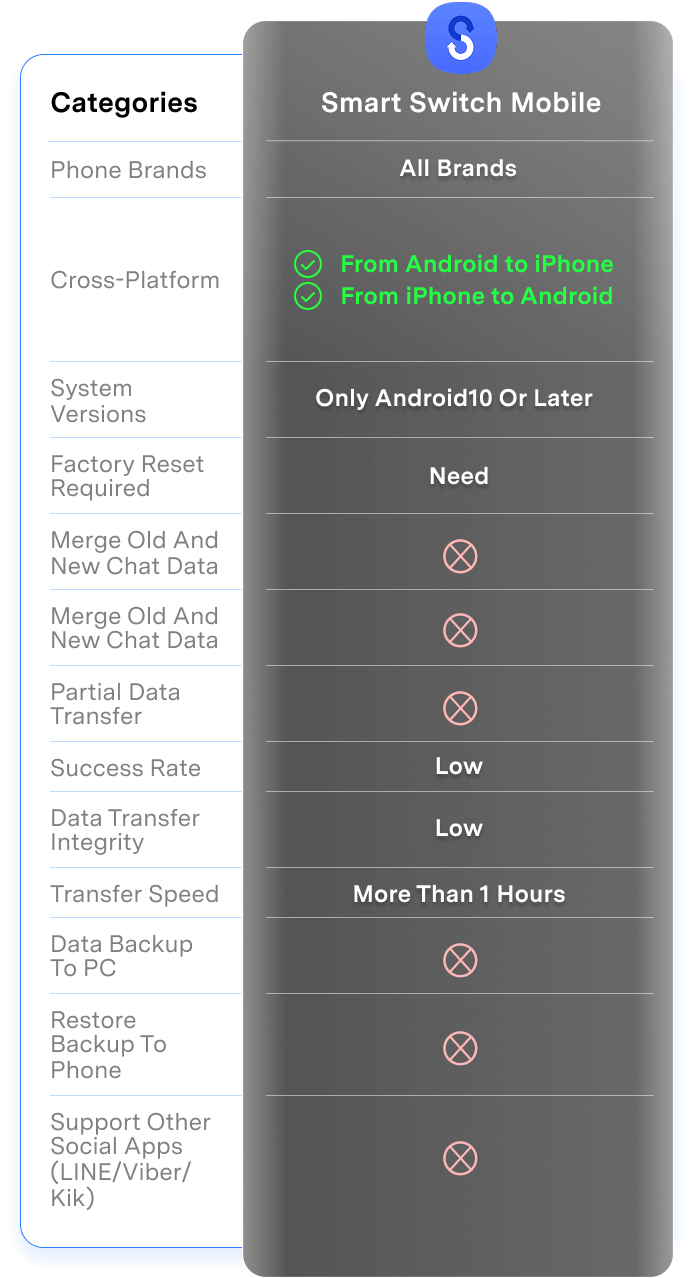
Dr.Fone vs Move to iOS vs Smart Switch: Which WhatsApp Transfer Method Fits You?

Official tools are best for supported setup flows. Dr.Fone is built for users who need cross-platform WhatsApp transfer, backup, restore, export, and data management across Android and iPhone.

Dr.Fone - WhatsApp Transfer Smart Switch Mobile Move to iOS
Phone Brands
All brands
Only supports from other brands to Samsung
Only supports from other brands to iOS devices
Cross-platform
From Android to iOS
From iOS to Android
From Android to Android
From iOS to iOS
From Android to Android
From iOS to Android  
From Android to iOS
System Versions
Android 5 and later
iOS 5.0 and later
Only Android 10 or later
Only iOS 15.5 or later
Factory reset (Erase Device Data)
No Need reset
Need
Need
Merge old and new chat data
Partial data transfer
Success rate
High
Low
Low
Data transfer integrity
High
Low
Low
Transfer speed
Within 30 Minutes
More than 1 Hours
More than 1 Hours
Data backup to PC
Restore backup to phone
Support other social apps (LINE/Viber/Kik)
Dr.Fone - WhatsApp Transfer
All brands
From Android to iOS  
From iOS to Android  
From Android to Android
From iOS to iOS    
Android 5 and later
iOS 5.0 and later
No Need reset
High
High
Within 30 Minutes
pic
pic
pic

Why Choose Dr.Fone for WhatsApp Transfer?

148.5 M+
Satisfied Customers
95+
Countries Served
100%
Data Security
650K+
Partners Worldwide
24/7
Technical Support
148.5 M+
Satisfied Customers
95+
Countries Served
100%
Data Security
650K+
Partners Worldwide
24/7
Technical Support
avatar
Mark Johnson – iOS Developer, Seattle, WA, 37
star
I switched from iPhone to Samsung and was dreading losing all my WhatsApp chats. Dr.Fone WhatsApp Transfer moved everything—messages, photos, videos—over in one go. I was literally chatting on my new phone within minutes. Huge relief!
avatar
Emily Wilson – Nurse, Austin, TX, 29
star
As a small business owner, my WhatsApp Business chats are priceless. This tool saved me so much hassle moving conversations from my old Android to an iPhone 17. Even the voice messages and large attachments transferred perfectly. Worth every cent!
avatar
David Miller – Accountant, Chicago, IL, 50
star
My kid gave me his old iPhone and took my Android. We needed both accounts swapped. Dr.Fone WhatsApp Transfer did cross‑platform transfer flawlessly. No mix‑ups, no lost stickers or GIFs. Super easy to follow—even for me!
avatar
Jessica Martin – Teacher, Miami, FL, 28
star
I tried a bunch of free methods that failed halfway, and then decided to try Dr.Fone. Wow. It backed up all my WhatsApp groups and restored them on my new phone fast. Zero stress, zero data loss. Highly recommend.
avatar
James Anderson – Graphic Designer, Boston, MA, 34
star
Traveling abroad, I upgraded to an iPhone 17 Pro and panicked about losing client WhatsApp chats. Dr.Fone transferred my entire history—including photos and videos—ultra‑fast. Honestly faster than I expected. Total lifesaver.
avatar
Linda Thompson – Web Developer, Denver, CO, 29
star
I run customer service via WhatsApp Business, so chat history is my lifeline. This tool backed up and restored everything to my new iPhone in minutes. Didn’t need tech support once—the instructions were clear enough for anyone to follow.
avatar
Patricia White – Teacher, Los Angeles, CA, 45
star
After trying three other apps that froze halfway, I finally tried Dr.Fone’s solution. Best decision! It handled even my 15GB of WhatsApp videos with ease. All my chats restored exactly as they were. Couldn’t be happier.
avatar
Robert Jackson – Software Engineer, Atlanta, GA, 40
star
I love that Dr.Fone isn’t just WhatsApp—it also let me back up my old LINE and Viber chats. Having everything safe in one place is amazing. Switching to a new device has never felt this stress‑free.
avatar
William Harris – Sales Manager, Minneapolis, MN, 38
star
I thought moving WhatsApp from my iPhone to my partner’s Android would be a nightmare. Dr.Fone walked me through step by step, no jargon. In less than half an hour, all the messages appeared on the new phone like magic.
avatar
Christopher Lee – Entrepreneur, Philadelphia, PA, 42
star
I was skeptical about transfer speed, but this tool is seriously impressive. WhatsApp Business chats, videos, even voice memos—everything transferred ultra‑fast to my iPhone 17. And nothing went missing. Definitely the industry leader.
avatar
Michael Brown – IT Manager, New York, NY, 45
star
Had over 20,000 messages to move when changing phones. Dr.Fone handled it all—zero loss of media, lightning‑fast transfer speed, and a super clean setup process. Honestly, better than any IT help I’ve ever had.
avatar
Sarah Davis – Photographer, San Francisco, CA, 32
star
I was skeptical at first, but this tool worked way better than I imagined. The interface is simple, and Dr.Fone even backed up my LINE and WeChat chats alongside WhatsApp. One tool for everything—super convenient!
avatar
Mark Johnson – iOS Developer, Seattle, WA, 37
star
I switched from iPhone to Samsung and was dreading losing all my WhatsApp chats. Dr.Fone WhatsApp Transfer moved everything—messages, photos, videos—over in one go. I was literally chatting on my new phone within minutes. Huge relief!
avatar
Emily Wilson – Nurse, Austin, TX, 29
star
As a small business owner, my WhatsApp Business chats are priceless. This tool saved me so much hassle moving conversations from my old Android to an iPhone 17. Even the voice messages and large attachments transferred perfectly. Worth every cent!
avatar
David Miller – Accountant, Chicago, IL, 50
star
My kid gave me his old iPhone and took my Android. We needed both accounts swapped. Dr.Fone WhatsApp Transfer did cross‑platform transfer flawlessly. No mix‑ups, no lost stickers or GIFs. Super easy to follow—even for me!
avatar
Jessica Martin – Teacher, Miami, FL, 28
star
I tried a bunch of free methods that failed halfway, and then decided to try Dr.Fone. Wow. It backed up all my WhatsApp groups and restored them on my new phone fast. Zero stress, zero data loss. Highly recommend.
avatar
James Anderson – Graphic Designer, Boston, MA, 34
star
Traveling abroad, I upgraded to an iPhone 17 Pro and panicked about losing client WhatsApp chats. Dr.Fone transferred my entire history—including photos and videos—ultra‑fast. Honestly faster than I expected. Total lifesaver.
avatar
Linda Thompson – Web Developer, Denver, CO, 29
star
I run customer service via WhatsApp Business, so chat history is my lifeline. This tool backed up and restored everything to my new iPhone in minutes. Didn’t need tech support once—the instructions were clear enough for anyone to follow.
avatar
Patricia White – Teacher, Los Angeles, CA, 45
star
After trying three other apps that froze halfway, I finally tried Dr.Fone’s solution. Best decision! It handled even my 15GB of WhatsApp videos with ease. All my chats restored exactly as they were. Couldn’t be happier.
avatar
Robert Jackson – Software Engineer, Atlanta, GA, 40
star
I love that Dr.Fone isn’t just WhatsApp—it also let me back up my old LINE and Viber chats. Having everything safe in one place is amazing. Switching to a new device has never felt this stress‑free.
avatar
William Harris – Sales Manager, Minneapolis, MN, 38
star
I thought moving WhatsApp from my iPhone to my partner’s Android would be a nightmare. Dr.Fone walked me through step by step, no jargon. In less than half an hour, all the messages appeared on the new phone like magic.
avatar
Christopher Lee – Entrepreneur, Philadelphia, PA, 42
star
I was skeptical about transfer speed, but this tool is seriously impressive. WhatsApp Business chats, videos, even voice memos—everything transferred ultra‑fast to my iPhone 17. And nothing went missing. Definitely the industry leader.
avatar
Michael Brown – IT Manager, New York, NY, 45
star
Had over 20,000 messages to move when changing phones. Dr.Fone handled it all—zero loss of media, lightning‑fast transfer speed, and a super clean setup process. Honestly, better than any IT help I’ve ever had.
avatar
Sarah Davis – Photographer, San Francisco, CA, 32
star
I was skeptical at first, but this tool worked way better than I imagined. The interface is simple, and Dr.Fone even backed up my LINE and WeChat chats alongside WhatsApp. One tool for everything—super convenient!

3 Steps to Transfer WhatsApp with Dr.Fone

Follow this quick overview for a phone-to-phone WhatsApp transfer. The exact prompts can differ by transfer direction, WhatsApp version, and device platform.
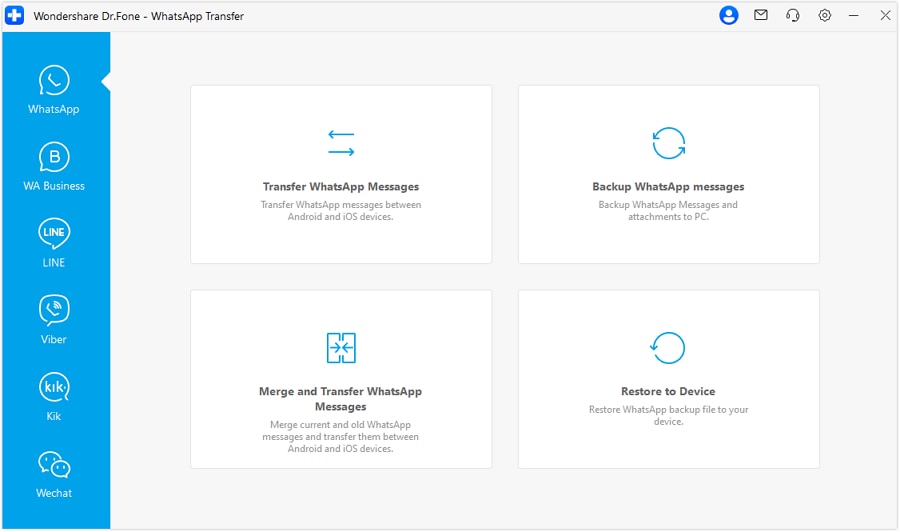
Open Dr.Fone and choose WhatsApp Transfer
Set source and target phones for WhatsApp transfer in Dr.Fone
Complete the Android-to-iPhone WhatsApp transfer in Dr.Fone
Open Dr.Fone and choose WhatsApp Transfer
Set source and target phones for WhatsApp transfer in Dr.Fone
Complete the Android-to-iPhone WhatsApp transfer in Dr.Fone
1
2
3
Install and launch Dr.Fone, connect the source and target phones, and open WhatsApp Transfer.
Set the source and target devices, and click Transfer.

Dr.Fone WhatsApp Transfer: System Requirements

Product compatibility can vary by device model, WhatsApp version, transfer direction, and feature. Use the latest Dr.Fone guide for workflow-specific requirements.

dr.fone whatsapp transfer processor

Processor

1 GHz or faster (Intel or AMD)

dr.fone whatsapp transfer disk space

Hard Disk Space

7 GB of available hard disk space

dr.fone whatsapp transfer ram

RAM

1 GB of free RAM (2 GB or higher recommended)

dr.fone ios whatsapp transfer specs

Supported OS

- iOS 5.0 and later
- Android 5.0 and later

whatsapp transfer operating system

Operating System

- Windows 11, 10, 8.1, 8, 7
- macOS 10.13 or later

whatsapp transfer processor

Processor

1 GHz or faster processor (Intel or AMD)
7 GB of available hard disk space
1 GB of free RAM (2 GB or higher recommended)
- iOS 5.0 and later
- Android 5.0 and later
- Windows 11, 10, 8.1, 8, 7
- macOS 10.13 or later

WhatsApp Transfer FAQs

Q1. What devices and operating systems does Dr.Fone WhatsApp Transfer support?

Dr.Fone WhatsApp Transfer supports iOS 5.0 or later and Android 5.0 or later. Workflow-specific requirements can vary by device model, WhatsApp version, and transfer direction. Check the latest Dr.Fone WhatsApp Transfer guide before starting.

Dr.Fone can transfer WhatsApp messages, group and community content, photos, videos, voice notes, documents, stickers, call logs, polls, and other attachments. Android-to-iPhone transfer also lets you choose specific data types; other transfer directions use full data-type transfer.

Yes. Dr.Fone provides WhatsApp Business transfer workflows for iPhone and Android. The supported data and destination-data behavior depend on the source and target devices. See the WhatsApp Business Transfer page and current guide for the exact workflow.

Show MoreLess

Hot Topics

wondershare drfone

Dr.Fone - WhatsApp Transfer

Transfer, back up, restore, and export WhatsApp across iPhone and Android.

Start Free Trial
Start Free Trial
Start Free Trial
Start Free Trial
Start Free Trial