


 TL;DR:
You can check a contact's WhatsApp "Last Seen" timestamp directly under their name in an active chat, or use a third-party tracker like Tracover to monitor their exact login and logout activity if they have hidden their visibility settings.
● An invisible "Last Seen" status within the native app typically indicates that the user restricted their visibility using the "My Contacts Except" privacy setting, or that you have been blocked.
● Tracking hidden statuses via Tracover requires linking your own WhatsApp account by scanning a QR code before you can receive instant alerts or view activity logs for multiple contacts.
● WhatsApp only updates the "Last Seen" timestamp immediately when a user fully exits the application, meaning leaving the app open in the background can cause slight synchronization delays.
Ask AI for a summary
 ChatGPT
 Perplexity
 Gemini
 Claude
 Grok
Grok
To be more connected with a person, it is better to know when they were last active on WhatsApp. A lot of users would like to know how recently their friends/family have been active. This feature lets you see whether someone is available or has just not checked their messages yet. Many times, privacy settings make it tricky to view. Therefore, this guide explains what last seen means and how to see last seen on WhatsApp.
In this Article

Part 1. What Does Last Seen Mean on WhatsApp?
Last Seen actually displays the last time a contact opens their WhatsApp account. It helps you know whether a contact was recently active or has been offline for hours or days. This function is different from "Online," which shows if the person is using WhatsApp right now.
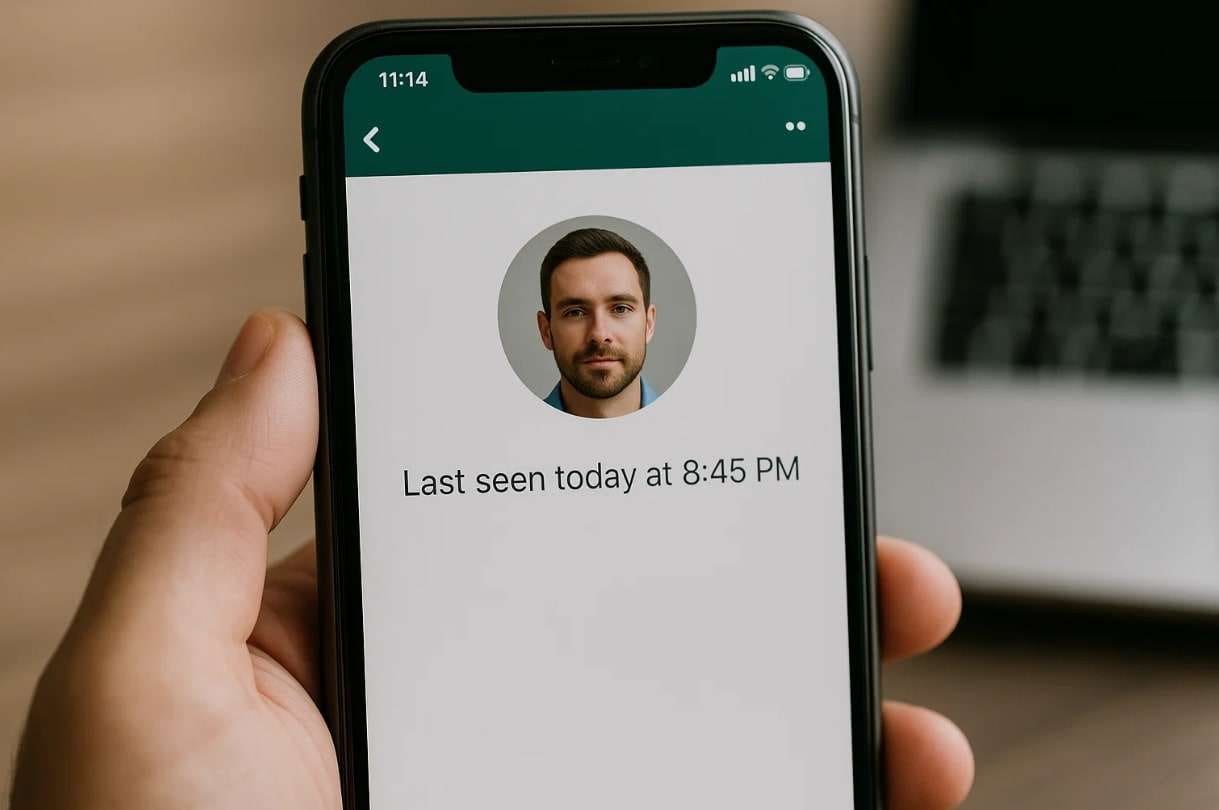
You will also find "Status," which is a shared update visible to your contacts for 24 hours. Knowing these differences makes it easier to understand contact behavior. Understanding this feature is essential before learning how to check the last seen on WhatsApp.
Last Seen vs Online vs Status Explained
Before exploring how to see someone last seen on WhatsApp if hidden, you must know the difference between them. Understanding these differences between each status type helps you read WhatsApp activity correctly:
| Feature | Last Seen | Online | Status |
|---|---|---|---|
| Description | Shows the last time the user was active on WhatsApp | Indicates the user is currently active in the app | Displays 24-hour photo, text, or video updates |
| Visibility Control | Can be hidden or shared with selected contacts | Always visible to all users | Custom privacy settings for who can view updates |
| Purpose | Let others know recent activity or last presence | Signals real-time availability and engagement | Shares personal updates, moods, or moments |
| Example Scenario | You see "Last seen today at 8:30 PM" under a contact's name | A contact is typing in your message | A friend posts, "At the beach today," as a story update |
Part 2. How to See Last Seen on WhatsApp Normally?
Before using any external tools, it's best to learn WhatsApp's own visibility settings first. This part explains how to see when someone was last active on WhatsApp through the standard method:
Guide to Check Last Seen on WhatsApp
WhatsApp controls last seen visibility based on user preferences and contact lists. Anyhow, go through the guide below to learn how to check WhatsApp's last seen if hidden:
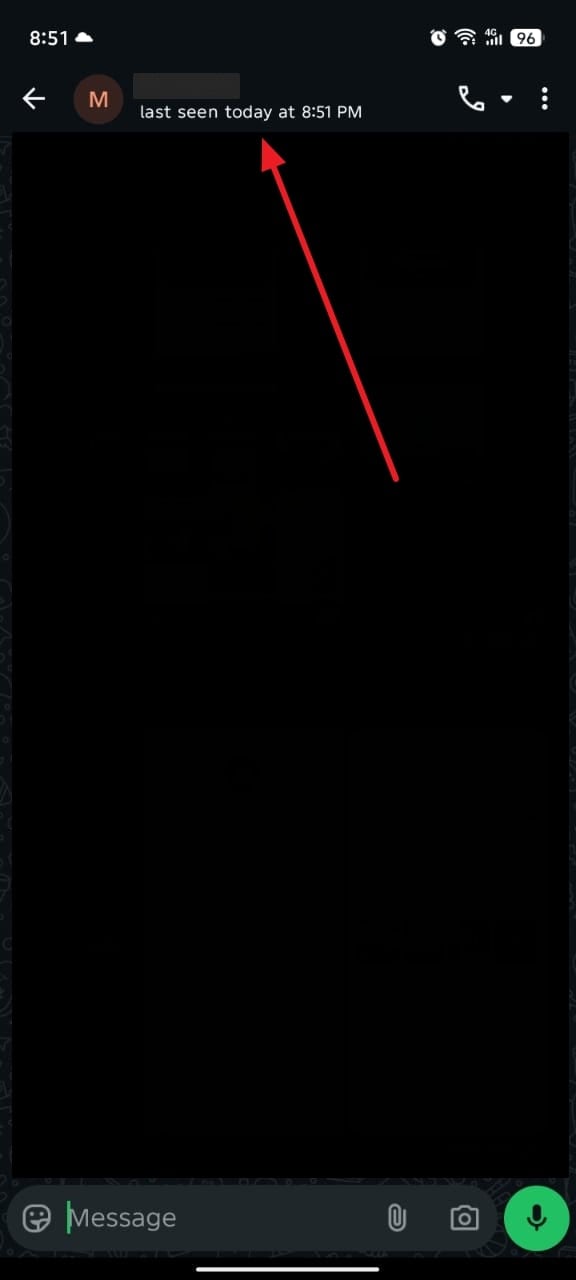
Instructions: When you access the chat screen of a person, you will see the status like "Last Seen Today At" below their name or number.
When You Can't See the Last Seen — Possible Reasons
Sometimes, you might wonder why the last seen is invisible on WhatsApp. This section covers reasons to help you get information on how to check the last seen on WhatsApp:
- Privacy Settings: Users can hide their last seen to maintain privacy and avoid constant checking. If hidden, only allowed contacts or no one can view their recent activity time.
- Blocked Contact: When someone blocks you, their profile information becomes invisible, including last seen. You will also stop seeing their profile photo and any new WhatsApp updates.
- No Internet: A weak or missing connection prevents WhatsApp from showing the latest last seen. Without a stable internet connection, the app cannot refresh or display contact activity.
- App Glitch: Temporary app errors may cause the last seen feature to stop showing correctly. Such issues usually occur due to outdated versions or background loading problems.
- Server Delay: Sometimes, the platform's servers take time to update activity information for all users. Minor syncing delays can make the last seen appear blank or outdated temporarily.
Part 3. How to See Someone's Last Seen on WhatsApp If Hidden (Using Tracover)
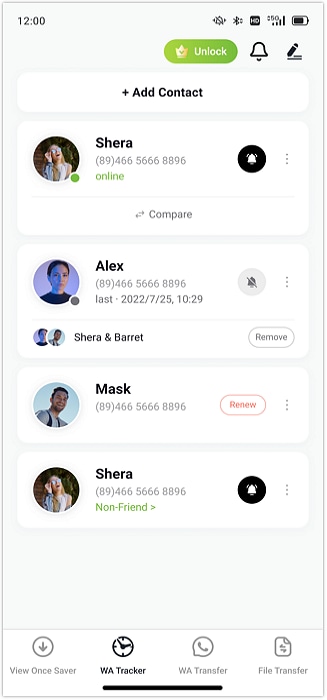
Many people wish to know when their friends or family were last active. When the "last seen" is hidden, it becomes difficult to track their online presence easily. That's when Tracover becomes the ideal solution to learn how to see someone's last seen on WhatsApp if hidden. It tracks a person's online and offline activity in real time without delay. You receive instant notifications whenever a contact comes online or goes offline.
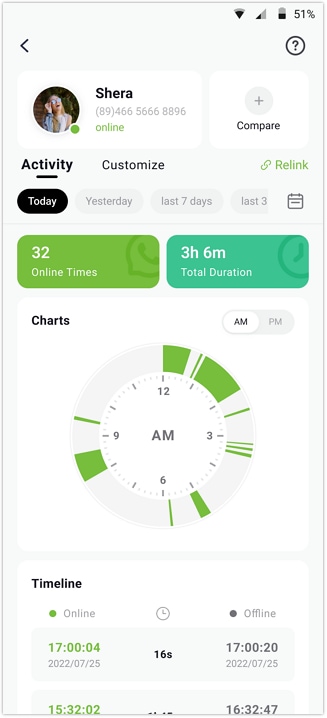
During tracking, Try It Free records exact login and logout timestamps for complete activity awareness. It shows the total daily online duration to help you know how long they stayed active. Plus, you can view detailed daily or weekly activity patterns in an easy visual chart. Tracover even supports tracking multiple WhatsApp contacts at the same time effortlessly. It also allows setting custom tracking hours based on your preferred schedule.
Tracover App - WA Tracker
Track WhatsApp Online Activites Automatically
- Instant Alerts: Real-time notifications for user sign-ins.
- Custom Schedule: Set precise tracking hours and days.
- Chat Compare: Reveals shared online patterns between users.
- Weekly Trends: Visualizes user activity in simple charts.
- Status History: Stores online logs for review and comparison.


Steps to See Someone's Last Seen on WhatsApp If Hidden via Tracover
Take guidance from the following guide to understand how to see hidden last seen on WhatsApp using this WhatsApp tracker:
- Select the Contact to Monitor
- Enter Details and Begin Tracking
- View WhatsApp Real-Time Activity Logs
Begin by tapping the "Add Contacts" button to display your contact list. Next, press the "Add" option beside the individual whose WhatsApp activity you want to observe.
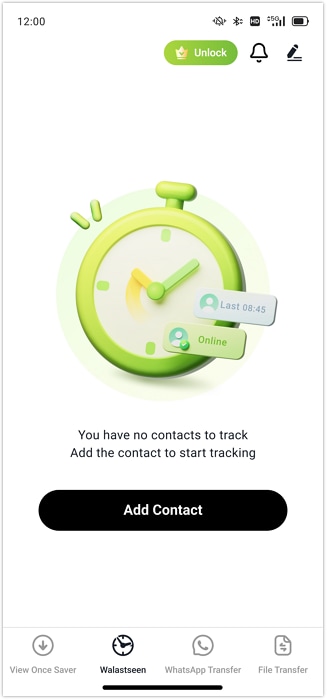
Provide the person's name or country code and tap "Start Tracking" to initiate monitoring. Once added, choose "Link WhatsApp" and connect your account by scanning the QR code for synchronization.
After setup, open the contact's profile and head to the "Activity" tab to review their precise online and offline times.
Part 4. Tips to Respect Privacy While Checking WhatsApp Last Seen
It is also worth keeping in mind that people care about their privacy first before knowing how to see the last seen on WhatsApp if hidden. Some of the points that you should bear in mind are listed below:
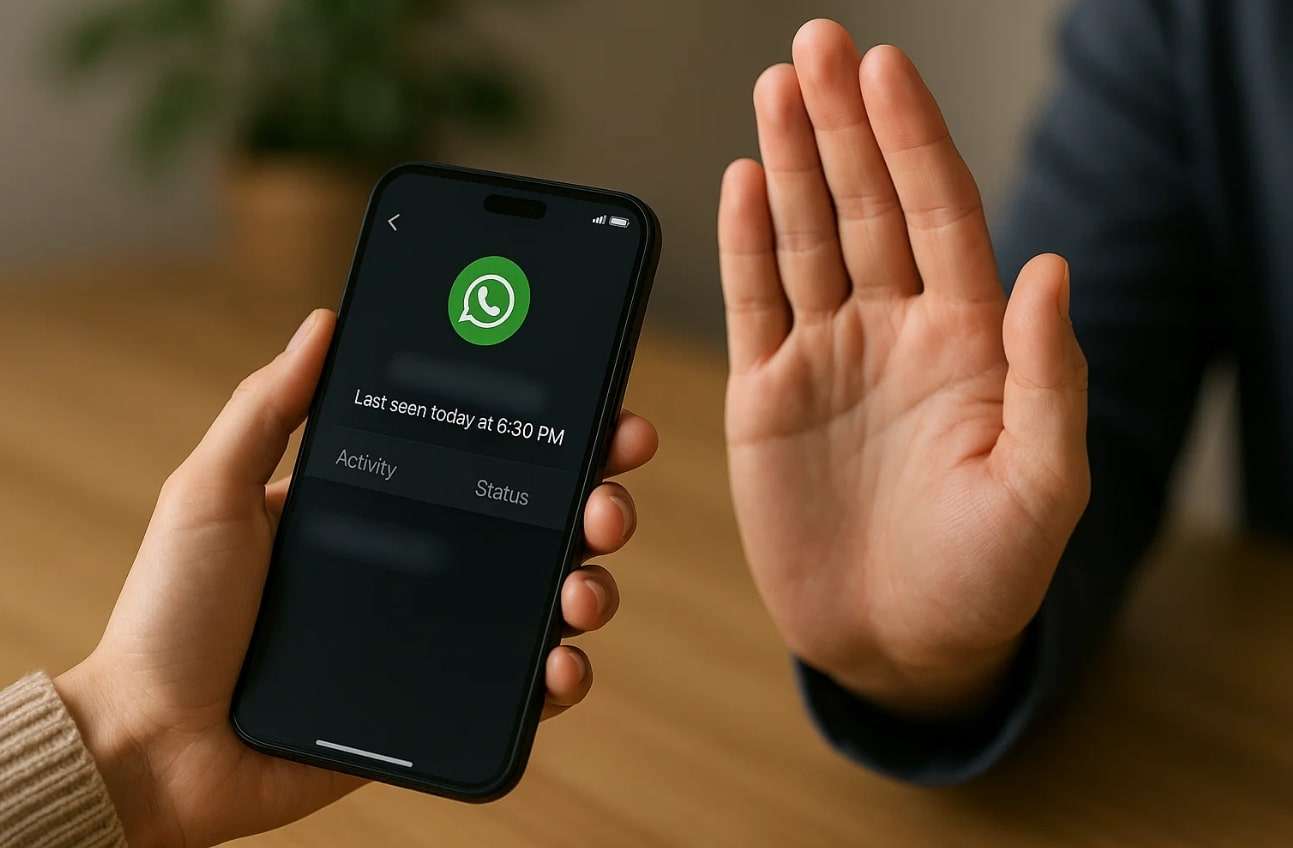
- Ask Permission: Always request before checking someone's last seen to show basic respect and care. It builds honesty and avoids misunderstandings about your reasons for viewing activity.
- Stay Balanced: Don't check someone's activity too often or track every minute they appear. Constant observation can make others uncomfortable and weaken online relationships quickly.
- Protect Privacy: Everyone deserves control over their visibility and personal online activity preferences. Respecting this choice encourages fairness and mutual trust in digital interactions daily.
- Avoid Sharing: Never share screenshots or last seen details publicly without getting consent first. This would damage the reputation and bring about unnecessary conflict among users.
- Stay Mindful: Use tracking tools responsibly and never misuse them for spying or obsession. Always remember that digital respect is as important as real-world respect everywhere.
Conclusion
To sum up, understanding how to see last seen on WhatsApp helps you stay aware and connected easily. Manual methods may work sometimes, but do not always show accurate activity updates. Using a reliable tracking tool gives more complete and instant information about online habits. That's why Try It Free is the best option for private and secure last seen tracking.
FAQs
-
Q: Can I hide my last seen on WhatsApp from specific people only?
A: The application gives the option of concealing your last seen status with some of your contacts under the privacy settings. To be able to make privacy the way you like, you have to access Last Seen and Online and customize it. Here, choose "My Contacts Except" and select people you don't want to share with.
-
Q: How does WhatsApp refresh the last seen timestamp automatically?
A: WhatsApp updates the last seen timestamp immediately when a user exits the application. If the app remains open in the background, the update might delay slightly. You'll see the new timestamp once the user reopens or closes WhatsApp fully.
-
Q: Can I check multiple WhatsApp accounts' activities at once?
A: Yes, Tracover supports tracking multiple users at once in one convenient interface. You can add several contacts and view their instant online activity logs easily. This feature saves time while providing accurate daily activity patterns and connection duration.









Alice MJ
staff Editor
Generally rated4.5(105participated)