


 TL;DR:
Parents looking to manage their child's WhatsApp safety must choose between privacy-focused status trackers and deep-monitoring software, as WhatsApp's end-to-end encryption strictly prevents remote message reading without installing an application directly on the minor's device.
● For comprehensive chat visibility, live screen mirroring, and keylogging, apps like mSpy, AirDroid Parental Control, and KidsGuard for WhatsApp are best suited for strict parental oversight, but they mandate physical installation on the child's phone and may require rooting or jailbreaking for advanced features.
● For parents who want to track exact online and offline activity patterns without reading private conversations, Tracover is the best lightweight alternative, requiring a one-time QR code or desktop linking process to monitor status timelines securely.
● For enforcing screen time rules and receiving AI-powered risk alerts without full chat access, Bark, FamiSafe, Qustodio, and Google Family Link are ideal, though users should note that several of their advanced monitoring tools function better on Android devices.
Ask AI for a summary
 ChatGPT
 Perplexity
 Gemini
 Claude
 Grok
Grok
Looking for the best WhatsApp parental control app to keep your child safe online? WhatsApp is one of the most popular messaging apps among teens, allowing them to chat, share photos, and join group conversations. However, this freedom can also expose children to risks such as cyberbullying, scams, strangers, or inappropriate content.
A reliable parental control for WhatsApp helps parents guide their children’s digital behavior without invading privacy. These tools can monitor activity patterns, manage screen time, track online status, and send alerts about suspicious behavior. In this guide, we review the 10 best WhatsApp parental monitoring apps, including Tracover, and explain their features, pros and cons, and when each tool works best.
Quick Answer: The best WhatsApp parental control apps help parents monitor activity, limit screen time, track contacts, and receive alerts about risky behavior while respecting children’s privacy.
In this Article

Part 1. What to Look For: Key Features of a Top-Tier WhatsApp Monitoring & Tracker App
Parents need simple ways to monitor their kids' internet activity as they spend more time on WhatsApp. WhatsApp parental control apps help here. Understand how these tools function before choosing one. A decent WhatsApp parental control tool should guide, protect, and support your child, not fear or spy on them.
WhatsApp tracking apps check online status, screen time, contacts, and even messages or media. However, constraints exist. WhatsApp's end-to-end encryption prevents apps from reading messages without permission on the child's device. Therefore, parents should know what's possible and not.
There are three primary WhatsApp parental monitoring types:
- Activity Tracking: Displays the child's Internet time, WhatsApp usage, and tendencies.
- Message Monitoring: Some apps on the child's phone can view chats, screenshots, or backups.
- Screen Time & Contact Supervision: Limits WhatsApp use and contacts.
Key Features Parents Should Look For
Choose a WhatsApp parental control tool with the right features to keep your child secure and easy to use:
- Real-Time WhatsApp Activity Tracking
Check your child's WhatsApp usage, online time, and risky behavior. - Chat & Media Monitoring
Some applications expose chats, shared photographs, and screenshots to identify dangerous conduct early. - Contact Alerts & Suspicious Behavior Notifications
Receive quick warnings if a stranger approaches your child or acts suspiciously. - Screen Time Limits
Limit your child's WhatsApp use to prevent addiction and late-night texting. - Block or Allow Specific Contacts
Avoid hazardous contacts or let only trusted persons. - Location Tracking
Track your child's whereabouts in real time for safety.
Why Parents Use WhatsApp Parental Control Apps
Many parents choose a WhatsApp parental control app to protect their children from online risks while teaching responsible digital habits. These tools help families balance safety and privacy.
- Prevent Cyberbullying: Detect harmful messages or suspicious contacts early.
- Monitor Screen Time: Understand how long children spend on WhatsApp.
- Track Online Activity: See when kids are active without reading every conversation.
- Encourage Healthy Digital Habits: Guide children toward safer online behavior.
Part 2. 10 Best WhatsApp Parental Control Apps for Monitoring and Safety
The apps below let parents view chats, measure online time, and understand how their kids use WhatsApp without breaching their privacy. Let's examine the best options.
1. Tracover (WA Tracker) - Best for WhatsApp Online Activity Tracking
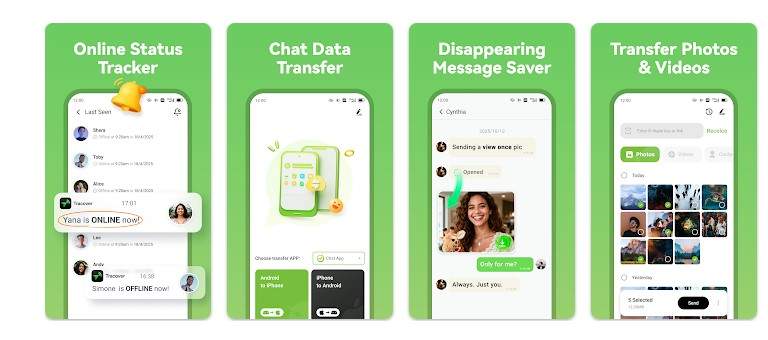
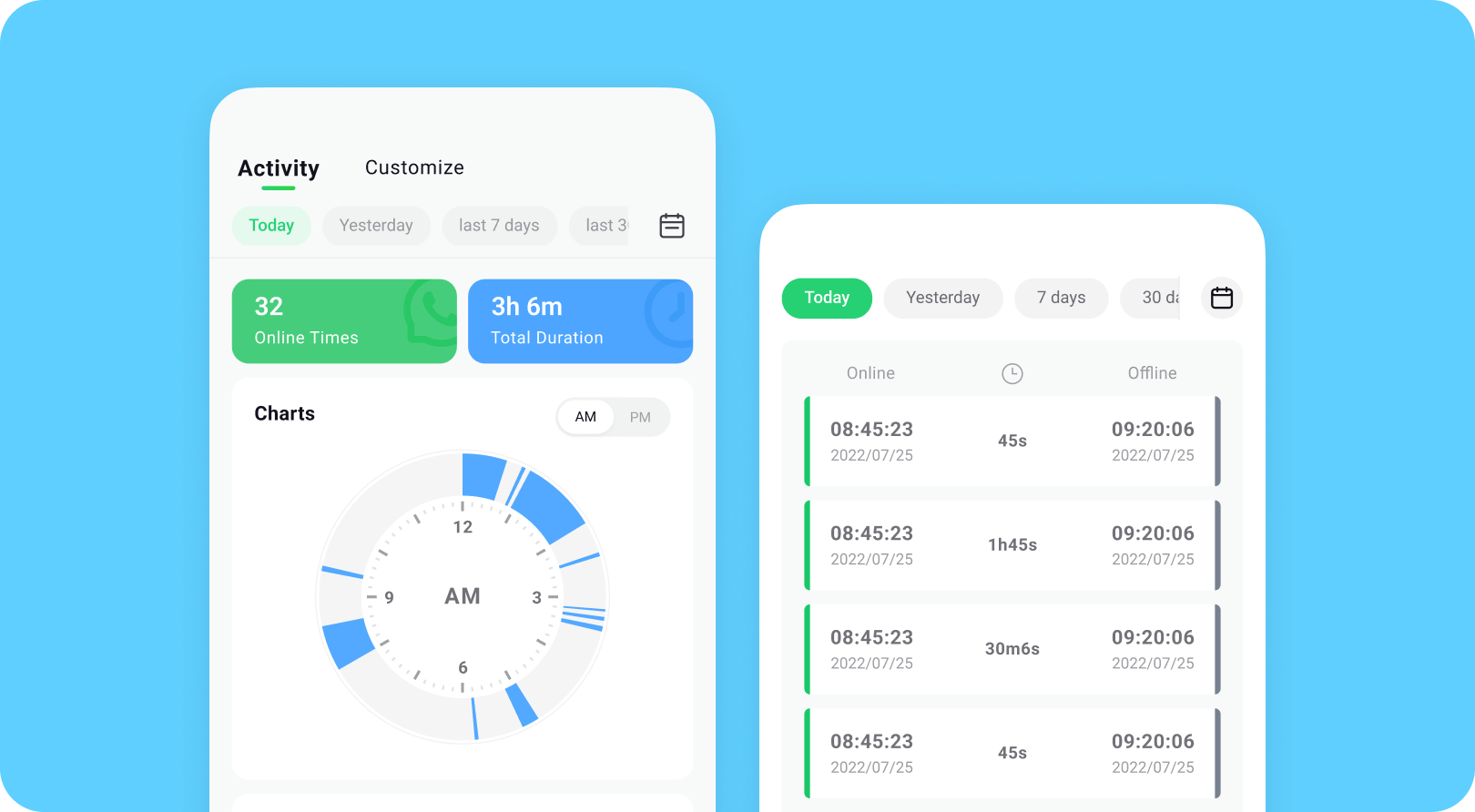
Try It Free is a lightweight WhatsApp parental control app designed for activity-based monitoring. Instead of reading private messages, it tracks online patterns such as when a user goes online, how often they use WhatsApp, and their activity timeline.
This is great for parents who want WhatsApp parental control without becoming involved in talks. It stores images and videos, transfers chat data between phones, and protects your device. Tracover makes WhatsApp parental monitoring easy and stress-free for parents with real-time online notifications and simple graphics.
Core Features
- Track WhatsApp online/offline live
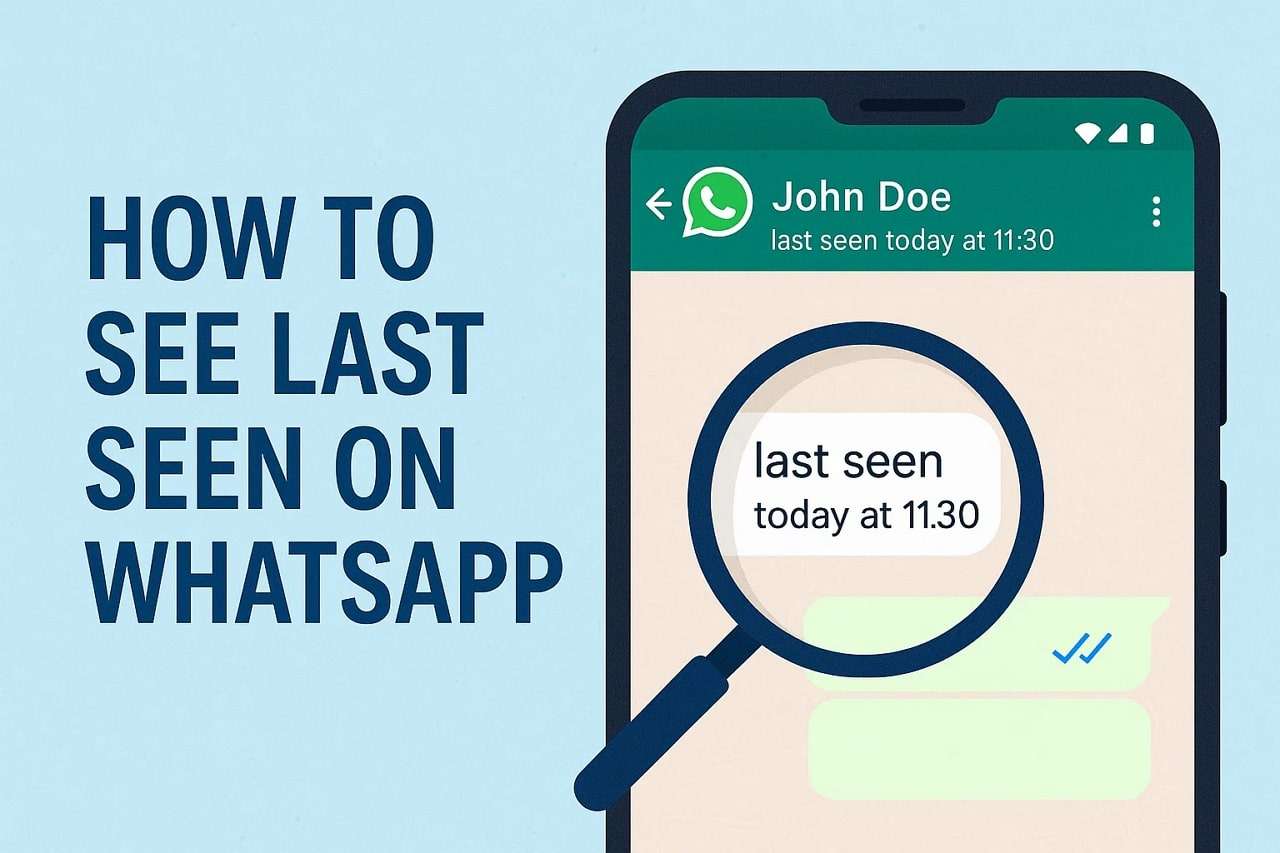
- It includes timeline charts to display the last seen
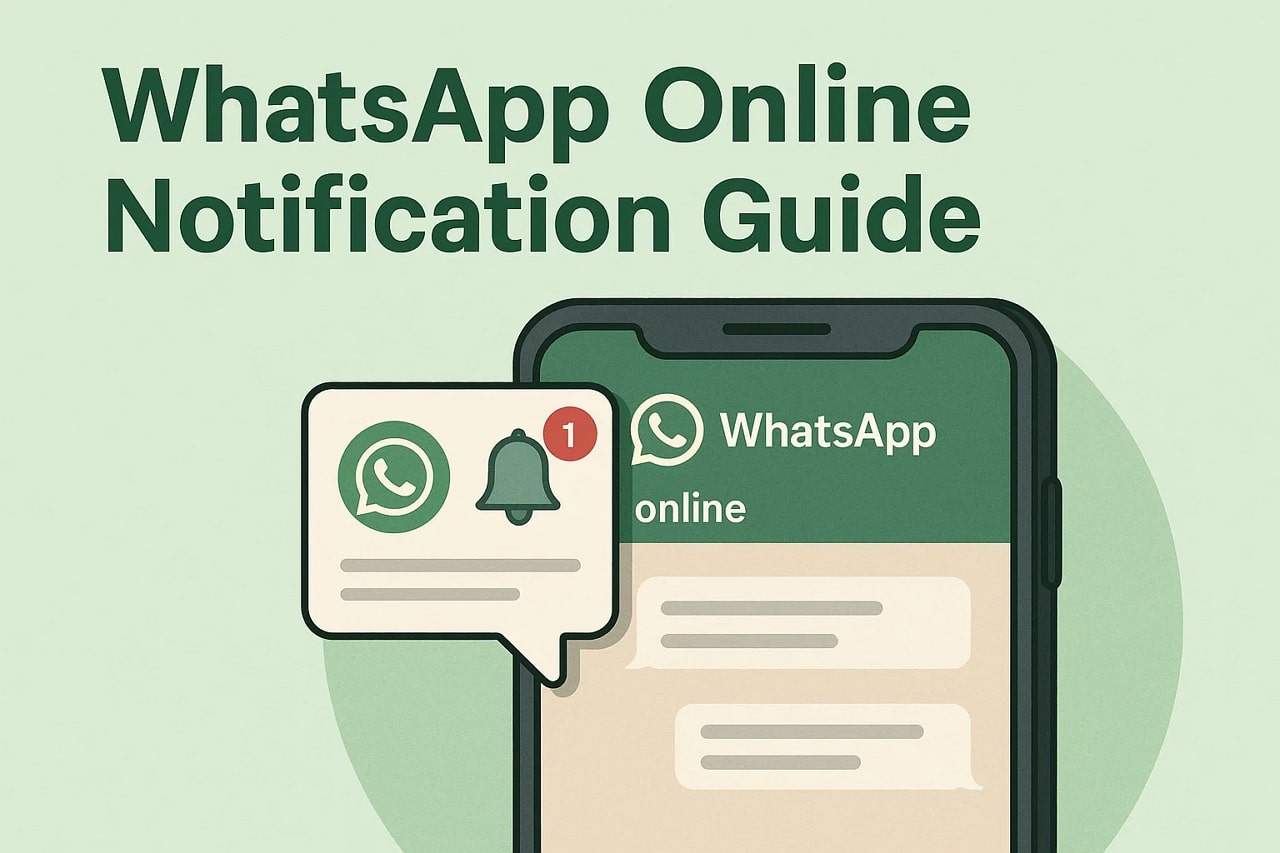
- Allows instant online/offline alerts
- Activity comparison between contacts
- Transferring chat data between Android and iOS
- Privacy-preserving 100% on-device storage
Best For
Parents want WhatsApp parental online activity tracking, last-seen surveillance, and real-time status updates without intruding on private conversations.
Tracover App - WA Tracker
Track WhatsApp Online Activites Automatically
- Instant Alerts: Real-time notifications for user sign-ins.
- Custom Schedule: Set precise tracking hours and days.
- Chat Compare: Reveals shared online patterns between users.
- Weekly Trends: Visualizes user activity in simple charts.
- Status History: Stores online logs for review and comparison.


How to Track WhatsApp Online Status with Tracover
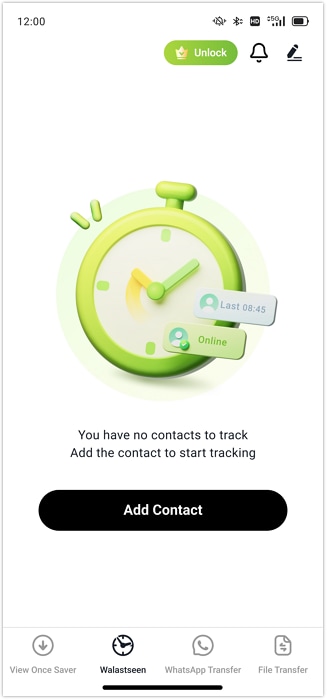
- Step 1. Launch Tracover and select "WA Tracker." Tap "Add Contact," enter a phone number or enter it manually, then press "Start Tracking." Tracover prepares to monitor the contact's WhatsApp online and offline status live.
- Step 2. Complete one-time linking to start tracking:
- Add a contact and tap “Link WhatsApp.”
- Select appropriate permissions, verify phone number, and input SMS code.
- WhatsApp login again.
- If linking fails, try wa2.vip (desktop) or “QR code linking.” Tracover securely connects and collects the correct status data.
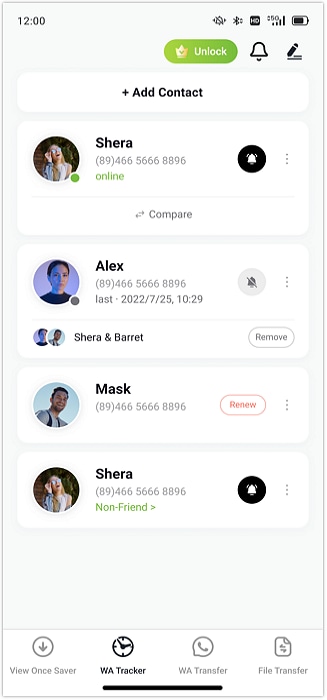
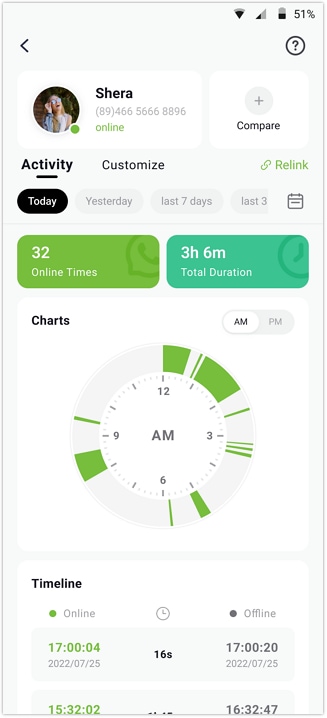
- Step 3. After linking, tap the contact's name to open the activity. Now you see:
- Exact online/offline times
- Total daily use
- Timeline charts demonstrating daily or weekly patterns
- Enable "Online/Offline Notifications" in "Profile > Notification Settings" for immediate contact activity alerts.
- Step 4. Use Tracover's extra capabilities to fine-tune monitoring:
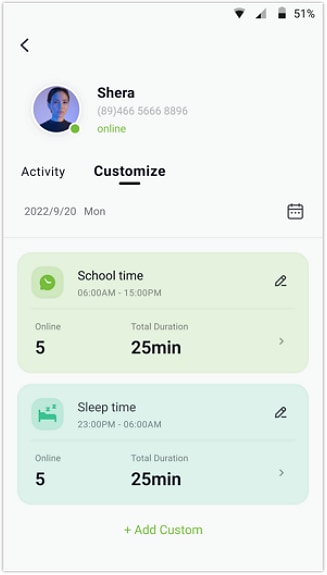
- Custom Tracking Hours (track only certain days or hours).
- Find users with overlapping online times using Compare Contacts.
- Simple graphic charts help you explore behavior trends and activity patterns.
2. mSpy - Best for Full WhatsApp Monitoring
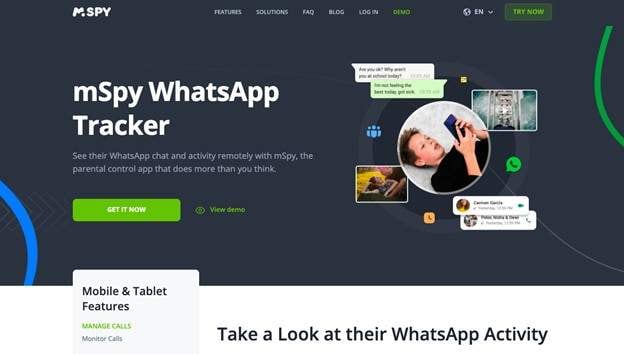
One of the best WhatsApp parental control apps for complete visibility is mSpy. You can see how your youngster uses WhatsApp and their phone. From one dashboard, you can monitor conversations, read messages (even deleted ones), see shared photographs, watch live screen activity, and view call histories. Because of its 30+ features, fast setup, and excellent security, all parents love it for WhatsApp safety with actual insights.
Core Features
- Full WhatsApp monitoring (texts, images, videos)
- GPS tracking + Geofencing notifications
- Keylogger for every typed word
- Monitoring Facebook, Snapchat, Instagram, Telegram, etc.
- Website banning and browser history tracking
Best For
Parents seeking complete control, WhatsApp communication tracking, and online monitoring.
3. AirDroid Parental Control
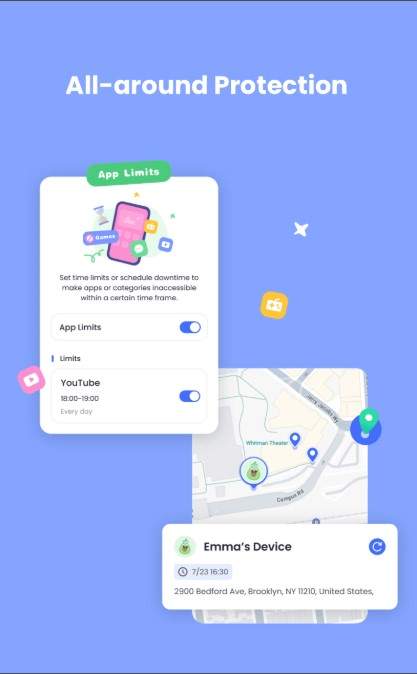
AirDroid Parental Control is a simple but powerful WhatsApp parental control app for parents. This program lets you monitor online conduct, limit screen time, examine app usage, and track your child's location, in addition to WhatsApp parental control.
The AI update lets the app detect dangerous statements and cyberbullying on social media. It's ideal for parents who desire safe WhatsApp parental monitoring and constant child contact. One account can serve 10 devices.
Core Features
- Real-time screen mirroring for full online awareness
- AI-powered content filter and cyberbullying alerts
- Sync app notifications from WhatsApp and social media
- Screen time limits and daily schedules
- High-accuracy GPS tracking + location history
- Custom geofences with instant alerts
- Supports up to 10 child devices
Best For
Parents who want detailed chat tracking, strong AI filtering, and full whatsapp parental control in real time.
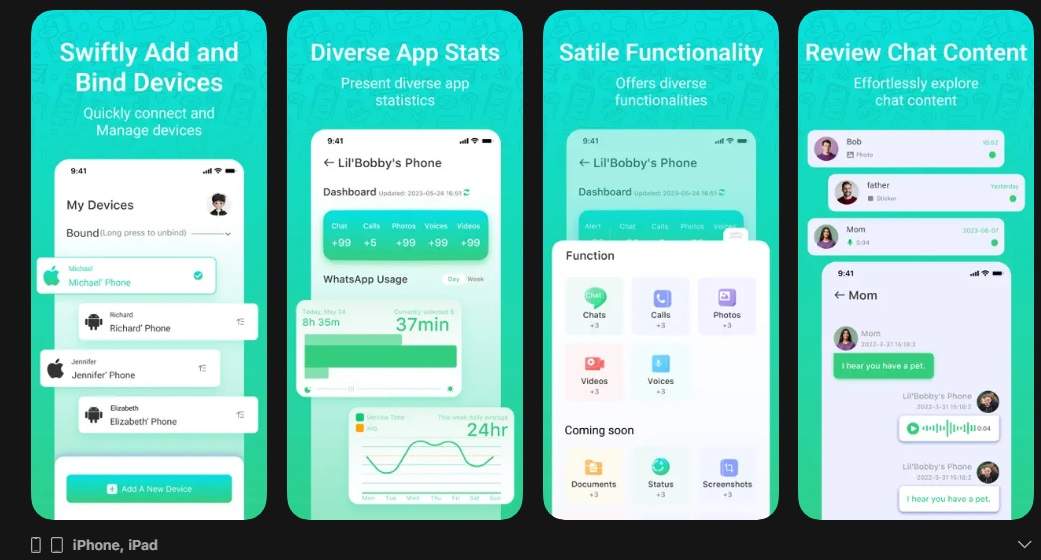
4. KidsGuard for WhatsApp
KidsGuard for WhatsApp is one of the best solutions for deep and clear WhatsApp parental monitoring. It shows chats, images, calls, geolocation, and more without rooting or jailbreaking. This WhatsApp parental control tool silently monitors child phone use and gives parents real-time insights.
It supports Android, iOS, Windows, and macOS, making it versatile. Parents can remotely track GPS, Wi-Fi, geofences, WhatsApp communications, and screenshots.
Core Features
- Full WhatsApp chat and media monitoring
- Live GPS tracking + detailed location history
- Wi-Fi location tracking + geofence alerts
- Remote screenshots and screen recordings
- Call logs, messages, photos, videos, and browser history
- Works without rooting or jailbreaking
Best For
Parents who want detailed chat tracking, deep monitoring, and strong all-in-one whatsapp parental control features.
5. Eyezy
Eyezy is a simple tracking tool for parents who wish to protect their kids online. Your child's digital activity is clearly visible while it operates quietly. You may check messages, calls, contacts, social media, and browser history from one dashboard.
Eyezy's built-in screen recorder lets you watch your youngster in real time. It's smart notifications warn you of inappropriate language, strangers, and harmful websites for your kids.

Core Features
- Social media monitoring (WhatsApp, Facebook, Instagram, Snapchat)
- Check messages, photos, and videos
- Screen recorder to view live activity
- Keylogger to capture typed text
- Location tracking with route history
- Web search and browsing history view
Best For:
Parents who want simple and strong WhatsApp parental control.
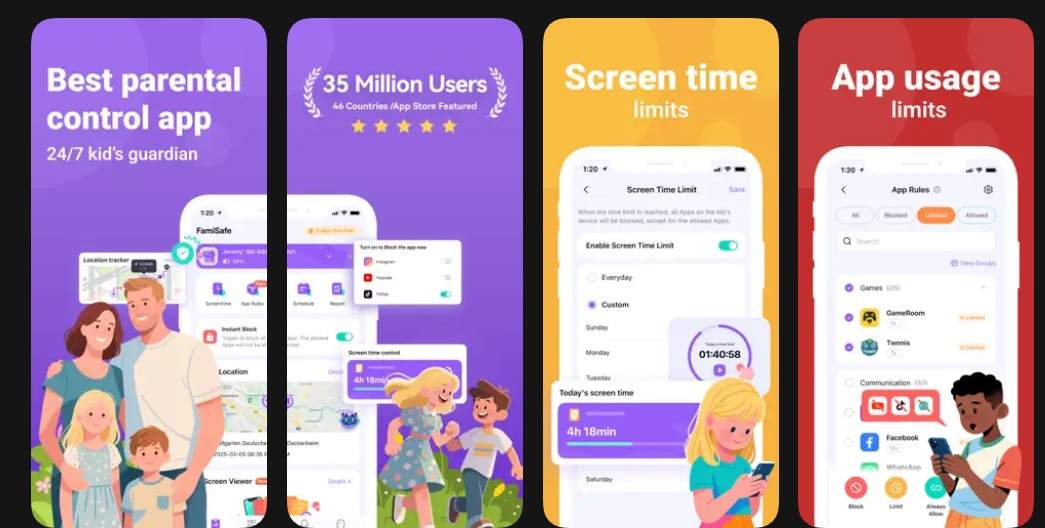
6. FamiSafe
FamiSafe is a trusted parental control program for digitally wise families. It lets parents monitor phone use, limit screen time, and ban harmful apps and websites. Smart AI detects bullying, violence, and explicit content in the app. Set daily limits, track location, and receive notifications when your youngster enters dangerous areas.
Safe-driving reports make FamiSafe ideal for older kids traveling alone. It can warn you about questionable or harmful stuff on the device, but it doesn't monitor WhatsApp chats.
Core Features
- Screen time limit controls
- Website and app blocking
- Location tracking and geofencing
- AI content detection for harmful messages
- Activity timeline for daily phone use
Best For:
Parents who want strong screen time limits and AI-based safety alerts.
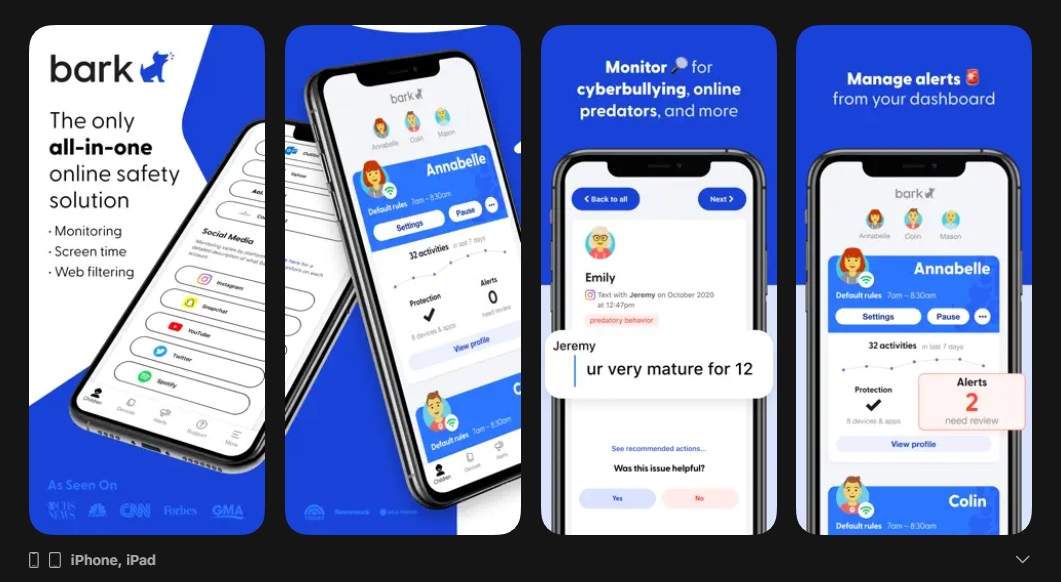
7. Bark
Bark is an effective online safety app for parents. It scans texts, photographs, videos, search history, and more using sophisticated AI. Bark detects bullying, violence, predators, and self-harm. It informs parents quickly of risky situations so they can act.
Bark controls screen time, blocks apps, filters websites, and tracks location in real time. Bark cannot fully regulate WhatsApp, but it can monitor device content, notifications, and media for harmful signals.
Core Features
- AI danger alerts for 29+ risk categories
- Scans texts, social apps, images, videos, and audio
- Screen time limits and custom schedules
- Website and app blocking
- Contact approval to stop texts from strangers
- Device-level content monitoring for parental WhatsApp risks
Best For:
Parents who want strong AI alerts, screen time control, and device-level WhatsApp parental control for safety checks.
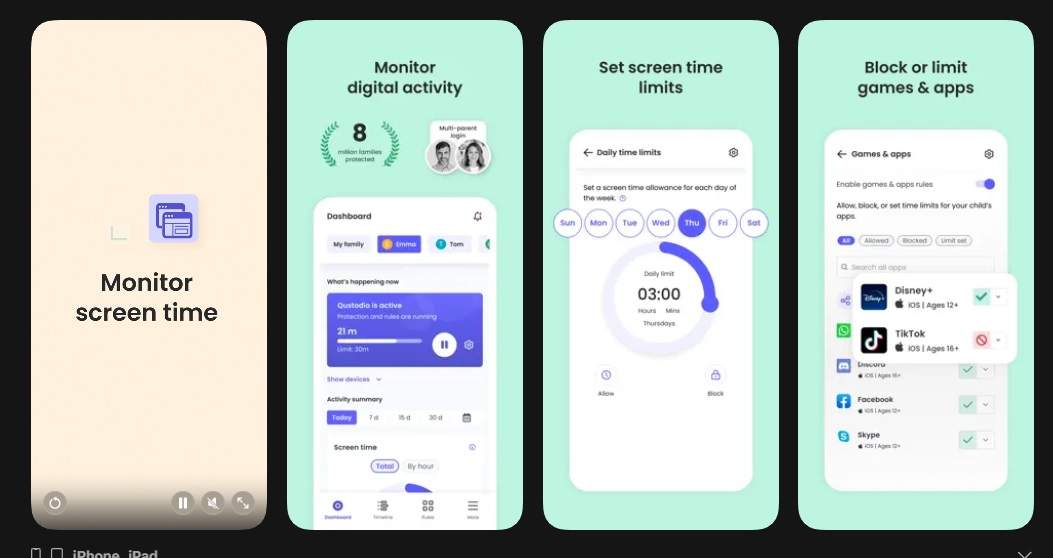
8. Qustodio
Qustodio helps parents guide kids' digital habits safely. You can monitor screen time, block apps, filter websites, and examine child activity reports from one dashboard. Smart alerts for risky activity are sent by Qustodio.
Set time limits, block hazardous sites, and track your child. Qustodio blocks unfamiliar contacts, sets time limits, and manages phone activities, but it is not a WhatsApp parental control software.
Core Features
- App blocking and screen time limits
- Website filtering and safe browsing
- AI-based danger alerts
- Activity timeline and detailed reports
- Call & SMS monitoring (with desktop setup for iOS)
- Multi-device parental dashboard
Best For:
Parents who want simple, all-in-one monitoring with device controls that support whatsapp parental control and healthy digital habits.
9. FlexiSPY
FlexiSPY is a sophisticated phone, tablet, and computer parental control tool. FlexiSPY tracks calls, GPS, browsing, photographs, videos, and more. It can read numerous app chats, including WhatsApp, making it helpful for parental WhatsApp monitoring.
The software delivers data to a secure internet dashboard and can be hidden or exposed. FlexiSPY alerts parents about strangers, cyberbullying, and risky behavior.
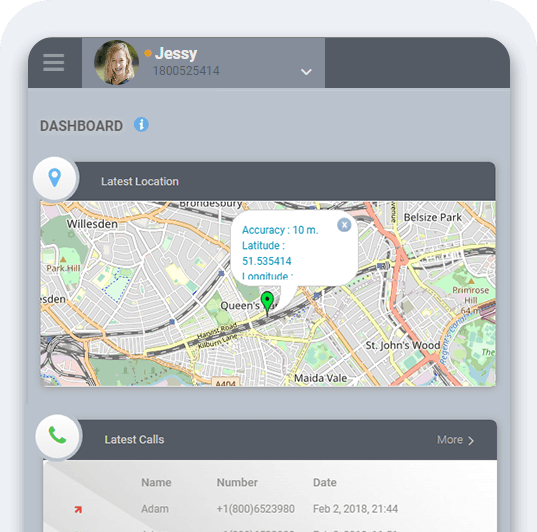
Core Features
- Tracks calls, messages, GPS, and online activity
- Reads chats from WhatsApp, Messenger, Telegram, and more
- Access to photos, videos, and deleted media
- Live call listening and call recording (select plans)
- Custom alerts for flagged words or risky activity
Best For:
Parents who need advanced monitoring for calls, chats, and full whatsapp parental control with strong device tracking.
10. Google Family Link
Google Family Link helps families develop safe digital habits with simple and trusted parental management. From one dashboard, parents can approve apps, set limitations, filter websites, and track location.
Family Link is simple and ideal for smaller children or families that prefer moderate direction to intense supervision. It limits screen time, blocks unknown apps, and helps parents advise healthy device use, but it is not a complete WhatsApp parental control program.
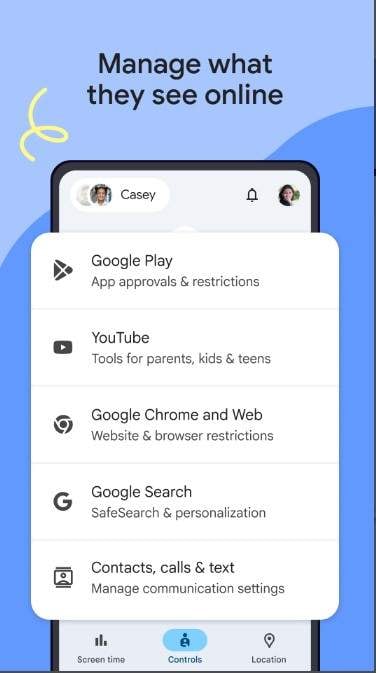
Core Features
- Screen time limits and daily usage reports
- App blocking, approval, and restrictions
- Website filtering and SafeSearch
- Location sharing and alerts
- Controls for privacy and security settings
Best For:
Parents who want simple controls, screen time tools, and safe device rules—not deep whatsapp parental control.
Part 3. Legal, Ethical Guidelines & Limitations
Parents must comprehend legal and ethical constraints before using any WhatsApp parental control tool. These tools can protect kids if utilized properly. Parents should research local WhatsApp parental control regulations because laws vary by country. In many regions, parents can only monitor a minor's device.
WhatsApp parental monitoring can safeguard kids, yet it can become invasive if done improperly. Reading every message or tracking every move might undermine trust. Kids may feel watched, not supported.
Whatsapp parental control should protect, not spy. Talk to your kids about online threats and why monitoring is necessary. This promotes digital wellness.
There are technical limits. WhatsApp protects messages with end-to-end encryption. This prevents some programs from reading WhatsApp chats.
Conclusion
The best Try It Free depends on your child's age, family values, and safety needs. The finest tools have intuitive dashboards, activity monitoring, smart notifications, and robust privacy. Parents should choose apps that promote healthy communication, not simply control. Whatsapp parental monitoring can prevent hazards like strangers, scams, and hazardous content if used lawfully and kindly. Always consider encryption, device, and app limits.
Choose apps that balance monitoring and trust for quick, safe choices. Parents benefit from Tracover, mSpy, AirDroid, and Family Link without being intrusive. WhatsApp parental control may teach youngsters safe habits and provide families peace of mind when used properly.
FAQs
-
Q: What is the best WhatsApp parental control app?
A: Some of the best WhatsApp parental control apps include Tracover, mSpy, AirDroid Parental Control, and Bark. Each tool offers different features such as activity tracking, screen time control, and online alerts.
-
Q: Can parents monitor WhatsApp messages?
A: Some parental control apps allow message monitoring if installed on the child’s device. However, WhatsApp uses end-to-end encryption, which limits what external tools can access.
-
Q: Is WhatsApp parental monitoring legal?
A: In many countries, parents are legally allowed to monitor a minor’s device. However, laws vary, so parents should check local regulations before using monitoring tools.
-
Q: How can I monitor my child's WhatsApp activity safely?
A: Use trusted parental control apps that track activity patterns, screen time, and contacts while respecting privacy. Open communication with your child is also important.









Selena Lee
staff Editor
Generally rated4.5(105participated)