
Reliable iPhone Data Recovery Software — Recover Deleted Data Without Backup
Recover lost iPhone data from your device, iCloud, iTunes, or local backups. Start with a free scan and preview. Results vary by device condition, iOS version, and recovery source.
-
Free Scan & Preview: Scan first. Preview what Dr.Fone finds before recovery.
-
iCloud Recovery: Preview and recover selected data from iCloud Backup — no reset.
-
Recover Deleted Files: Recover supported photos, videos, messages, contacts, notes, and documents.
-
Social Media Recovery: Recover Viber, WhatsApp, LINE, Kik, Snapchat, and WhatsApp View Once.
-
Selective Restore: Recover only the data you choose without overwriting existing files.
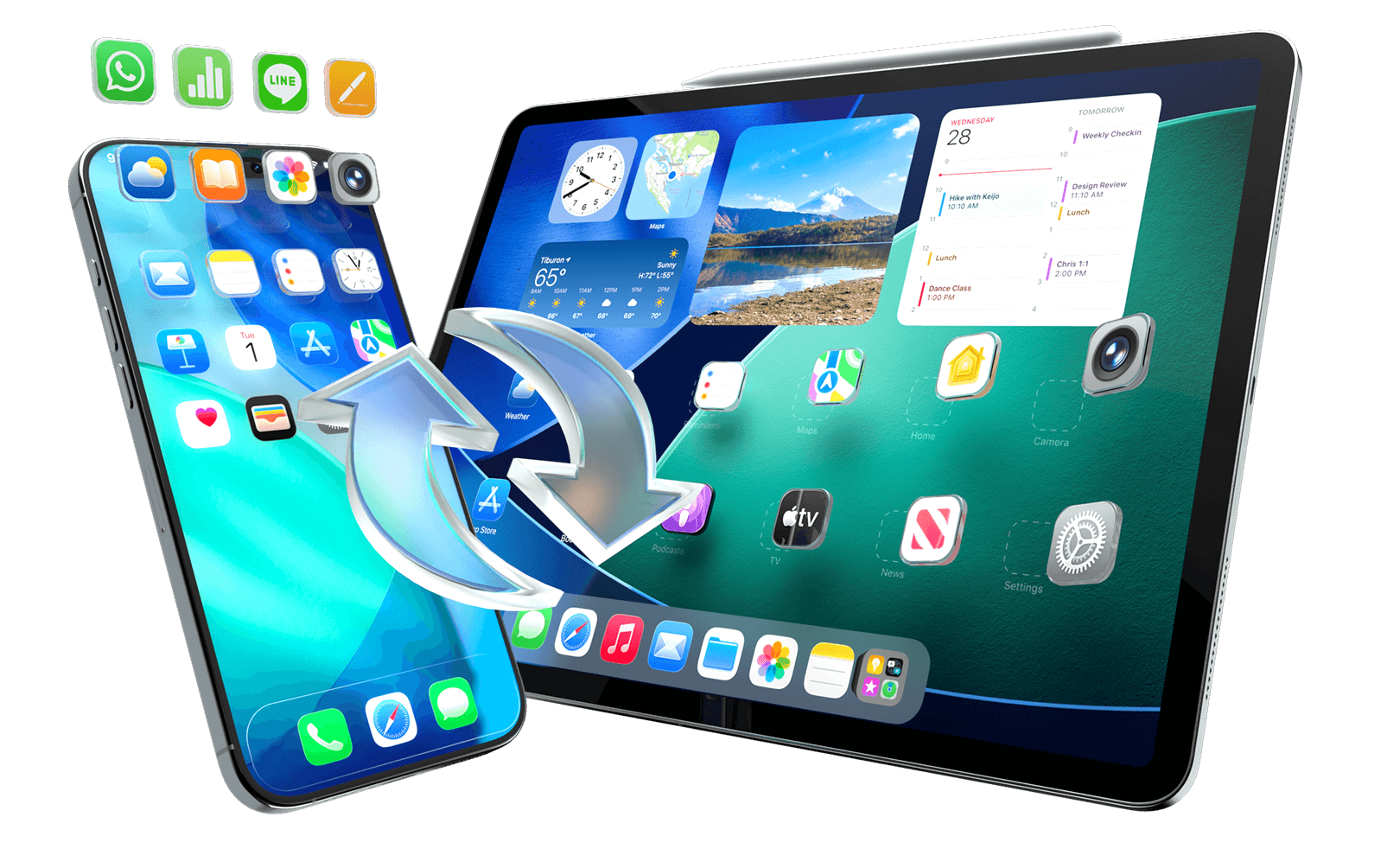

Can Your iPhone Data Be Recovered?
Start with the Right Path
Let’s talk you through it. First, check where your data may still exist.
Dr.Fone can scan supported iOS devices and available backup or cloud sources. Preview first. Then recover only what you need.
Results vary by device condition, iOS version, and recovery source.
Read-only scan · Preview before recovery · Selective export

Accidentally Deleted Data

No Backup Found

iOS Update/Upgrade Failure
Upgrade Failure

iOS System Malfunction
System Malfunction

Physical Damage

e.g., Broken Screen, Busted Parts

Water Damage

Factory Reset

Jailbreak or ROM Flashing
ROM Flashing

Locked or Disabled Device
Locked Device

App Crashed / Data Missing

Lost or Stolen Device
Stolen Device

Malware Attack
Quick Recovery Check: What Should You Try First?
Start with the simplest source. If the data is not there, move to the next available recovery path.
| Your situation | Try this first | How Dr.Fone can help |
|---|---|---|
| Recently deleted data | Check Apple’s Recently Deleted options first. | Check other supported device, backup, or cloud sources if needed. |
| No iCloud or iTunes backup | Scan the device and check available iCloud-synced data or iCloud Drive. | Run a supported device or cloud-source scan and preview the results before recovery. |
| iCloud Backup available | Choose a backup from before the data loss. | Preview and selectively recover supported data without restoring the whole backup to the device. |
| iTunes or local backup available | Check the backup date and the data it contains. | Preview supported data and export only the files you need. |
| Broken or black-screen iPhone | If the device is recognized, try a device scan. If not, check backups and cloud sources. | Direct scanning depends on whether the device can communicate with the computer. |
| Permanently deleted data | Check another backup, synced copy, app source, or device. | Dr.Fone can scan available supported sources, but recovery cannot be guaranteed if no accessible copy remains. |
Why Choose Dr.Fone for iPhone Data Recovery
Built for common iPhone data-loss cases. Scan supported sources. Preview the results. Recover only what you need.
Dr.Fone is designed for everyday iPhone data recovery, with free scan and preview, broad iOS device support, selective recovery, and read-only scanning.
Recover After Accidental Deletion
Scan for supported photos, messages, contacts, notes, and app data deleted by mistake.
Free Scan & Preview
See what Dr.Fone finds before you pay to export or restore files.
Works Across iOS
Versions & Apple Devices
Supports iPhone, iPad, and iPod touch — including iOS/iPadOS 27 and the latest Apple devices.

Read-Only
Scanning by Design
Designed to scan in read-only mode so existing device data is not changed during the scan.
Recover What Matters from iPhone, iPad,
and iPod Touch
Recover 35+ supported data types, from photos and messages to app data and documents.
Restore selected items to your device or export them to your computer.


Personal Data
- Photos & Videos
- Contacts
- Messages & Attachments
- Call History
- Call Recordings
- Voicemail
- Voice Memos
- Alarms
- Calendar & Reminders

Social Apps
- WhatsApp Chats
- WhatsApp Attachments
- WhatsApp Business Chats & Attachments
- LINE Chats & Attachments
- Viber Chats & Attachments
- Viber Call History
- Kik Chats & Attachments
- Snapchat Chats & Attachments

Work, Notes & Files
- Notes
- iCloud Drive Files
- App Photos
- App Videos
- App Documents
- Safari Bookmarks & History
- Pages, Numbers, Keynote
- Gmail & Attachments

Photos

Contacts

Messages

Call
History


WhatsApp
Business

Viber

Line

Kik

Notes

Calendar

Safari
Bookmark
Safari
History

Voice
Memos

Voicemail

Reminders

Numbers

Pages

Keynote
Photos
Contacts
Messages
Call
History
WhatsApp
Business
Viber
Line
Kik
Notes
Calendar
Safari
Bookmark
Safari
History
Voice
Memos
Voicemail
Reminders
Numbers
Pages
Keynote
Photos
Contacts
Messages
Call
History
WhatsApp
Business
Viber
Line
Kik
Notes
Photos
Contacts
Messages
Call
History
WhatsApp
Business
Viber
Line
Kik
Notes
Calendar
Safari
Bookmark
Safari
History
Voice
Memos
Voicemail
Reminders
Numbers
Pages
Keynote
Calendar
Safari
Bookmark
Safari
History
Voice Memos
Voicemail
Reminders
Numbers
Pages
Keynote
Additional data types may be supported depending on device and iOS version.

Recover Messaging App Data & iWork Files — Privately
Recover supported messaging app data and iWork files from available devices, backups, and cloud sources.
Preview first. Recover only what you need. Availability varies by app, device, iOS version, and source.
Recover WhatsApp “View Once” Media
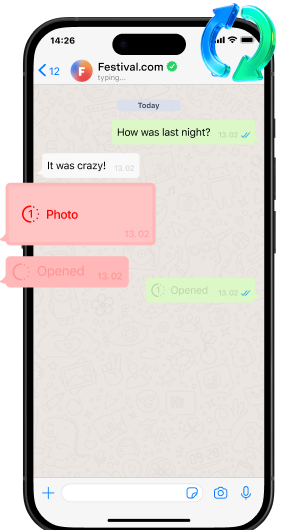
Recover WhatsApp “View Once” Media
Securely capture and save WhatsApp View Once photos, videos, and audio while you can still view them. Preview and store the content locally, so it stays accessible even after the message expires.
Recover Messaging App Data on iOS
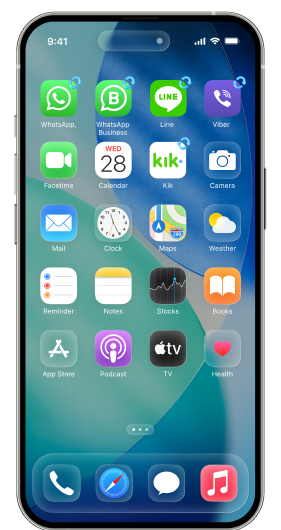
Recover Messaging App Data on iPhone & iPad
Recover WhatsApp messages, media, and attachments from WhatsApp, WhatsApp Business, LINE, Viber, Kik and Snapchat — then restore only what you choose.
Recover Apple iWork Files
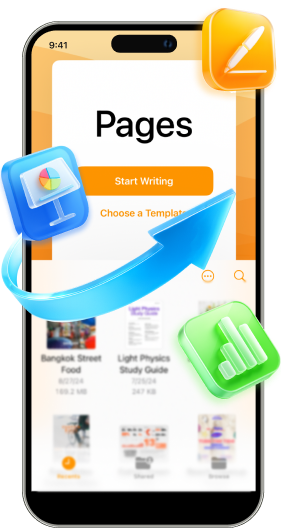
Recover Apple iWork Documents from iCloud Drive
Access Pages, Numbers, and Keynote files stored in iCloud Drive. Preview available documents and selectively recover the files you need without restoring your entire device.
Recover iPhone Data in 4 Ways — From Device, iCloud, and iTunes
Not sure where to start? Check the source where your data may still exist. Scan an iPhone, open an iCloud Backup,
access iCloud-synced data or iCloud Drive, or extract from iTunes and local backups.
iOS Device
iCloud Backup
iCloud Sync & Drive
iTunes & Local Backups
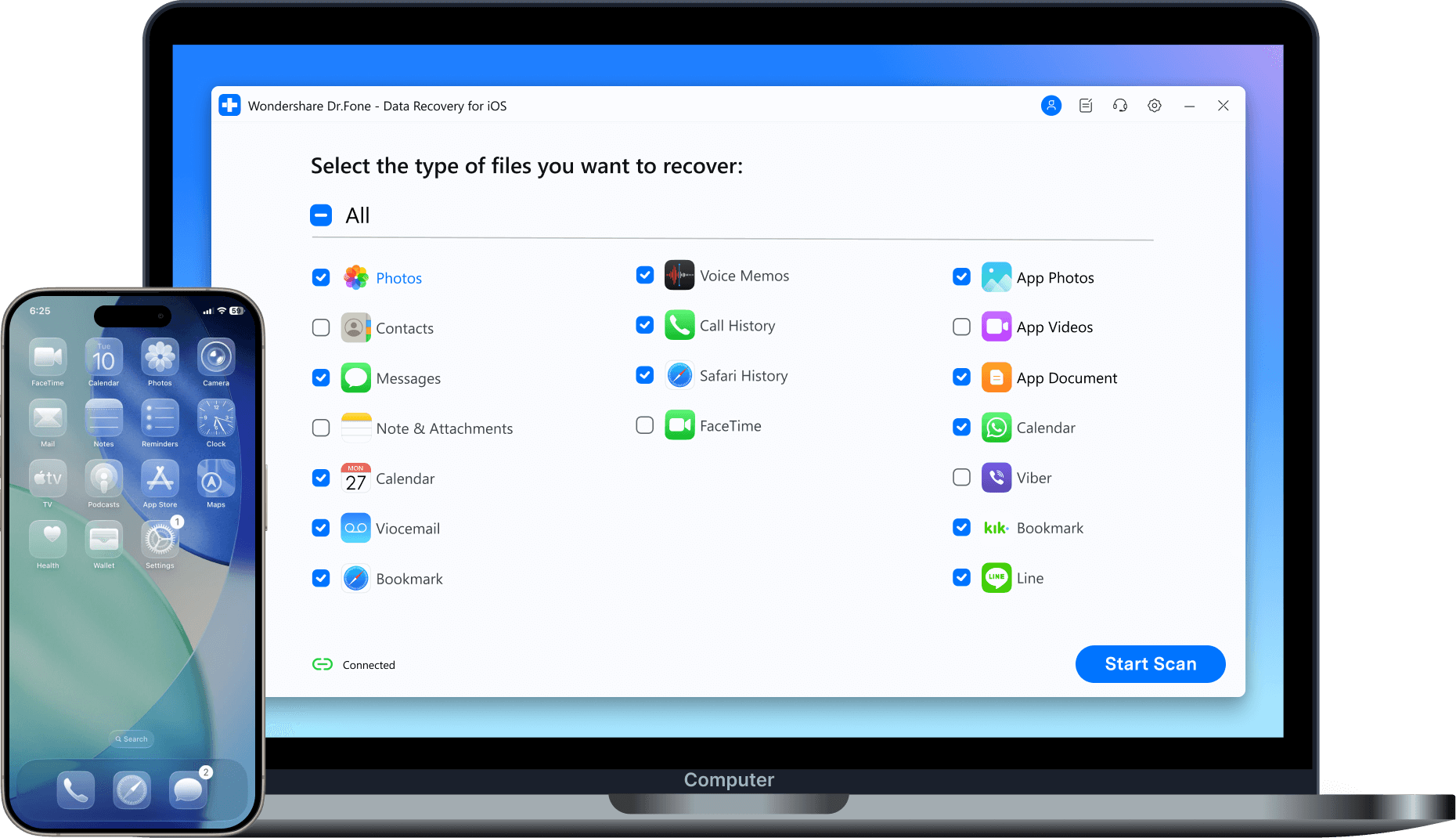
Recover Data Directly from iPhone — No Backup Needed
No backup? Start with a device scan. Dr.Fone scans supported iPhone, iPad, or iPod touch data and lets you preview what it finds before recovery.
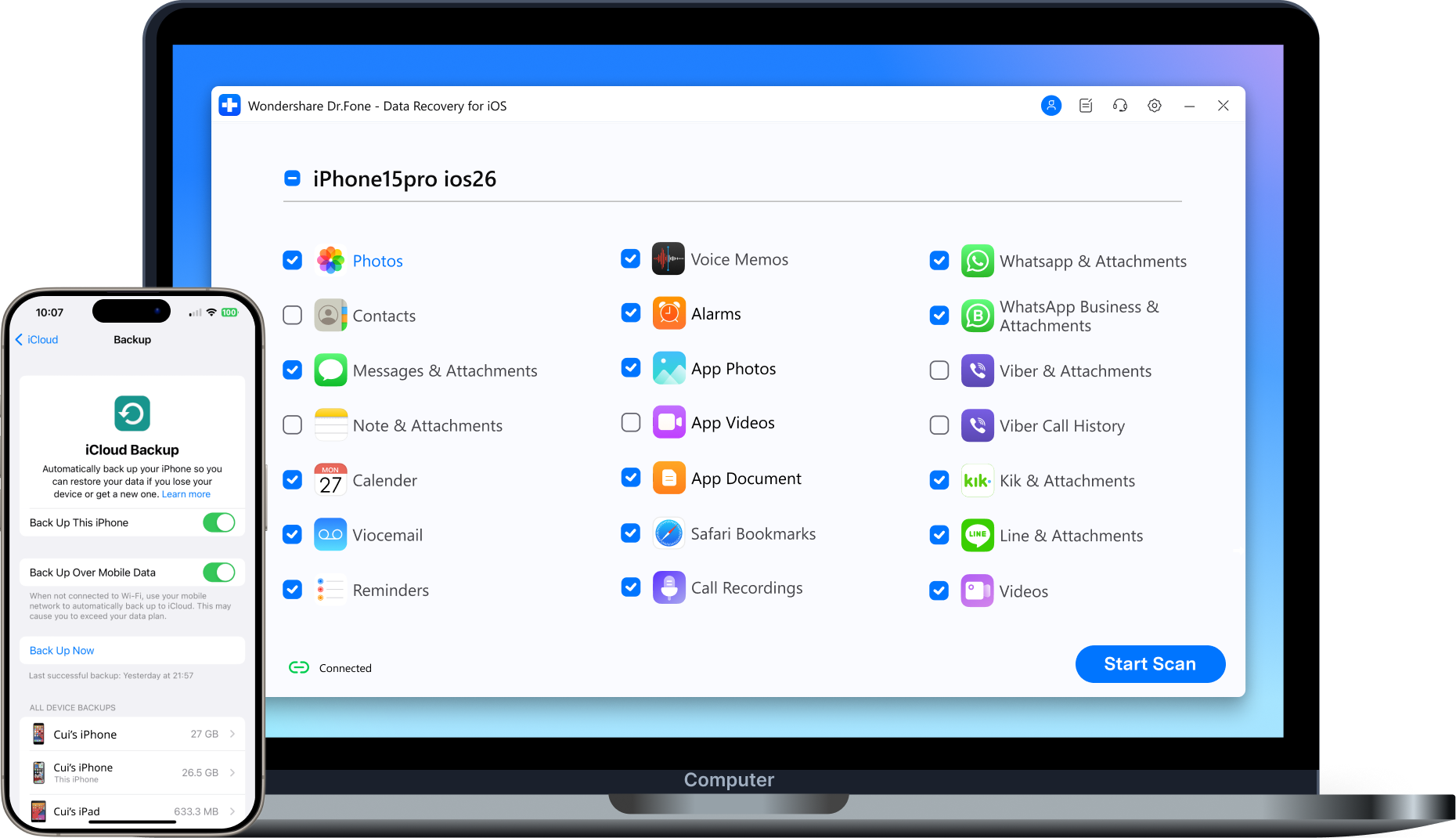
Recover Data from iCloud Backup — No Reset Needed
Choose an available iCloud Backup. Preview supported data. Recover only what you need without restoring the whole backup to your iPhone or iPad.
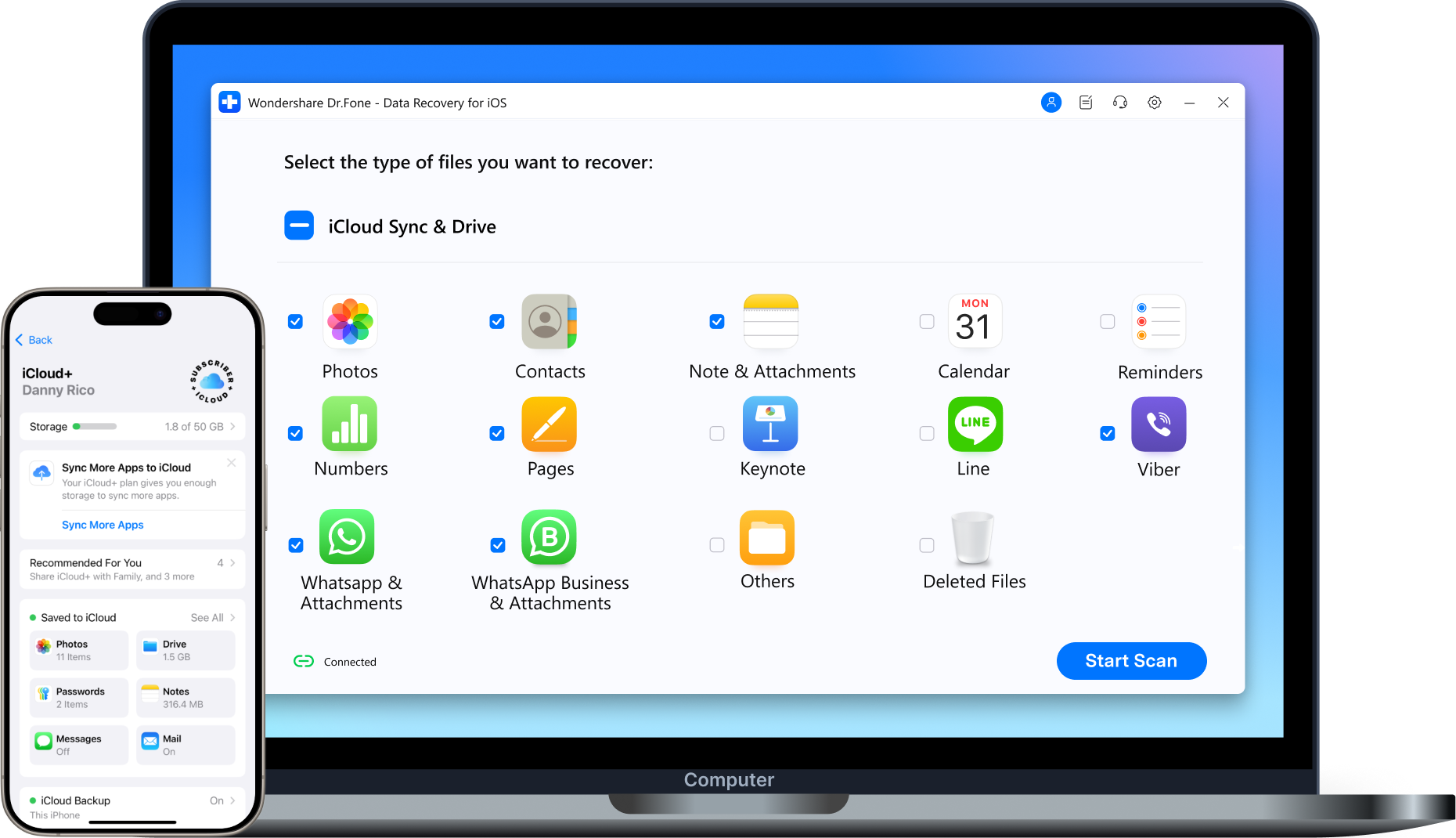
Recover iCloud-Synced Data & iCloud Drive Files
Sign in to access supported data already synced with iCloud and files stored in iCloud Drive. Preview what is available, then recover selected items.
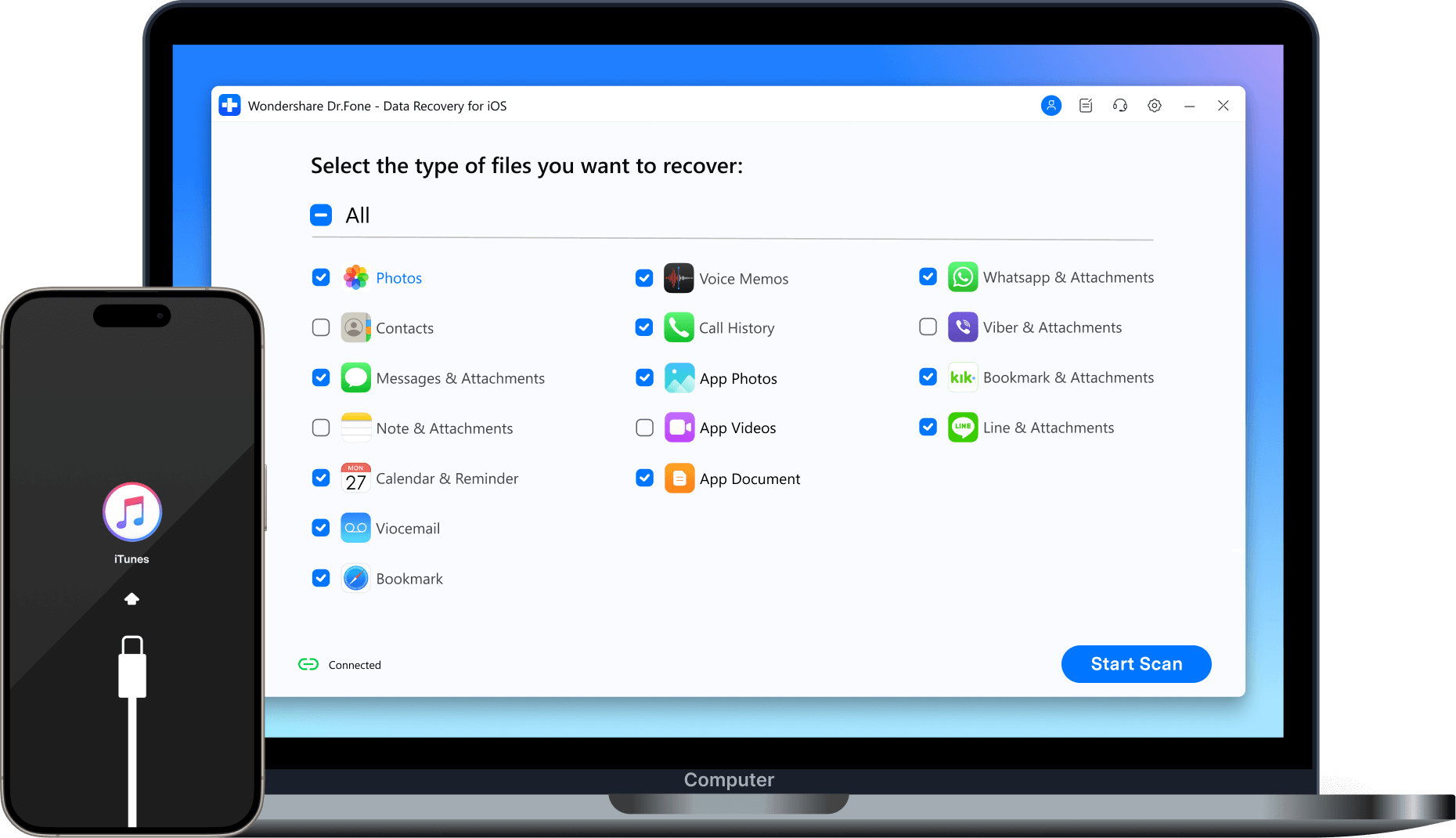
Extract Data from iTunes & Local Backups
Open an existing iTunes or supported local backup. Preview supported data and export selected files without a full-device restore.

Recover Saved iPhone Passwords & Credentials
View and recover saved Wi-Fi passwords, app logins, websites, email accounts, and Apple ID credentials from your iPhone or iPad — directly on your computer.
iOS Data Recovery: Dr.Fone vs. iTunes & iCloud
Need more control than a full backup restore? Dr.Fone lets you preview and selectively recover supported data from available sources.
Choose the source that matches your situation.
| Recoverable Files |
Dr.Fone - Data Recovery (iOS)
|
iTunes | iCloud |
|---|---|---|---|
| Deep Scan iOS Devices | Deep-scans supported iOS devices for recoverable photos, messages, and 35+ data types — even when no backup is available. |

|
|
| Free Preview Content | Preview supported iOS data and deleted files for free before recovery. |
|
|
| Restore from iOS Device | Recover selected supported data to your iPhone/iPad or export it to your computer. |

Full Restore Only
(No preview; erases current data) |
|
| Restore from iTunes Backup | Selectively recover data from iTunes backups and transfer files to your iOS device or computer without overwriting existing data. |
|
|
| Restore from iCloud Backup | Download iCloud backups directly to preview and selectively restore files and messaging app data (e.g., WhatsApp) without a factory reset. |
|
Full Reset Required
(No preview; erases all settings) |
| Extract iCloud Sync & Drive | Selectively extract iCloud-synced data and iCloud Drive files (e.g., Photos, Contacts, WhatsApp, LINE) directly to your iOS device or computer. |
|
Raw Files Only
(No preview, cannot extract app data) |

| Dr.Fone - Data Recovery (iOS) |
|---|
| Deep-scans supported iOS devices for recoverable photos, messages, and 35+ data types — even when no backup is available. |
| Preview supported iOS data and deleted files for free before recovery. |
| Recover selected supported data to your iPhone/iPad or export it to your computer. |
| Selectively recover data from iTunes backups and transfer files to your iOS device or computer without overwriting existing data. |
| Download iCloud backups directly to preview and selectively restore files and messaging app data (e.g., WhatsApp) without a factory reset. |
| Selectively extract iCloud-synced data and iCloud Drive files (e.g., Photos, Contacts, WhatsApp, LINE) directly to your iOS device or computer. |
Why Choose Dr.Fone?


System Repair by Wondershare Dr.Fone is an excellent alternative to iTunes for fixing iOS issues. It resolves many problems by re-installing the latest package, which doesn't wipe out your iPhone's data.

With its new powerful desktop and online solution, Wondershare Dr.Fone offers a complete mobile device solution for Android and iOS devices, with useful how-to guides and technical fixes for a wide variety of mobile issues.

Wondershare's Dr.Fone offers iPhone and iPad users a full software suite that goes beyond the iOS management that's possible with iTunes/Finder in macOS. Features include data recovery, erasing/restoring all or just parts of your data, system repair, restoring social media apps, getting around your device's lock screen, and more.

If your iPhone is not responding or turning on, then this is probably one of the best tools to fix it. The tool guarantees that during the recovery process, none of your data will be lost.

Dr.Fone can help you with your smartphone in many ways. It can recover deleted data, back up and transfer files, unlock screens, repair your OS, switch between different types of smartphones, transfer WhatsApp chats between iOS and Android, and more.

Dr.Fone is a comprehensive software suite developed by Wondershare that addresses a wide range of needs for smartphone and computer users. When transferring data between Android devices, Dr.Fone offers a mix of ease, efficiency, and security, making it a preferred choice for many.
System Repair by Wondershare Dr.Fone is an excellent alternative to iTunes for fixing iOS issues. It resolves many problems by re-installing the latest package, which doesn't wipe out your iPhone's data.
With its new powerful desktop and online solution, Wondershare Dr.Fone offers a complete mobile device solution for Android and iOS devices, with useful how-to guides and technical fixes for a wide variety of mobile issues.
Wondershare's Dr.Fone offers iPhone and iPad users a full software suite that goes beyond the iOS management that's possible with iTunes/Finder in macOS. Features include data recovery, erasing/restoring all or just parts of your data, system repair, restoring social media apps, getting around your device's lock screen, and more.
If your iPhone is not responding or turning on, then this is probably one of the best tools to fix it. The tool guarantees that during the recovery process, none of your data will be lost.
Dr.Fone can help you with your smartphone in many ways. It can recover deleted data, back up and transfer files, unlock screens, repair your OS, switch between different types of smartphones, transfer WhatsApp chats between iOS and Android, and more.
Dr.Fone is a comprehensive software suite developed by Wondershare that addresses a wide range of needs for smartphone and computer users. When transferring data between Android devices, Dr.Fone offers a mix of ease, efficiency, and security, making it a preferred choice for many.


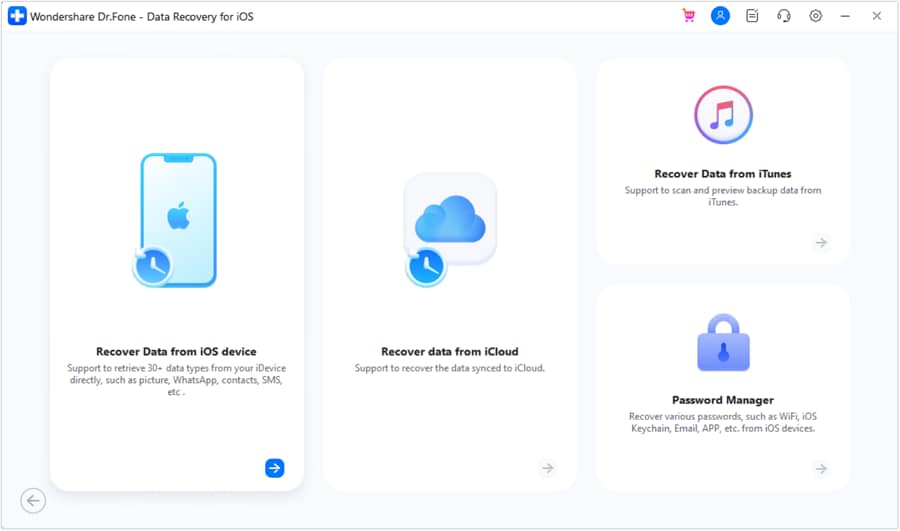
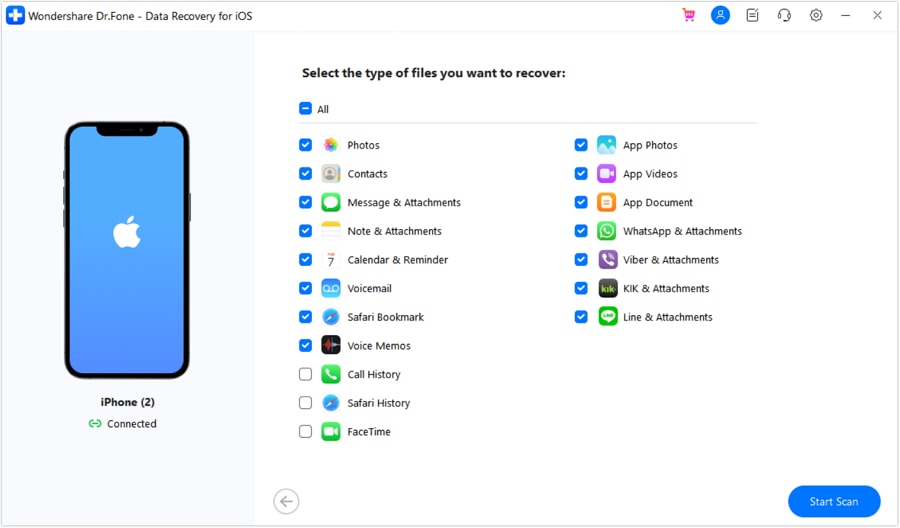
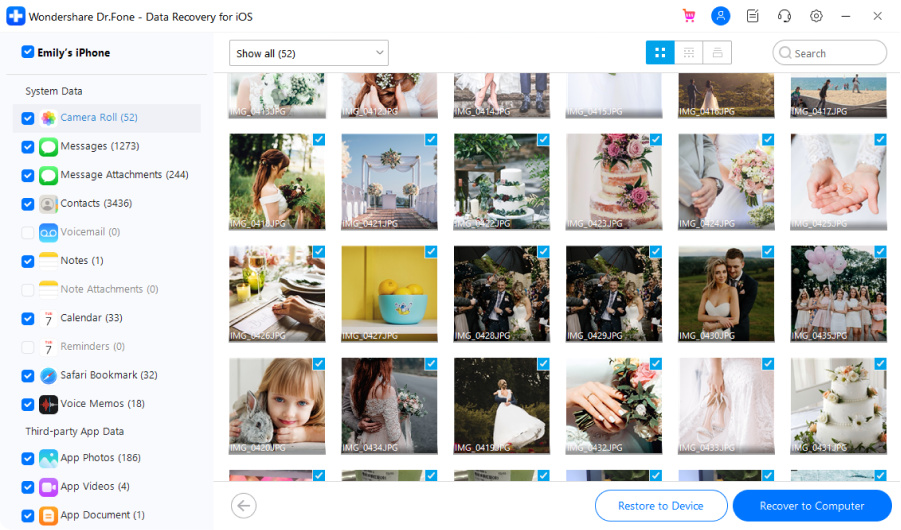
3 Steps to Recover iPhone Data
Scan your iPhone, preview what’s recoverable, and recover only what you need.
Try the free scan and preview before you purchase.
Dr.Fone - Data Recovery (iOS) Technical Specifications

Processor
1 GHz or faster (Intel or AMD)

Hard Disk Space
7 GB of available hard disk space

RAM
1 GB of free RAM (2 GB or higher recommended)

iOS
iOS 5.0 and later

Operating System
- Windows 11, 10, 8.1, 8, 7
- macOS 10.13 or later
Processor
Hard Disk Space
RAM
iOS Compatibility
Operating System
- macOS 10.13 or later
iPhone Data Recovery – FAQs
Yes, in many cases — but not every case. Recovery depends on what was lost, where another copy may still exist, and the condition of the iPhone.
Dr.Fone can scan supported iOS devices and check iTunes or local backups, iCloud Backup, iCloud-synced data, and iCloud Drive. You can preview supported files before recovery and choose only what you need.
If data has been permanently removed and no accessible copy remains on the device, in a backup, or in a supported cloud source, recovery cannot be guaranteed.
Yes. Dr.Fone is designed for read-only iPhone data recovery. It lets you scan and preview supported data before you recover or export anything.
- Read-only scanning: The scan is designed not to change existing device data.
- Computer-based recovery: Device and local-backup recovery runs through Dr.Fone on your PC or Mac.
- iCloud access: When you choose an iCloud recovery source, sign-in is required to access the selected account data.
For current details on authentication and data handling, see Wondershare’s privacy documentation.
Yes. Dr.Fone supports iPhone data recovery even when you do not have a traditional iCloud or iTunes backup.
Start with a device scan. You can also check supported iCloud-synced data and iCloud Drive. “No backup” does not always mean “no other copy.”
Dr.Fone lets you preview what it finds before recovery. If no recoverable copy remains in any available source, software recovery may not be possible.
Yes. Dr.Fone lets you scan and preview recoverable data for free before recovery.
Check photos, messages, videos, notes, documents, and other supported files first. A license is required when you choose to export or restore recovered data.
Hot Topics

Trusted iPhone Data Recovery, Built for Safer Results.
Recover lost photos, messages, and essential iPhone data with a recovery tool designed for selective preview, read-only device scanning, and multiple recovery sources.