
StreamEast Mirror List Explained: 8 Updated Links, Risks, & Access [2026]

Nov 20, 2026 • Filed to: Phone Mirroring Solutions • Proven solutions
 TL;DR:
StreamEast bypasses domain seizures using alternative mirror sites to provide unlicensed sports broadcasts, which can be viewed on larger displays using Dr.Fone - Screen Mirror despite inherent legal and security risks.
● StreamEast mirrors connect to the original servers to maintain uptime, but expose users to potential DMCA penalties, phishing scams, and unencrypted data collection from third-party trackers.
● Casting mobile streams to a PC or Mac requires Dr.Fone - Screen Mirror, linking an iOS or Android device via USB or by scanning a QR code over the same local Wi-Fi network.
● The desktop mirroring tool enables users to record live matches and control their mobile device directly from a computer, though uninterrupted playback depends strictly on current network and cable stability.
Ask AI for a summary
 ChatGPT
 Perplexity
 Gemini
 Claude
 Grok
Dr.Fone Basic:
Better Control for Your Phone
Manage, transfer, back up, restore, and mirror your device
⚠ Disclaimer
We strictly prohibit linking to or promoting unauthorized streaming platforms for copyrighted content (including sports events, movies, and TV shows). Accessing or sharing copyrighted material through non-official, unlicensed platforms may constitute copyright infringement, violating relevant laws and regulations. We strongly advise users to watch copyrighted content exclusively via official paid platforms to respect intellectual property rights and avoid legal risks.
StreamEast was once a well-known name for unofficial live sports streaming. In September 2025, the Alliance for Creativity and Entertainment (ACE) announced that authorities had shut down the original StreamEast operation and its associated domains. Yet searches for StreamEast mirror sites and new domains continue in 2026.
This guide explains the names appearing on older StreamEast mirror lists, why a familiar-looking domain is not proof of ownership or safety, and how to avoid misleading mirror claims. If you already have access to licensed sports content on your phone, Dr.Fone - Screen Mirror can help display supported content on a larger screen.

Part 1. Why StreamEast Domains Change and What Happened to the Original Site
The original StreamEast network drew attention from sports rights holders and law enforcement. ACE announced a shutdown in September 2025 involving approximately 80 associated domains. Sites using the same name afterward should not automatically be treated as official replacements. Domain seizures, shutdowns, impersonation, and temporary outages can explain why familiar URLs disappear or change.
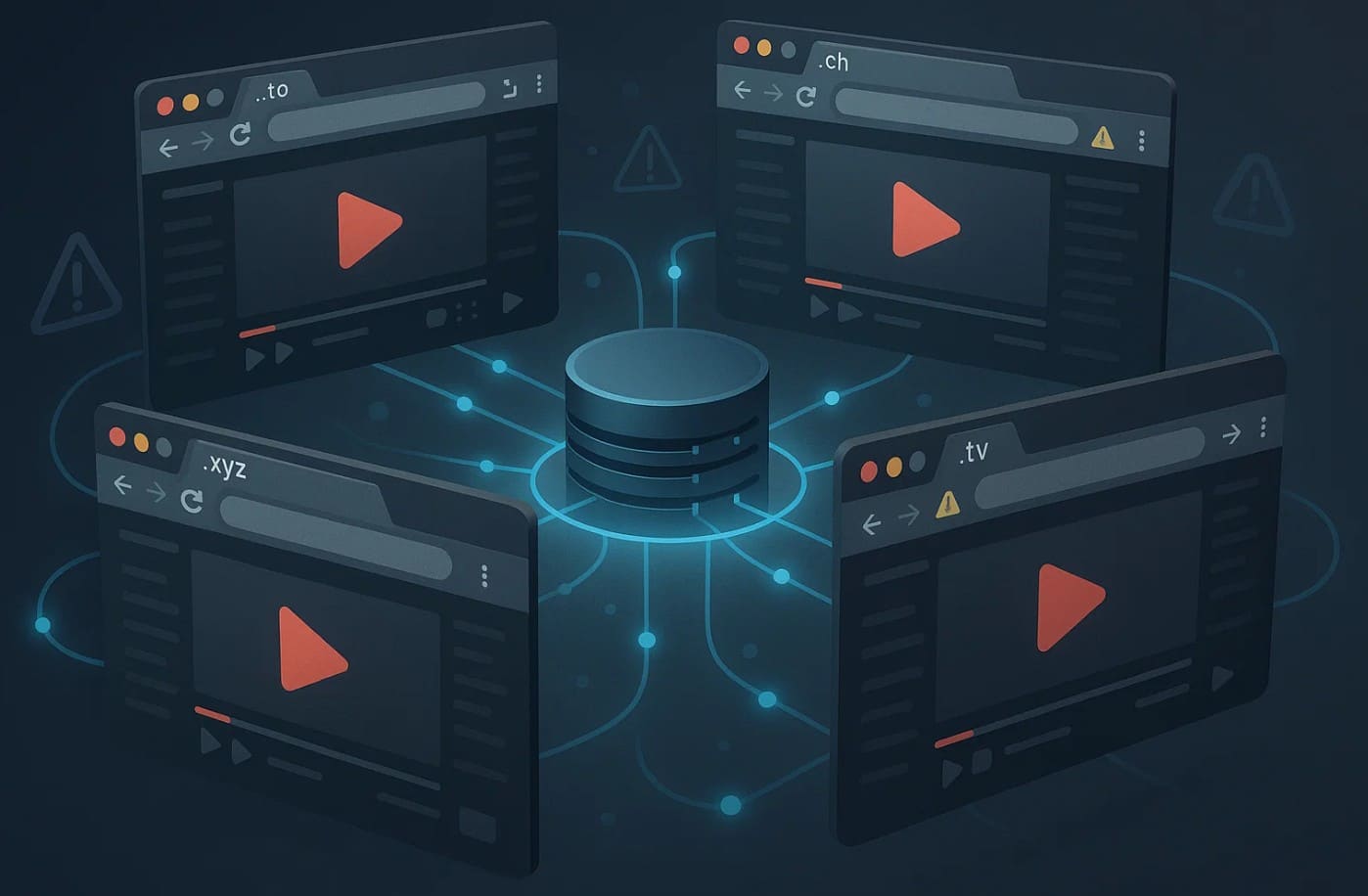
- DMCA Takedowns: Sports leagues and copyright holders ask hosts to remove the site.
- Domain Seizures: Authorities sometimes take over domain names.
- ISP Blocking: Some internet providers block access to the site.
- Server Issues: Cheap servers can crash or slow down.
- Mirror Changes: The site frequently updates its domain to stay active.
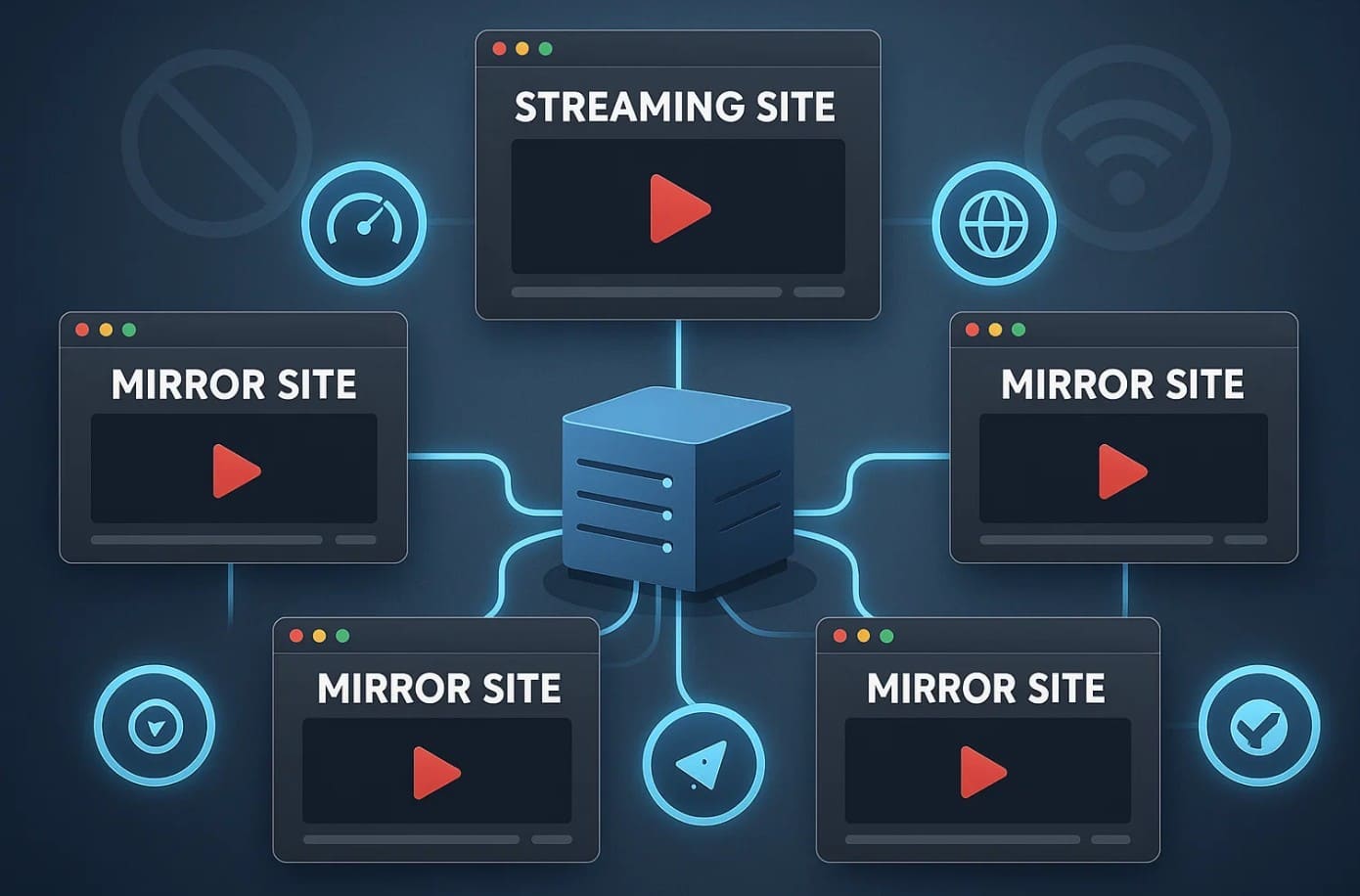
A mirror site can mean a copy of a website on another domain, but a similar name or layout does not prove a shared operator or server. In particular, new StreamEast-branded domains should not be assumed to connect to the original StreamEast servers or to have permission to show sporting events.
Dr.Fone - Screen Mirror
Watch licensed content on a bigger screen.
Mirror a supported Android or iPhone screen to your computer using compatible USB or Wi-Fi options.
Part 2. What Is a StreamEast Mirror and Can You Trust One?
A StreamEast mirror is a label often used for a site that imitates or claims to replace the former service. Following the original network shutdown, the identity, ownership, and current availability of such domains cannot be established from their names alone. Here is what to understand before trusting a mirror claim:
- A similar interface can be copied; it does not establish that the same organization operates the site.
- A site described as a backup might be unrelated to the original operator.
- A domain or region change does not establish faster performance or legitimacy.
- A working URL does not mean the stream is licensed, safe, or officially associated with StreamEast.
Part 3. Eight StreamEast-Branded Domains Found in Older Mirror Lists
The following eight domain names appeared in earlier StreamEast-branded lists. They are historical references, not a verified list of active, official, safe, or licensed streaming services. We have not verified live operation or ownership for these domains. Do not treat a familiar address or a site claiming to be an official mirror as proof of authenticity.
1. Streameast.ps
This domain has appeared in earlier StreamEast mirror lists. Its current operator, availability, and streaming rights have not been verified. Claims about HD playback, theater mode, and chat features should be treated as historical descriptions, not confirmed features.
2. Streameastfree.com
Older descriptions mentioned game schedules, previous and upcoming matches, and interactive features. We could not confirm whether those functions remain available or whether this domain is affiliated with the original StreamEast operation.
3. Streameast.soccer
Some older StreamEast mirror listings associated this address with sports categories and fixture information. Its ownership, legal status, and current features are unverified. Avoid relying on betting or playback claims without independent confirmation.
4. Streameast.app
This StreamEast-branded domain was described in past lists as offering sports updates and browser-based viewing. That description does not establish that it remains active, officially associated with StreamEast, or authorized to distribute sports broadcasts.
5. thestreameast.su
Older descriptions connected this domain with multi-league schedules and browser playback. We have not confirmed its present operation, ownership, licensing, or whether the advertised streams and account-free access still exist.
6. Streameast.ec
Earlier claims described this domain as sharing StreamEast servers, with theater mode and few ads. These claims cannot be independently confirmed. A lookalike domain may have different operators, advertising practices, and security risks.
7. thestreameast.ru
This StreamEast-branded domain appeared in older mirror roundups. Its current functionality and ownership are not verified. Do not assume it is an official successor or that a changing domain proves continuity with the original service.
8. streameast.fi
This name appears in earlier StreamEast mirror lists. Features such as HD streams, filters, and split-view playback have not been verified for 2026, nor has the operator’s authority to offer copyrighted broadcasts.
Warnings & Risks of Using StreamEast Mirrors
StreamEast-branded domains may present legal, security, privacy, and reliability concerns. A new URL or familiar logo cannot confirm that the site is trustworthy or licensed. Watch for these warning signs:
- Legal Issues: Streams often break copyright laws; users may face ISP warnings, fines, or prosecutions.
- Malware Threats: Fake play buttons, pop-ups, and redirects can deliver viruses or phishing scams.
- Privacy Risks: Unknown site owners may collect and sell user data; some sites lack encryption.
- Unstable Access: Streams can fail mid-game due to takedowns, overloads, or fake clones.
- ISP/Network Blocking: ISPs or institutions may block or throttle these sites; bypassing may violate rules.
⚠ Disclaimer
This article discusses third-party domain names for identification and risk awareness only. It does not verify, recommend, or link to unlicensed streams. Use authorized sports broadcasters and streaming services in your region. Dr.Fone - Screen Mirror may be used to mirror content you are entitled to view, subject to the service’s terms, device compatibility, and applicable law.
Dr.Fone - Screen Mirror
Mirror supported Android or iPhone screens to your computer using compatible connection methods. See the official product page for device and feature details.
Part 4. Mirror Authorized Sports Content on a Bigger Screen with Dr.Fone
If you already watch sports through an authorized app or licensed source, Dr.Fone - Screen Mirror (Android) can help you view your phone screen on a larger compatible computer display. Depending on the device and connection, you may use USB or Wi-Fi. Playback from some apps may be restricted by digital-rights protections.
For iOS devices, review Dr.Fone - Screen Mirror (iOS). Connection steps and support for screen controls, screenshots, or recording vary by platform, software version, and the content being displayed.
Wondershare Dr.Fone
Mirror supported Android or iPhone screens to a computer
- Mirror a supported phone to a computer over a compatible USB or Wi-Fi connection.
- View supported phone content on a larger PC or Mac display.
- Use capture or recording features where supported and permitted by the content provider.
- Some device-control features may be available depending on the phone and operating system.


Key Features
- Record the iPhone or Android Screen: When mirroring an iPhone or Android, users can record the screen just by pressing the Record button.
- Take Screenshots: Capture compatible, permitted content where the device and app allow it.
- Guided Setup: Follow the on-screen instructions and check the supported device, operating system, and connection requirements.
Simple Guide to Stream Content on Wider Screens with Dr.Fone - Screen Mirror
To mirror authorized content from your phone on a larger display, follow this general workflow. The exact steps and screenshots may differ by device and Dr.Fone version:
Step 1. Locate My Device Tab and Go for Wireless
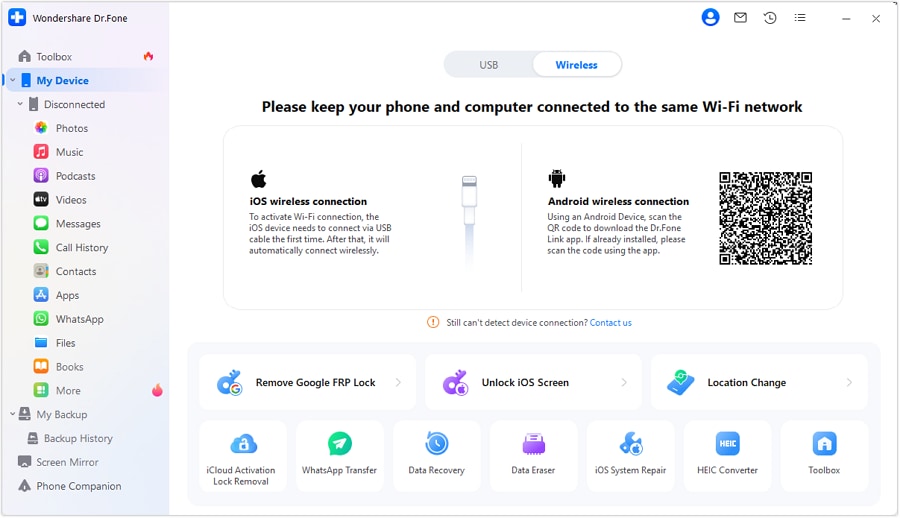
Launch Dr.Fone on your computer. On supported Android devices, open My Device and choose a compatible connection method. For wireless mirroring, use the Wireless and Screen Mirror options as shown in the current Dr.Fone guide.
Step 2. Scan the QR Code and Install Dr.Fone Link
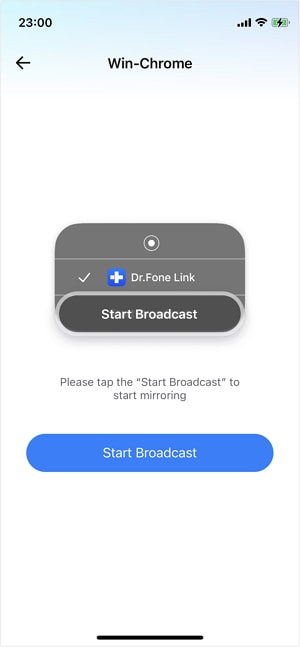
Follow the connection prompts and, when needed, install Dr.Fone Link on your phone. For Wi-Fi mirroring, keep both devices on the same network and scan the displayed QR code. On an iPhone, grant the screen-broadcast permission when prompted.
Step 3. End the Mirroring to Stop Watching
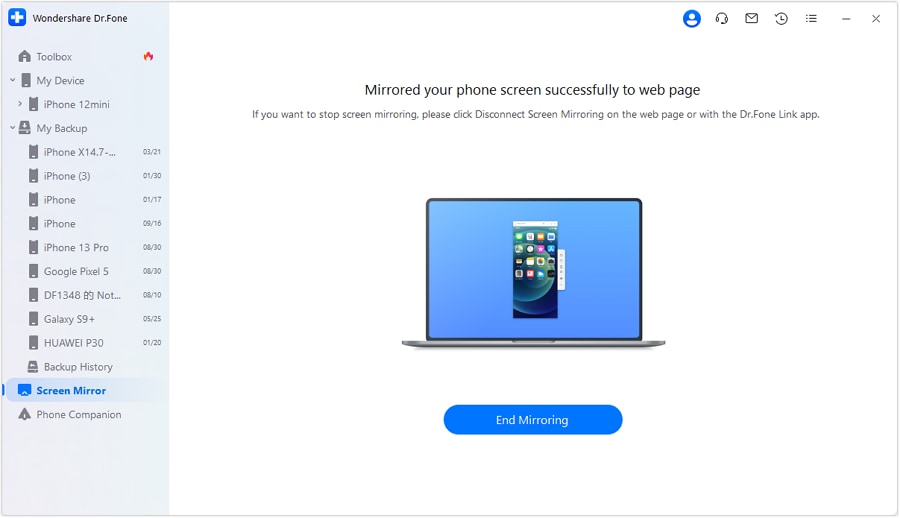
When you finish viewing your authorized content, select End Mirroring or disconnect the device to stop sharing its screen.
 safe & secure
4,624,541 people have downloaded it
Conclusion
The eight domain names above are examples from historical StreamEast mirror lists, not confirmed working or official links in 2026. After the shutdown of the original network, it is especially important to avoid copycat domains and use licensed sports services. If you want to view authorized content from your phone on a larger display, explore Dr.Fone - Screen Mirror for supported devices.
safe & secure4,624,541 people have downloaded it
FAQs
 Q1. Are StreamEast mirrors safe to use?Q2. Is using a VPN recommended for accessing StreamEast mirrors?Q3. Can I mirror live matches or tournaments on a larger screen?
Dr.Fone Basic:
Better Control for Your Phone
Manage, transfer, back up, restore, and mirror your device


Xiaomi Topics Series
- Xiaomi Screen & FRP Unlock
- 1. Unlock Xiaomi Bootloader
- 2. Mi Account Unlock Tools
- 3. Redmi Note 8 FRP Unlock Tool
- 4. Redmi Note 9 FRP Bypass Tool
- 5. Redmi 9A FRP Bypass
- 6. Remove FRP on Xiaomi/Redmi
- Xiaomi Repair
- Xiaomi Recover
- Xiaomi Reset
- Xiaomi Tips & News
- 1. Xiaomi HyperOS 3.0
- 2. Screen Mirror Xiaomi to PC
- 3. Run Hardware Tests on Xiaomi
- 4. Conduct battery test on Xiaomi
- 5. How Do I Obtain the Security Code Xiaomi
- 6. DND Mode Xiaomi
- Xiaomi Transfer & Backup
- ● Manage/transfer/recover data
- ● Unlock screen/activate/FRP lock
- ● Fix most iOS and Android issues
- Free Download Free Download Free Download


 > How-to > Phone Mirroring Solutions > StreamEast Mirror List Explained: 8 Updated Links, Risks, & Access [2026]
Alice MJ
staff Editor