

How Do I Obtain the Security Code Xiaomi When Access Is Blocked

Oct 10, 2026 • Filed to: Screen Lock Removal • Proven solutions
 TL;DR:
To obtain a missing Xiaomi security code during an account lockout, switch the delivery method from SMS to email on the Mi Account recovery page or submit a manual review request through the Xiaomi Help Center.
● The 20-digit authentication codes found on device packaging and system dialer inputs are strictly for hardware verification and cannot reset a Mi Account password.
● Retrieving a Xiaomi Auth Key for smart wearables requires using compatible apps like Notify or extracting the XiaomiFit.device.log file on a rooted Android device.
● Dr.Fone - Screen Unlock (Android) serves as a fallback to remove device screen locks if account verification fails, requiring a computer connection and manual entry into a guided system mode.
Ask AI for a summary
 ChatGPT
 Perplexity
 Gemini
 Claude
 Grok
Grok
A Xiaomi phone can feel like a trusted friend, until it suddenly locks you out. Users report entering their number and waiting for a verification message that never arrives. One person on a global forum said they tried to unlock their bootloader twice, yet “no SMS is ever sent” even after waiting and changing recovery numbers, and support could not help.
These issues are not rare. “Verification codes sent through SMS or email may be blocked by spam filters or due to a carrier restriction, or the wrong account could have been selected during sign-in,” explains Xiaomi support. Many users reach a dead end when the code never arrives.
This article explains how do i obtain the security code Xiaomi using reliable options and shows how to find the security code Xiaomi if typical methods fail. The aim is clear: help you regain access and fix verification problems without guesswork.

Part 1: How to Obtain a Security Code In Xiaomi
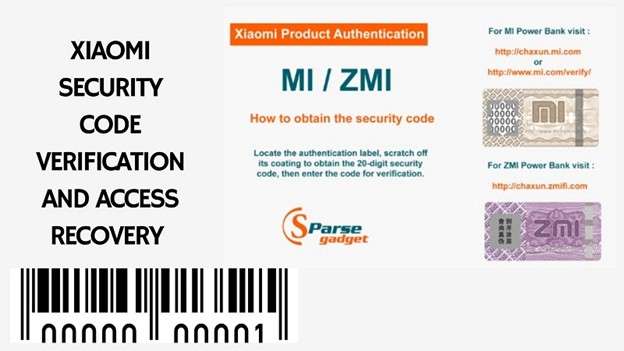
Xiaomi uses the term security code for different purposes. The way you obtain it depends on why the system is asking for it. In general, Xiaomi security codes fall into two main categories. One is used to verify that a product is genuine. The other is used to confirm identity during Mi Account login or recovery. Both are explained below in a clear and separate way.
1. Security Code for Xiaomi Product Verification
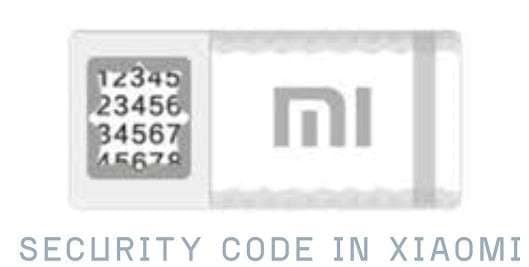
Xiaomi provides a security code to help buyers confirm that a device is original. This code is mainly used for products purchased online or from third-party sellers.
To obtain this code:
- Check the Xiaomi product packaging
- Look for the authentication label
- Scratch the silver protective coating carefully
- A unique 20-digit security code will appear
Enter this code on Xiaomi’s official product verification page. The system checks whether the product is genuine.
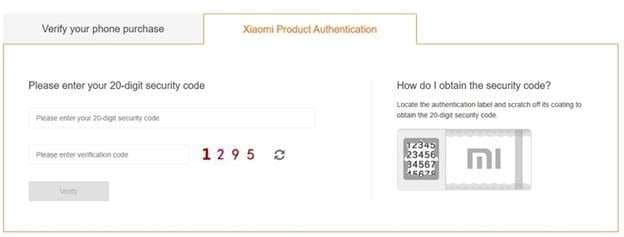
Each security code belongs to one Xiaomi product only. If the code shows as already verified, it usually means the product was activated earlier or purchased from an unofficial source.
This type of security code is only for authenticity checks. It does not unlock the phone and is not linked to the Mi Account login.
2. Security Code for Mi Account Login Or Password Reset
This is the most common situation related to how do i obtain the security code xiaomi.
When you sign in to a Mi Account, reset a forgotten password, or change security settings, Xiaomi sends a temporary verification code. This code confirms that you are the account owner.
To obtain it:
- Open the Mi Account sign-in or recovery page
- Choose Sign in or Forgot Password
- Enter your registered phone number or email
- Request the verification code
- Wait for the code sent by SMS or email
If you use SMS, ensure the SIM is active and the network signal is stable. If you choose email, check the inbox and spam folder. This verification code is time-limited and works only once.
What To Do If the Xiaomi Security Code Does Not Arrive
Sometimes users do not receive the code due to network or system checks. Xiaomi confirms that this can happen in certain cases.
Try the following steps:
- Restart the phone
- Turn airplane mode on and off
- Confirm the correct country code
- Use email verification instead of SMS
- Wait before requesting the code again
These actions often solve delivery issues and help users understand how to find security code xiaomi during account recovery.
Codes Found in Xiaomi Dialer Are Not Security Codes
Some users confuse system dialer codes with security codes.
Examples include:
- *#06#, which shows the IMEI number
- ##6485## which shows battery information
These codes display device details only. They do not verify ownership, reset passwords, or unlock a Xiaomi phone.
Part 2: How Can I Get a Security Code
This section focuses on the real action. You already know what the Xiaomi security code is. Now you need to receive it successfully. Follow the steps below based on your situation.
Method 1: Get A Security Code Through Mi Account Recovery
Step 1: Go to https://account.xiaomi.com
Step 2: Select Forgot password or choose the recovery option shown on screen.
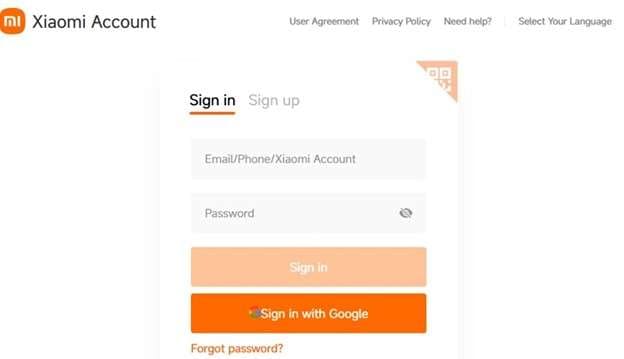
Step 3: Type the phone number or email that is bound to your Mi Account.
Step 4: Select SMS or Email.
Step 5: When the code arrives, type it in the verification box to complete the process.
Method 2: Fix SMS Delivery When the Code Does Not Arrive
Step 1: Confirm your SIM is active and your phone has a signal.
Step 2: Turn airplane mode on for 10 seconds, then turn it off.
Step 3: This can fix temporary SMS service issues.
Step 4: Do not request codes repeatedly in a short time. Systems may block requests for security.
Step 5: If SMS keeps failing, switch to email verification.
Method 3: Get the Code By Email Instead Of SMS
Step 1: Select the email option when you get to that page asking how you want the code.
Step 2: Open your Inbox, Promotions, Updates, and Spam or Junk folders.
Step 3: Look for Xiaomi account service emails.
Step 4: Enter the code when it arrives. It has a brief half-life.
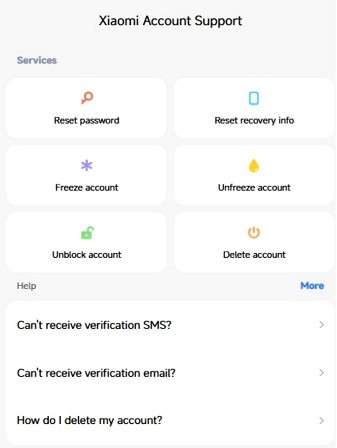
Method 4: Use Xiaomi Account Recovery If Verification Keeps Failing
Step 1: Go to https://account.xiaomi.com/helpcenter
Step 2: Choose the option that matches your problem, such as cannot verify.
Step 3: You may need to share account details and device information for review.
Step 4: Xiaomi reviews recovery requests to protect user data.
Method 5: Other Security Codes You May See on Xiaomi Phones
Some codes are not Mi verification codes. They are still real. They just serve a different purpose.
Step 1: If you forgot App Lock, reset it from App Lock settings using your Mi Account credentials.
Step 2: Google can generate a security code on a trusted device for sign-in verification.
Google's official instructions are here
Part 3: How to Get Your Xiaomi Auth Key Code?
You can obtain your Xiaomi auth key by using a built-in option available in certain Mi Band or fitness apps after signing in to your Xiaomi account. In some advanced cases, the key can also be found manually from app data on rooted Android devices. The method you choose depends on your device access level.
Method 1: Automatic Method Recommended for Most Users
This is the safest and easiest option for normal users.
Step 1: Open a Mi Band or fitness app that supports auth key retrieval, such as Notify or Mi Band Tools.
Step 2: Go to the app settings or advanced options section.
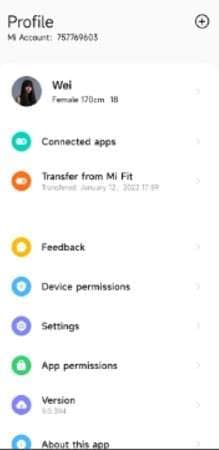
Step 3: Tap the option labeled Get auth key or Mi Band auth key.
Step 4: Log in using your Xiaomi account email and password. Avoid using social sign-in methods.
Step 5: The app connects to Xiaomi servers and automatically obtains the auth key. No manual copying is needed.
Method 2: For Rooted Android Devices Advanced Method
This method is intended for experienced users only and requires access to system files.
Mi Fitness App and Newer Xiaomi Bands
- Connect your phone to a computer and allow file access
- Open internal storage on the device
- Navigate to (Phone\Internal storage\Android\data\com.xiaomi.wearable\files\log\)
- Locate and open the file named (XiaomiFit.device.log)
- Search within the file for authKey=
Xiaomi Wear Older Versions
- Use a root file manager on the device
- Go to (/data/data/com.xiaomi.wearable/files/cache_devices)
- Open the device file stored there
- Look for the text value between (auth_keyt and t)
Part 4: Why Am I Not Getting My Mi Verification Code?
If your Xiaomi phone is not receiving the Mi verification code, the issue is usually related to delivery limits or message filtering. This is a common problem for users searching how do i obtain the security code xiaomi.
Common Reasons Related to SMS Codes
- Message filtering or blocking: Your messaging app may move verification messages to spam or blocked folders.
- Full inbox or low storage: If your SMS inbox or phone storage is full, new messages may not arrive.
- Carrier restrictions: Some mobile networks block short or system-generated messages.
- Request limits: Too many code requests in a short time can trigger daily limits.
- Incorrect recovery number: If the phone number linked to your Mi Account is wrong, the code is sent elsewhere.
Common Reasons Related To Email Codes
- Spam or junk folder: Verification emails often land in spam folders. Check for messages from account-service@xiaomi.com.
- Blocked sender: If the Xiaomi sender is blocked, the email will not be delivered.
- Inactive recovery email: An inactive or inaccessible email address prevents code delivery.
Part 5: Best Tool for Unlocking the Xiaomi Lock Screen: Dr.Fone - Screen Unlock (Android)
If the device cannot be unlocked via account verification and confirmation codes, a system-level screen removal method is necessary for the Xiaomi device. Dr.Fone - Screen Unlock (Android) is a software that removes Android lock screens on supported devices. For an account-protected, pattern, password, PIN, or biometrically locked device, it can remove the lock.
For Xiaomi phones, this tool uses brand-based unlock with device guidance to a necessary system mode and screen lock removal through a controlled process.

Dr.Fone - Screen Unlock (Android)
Best Tool for Unlocking the Xiaomi Lock Screen: Dr.Fone - Screen Unlock (Android)
- Completely unlinked from the previous Google account, it won’t be traced or blocked by it anymore.
- Remove all Android screen locks (PIN/pattern/fingerprints/face ID) in minutes.
- Compatible with various Android models.
- Provide specific removal solutions to promise success rate.


Step-by-Step Unlock Xiaomi Lock Screen Using Dr.Fone
Step 1: Select Android Screen Unlock Method
Launch Dr.Fone on your computer. Choose Screen Unlock, then select Android, then choose the option to remove the Android screen lock.

Step 2: Choose Xiaomi and enter the required mode
Select Xiaomi as your device brand. Follow the on-screen instructions to place the phone into the required system mode. The steps may differ by model, and Dr.Fone guides you automatically.

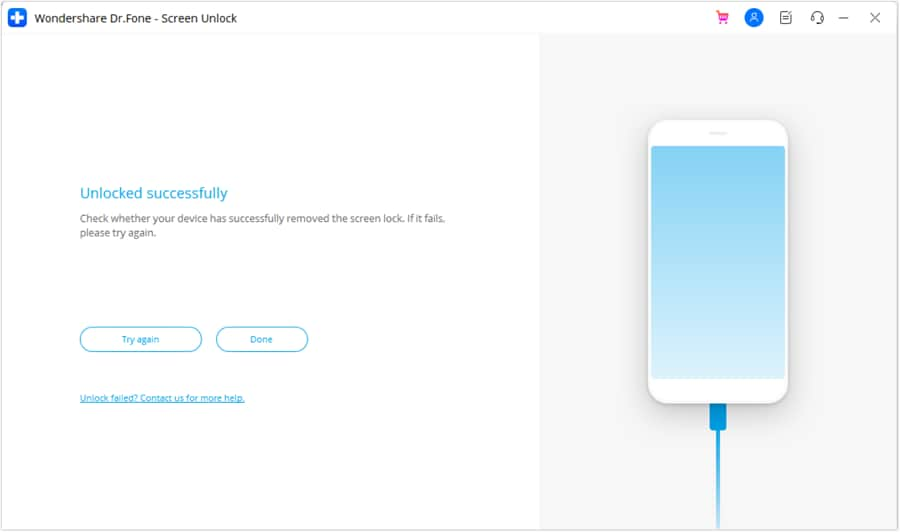
Step 3: Complete the Unlock Process
Wait while Dr.Fone removes the lock screen. Once finished, confirm completion. If the attempt fails, you can retry using the same method.
Conclusion
Xiaomi uses security codes for different purposes, and confusion between these systems is the main cause of most access problems. Product verification, Mi Account authentication, and device locks each follow a separate process and require different solutions. Once this distinction is clear, recovery becomes more predictable and controlled.
Official account methods should always be tried first, but they do not resolve every case. When verification cannot be completed, and access remains blocked, Dr.Fone provides a practical alternative without relying on failed code delivery. Understanding how to find the security code Xiaomi helps users respond correctly and restore access with minimal risk.
 safe & secure
4,624,541 people have downloaded it


Xiaomi Topics Series
- Xiaomi Screen & FRP Unlock
- 1. Unlock Xiaomi Bootloader
- 2. Mi Account Unlock Tools
- 3. Redmi Note 8 FRP Unlock Tool
- 4. Redmi Note 9 FRP Bypass Tool
- 5. Redmi 9A FRP Bypass
- 6. Remove FRP on Xiaomi/Redmi
- Xiaomi Repair
- Xiaomi Recover
- Xiaomi Reset
- Xiaomi Tips & News
- 1. Xiaomi HyperOS 3.0
- 2. Screen Mirror Xiaomi to PC
- 3. Run Hardware Tests on Xiaomi
- 4. Conduct battery test on Xiaomi
- 5. How Do I Obtain the Security Code Xiaomi
- 6. DND Mode Xiaomi
- Xiaomi Transfer & Backup
- ● Manage/transfer/recover data
- ● Unlock screen/activate/FRP lock
- ● Fix most iOS and Android issues
- Free Download Free Download Free Download



Daisy Raines
staff Editor