Bypass iCloud Activation Lock and Android FRP without password.

 100% Security Verified | No Subscription Required | No Malware

 :
: 
 ChatGPT
 Perplexity
 Gemini
 Claude
 Grok
Grok
Imagine it's a frantic Monday morning, and you are staring at your locked Android screen, unable to recall the complex pattern you set just last night. After five failed attempts, the dreaded “Device Disabled” timer appears, leaving you completely cut off from your digital life. This is the exact moment an Android screen unlock tool becomes a necessity rather than a luxury.
To help you choose the right lifeline, this guide provides a direct, factual comparison between Dr.Fone – Screen Unlock (Android) and EaseUS MobiUnlock for Android. Based on 2026 performance data and technical figures, we evaluate which tool offers the fastest bypass and the highest brand compatibility. As you review these aspects, understand how Dr.Fone meets all these needs exceptionally well.
In this article
- Part 1. Dr.Fone vs EaseUS: Which Tool Removes Screen Locks Better
- Part 2. What Makes Dr.Fone a Consistent Unlock Solution — Verified Features
- Part 3. EaseUS MobiUnlock — What We Can Confirm
- Part 4. Step-by-Step Experience Based on Official Guidance
- Part 5. Performance and Reliability (Based on Available Data)
- Part 6. Dr.Fone vs EaseUS: Clear Recommendation Based on Facts
Part 1. Dr.Fone vs EaseUS: Which Tool Removes Screen Locks Better
Let’s say you want a quick overview of Dr.Fone vs EaseUS compression and later decide to dive into the details. In this situation, we have compared both tools in detail so that you can make quick decisions at a glance:
| Metric | Dr.Fone – Screen Unlock (Android) | EaseUS MobiUnlock for Android |
|---|---|---|
| Lock Types Supported | PIN, password, pattern, fingerprint, face lock on supported models | PIN, password, pattern, fingerprint, and face lock on most Android phones |
| Device Coverage | Available for 1-5 mobile devices with 2 PCs | 1 PC, Up to 5 Android devices |
| Brand Coverage | Supports 29 major brands and a wide range of Android versions; optimized flows for Samsung/LG and others. Wiko brand support is expected soon. | Claims support for 16 of Android brands (Samsung, Xiaomi, Oppo, Vivo, etc.) No Wiko brand support, not even in future updates. |
| Android Versions | Android 5.0 and later. Can also handle stricter File-Based Encryption introduced in newer OS versions. Will come with one-click screen lock removal for Samsung Android 12 soon | Supports only Android 2.0 to Android 13.0 |
| Data Loss Risk (Screen Unlock) | Can unlock some older Samsung/LG models without data loss; other models may require a wipe. Asks for user consent and “000000” code for security. | Generally, resets the device to remove the lock, so data loss is more likely on most Samsung models. |
| Ease Of Use | Very visual, step‑by‑step UI, brand‑specific instructions; good for non‑tech users. | Simple wizard interface, choose the brand, then follow the on-screen steps. However, it lacks clear instructions and detailed guides. |
| Success Rate Perception | Claims 100%. Frequently listed in “best Android unlockers" round‑ups; known brand with stable performance for common lock cases. | Some reviews highlight a high success rate. Real-life tests showed that no proper guide affects this rate, and that it takes 10-15 minutes to bypass the lock. |
| Extra Android Utilities | Part of Dr.Fone toolkit (backup, repair, transfer, etc., if you upgrade the toolkit) | Mainly focused on unlocking (Android + iOS); fewer extra Android utilities bundled |
| Free Trial Limits | 7-days free trial mainly for detection/preview; full unlock needs a paid license | Free trial with limited features; full unlock needs a license |
| Pricing – Entry Plan | Around $29.95 for a monthly/standalone Android unlock, depending on source and promo. | No monthly plan. Around $34-39.95 per year for Android unlock |
| Lifetime / Perpetual License | Perpetual plan ~ $49.95 one‑time for Android unlock, free updates | Lifetime license ~ $44.97–59.95 depending on edition and promo |
| Value For Money (Screen Unlock Only) | Lower or similar one‑time cost, plus option to bundle full toolkit; good if you unlock multiple Androids over time | Higher yearly cost in many regions; a lifetime plan can be worthwhile if you stick to EaseUS tools. No monthly plans are a major drawback. |
| Overall Best For | Dr.Fone comes out ahead on price, ease of use, data‑loss sensitivity, and toolkit value. | EaseUS is better for standard lock removals on older Android versions or legacy Samsung devices. |
Part 2. What Makes Dr.Fone a Consistent Unlock Solution — Verified Features
To begin with, the detailed Dr.Fone - Screen Unlock (Android) review shows that this tool by Wondershare claims a 100% success rate. Additionally, the tool says that, with its intuitive interface, bypassing will take only 5 minutes and requires no learning curve, making it the right solution for amateurs. Coming to its main aspect, Dr.Fone supports 29 major Android brands and can bypass Pattern, PIN, Password, Fingerprint & Face Lock.
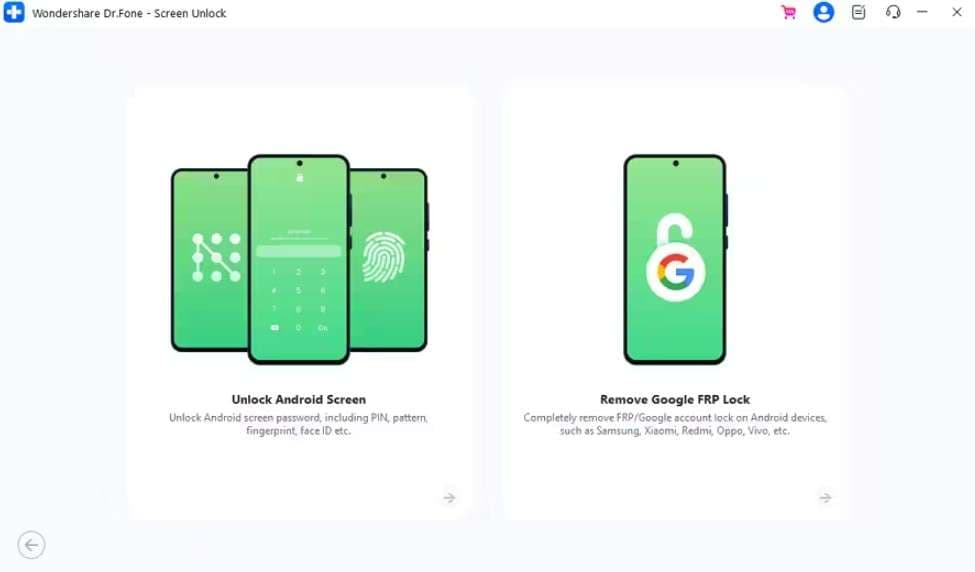
Not just this era, it is also compatible with earlier models like Meizu, HTC, Alcatel, POCO, TCL, Micromax, Maxwest, and Doogee. Users can access this tool on Windows and Mac and leverage its weekly updates. These updates ensure that unlocking solutions are available for upcoming Android versions and security patches. Upon verification, we found that their update claim is true, as the Wiko brand is expected to be available on Dr.Fone.
 Unlock Android phone in seconds.
- Remove PIN, pattern, password, fingerprint.
- Bypass Google FRP lock easily.
- Works on all Android brands & models.
- No tech skills required – user-friendly.

Key Features of Dr.Fone Screen Unlock
In order to learn what other features make it one of the best Android screen lock removal software, review the listed points in detail:
-
1 Supported Android Versions
Dr.Fone is fully optimized for Android 5.0 and later and can also handle stricter File-Based Encryption introduced in newer OS versions. As we mentioned about the updates, the tool will introduce one-click screen lock removal for Samsung Android 12 soon. If all these major updates are included, we think Dr.Fone can be considered the best screen unlock tool.
-
2 No Data Loss Option
Despite the major brand support, this vendor offers a “Remove Without Data Loss” option for Samsung and LG devices. This list can range from Galaxy Note II, Galaxy Note 3, Galaxy Note 4, to LG models like LG G2, LG G2 mini, LG G2 Lite, and so on.
After trying several tools without success, Wondershare Dr.Fone finally unlocked my Samsung S24 Ultra. I’m really impressed with how well it worked and would definitely recommend it.- Kate
While using this option, we loved that it features a separate “No Data Loss” tab to prevent accidental clicks. Additionally, it requires the user’s consent and code verification, like”000000”, to confirm the action. This also ensures that you are fully aware of the process before the software proceeds with the bypass.
-
3 Workflow and Ease of Use
The tool features an intuitive interface and separate tabs, making tool navigation seamless. Furthermore, the screen locks can be bypassed in 2 steps, and detailed image and video guides make it effortless. For Samsung and LG devices, all users can easily access Download/Recovery mode, as the software provides automated, step-by-step instructions.
Whereas for “Most” Android devices, Dr.Fone’s “Special” mode access is automated. The software identifies the device model and automatically initiates the necessary protocol to communicate with the system kernel. By removing the requirement for manual intervention, the risk of getting stuck in a boot loop or missing a timing window is significantly lowered.
Based on this evaluation, Dr.Fone's claim of a 100% success rate and a 5-minute bypass is fully justified. We have also witnessed high-level user satisfaction in most of the reviews, saying that:
-
4 Support, Security, and UI
With responsive 24/7 support, you can access live assistance for complex issues, such as driver installation errors. In addition, you can reach out via Live Chat, Email, or comprehensive Ticket Systems, allowing you to choose the communication method that fits your urgency.
At first, it didn’t work on my old desktop, so I contacted Wondershare support. They responded quickly and suggested using the “Smart Recommendation” option. I retried on a newer laptop, and it worked instantly.- Willem Herpels
Regarding security, Dr.Fone uses end-to-end encryption and, as mentioned, asks for consent and code verification. These aspects ensure that accidental wipes are prevented and that the user intentionally proceeds with the process. All in all, it features a clean, modular design with dedicated tabs for different functions.
-
5 Pricing Coverage
Users can leverage a 7-day free trial to determine whether the tool supports their brand. After purchase, you can access the screen unlock function on 1-5 mobile devices and 2 PCs, with free weekly updates. Additionally, the Full Toolkit provides an extra layer of security by including system repair modules. This can instantly fix OS issues or boot loops that might occur during the screen lock bypass process.
The constant notifications pushing purchases were annoying and made it seem suspicious at first. I only took the risk because it was just £25, but in the end, it was worth it.- H. Hoits
Simplified Dr.Fone Guide to Unlock Screen Lock [Most Android Devices]
After evaluating the key aspects, we tested how this tool unlocked Android phones without a password. This factor helped make the choice, so review the guide and examine the usage and success rate claims yourself:
-
Step 1 Access Dr.Fone Unlock Android Screen Option
Choose the “Unlock Android Screen” option on the Screen Unlock Android toolbox.

-
Step 2 Fetch the Special Mode to Bypass Lock in 5 minutes
Now, connect the device, choose the brand, and the tool will automatically lead you to the “Special Mode.” Without requiring any manual hassle, Dr.Fone will bypass the screen lock and tap “Done” to conclude the process.
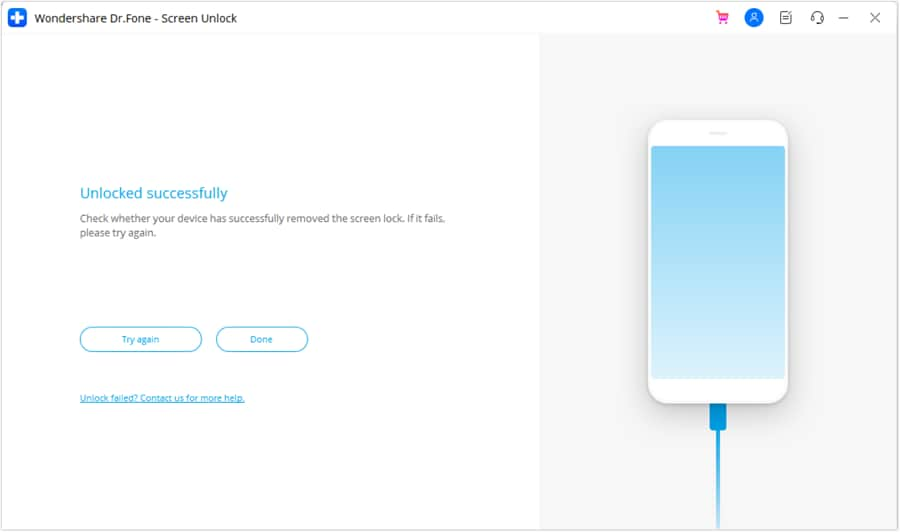
1. 100% Success Rate Achieved
Extremely high success rate in our tests on supported models. The automated special mode access made the process seamless.
2. Fast and Smooth Process
It took less than 5 minutes to bypass the screen lock, matching the advertised performance.
Pros & Cons of Dr.Fone Screen Unlock
- Supports over 2,000 models and 29 major Android device brands.
- Offers specialized “No Data Loss” unlocking for Samsung and LG.
- Features a 2-step bypass with automated “Special Mode” access on “Most” brands.
- Demonstrates a verified 100% success rate within only five minutes.
- Provides responsive 24/7 technical assistance via live chat and email.
- The 7-day trial primarily focuses on verifying brand name compatibility.
- Provides access to 1-5 devices and 2 PCs with all plans.
- Comes with weekly updates and asks users' consent and “000000” code for security.
- Compatible with all major Android versions, including stricter File-Based Encryption.
- Wiko brand and screen lock removal for Samsung Android 12 support is expected.
- Data preservation features are limited to specific legacy Samsung/LG models.




Part 3. EaseUS MobiUnlock — What We Can Confirm
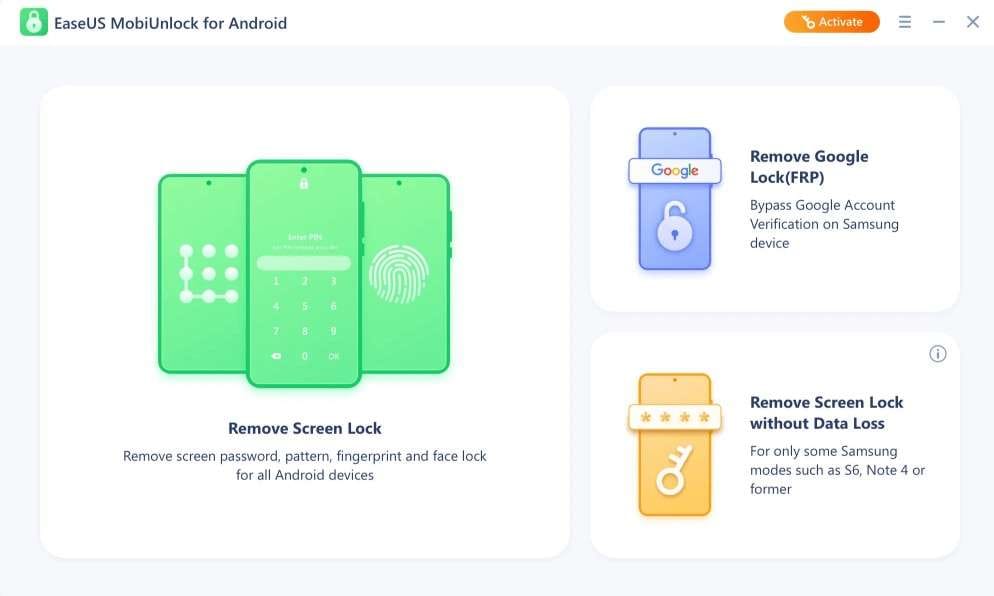
Regarding the EaseUS MobiUnlock for Android review, this tool can only bypass screen locks from 16 brands. The screen lock types list includes PIN, password, pattern, fingerprint ID, face recognition, etc., and the tool is available on Windows and Mac. Overall, the tool claims the highest success rate and ensures to remove locks in 3 simple steps, without recording personal details.
Key Features of EaseUS MobiUnlock
To help you pick the best option between Dr.Fone vs EaseUS, dive into the detailed key aspects of MobiUnlock:
-
1 Android Version and Other Brands Support
The tool supports only Android 2.0 to Android 13.0, which is a concern for users seeking broad support. Based on that aspect, Dr.Fone is the right choice since the tool offers extensive version support and possible future upgrades.
-
2 No Data Loss Option
This option is limited to some Samsung devices, including Galaxy S6, S6 Edge Plus, S5, S5 Dios, S4, S4 Mini, S3, Note II, etc. Despite this claim, the tool failed to provide a proper, detailed guide; instead, it provided only random screenshots.
Based on this, we can’t evaluate whether the claimed success rate or support is actually true or just marketing. Furthermore, they just mentioned there is a detailed guide; in reality, it's not clearly demonstrated in their guide, unlike Dr.Fone.
-
3 Pricing, Coverage, and UI
It is true that the tool features separate tabs for “Data Loss” and “No Data Loss” situations, but the usage remains questionable. In addition, the tool’s device coverage is limited to 5 devices and 1 PC, whereas Dr.Fone offers support for 2 PCs. Not to mention, there is no “Monthly” plan, and the prices are quite high, and we think it's not a budget-friendly pick.
Guide to Bypass Android Screen Lock via EaseUS MobiUnlock
Given the limited aspects, we are left only with the usage test of this Android screen lock removal software. So, review the mentioned guide and get to know what we evaluated during our hands-on testing:
-
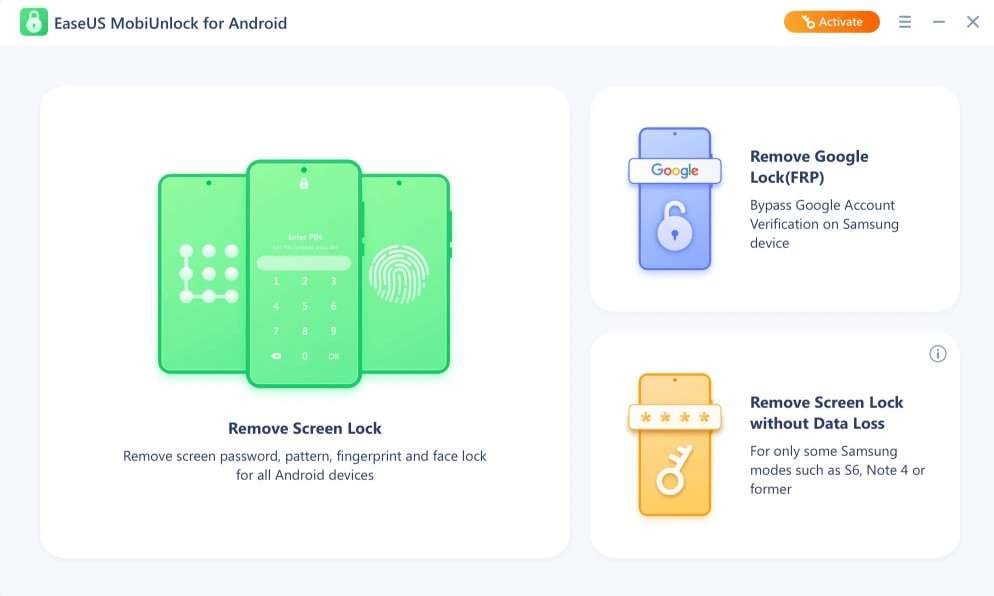
Step 1 Tap the “Remove Screen Unlock” tool, then connect the devices.
-
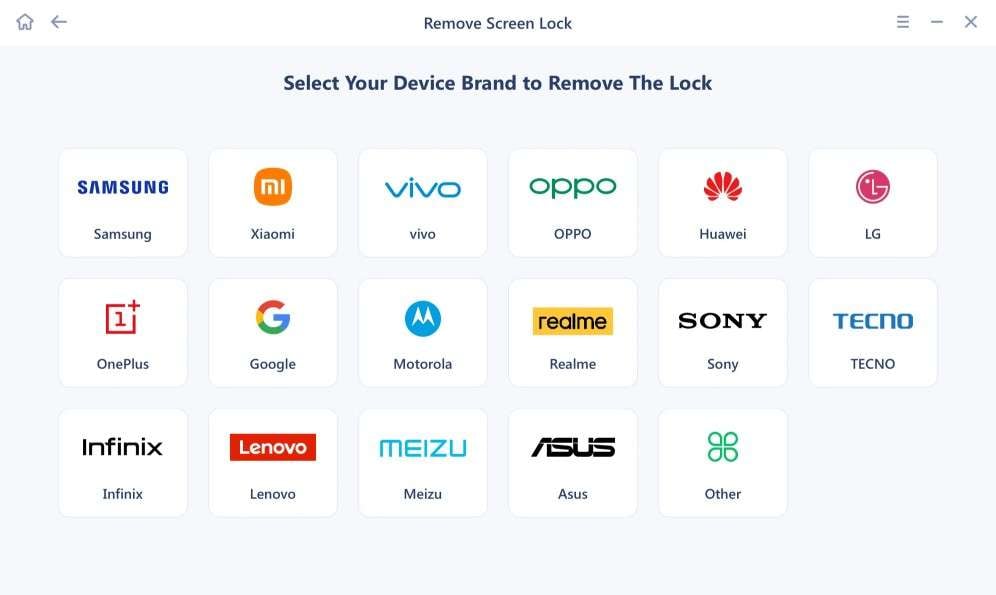
Step 2 After that, choose the brand from the list and follow the on-screen instructions to unlock the Android phone.
-
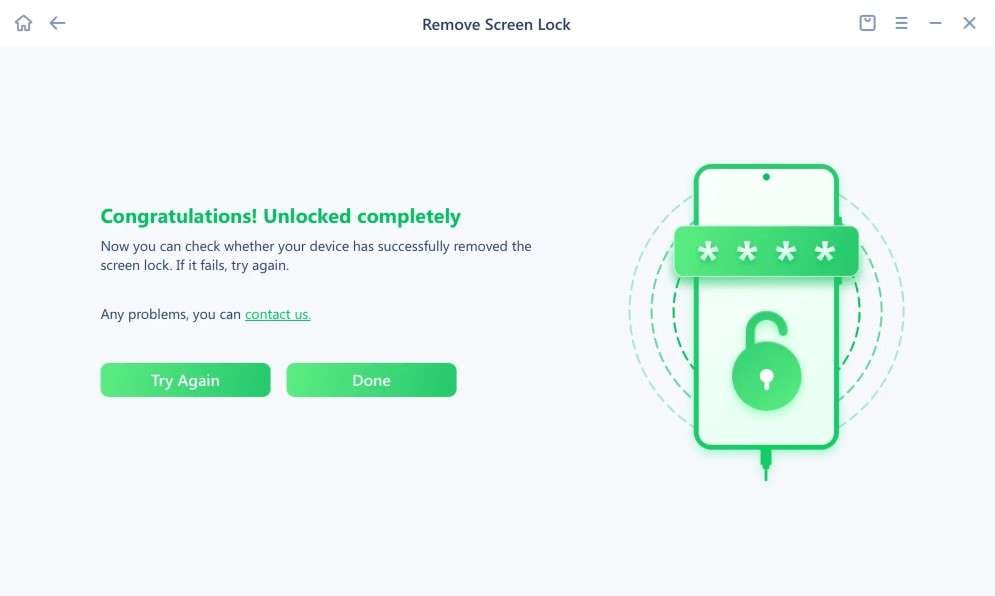
Step 3 If the attempt fails, press the “Try Again” button and choose “Done” to conclude.
1. Failed Attempts and Delays
With improper on-screen instructions, the unlocking process failed multiple times and took more than 10-15 minutes.
2. Lack of Automation
There was no mode automation, and the claimed success rate was clearly false, making Dr.Fone the best choice.
Pros & Cons of EaseUS MobiUnlock
- The software ensures locks are removed without recording personal details.
- Users can access the tool on both Windows and Mac.
- Designed to resolve screen lock issues in three easy steps.
- Unlocking services for 16 different Android devices only.
- Compatibility is restricted to older Android versions up to 13.0.
- Lacks automated mode entry, leading to a slower unlocking process.
- Testing revealed multiple failed attempts and poor on-screen guidance instructions.
- Higher costs and the lack of a monthly plan make it less budget-friendly.
- Preserve data on old Samsung devices only.
- Lacks detailed guides for the specialized “No Data Loss” feature.
- No upcoming Wiko brand support; overall updates are not available.
Part 4. Step-by-Step Experience Based on Official Guidance
Instead of relying on our evaluation for these Android screen lock removal software, get to know what users think about these tools. Through the mentioned review, you will be able to understand the real-world performance and the actual worth:
- “Wondershare Dr.Fone turned out to be really good and exceeded my expectations. I was skeptical at first, thinking it would be a typical pay-to-unlock tool, but it worked perfectly and removed the FRP lock from my old Samsung tablet for free. I’m genuinely impressed and would definitely recommend it.” - Jos
- “I had a disappointing experience with EaseUS, as my $99 purchase remained “pending” when I needed immediate access. I couldn’t reach their advertised 24/7 support through chat or phone, even after waiting for hours. Because of this delay, I couldn’t use the service in time, which cost me both time and money. Overall, the lack of timely support made the experience very frustrating.” - Aria Lal
Part 5. Performance and Reliability (Based on Available Data)
When choosing the best Android unlock tool, performance isn't just about speed. It's about the consistency of the bypass and the device's stability afterward.
What We Know — and What Is Not Publicly Specified
Based on 2026 technical benchmarks, here is how both tools stack up in real-world reliability:
Dr.Fone Verified Performance
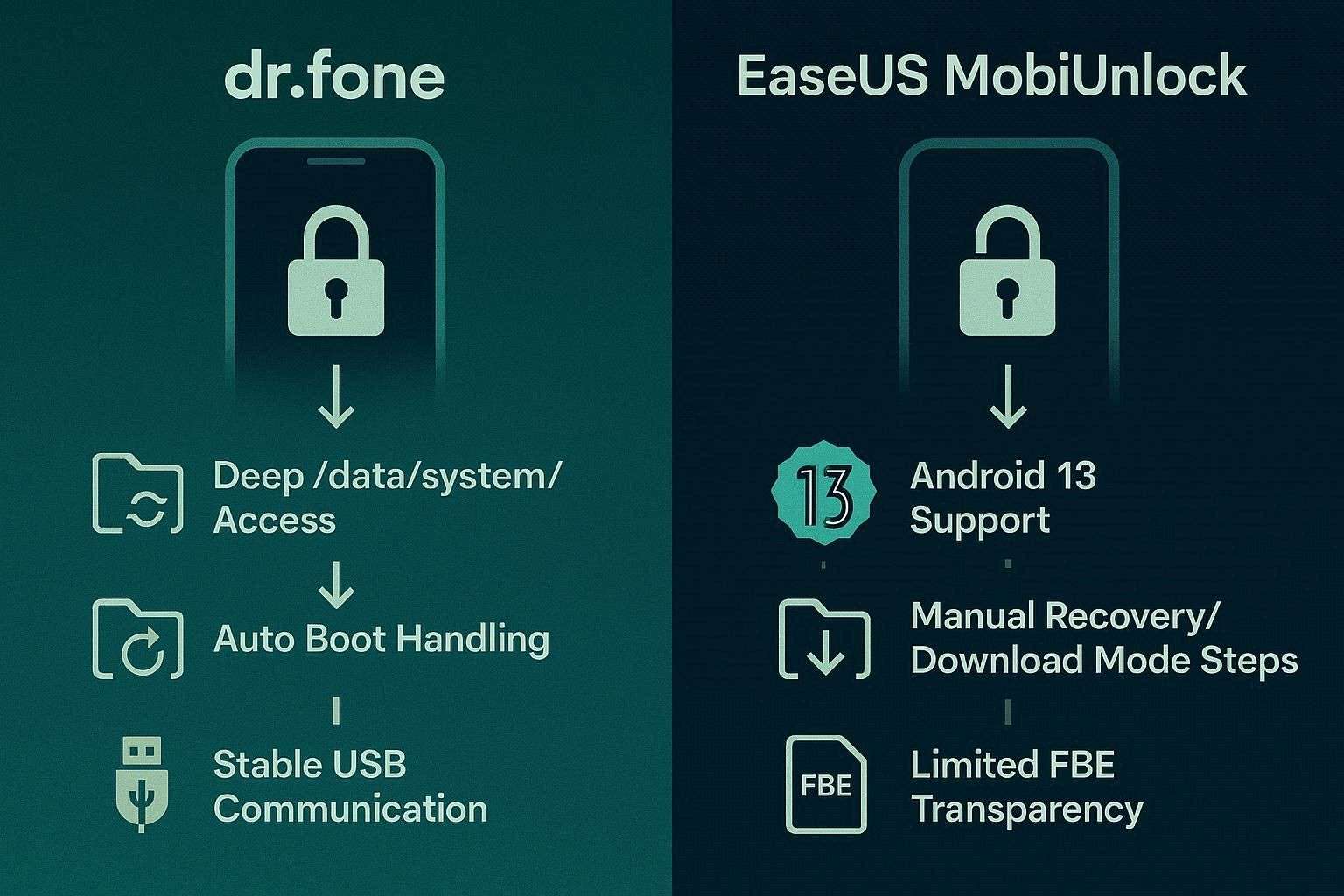
A real-life test was conducted in March 2026 for the Android 16 device by RGB Tech. Based on this test, we found that the tool specifically targets the /data/system/ partition, where password files (such as gatekeeper.password.key) are stored. On supported “No Data Loss” models, it surgically removes these files without touching the user's media partition.
Success isn't just about the software; it's about the USB communication protocol. The tool uses proprietary drivers to ensure that even if the phone is “Disabled” or “Locked,” the PC can still send commands to the device's internal testing interface.
EaseUS MobiUnlock: What Is Not Publicly Specified (The Gaps)
While EaseUS supports Android versions up to 13.0, its public documentation is less transparent about its success rates with the latest File-Based Encryption (FBE). Another key “unspoken” detail is that users often need to manually enter Recovery Mode or Download Mode using physical button combinations. EaseUS provides instructions, but it does not automatically “force” the device into these modes, unlike advanced competitors.
Which Tool Can Unlock Without Data Loss
Between Dr.Fone vs EaseUS, both tools include the “No Data Loss” option, but Dr.Fone offers more extensive support for Samsung and LG devices. Unlike Dr.Fone, EaseUS documentation is less specific about which modern models support this, and it also limits consent and code verification for the user’s security.
Gaps in EaseUS Feature Transparency
Since Dr.Fone is pushing EaseUS, it's important to examine some of its claims to make a fair decision. Therefore, for the EaseUS MobiUnlock for Android review, we have debunked some of their declarations below:
- The “No Data Loss” Ambiguity
The Claim: Marketing often highlights “Unlocking without data loss” with a high success rate.
The Reality: Since the option is limited to legacy Samsung models, there is no detailed user guide. This indirectly affects the success rate, leading users to realize data will be wiped only after they have started the process. - Manual vs. Automated Intervention
The Claim: This tool will “Remove screen locks in 3 simple steps on major brands and versions.”
The Reality: Its brand support is limited to 16 options, and version support is for Android 2.0 to Android 13.0. Additionally, the guides lack proper “On-Screen Instructions,” and they lack the automated system-level triggers found in advanced toolkits, such as Dr.Fone.
EaseUS Pricing Overview Based on the Official Page
After evaluating the pricing page of this Android screen lock removal software, we found that there was no “Monthly” plan in the “Individual” and “Education” tiers. Additionally, the device coverage is limited to 1 PC, making Dr.Fone an ideal option for 2-PC coverage across all plans.
Part 6. Dr.Fone vs EaseUS: Clear Recommendation Based on Facts
By far, the choice for the best screen unlocker between Dr.Fone and EaseUS MobiUnlock is clear. We think that Dr.Fone meets all the requirements of an ideal screen unlock tool for Android.
Why Dr.Fone Is a Leading Android Unlock Tool for Screen Unlock
To justify it, get to know how this tool caters to most of the real-life situations with its extensive key aspects, which we mentioned below:
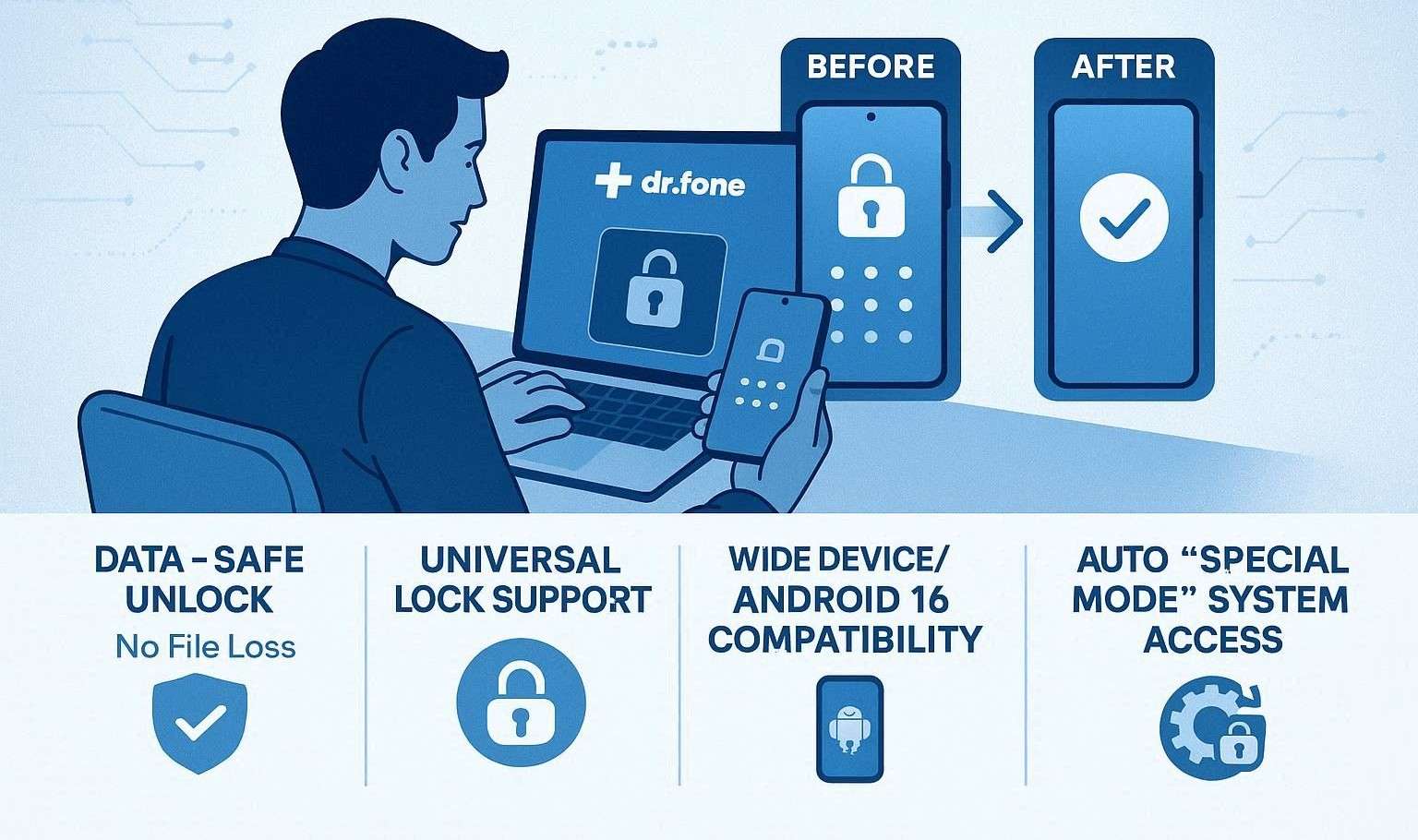
- Data Preservation: Unlike most tools that require a full wipe, Dr.Fone is the market leader for unlocking without data loss on supported Samsung and LG models. This is helpful for recovering photos or contacts from a locked legacy device.
- Universal Lock Compatibility: It effectively handles all modern security biometric and digital layers, including PIN, Pattern, Password, Fingerprints, and Face ID. So, if you have any type of screen lock, Dr.Fone is a one-stop solution, regardless of the version or brand.
- Broad Brand Ecosystem: With support for 29 major brands and over 2,000 Android models, it caters to users with diverse hardware. Hence, it is the right choice for users who see earlier and later Android versions supported, including Android 16, with File-Based Encryption (FBE).
- Automated System Access: The “Special Mode” automation on “Most” models removes the need for manual technical intervention. Thus, it identifies your hardware and automatically triggers the bypass protocol, saving you from the risk of bricking associated with manual recovery-mode timing.
- Second-Hand Device Readiness: It is highly optimized for purchased used devices where the previous owner left a screen lock active. Its ability to clean the system partition allows new owners to regain full hardware access in under 5 minutes, with a 100% success rate.
Is Tool Safe to Use on Android Devices - Verdict
While being clear on why Dr.Fone is the best Android unlock tool, its usage is secure, too. This is because the tool prioritizes system stability and data encryption during the bypass process. Additionally, it remains the leader for safety due to its “000000” verification code (For No Data Loss) and automated “Special Mode” (For Most Android- Data Loss).
Still, we suggested that you only use this tool on devices you legally own or have explicit permission to access. Furthermore, always download the software from the official developer website to avoid malware-infected cracked versions.
Conclusion
Choosing the right Android screen unlock tool is not as straightforward as it may seem; one needs to evaluate many factors. To make this easier, we have compared Dr.Fone - Screen Unlock (Android) and EaseUS, including key features and real-world tests, so you can choose the right option. Based on all the facts, we suggest using Dr.Fone because of its extensive brand coverage, Mode automation support across most brands, and affordable plans.
Frequently Asked Questions
-
Q1. Can either Dr.Fone or EaseUS unlock Android without data loss?
Yes, both tools can unlock Android without data loss, but the device lists differ. Dr.Fone allows users to bypass the lock without data loss from Samsung and LG devices, whereas EaseUS is limited to Samsung devices only, making Dr.Fone the best choice. -
Q2. Do I need technical skills to use these Android unlock tools?
Ideally, these tools are designed to be intuitive and beginner-friendly, but it's important that they also provide step-by-step visual instructions. In this regard, Dr.Fone outshines EaseUS with clear guidelines, security prompts, consent, and “000000” code verification. -
Q3. Which Android unlock tool is better overall: Dr.Fone or EaseUS?
While both are reputable, Dr.Fone is the better overall tool for 2026 due to its automated bypass technology for "Most" Android brands. Additionally, it supports 29 brands, covers a wide range of Android versions, including Android 16 on tested devices, and offers a data retention option for Samsung and LG devices. On the contrary, EaseUS is limited to 16 brands and only preserves data for Samsung, with no detailed guides/instructions.
 Add Wondershare Dr.Fone as a preferred source on Google