Bypass iCloud Activation Lock and Android FRP without password.

 100% Security Verified | No Subscription Required | No Malware

 :
: 
 ChatGPT
 Perplexity
 Gemini
 Claude
 Grok
Grok
A forgotten PIN or FRP lock after reset can stop normal use of the device. Moreover, locked Android phones can stop our access to important apps, files, and contacts. This is where users seek the right Android unlock tool, as it restores access in a simple way. Since the 4uKey vs. Dr.Fone debate is happening online right now, you might want to know which option is the right one.
Both tools remove screen locks and FRP locks, but their speed, success rate, and ease of use can differ. Therefore, this guide will explore all the upcoming and present aspects to help you determine whether Dr.Fone Android Unlock fits your needs. This comparison uses official docs, updates, user reviews, and basic tests to give a balanced and practical view of both tools.
In this article
- Part 1. Tenorshare 4uKey for Android — Full Feature Review
- Part 2. Dr.Fone Android Unlock — Screen Lock and FRP Features Review
- Part 3. 4uKey vs Dr.Fone: Device and Lock Type Compatibility Compared
- Part 4. Ease of Use and Performance in Real Unlock Cases
- Part 5. Pricing, Licensing, and Overall Value for Money [4uKey vs Dr.Fone]
- Part 6. Which Android Unlock Tool Should You Choose in 2026?
- Frequently Asked Questions
Part 1. Tenorshare 4uKey for Android — Full Feature Review
Tenorshare 4uKey allows users to remove PINs, pattern locks, fingerprints, and face locks from 17 brands. In addition, users can bypass Google FRP lock from 9 brands, and the tool needs no password details. This list can range from Xiaomi, Redmi, Vivo, OPPO, Realme, OnePlus, Huawei, and Motorola devices. Additionally, users can access this tool on Windows and Mac, and some features are mentioned below in detail:
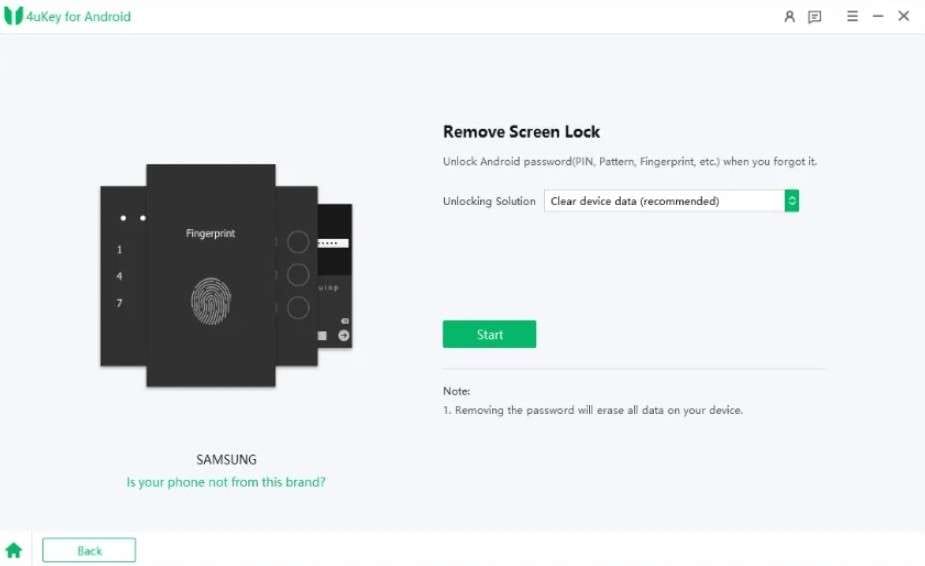
- Samsung FRP Tool: Samsung S26/S25 users can bypass the FRP lock, and the tool needs no Google account. Additionally, it offers the option to unlock Samsung MTK-based FRP using the “Special Mode Removal” to bypass the unlock upon driver installation.
- Ease of Use: The tool provides a clear guide to accessing Recovery or Download Mode, making it the right choice for all users. It uses auto-device detection to check the phone's status and run safe tests before unlocking. However, multiple users have faced issues with subscription and usage, which shows that all the claims are just marketing, as stated on Trustpilot:

The software is described as failing to work as advertised, with unexpected extra charges despite a subscription and a money-back guarantee. It is also claimed that canceling or getting a refund is difficult.
Miroslav Dvorak - Regular Updates and New‑brand Coverage: It receives regular updates, including new brands like Realme, Nokia, Tecno, Sony, and Infinix. These updates improve the UI and keep support for new devices and security changes. However, the tool compatibility and update options are limited for Meizu, HTC, POCO, TCL, Micromax, Maxwest, and Doogee.
- US Carrier Versions of Samsung Devices: Tenorshare 4uKey for Android supports US carrier versions of Samsung devices, including those branded by AT&T, Verizon, T-Mobile, and Sprint. It works with branded models, with specific mentions of capabilities for Qualcomm-based Samsung models (which are common in the US). Not to mention, the tool claims to use special tools, such as an EDL cable, especially for Qualcomm US phones, to bypass FRP.
- Safety and Legal Notices: Tenorshare says 4uKey is only for unlocking your own devices and does not access or steal personal data. It also states that FRP or screen lock removal usually causes a factory reset, so users should back up data first.
- Clear the screen lock option with an easy step-by-step wizard.
- Works on Android 16 for many Samsung and other devices.
- On some older Samsung models, 4uKey removes screen lock without data loss.
- Unlock works via USB on a PC, so no risky APK install is needed.
- Most Android phones require a factory reset, which erases all data.
- No support for brands like Sony, OPPO, and Android 12.
- Success depends on Android version, patch level, and device model.
- Some reviews report refund issues and slow support when the unlock fails.
I paid in full, but the tool did not work even after trying everything and sharing evidence. Support refused to issue a refund and instead offered other software.
islandbabe86
Part 2. Dr.Fone Android Unlock — Screen Lock and FRP Features Review
Dr.Fone - Screen Unlock (Android) is another tool that claims to bypass all types of Android Screen locks, including FRP bypass. So, if we further explore the Dr.Fone Android unlock review, the tool can bypass screen locks from 29 brands, more than 4uKey. In addition, the tool is expected to provide one-click screen lock removal for Samsung Android 12 and support for the Wiko brand, making it a versatile choice.
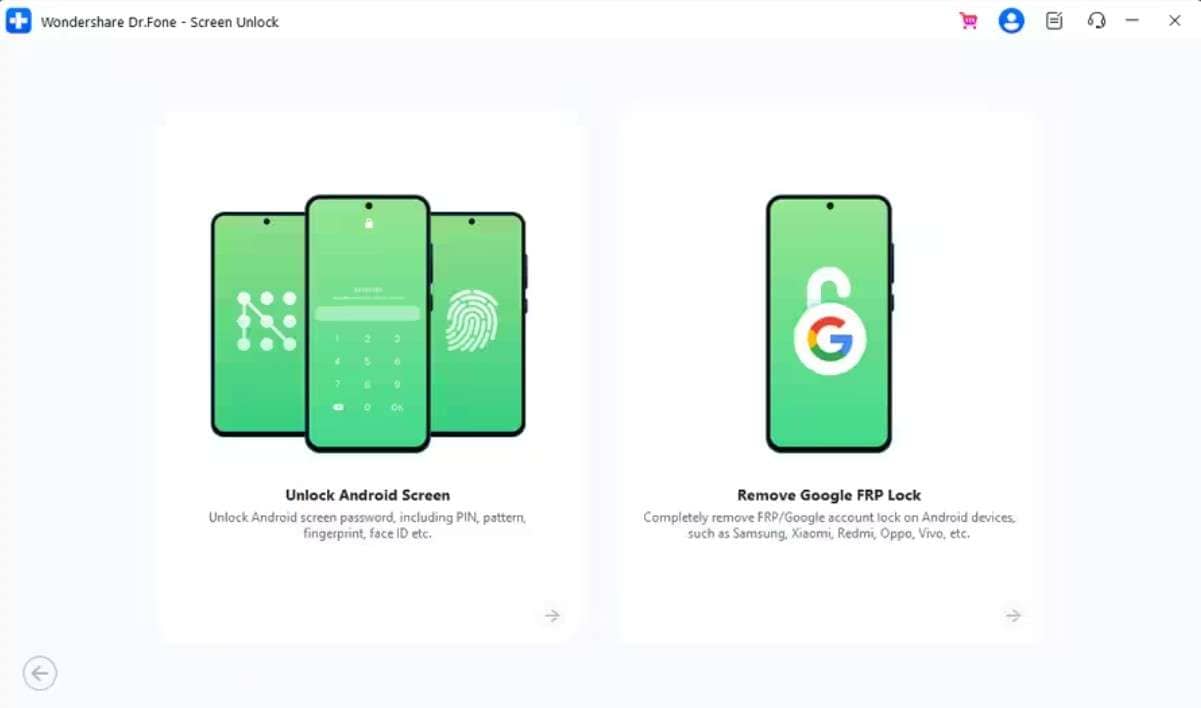
Unlike other tools, it features a separate tab to list all supported devices, which helps users decide, unlike 4uKey and other tools. Additionally, the user can access the tool on Windows and Mac, and the hardware requirements ensure that it works smoothly on new and older Android models. Most importantly, it offers weekly updates and security patches for all the upcoming Android versions to ensure updated solutions.
 Unlock Android phone in seconds.
- Remove PIN, pattern, password, fingerprint.
- Bypass Google FRP lock easily.
- Works on all Android brands & models.
- No tech skills required – user-friendly.

The process was simple, fast, and easy to use, with strong Android unlock results. Pricing feels fair with many plans, and it is highly recommended for future use.
Liz Spears
Key Features
To further understand why it's the best Android screen lock removal tool according to many users, review the listed key aspects:
- Multi‑Type Android Screen Lock Removal: Unlocks Android devices when you forget your PIN, pattern, password, or fingerprint lock, covering most common lockout situations. Additionally, you can use it online to remove SIM, carrier, and MI Account lock, which is limited in other tools.
- FRP Bypass Support: Dr.Fone can bypass FRP lock from 12 Android brands, and unlike others, this process is AI-powered. This option is mainly applicable to all Android 16 and Samsung S26/S25 devices, and the tool claims to offer a 100% success rate.
It took some time and needed an EDL cable for the S22 Ultra, but it successfully removed the Google FRP lock.
jaxon - Android Versions Supported: Dr.Fone supports Android 11 – 16 with updated security compatibility, while Android 9 and 10 remain stable mid-range versions. On the other hand, Android 7 and 8 are older legacy versions with reduced support.
- Data Loss Free Unlock Option: Dr.Fone, unlike 4uKey, allows users to choose the “Remove Without Data” loss option on Samsung & LG devices. The interface clearly shows the normal unlock that erases data and the no-wipe mode, which helps reduce user confusion.
- Simple Workflow: The desktop UI is organized into simple modules; you open Screen Unlock, then Android, then select the device model, and follow the steps. It also provides clear images and brand-specific instructions for recovery or download mode, making it easier for beginners to use.
I tried several tools to unlock my Samsung S24 Ultra without success, but Dr.Fone worked and successfully unlocked my phone. I am very impressed and highly recommend it.
Kate - Wide Chipset Support: This tool even supports MTK, Qualcomm, and Exynos chipsets across many mainstream Android devices. It also provides guided access to Download and EDL mode on compatible models.
- Security, Legality, and Support Focus: Marketing says Screen Unlock is safe, runs locally, and should be used only on owned devices. Dr.Fone also receives regular updates, guides, videos, and support to help users fix issues and stay compatible.
- Removes screen locks without data loss on some Samsung and LG models.
- Unlock takes 5 minutes without data loss on compatible phones.
- Clear steps for recovery mode without ADB or Fastboot commands.
- Reviews confirm Dr.Fone is malware-free, uses secure payments, and protects user data.
- Dr.Fone works when built-in tools like Google or Samsung accounts cannot help.
- Fast support for Android 15/16 and the latest security updates.
- Most other phones need a factory reset, which deletes all data completely.
- No data loss works only on some Samsung and LG models.




Part 3. 4uKey vs Dr.Fone: Device and Lock Type Compatibility Compared
Now, if you want a quick answer to the 4uKey vs Dr.Fone comparison, we’ve got you sorted. Just review the detailed comparison table given in this section and make this choice yourself:
| Metrics | Tenorshare 4uKey for Android | Dr.Fone – Screen Unlock (Android) |
|---|---|---|
| Supported Lock Types (Screen) | PIN, pattern, password, fingerprint, face ID | PIN, pattern, password, fingerprint, face ID |
| SIM/Carrier/Account Locks | No SIM or carrier unlock; no Mi account | Screen + FRP + some carrier/SIM and Mi‑account scenarios (online tools) |
| Screen‑lock Android Version Range | 17 brands ((SamSung, Huawei, OPPO, Xiaomi, Oneplus, Vivo, Realme, Google, ZTE, SONY, LG, Lenovo, Motorola, NOKIA, Infinix, Tecno, and ASUS), typically Android 6–16 on mainstream brands | 29 brands (SamSung, Huawei, OPPO, Xiaomi, Oneplus, Vivo, Realme, Google, ZTE, SONY, LG, Lenovo, Motorola, NOKIA, Infinix, Tecno, ASUS, Meizu, HTC, alcatel, poco, TCL, Micromax, Maxwest, Doogee, HONOR, SHARP, Kyocera, Redmi, and wiko), Android 5.0 on many brands; tested widely on modern Samsung/Pixel phones |
| FRP Android Version Range | Samsung FRP up to Android 16 on supported models | FRP up to Android 16 on broad Samsung Snapdragon + other brands |
| Supported FRP Lock | 9 brands, mainly Samsung (plus limited Xiaomi/Huawei in some builds) | 12 brands (Samsung, Xiaomi, Redmi, Oppo, Realme, Vivo, Motorola, Lenovo, Huawei, Micromax, ZTE, POCO, OnePlus, Honor, TCL, Tecno, Infinix, iTel, and Sony) |
| No‑data‑loss Modes (Screen) | Limited to some older Samsung devices | Limited, but includes more Samsung/LG models with guided mode |
| Support For The Latest Samsung Flagships | Good for screen/FRP on many S‑ and A‑series, mostly Exynos/some Snapdragon | Explicit FRP support for S26, S25, and the broad Samsung Snapdragon range |
| Support For Niche Brands (POCO/TCL) | Not supported | Listed among supported FRP / screen‑unlock brands in new builds |
| Guidance For Model Selection | Basic list; more generic flows | Brand + model + Android‑version‑specific flows in UI and guides |
| Overall Compatibility Verdict | Strong for core Samsung + a few brands; weaker on breadth | Broader lock + device coverage, especially for FRP and new models |
Part 4. Ease of Use and Performance in Real Unlock Cases
To further delve into the Dr.Fone and Tenorshare 4uKey for Android review, let's see how both tools work. Through the mentioned guides and user reviews, we will help you decide which simple and practical solution to opt for:
Screen Unlock Guide for Tenorshare 4uKey for Android
To know how you can use the Tenorshare 4uKey to bypass the Android lock with data loss:
- Success Rate: Varies a lot by device & Android version (no consistent % given).
- Time: Typically, 10 minutes for screen unlock in ideal cases.
-
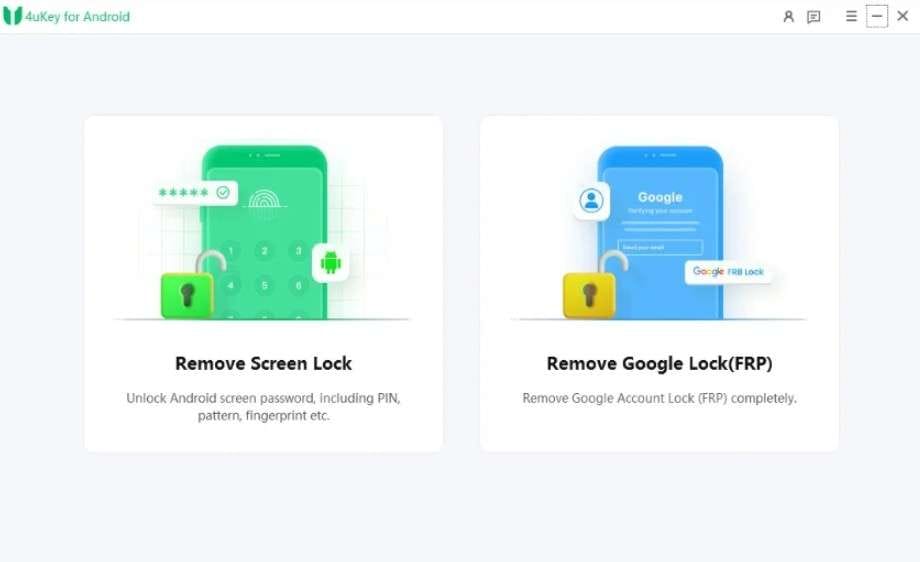
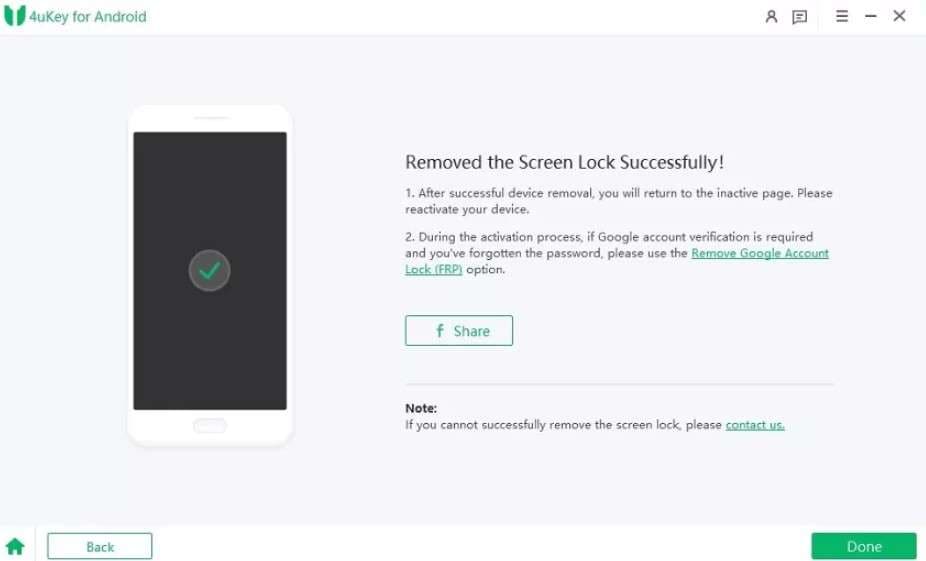
Step 1 Access the “Remove Screen Lock” feature in the main interface and select the Android brand from the list.
-
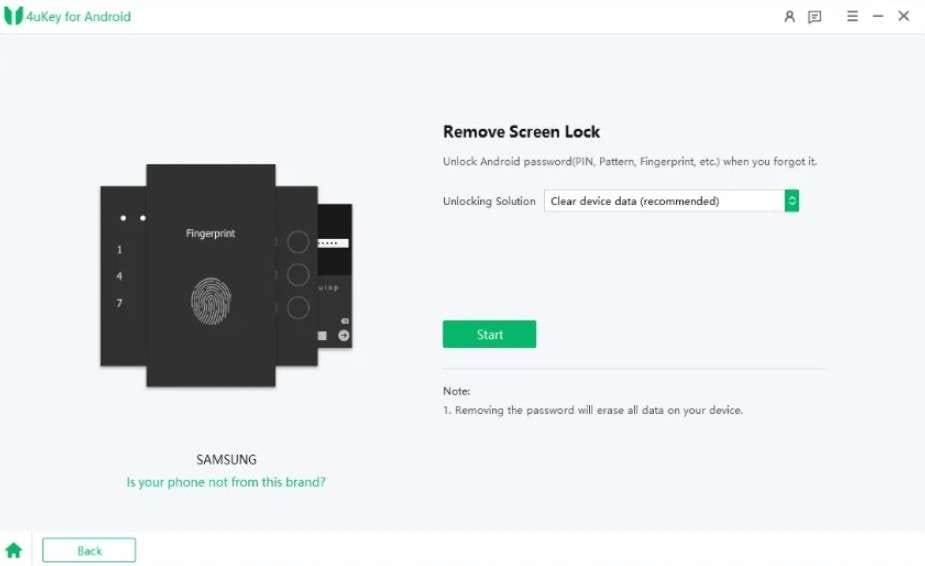
Step 2 Here, select the “Unlocking Solutions” option for “All Android Versions,” then tap “Clear Device Data,” and choose “Start.”
-
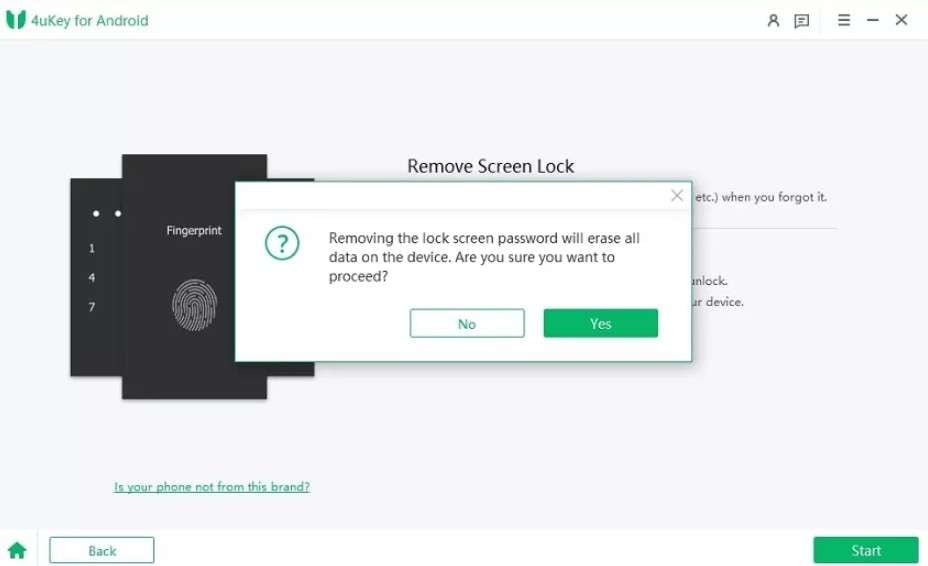
Step 3 When the prompt appears, confirm “Yes” and the bypassing process will continue.
-
Step 4 Once done, access the “Entry Mode” to perform a factory reset and choose “Done” to conclude the process.
I had a terrible experience with this company. Their 4DDiG software didn’t work for me, and when I asked for a refund within 14 days, they refused. On top of that, they charged my card for a “free” one-month trial I never agreed to. I feel completely misled and have reported the issue to my credit card company.
Paul Crow
How To Use Dr.Fone Android Unlock for All Android Versions
Within Tenorshare 4uKey vs Dr.Fone, if you seek to know the success rate and usage of Dr.Fone - Screen Unlock (Android), review the given guide:
- Success Rate: 100% as claimed by the vendor. Generally considered more stable across supported models, especially Samsung.
- Time: Usually 5 minutes, depending on device compatibility.
-
Step 1 Locate the Screen Unlock Android Tool
On the Screen Unlock tool, choose the Android option and tap on the “Unlock Android Screen” option.

-
Step 2 Access Special Mode and Choose Done Option
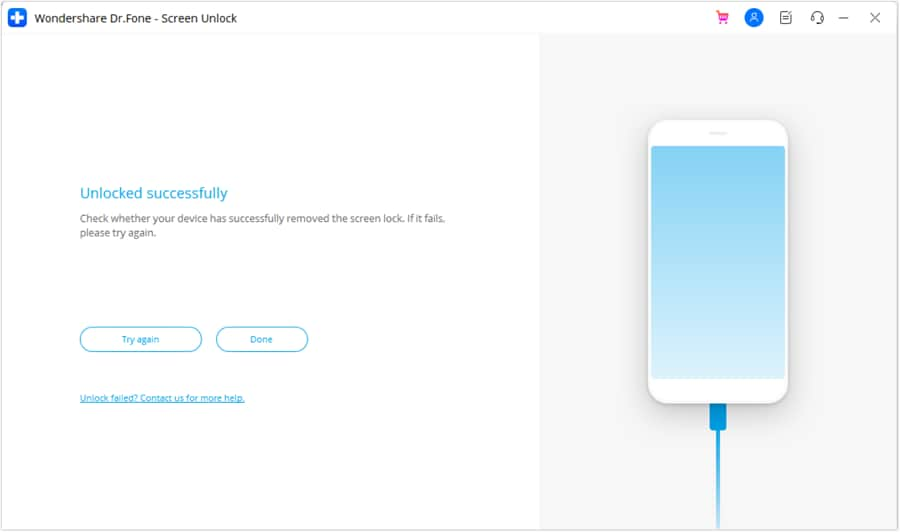
Now, choose the Android brand from 29 options, and the tool will automatically direct you to the special mode. Within 5 minutes, the device will be unlocked, after which, press the "Done" button to conclude.
I was skeptical at first and thought Dr.Fone would be one of those pay-to-unlock tools, but it actually worked perfectly for me. I used it to remove the FRP lock on an old Samsung tablet, and it fully unlocked it for free. I’m genuinely impressed and would recommend it.
Jos

Part 5. Pricing, Licensing, and Overall Value for Money [4uKey vs Dr.Fone]
Other than the usage, if you want to make a decision on the best Android unlock tool 2026, let’s compare the prices of both tools in detail:
| Metric | Tenorshare 4uKey for Android | Dr.Fone – Screen Unlock (Android) |
|---|---|---|
| Free Trial | Limited; cannot fully unlock the device | 7‑day free trial for Android unlock |
| Monthly Plan (Approx.) | $24.95 /month, 1 PC, up to 5 devices | From $29.95/month, covers up to 1-5 mobile devices and 2 PCs. Free software updates and technical support |
| Annual Plan (Approx.) | $39.95/year, 1 PC, 5 devices | About $39.95/year, usually 1-5 devices + 2 PCs |
| Lifetime / Perpetual | $49.95 lifetime, 1 PC, 5 devices | About $49.95 lifetime for Screen Unlock (Android). Available for 1-5 mobile devices with 2 PCs |
| Devices Per Standard License | Up to 5 Android devices | 1-5 mobile devices on all main plans |
| PCs Per Standard License | 1 PC (Windows or Mac per license) | 2 PCs (Windows/Mac, depending on plan) |
| Included Extras | Screen lock + FRP only | Screen lock + FRP + option to bundle full Dr.Fone toolkit (backup, recovery, repair, etc.) |
| Update & Support Policy | Free upgrades within the term; standard support | Free upgrades, technical support across all plans |
| Bundle/Toolkit Options | Separate products for other tasks | Business/toolkit bundles from ~$99.95 - $115.95 for 1–5 devices, multiple PCs. Includes a free perpetual license of Dr.Fone Air |
| Refund Policy | 30‑day money‑back guarantee | 30‑day money‑back guarantee |
| Overall Value for Money | Good for simple unlock only, higher cost per feature | Better price‑to‑feature ratio; more devices, more PCs, and more tools for similar or lower pricing |
Part 6. Which Android Unlock Tool Should You Choose in 2026?
After the detailed Dr.Fone and Tenorshare 4uKey for Android review, you have the final answer by now. Nevertheless, if you seek a suggestion from us, we must say that Dr.Fone - Screen Unlock (Android) is an all-around choice. This is because the tool supports various lock types, including SIM and carrier locks, and is compatible with more Android brands than 4uKey.
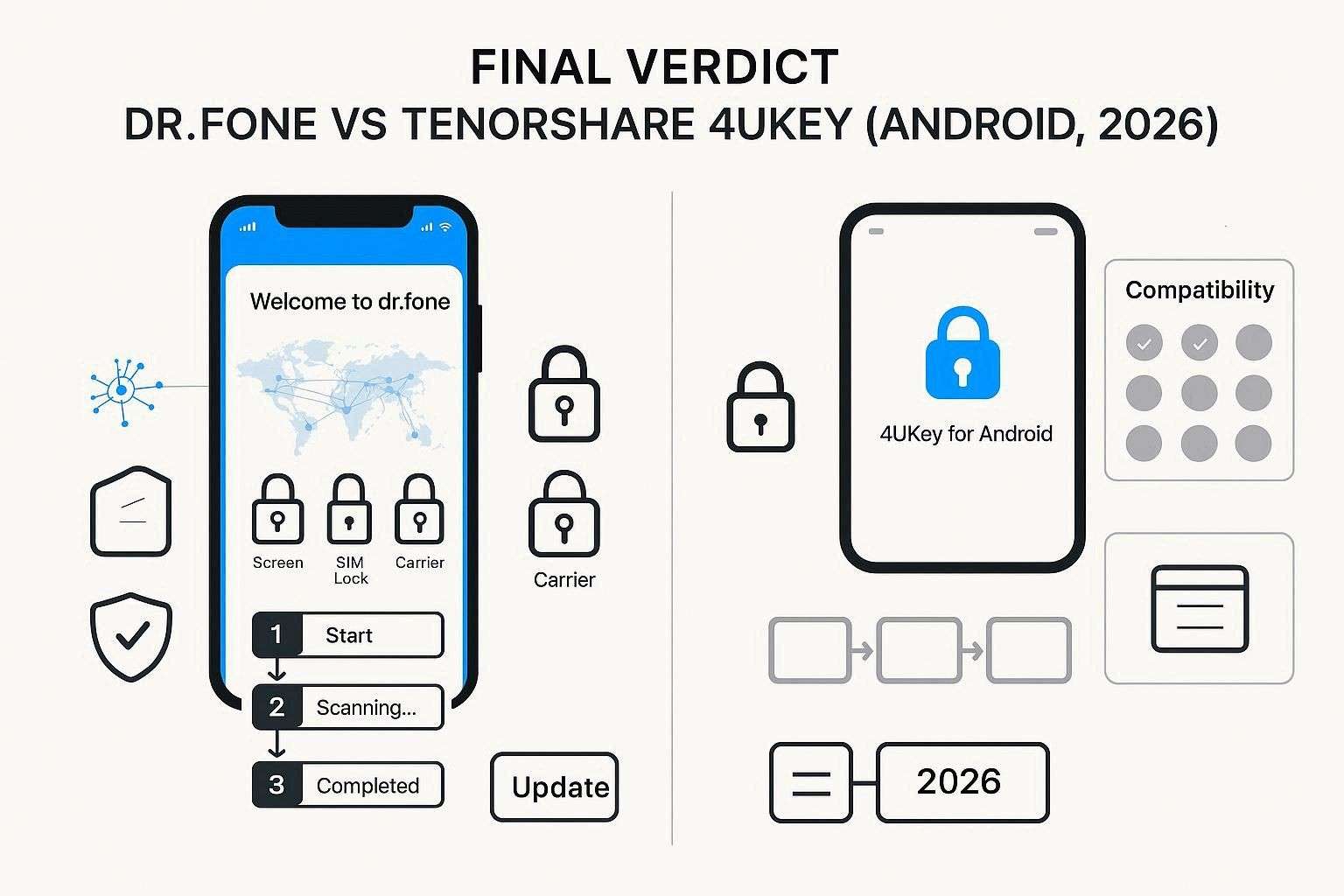
Featuring 29 brands for screen unlock and 12 for FRP bypass. The source list has a 100% success rate according to Wondershare’s own claims; actual results can vary by model and patch level. Most importantly, the “No Data Loss” option is available for Samsung and LG, not just Samsung, in 4uKey.
The process is guided, and mode access is automated to unlock all Android versions, making it the simplest choice for users of all types. Another main aspect is that the tool will add one-click screen lock removal for Samsung Android 12 and support for the Wiko brand. This shows that the tool supports frequent updates, and others are just following their strategy to be a part of the Unlocker Tool suite in 2026.
Conclusion
Since many of you ask for a 4uKey vs. Dr.Fone comparison when choosing the right option, we’ve got you sorted. From exploring key features to user reviews, we’ve covered every aspect to help you make the right choice. To wrap up this debate in 2026, we recommend Dr.Fone - Screen Unlock (Android) as the best overall choice for most users who want broader FRP and device coverage.
This is because of its wider brand and FRP coverage, clearer guidance for beginners, and better long‑term value as part of a bigger toolkit. Additionally, it offers support for more mobile devices and PCs than 4uKey, across all its pricing plans, which are highly affordable. We also suggest that you always check our local laws and carrier rules before doing FRP or SIM unlock, especially on work or financed phones.
FAQ
-
1. Which tool has better FRP (Google account) bypass support in 2026?
Dr.Fone offers stronger FRP support in 2026, supporting more new Android versions and 12 brands, with a 100% success rate. However, 4uKey still works on many devices, but it shows lower success on the latest security-patched phones. -
2. Which Android brands and models are best supported by 4uKey vs. Dr.Fone?
Dr.Fone supports 29 brands, including Samsung, Xiaomi, Oppo, Vivo, and many newer flagship models, across Android versions. In contrast, 4uKey supports 17 brands and works best on older Samsung and mid-range Android devices. -
3. Can either tool unlock Samsung phones from US carriers or other carrier‑locked devices?
Dr.Fone supports some US carrier Samsung models, and it may unlock selected devices depending on the version and region. Meanwhile, 4uKey does not support carrier-locked Samsung phones, so this feature is unavailable in that tool.
 Add Wondershare Dr.Fone as a preferred source on Google