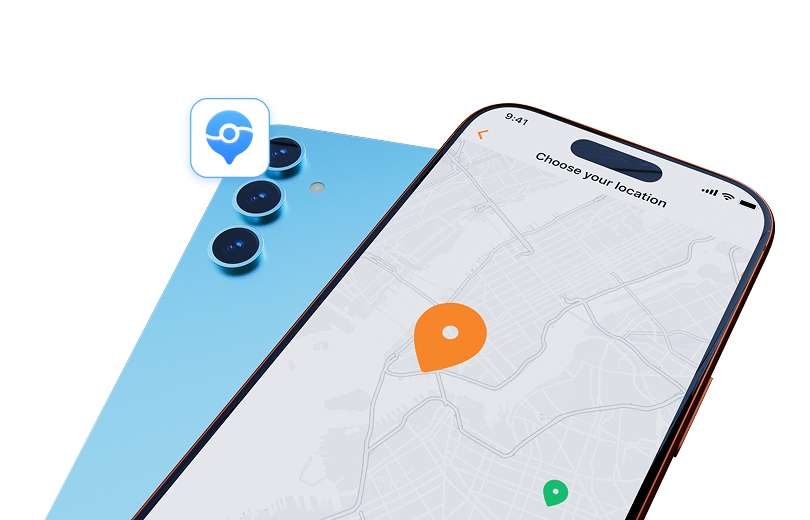
Teleport your device anywhere instantly with one click.


 100% Security Verified | No Subscription Required | No Malware

 :

 ChatGPT
 Perplexity
 Gemini
 Claude
 Grok

Is Jurassic World Alive worth starting, and how does its dinosaur collection differ from Pokemon GO?
Jurassic World Alive combines location-based DNA collection with building a dinosaur roster and turn-based battles. It is a good fit if you enjoy exploring a map and deciding how different creatures work together. Unlike simply throwing a ball to catch a creature, its drone encounters involve gathering DNA that contributes toward unlocking and developing dinosaurs.
Discussions on Jurassic World Alive Reddit or Facebook communities can help you learn from other players, but old posts may describe retired mechanics or outdated requirements. This 2026 guide separates the basic collection loop, optional spending, practical progression, battle decisions, and the limits of location software.

In this article
Part 1: Jurassic World Alive, Its Release and Core Features
Ludia developed Jurassic World Alive in partnership with Universal, bringing the film franchise's prehistoric creatures into a location-based mobile game. Your map position helps determine what you can reach, while augmented reality lets you present collected dinosaurs in the surrounding real-world scene. The collection and battle systems remain important even when you are not using the AR camera.
The original article's May 18 launch claim should not be used as the worldwide release date. Universal's official worldwide-launch announcement identifies May 30, eight years before this 2026 update. Earlier regional availability and the global launch are different milestones. Availability today depends on your store region and supported device, not a blanket promise that every country can install it.
How to Start Playing Jurassic World Alive
Install the genuine game from Google Play or the App Store. Check the live compatibility section before downloading. At this review, the US App Store's compatibility field requires iOS 15.0 or later, even though older descriptive text mentions a lower version. Do not rely on the source's Android 4.4 or iOS 10 minimums.
-
Step 1 Complete the introduction and permissions
Follow the tutorial and grant the location access needed for the map. Use camera permissions when an AR feature requests them. A supported OS alone does not establish that every older device will perform well.
-
Step 2 Collect DNA in drone encounters
Select an accessible dinosaur on the map and enter the DNA collection encounter. Aim the drone's darts carefully within the encounter's limits. You are collecting a resource toward the creature, not capturing an entire dinosaur with each dart.
-
Step 3 Build and develop your collection
Use the required DNA and other displayed resources to unlock or level creatures. Read hybrid recipes in the Lab before deciding which parent creatures deserve your limited DNA and coins.
-
Step 4 Learn the battle systems
As the relevant features unlock, prepare a team and try the available battles. Read abilities, cooldowns, and opponent effects rather than assuming that a rare dinosaur wins automatically.

The similarity to Pokemon GO is primarily real-world map exploration and creature collection. Jurassic World Alive places its own emphasis on drone DNA encounters, Lab hybrids, and tactical ability choices. 'Jurassic Park Alive' is a common search variation, but Jurassic World Alive is the official game title.
Jurassic World Alive Pricing and Optional VIP
The game is free to download and offers in-app purchases. The US App Store currently lists a monthly VIP membership at USD $9.99; taxes, region, platform, and offer terms can change the amount you actually see. Review the price and renewal details on the confirmation screen before subscribing.
Cash packs, bundles, and passes are separate offers, not a requirement to begin playing. The earlier $4.99-to-$99.99 range should not be treated as a complete current price list. Set a spending limit, check what a pack actually contains, and remember that a subscription renews unless you manage it through the relevant store account.

Part 2: Practical Ways to Collect and Develop More Dinosaurs
Build a repeatable routine instead of looking for a single 'hack'. Encounter practice, DNA planning, map checks, and rewards can support progress, but the game decides what is available and which requirements you must meet. Collection alone is not a universal source of account experience; pay attention to the progression actions shown in your version.
Begin With a Varied, Manageable Collection
Open a dinosaur's details to learn its rarity, requirements, abilities, and potential hybrid uses. Practice drone control on common opportunities so you understand the movement and aiming before using limited attempts on a rare target. Rarity and encounter difficulty are not the same as a fixed energy cost, so do not assume every Epic sighting should be skipped.

Plan Hybrid DNA Before Spending Resources
Hybrids use specific parent creatures and requirements; they are not arbitrary combinations from any DNA samples. Check the recipe, parent levels, and fusion costs in the Lab, then decide whether a hybrid fits your intended team. Keep useful parent DNA rather than spending it all on unrelated upgrades.
Incubators provide rewards that can support development, but they are not a substitute for meeting a hybrid's recipe. A larger collection helps you see more options; it does not mean every pair of creatures can produce a new species.

Revisit the Map and Plan Safe Routes
Local opportunities and events change, so a quick map check before a walk can be useful. Look for nearby targets and Supply Drops, choose an accessible route, and respect private property and public safety. Do not play while driving or cross an unsafe area for a temporary sighting.
Checking repeatedly does not force rare creatures to appear. Use the event notices and map information actually shown in the app rather than an old community claim about a guaranteed spawn at a particular time.

Collect Available Free Rewards
Claim the rewards and free offers available to your account, and check their timers or conditions before leaving the screen. Some versions or offers may include optional advertisements. Read the reward description rather than assuming that opening the app several times always grants a new bundle.
Jurassic World Alive is an established game in 2026, not a new launch giving universal promotional hampers. Free rewards, events, and optional purchases can change; choose the opportunities that fit your time without treating every offer as essential.

Understand iPhone Location Simulation Before Trying It
The earlier guide suggested Dr.Fone - Virtual Location as a way to change a phone's reported GPS position. That is a device-location function, not a guaranteed way to collect distant dinosaurs. A publisher may prohibit location manipulation, and the game can reject unsupported location data or take account action.
Movement Simulation Is Not Guaranteed Game Progress
Route simulation changes reported movement along a chosen path and can be useful for permitted location testing. It does not prove that the game will count steps, award DNA, unlock a creature, or ignore enforcement. The source's claim that movement could be simulated 'without getting banned' was not supportable and should not guide an account decision.
Dr.Fone - Virtual Location: Supported Device-Location Features
 Set your map route to simulate GPS movement.
- Set your wanted movement speed.
- HD and large map view to check location.
- Fake GPS location to anywhere.
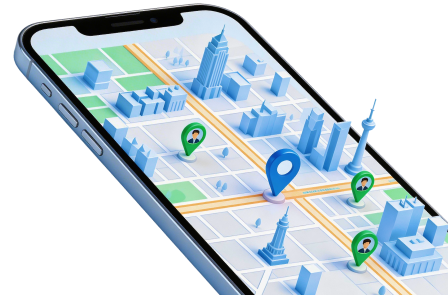
Dr.Fone - Virtual Location provides teleport and route-simulation functions for supported iOS and Android setups. You can select a map destination, choose route points, and adjust the movement speed offered by the mode. These controls manage simulated GPS data, not the game's creature inventory or battle logic.
Confirm current device and OS compatibility and use location simulation only where permitted. Related guides about Pokemon Go, Snapchat, Instagram, and Facebook discuss separate services; their existence does not establish permission or identical behavior in Jurassic World Alive.
-
Step 1 Connect the phone
Open the desktop Virtual Location module and connect a supported device. Complete the permissions and connection instructions shown for your setup.
-
Step 2 Set a test position
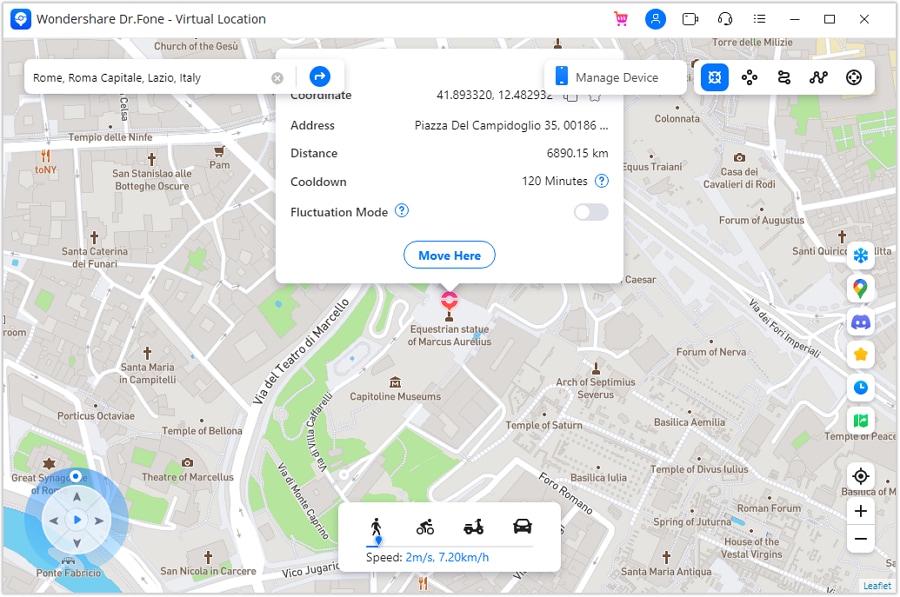
Choose Teleport Mode, search for the intended place, review the result, and select Move Here. Confirm the point in the phone's Maps app rather than assuming another app has accepted it.
-
Step 3 Configure movement only if needed
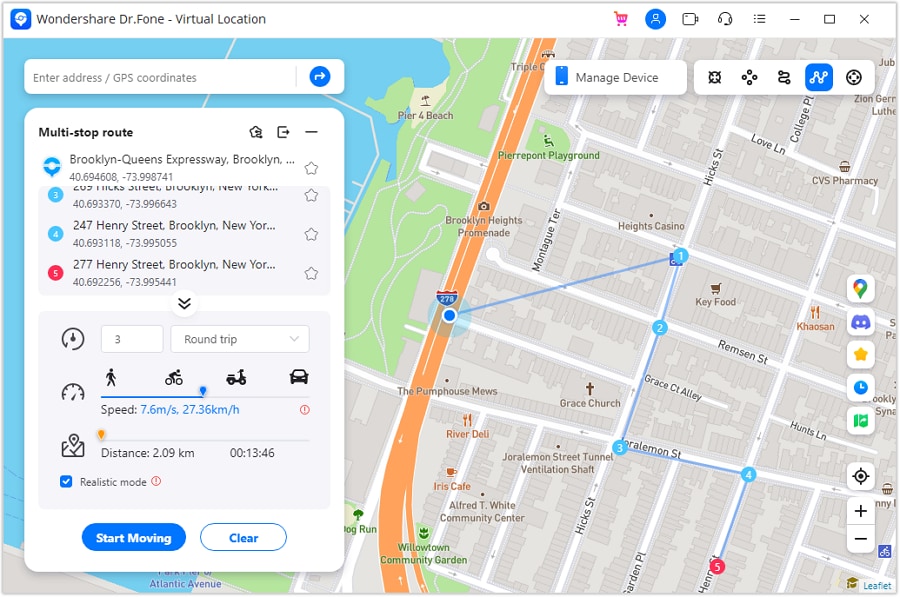
Use a supported route mode to define points and the available speed. This is distinct from a single teleport and does not guarantee distance-based game rewards.
-
Step 4 Return to normal location
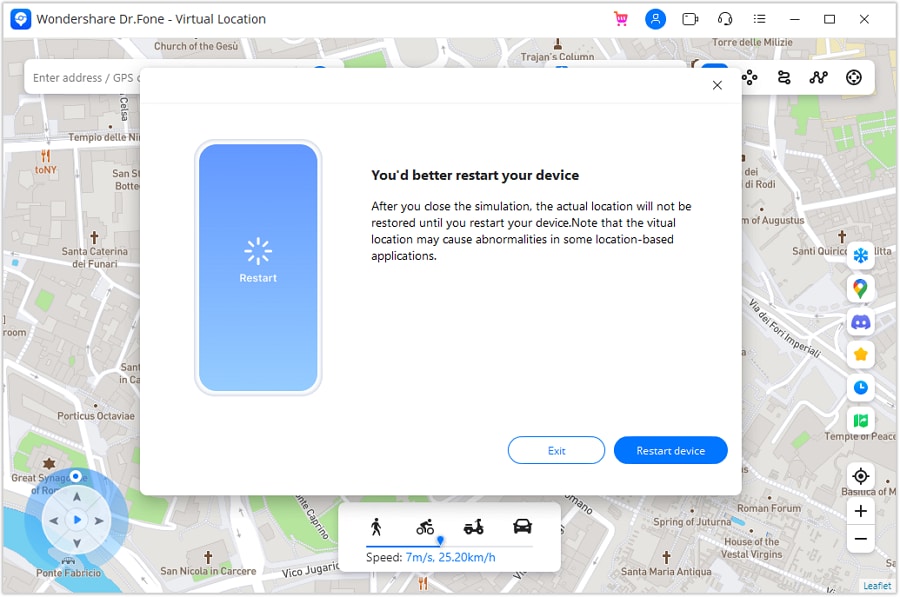
End the test and follow the application's guidance to restart the device and restore the actual GPS position. Verify it in Maps before relying on location-dependent services again.
The workflow is complete after verification and restoration. Location software cannot improve dart accuracy, teach a dinosaur a battle ability, or make an account immune to a game's rules.




Part 3: Battle Tips Based on Abilities and Team Coverage
Collection gives you choices; battle knowledge determines how well you use them. Read the current ability descriptions and effects, since balance changes can make an old 'best dinosaur' list misleading. Treat a loss as information about a matchup rather than proof that you must buy a different creature.
Prepare a Balanced Team Before Entering
Build the eligible roster before queuing, with answers to different threats instead of filling every slot with the same role. In standard arena play, the game draws the battle lineup from your prepared team; you cannot freely replace that draw with any creature from your full collection after the match starts. Choose your opening and later switches from the creatures actually available.

Use Friendly Matches to Learn Interactions
Where the mode is available, practice with a friend to compare ability order, cooldowns, damage, defenses, and switching effects. Choose one interaction to study, then repeat it under the same conditions. Controlled practice teaches more than assuming a single lucky critical hit represents the normal outcome.

Apply These Seven Tactical Checks
- Read the turn, not an aiming reticle. Dinosaur battles rely on selected abilities and their effects. Drone aiming belongs to DNA collection; it is not how you make a battle attack connect.
- Prepare levels and resources, not food. Review the creature's level, abilities, and eligible upgrades before queuing. Feeding dinosaurs to charge them is not the standard battle preparation described by this game's core loop.
- Switch with a purpose. A replacement may save a creature or answer a threat, but a switch can consume a turn and interact with swap-in, on-escape, or restriction effects. Read those effects before committing.
- Use hybrids for their actual role. A hybrid can broaden your options, but its rarity alone does not defeat an opponent. Compare its kit and resource cost with the matchup you need to solve.
- Separate speed from extra attacks. A fast creature such as Velociraptor may act earlier in an applicable matchup. That does not automatically grant two actions for every enemy turn; priority and speed effects can alter order.
- Evaluate legitimate upgrades. Spend coins, DNA, and any eligible enhancement resources according to the game's current systems. Do not assume there is generic purchasable equipment that guarantees improved hits.
- Use class tendencies as a starting point. Cunning, Fierce, and Resilient kits often suggest useful counters, but armor, distraction, shielding, cleansing, resistance, and priority decide particular interactions. A slogan about speed, strength, and armor is not a universal winning rule.

Conclusion
Start Jurassic World Alive by learning drone encounters, preserving useful DNA, and building a team with complementary abilities. Check the live store for compatibility and spending terms, and use current in-game information when older Reddit or Facebook advice conflicts with the app. Dr.Fone - Virtual Location is a separate GPS utility, not a shortcut to battle expertise, guaranteed creatures, or penalty-free play.
FAQ
-
1. Is Jurassic World Alive the same as Jurassic World: The Game?
No. Jurassic World Alive is the location-based DNA collection and dinosaur battle game discussed here. Install the correct title from the linked official store listing rather than assuming all Jurassic mobile games share the same mechanics. -
2. Must I buy VIP to begin playing?
No. The game is free to download and offers optional purchases and VIP membership. Inspect the local price, included benefits, and renewal terms before deciding whether a subscription is useful. -
3. Does greater speed always mean two attacks?
No. Speed helps determine action order where applicable. Ability priority, turn effects, and other mechanics can change that order; raw speed does not automatically double your turns. -
4. Can movement simulation guarantee DNA or avoid a ban?
No. Simulated GPS movement does not guarantee game credit or publisher approval. Follow the game's rules and do not rely on claims that location tools eliminate enforcement risk.
 Add Wondershare Dr.Fone as a preferred source on Google