 Permanently erase all iOS & Android data—completely unrecoverable.

 100% Security Verified | No Subscription Required | No Malware

 :
: 
 ChatGPT
 Perplexity
 Gemini
 Claude
 Grok
Grok
Over time, your Android device, much like a computer, accumulates a vast amount of unnecessary files. Hidden processes running in the background, app cache, and residual junk files can consume valuable memory and storage, leading to a sluggish and unresponsive experience. This is where Android cleaning apps become essential.
These powerful utilities are designed to intelligently scan your device, identify and eliminate clutter, and optimize system resources with just a few taps. They take care of background tasks, clear out temporary files, and help you reclaim significant storage space. In this guide, we'll explore the 15 best cleaning apps for Android in 2026 to help you find the perfect one for your needs.
In this article
Part 1. The 15 Best Cleaning Apps for Android Devices
Here is our curated list of the top applications designed to keep your Android phone running smoothly and efficiently.
1. Dr.Fone - Data Eraser
 Permanently erase all data on iOS & Android — completely unrecoverable.
- Military-grade wiping to fully protect your privacy.
- Generate verified erasure reports to boost device resale value.
- Selectively erase private data and remove junk & large files.
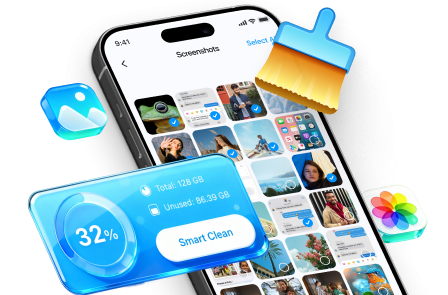
For those who prioritize privacy above all else, Dr.Fone - Data Eraser offers a different kind of cleaning. Instead of just removing temporary files, it specializes in securely and permanently deleting data from your device. This is crucial if you're selling, trading, or recycling your phone, as it ensures your personal information cannot be recovered by any means.
The software allows you to wipe everything from photos and contacts to messages and call logs with just a few clicks. It's an all-in-one solution for anyone needing to completely sanitize their device and protect their privacy. While it's a desktop application, its function as an ultimate cleaner is unparalleled.
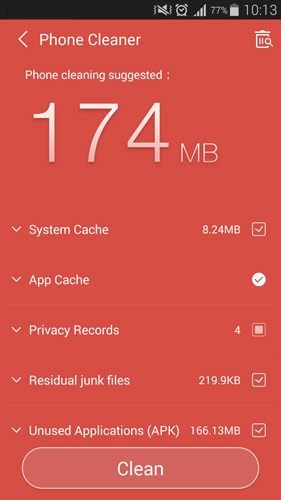
- Permanently erases all data, making it unrecoverable
- Protects personal privacy before selling a device
- Simple, click-through process
- Supports all major Android devices
- Requires a computer (Windows/Mac) to operate
- This is a paid software solution




2. Clean Master
Clean Master remains one of the most popular and widely used Android cleaner apps globally. Its user-friendly and colorful interface makes it accessible for everyone. The app excels at cleaning app cache, residual junk files, and browsing history. It also includes a RAM booster to kill unnecessary background tasks and an antivirus engine to protect your device from malware, making it a comprehensive optimization tool.
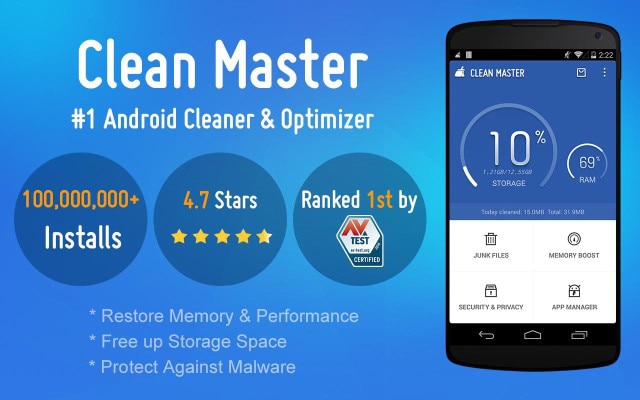
- Pros: Features a user-friendly interface, includes an app manager, and offers antivirus protection.
- Cons: The number of features and ads might feel overwhelming to users seeking a simple cleaner.
3. CCleaner
Hailing from the world of desktop PCs, CCleaner has established a strong reputation as a reliable and effective cleaning utility for Android. It efficiently removes junk, reclaims space, cleans RAM, and monitors your system's health. It excels at clearing application cache, download folders, browser history, and even call logs and SMS messages. The Storage Analyzer feature gives you a clear picture of what's taking up space on your device.
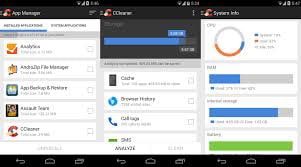
- Pros: Trusted brand, offers system monitoring tools (CPU, RAM, battery), and includes an app manager.
- Cons: Some advanced features are locked behind a paid subscription.
4. DU Speed Booster
DU Speed Booster is a versatile all-in-one optimization tool. Its core function is to clean app cache and junk files, but it also bundles a one-touch accelerator, an app manager, an antivirus scanner, and a privacy advisor. A standout feature is its built-in internet speed test, which helps you monitor your network performance. This suite of tools makes it more than just a cleaner; it's a complete device maintenance solution.
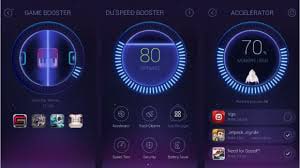
- Pros: Includes a game booster, speed accelerator, and a comprehensive set of utility tools.
- Cons: The sheer number of features might be intimidating for novice users.
5. SD Maid
SD Maid is a powerful system cleaning and maintenance tool, particularly favored by advanced users. It acts as a meticulous digital janitor, tracking down files and folders left behind by uninstalled apps—often called 'corpses'—and deleting them. It also includes tools for database optimization and app cleaning. The free version is highly capable, while the Pro version unlocks additional features like a duplicate file finder and an app scheduler.
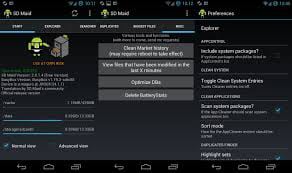
- Pros: Excellent at finding and removing orphaned files, providing deep system cleaning.
- Cons: Focuses more on file maintenance than on RAM boosting or performance optimization.
6. App Cache Cleaner
As its name suggests, App Cache Cleaner specializes in one thing and does it very well: clearing cached data from your apps. Over time, this cached data can accumulate and consume gigabytes of storage. The app identifies which applications are storing the most cache and allows you to clear it all with a single tap. It also features a helpful reminder system that notifies you when it's time to clean up the cache again.
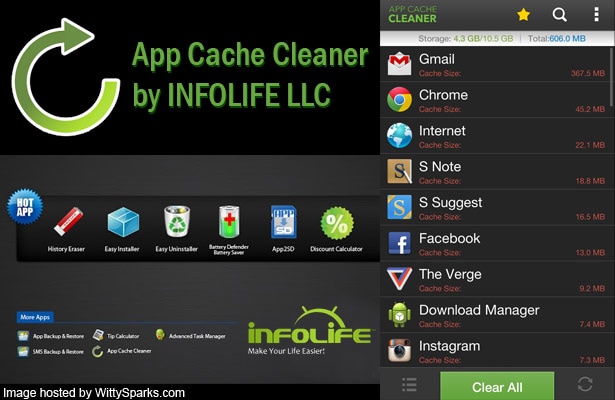
- Pros: Extremely easy to use, focuses on one-tap cache cleaning, and has a simple interface.
- Cons: Its functionality is limited solely to clearing cache, with no other junk removal features.
7. 1 Tap Cleaner
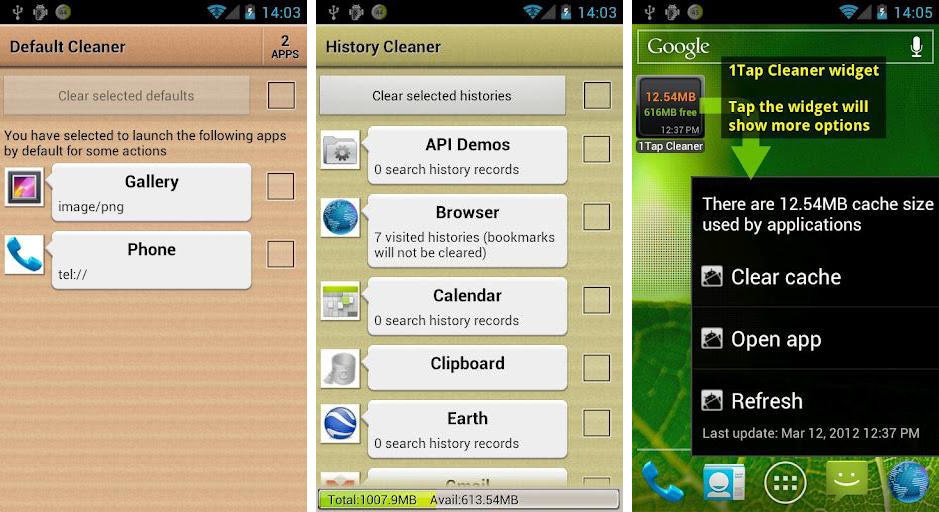
Simplicity is the key with 1 Tap Cleaner. This app streamlines the cleaning process by allowing you to clear cache, search histories, and call/text logs with a single touch. A unique feature is the ability to set a cleaning interval, enabling the app to automatically perform cleanups on a regular schedule without requiring your intervention. This 'set it and forget it' approach is perfect for users who want effortless maintenance.
- Pros: Very straightforward to use and offers scheduled, automatic cleaning.
- Cons: Lacks the more advanced features found in comprehensive cleaning suites.
8. The Cleaner – Speed up & clean
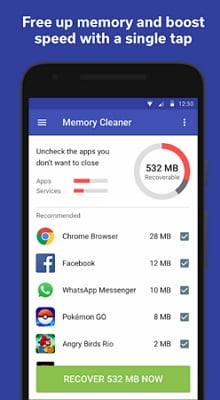
With a modern and interactive interface, The Cleaner is a solid choice for freeing up storage and clearing out junk files. It performs the standard functions of an Android cleaning app effectively and has been downloaded by millions of users. A notable addition is its ability to scan for and help remove malicious apps, adding a layer of security to its cleaning capabilities.
- Pros: Features a sleek user interface and includes a tool for cleaning malicious apps.
- Cons: Its core cleaning functions are fairly standard and may not offer much for power users.
9. Greenify
Greenify takes a unique approach to optimization. Instead of actively killing tasks, it places resource-hungry apps into a state of hibernation. This prevents them from running in the background, consuming system resources, and draining your battery when you're not actively using them. It's an incredibly effective way to improve both performance and battery life. While it works on non-rooted devices, it unleashes its full potential with root access.

- Pros: Effectively stops apps from running in the background, saving battery and RAM.
- Cons: It's more of an optimization tool than a traditional cleaner; its best features require root access.
10. Android Assistant
Android Assistant is a powerful management tool that includes 18 key features to help you manage your phone. Its functions include monitoring system status (CPU, RAM, battery), a process manager, a cache cleaner, a file manager, and a startup manager. This comprehensive toolkit allows you to take deep control of your device's performance, making it a favorite among users who want more than just a simple cleaner.

- Pros: Offers a wide array of system management tools in one app.
- Cons: Can occasionally freeze, and the number of options may be overwhelming for beginners.
11. Root Cleaner
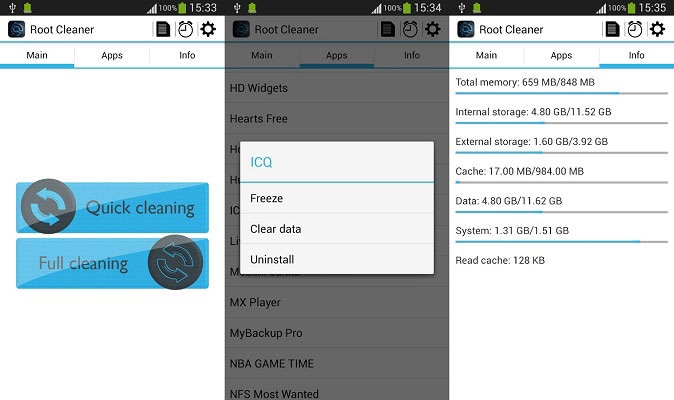
Designed for users with rooted devices, Root Cleaner provides a level of cleaning that standard apps cannot achieve. It operates in two modes: a quick clean for basic memory and cache cleanup, and a full clean. The full clean mode can purge the Dalvik cache—a core part of the Android system—which can resolve deeper performance issues, though it requires a system reboot to complete.
- Pros: Performs a much deeper system clean than non-root apps.
- Cons: Requires a rooted device and is a paid application.
12. JuiceDefender Battery Saver
While primarily a battery-saving app, JuiceDefender helps optimize your device by intelligently managing connections like Wi-Fi and mobile data. By disabling these connections when not needed, it reduces background activity and prevents apps from draining resources. This indirect form of cleaning keeps your device running leaner and extends battery life significantly. It offers various profiles from 'balanced' to 'aggressive' to suit your usage habits.

- Pros: Excellent at managing connectivity to save battery and reduce background processes.
- Cons: The text-heavy interface can be confusing, and its focus is on battery, not storage cleaning.
13. Internet Booster
This app focuses on a specific aspect of performance: your internet speed. It works to optimize your device's TCP/IP settings, clear the DNS cache, and prioritize browser processes to potentially improve browsing and download speeds. While it can't increase the maximum speed provided by your ISP, it aims to ensure your device is configured to use your connection as efficiently as possible.

- Pros: Simple interface focused on improving network performance.
- Cons: Effectiveness can vary greatly depending on the device and network conditions.
14. Memory Booster
Memory Booster is designed to solve the problem of RAM consumption by killing unnecessary running apps. It features a 'Quick Boost' button that automatically identifies and closes background processes to free up memory. For more control, you can set a memory threshold, and the app will automatically clean up RAM when it reaches that level. You can also whitelist important apps to prevent them from being closed.

- Pros: Easy to use and provides both automatic and manual RAM cleaning options.
- Cons: Aggressive task killing can sometimes interfere with app notifications or functionality.
15. Cleaner eXtreme
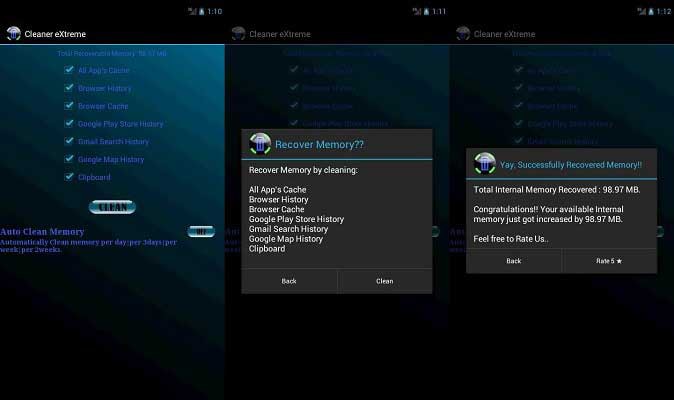
For users who are cautious about what gets deleted, Cleaner eXtreme offers a safe and straightforward solution. It is adept at handling and deleting large junk files without touching any critical system data, reducing the fear of accidental data loss or app crashes. It operates with a simple one-tap mechanism where you approve the files to be deleted, and the app handles the rest, making it a reliable choice for beginners.
- Pros: Free, user-friendly, and prioritizes data safety during the cleaning process.
- Cons: Offers fairly basic functionality that may not satisfy advanced users.
Conclusion
Maintaining the health and speed of your Android device doesn't have to be a chore. With the right cleaning app, you can automate the process and ensure your phone runs at its peak performance. For everyday users, a comprehensive solution like Clean Master or CCleaner offers a great balance of features and ease of use. For those prioritizing ultimate security, Dr.Fone - Data Eraser provides an unmatched level of data sanitization. By choosing one of the apps from this list, you can easily reclaim storage, boost speed, and enjoy a smoother Android experience.
FAQ
1. Are Android cleaner apps safe to use?
Most reputable cleaning apps from the Google Play Store are safe. However, it's crucial to download well-known apps with high ratings and positive reviews, like the ones listed in this guide. Always check the permissions an app requests before installation. Avoid apps that ask for excessive permissions unrelated to their cleaning function.2. How often should I use a cleaning app on my Android phone?
The ideal frequency depends on your usage. For heavy users who download many files and try new apps often, running a cleaner once a week is a good practice. For average users, running a scan every two to four weeks is usually sufficient to keep the device running smoothly. Many apps also offer automated scheduling for convenience.3. Can't I just clear the cache manually? Do I need an app?
Yes, you can clear the cache for individual apps manually through your phone's settings. However, this is a time-consuming process. A cleaner app streamlines this by clearing the cache for all apps at once with a single tap. Additionally, these apps identify and remove other types of junk files, like obsolete APKs and residual files, which are harder to find and delete manually.4. What is the difference between clearing an app's cache and clearing its data?
Clearing the cache removes temporary files that help the app load faster. This is generally safe and doesn't affect your personal settings. Clearing data, however, resets the app to its factory state. It deletes all your personal information, including login details, settings, and saved files within that app. You should only clear data if an app is malfunctioning severely and you are willing to set it up again from scratch.
 Add Wondershare Dr.Fone as a preferred source on Google




