
What Does 'MFi Certified' Mean & Why It Matters - A Complete Guide (2026)

Sep 18, 2026 • Filed to: Device Data Management • Proven solutions
 TL;DR:
"MFi certified" guarantees a third-party accessory has passed Apple's official safety and compatibility testing, making it the recommended choice for users who want reliable performance without the premium cost of original Apple hardware.
● MFi-certified cables (typically $10–$25) offer a safe alternative to original Apple 1m cables (~$19) and uncertified generics (under $10), avoiding the severe risks of port melting, battery damage, and post-iOS update blockages.
● To confirm authenticity, buyers must verify the specific brand and model in Apple's public MFi database and check for the exact "Made for iPhone/iPad/iPod" badge, as generic "iPhone compatible" packaging labels often indicate hazardous fakes.
● If a non-certified charger has already caused device instability or battery drain, users can rescue their data via Wondershare Dr.Fone, bypassing iTunes and iCloud to directly export files to a PC with full compatibility for iOS 26/iPadOS 26 and the iPhone 17 series.
Ask AI for a summary
 ChatGPT
 Perplexity
 Gemini
 Claude
 Grok
Grok
Dr.Fone Basic:
Better Control for Your Phone
Manage, transfer, back up, restore, and mirror your device
Imagine you purchase a charger or attachment to your iPhone or iPad, and you are concerned whether it works or not, and how long it lasts. MFi certified is a solution to that because accessories comply with Apple's strict quality and compatibility standards. Therefore, this guide describes the meaning of MFi certification, its importance, how to identify certified products, and why they keep your devices secure and reliable.
It is important to identify the falsely sold MFi products, as well as the true cost of MFi-certified accessories. Moreover, learn how tools such as Dr.Fone can assist you with managing iOS data in case of an issue with the device caused by a non-MFi-certified charger or accessory.

Part 1. What Does “MFi” Stand For and Why It Exists
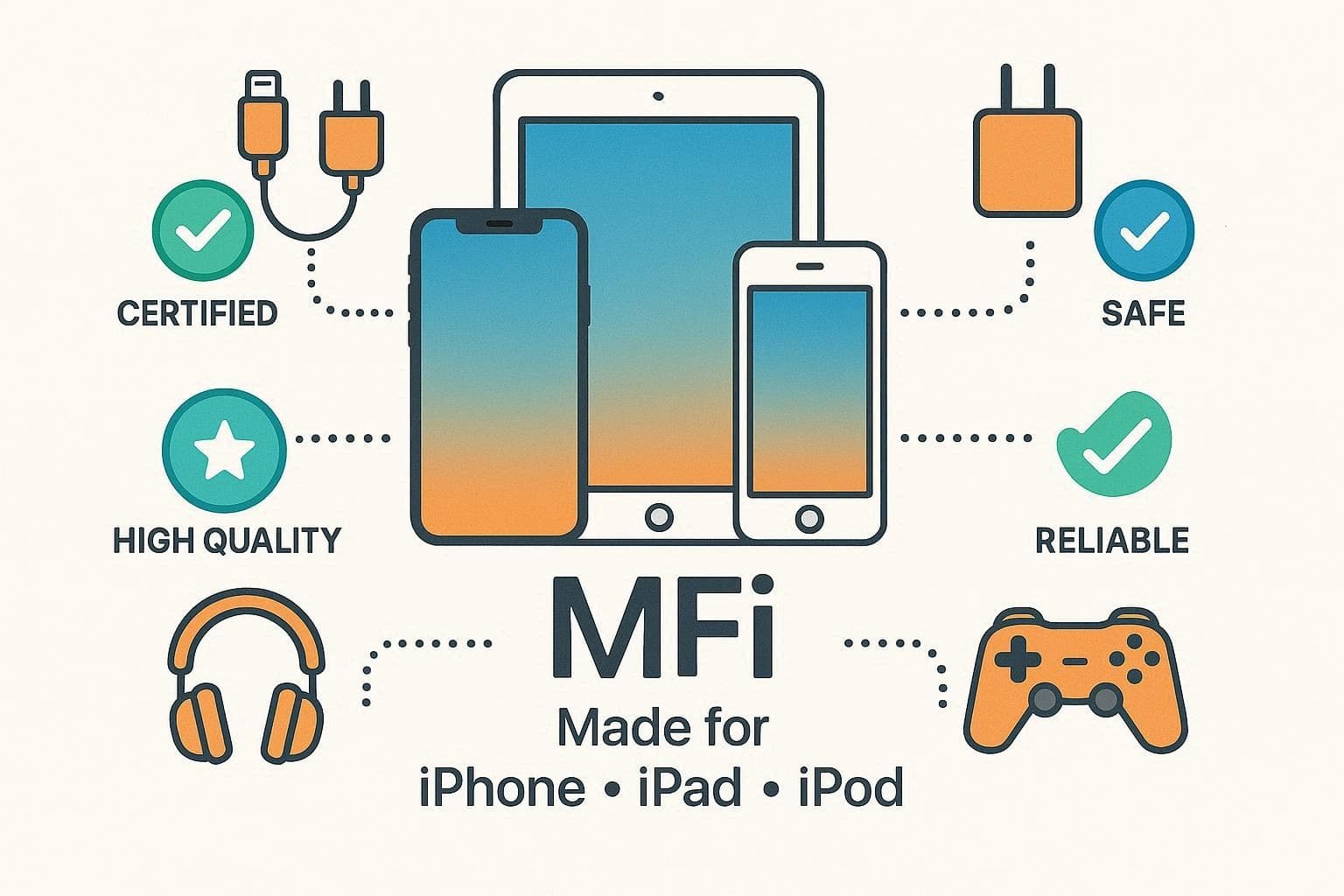
MFi means “Made for iPhone/iPad/iPod” and is Apple’s official program for third-party accessories. Hence, accessories such as cables, chargers, headphones, and controllers that pass Apple’s tests receive the MFi badge. Apple MFi certification shows an accessory meets Apple's rules for safety, quality, and performance and will not harm devices.
Brief History of the MFi Program
Apple started the “Made for iPod” program in 2005 to certify docks, speakers, and accessories for the iPod’s dock connector and headphone jack. When the iPhone and iPad arrived, the program expanded to include them, becoming “Made for iPod/iPhone/iPad.”
In the period of 2010–2012, Apple dropped the name to the MFi Program, particularly with the introduction of the Lightning connector, which required licensing new features under MFi. In the 2010s–2020s, MFi expanded to include not only connectors but also technologies such as AirPlay. This provides Apple with more power in terms of quality accessories and ecosystem consistency.
Part 2. Who Issues MFi Certification and How It Works
Know that Apple gives MFi certification and controls the entire program from application to approval. Only Apple can approve accessories, though third-party labs may test them. As far as the working of the MFi program of Apple is concerned, it's explained below:
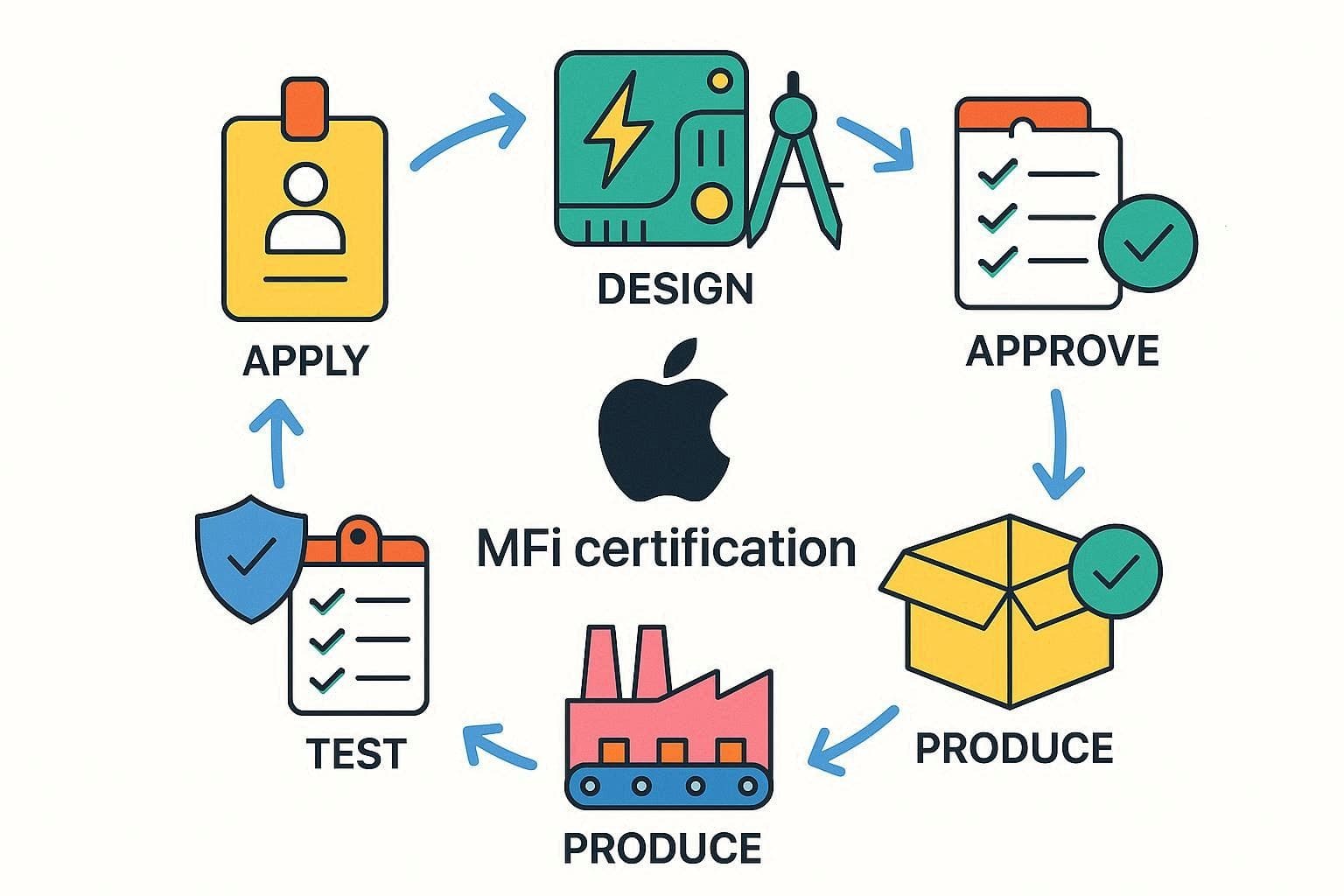
- Manufacturers first join the MFi Program with a business Apple ID, sign an NDA, and verify their company.
- They obtain a license to design or manufacture products, submit a product plan, and build the accessory using Apple-approved parts.
- After testing performance, safety, and compatibility, Apple reviews packaging.
- Once Apple approves, the manufacturer can start mass production and report sales to Apple.
Why MFi Certification Matters for iPhone Users
|
Reasons |
What It Means For iPhone Users |
| Safety | Lower risk of overheating, short circuits, or device/battery damage. |
| Reliable Compatibility | Less chance of “Accessory not supported” errors and better behavior after iOS updates. |
| Stable Performance | More consistent charging speeds and data transfer over the life of the accessory. |
| Longer Accessory Lifespan | Higher‑quality components usually last longer than cheap, uncertified accessories. |
| Peace Of Mind | Apple’s logo serves as a quick signal of quality and authenticity when choosing accessories. |
What Products Can Be MFi Certified
For those who seek to know about MFi-certified products, the Apple MFi-certified list is given below:
|
Technologies |
Components |
| AirPlay Audio | Apple Watch Fast Charger Module |
| Car Keys | Audio Accessory Module Plus |
| CarPlay | Authentication Coprocessors |
| DockKit | Headset Remote and Mic |
| Find My Network | Lightning Analog Headset Module |
| HomeKit | Lightning to Headset Jack Adapter Module |
| iPhone/iPad/iPod Accessory Protocol (iAP2) | Lightning Connectors and Receptacles |
| MFi Game Controller | |
| MFi Hearing Aid | |
| Wi-Fi Accessory Configuration (WAC) |
Where to Find the Apple MFi Certified List
Apple keeps a public list of all certified MFi accessories, including Lightning-based products. Hence, only the items on this list are officially licensed and are also mentioned above. To check an accessory, look for the “Made for iPhone/iPad/iPod” logo on the box, then verify the brand and model on Apple’s MFi accessory lookup page.
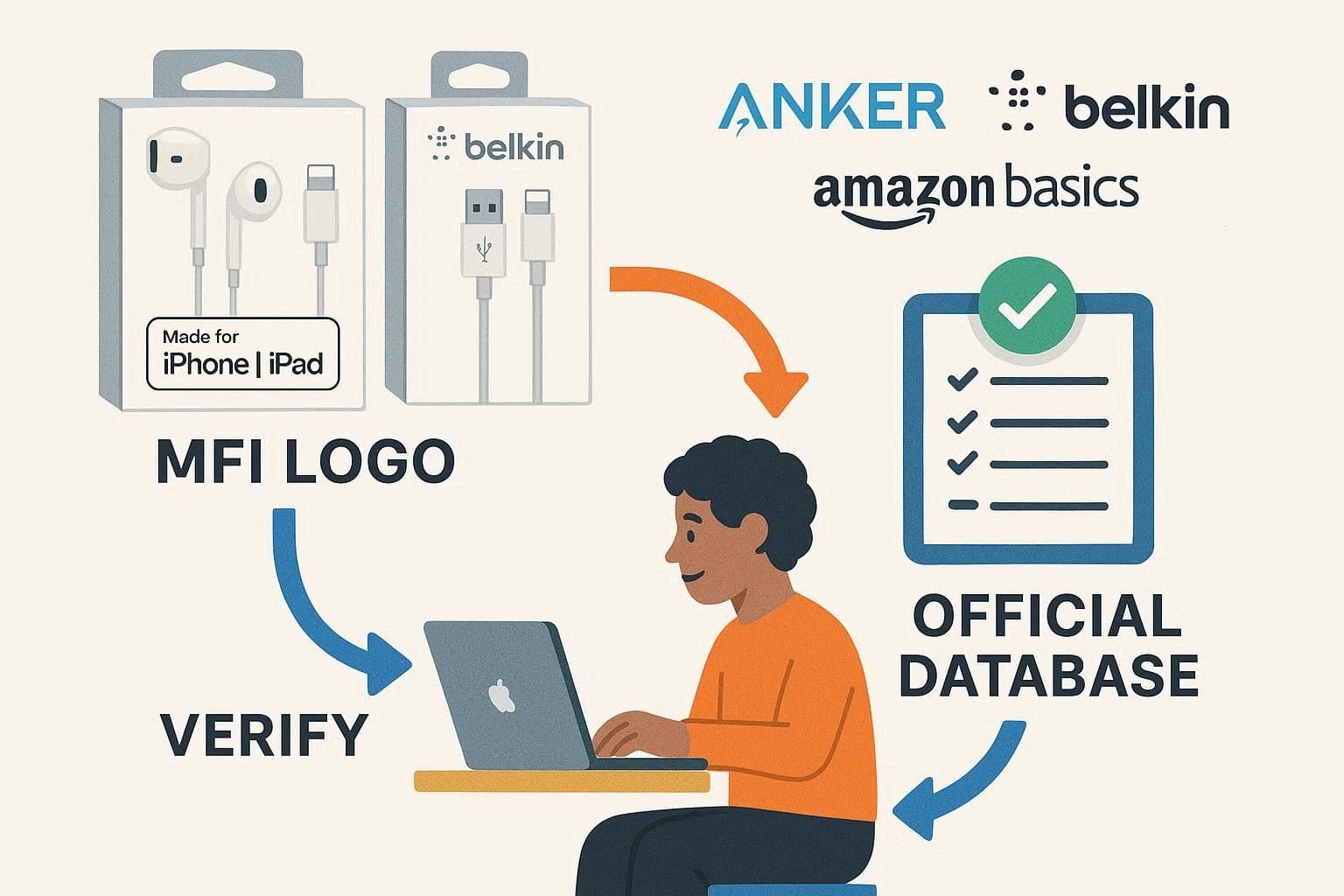
Some brands link to their listing or mention MFi status in manuals. However, Apple confirms that only products on the official database count as licensed accessories.
Part 3. MFi vs Original Apple Accessories: What’s the Difference?
Now that you know the Apple MFi certified meaning, you might seek to know how these products differ from the original ones:
|
Aspects |
Original Apple Accessories |
MFi‑Certified Accessories (Third‑Party) |
| Who Makes It | Designed and manufactured by Apple | Designed by licensed third‑party brands, approved under Apple’s MFi program |
| Certification Status | Implicitly meets Apple standards as first‑party hardware | Explicitly tested and certified to meet Apple’s performance standards |
| Compatibility | Guaranteed to work with supported Apple devices and updates | Very high; built to Apple’s specs, avoids “Accessory not supported” errors |
| Build & Component Quality | Premium materials, tight tolerances, Apple’s own connectors | Generally high; must use approved chips/connectors to pass MFi tests |
| Safety & Reliability | Designed to protect the device and battery | Tested for safe voltage, current, and heat behavior before certification |
| Brand & Design | Perfect visual match to Apple devices and ecosystem aesthetics | Varies by brand; may offer more colors, styles, or formats than Apple |
| Price | Usually, the most expensive option | Often cheaper than Apple but pricier than uncertified generics due to the license and quality |
| When To Choose | When you want maximum assurance and perfect ecosystem matching | When you want near‑Apple reliability and safety with more choice and better value |
How Much Do MFi Certified Accessories Cost
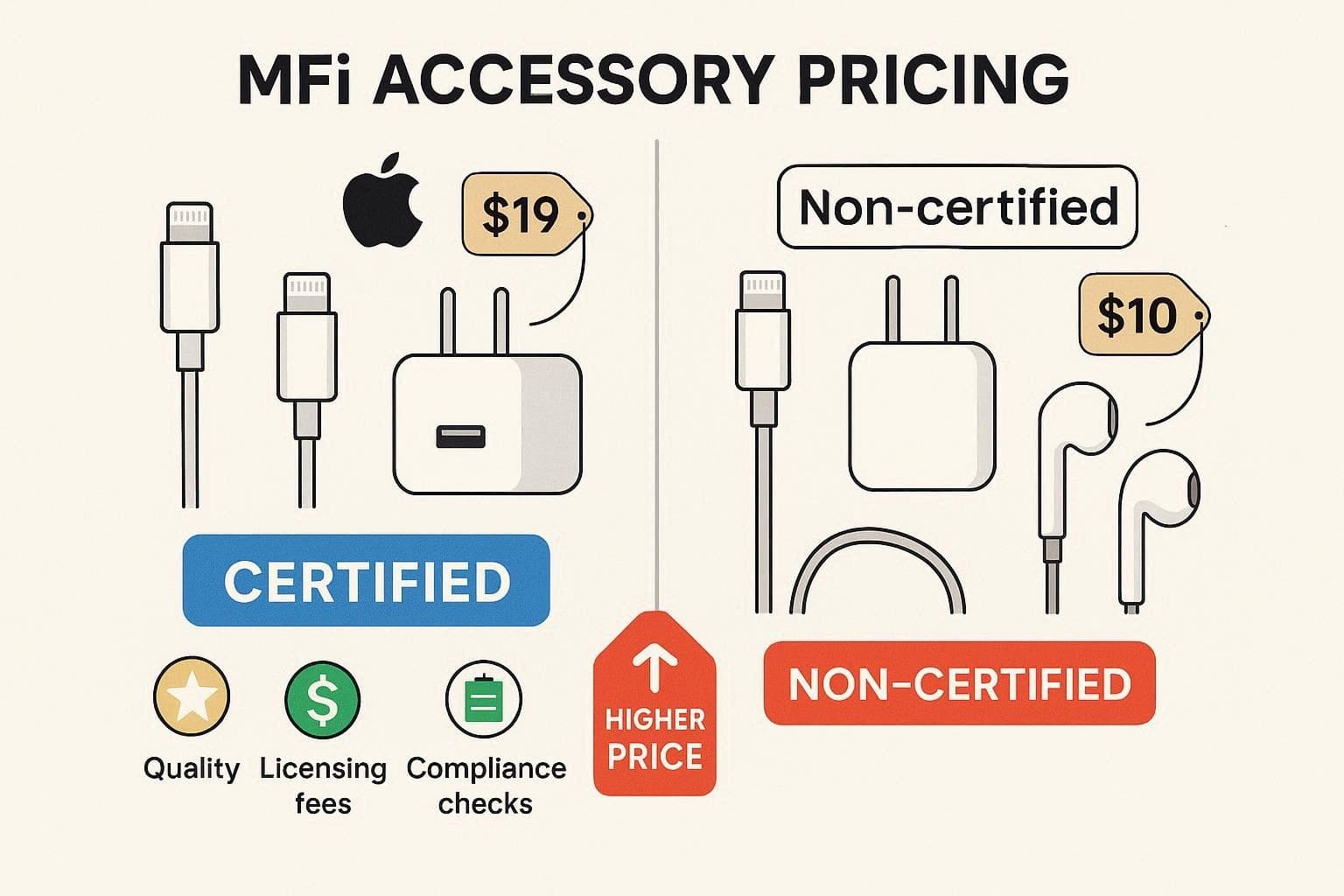
MFi-certified accessories are typically priced higher than non-certified ones due to Apple licensing fees, mandatory chips, and quality inspection. The prices are also very diverse based on brand and type of product. In general, original Apple 1m Lightning cables are sold at a price of approximately $19 USD. Conversely, MFi cables from other brands, such as Anker, cost around $10–25 USD, depending on length and construction quality.
A few worthwhile MFi cables may cost $6–20 USD, frequently less than $10 USD in sales or bundles. Non-MFi Lightning cables, however, are less expensive than $5–10 USD but might also employ inferior quality materials and not be licensed by Apple. Therefore, the increased cost of MFi products will be due to Apple's charges per connector and the additional engineering, testing, and compliance efforts to comply with Apple standards.
How to Spot Fake MFi Claims?
For those who want to spot the fake products other than Apple MFi-certified, look for the given signs:
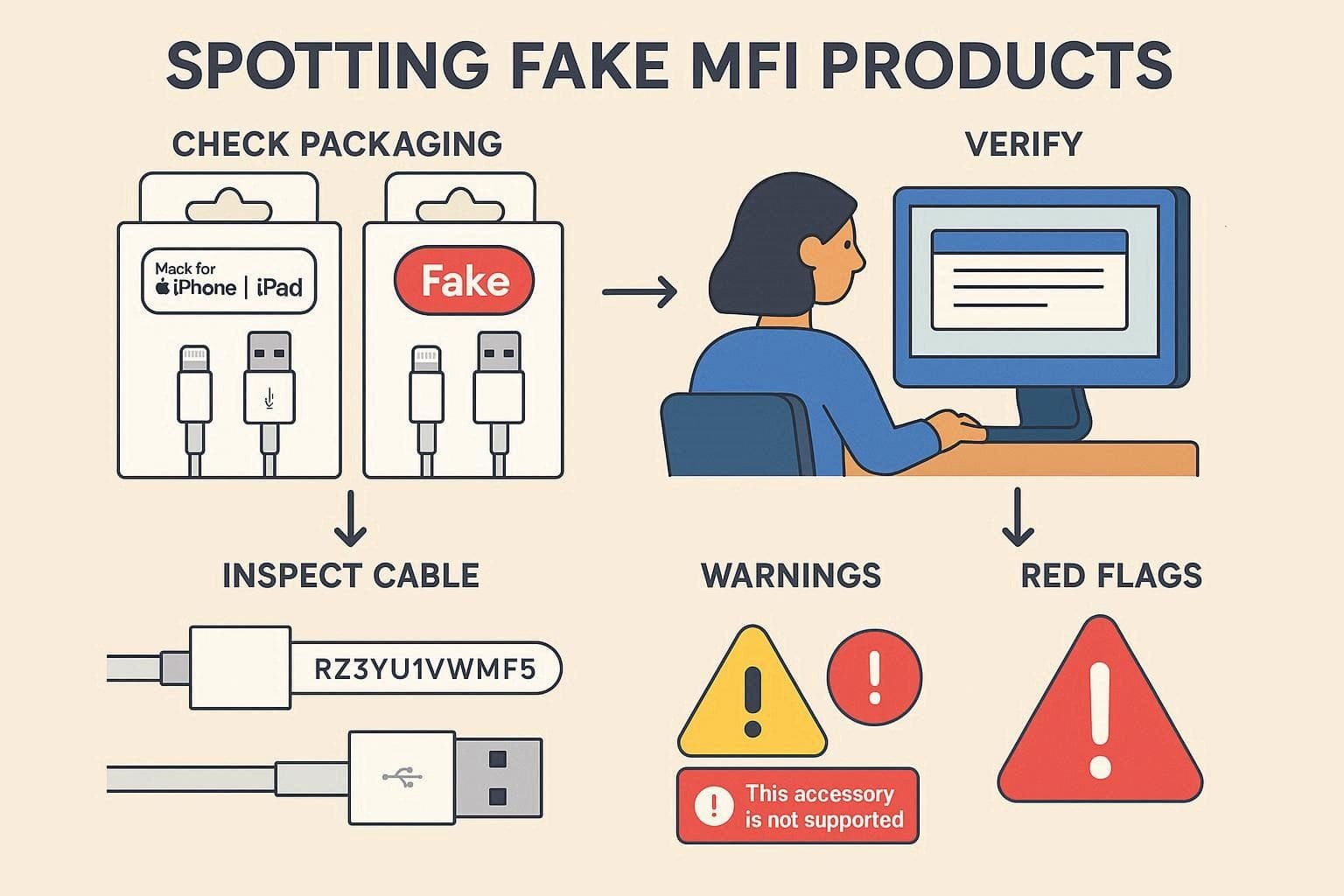
- Check Packaging and Logo: Look for the official MFi badge, “Made for iPhone/iPad/iPod,” printed clearly on the box. Also, avoid products that say “iPhone compatible” or show Apple pictures without the MFi logo.
- Verify in Apple’s MFi Database: Go to Apple’s public MFi search page and check the brand, model, or UPC/EAN. If the product does not appear in the database, do not trust its MFi claim.
- Inspect the Cable or Connector: Know that Apple cables show “Designed by Apple in California” and a 12‑digit serial number near the USB. Additionally, locate clean, uniform plugs and smooth gold contacts; rough molding or odd colors show fake products.
- Look for Software Warnings and Behavior: Repeated messages like “This accessory may not work” indicate a non‑MFi product. Not just that, unreliable charging or intermittent connections are also warning signs.
- Watch for Other Red Flags: Very low price, poor reviews, or stolen Apple photos suggest a fake. Another sign could be spelling mistakes, incorrect company names, or missing manufacturer details, all of which indicate counterfeit products.
Part 4. MFi vs Non‑MFi Accessories: What You Need to Know
While learning about the MFi program, Apple, if you want to know what cables you should use, this section is for you. Here, the risks of non-MFi cables and the pros and cons of MFi products are listed to make a sound choice:
Risks Of Using Non‑MFi Cables and Chargers
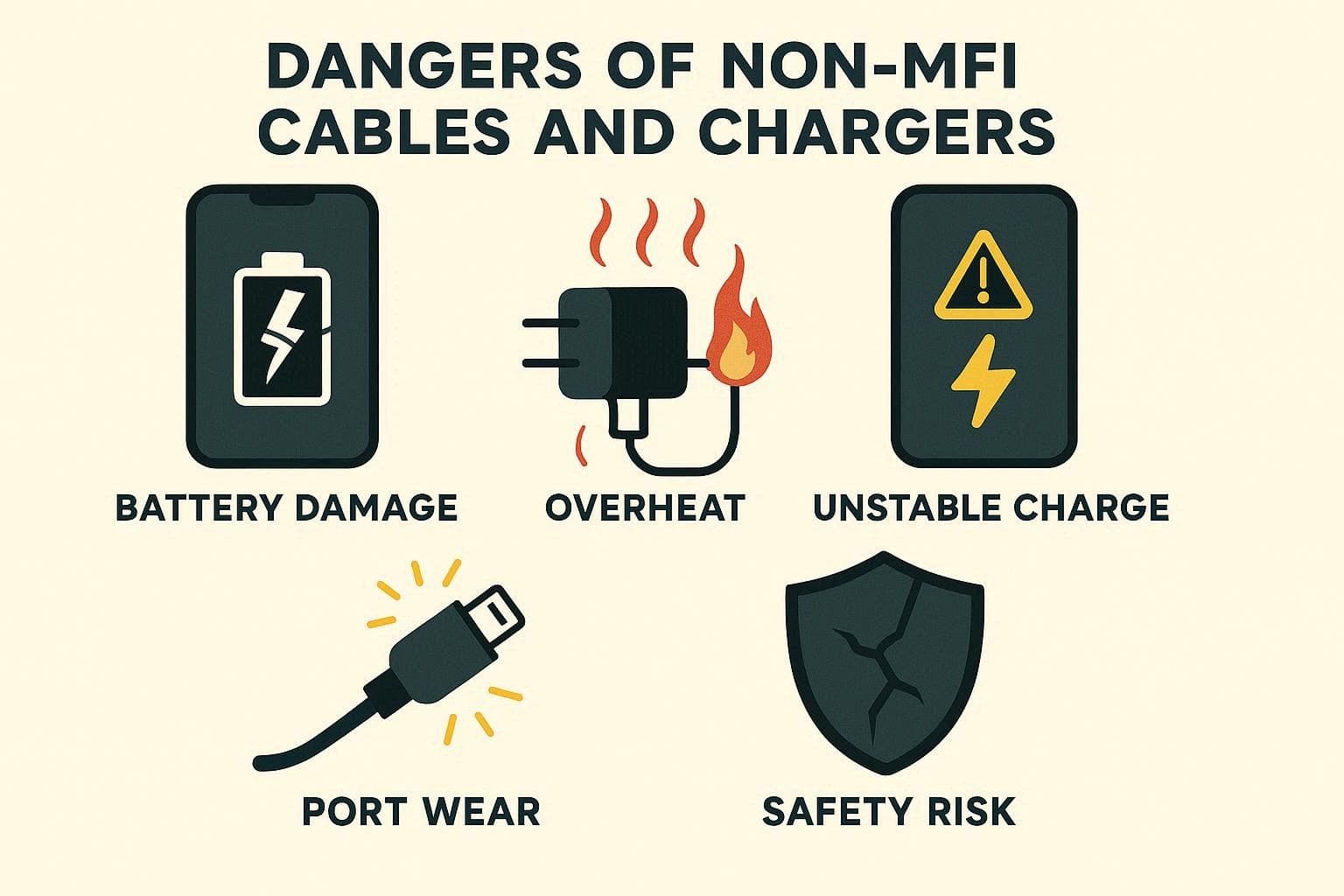
- Device and Battery Damage: Wrong voltage or current can stress the battery and damage internal power control parts. Hence, this can cause fast drain, sudden shutdown, no full charge, or charge refusal.
- Overheat, Short Circuit, and Fire Risk: Cheap chargers use thin wires and poor insulation, which can lead to dangerous heat buildup. Therefore, this heat can melt ports, increase the risk of shock, and cause small fires at night.
- Port and Connector Wear or Failure: Loose or poor connectors of non-MFi cables apply uneven force and slowly damage the phone's charging port. This can break solder points and cause charge cuts or costly board-level repair.
- Unstable Charge and Data Problems: Non-certified cables may not follow Apple rules, which can cause slow or unstable charging. Thus, the phone may show accessory warnings and cause sync, backup, or CarPlay failure.
- Safety, Warranty, and Software Issues: Many cheap chargers fail safety checks and lack protection from power surges or shocks. Moreover, iOS updates may block these accessories, and damage may not be covered under warranty.
Pros and Cons of MFi Certified Accessories
Pro Tip. Protect and Organize Your iPhone Data Using Dr.Fone
What if you have used non-Apple MFi-certified cables and are facing constant battery drains and shutdowns? You might fear that you will lose data, but tools like Wondershare Dr.Fone save the day. It allows you to import or export data across devices and makes data management from iOS to PC seamless. In addition, users can use it to transfer iCloud data directly from a phone to a PC without any expertise.
Above all, Dr.Fone also enables one to effortlessly sync music, movies, and other data, such as podcasts, between iOS and iTunes. Hence, the tool ensures a 100% success rate and offers an intuitive interface to make data management hassle-free between iOS and a computer without iTunes or iCloud. Above all, you will receive support for iOS 26/iPadOS 26 and iPhone 17 series, as well as weekly updates, unlike other tools.

Wondershare Dr.Fone
Protect and Organize Your iPhone Data Using Dr.Fone
- Transfer, manage, export/import your music, photos, videos, contacts, SMS, Apps, etc.
- Back up your music, photos, videos, contacts, SMS, Apps, etc., to the computer and restore them easily.
- Transfer music, photos, videos, contacts, messages, etc., from one smartphone to another.
- Transfer media files between iOS devices and iTunes.
- Fully compatible with the newest iOS system.


Detailed Guide to Manage the Data of Your iPhone with Dr.Fone
Step 1. Access the Data Manager & Connect iPhone
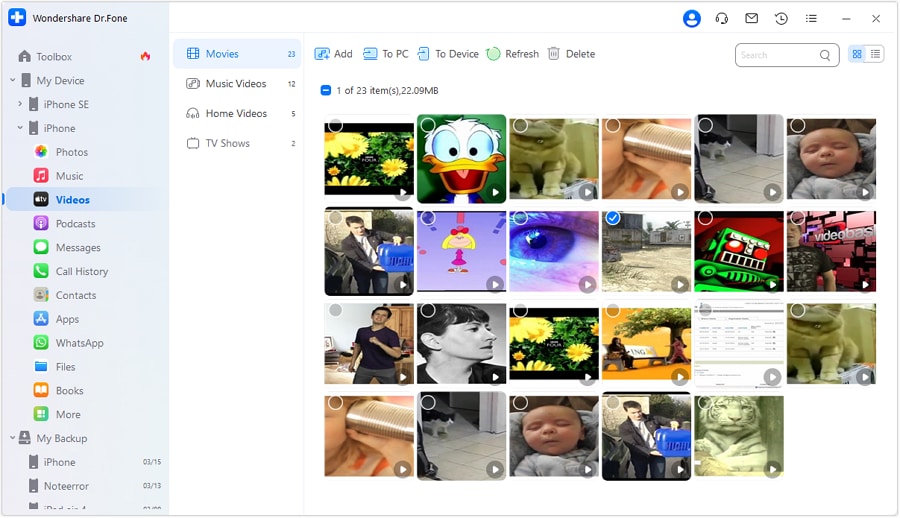
Connect your iPhone to the computer, then choose a data type, such as “Videos,” from the left toolbar under your device name.

Step 2. Filter the Required Videos and Export Them
To export the videos from an iPhone to a PC, select the videos and tap the “To PC” button. Here, you can also filter video types such as Movies, Music Videos, Home Videos, etc., before exporting.
Conclusion
To sum up, this guide has explained what an MFi-certified product is while unveiling the MFi Apple program. All the details, from its origins to pros/cons, are explained to help you understand why they are better than non-MFi products when you can’t afford the originals. However, if you have used cheap non-certified cables and have a data loss threat, Dr.Fone - Data Manager is suggested to export your iPhone data to a PC.
 safe & secure
4,624,541 people have downloaded it
FAQs
 Q1. Do MFi accessories work better with iOS updates?Q2. Are MFi cables better for CarPlay and data transfer?Q3. Are all MFi cables the same quality?
Dr.Fone Basic:
Better Control for Your Phone
Manage, transfer, back up, restore, and mirror your device


iPhone Transfer
- Data Transfer
- 1. Video from iPhone to External Drive
- 2. Transfer MP4 to iPhone
- 3. Put Wallpapers on iPhone
- 4. Move Photos to SD Card
- 5. Best Apps to Transfer from iPhone to Android
- iPhone to PC
- 1. Transfer Pictures From iPhone to PC
- 2. Transfer From iPhone to Computer
- 3. Transfer Album from iPhone to PC
- 4. Transfer Data from iPhone to PC
- 5. Copy Voice Memo from iPhone to PC
- 6. Apple 'MFi Certified'
- 7. Podcasts from iPhone to Computer
- 8. Transfer Notes from iPhone
- 9. Techniques Used in Mobile Phone Forensics
- 10. Facing Please Unlock iPhone Photos Error
- iPhone to Mac
- 1. Voice memos from iPhone to Mac
- 2. Synce Notes from iPhone to Mac
- 3. Export iBooks to PC and Mac
- 4. Transfer Photos from iPhone to Mac
- 5. Transfer Music from iPhone to Mac
- Computer to iPhone
- 1. AirDrop From Mac to iPhone
- 2. Use AirDrop from Mac to iPhone
- 3. Transfer Data from PC to iPhone
- 4. Transfer Videos from PC to iPhone
- 5. Unsync iPhone from Computer
- 6. Sync iPhone with Multiple Computers
- Transfer to iPhone
- 1. Switch Cards Between iPhones
- 2. Facetime for Android to iPhone
- 3. Transfer Data from Motorola to iPhone
- 4. Samsung to iPhone Transfer
- 5. Transfer iPhone Apps to iPhone
- 6. Clone iPhone/iPad to iPhone
- Transfer from iPhone
- 1. Transfer Video from iPhone to Laptop
- 2. Transfer Data from iPhone to Laptop
- 3. Transfer Notes from iPhone to iPad
- 4. Transfer Data from iPhone to Android
- 5. Switch from iPhone to Google Pixel
- 6. Switch from iPhone to Samsung S10
- 7. Switch from iPhone to Samsung
- 8. Transfer from iPhone to Samsung S20
- iPhone Transfer Tips
- 1. Ford Sync iPhone
- 2. Free Music Download Sites
- 3. Where Do AirDrop Photos and Files Go
- 4. iPhone Transfer Software
- 5. Get a Free iPhone Government Phone
- WhatsApp Transfer
- 1. WhatsApp from iPhone to iPhone
- 2. WhatsApp from iPhone to Android
- 3. WhatsApp from iPhone to Samsung S10
- 4. WhatsApp Messages to iPhone
- 5. WhatsApp from iPhone to Samsung S9
- iTunes Transfer
- ● Manage/transfer/recover data
- ● Unlock screen/activate/FRP lock
- ● Fix most iOS and Android issues
- Free Download Free Download Free Download


 > How-to > Device Data Management > What Does 'MFi Certified' Mean & Why It Matters - A Complete Guide (2026)
James Davis
staff Editor