
Top 10 Must-Know Free Music Download Sites in 2026

Sep 23, 2026 • Filed to: Device Data Management • Proven solutions
 TL;DR:
You can securely and legally download free MP3s in 2026 for offline listening or commercial projects using platforms like Free Music Archive, Jamendo, and Pixabay Music, as long as you adhere to their specific Creative Commons licenses or attribution rules.
● Pixabay Music and Bensound permit immediate royalty-free downloads for commercial use without requiring an account, whereas SoundCloud and Audiomack strictly limit free downloads to personal use depending on the individual artist's upload settings.
● To acquire free high-quality MP3 or lossless FLAC albums on Bandcamp, you must specifically filter by the "Name your price" tag and manually enter "Zero" as the cost during checkout.
● Managing bulk offline downloads requires a desktop tool like Wondershare Dr.Fone for Windows or Mac, which bypasses iTunes sync errors to directly add, export, or delete duplicate tracks on connected iOS and Android smartphones.
Ask AI for a summary
 ChatGPT
 Perplexity
 Gemini
 Claude
 Grok
Grok
Dr.Fone Basic:
Better Control for Your Phone
Manage, transfer, back up, restore, and mirror your device
Want free music? You're not alone.
Millions of people search for legal MP3 downloads daily. Only to end up with sketchy sites that carry risks of malware and legal issues.
But here's the thing. You can still download music for free. Legally. And without risking the security of your device or worrying about getting sued.
In this guide, I will share the best free music download sites that actually work in 2026. You will also find a bonus tip for managing all that music on your smartphone.
- Part 1. Why Free Music Download Sites Still Matter
- Part 2. Top 10 Best Free Music Download Sites (Legal and Safe)
- 1. Free Music Archive (FMA)
- 2. Jamendo Music
- 3. SoundCloud
- 4. Pixabay Music
- 5. YouTube Audio Library
- 6. Bandcamp
- 7. Audiomack
- 8. Bensound
- 9. Internet Archive
- 10. ReverbNation
- Part 3. Quick Comparison: Best MP3 Download Sites

- Part 4. Bonus Tip: Easily Manage Your Downloaded Music Files with Wondershare Dr.Fone
Part 1. Why Free Music Download Sites Still Matter
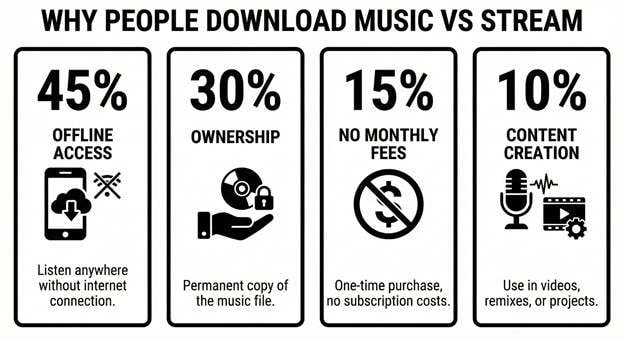
The main reason is the lack of cost for saving and listening to your favorite music offline. This is because not everyone can afford monthly subscriptions to streaming platforms.
Moreover, streaming services can rotate and delete music at anytime. But free music websites help you download and keep songs forever.
Also, content creators download them to use royalty-free music in their videos. Similarly, DJs want tracks for offline sets. Plus, when traveling, you need music without WiFi.
Because of these reasons, there are plenty of free music websites to download music legally. You just need to know the right platforms to look for.
Part 2. Top 10 Best Free Music Download Sites (Legal and Safe)
After testing dozens of platforms, these are the best free MP3 download sites that work. With these, you don’t need to worry about scams or malware issues.
Let’s review these one by one.
1. Free Music Archive (FMA)
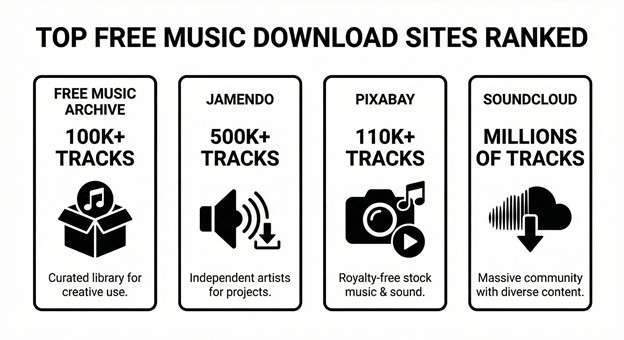
Free Music Archive offers over 100,000 tracks across every genre imaginable. Rock, electronic, jazz, classical. It's all here.
Also, FMA works on Creative Commons licenses. This means artists voluntarily chose to share their music. So, you can get free music without any guilt.
The platform also offers some public-domain tracks for commercial use. However, most are for personal use only. Make sure to check each license before using it in your projects.
Some key features of this MP3 music download site include:
- Direct MP3 downloads without an account
- Filter by genre, mood, or license type
- Perfect for discovering independent artists
Best for: Music lovers looking for legal downloads and content creators needing music without copyright.
2. Jamendo Music
Jamendo is the top music download website with over 500,000 tracks. All tracks are free for personal use. The platform connects independent artists directly with listeners.
The interface looks similar to Spotify. As a result, it supports curated playlists. It also includes radio stations. In addition, users can browse music by genre with ease. Jamendo also has a separate licensing section for commercial projects.
Some best features of Jamendo Music include:
- Free account required for downloads
- High-quality MP3 format
- Curated playlists for every mood
Best for: Finding new independent artists and background music for videos.

3. SoundCloud
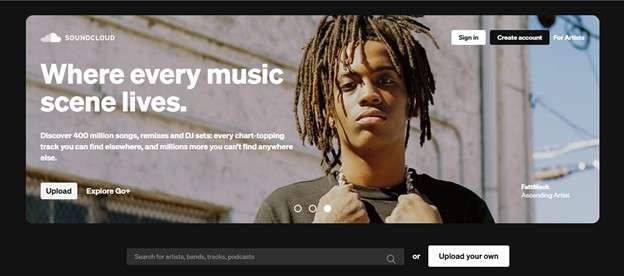
SoundCloud is more than a streaming platform. It also works as a large MP3 download website. However, some tracks do not support downloads.
Artists control this feature during upload. They choose to allow downloads or block them. As a result, availability depends on the artist’s settings.
Tracks that support downloads show a download button below the player. You can click this button. The platform then saves the audio file to your device.
Some highlights of this platform include:
- Millions of tracks from indie artists
- Free basic account includes downloads
- Great for hip hop, electronic, and remixes
Best for: Finding emerging artists and underground music scenes.
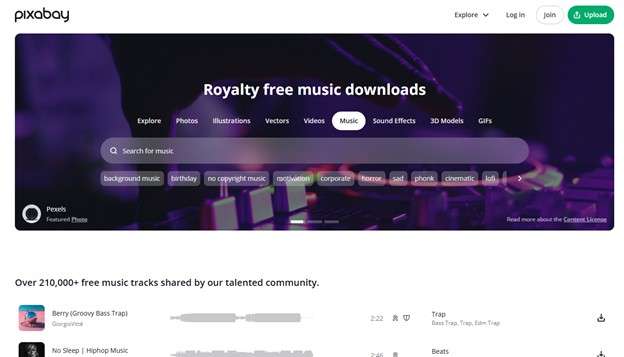
4. Pixabay Music
You know Pixabay for stock photos. But their music library is an underrated gem.
It offers over 110,000 tracks. All are royalty-free. So, you don’t need to attribute for most of the tracks. You can also download music instantly without creating an account. The quality of the tracks can easily rival paid services. There are also diverse genres to choose from. Cinematic, pop, electronic, ambient. Whatever your project needs.
Here’s what you can expect with Pixabay Music.
- No account or sign-up needed
- Free for commercial and personal use
- Clean interface with easy search
Best for: Content creators needing royalty-free background music fast.
5. YouTube Audio Library
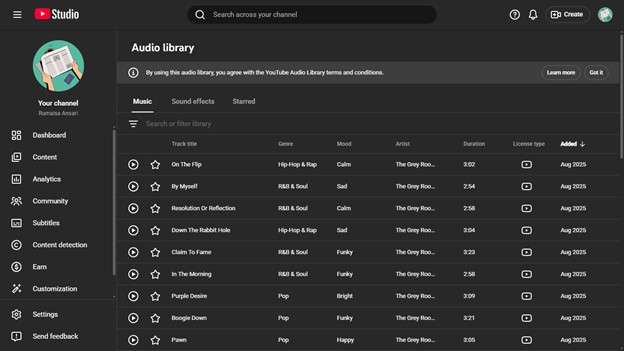
For content creators, YouTube's Audio Library is a hidden treasure. You can access it through YouTube Studio. It allows you to download tracks directly and use them in monetized videos without worrying about copyright strikes. Each track lists its license clearly. Some need attribution. Others don't. Sound effects are included, too.
Here are some of its key benefits.
- Safe for YouTube monetization
- Direct download links provided
- Sound effects library included
Best for: YouTubers and video creators who need music without copyright.
6. Bandcamp
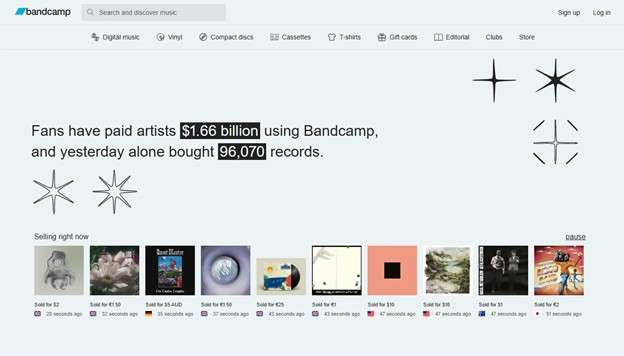
Bandcamp is an online platform for artists to sell their music. But many offer free downloads too. All you need to do is search by the “Name your price” tag. Then enter “Zero” as the preferred cost when buying the music. And you can download albums completely free of cost.
Some artists may ask for your email address. It’s a fair enough trade for free music from legitimate musicians. The quality is excellent. And many offer lossless FLAC alongside MP3.
Here are the pros of using this website to download songs.
- High-quality audio formats available
- Support artists directly if you choose
- Discover mainstream and indie artists
Best for: Music fans who want quality downloads and find new bands.
7. Audiomack
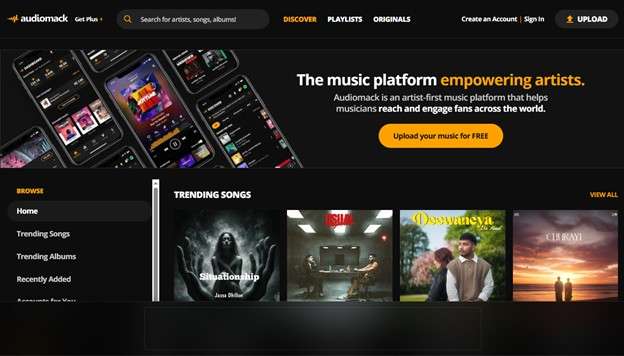
Audiomack is known for music across the hip-hop, Afrobeats, and reggae genres. Free streaming and offline downloads are available. Audiomack also has an app for Android and iPhone. It allows you to download full albums and mixtapes. Plus, you don’t need any subscription for basic features.
Here are the key benefits of downloading music from Audiomack.
- Offline download feature in the free tier
- Strong hip hop and Afrobeat catalog
- Mobile apps for iOS and Android
Best for: Hip-hop fans and free music download sites for Android phones.
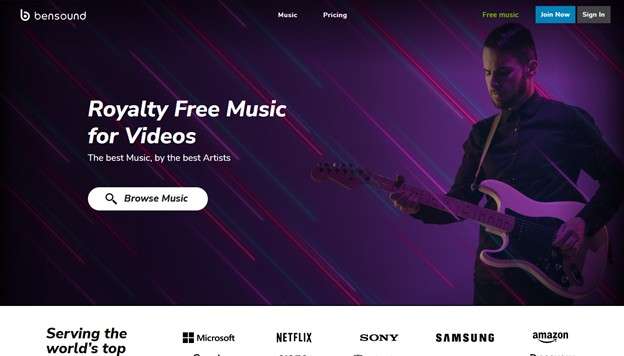
8. Bensound
Bensound is the best music download website for free tracks. It is operated by one man, Benjamin Tissot, who creates every track himself.
The library isn’t extensive. It includes fewer than 500 tracks total. But the quality is exceptional. You can find professional-grade music for videos, podcasts, and presentations. The tracks are free as long as you credit Bensound in your description. Simple as that.
Some of its key advantages include:
- Professional quality compositions
- Free with attribution required
- Perfect for videos and presentations
Best for: Professional projects needing polished background music.
9. Internet Archive
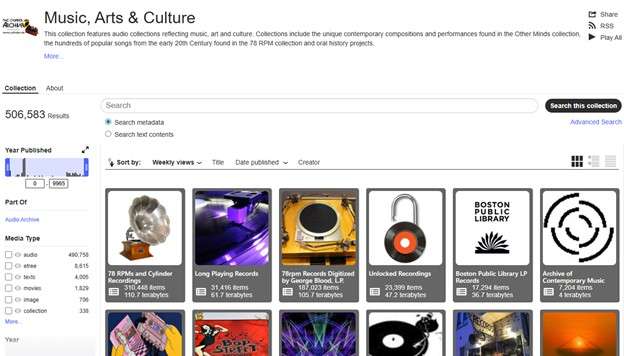
Internet Archive is the digital library of everything. Including music.
It offers millions of audio files. These include live concert recordings, vintage recordings, obscure albums, and more. Formats range from MP3 to high-quality WAV and FLAC. It doesn’t have the prettiest interface. But the content is unmatched for variety.
Key benefits of this MP3 downloader free site include:
- Massive collection of rare recordings
- Multiple audio format options
- Public domain and Creative Commons tracks
Best for: Music historians and collectors seeking rare recordings.
10. ReverbNation
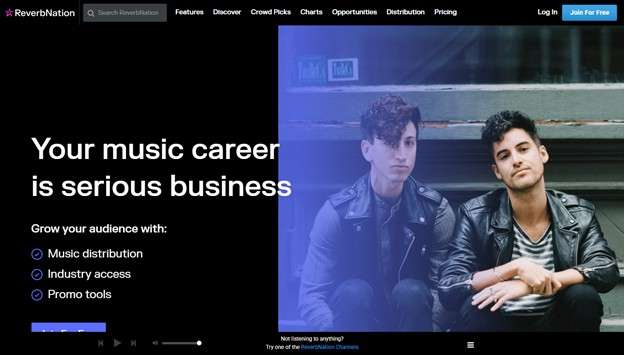
ReverbNation is another free music download site that helps unsigned artists build their online audiences. Many of the artists allow free downloads to grow their fan base. You can discover raw talent before they get more exposure. Overall, it’s a great platform to support emerging musicians while building your own collection.
Here’s a look at its key benefits:
- Emerging and unsigned artists
- Free downloads from many artists
- Discover artists before they're famous
Best for: Music enthusiasts who love discovering fresh talent early.
Part 3. Quick Comparison: Best MP3 Download Sites
Here's how these music download sites compare to each other:
|
Site |
Best For |
Account Needed |
Commercial Use |
| Free Music Archive | All genres | Yes | Check license |
| Jamendo | Indie music | Yes | Separate license |
| SoundCloud | Finding new artists | Yes | Personal only |
| Pixabay Music | Content creators | No | Yes (free) |
| YouTube Audio Library | YouTubers | Yes | Yes (YouTube) |
| Bandcamp | Band Enthusiasts | No | Check License |
| Audiomack | Hip hop fans | Optional | Personal only |
| Bensound | Professional projects | No | Yes (with attribution) |
| Internet Archive | Music collectors | No | Yes (free) |
| ReverbNation | Supporting fresh talent | No | Check License |
Part 4. Bonus Tip: Easily Manage Your Downloaded Music Files with Wondershare Dr.Fone
When downloading hundreds of music files, you might end up with duplicates. Or, you may wish to upload new tracks or delete older ones. Doing this on a small screen can take a lot of time. Wondershare Dr.Fone makes this much simpler.
With Wondershare Dr.Fone, you can manage and transfer your playlists directly from your computer. It lets you add new music and delete duplicates in simple steps.
You can also export music directly to your computer and iTunes. Even better, it works with both iPhone and Android. Plus, you don’t need any technical steps to use it.
Apart from music, Dr.Fone helps you manage over 30 types of data. This includes photos, videos, call history, chats, app data, and more.

Wondershare Dr.Fone
Easily Manage Your Downloaded Music Files
- Transfer, manage, export/import your music, photos, videos, contacts, SMS, Apps, etc.
- Back up your music, photos, videos, contacts, SMS, Apps, etc., to the computer and restore them easily.
- Transfer music, photos, videos, contacts, messages, etc., from one smartphone to another.
- Transfer media files between iOS devices and iTunes.
- Fully compatible with the newest iOS system.


Steps to Manage Music with Wondershare Dr.Fone
Step 1. Download and install Wondershare Dr.Fone on your desktop. Open it and connect your iPhone or Android device to your PC. Dr.Fone detects it automatically. Your device info will appear on the screen.
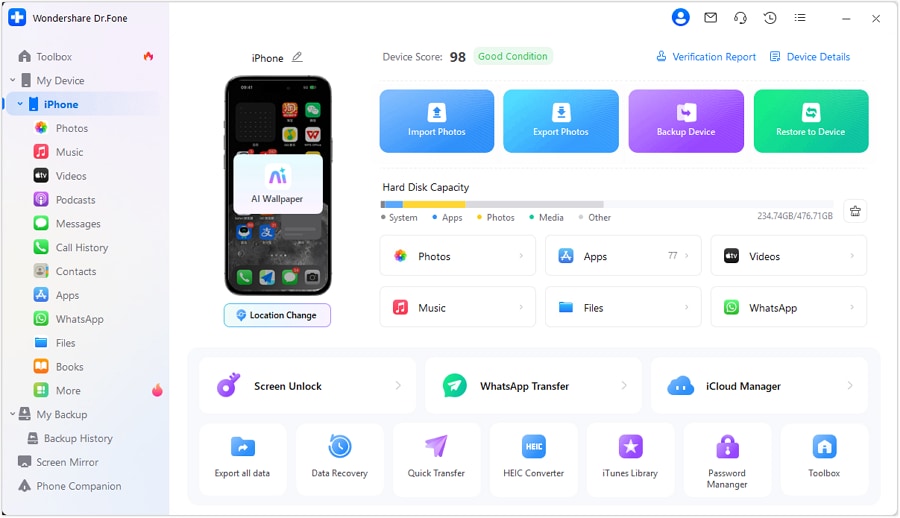
Step 2. Click the “Music” option in the left menu under “My Device.” You'll see all songs currently on your device listed here.

Step 3. From the top right, select “Album View” or “List View” to change how you want to view your music.

Step 4. To manage your songs, select the desired music files. Then, choose “Delete” from the top. Click “Yes” from the prompt to confirm your action.

Step 5. To upload new music, click “Add” from the top and choose whether to “Add File” or “Add Folder.”

Step 6. To remove duplicate songs, select the “Duplicate” option from the top. Dr.Fone will recognize all duplicate files. Next, select the duplicates and click “Delete Duplicates” to remove them.

Step 7. To export a specific song, select the desired music files. Right-click and choose “Export.” Then, select whether to export the files to your computer, iTunes, or Noteerror.

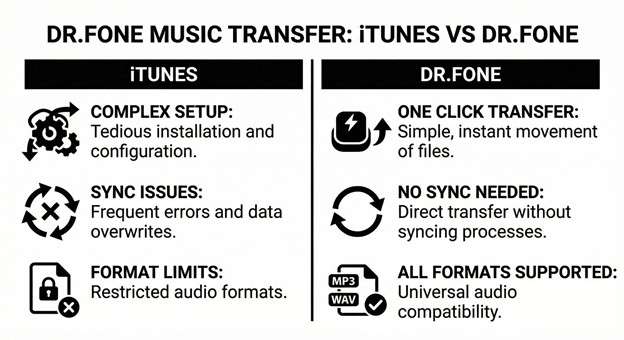
That's it. You don’t need to convert your songs to any other audio format or go through iTunes sync errors. Dr.Fone makes managing your music library fast and simple.
Conclusion
To sum up, these best free music download sites offer millions of tracks legally. They cover various genres of music. They also deliver royalty-free tracks for creators and keep your videos safe from copyright claims.
When building your collection, it is easier for those MP3s to pile up. Wondershare Dr.Fone helps you manage your music files more easily. You can add, delete, or export your tracks with a few clicks. Download and try it now to organize your playlists!
 safe & secure
4,624,541 people have downloaded it
FAQs
 Q1. Is downloading from these free music sites legal?Q2. Can I use free music in YouTube videos?Q3. Are there good free music download sites for Android?
Dr.Fone Basic:
Better Control for Your Phone
Manage, transfer, back up, restore, and mirror your device


iPhone Transfer
- Data Transfer
- 1. Video from iPhone to External Drive
- 2. Transfer MP4 to iPhone
- 3. Put Wallpapers on iPhone
- 4. Move Photos to SD Card
- 5. Best Apps to Transfer from iPhone to Android
- iPhone to PC
- 1. Transfer Pictures From iPhone to PC
- 2. Transfer From iPhone to Computer
- 3. Transfer Album from iPhone to PC
- 4. Transfer Data from iPhone to PC
- 5. Copy Voice Memo from iPhone to PC
- 6. Apple 'MFi Certified'
- 7. Podcasts from iPhone to Computer
- 8. Transfer Notes from iPhone
- 9. Techniques Used in Mobile Phone Forensics
- 10. Facing Please Unlock iPhone Photos Error
- iPhone to Mac
- 1. Voice memos from iPhone to Mac
- 2. Synce Notes from iPhone to Mac
- 3. Export iBooks to PC and Mac
- 4. Transfer Photos from iPhone to Mac
- 5. Transfer Music from iPhone to Mac
- Computer to iPhone
- 1. AirDrop From Mac to iPhone
- 2. Use AirDrop from Mac to iPhone
- 3. Transfer Data from PC to iPhone
- 4. Transfer Videos from PC to iPhone
- 5. Unsync iPhone from Computer
- 6. Sync iPhone with Multiple Computers
- Transfer to iPhone
- 1. Switch Cards Between iPhones
- 2. Facetime for Android to iPhone
- 3. Transfer Data from Motorola to iPhone
- 4. Samsung to iPhone Transfer
- 5. Transfer iPhone Apps to iPhone
- 6. Clone iPhone/iPad to iPhone
- Transfer from iPhone
- 1. Transfer Video from iPhone to Laptop
- 2. Transfer Data from iPhone to Laptop
- 3. Transfer Notes from iPhone to iPad
- 4. Transfer Data from iPhone to Android
- 5. Switch from iPhone to Google Pixel
- 6. Switch from iPhone to Samsung S10
- 7. Switch from iPhone to Samsung
- 8. Transfer from iPhone to Samsung S20
- iPhone Transfer Tips
- 1. Ford Sync iPhone
- 2. Free Music Download Sites
- 3. Where Do AirDrop Photos and Files Go
- 4. iPhone Transfer Software
- 5. Get a Free iPhone Government Phone
- WhatsApp Transfer
- 1. WhatsApp from iPhone to iPhone
- 2. WhatsApp from iPhone to Android
- 3. WhatsApp from iPhone to Samsung S10
- 4. WhatsApp Messages to iPhone
- 5. WhatsApp from iPhone to Samsung S9
- iTunes Transfer
- ● Manage/transfer/recover data
- ● Unlock screen/activate/FRP lock
- ● Fix most iOS and Android issues
- Free Download Free Download Free Download




James Davis
staff Editor