Teleport your device anywhere instantly with one click.

 100% Security Verified | No Subscription Required | No Malware

 :
: 
 ChatGPT
 Perplexity
 Gemini
 Claude
 Grok
Grok
Pokémon Emerald has plenty of rare Pokémon to catch, but only one guaranteed Master Ball to help you catch them. Since the Master Ball never fails against a wild Pokémon, many players reserve it for Rayquaza, Kyogre, or roaming Legendaries.
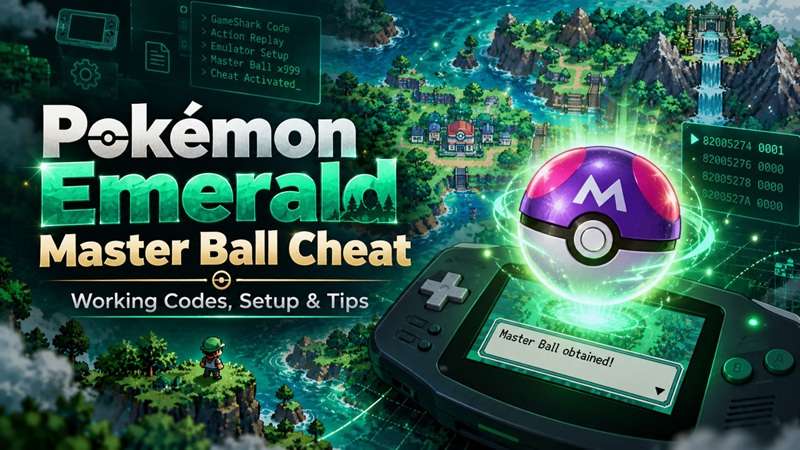
With the Pokémon Emerald Master Ball cheat, you can obtain additional Master Balls without relying on the game's rare lottery prize. Compatible GameShark and My Boy codes let you get them through Poké Marts or PC storage. However, choosing the wrong cheat format can prevent the code from working. This guide covers the correct codes, activation steps, and fixes.
In this article
- Part 1. What Is the Master Ball in Pokémon Emerald, and Why Is It So Valuable?
- Part 2. Does the Pokémon Emerald Master Ball Cheat Still Work?
- Part 3. How to Get Unlimited Master Balls in Pokémon Emerald Using Cheat Codes
- Part 4. Where to Find a Master Ball in Pokémon Emerald Without Cheats
- Part 5. How to Level Up Faster in Pokémon GO with XP Tips and Dr.Fone Virtual Location
Part 1. What Is the Master Ball in Pokémon Emerald, and Why Is It So Valuable?
It can be frustrating to capture rare Pokémon with Poké Balls after repeated failures. One of the Poké Balls we'll use in Pokémon Emerald, or other Pokémon games, is the Master Ball. The master ball guarantees a catch on the first throw.
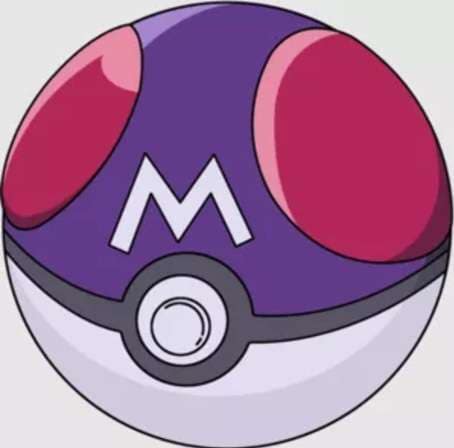
Unlike regular Poké Balls, Master Balls are extremely rare and aren't available everywhere. Their limited availability makes it difficult to save enough for multiple rare Pokémon encounters.
This is where the Pokémon Emerald Master Ball cheat comes in handy. With compatible cheat codes, players can get more Master Balls to catch Pokémon without running out.
Part 2. Does the Pokémon Emerald Master Ball Cheat Still Work?
Yes, the Pokémon Emerald Master Ball cheat still works on compatible emulators, particularly those running Pokémon Emerald version 1.0. However, codes may not function correctly on version 1.1.
The following GameShark Master Ball code allows players to obtain free Master Balls from Poké Marts:
GameShark Cheat Code:
958D8046 A7151D70
8BB602F7 8CEB681A
Use the code, go to a Poké Mart and get your Master Balls. Once you have collected enough, you should disable the cheat to prevent conflicts.
For My Boy Emulator:
The My Boy emulator Master Ball cheat uses a different code:
82005274 0001
Select CodeBreaker as the cheat type, or use Auto Detect if your emulator supports it. Activate the code and visit a Poké Mart to collect Master Balls.
Part 3. How to Get Unlimited Master Balls in Pokémon Emerald Using Cheat Codes
Pokémon Emerald cheat codes can be used through an emulator such as Visual Boy Advance (VBA) and My Boy or physical cheat devices such as GameShark. These codes let you access additional Master Balls without spending real money.
However, not every code available online works with every emulator. Some also require a master code before activation. Follow the instructions below to enable the Pokémon Emerald Master Ball cheat on your preferred emulator.
Method 1. How to Get Unlimited Master Balls Using Visual Boy Advance (VBA)
Visual Boy Advance lets you activate Pokémon Emerald Master Ball cheat codes directly through its cheat menu. Follow these steps to obtain Master Balls from Poké Marts.
-
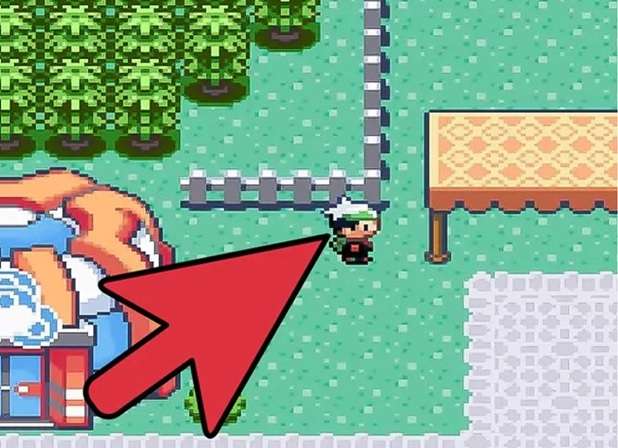
Step 1 Save Your Game
Open Pokémon Emerald in VBA and save your progress. You can also create a save state to return to your current position if the cheat causes problems.
-
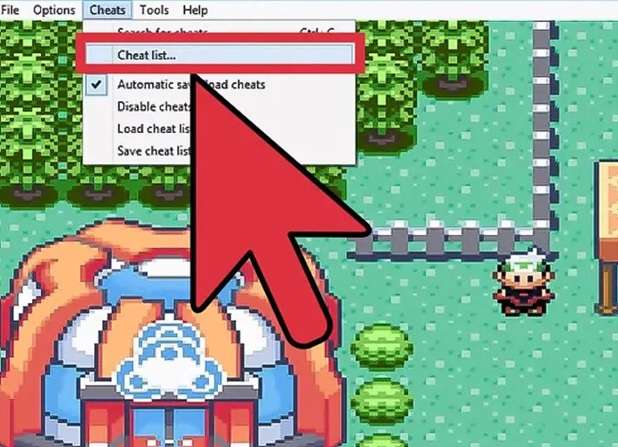
Step 2 Open the Cheat Menu
Click Cheats > Cheat List in the emulator. A new window will appear where you can add and manage cheat codes.
-
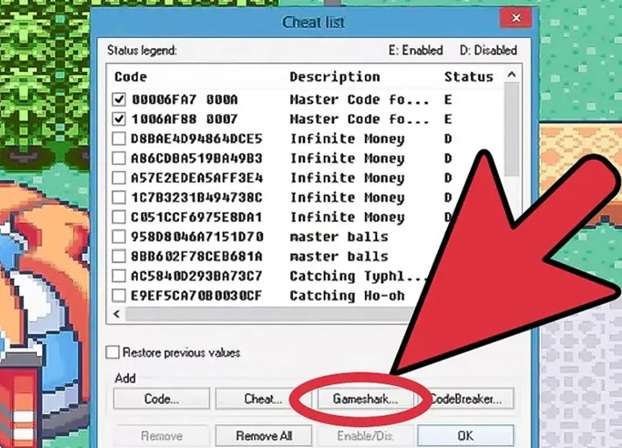
Step 3 Select GameShark
Click GameShark to open the code entry window. Enter a name in the Description field to identify your cheat.
-
Step 4 Enter the Master Ball Code
Paste the GameShark Master Ball code provided in Part 2 into the code field. Save the entry and ensure the cheat is enabled. Some cheat configurations may also require a compatible master code.
-
Step 5 Collect Master Balls at a Poké Mart
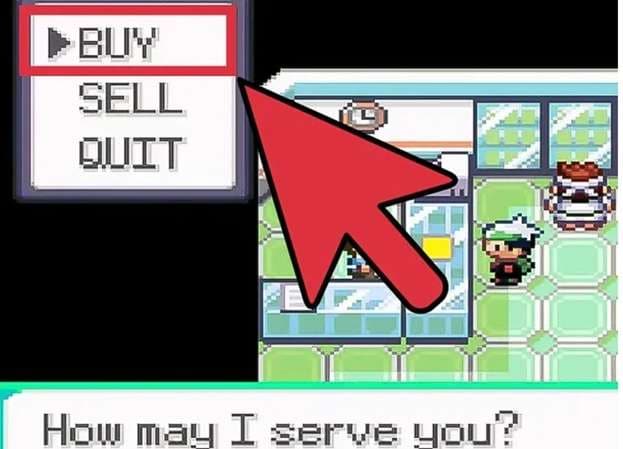
Return to the game and enter a Poké Mart. Speak to the shopkeeper and open the Buy menu. The cheat should let you obtain Master Balls for free.
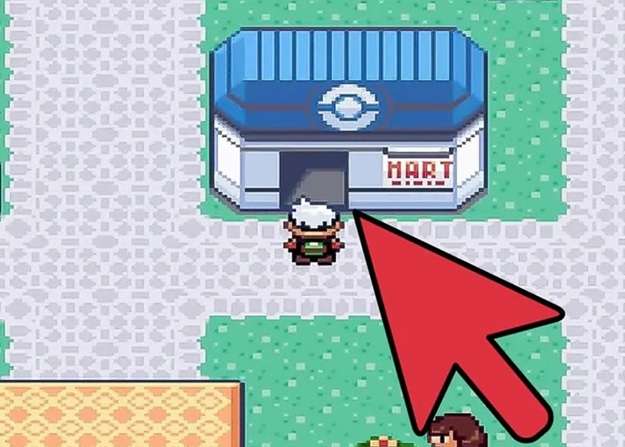
If your emulator allows only one Master Ball per transaction, repeat the purchase until you have enough. If the shop inventory hasn't changed, leave the Poké Mart and enter again.
-
Step 6 Disable the Cheat
Once you've collected your Master Balls, return to Cheats > Cheat List and uncheck the active cheat entries. Exit and re-enter the Poké Mart to restore its regular inventory.
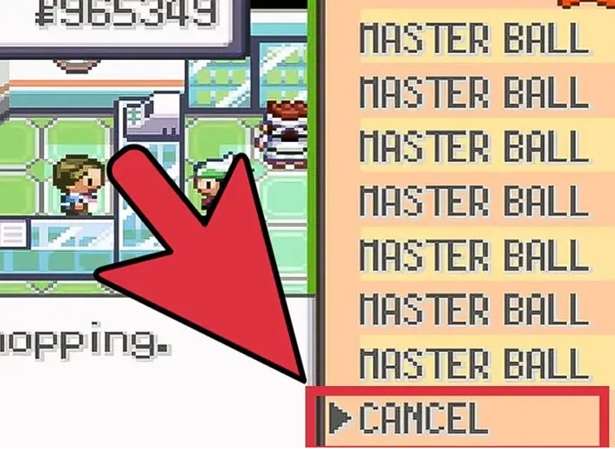
You don't need to enter the code again for future use. Simply reactivate the saved cheat from the Cheat List whenever you need more Master Balls.
Method 2. How to Activate the Master Ball Cheat on My Boy Emulator
-
Step 1 Install and Open My Boy
Install the My Boy emulator on your Android device and open Pokémon Emerald.
-
Step 2 Access the Menu
Tap the menu icon to access the emulator's settings.
-
Step 3 Select Cheats
Select Cheats from the available options.
-
Step 4 Add a New Cheat
Tap New Cheat to enter a name and paste the My Boy emulator Master Ball code.
-
Step 5 Select Cheat Type and Enable
Select the cheat type, save the entry, and ensure it's enabled.
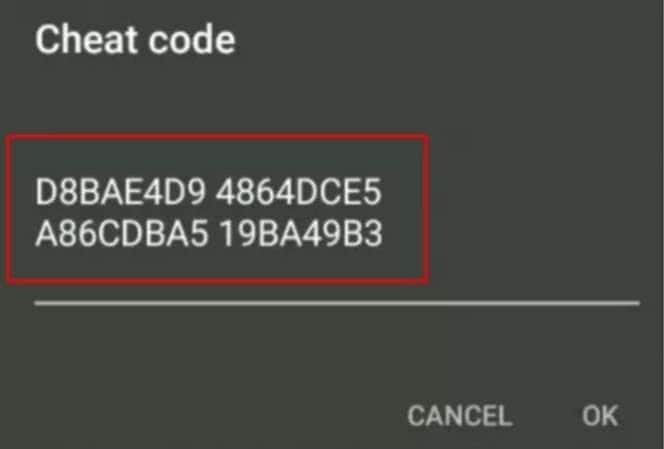
Once activated, the compatible cheat lets you get more Master Balls in Pokémon Emerald.
Part 4. Where to Find a Master Ball in Pokémon Emerald Without Cheats
You can obtain a Master Ball in Pokémon Emerald without using cheat codes, but your options are limited. Here are two locations worth checking:
1. Team Aqua's Hideout
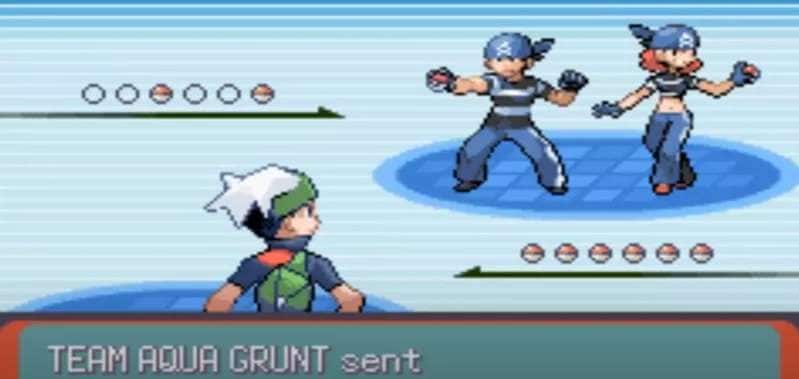
To reach Team Aqua's Hideout, fly to Lilycove City and Surf along the coast until you reach the entrance. Check the hideout, defeat the trainers, and go through the rooms until you get four item balls. One contains a Master Ball, while the other three are Electrodes.
2. Lilycove Department Store Lottery Corner
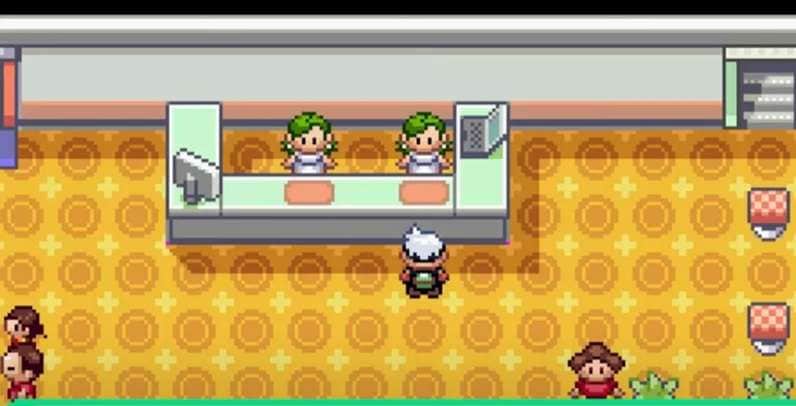
Visit the Lottery Corner in Lilycove Department Store and enter the Pokémon Lottery. If the drawn number matches all five digits of a Pokémon's Trainer ID, you'll receive a Master Ball. However, winning depends on luck, so this method doesn't guarantee a reward.
Part 5. How to Level Up Faster in Pokémon GO with XP Tips and Dr.Fone Virtual Location
You earn XP in Pokémon GO for catching Pokémon, taking part in raids and building friendships in the game Pokémon Emerald. There are several effective ways to gain XP quicker.
1. Boost Your Friendship Levels
Making friends is a great way of earning XP. To achieve better friendship levels, one should exchange gifts, fight in raids and interact together regularly.
- Great Friends: Requires 7 friendship points.
- Ultra Friends: Requires 30 friendship points.
- Best Friends: Requires 90 friendship points.
Use a Lucky Egg before reaching an XP-awarding friendship milestone to double the XP earned.
2. Participate in More Raids
Raid Battles provide XP and opportunities to catch powerful Pokémon. To make the most of them:
- Collect Premium Battle Passes when needed.
- Join local raid communities through Discord, WhatsApp, or Facebook.
- Coordinate consecutive raids with other trainers.
- Use a Lucky Egg or take advantage of special XP events to increase your rewards.
3. Catch and Evolve Pokémon in Batches
Regularly catch Pokémon and save Candy to evolve them in bulk. First, select Pokémon that won't take up a lot of Candies. Then use a Lucky Egg to evolve several Pokémon at once. This helps maximize the XP earned during its active period.
4. Explore GPS Locations with Dr.Fone Virtual Location
Traveling between cities to explore different Pokémon GO locations can take time and money. Dr.Fone - Virtual Location lets you change your phone's reported GPS position and simulate movement without traveling.
It supports compatible iOS and Android devices and offers features such as Teleport Mode, Simulate GPS Movement, and Joystick Control, without requiring root or jailbreak on supported devices.
 Set your map route to simulate GPS movement.
- Set your wanted movement speed.
- HD and large map view to check location.
- Fake GPS location to anywhere.
How to Use Teleport Mode
-
Step 1 Download and Open Dr.Fone
Download and open Dr.Fone on your computer. Select Virtual Location and connect your iPhone or Android phone.

-
Step 2 Click Teleport Mode
Click Teleport Mode in the upper-right corner. It is the first icon in the mode selection area.
-
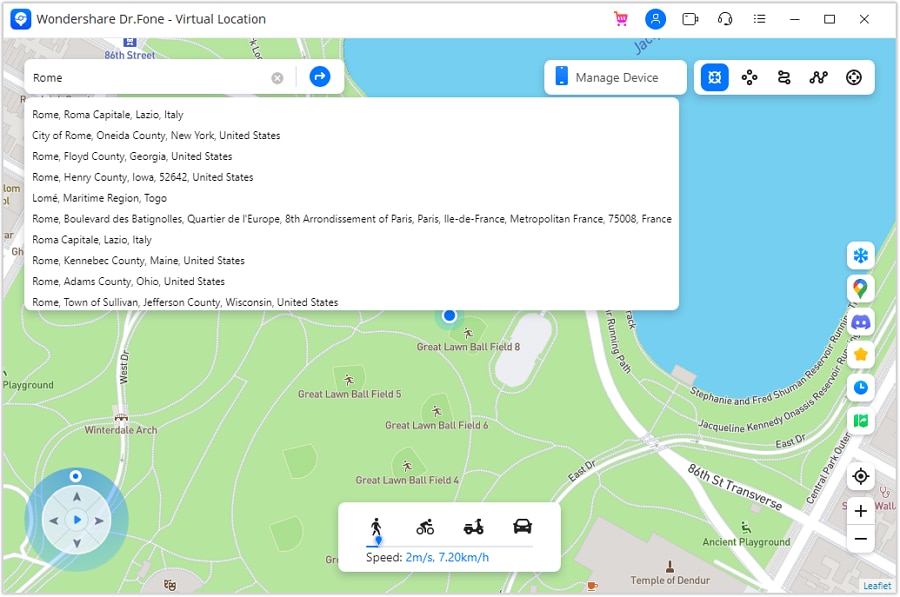
Step 3 Type Your Desired Location
Type your actual address or desired location in the search bar and hit Enter.
-
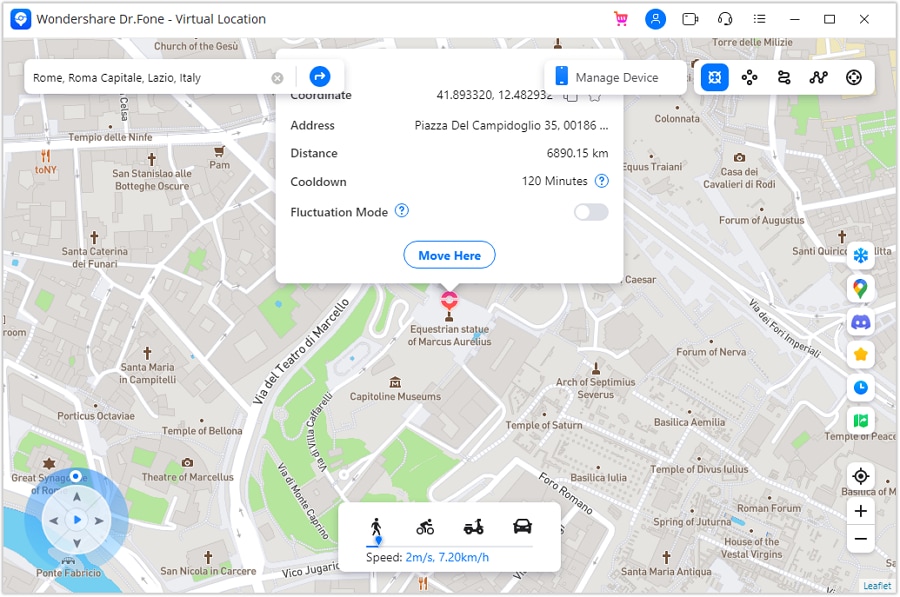
Step 4 Click Move Here
Check your selected place on the map, and then click Move Here to report your GPS position.
-
Step 5 Confirm the New Coordinates
Confirm the new coordinates on a map app of your phone.




How to Simulate GPS Movement
-
Step 1 Launch Virtual Location and Connect Your Phone
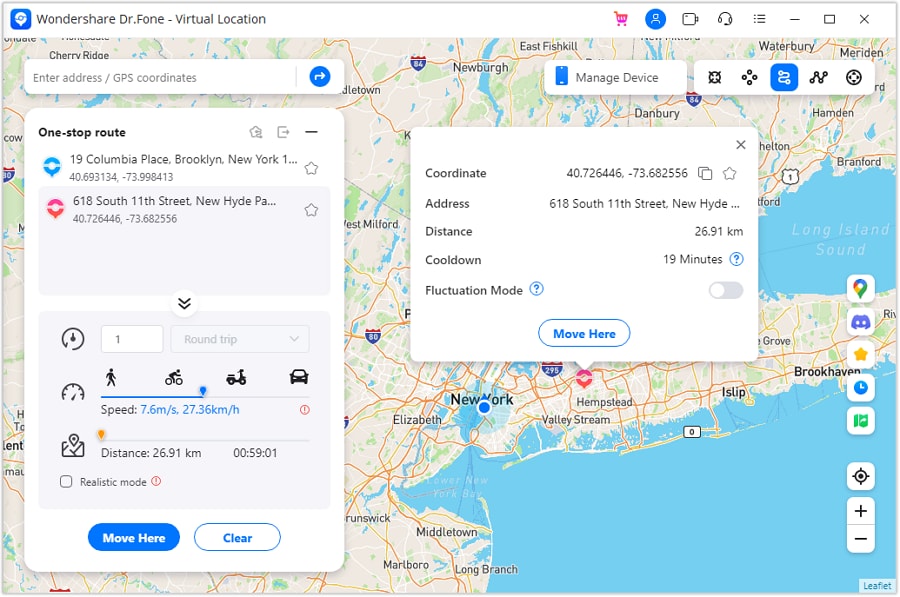
Launch Dr.Fone - Virtual Location and connect your phone. Click One-Stop Route on the top right corner.
-
Step 2 Set Your Path on the Map
Click on a location on the map to set your path.
-
Step 3 Configure Trip Type, Trips, and Speed
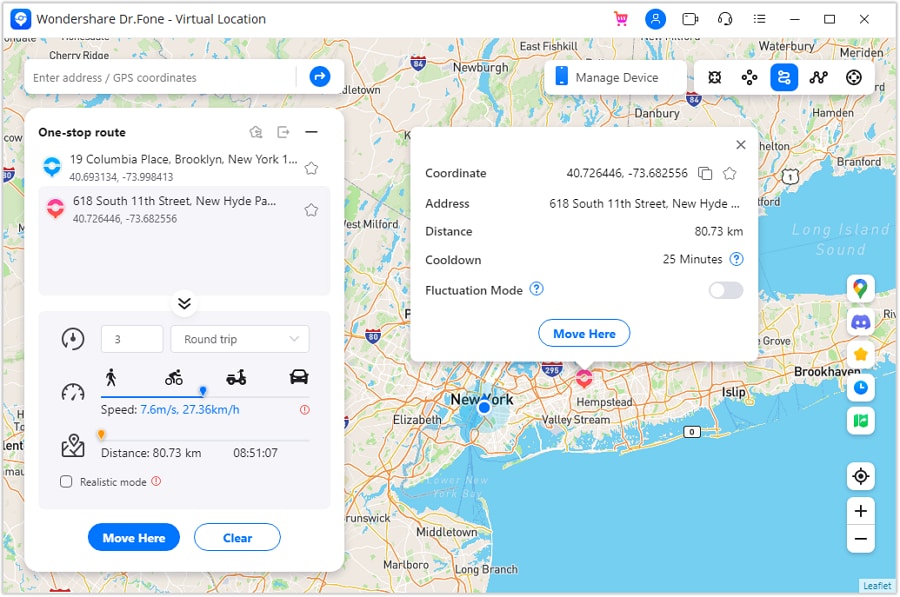
Select a round trip or loop trip. Set trips and speed with the slider.
-
Step 4 Click Move Here to Start
Click Move Here to begin the GPS simulation. Your virtual position will move along the selected route.
-
Step 5 Pause or Clear the Route
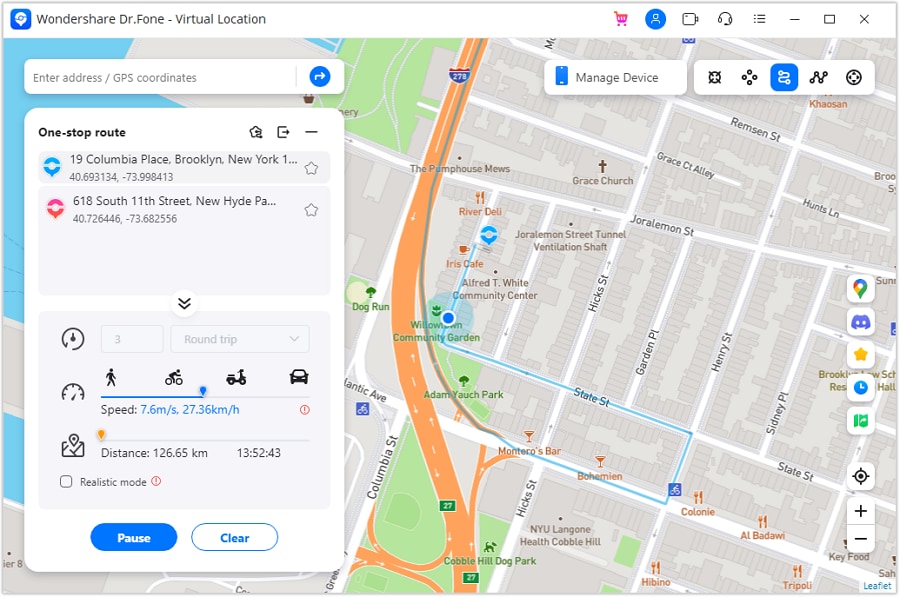
Use Pause to stop the movement or Clear to end the route simulation.
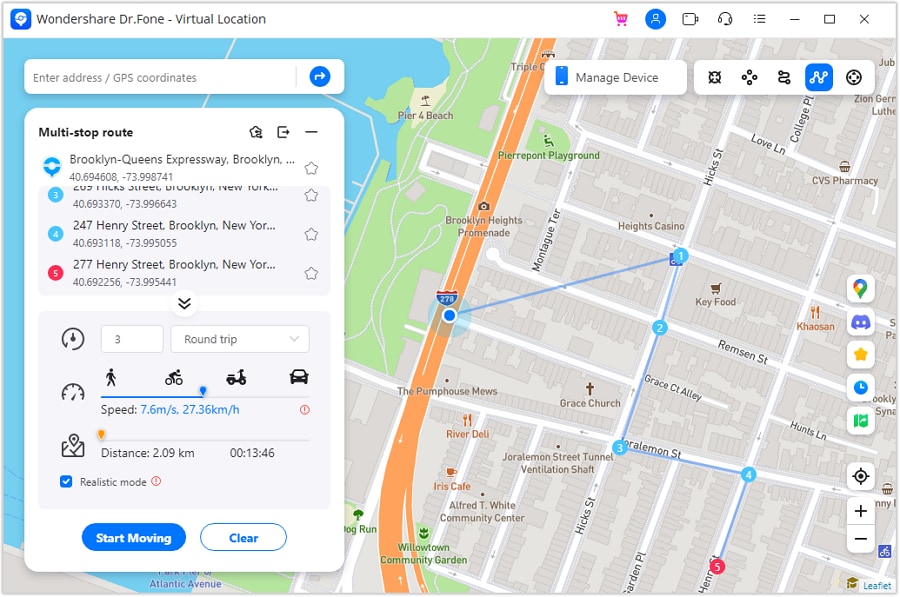
For routes with several destinations, you can select Multi-Stop Route instead and add multiple points before starting.
Dr.Fone also provides a joystick to manually adjust virtual movement and direction.
Conclusion
A rare Pokémon encounter shouldn't end in a missed catch. The Pokémon Emerald Master Ball cheat makes it easier to collect extra Master Balls with compatible GameShark and My Boy emulators. Whether you use cheat codes or explore the game's original Master Ball locations, remember to save your progress and disable cheats after use.
Beyond Emerald, Dr.Fone - Virtual Location brings another dimension to location-based gaming. Its Teleport Mode and simulated GPS movement let you explore virtual locations while offering more flexibility than sharing your location with compatible apps. Keep in mind that GPS spoofing in Pokémon GO carries account risks.
 Add Wondershare Dr.Fone as a preferred source on Google