
Dr.Fone Alternative — Are There Reliable Free Options?

Oct 22, 2026 • Filed to: Device Data Management • Proven solutions
 TL;DR:
A reliable free alternative to Dr.Fone does not exist because disparate free tools lack the military-grade security and combined capability to seamlessly unlock, repair, recover, and transfer data across over 6,000 Android models and all Apple devices.
● The Screen Unlock and System Repair tools bypass Google FRP on Samsung Snapdragon devices and resolve over 150 system errors without requiring root access, jailbreaking, or causing data loss on systems up to Android 16 and iOS 26.
● Users can recover over 35 file types directly from devices like the iPhone 17 series without prior backups, or permanently wipe private files using a Data Eraser that generates verifiable deletion reports for secure device resale.
● The WhatsApp tool handles direct cross-platform chat migration between operating systems, successfully merging old and new application data on target devices like the Samsung Galaxy S25 while offering PDF or HTML backup exports.
Ask AI for a summary
 ChatGPT
 Perplexity
 Gemini
 Claude
 Grok
Grok
Dr.Fone Basic:
Better Control for Your Phone
Manage, transfer, back up, restore, and mirror your device
Many users look for quick ways to fix phone problems, recover files, or unlock devices without stress. During this search, they come across different tools and wonder if a reliable Dr.Fone alternative actually exists. It usually appears when a device stops working or when essential data becomes unreachable.
The individual desires something easy and without necessarily putting in time or money. Before choosing any tool, it helps you to know what Dr.Fone offers and why most similar options fail to match its features. This guide also explains the real situations and helps you make a clear and confident choice.
Part 1. What Is Dr.Fone? (Full Toolkit Explained)
Dr.Fone is a complete mobile toolkit that helps users handle many daily problems. It is created by Wondershare and designed to manage and recover data on iOS and Android devices. This powerful tool provides data recovery, which restores almost all types of deleted data. Along with that, System Repair features fix issues such as black screens, crashes, and failed updates.

Moreover, Dr.Fone supports secure transfer of social media data, including WhatsApp and Kik. It also offers data privacy tools like encrypted file storage, making user data safer. Besides, this toolkit helps with mistaken deletions and data migration between phones. It supports over 6,000 Android models and works with all Apple Devices. Thus, Dr.Fone offers consistent performance, making it difficult to find an effective alternative to Dr.Fone.
Part 2. Why It’s Hard to Find a True Dr.Fone Alternative
Many users expect simple tools to fix mobile issues, yet most options feel limited. Below, you will explore why most individuals find it challenging to choose Dr.Fone's free alternative:
- Broad Scope: It covers many tasks that usually require several separate tools to complete. This wide scope makes matching its combined abilities difficult for most alternatives.
- Deep Repair: The program’s repair tools fix complex software issues that many simple apps cannot handle. So, such strong repair support reduces the chances of damage caused by weak tools.
- Safe Recovery: Dr.Fone retrieves all types of lost data while keeping the device safe during recovery. This careful process ensures files return without adding risks that many alternatives introduce.
- Smooth Transfer: You will also be able to move chats and media across phones without losing quality. Such an effortless transfer process supports updates when users change phones or platforms.
- Security Measures: Dr.Fone includes encrypted storage and secure transfer of sensitive data. Free alternatives may lack strong privacy and encryption features, risking data leaks.
Part 3. Recommended Dr.Fone Features You Should Consider (Why Go with the Official)
Users will compare the various tools, and yet they need distinct advantages to decide. It helps you understand why a free Dr. Fone alternative rarely matches quality. This part shows essential Dr.Fone features worth considering before making your choice:
1. Screen Unlock (iOS, Android)
Dr.Fone - Screen Unlock helps quickly remove locks on Android and iOS devices. It unlocks Android screens locked by pattern, fingerprint, and more. The tool also bypasses Google FRP lock on Samsung Snapdragon devices with a 100% success rate. Besides, it supports almost all major Android brands such as OPPO, HONOR, Realme, OnePlus, and Xiaomi.

Dr.Fone - Screen Unlock (Android)
The Best Tool to Bypass FRP and Solve Your Screen Locks
- Completely unlinked from the previous Google account, it won’t be traced or blocked by it anymore.
- Remove all Android screen locks (PIN/pattern/fingerprints/face ID) in minutes.
- Compatible with various Android models.
- Provide specific removal solutions to promise success rate.


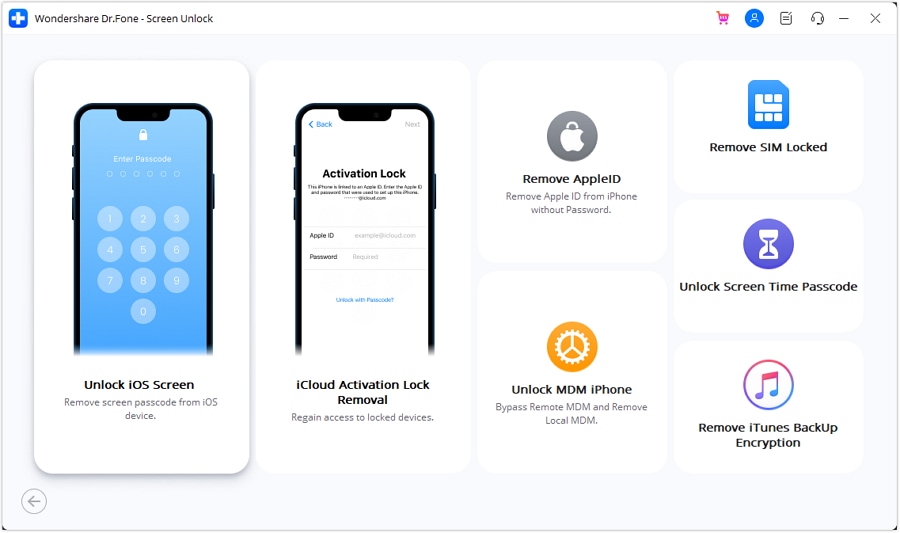
On iOS, it removes passcodes on iPhones, iPads, and iPods without data loss. Apart from that, Dr.Fone also bypasses iCloud Activation Lock and Screen Time restrictions safely. Compatible with the latest iOS 26 and Android 16, it provides a reliable solution. Due to these features, finding a Dr.Fone alternative free with similar capabilities is very hard.
 safe & secure
4,624,541 people have downloaded it
2. System Repair (iOS, Android)
Another powerful tool designed for fixing Android and iOS system issues is Dr.Fone - System Repair. On Android, it has Android 16 support and fixes issues such as the black screen of death and system update failures. It works on major brands, including Samsung and POCO, repairing devices without root access or skills. The tool guarantees no data loss for different models during repair.
Dr.Fone - System Repair (Android)
Repair Android System Errors without Any Trouble.
- Fix your Android to normal, no skills required.
- Fix various Android system issues, stuck in boot loop, black screen, or won't turn on, looping on start, etc.
- The high success rate in resolving Android system issues.
- Compatible with a wide range of Android devices and OS versions
- User-friendly interface with easy-to-follow steps.
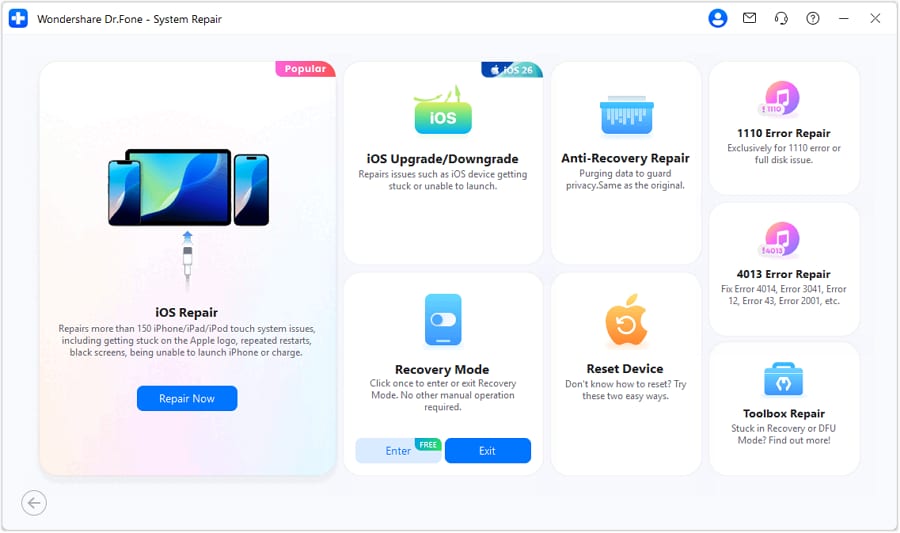
For iOS devices, it supports iOS/iPadOS 26 to ensure compatibility with the latest devices. Along with that, the program fixes over 150 system problems, such as the Apple logo stuck and boot loops. Besides that, users can upgrade or downgrade iOS without jailbreaking or using iTunes. Plus, the repair process preserves user data while restoring devices to regular operation.
safe & secure4,624,541 people have downloaded it
3. Data Recovery (iOS, Android)
The Data Recovery feature leads in recovering lost data on iOS and Android devices effortlessly. It supports the latest iPhone 17 series with a high success rate. Users can even recover lost data directly from devices without needing prior backups. Plus, Dr.Fone even restores data from iTunes and iCloud backups with security. It recovers over 35 data types, including multimedia and even iWork files.
Dr.Fone - Data Recovery (Android)
Recover whatsapp/contacts/messages/call history saved in Google Drive to your computer.
- Recover Android data by scanning your Android phone & tablet directly.
- Preview and selectively recover what you want from your Android phone & tablet.
- Supports various file types, including WhatsApp, Messages & Contacts & Photos & Videos & Audio & Document.
- Supports 6000+ Android Device Models & Various Android OS.
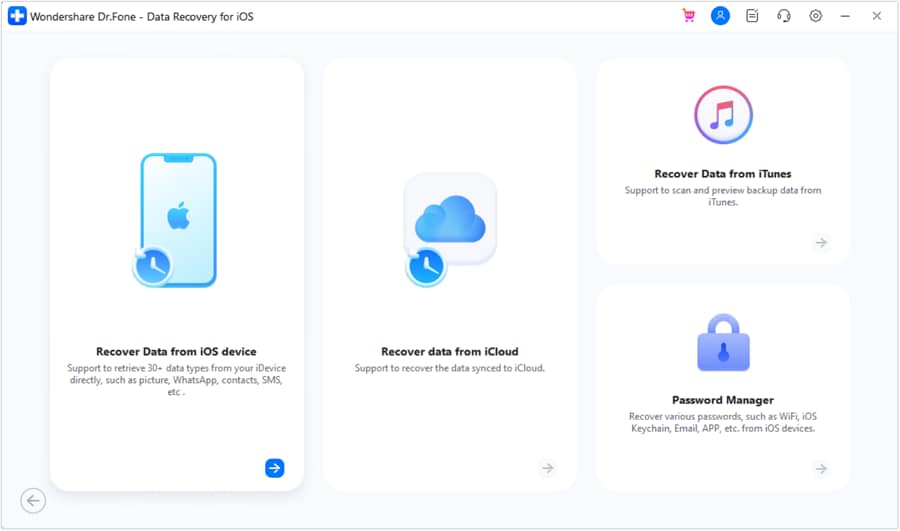
For Android, it recovers 14+ data from more than 6000 devices without root access. The tool restores WhatsApp and business chat data, including new View Once media. Moreover, users preview recoverable files and choose exactly what to save selectively. Hence, this tool is discussed in Dr.Fone's free alternative Reddit forums for its trusted features.
4. Data Eraser (iOS, Android)
Dr.Fone - Data Eraser permanently removes all data on both Android and iOS devices. It deletes all the Android files, including photos and call logs. The erasing is carried out with military-grade security to make the data unrecoverable. In addition, Android devices from any brand are supported for complete data removal. It also generates a data erasure report, which helps maximize phone resale value.
Dr.Fone - Data Eraser
Fully Erase Everything on Android and Protect Your Privacy
- Simple, click-through process.
- Wipe your Android completely and permanently.
- Erase photos, contacts, messages, call logs, and all private data.
- Supports all Android devices available in the market.
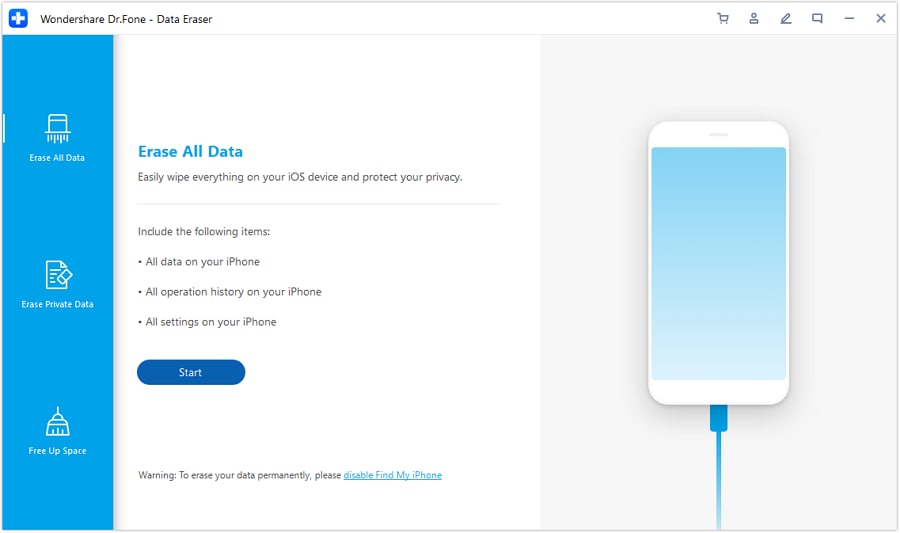
On iOS, it even lets users selectively erase videos and app data. The tool clears junk files and speeds up iPhones and iPads. You can even preview data before erasing to avoid mistakes. Apart from that, it also wipes messaging apps’ data, such as WhatsApp and WeChat. Thus, the security and usability of Dr.Fone make finding a Dr.Fone alternative very challenging.
safe & secure4,624,541 people have downloaded it
5. WhatsApp Transfer
Dr.Fone - WhatsApp Transfer also helps users move chats and media between devices. The tool is capable of moving WhatsApp and WhatsApp Business chat across platforms without any loss of data. It supports the latest Android 16 and iOS 26, including iPhone 17 and Samsung Galaxy S25 models. While migrating, Dr.Fone merges the new and old apps’ data on a device.
Dr.Fone - WhatsApp Transfer
One-click to Transfer, Backup, and restore Your WhatsApp Data
- Transfer WhatsApp messages from Android to iOS, Android to Android, iOS to iOS, and iOS to Android.
- Backup WhatsApp messages from iPhone or Android on your PC.
- Allow restoring any item from the backup to iOS or Android.
- Completely or selectively preview and export WhatsApp messages from iOS backup to your computer.
- Support all iPhone and Android models.
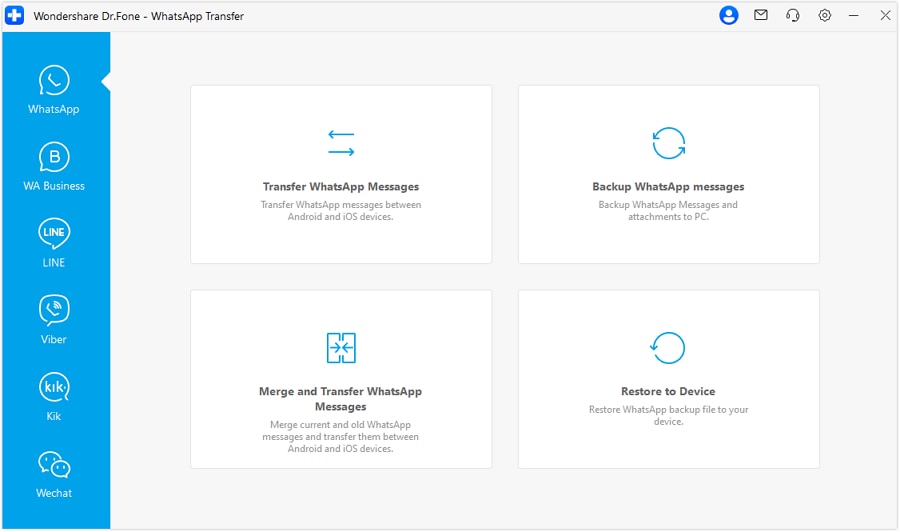
Beyond that, users can even back up the WhatsApp app data for later restoration. In addition, this backup allows previewing and even exporting to your device in PDF or HTML formats. Also, custom transfers let users choose exactly which messages or files to move. So, these dedicated features make finding a genuine Dr.Fone free alternative impossible.
safe & secure4,624,541 people have downloaded it
Conclusion
In summary, opting for a tool is essential when your phone faces serious issues or data loss. Dr.Fone provides complete solutions for recovery, repair, unlocking, and transferring. Most free options fall short because they lack Dr.Fone's wide coverage and security features. For those seeking a Dr.Fone alternative, understanding these differences will guide better choices. Hence, utilizing Dr.Fone means trusting a proven solution with dependable results.
safe & secure4,624,541 people have downloaded it
FAQs
 Q1. Can Dr.Fone work on both old and new smartphones?Q2. Is Dr.Fone safe to use for personal data?Q3. Can Dr.Fone erase data permanently from a used phone?
Dr.Fone Basic:
Better Control for Your Phone
Manage, transfer, back up, restore, and mirror your device


iPhone Data & Files
- iPhone File Managers
- 1. iPhone File Browsers
- 2. iPhone File Explorers
- 3. iPhone File Managers
- 4. Apps to Transfer File Wirelessly
- Transfer iPhone Files
- 1. Send Large Files For Free
- 2. Transfer File from iPhone to Laptop
- 3. Transfer Files from iPhone to Mac
- 4. Transfer Files from iPhone to PC
- 5. Transfer Files from Mac to iPhone
- 6. Transfer Files from PC to iPhone
- 7. Print Text Messages from iPhone
- 8. Transfer Files Over WiFi
- 9. iPhone File Transfer Without iTunes
- 10. Access iPhone Files Using a PC
- 11. Export Notes from iPhone to PC/Mac
- 12. Save iPhone Text Messages to Computer
- iPhone Manage Tools
- 1. iPhone Transfer Tools
- 2. Manage Apps On iPhone
- 3. Security Apps for iPhone
- 4. Call Forwarding Apps
- 5. iPhone Tracking Apps
- Manage iPhone Apps
- 1. Change Viber Number
- 2. iPhone Calls Apps
- 3. Block People in Facebook
- 4. Monitor Snapchat on iPhone
- 5. Snapchat Saver Apps
- Sync iPhone Data
- 1. Sync Notes from iPhone to Mac
- 2. Ford Sync iPhone
- 3. Sync iCal with iPhone
- 4. iPhone Calendar Not Syncing
- 5. Sync iTunes Library to iPhone
- 6. Unsync iPhone from Computer
- 7. Sync iPhone with Multiple Computers
- More iPhone File Tips
- ● Manage/transfer/recover data
- ● Unlock screen/activate/FRP lock
- ● Fix most iOS and Android issues
- Free Download Free Download Free Download




Daisy Raines
staff Editor