Teleport your device anywhere instantly with one click.


 100% Security Verified | No Subscription Required | No Malware

 :

 ChatGPT
 Perplexity
 Gemini
 Claude
 Grok
A Pokemon Go joystick can simulate a phone's location, but it is not an approved way to move your trainer. The convenience promoted by fake GPS tools comes with an important tradeoff: falsifying location violates the game's fairness rules and can lead to restrictions, suspension, or permanent account termination.
If you cannot travel because of weather, accessibility needs, or a sparse local map, the appeal is understandable. However, choosing a well-known tool or waiting between movements does not remove that rule. This guide examines the advertised benefits, the actual risks, and the difference between a general GPS simulator and permission to use one in Pokemon Go.
In this article
Part 1: Pokemon Go Joystick Basics You Should Understand
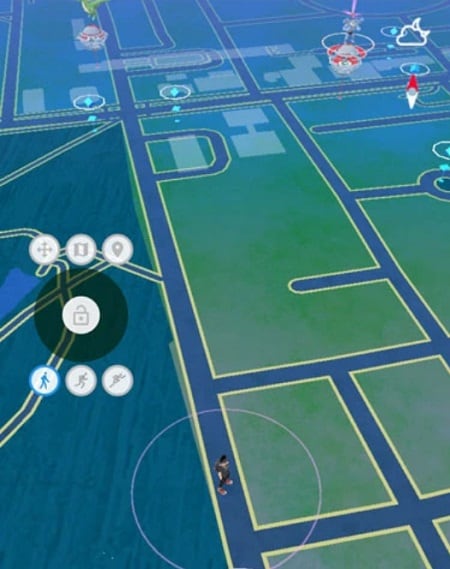
The phrase Pokemon Go joystick usually describes third-party software that presents directional controls while changing the device's reported location. It may be a desktop-connected utility, a mobile location app, or a modified game client. These approaches are not equivalent, and an Android APK file is simply an installation package, not proof that the software is official or trustworthy.
- Static location changes: a tool supplies coordinates different from the phone's physical position.
- Directional movement: a joystick or route control changes those coordinates over time.
- Movement settings: some tools offer walking, jogging, or driving-style speeds; the game does not have to accept those readings as legitimate travel.
A joystick does not directly create a Pokemon encounter, complete a raid, or award egg distance. Those outcomes depend on the game's own conditions and checks. The original article blurred raiding and hatching: eggs use eligible distance tracking, while raids are separate battles. Moving a marker on a map does not guarantee either result.
Likewise, a search for a Pokemon Go APK download or PGSharp APK can lead to software with very different origins and permissions. Do not equate a modified client with the official game. Avoid giving an unknown installer account credentials, device-administrator privileges, or security exceptions just because a page promises convenient movement.
Part 2: Why Players Are Attracted to Joystick Controls
The following are the practical motivations behind Pokemon joystick tools, not promises of supported gameplay. Each advertised convenience needs to be weighed against the fact that the game's policy prohibits location spoofing.
- Staying indoors when conditions are unsafe.
Extreme heat, storms, poor visibility, or an unsafe neighborhood can make walking outside inappropriate. Staying safe should come first. That does not make fake GPS an authorized substitute: postpone outdoor play or use the official at-home features currently available to your account. The older article's pandemic-specific warning should not be read as a current universal public-health instruction.
- Seeing beyond a limited local area.
Rural players may encounter fewer nearby stops, gyms, or active groups than city players. A simulated location appears to offer access to a busier map, which explains the appeal. It does not create official access rights or guarantee better spawns; location and event eligibility remain subject to the game's rules.
- Finding a wider variety of encounters.
Players may hope to reach a reported spawn without physically traveling. Reports can be outdated, encounters can expire, and regional or event restrictions may apply. Even an accurate coordinate does not guarantee that the same Pokemon will appear for every account. This is a claimed convenience, not a reliable catch method.
- Reducing travel while progressing.
Joystick advertising often combines easier access to battles, faster distance collection, and quicker leveling. These are different game systems with their own eligibility conditions. A GPS simulator cannot promise recognized walking distance, faster egg hatching, or raid rewards, and artificially reporting travel remains a policy violation.
- More comfortable directional control.
A keyboard or on-screen joystick can make a simulated route easier to operate than repeatedly entering coordinates. That interface benefit can be meaningful in permitted map testing. In Pokemon Go, however, a smoother control scheme does not make the underlying falsification compliant or improve account safety.
The decision is therefore not simply whether the control feels convenient. It is whether the intended use is allowed by the service receiving the location. For Pokemon Go, the official fairness policy explicitly names GPS location spoofing as cheating.
Part 3: Risks of Using a Pokemon Go Joystick
There are three separate issues to consider: consequences for the game account, changes to device security, and dependence on an outside software supplier. A tool can avoid one of these problems while leaving the others unchanged.
Account restrictions, suspension, and termination
The current official gameplay fairness policy, now hosted by Scopely Explore, describes location falsification and unauthorized clients or add-ons as cheating. It outlines a warning, a temporary suspension, and account termination. It also explicitly says that some behavior can result in immediate termination without all three strikes. It is inaccurate to promise that every account will receive several warnings first.
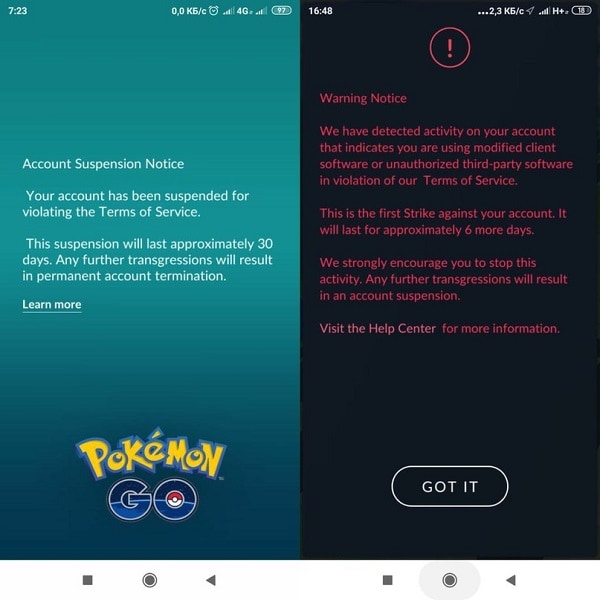
A warning can affect gameplay beyond displaying a message. Restricted encounters or unavailable social activities may occur during enforcement. If you believe an action was taken in error, use the official appeal process rather than a third-party service claiming it can remove a ban.
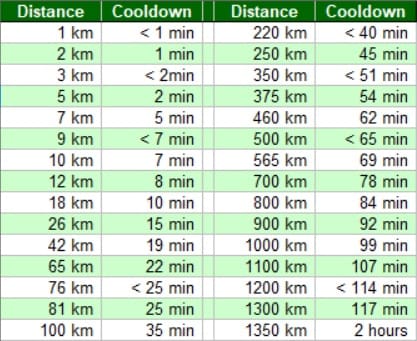
The cooldown chart retained below is a historical illustration, not an official safety timetable. Waiting between actions does not authorize GPS spoofing, establish an undetectable speed, or guarantee protection. There is no verified universal delay that makes a Pokemon Go joystick compliant.
Security changes on jailbroken or modified devices
Some older iPhone workflows required jailbreaking, while some Android workflows request root access, developer settings, or modified software. These requirements vary, so do not assume every location tool needs the same setup. Granting elevated privileges or disabling protections can increase exposure to malicious software and complicate updates or support.
Warranty and service implications depend on the device maker, the modification, and local rules; they should not be reduced to an automatic universal cancellation claim. Even a no-jailbreak utility cannot certify that an unrelated game will accept its output or that every download claiming to be that utility is genuine.
Unsupported software and disappearing providers
The original article cited iSpoofer as an example of a tool that stopped functioning. The broader lesson is that a paid third-party utility can lose compatibility, distribution access, or customer support. Old download pages and screenshots do not prove a product is maintained in 2026.
Before installing any utility, review its publisher, current support channels, device requirements, cancellation terms, and permission requests. A dependable supplier matters for a legitimate GPS-testing workflow, but reliability is not approval from Pokemon Go. Do not purchase a subscription on the assumption that customer support can reverse a game's enforcement decision.
Dr.Fone - Virtual Location for Permitted GPS Testing
 Set your map route to simulate GPS movement.
- Set your wanted movement speed.
- HD and large map view to check location.
- Fake GPS location to anywhere.
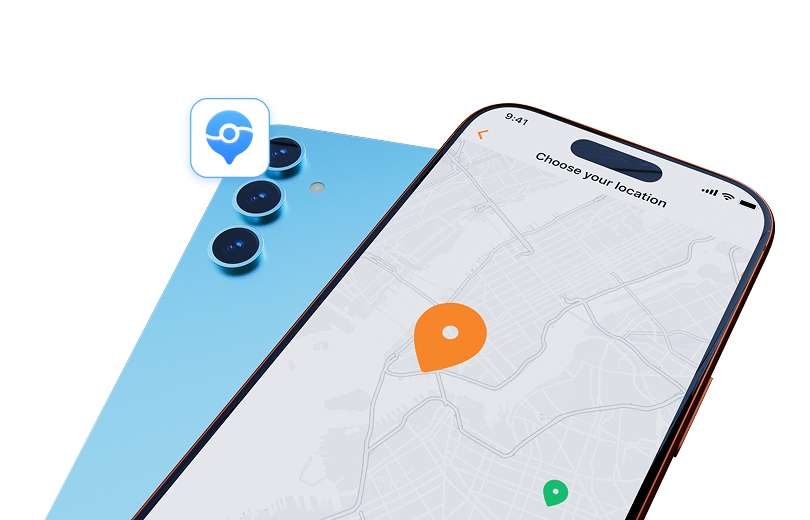
Dr.Fone - Virtual Location is a location simulation utility with map-based destination selection, routes, and adjustable movement settings on supported devices. It can be relevant when you need to test location behavior in an environment that permits simulation. It is not a Pokemon Go entitlement, approved joystick, account shield, or way to guarantee in-game rewards.
Check the installed edition's connection and operating-system requirements before starting. The fixed promotional banner describes the product's map functions; it does not establish authorization to spoof a game. No-jailbreak support on a compatible device is a setup characteristic, not an exemption from another service's rules.
Step 1 Check support and connect your device
Review the current operating-system requirements, install the appropriate edition, and connect your own supported phone. Complete the product's connection prompts without following unrelated installers or modified game packages.
Step 2 Choose a permitted test location
For an authorized maps or development test, open Teleport Mode, search for the intended destination, and inspect the map point. Confirm with Move Here only after checking that you selected the right place.
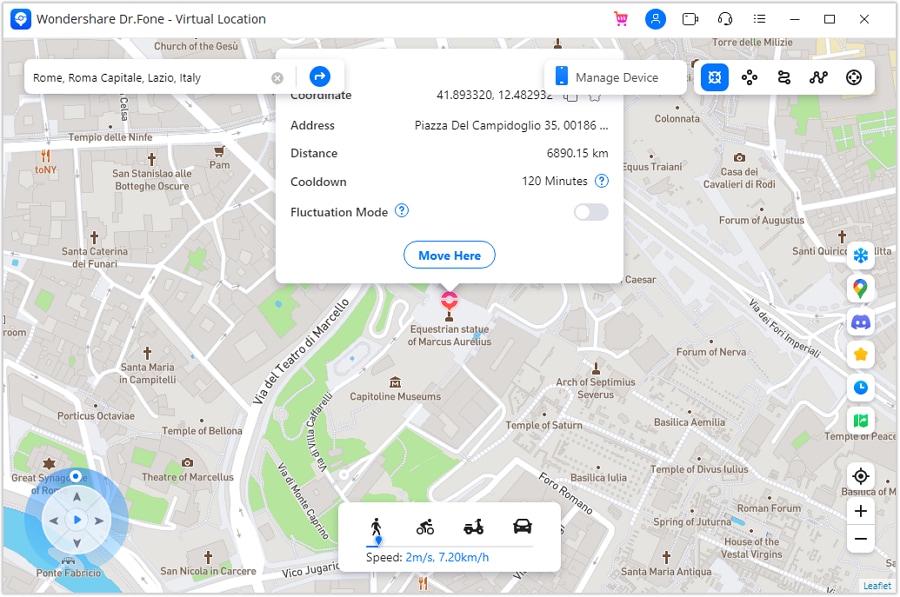
Step 3 Verify and restore the device location
Check the reported position in your permitted test environment. End the simulation when finished and follow the product's device-restart prompt to restore the actual position. Verify the real location before using navigation or location sharing again.
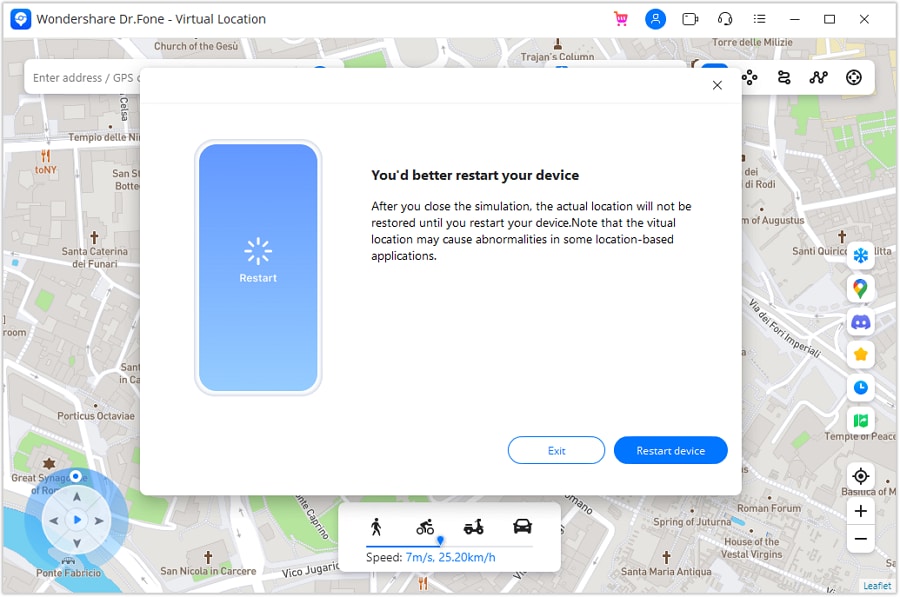
This workflow explains the product's GPS controls, not a recommendation to use them against Pokemon Go's rules. Check third-party terms before any location simulation; device compatibility and a working map are not proof of game compatibility.




Conclusion
A Pokemon Go joystick offers the idea of easier movement from home, especially when travel is difficult or the local map is quiet. The material drawback is not merely choosing the wrong app: falsified GPS itself conflicts with the game's rules. No-jailbreak setup, controlled speeds, and cooldown advice do not change that.
Use official gameplay options and avoid risking an account for promised catches, egg distance, or faster progress. If you also need a permitted GPS-testing workflow outside the game, Dr.Fone - Virtual Location provides the location-specific tools described above.
FAQ
1. Is a Pokemon Go joystick an official feature?
The third-party fake GPS joystick discussed here is not an official movement feature. The game's fairness policy treats falsifying location as cheating.2. Does a cooldown prevent a Pokemon Go ban?
No. A waiting interval does not change the policy or guarantee that simulated movement will be accepted. Historical cooldown charts should not be treated as protection.3. Can a joystick guarantee egg distance or rare catches?
No. Distance credit, encounters, raids, and rewards use separate game conditions and checks. Changing reported coordinates does not guarantee any of those results.4. Is a no-jailbreak location tool risk-free?
No. Avoiding jailbreaking removes that particular modification requirement, but it does not eliminate installation risks, compatibility issues, or account penalties for prohibited use.
 Add Wondershare Dr.Fone as a preferred source on Google