Teleport your device anywhere instantly with one click.

 100% Security Verified | No Subscription Required | No Malware

 :
: 
 ChatGPT
 Perplexity
 Gemini
 Claude
 Grok
Grok
Is iTools 4 virtual location not working for you? I need a reliable iTools virtual location alternative that actually works on the latest iOS versions for Pokémon GO.
Alex Peterson, Gaming Influencer

iTools has long been a staple for Apple device management, with its virtual location feature being a favorite for GPS spoofing. However, as mobile operating systems evolve, many users find that iTools 4 virtual location is not working as expected, or they are deterred by the high subscription costs of the full suite.
In 2026, the need for a stable and feature-rich location changer is more critical than ever. Whether you want to access geo-restricted content, protect your digital privacy, or dominate AR games from home, finding a tool that lets you change location like iTools—but with better reliability—is key. This guide explores the top 5 iTools virtual location alternatives to keep you moving globally from your couch.

In this article
- Part 1. Overview of iTools Virtual Location in 2026
- Part 2. How to Use iTools Virtual Location to Fake GPS
- Part 3. User Reviews: What People Say About iTools
- Part 4. Pros and Cons of iTools Virtual Location
- Part 5. Best iTools Alternative: Dr.Fone - Virtual Location
- Part 6. Other Notable Alternatives for GPS Spoofing
- Conclusion
Part 1. Overview of iTools Virtual Location in 2026
iTools is a desktop-based software suite developed by ThinkSkySoft, designed to simplify the management of iOS devices. Its Virtual Location module is its most famous component, allowing users to trick their device's internal GPS into reporting a different set of coordinates to any app, including maps and social media.
While it was a pioneer, the technical hurdles of spoofing on modern iOS versions mean that the software often requires a stable connection and a paid license. It works by injecting fake GPS data into the device's communication layer, which then informs apps like Tinder or Pokémon GO that you are in a different city or country.
Key Features of iTools:
- No Jailbreak Required: Change location on your iPhone or iPad without compromising system security.
- Multi-Device Support: Simulate fake GPS on up to 5 devices simultaneously.
- GPX Integration: Import existing route files to simulate specific paths for fitness apps or games.
- Joystick Control: Move your avatar in real-time using on-screen controls or your keyboard.
Pricing and Compatibility:
iTools remains primarily a Windows and Mac-based solution. While it supports the latest iOS versions, users frequently report compatibility issues on newer Android builds. Pricing typically starts around $34.95 for a premium license, but many users find they have to buy the full toolset just for the location feature.
Part 2. How to Use iTools Virtual Location to Fake GPS Location on iPhone?
Using iTools to spoof your location involves a few desktop-bound steps. While the interface is relatively straightforward, it requires the device to be physically tethered to your computer throughout the session.
Step 1Connect and Launch
Download the iTools suite from the official website. Once installed, launch the program and navigate to the "Toolbox" tab. Select the "Virtual Location" icon. Ensure your iPhone or Android device is connected via a high-quality USB cable.

Step 2Search for Destination
In the map interface, use the search bar at the top to type in your desired location (e.g., Paris, New York, or specific GPS coordinates). Hit Enter to drop a pin on the map.

Step 3Choose Movement Mode
iTools offers three modes: Move Mode (joystick/keyboard), Walking Mode (fixed speed), and Pin Mode (multi-stop routes). Select the mode that fits your activity, such as "Move Mode" for interactive gaming.

Step 4Execute the Spoof
Once your route or destination is set, click "Move Here." Your device's GPS will update instantly. You can adjust the speed at the bottom of the interface to mimic natural movement.

Part 3. User Reviews for iTools Virtual Location
To provide a balanced view, we analyzed feedback from real users in 2026. While some praise its simplicity, others frequently mention that iTools 4 virtual location is not working after recent iOS updates.
"The interface is clean and it worked well for a while. However, the price is steep if you only need the location tool, and I've had some lag issues lately."
Sri Viswakarma, Content Manager
"I tried using this for AR games, but the location kept jumping back to my real spot. It's frustrating given the cost of the software. I had to look for an alternative."
Kat Napiorkowska, Tech Enthusiast
Part 4. Pros and Cons of iTools Virtual Location
Understanding the strengths and weaknesses of iTools is vital before deciding on a replacement. Here is a breakdown of what users generally experience:
- Reliable global GPS spoofing to any location.
- Clean desktop interface that is easy to learn.
- Supports GPX file imports for complex routes.
- Allows connection of multiple devices at once.
- High price point compared to standalone spoofers.
- The location feature is tied to a large management suite.
- Frequent "iTools virtual location not working" errors on newer iOS.
- Android support is significantly weaker than iOS support.
Part 5. Best iTools Alternative: Dr.Fone - Virtual Location
If you are looking for a tool that lets you change location like iTools but with enhanced stability and dedicated features for 2026, Dr.Fone - Virtual Location is the gold standard. Unlike iTools, Dr.Fone is optimized specifically for geolocation bypass, making it highly effective for Pokémon GO, Life360, and social apps.
 Set your map route to simulate GPS movement.
- Set your wanted movement speed.
- HD and large map view to check location.
- Fake GPS location to anywhere.
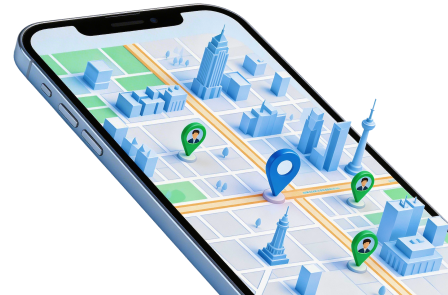
Dr.Fone offers a much more affordable entry point and a sophisticated interface that supports both Android 16 and iOS 19. It includes specialized movement simulation modes (walking, cycling, and driving) with variable speeds from 3.6km/h to 108km/h.
Key Features of Dr.Fone:
- Universal Compatibility: Works on both Android and iOS without needing to jailbreak or root the device.
- Cooldown Timer: Built-in timer for AR gamers to avoid teleportation detection and account bans.
- Joystick Integration: Use your keyboard to control movement precisely within the map.
- Historical Records: Easily revisit your favorite spoofed locations or routes.
Quick Steps to Use Dr.Fone:
Step 1Installation
Launch Dr.Fone on your computer and select "Virtual Location." Connect your device to the PC.
Step 2Identify Current Spot
Click "Get Started" to load the map. Your current real-world location will be displayed accurately.
Step 3Teleport
Click the "Teleport Mode" icon (top right), type your destination, and click "Move Here."


Part 6. Other Notable Alternatives for GPS Spoofing
While Dr.Fone is the top recommendation, several other mobile-based apps can serve as an iTools virtual location alternative, particularly for Android users.
1. Mock Locations (Fake GPS Path)
Mock Locations is a powerful Android-specific app that allows you to simulate complex paths. It is highly technical, allowing for breakpoints and variable speeds. While powerful, it can be buggy on some devices and has a "pay-per-feature" pricing model.
2. Fake GPS Location Spoofer
This is a lightweight app available on the Play Store. It is best for simple tasks like spoofing your location for social check-ins or accessing localized news. However, it lack the advanced anti-detection features needed for heavy AR gaming.
3. Lexa's Fake GPS Location
Lexa’s is one of the oldest and most trusted names in Android spoofing. Its simplicity is its greatest strength. It is completely free but lacks the desktop-powered stability that tools like iTools or Dr.Fone provide for iOS users.
4. Fake GPS Run
Designed primarily for Samsung users, this app provides a clean interface and supports GPX files. It is a solid free choice, though users should expect frequent ads during use.
| Tool Name | Compatibility | Anti-Detection | Price |
|---|---|---|---|
| iTools | iOS (Better) | Moderate | $34.95+ |
| Dr.Fone | iOS & Android | High (Cooldown) | $9.95/mo |
| Mock Locations | Android Only | Low | Freemium |
| Lexa's Fake GPS | Android Only | None | Free |
Conclusion
In summary, while iTools was once the go-to solution, its reliance on a full management suite and reported stability issues in 2026 make it less ideal for modern users. If you are struggling with iTools 4 virtual location not working, the market now offers significantly better, more specialized alternatives.
For those who need a robust, reliable, and user-friendly experience across both iOS and Android, Dr.Fone - Virtual Location is the best iTools virtual location alternative. It combines desktop-grade stability with mobile-specific features like joystick movement and anti-ban timers, ensuring you can spoof your location safely and effectively.
FAQ
1. Is iTools Virtual Location safe for Pokémon GO?
While iTools is generally safe, it lacks a built-in cooldown timer. This means if you teleport too quickly over long distances, Pokémon GO's anti-cheat systems may flag your account. Using an alternative like Dr.Fone with a cooldown timer is recommended.2. Why is my iTools 4 virtual location not working?
This is usually due to an outdated version of iTools or recent security patches in iOS. Ensure you are running the latest version of both the software and the operating system. If it still fails, it may be due to Apple's increased GPS security protocols.3. Can I change location like iTools for free?
Yes, Android users have access to several free apps like Lexa's Fake GPS. However, for iOS users, Apple's security typically requires a desktop-based paid tool to successfully bypass the system's GPS data without jailbreaking.4. Does Dr.Fone support the latest Android versions?
Yes, Dr.Fone - Virtual Location is fully updated to support Android 15 and 16, as well as the latest iOS 18 and 19 updates, making it a future-proof choice for 2026.
 Add Wondershare Dr.Fone as a preferred source on Google