Teleport your device anywhere instantly with one click.


 100% Security Verified | No Subscription Required | No Malware

 :

 ChatGPT
 Perplexity
 Gemini
 Claude
 Grok
There is no verified ban-free Pokémon GO hack download for iOS. Search results can mix ordinary information tools, modified game clients and coordinate changers, but they do not have the same capabilities or account-access requirements. Installing an unofficial package is not necessary to understand the options and can introduce risks beyond a failed game login.
Walking-intensive objectives can be difficult for some players, yet that does not make every advertised shortcut approved or compatible. This 2026 guide keeps the original tool categories, policy explanation and five-stage desktop location demonstration, while replacing unsupported claims of undetectability with clear conditions. Use the official game for compliant play and restrict GPS simulations to applications or tests that permit them.
In this article
Part 1. Understand what an iOS 'hack' is claiming to do
Before downloading anything, identify the requested function. A map that displays reported sightings, a calculator that reads information you supply and a modified game that logs in to your account are fundamentally different tools. Calling all three 'hacks' hides the most important question: what access does the tool require, and is that use permitted?
Look for a verifiable publisher, current device requirements and a transparent description. Avoid files promising unlimited currency, guaranteed rare catches or immunity from enforcement. A page using the phrase 'Pokémon GO hack free download for iOS' is not proof of a functioning app, a valid certificate or the game operator's approval.
1-1. Pokémon location trackers: check the information source
The in-game Nearby feature supplies local encounter information. Third-party trackers may claim to provide more precise sightings or a live map, but the usefulness of that claim depends on where the data comes from, when it was updated and whether obtaining it violates the game rules. A community report may be stale; a screenshot cannot establish live spawn coverage.
Do not assume a tracker available in a store can identify every rare species in your area. Also distinguish a public reference map from a service asking to sign in as you or access the game backend. Use supported in-game information where possible, and never provide credentials merely because a website promises a precise spawn.

1-2. IV checkers: start with the game's Appraise function
Individual values help describe a Pokémon's attributes, but the source's claim that the game does not show appraisal information is outdated. The official Appraising your Pokémon guide explains how to open a Pokémon's menu and select Appraise to view the team leader's rating and Attack, Defense and HP assessments.
A separate calculator may help interpret information you manually provide, but it does not change those underlying attributes. Do not equate every informational tool with unauthorized account access, and do not assume high IVs alone determine every battle decision. Before spending Stardust or Candy, use the built-in information and consider your actual team purpose rather than relying on a download's marketing.

1-3. Location modifiers: coordinate changes are not permission
GPS tools can supply a simulated device position in supported workflows, and some can model a route. They do not physically transport a player, create valid game access in another region or guarantee that a game accepts their output. A VPN is another separate category: changing an IP address is not the same as replacing GPS coordinates.
Pokémon GO's fairness rules explicitly address falsifying location. That applies to the intended use even if the technique does not modify the installed game binary or require a jailbreak. The retained screenshot is an illustration of the source's location-tool discussion, not a current compatibility test or a recommendation to manipulate gameplay.

Part 2. Know the documented consequences before installing a tool
The current Pokémon GO Gameplay Fairness Policy names GPS falsification and unauthorized access through third-party software among cheating behaviors. It describes an escalating discipline framework, but expressly states that some behavior may lead to immediate termination without earlier warnings.
Do not interpret the framework as three free opportunities to experiment. Penalties are also separate from device-security problems such as an untrusted installer or credential theft. A product can connect successfully and still be used in a way that violates game rules; conversely, an informational calculator should be evaluated by its actual function rather than its label.
2-1. First strike: a warning and restricted play
When a first strike is issued under the published policy, an in-game warning explains that cheating was detected. The stated duration is approximately seven days. The policy lists possible reductions in gameplay, such as unavailable rare encounters and restrictions on some social, Route or Showcase activity; its examples are not a guarantee of identical effects on every account.
Stop the behavior that triggered the warning instead of switching to another unofficial client or treating the period as a cooldown. Save the actual notice if you need help. The source screenshot illustrates a warning state but is not evidence that the pictured interface is unchanged in the current app.

2-2. Second strike: temporary loss of account access
The policy describes a second-strike suspension lasting approximately 30 days, during which the account cannot be accessed. That is a formal suspension, not merely a reduction in visible encounters. Using the informal term 'shadowban' for both conditions makes troubleshooting less precise.
Read the displayed message to distinguish a suspension from a connection error, device incompatibility or ordinary login failure. The policy says the suspension notice cannot be bypassed. Another GPS app, a reinstall or a different map position is not a supported way to remove the sanction.

2-3. Third strike: termination and limited appeal options
Continued cheating can lead to permanent account termination under the policy, making the account and its accumulated progress inaccessible. Do not describe this as a temporary inconvenience or assume the collection can be transferred to another login. The policy also reserves the possibility of termination without completing every earlier stage.
If you believe the decision is wrong, use the official help center's Ban Appeal route. An appeal is a review request, not a promise of restoration. No third-party seller can guarantee to remove a sanction, and giving such a seller your credentials adds a separate account-security risk.

Part 3. A desktop GPS demonstration, with clear limits
 Set your map route to simulate GPS movement.
- Set your wanted movement speed.
- HD and large map view to check location.
- Fake GPS location to anywhere.
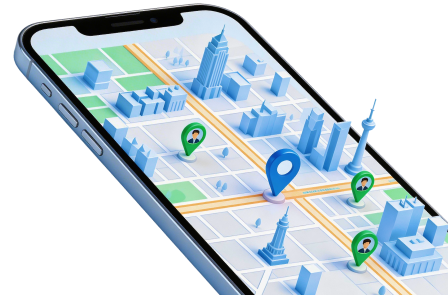
Dr.Fone - Virtual Location offers position selection and route simulation on supported devices through a desktop workflow. The vendor describes iPhone use without jailbreaking, along with one-stop and multi-stop paths. These features can support authorized map or location-app testing; they do not turn an unauthorized Pokémon GO location change into compliant play.
No-jailbreak setup does not establish lower detection risk, and release updates do not guarantee compatibility with every new iOS or game version. Check the exact current requirements before installing or paying. The product page's Android section explicitly says it does not support Pokémon GO, so the four-platform download component must not be read as a game-support matrix.
The original five steps are retained below as a complete coordinate-testing procedure for your own supported iPhone. Use an application that allows simulated data, not a live game account whose rules prohibit it. The screenshots illustrate the source interface and may differ from the current release.
Step 1 Obtain the intended desktop application
Use the product page for Dr.Fone - Virtual Location to review requirements and select the correct Windows or Mac version. Install it, attach your own iPhone with a USB data cable and approve the legitimate trust prompt. This is not a modified Pokémon GO download.
Step 2 Start the Virtual Location session
Open Toolbox and choose Virtual Location where those labels appear. Allow any documented first-run resources to finish, then wait for the connected device and map. If setup differs, consult the current guide instead of installing an unexplained additional profile or game package.
Step 3 Inspect a destination before applying it
Choose Teleport Mode, search for an address or coordinates, or select a suitable point on the map. Confirm the search result and inspect the pin. A selected location is input for a test, not proof that every app or service will accept it.
Step 4 Configure a reproducible route
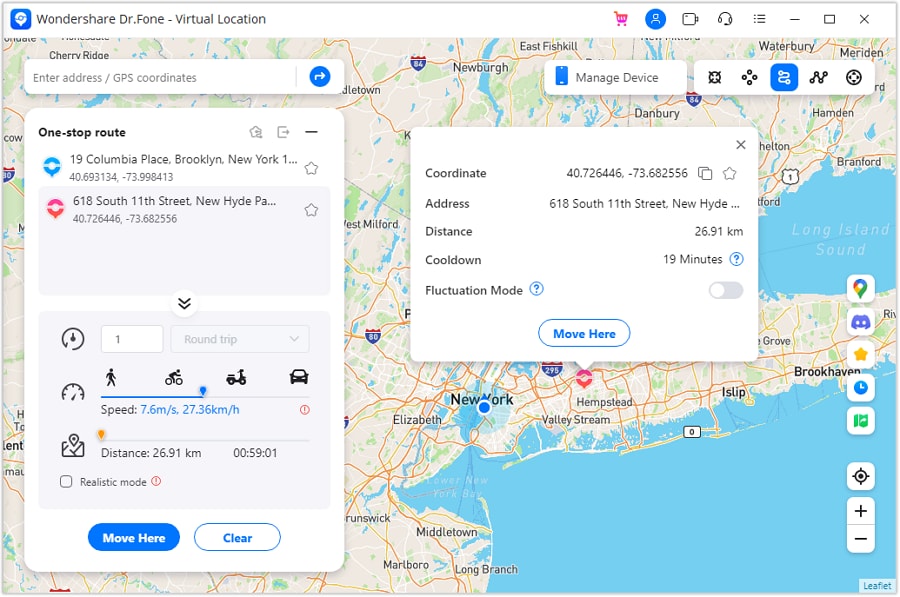
For a permitted movement test, choose One-Stop Route or Multi-Stop Route and define the destination or waypoints. Review the speed and repetition settings, then use the displayed confirmation control to begin. A walking-speed option describes simulated data; it is not an anti-detection certification.
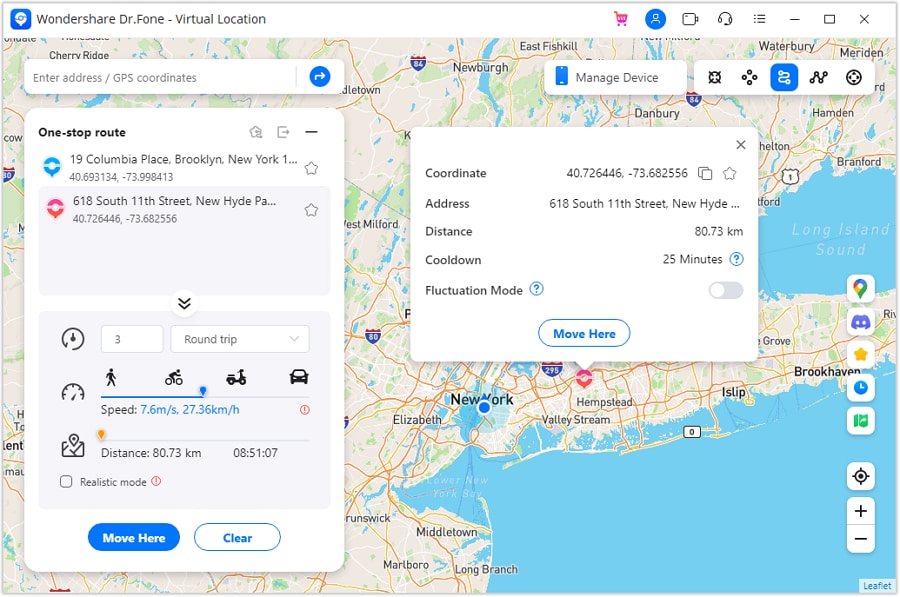
Step 5 Monitor, stop and restore
Watch the route in the tool and compare it with a test application that permits mock coordinates. Use Pause or Clear when those controls are available, end the simulation with the current product procedure, and verify that normal location reporting resumes. Do not conclude that a successful map test proves safe game compatibility.
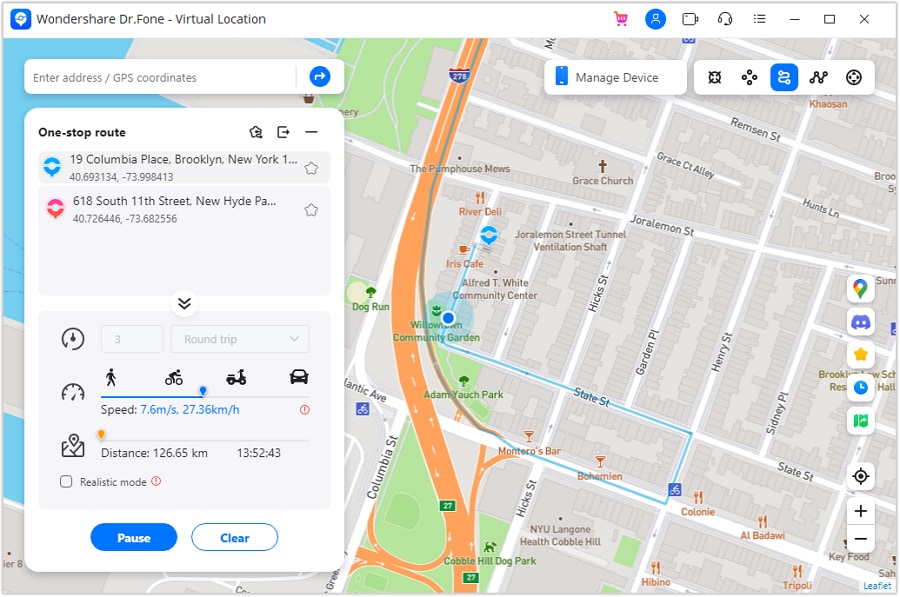
The five-stage demonstration ends here. If your original goal was compliant Pokémon GO progress rather than software testing, return to official game features and publisher support rather than using a coordinate simulation to bypass gameplay requirements.




Conclusion
An iOS hack search should lead to a clear comparison, not a download promising immunity. Evaluate trackers by their information source, use Appraise before assuming an IV helper is essential, and recognize that location manipulation has an explicit game-policy risk. The warning, suspension and termination framework is consequential and is not guaranteed to begin with a warning.
For a separate task involving permitted location testing, Dr.Fone - Virtual Location provides a desktop GPS workflow on supported devices. That capability does not justify claims of undetectable Pokémon GO play, universal latest-version support or guaranteed access to an account after enforcement.
FAQ
1. Is a free Pokémon GO hack download for iPhone safe?
The word 'free' says nothing about publisher identity, security or game permission. Unofficial clients and unknown installers can introduce risks, while unauthorized gameplay manipulation can lead to sanctions. Use the official game and do not trust packages promising guaranteed rewards or ban protection.2. Can a desktop GPS tool be detected?
No undetectability guarantee is established. A computer-connected workflow and a no-jailbreak setup describe how a tool operates, not what the game operator can detect or permit. Successful coordinate changes do not demonstrate account safety.3. Do cooldowns make spoofing ban-free?
No. Waiting between actions or choosing a realistic speed does not waive the rule against falsifying location. The discipline policy allows serious penalties, sometimes without earlier strikes. Use permitted play methods instead of treating community timers as official protection.4. Will a GPS tool work with the latest iOS and game update?
Check the exact current device, OS and application requirements. Do not infer universal compatibility from a product name, old screenshot or update promise. Even technical compatibility would not authorize prohibited gameplay, and the product's Android Pokémon GO exclusion remains a separate limitation.
 Add Wondershare Dr.Fone as a preferred source on Google