Teleport your device anywhere instantly with one click.


 100% Security Verified | No Subscription Required | No Malware

 :

 ChatGPT
 Perplexity
 Gemini
 Claude
 Grok
Choose Grindr for a location-first browsing experience, or try SCRUFF if its community, search tools, and travel-oriented discovery suit you better. Neither app can tell you in advance whether a nearby person wants friendship, a date, or a casual connection. Your local member base and the expectations you communicate matter more than stereotypes about either service.
This Scruff vs. Grindr comparison separates everyday messaging from paid extras, explains why old subscription prices should not guide a purchase in 2026, and covers the limits of changing an iPhone's GPS location. Both services are intended for adults; use profile, privacy, and reporting controls before arranging a meeting.

In this article
Part 1: What Is Grindr and How Does It Work?
Grindr is a social and dating platform for gay, bisexual, trans, and queer adults. Its recognizable grid organizes discovery around nearby profiles rather than requiring a mutual swipe before every conversation. That makes it useful when you want to see who is around, but it does not establish another person's identity or intentions.
You can open a profile, send a message, or use a Tap to signal interest. The communication tools available to an account may include media and calling features, depending on the app version and applicable restrictions. Treat location sharing as a separate privacy decision: sending a meeting point is not the same as making your home address public.
The original article quoted worldwide membership, daily activity, language, and country totals. Those are historical marketing figures, not a reliable count of people you can meet now. Check the actual grid in your area and confirm local availability instead of assuming a large global total means a busy nearby community.

Part 2: What Should You Know About SCRUFF?
SCRUFF combines nearby discovery with profile search, community interests, and travel-related features. A Woof is its lightweight expression of interest, while direct messaging lets you start a fuller conversation. Profile details and filters help narrow a search without implying that everyone in a particular community shares the same relationship goals.
The app is often associated with particular gay male communities, including bears and other self-described groups, but it is misleading to characterize it as only for older men or only for serious relationships. People use both SCRUFF and Grindr for different reasons. Read the profile and ask what the person is looking for rather than inferring it from an app name.
SCRUFF also offers event and destination discovery. These tools can make a difference when planning a trip or looking for community activities, although an event listing does not necessarily mean every member can create an event. As with Grindr, older international membership totals are not a current guarantee of availability or activity in your city.

Part 3: Scruff vs. Grindr Compared in Detail
The practical comparison is not which app is universally better. It is which combination of nearby activity, discovery controls, privacy settings, and subscription terms fits the way you want to connect.
| Decision point | Grindr | SCRUFF |
|---|---|---|
| Discovery style | Nearby profile grid and location-first browsing | Nearby profiles alongside search, matches, and community discovery |
| Quick interaction | Taps and direct messages | Woofs and direct messages |
| Paid options | XTRA and the higher-tier Unlimited subscription | SCRUFF Pro |
| Privacy-related paid tools | Unlimited includes Incognito and additional messaging controls | Pro includes stealth browsing and additional search and profile controls |
| Best starting test | Check whether the local grid has people whose goals align with yours | Try the local community and discovery tools before paying |
Target audience: compare actual profiles, not assumptions
Both platforms serve LGBTQ+ adults, with overlapping audiences. Grindr's broad recognition can be useful for quick local discovery; SCRUFF's community and travel features may feel more relevant to some users. Neither observation establishes the age, gender, or relationship preferences of everyone on the service.
Culture: relationship intent remains individual
Grindr is frequently associated with casual encounters, but that is not its only use. Similarly, SCRUFF users may seek casual connections, dates, friendships, or longer-term partnerships. A profile that clearly states your boundaries is more useful than treating one app as a commitment filter. Consent, respectful communication, and meeting in a public place remain important on either platform.
Free features: start with the experience you actually get
Both apps offer a free way to browse and communicate, with restrictions around discovery, advertisements, history, and other features. The exact free entitlement can change. Try opening nearby profiles, sending messages, adjusting filters, and checking location visibility on your own account before choosing a subscription.
SCRUFF's community and event discovery can be a meaningful reason to try it, while Grindr emphasizes the nearby grid. Do not rely on an old feature table to assume that a particular filter, call, or search function remains free on every device. The upgrade screen is the relevant comparison for your installation.
Premium features: XTRA, Unlimited, and Pro are not interchangeable
Grindr Unlimited includes the XTRA feature set plus higher-tier functions such as Incognito, Viewed Me, message unsending, typing indicators, and expanded profile access. Incognito concerns visibility inside Grindr; it is not a GPS simulator or a promise of anonymity outside the service.

SCRUFF Pro expands browsing and filtering, and its official feature documentation includes stealth browsing, up to 1,000 nearby profiles, and a favorites capacity of up to 25,000 profiles. Pro also provides additional messaging and album controls. The source article's claim that invisible browsing is impossible on SCRUFF is therefore incorrect: check the app's stealth settings and what they actually hide.
Do not present the original monthly prices of $29.99 and $19.99 as current universal rates. Subscription amounts, currencies, billing periods, and promotions differ by store and region. Compare the total renewal amount, renewal date, and cancellation terms shown before approving payment. More features are only worthwhile when you will use them.
Other differences: travel, matching, and your own priorities
SCRUFF's matches, events, and destination-related discovery may appeal to someone who wants more context than proximity. Grindr's higher subscription tier may appeal to someone specifically seeking its Incognito or messaging controls. Neither subscription guarantees replies, compatible matches, or a successful date.
Searching profiles in another city is also different from changing the phone's GPS reading. Where an app provides an official Explore or destination search, try that first. It avoids confusing a discovery feature with a device-wide location change and lets you describe your travel plans honestly.

Part 4: Changing an iPhone Location Without Jailbreaking
Nearby results can depend on the location an app receives, but location is not the only signal. An account's settings, service-side checks, and cached information can affect what appears. Simulating GPS therefore cannot guarantee a particular Grindr or SCRUFF result, more matches, or invisibility to other members.
Dr.Fone - Virtual Location
 Set your map route to simulate GPS movement.
- Set your wanted movement speed.
- HD and large map view to check location.
- Fake GPS location to anywhere.
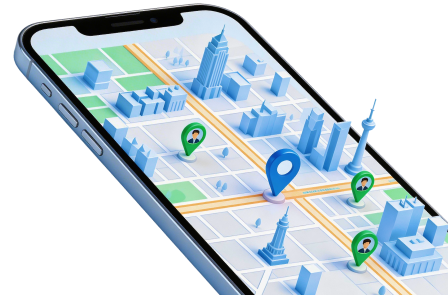
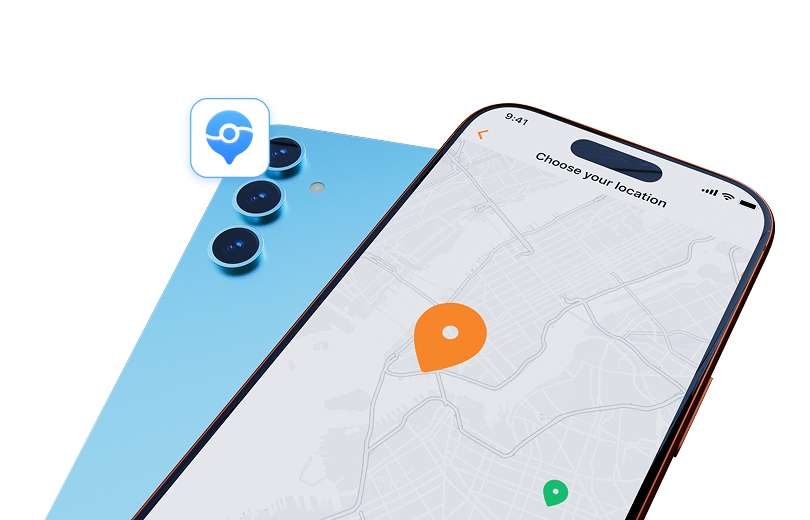
Dr.Fone - Virtual Location provides a desktop map interface for selecting a simulated phone location on supported devices. Its Teleport Mode lets you search for a place or coordinates and confirm a point on the map. This is relevant to checking how a location-dependent experience responds to a different region, not to unlocking a dating app's paid features.
The product also offers route simulation, configurable movement speeds, favorite locations, and GPX import/export. Check current device and operating-system support before installing. The iPhone workflow described here does not require jailbreaking, but third-party apps can reject simulated readings, and changing GPS can breach their terms. The fixed banner's marketing language is not a guarantee against detection or account action.
- Use an address, a place name, or coordinates to locate the destination you intend to test.
- Inspect the map and zoom level before accepting a point; nearby-looking pins can represent different neighborhoods.
- Keep a static teleport separate from a simulated route, which adds movement, speed, and stopping choices.
- Save a frequently used test location or use a GPX route only when that workflow is supported by your installed version.
Step 1 Connect the phone and open the location module
Install the appropriate desktop edition, connect your own supported iPhone, and complete the connection prompts. Open Virtual Location and confirm that the intended device is selected.
Step 2 Search in Teleport Mode
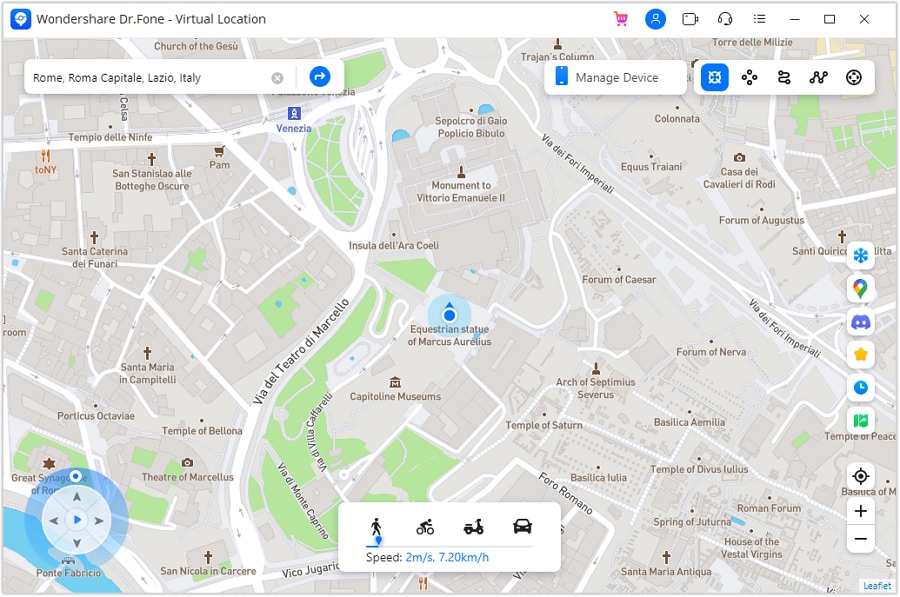
Select Teleport Mode, enter a destination or coordinates, and inspect the resulting map point. Interface placement can differ between the Mac and Windows editions.
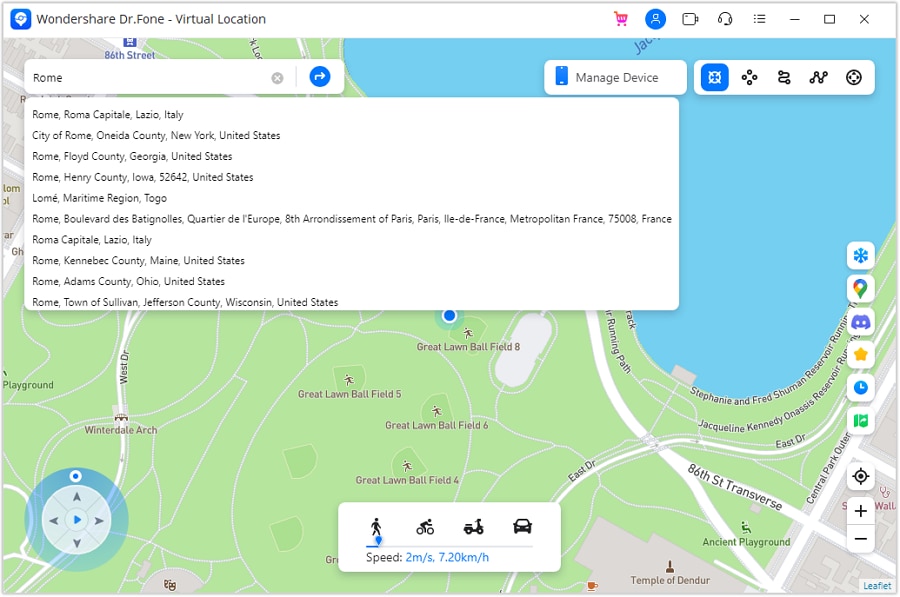
Step 3 Confirm and verify the simulated position
Choose Move Here, then check the location in a maps app on the phone. The screenshot below illustrates the product's map view; it does not prove that a dating service will accept the new reading.
Step 4 Finish the test and restore the real location
Review any location-dependent app only in accordance with its rules. When finished, follow the product's restart prompt to restore the actual device location and confirm that the map is correct again.
Related background on other location-dependent services remains available for Pokemon Go, Snapchat, Instagram, and Facebook. Their rules and privacy mechanisms differ; a shared GPS input does not imply shared compatibility.
For the desktop location workflow, review Dr.Fone - Virtual Location and the current support requirements. Do not describe a simulated position as your physical whereabouts when arranging a meeting.




Conclusion
For Scruff vs. Grindr, the better choice is the one whose nearby community, discovery tools, and privacy options match your needs. Test the free experience first, compare the current paid entitlements, and avoid using old price or membership claims as a deciding factor. Neither app has a monopoly on casual connections or lasting relationships.
Dr.Fone - Virtual Location is a separate option for supported GPS simulation workflows. It does not replace consent, truthful travel information, in-app privacy settings, or compliance with the dating service's rules.
FAQ
1. Is SCRUFF better than Grindr for relationships?
Not automatically. Relationship intentions vary on both services. Compare local activity, read profiles, and state your own goals instead of treating an app as a guarantee of commitment.2. Can I browse invisibly on both apps?
Grindr Unlimited offers Incognito, while SCRUFF Pro documents stealth browsing. Check the relevant setting and its limitations; neither feature makes every interaction untraceable.3. Which app costs less?
The answer depends on the subscription tier, store, region, and billing period. Use the current purchase screen and renewal terms rather than the historical monthly prices quoted in older comparisons.4. Does changing GPS guarantee more dating matches?
No. Simulating a location does not create compatible profiles, guarantee replies, or bypass a service's checks. Prefer official destination browsing where available and follow the platform's terms.
 Add Wondershare Dr.Fone as a preferred source on Google