
Top 4chan Alternatives for Open Discussions

Jun 30, 2026 • Filed to: Data Transfer Solutions • Proven solutions
 TL;DR:
As 4chan loses user trust due to an April 2025 backend hack and ongoing moderation controversies, users are migrating to structured, moderated alternatives like Reddit for broad community discussions or Discord for real-time communication.
● Niche platforms provide strict, skill-based environments away from anonymous chaos, with Stack Overflow and GitHub targeting software developers, XDA-Developers serving Android and Windows Phone customization, and Steam catering to gaming communities.
● While 4chan officially bans illegal material, its temporary thread structure and limited anonymous moderation create a high risk of exposure to highly explicit or extremist content before it is removed.
● To manage mobile storage filled by fast-loading forum media, Wondershare Dr.Fone requires a Windows or Mac computer to preview, export, and delete Android files, connecting either via a USB cable or wirelessly by scanning a Dr.Fone Link QR code.
Ask AI for a summary
 ChatGPT
 Perplexity
 Gemini
 Claude
 Grok
Grok
Dr.Fone Basic:
Better Control for Your Phone
Manage, transfer, back up, restore, and mirror your device
A green frog face once ruled the internet. Pepe memes spread from a small imageboard into global news. That imageboard was 4chan. At its peak, it shaped meme culture and online slang. Yet culture moves fast. Users now search for a real alternative to 4chan website spaces that feel active but less chaotic.
According to Similarweb traffic estimates published in 2025, 4chan still receives millions of monthly visits, but engagement levels fluctuate compared to earlier peak years. At the same time, Reddit reported over 70 million daily active users in its 2024 shareholder letter. That shift shows where forum culture is heading.
This article explains what 4chan is, why trust changed, and which 4chan alternatives and websites like 4chan offer practical options today.


Part 1. What type of website is 4chan?
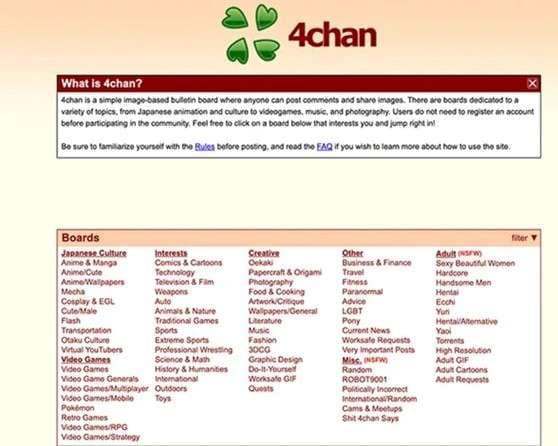
4chan is an imageboard forum built for anonymous posting. It started in 2003. The founder was Christopher Poole, known online as moot. The idea came from a Japanese site called Futaba Channel, often called 2chan.
The site is divided into topic-based boards. Each board focuses on a subject. Users can post text, images, and sometimes short videos. No account is required. Most posts appear under the name Anonymous. This design shaped many later 4chan-type websites.
Core Features That Define 4chan
- Strong anonymity
There is no sign-up process. This gives users freedom. It also allows risky or controversial posts. That balance is why many people now search for safer 4chan alternatives. - Temporary threads
Content does not stay forever. When new threads appear, older ones disappear. This keeps boards active and fast-moving. Many 4chan-like websites use the same system. - Wide topic range
Boards cover anime, gaming, politics, and technology. Popular boards include random, anime, politics, and tech sections. - Cultural impact
4chan influenced meme history. Early versions of Rickrolling and Pepe the Frog gained traction there before spreading across larger platforms.
Part 2. Why Is 4chan Not Popular Anymore
4chan is still online. It still has loyal users. But it no longer shapes internet culture like it once did. Several clear reasons explain this shift. Many users now search for a stable alternative to the 4chan website platforms instead.
- Hack and Technical Weakness
In April 2025, 4chan suffered a major hack. The site went offline for over a week. Staff identities were exposed. Reports highlighted reliance on older backend systems. Financial limits and ad restrictions reduced upgrades. Trust dropped. Users moved to stronger 4chan alternatives. - User Migration
After policy shifts on X and the growth of 8kun, parts of the community relocated. Many followed similar content on larger platforms. - Algorithm-Driven Internet
Modern platforms like Reddit use personalized feeds. 4chan still uses fast vanishing threads. New users often prefer structured 4chan-like websites. - Reputation Damage
Political extremism and harassment controversies harmed its public image. Advertisers avoided it. Growth slowed.
Part 3. Is There Illegal Content on 4chan
Yes, illegal content can appear on 4chan, but it is not permitted under the platform’s rules.
4chan has community guidelines. Content that clearly violates the law, such as child sexual abuse material or direct criminal activity, is subject to removal. Moderators have the authority to delete such posts and ban users.
However, moderation is limited and anonymous. Some boards allow highly explicit, graphic, or extremist material as long as it is not strictly illegal. Because of this loose structure, harmful content may appear before being removed.
So while illegal material is officially banned, the platform’s open design increases the risk of exposure.
Part 4. What Is the Most Popular Forum Site
The most popular forums and discussion boards on the internet are ranked based on active threads, member count, and overall engagement. Among thousands of communities online, one platform clearly leads in traffic, visibility, and daily participation.
1. Reddit
Reddit has been dubbed the front page of the internet. Fundamentally, it’s pretty much just a huge message board. Each day, millions of people traverse the app to discuss politics, swap memes, and have idle conversations. The platform is organized into subreddits. Each of these subreddits is centered around a particular theme. It’s based on what users subscribe to. Conversations are organized by thread, and anyone can start one. One feature is the voting system. Posts can be upvoted or downvoted by users, and the popularity of posts increases visibility.

Why Recommend It
- Strong community-focused structure
- Clear topic organization through subreddits
- A voting system that highlights quality content
- Simple design with modern navigation
- Classic forum feel with wide participation
- More stable than most 4chan-type websites
2. Quora
Quora launched in June 2009. It was founded by Adam D'Angelo and Charlie Cheever. The platform works as a question-and-answer site. Anyone can ask a question. Anyone can respond. Users build a personalized homepage by following topics, people, questions, or boards. This creates a feed based on individual interests.
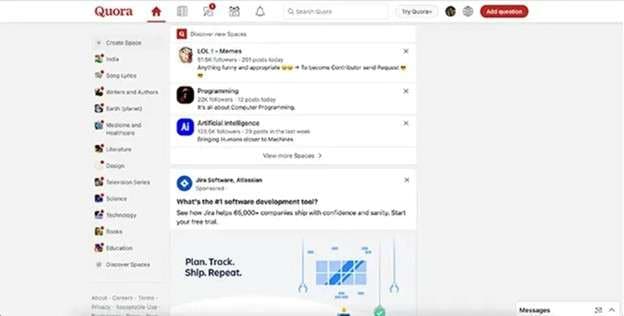
More than one answer can appear under each question. Community members vote on answers. Strong answers rise higher through upvotes. This system helps highlight useful responses.
Why Recommend It
- Personalized content feed
- Open community participation
- Upvote system that signals quality
- Balanced design for browsing and discovery
3. Stack Overflow
Stack Overflow is a question and answer platform focused on programming. Students and working professionals use it to ask coding questions and solve technical problems. It works as a free community where programmers share detailed and practical answers. Users can show their knowledge through helpful responses.
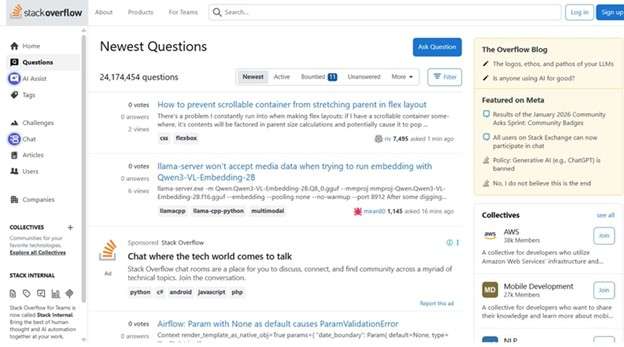
Answers receive votes from other members. High-quality replies gain more visibility. Users who post strong answers build a reputation as their posts receive upvotes.
Being a topic-focused 4chan alternative, Stack Overflow offers organized and skill-based discussions without anonymous chaos.
Why Recommend It
- Clear and simple layout
- Smart and easy navigation
- Structured system for expert-level discussion
- Quality control through voting
4. GitHub
GitHub is a full development platform used to create, manage, and deliver secure software. Developers use it to build projects, improve code, and scale applications. It is more than a hosting site. It is a large community where developers share their work, tell their stories, and celebrate achievements.
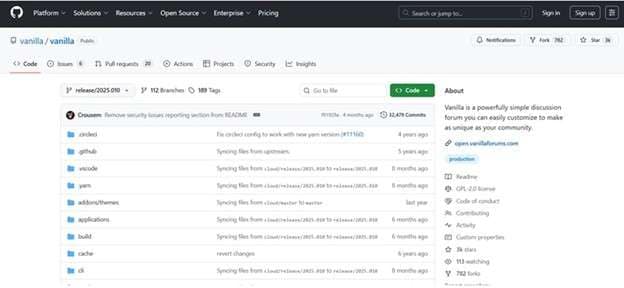
Many use it daily to collaborate and shape the future of software. As a skill-based 4chan alternative, GitHub offers structured collaboration instead of anonymous discussion.
Why Recommend It
- Simple and focused interface
- Features presented in a clear way
- Consistent and organized design system
- Strong global developer community
5. The Something Awful Forums
The Something Awful Forums carry a sharp retro style. The design uses a deep blue header with a matching navigation bar. Thread panels appear in muted green tones. Text is dense. Spacing is tight. Fonts are plain. This gives each post a strong content-first feel. The layout focuses more on discussion than decoration. This forum is a traditional 4chan-type website that offers a raw community feel without fast-disappearing threads.
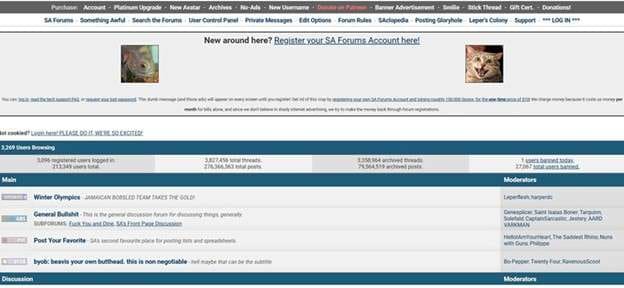
The tone across subforums is distinct. Each section has its own language style and community voice. The atmosphere feels gritty but direct.
Why Recommend It
- Classic old school forum structure
- Strong subforum identity and tone
- Simple layout that keeps focus on content
- Accessible and straightforward design
6. Discord
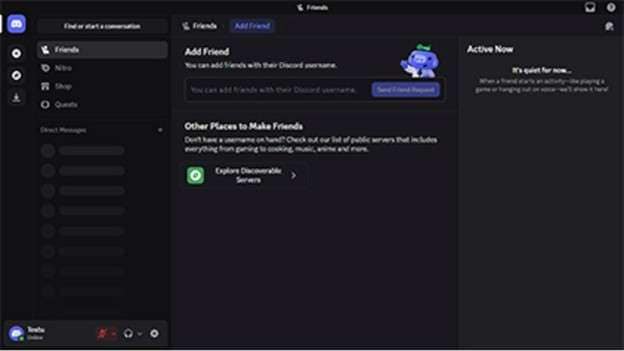
Discord is a modern 4chan alternative that offers real-time communication with organized community spaces instead of anonymous threads. It blends personality with clear structure. Users can access features like high-quality streaming, custom emojis, and low-latency voice channels. This makes small friend groups and large communities run smoothly. The layout supports both text chat and live conversation in one place.
Why Recommend It
- Bright and cheerful branding
- Unified experience across devices
- Clear and intentional navigation
- Smooth voice and streaming features
7. Medium
Medium is a content-driven website like 4chan, and it offers structured publishing and idea sharing without anonymous chaos. It looks like a quiet space built for ideas. The screen stays open and uncluttered. Text is clear and easy to follow. Stories appear in a smooth scrolling feed. Readers see featured articles, topic groups, and suggestions based on interest. The design guides the eye naturally from one story to the next.

Why Recommend It
- Very few distractions
- Clear and readable layout
- Curated content flow
- Light and simple navigation
8. Steam
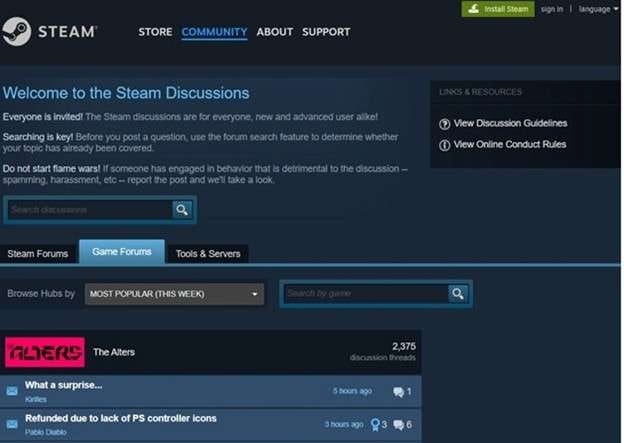
Steam can be a great niche 4chan alternative, an organized discussion built around gaming communities. Steam Discussions is a community space for gamers of all levels. Both new and experienced users can join conversations. Members talk about games, share advice, post tutorials, and write guides. Users can also look for groups or clans that match their interests. Recent game reviews are easy to find, which helps players stay updated.
Why Recommend It
- Open discussions for beginners and experts
- Easy way to join groups and clans
- Helpful tips and game guides
- Active review sharing
9. XDA-Developers
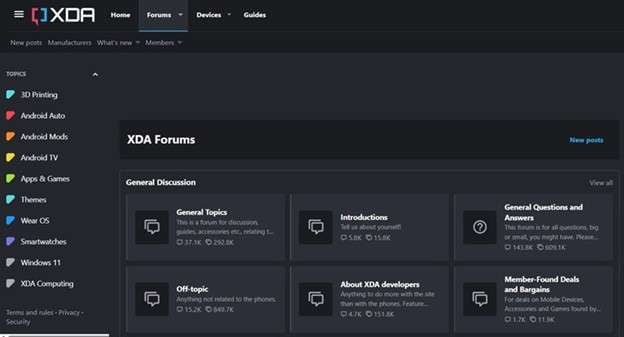
XDA Developers is a large online community with millions of Android and Windows Phone users. Members use the forum to talk about operating system versions, device models, and customization options. XDA is a technical 4chan alternative, structured discussion with practical value instead of anonymous threads. Many visit the site to fix problems and improve their smartphones, especially Android devices. You do not need to be a professional programmer to take part.
Why Recommend It
- Simple and focused design
- Strong and clear navigation system
- Modular layout for fast topic access
- Open to both beginners and advanced users
10. Digital Journal
Digital Journal presents a clean and organized layout. The design feels structured and focused on headlines. Articles appear in neat sections that are easy to scan. Images are used carefully to support each story. Text remains sharp and readable. It is a media style 4chan alternative for reading without anonymous thread chaos.

Content is arranged by clear categories. This structure makes browsing simple and direct. The balance between visuals and text keeps the reading pace smooth.
Why Recommend It
- Strong category-based organization
- Clear and readable design
- Balanced mix of images and text
- Easy navigation for global readers
Bonus Tip: Manage Your Phone Data While Using 4chan Alternatives
Many users who visit websites like 4chan browse from their phones. Threads load fast. Images download quickly. Files pile up without notice. Over time, storage fills, and private data spreads across folders. If you are active on different 4chan alternatives, managing your device becomes important.
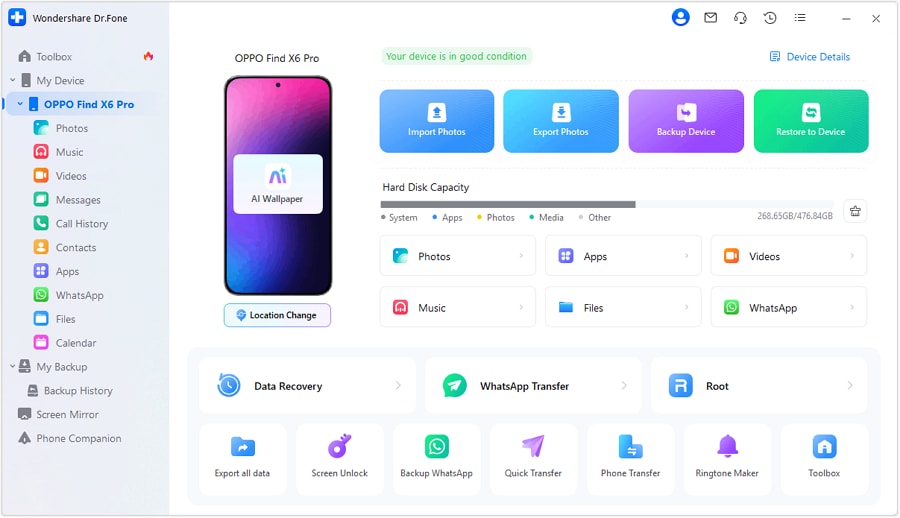
Wondershare Dr.Fone offers a practical way to control Android data from a computer. It works as a device manager. You can view, transfer, export, and delete content safely. It supports wired and wireless connections. The interface shows your phone clearly once connected.

Wondershare Dr.Fone
One-Stop Solution to Manage and Transfer Data on Android Phone
- Transfer files between Android and computer, including contacts, photos, music, SMS, and more.
- Manage, export/import your music, photos, videos, contacts, SMS, Apps, etc.
- Transfer iTunes to Android (vice versa).
- Manage your Android device on the computer.
- Fully compatible with the newest Android OS.


Below is a simple four-step guide based on the official process.
- Step 1: Connect Your Device
Install and open Dr.Fone on your computer. Connect your Android phone using a USB cable. You can also link it wirelessly through Dr.Fone Link by scanning a QR code. Once connected, your device appears under My Device. - Step 2: Manage Photos and Videos
Open the Photos or Videos section. Preview files before action. Add new media from your computer. Export selected items to your PC. Delete unwanted downloads. You can zoom or rotate images during preview. - Step 3: Control Messages and Call Logs
Go to Messages or Call History. Read conversations directly from your computer. Export chats for backup. Print records if needed. Save attachments separately. Remove unnecessary logs to free space. - Step 4: Organize Files and Calendar
Open the Files tab to manage phone or SD card storage. Create folders. Move data. Export important files. Delete clutter. In the Calendar section, review events and export records if required.


Conclusion
4chan changed online culture, but its peak has passed. But dwindling reputation, hacks, and changing user habits sent many in search of a safer space and structure. These days, people compare websites like 4chan to more modern forums that have clearer rules and stronger moderation and design.
Platforms like Reddit, Quora, and Discord illustrate how much discussion has changed. Each has a separate purpose, ranging from tech support to gaming to long-form ideas. As users test new 4chan alternatives, smart device management also matters. Wondershare Dr.Fone helps keep downloads, chats, and files under control while navigating active communities online.
 safe & secure
4,624,541 people have downloaded it
Dr.Fone Basic:
Better Control for Your Phone
Manage, transfer, back up, restore, and mirror your device


Android Transfer
- Android to Android
- 1. Transfer Files to Android
- 3. Transfer Contacts to Android
- 4. Data Transfer Apps to Switch Phone
- 5. Transfer Data to Android
- 6. Transfer Text Messages to Android
- 7. Transfer Music to Android
- 8. Transfer Contacts Using Bluetooth
- 9. Transfer Apps to Another Android
- 10. Migrate Data to New Android
- 11. Best Clone Apps for Android
- Android to iPad/iPod
- Android to iPhone
- 1. Transfer Files to iPhone 13
- 2. Transfer Contacts to iPhone 13
- 3. Transfer Music to iPhone
- 4. Transfer Contacts to iPhone
- 5. Android to iPhone Transfer Apps
- 6. Transfer Text Messages to iPhone
- 7. Transfer Photos to iPhone
- 8. Transfer Messages to iPhone 13
- 9. Transfer Contacts to iPhone XS/11
- 10. Transfer Messages to iPhone 12
- 11. FaceTime for Android and iPhone
- 12. Move Data From Android to iPhone After Setup
- 13. Transfer Data from OnePlus to iPhone
- 14. Move Contacts From Android to iPhone
- 15. Transfer Data From Android To iPhone
- 16. Top Apps To Transfer Data From Android To iPhone
- Contacts Transfer
- 1. Sync Contacts to Gmail
- 2. Transfer Contacts from Outlook
- 3. Transfer Contacts to Outlook
- 4. Import Contacts from Excel
- 5. Import Contacts to Android
- 6. Export Contacts to Android Phones
- 7. Merge Contacts in Phones
- 8. Export CSV Contacts for Android
- iOS to Android
- 1. Transfer Files from iPad
- 2. Move Custom Ringtones from iPhone
- 3. Transfer Data from iPhone
- 4. Transfer Music from iPhone
- 5. Transfer Contacts from iPhone
- WhatsApp Transfer
- 1. Transfer WhatsApp from Android
- 2. Transfer WhatsApp Messages
- 3. Transfer WhatsApp Messages to PC
- 4. Transfer Messages to Android
- 5. Transfer WhatsApp Data to Android
- Transfer Tips
- 1. Android USB File Transfer Software
- 2. Android Apps to Transfer Files
- 3. Android Sync Managers
- 4. Android File Transfer Apps
- 5. Fix Transfer Files Not Working
- 6. Simplify Android File Transfer
- 7. Transfer Photos to USB
- 8. Transfer Data to BlackBerry
- 9. Transfer Data From ZTE
- 10. Transfer Data From Windows phone
- 11. Clone Phone and Copy Data
- 11. 12 Best Phone Clone Apps
- 12. Transfer Torrents from PC to Phone
- 13. Send Large Files Through Outlook
- ● Manage/transfer/recover data
- ● Unlock screen/activate/FRP lock
- ● Fix most iOS and Android issues
- Free Download Free Download




James Davis
staff Editor