

 TL;DR:
Printing at 600 DPI is sufficient for standard documents and photos, while 1200 DPI should be reserved for fine art or text under 8pt, provided your source image has the massive pixel count required to support it.
● To actually benefit from 1200 DPI, your source image must meet strict pixel dimensions (e.g., a 4x6-inch print requires a 4800 × 7200 pixel resolution), otherwise the printer will simply magnify existing blur or pixelation.
● Defaulting to 600 DPI is recommended for standard fonts (10–12pt and above) because it produces visually identical results at normal viewing distances while consuming less ink, memory, and processing time.
● If your source file lacks resolution (such as 72 PPI web graphics), you must first use a neural network tool like the Dr.Fone App - AI Photo Enhancer to physically generate missing pixel data before printing at higher DPI settings.
Ask AI for a summary
 ChatGPT
 Perplexity
 Gemini
 Claude
 Grok
Grok
It was just a moment when you decided to print either a vintage photo or a very crucial document and suddenly you hit the old puzzle: 600 DPI vs 1200 DPI? It's the kind of small question that can have an impact on the sharpness, detail, ink consumption, file size, and print time. The mix-up between 600 DPI and 1200 DPI printing is very frequent and most people are not even aware that a higher DPI doesn't always generate better results.
More DPI will not always bring you better prints that are noticeable with the naked eye. Usually, for standard documents and average pictures, the difference is almost non-existent while costs and time of processing go up. In this article, you will learn the genuine differences of 600 vs 1200 DPI, when is the best time to use them, and how Try It Free can be a great help in getting sharp and print-quality photos.
In this article

Part 1: 600 DPI vs 1200 DPI: The Practical Answer
1.1 Quick Answer: Is 1200 DPI better than 600?
Short answer: Not always.
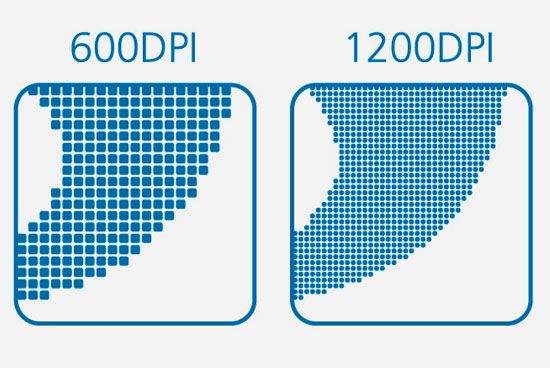
Theoretically, 1200 DPI (dots per inch) printing can capture more details than 600 DPI. However, the visual improvement factor depends on the content of your print. A resolution of 600 DPI is already quite sharp for the eye at normal viewing distance and is often sufficient for printing regular office documents, reports, school assignments, and even many photos.
You may want to consider 1200 DPI printing if the output is:
- Very small text (fine fonts below 8pt)
- Highly detailed graphics or line art
- Professional marketing materials
- Large prints viewed up close
1.2 Head-to-Head: 600 DPI vs. 1200 DPI – A Detailed Comparison
Here's a clear side-by-side breakdown for 600 DPI vs 1200 DPI to help you decide:
| Feature | 600 DPI | 1200 DPI |
| Overall print quality | Sharp and clean for most needs | Extremely fine detail and smoother gradients |
| Text clarity | Crisp for standard fonts (10–12pt and above) | Superior for very small fonts and intricate typography |
| Image detail | Great for standard photos and graphics | Better for high-detail images and professional prints |
| Print speed | Faster printing | Slower due to higher data processing |
| File/processing load | Smaller files, lighter on system resources | Larger files, higher memory and processing demand |
| Toner & ink usage | More economical | Slightly higher ink/toner consumption |
| Best for | Office documents, schoolwork, everyday photos | Fine art prints, marketing materials, detailed line art |
600 DPI vs 1200 DPI printing: A 600 DPI resolution is the actual default setting for most users. A 1200 DPI setting is a high precision tool, which is understandable only in cases when extra detail really counts.
1.3 When Does DPI Really Matter?
Viewing distance: DPI depends on how the print is seen
The DPI is most relevant when considering the distance from which a print will be viewed. Since a huge billboard is meant to be looked at from a distance, it can be printed at a significantly lower DPI because your eyes blend the dots together naturally. Conversely, if you are holding a tiny picture in your hands, this requires a much higher resolution for the detail and sharpness to be visible up close.
For regular viewing distances, 300 DPI is the standard level of quality for prints. In other words, 600 DPI is great for most documents and photos while 1200 DPI is outstanding mainly usable for high-quality work or art pieces that are under scrutiny.
Source image quality: You can't print details that don't exist
You can change the printer DPI to any level you want but the printer won't be able to make up for the details that the original file doesn't have. If your photo is blurry, noisy or low resolution even a 1200 DPI print will not be good.
The idea is like the famous "garbage in, garbage out" concept, only here is it applied to printing: if you give the machine a low-quality input, the output will also be of low quality. To get crisp and professional prints, the resolution and clearness of your source image matter far more than simply changing the DPI setting.
Part 2. Why 600 vs 1200 DPI Won't Fix a Low-Resolution Image
2.1 What DPI Really Means When You Print
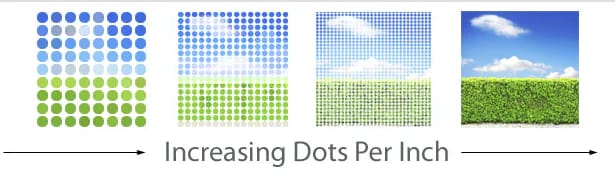
When you print, DPI (dots per inch) is the metric that tells the number of inks dots a printer lays down on a 1-inch piece of paper. A higher DPI means the dots are packed closer together in the same area, which can result in improved smoothness and the presence of finer details.
2.2 How Many Pixels You Need for 600 vs 1200 DPI printing
There's a simple formula:
Print size (in inches) × DPI = Required pixel dimensions
For example, to print a 4×6-inch photo at 300 DPI (the industry-quality standard), you need:
- 4 × 300 = 1200 pixels
- 6 × 300 = 1800 pixels
So, your image must be 1200 × 1800 pixels.
Now look at what happens if you try to print the same 4×6 photo at 1200 DPI:
- 4 × 1200 = 4800 pixels
- 6 × 1200 = 7200 pixels
You would need a massive 4800 × 7200 pixel image to truly benefit from 1200 DPI. Most smartphone photos and web images simply don't have that level of resolution.
Here is the pixel problem:
When the image lacks sufficient pixels, changing from 600 DPI to 1200 DPI won't introduce actual details, it will simply enlarge the weaknesses of the original file.
2.3 When 600 vs 1200 DPI doesn't matter (because the image is the problem)
Sometimes the actual limitation is not your printer setting, it's the image itself. In such instances, the decision of 600 DPI versus 1200 DPI hardly matters as the file simply does not have enough pixel information for a sharp print.
1. Old or downloaded photos
Say you have a small image, for instance, 800 x 600 pixels and you want to print it 5x7, the printer is forced to enlarge those pixels to cover the paper. The result is pixelation, the image becoming soft and an obvious blur. More DPI won't bring back any details; it just means that the same limited information is used in a denser way.
2. AI-generated art with low native resolution
You may employ an AI tool to create an exquisite work of art, however, if the saved file is of low resolution, it will fail to be a sharp print when enlarged. The art piece may have great artistic value, but the number of pixels may be insufficient to allow 600 or 1200 DPI printing of the size you want.
3. Screenshots or web graphics
Almost all the images on the web and screenshots are prepared for screens and certainly not print. They are generally made at a low resolution (most of the time about 72 PPI for display purposes) and compressed to minimize the file size. Therefore, printing them will make the image soft, jagged, or blurred it doesn't matter if you pick 600 DPI or 1200 DPI.
Part 3. The Fix: Use Dr.Fone - AI Photo Enhancer for Better 600 or 1200 DPI Prints
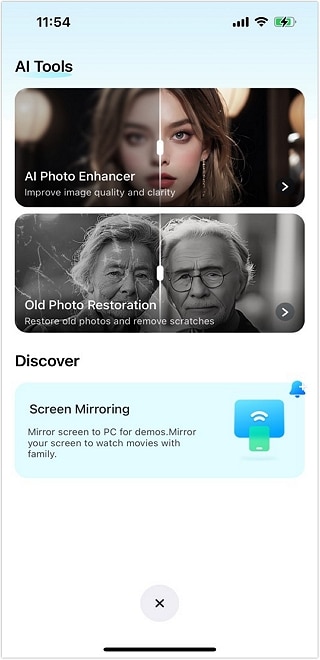
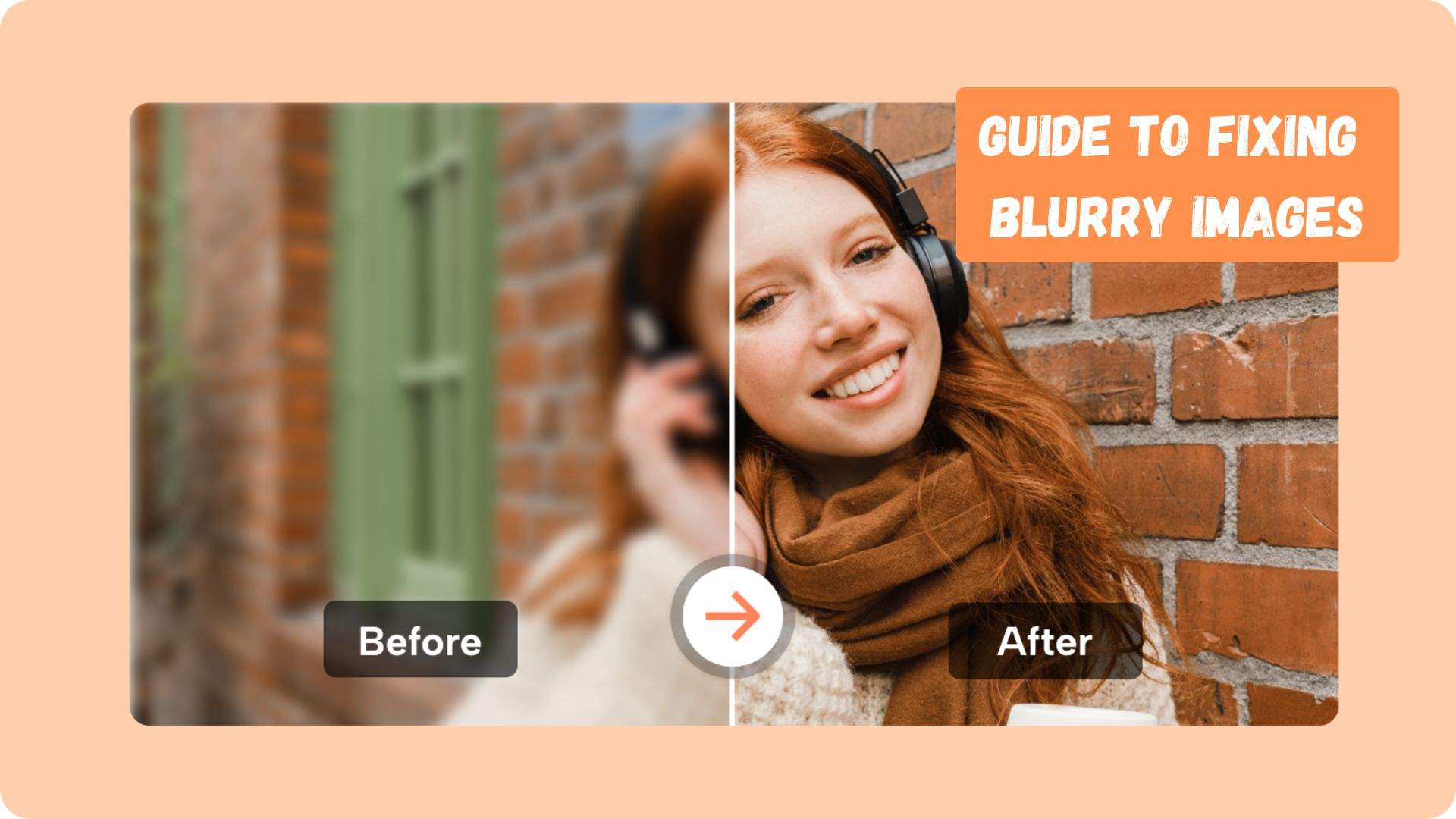
Here is the place where technical expertise is combined with contemporary AI. Try It Free doesn't just stretch pixels (which is the main reason for blur), it upgrades your photo smartly to give a great print. After a simple one-click AI enhancement, your picture is essentially print-ready for 600 DPI and even 1200 DPI output as it automatically improves the sharpness of the image, ups the resolution, makes the facial features clearer, reduces the noise and generally helps the texture to stand out. Further, it can repair the old photos by getting rid of scratches, fading, and stains thus your photos and memories can be printed clearly.
Dr.Fone App - AI Photo Enhancer (iOS & Android)
100% Automatic Photo Enhancement: 1-Click Fixes
- Sharpen Blurry Images
- Denoise & Enhance Low-Light Photos
- Naturally Enhance Portrait Details
- User-Friendly & Beginner-Perfect



How AI Upscaling Works:
Traditionally, resizing is based on interpolation it just makes an estimate of new pixels from the nearest ones which results in softness and blur most of the time. AI upscaling, on the other hand, is not the same. AI photo enhancers employ neural networks that have been trained with millions of images to recognize patterns, textures, facial features, and natural edges.
Conclusion
Choosing between 600 DPI vs 1200 DPI should not just be a question of going for a bigger number. The choice must come from details of your picture, the size of the print, and the distance at which the printed picture will be seen.
Nevertheless, the single most deciding factor of beautiful prints is still the original image quality. A low-res, blurred image cannot be made to appear sharp just by printing at a high DPI setting. However, employing a tool such as Try It Free will certainly be of help, as it improves the image by scaling it up, inserting details and thus, making it suitable for a high-res print.
FAQs
-
Q: How about printer modes like FastRes 1200 vs 600 DPI?
A: Switching to FastRes 1200 might bring out more detail but it also can make printing slower and consume more ink. Most of the time, 600 DPI for normal documents and pictures yields almost the same quality. To get top-notch prints, 1200 DPI combined with a Dr.Fone, AI Photo Enhancer image is the way to go.
-
Q: Is it possible to print a low-res image at 1200 DPI?
A: Yes, you can do that, but the image will be soft or pixelated. DPI has nothing to do with creating new details. By applying Dr.Fone, AI Photo Enhancer, your image will be intelligently upscaled, clarity restored, and the 1200 DPI print will be very sharp.
-
Q: Is 1200 DPI the right choice for all my photos?
A: Not exactly. Most of the time 600 DPI is enough for nice photos. Use 1200 DPI only for artwork, marketing, or photos that will be examined very closely.








Selena Lee
staff Editor
Generally rated4.5(105participated)