

 TL;DR:
Choose by Task, Not by Hype
- Your short list: choose Fantastical for scheduling, SmartGym for workout plans, stoic for guided reflection, or LastPass for an existing password-vault workflow.
- Photos: Photomator edits existing images; Halide emphasizes capture and natural processing; Obscura emphasizes tactile controls and live filters. You do not need all three.
- Everyday use: Fantastical handles calendars, SmartGym organizes workouts, and Dr.Fone cleans duplicate media and contacts. Choose the role you actually need.
- Start free: Apple's built-in apps, Arc Search, and stoic journaling are useful starting points. Compare the free-versus-paid table; other picks have limited tiers, trials, or paid access.
Ask AI for a summary
 ChatGPT
 Perplexity
 Gemini
 Claude
 Grok
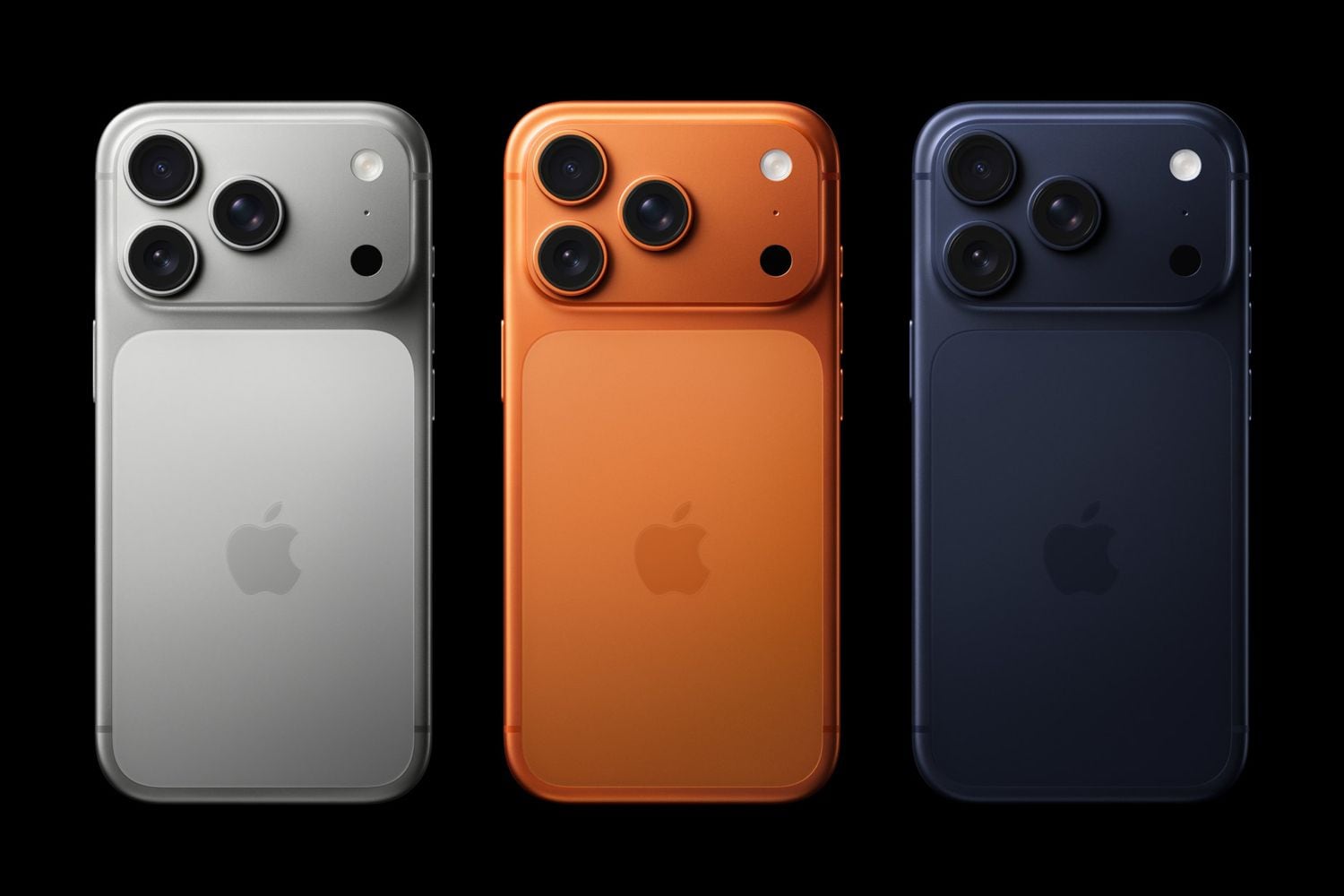
The best apps for iPhone 17 depend on what you want to do: choose Fantastical for a busy calendar, Photomator for editing photos, Halide or Obscura for camera controls, and SmartGym for structured workouts. For photo-library clutter, Dr.Fone adds cleanup and compression tools. Start with a few that solve a real problem, rather than installing all ten.
Below are ten third-party picks, plus three AI options. Compare their useful free features, paid upgrades, and built-in alternatives before downloading. The list is grouped by purpose, not an overall performance ranking.
In this article

Part 1. What Makes the iPhone 17 a Unique Canvas for Apps
The iPhone 17 provides a capable platform for everyday apps, but an app is useful because of its workflow, not simply because the phone has a newer chip. Here are the hardware and software details that affect your choice.
- A19 chip: Apple's standard iPhone 17 uses A19, not a chip officially named A19 Bionic. It supports demanding camera and productivity workloads; that alone is not evidence that a particular app is faster than on your previous phone.
- iOS and Apple Intelligence: iPhone 17 launched with iOS 26. Apple Intelligence features and third-party AI services are not interchangeable: an app may use its own cloud service or machine-learning tools without using Apple's Foundation Models.
- Cameras and display: The standard iPhone 17 has a 48MP Dual Fusion camera system, macro photography, and a 6.3-inch ProMotion display with adaptive refresh rates up to 120Hz. Manual camera controls and editing tools provide different benefits.
- Personalization: Use widgets, Focus, and Shortcuts to put useful actions within reach. These are specific iOS features, not a general 'personality recognition' capability that makes every app automatic.
iPhone 17 vs. Pro and Pro Max: App Compatibility
These recommendations also serve common iPhone 17 Pro and Pro Max app needs. The selected listings require iOS 13 through iOS 18, depending on the app, so iOS 26 meets their listed minimums. OS compatibility does not mean every feature works on every model.
Apple ProRAW is for supported Pro models, not the standard iPhone 17. Halide and Obscura cannot add ProRAW support to an unsupported model. Ordinary RAW capture and importing a ProRAW file for editing are different capabilities. The standard model already has macro photography; you do not need an app merely to claim it has a macro camera.
What Apps Come with iPhone 17?
Apple lists Camera, Photos, Safari, Passwords, Calendar, Reminders, Notes, Journal, Files, Fitness, Health, Maps, and Shortcuts among iPhone 17's built-in apps. They are different from the optional downloads below.
Keep Camera and Photos for quick shots and edits, Calendar and Reminders for straightforward scheduling, Passwords for an Apple-centered login setup, and Journal for basic reflection. Add a third-party app when you need a specific extra, such as photo batch editing, more calendar integrations, or a structured workout plan.
Part 2. App Selection Criteria
We selected these apps for distinct everyday jobs, current US availability, useful features, and clearly stated costs. Dr.Fone is Wondershare software, so its inclusion is a first-party recommendation, not an independent award.
- Useful beyond the default: prioritize a function you will use repeatedly, such as manual focus, batch photo edits, or combining work and personal calendars.
- Current identity and compatibility: use the actual developer's listing, not a similarly named app. Device-specific camera modes and regional shopping features need separate support.
- Cost and privacy: free to download is not the same as unlimited free use. Compare the tier limits below and grant only the photo, contact, microphone, or calendar access needed for the feature.
Feature and plan information was reviewed on October 26, 2026. Start with one app per task and expand only if the built-in option is insufficient.
Part 3. Toplist: Best Apps for iPhone 17
10 Best iPhone 17 Apps: Free and Paid Features at a Glance
| App | Best fit | Free access | Important trade-off |
|---|---|---|---|
| Dr.Fone | Media and contact cleanup | Storage cleanup and photo/video compression | Selected advanced tools have in-app purchases or subscriptions |
| LastPass | An existing cross-platform password workflow | Free plan on one device type: mobile or computer | Premium for both types, emergency access, and other extras |
| Fantastical | Combining calendars and tasks | Basic calendar use; Premium trial | Subscription for meeting integrations, templates, and more |
| Arc Search | Fast web research and summaries | Free app | AI summaries can be wrong; read important original sources |
| Photomator | Editing and batch-processing photos | Free download | In-app subscription or lifetime purchase; not unlimited free editing |
| Halide | Manual capture and natural processing | 7-day trial with annual membership | Paid membership or one-time purchase |
| SmartGym | Home or gym workout planning | 2 routines, 3 workouts, and 2 measures | Subscription unlocks the full feature set |
| stoic | Daily journaling and reflection | Journaling without Premium | Subscription for Premium features |
| Obscura | Gesture-based camera controls and filters | Free basic use | Ultra unlocks premium tools |
| IKEA | Room visualization and shopping | Free app | Purchases cost extra; features differ by market |
These are access models, not a promise that every feature is free. US offers can change; subscription and purchase choices are shown before checkout. For a no-cost start, use the built-in alternatives above plus Arc Search or stoic if their extra functions suit you.
🛠️ Essential Utilities
1. Dr.Fone (Storage Cleanup and Phone Management)
Choose Dr.Fone app when duplicate photos, screenshots, large videos, or duplicate contacts are making your iPhone harder to manage. Its current iOS listing offers free storage cleanup and photo/video compression. That is a concrete storage benefit, not a guarantee that a cleaner will make the A19 processor faster.

Dr.Fone App: iOS Cleanup and Phone Tools
Free up space by organizing duplicate media, screenshots, and contacts, with optional phone-management tools.
- Review duplicate or similar photos and videos before cleaning.
- Compress photos and videos to recover storage space.
- Merge duplicate contacts and manage selected private content.
- Use optional transfer, photo-enhancement, and guided support tools.
- iOS and Android editions are available; features and requirements differ by platform.



Key Features:
- Find duplicate or similar photos and videos, screenshots, and screen recordings; review the selections before deleting.
- Merge duplicate contacts and remove incomplete entries. Contact access is needed for contact cleanup.
- Compress photos and videos to save space, and clean expired calendar events.
- Use wireless transfer for supported files up to 20GB over Wi-Fi between phones or a phone and computer on the same local network; this does not mean no network is needed.
- Lock or hide selected apps with passcode or biometric protection. Full or extended access may require an in-app purchase.
- Use AI photo enhancement or old-photo restoration for supported images. These tools do not guarantee recovery of original detail.
- Back up contacts as a VCF file. Photo recovery is a separate feature whose results depend on iOS limits and device conditions.
- Guided repair and unlock features pair with desktop software for supported tasks. Device and mode conditions apply, and some actions may erase data; the iOS app alone is not a universal repair or Activation Lock bypass tool.
Choose it if: you want cleanup, compression, and contact organization in one app. Keep an important-photo backup and review deletion choices. Storage cleaning is currently free; selected advanced tools use in-app purchases.
2. LastPass (Passwords and Cross-Platform Access)
Large photo and video libraries can make cleanup worthwhile even on a new phone. Use Dr.Fone for its listed organization tools, not an unmeasured promise of faster hardware. For advanced repair or unlock choices, follow the supported device-specific workflow and its data warnings.

Illustrative earlier interface; the current app version and available features may differ.
Key Features:
- Store passwords, payment details, and secure notes in an encrypted vault.
- Generate unique passwords and autofill logins in supported websites and apps.
- Use multi-factor authentication, with advanced options depending on the plan.
- Use a master password for the account and supported biometric options for convenient vault access; Face ID is not a replacement for knowing your recovery requirements.
- Share credentials using the plan's sharing options.
- Premium adds access across both mobile and computer device types and emergency access for trusted contacts.
Cost and choice: LastPass Free works on one device type, mobile or computer, not both. Premium adds cross-type access and other benefits. This recommendation is about workflow fit, not a claim that it is the safest password manager.
🚀 Productivity Boosters
3. Fantastical (Calendars and Tasks)
Fantastical is useful when work, personal events, and dated tasks need one calendar view. Type something like Lunch with Sarah tomorrow at 2 PM, then review the interpreted details. It connects to services including iCloud, Google, Exchange, and Microsoft 365.

Key Features:
- Create events and tasks with natural-language text or dictation.
- Use day, week, month, quarter, and year views, and see events with dated tasks.
- Connect iCloud Reminders, Todoist, or Google Tasks as supported.
- See a three-day weather forecast in the basic offering; Premium extends it to ten days.
- Premium adds Zoom, Google Meet, Webex, and Microsoft Teams conference links.
- Use Premium calendar sets, event/task templates, travel-time alerts, and cross-device tools on supported platforms.
- Use widgets and the Apple Watch app for quick access to the schedule.
Choose it over Apple Calendar if: multiple services, task integration, calendar sets, or meeting scheduling justify the extra complexity. Basic use is free; Flexibits Premium is a subscription with a 14-day trial.
4. Arc Search (Web Research)
Arc Search is a free mobile browser for finding and condensing web information. Browse for Me assembles a response from web sources; Pinch to Summarize condenses a page. It complements scheduling apps rather than replacing them.

Key Features:
- Use text search, voice search, or Call Arc for supported voice interactions.
- Use Browse for Me and Pinch to Summarize for a first pass through a topic.
- Reduce ads, trackers, banners, and popups with the browser's blocking features; no blocker should be treated as universal.
- Use reader mode and automatic archiving of inactive tabs to reduce clutter.
- Use private browsing, while recognizing that it is not an anonymity guarantee.
- Use Arc Sync with supported Arc installations; the Mac/Windows browser is a separate desktop app, not the iPhone app running on a computer.
Choose it if: Safari meets your browsing needs but you want a faster summary-first research workflow. Read the original source before relying on an important AI summary. The listing is free, and its privacy label includes user content and identifiers.
🎨 Creativity Tools
Which Photo App Should You Choose?
Edit existing pictures: choose Photomator for selective adjustments, repair, and batch work. Control the shot: choose Halide for Process Zero and deliberate capture, or Obscura for gesture-led controls and live filters. Stay with Camera and Photos if automatic capture and quick edits are enough. None of these apps adds ProRAW capture to the standard iPhone 17.
5. Photomator (Photo Editing)
Photomator is the choice here for improving photos after capture. Its nondestructive color tools, selective adjustments, Repair tool, and batch workflows are a clearer reason to choose it than a generic promise to make every photo look professional.

Key Features:
- Use Auto Enhance, exposure, color, curves, and selective adjustments rather than applying the same correction blindly.
- Select subjects, skies, or backgrounds with AI masks and refine the selection.
- Remove unwanted objects with Repair; inspect edges and repeated textures afterward.
- Open and edit over 750 RAW formats, including supported Apple ProRAW files.
- Use Denoise, Super Resolution, and Smart Deband for their respective noise, size, and color-banding problems.
- Apply presets or LUTs, copy/paste adjustments, and batch-edit groups of photos.
- Sync edits through Photos/Files and supported iCloud Drive workflows across iPhone, iPad, and Mac.
Choose it if: Photos is too limited for your masking, RAW, or batch-editing needs. It is free to download but offers paid subscriptions and lifetime purchases. Editing an imported ProRAW file does not let a standard iPhone 17 capture ProRAW.
6. Halide (Manual Capture and Natural Processing)
The current app is Halide Mark III. Choose it for deliberate image capture: manual controls, focus aids, and Process Zero, which avoids Apple-style computational processing for a different rendering approach. It adds control; it does not turn an iPhone into a DSLR.

Illustrative earlier interface; the current app version and available features may differ.
Key Features:
- Control shutter speed, ISO, white balance, exposure, and manual focus.
- Use focus peaking, a focus loupe, a histogram, and framing guides to evaluate composition, exposure, and sharpness.
- Try Process Zero and photographic Looks for different capture and processing styles.
- Use Macro Mode where supported; the standard iPhone 17 already has hardware macro photography.
- Use Photo Lab, exposure adjustments, and supported RAW imports to refine images.
- Follow the in-app ten-day photography lessons, and use widgets, Camera Control, or supported shortcuts for faster camera access.
Cost and limits: Halide is paid, with a seven-day trial on an annual membership or a one-time purchase option. ProRAW capture still needs a supported Pro model. Its current privacy label lists purchases, usage data, and diagnostics, so do not interpret older no-tracking wording as a guarantee of no data collection.
💝 Well-being Focus
7. SmartGym (Workouts and Progress)
SmartGym fits people who want a structured gym or home routine based on available equipment, goals, and experience. It can generate plans with Smart Trainer, or you can choose a premade routine instead.

Key Features:
- Build tailored workouts and adjust sets, repetitions, weights, or exercises as you progress.
- Choose from over 700 exercises with images/animations and over 130 premade workouts.
- Use HIIT timers with voice guidance for home or gym sessions.
- Track measurements, workout progress, and muscle fatigue with charts.
- Use the standalone Apple Watch app for routines and heart rate, calories, and distance; an iPhone alone does not replace the Watch sensors.
- Use trainer-oriented tools for client routines and supported posture analysis.
Cost and choice: the free version permits two routines, three workouts, and two measures. A subscription unlocks the full feature set. Choose it over a simple activity log when a structured training plan is the missing piece.
8. stoic (Journaling and Reflection)
stoic centers on morning preparation, evening reflection, and understanding your mood. It is a journaling app with wellness tools, not a complete library of every Stoic philosophy book or a treatment guarantee.

Developer-supplied stoic screenshot, not a hands-on test image.
Key Features:
- Use guided prompts, notes, and daily reflection to build a writing habit.
- Track moods and habits, then review patterns in Trends.
- Use breathing exercises, meditation, and quotes for short reflection breaks.
- Add voice notes, pictures, or video when text is not the best fit.
- Protect the journal with a passcode, Touch ID, or Face ID; sync through supported iCloud workflows.
- Use Siri Shortcuts, mindful-minute tracking, and journal export when useful.
Choose it over Journal if: guided prompts, mood tracking, and integrated breathing tools matter to you. Journaling remains free without Premium; a subscription unlocks Premium features. It supports reflection, not a substitute for medical care.
👓 Smart Lifestyle & AR Experience
9. Obscura (Camera Controls and Live Filters)
The current listing is Obscura — Pro Camera and describes Obscura V, rather than the old Obscura 4 release. Its distinction is an ergonomic, gesture-led camera interface with live filters and manual settings.

Illustrative earlier interface; the current app version and available features may differ.
Key Features:
- Adjust ISO, shutter speed, exposure, focus, white balance, and flash.
- Use RAW, ProRAW, HEIC, or JPEG only where the device and capture mode support them.
- Apply live filters or create custom ones; frame in different aspect ratios.
- Use a histogram, focus peaking/loupe, level, grid, and clipping highlights to assess the shot.
- Browse, rate, edit, and share through the app's photo library integration.
- Choose optional Obscura Ultra for premium features.
Choose it over Halide if: the gesture-driven controls and live-filter workflow appeal more than Process Zero. Basic use is free, with Ultra purchases for premium tools. ProRAW remains a supported-Pro-model feature, not a standard iPhone 17 upgrade.
10. IKEA (Room Visualization and Shopping)
For a current US download, choose the IKEA app. Use its room-scanning and visualization options, including IKEA Kreativ where available, to see how products could fit your space. The older IKEA Place name is not the current download recommendation here.

Key Features:
- Scan your room or start with a virtual room to explore products in a scale-aware design.
- Save favorite products in lists and check stock before visiting.
- Find products and navigate participating stores.
- Use Scan & Go where available for faster checkout, not a promise to skip payment.
- Track orders and access digital receipts and purchase history.
- Use available IKEA Family offers and rewards; features vary by market.
Choose it if: you shop at IKEA and want its product catalog linked to visualization and purchasing. The app is free; products are not. Confirm physical dimensions before buying.
Bonus: Best AI-Powered Apps for iPhone 17
These three AI apps solve different problems: general assistance, math explanations, and meeting transcription. They do not all run on-device or gain their capabilities from Apple Intelligence simply because they are installed on iPhone 17.
1. ChatGPT: General Assistance
Choose the official OpenAI app for drafting email, brainstorming, learning, voice conversations, image uploads, and history synced across devices. Free access is available, with optional paid plans and feature limits. Apple’s ChatGPT extension is a separate opt-in integration; installing the app is not the same as enabling it. In Settings, use Apple Intelligence & Siri > ChatGPT > Set Up where available. You can use the extension without a ChatGPT account or sign in.
2. Photomath: Math Explanations
Choose Photomath for scanning a math expression and following the solution process, rather than using a general chatbot as your only math checker. Basic step-by-step explanations, multiple methods, graphs, and a scientific calculator are available free. Photomath Plus adds premium learning material such as animated tutorials and textbook solutions. Review the recognized problem before following its steps; there is no verified iPhone 17-specific speed or accuracy improvement claimed here.
3. Otter: Transcription and Meeting Notes
Choose Otter for recording permitted conversations, searchable transcripts, speaker labels, highlights, collaboration, and summaries. Its Basic plan currently includes 300 transcription minutes per month, a 30-minute conversation limit, and three lifetime file imports; paid plans expand limits and export options. Obtain recording consent and follow workplace or school rules before capturing a conversation. This is Otter’s service, not automatic on-device transcription powered by Apple Intelligence. Review important names and figures against the audio.
A practical student setup might combine Fantastical for deadlines, Photomath for worked math explanations, and ChatGPT for brainstorming. Add Otter only when recording is permitted and its limits fit the class or meeting. You do not need all three to get value from your phone.
Conclusion
The best iPhone 17 apps fill gaps in your own routine. Start with the built-in apps, then choose one calendar, camera/editor, fitness, or reflection tool where it adds a clear benefit. Use the comparison table to avoid overlapping subscriptions.
Dr.Fone app is an option when photo-library clutter, large videos, or duplicate contacts are the problem. Its cleanup role complements creative and productivity apps; it is not a requirement for a new iPhone to run well.



Julia Becker
staff Editor
Generally rated4.5(105participated)