

What Does Reset All Settings Do on an iPhone? Full Explanation, Effects & Safety Guide
iPhone Backup
- iPhone Data Backup
- 1. Back up iPhone in Recovery Mode
- 2. Back Up iPhone With/Without iTunes
- 3. Back up iPhone to Mac
- 4. Back up iPhone/iPad to Computer
- 5. Back up iPhone to Mac Catalina
- 6. Back up Jailbreak Apps And Restore
- 7. iPhone Backup Software
- 8. Back up iPhone/iPad Easily
- 9. Back up iPhone/iPad in DFU Mode
- 10. Back up iPhone Apps and App Data
- 11. Back up Notes on iPhone and iPad
- 12. Back up iOS to External Hard Drive
- 13. Export Notes from iPhone to PC/Mac
- 14.Back up iPhone Photos to Google Photos
- 15. Back Up Your iPhone Voicemails
- 16. Back Up to External Drive
- 17.How to Back Up to NAS
- 18.Back Up iPhone With Broken Screen
- 19.Back Up iPhone to Google Drive
- 20.Buy Used iPhones
- 21.Sell Used Phone for Cash
- 22.Sell Used iPhone for Dollar
- 23.How Much is My iPhone Worth
- iPhone Data Recovery
- 1. Recover iPhone Data Without Backup
- 2. Restore Calendar on iPhone
- 3. Recover Call History on iPhone
- 4. Recover iPhone Lost Data
- 5. Restore iPhone in Recovery Mode
- 6. Undelete iPhone Backup Files
- 7. Recover Deleted iPhone Messages
- iPhone Data Restore
- 1. Restore iPhone from iTunes Backup
- 2. Restore iPhone after Downgrade
- 3. Restore iPhone from Backup
- 4. Restore iPhone from iPad Backup
- 5. Restore iPhone from DFU Mode
- 6. Restore iPhone Deleted Text Message
- iPhone Backup Problems
- 1. Find iPhone Backup Location on Mac
- 2. iPhone Backup Password Never Set
- 3. iPhone Backup Password Forget
- 4. iCloud Backup Taking Forever
- 5. iPhone Won't Backup to iCloud
- 6. iTunes Won't Backup iPhone
- iPhone Restore Problems
- 1. iTunes Stuck on Verifying iPhone
- 2. Not Space to Restore iPhone Backup
- 3. iTunes Backup Not Restoring
- 4. iPhone Won't Restore
- WhatsApp Backup & Restore
- 1. WhatsApp from Google Drive to iOS
- 2. Restore Old WhatsApp Backup
- 3. Restore WhatsApp Chat on iPhone
- 4. Retrieve WhatsApp Chat History
- 5. See Deleted Messages on WhatsApp
- 6. Restore WhatsApp Stuck on iPhone
- 7. iPhone WhatsApp to Google Drive
- 8. Back Up WhatsApp on iPhone
- 9. Backup WhatsApp Data before Changing Number
- iPhone Backup Tips
- 1. Extract Data From iPhone
- 2. Encrypt iPhone Backup
- 3. Reset iPhone Backup Password
- 4. Extract iPhone Backup in Win 10
- 5. How Long take iPhone to Backup
- 6. Find iPhone Backup Location
- 7. iPhone Backup Password
- 8. View iPhone Backup on Computer
- 9. iPhone Backup with iTunes/iCloud
- 10.Check Last Backup on iPhone
- 11. How To Backup Foldable iPhone
- 12. Best Backup Chargers for iPhone
- 13. Speed Up Your iPhone Backups
- 14. Save Data When iPhone Disabled
- ● Manage/transfer/recover data
- ● Unlock screen/activate/FRP lock
- ● Fix most iOS and Android issues
- Free Download Free Download Free Download


Oct 22, 2026 • Filed to: Backup & Restore Solutions • Proven solutions
 TL;DR:
"Reset All Settings" on an iPhone restores system preferences—including network configurations, UI layouts, privacy permissions, and Apple Pay cards—to factory defaults while keeping personal data like photos, messages, and downloaded apps completely intact.
● Choose "Reset All Settings" to fix minor interface bugs or lag without data loss, "Reset Network Settings" exclusively for Wi-Fi or VPN connection drops, and "Erase All Content and Settings" only when wiping a device completely for resale.
● The reset process executes entirely offline and lacks an undo option, meaning users must manually re-enter Wi-Fi passwords, pair Bluetooth devices, and reconfigure custom notification or location settings afterward.
● While an iCloud backup is not strictly required before proceeding, users can proactively secure selective files using Wondershare Dr.Fone - Phone Backup, which supports automated Wi-Fi backups for devices up to iOS 26, iPadOS 26, and the iPhone 17 series.
Ask AI for a summary
 ChatGPT
 Perplexity
 Gemini
 Claude
 Grok
Grok
Dr.Fone Basic:
Better Control for Your Phone
Manage, transfer, back up, restore, and mirror your device
There are times when iPhones behave weirdly, applications become unstable, or settings are disorienting, and a user needs to start fresh. In this case, Reset All Settings is a solution that allows correcting numerous problems without destroying personal data such as photos, messages, or applications. Nonetheless, it is good to know what occurs during this reset so that the user cannot be surprised, and what settings he/she should adjust after it.
Therefore, the guide covers the effects, security precautions, and step-by-step instructions, and you will be sure to have everything put back and your iPhone functioning normally again. While you know what does Reset All Settings do on an iPhone, learn how tools like Dr.Fone address iOS device backup needs.
 safe & secure
Part 1. What Does Reset All Settings Do on iPhone?
Those who ask what does Reset All Settings do in the iPhone should understand that "Reset All Settings" restores system settings to factory defaults but keeps all personal data safe. It removes Wi‑Fi networks and passwords, Bluetooth pairings, and VPN settings. Additionally, it resets Home screen layout, wallpaper, brightness, dark mode, sound, notifications, Focus mode, location, privacy, and keyboard settings.
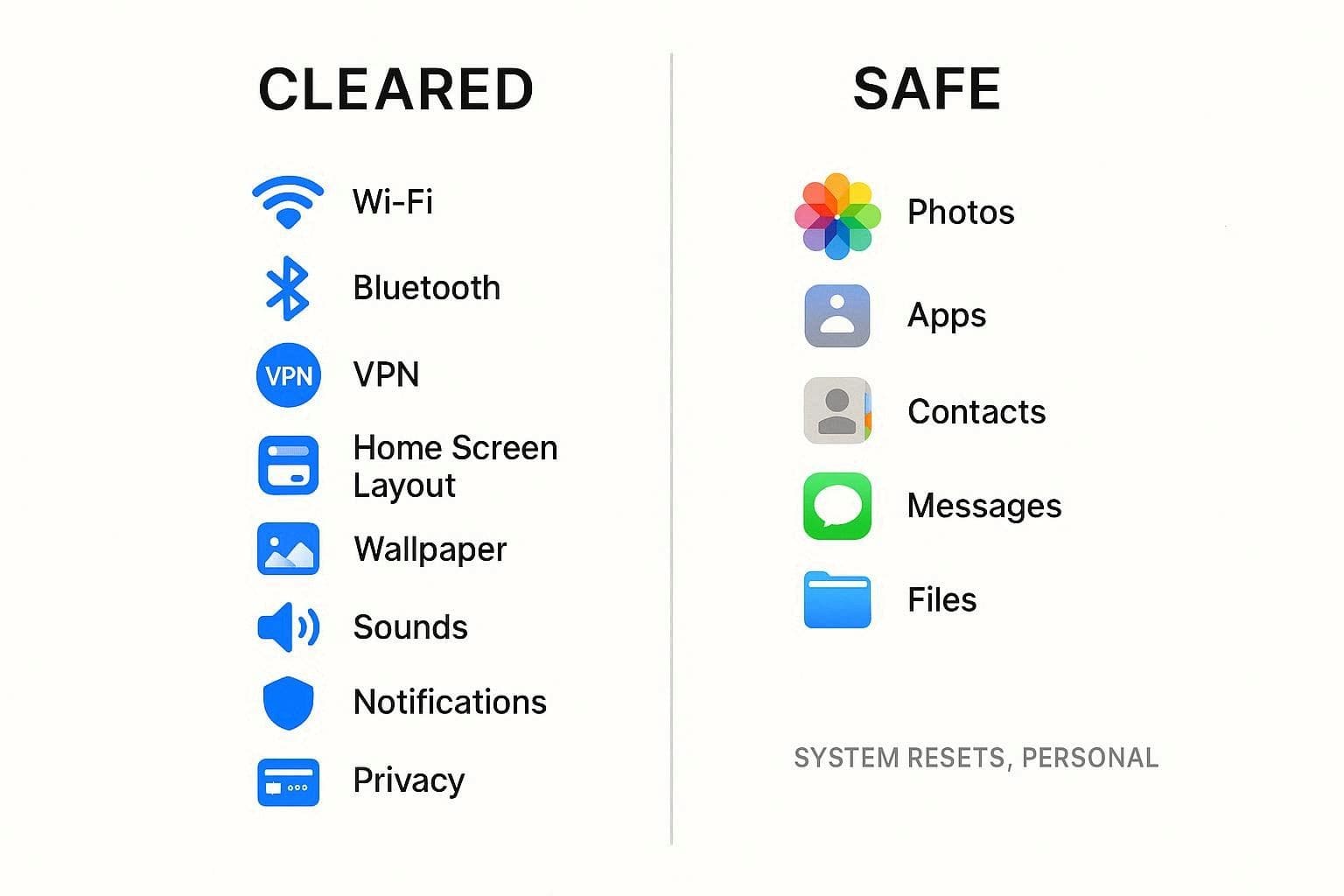
Thus, this reset fixes system issues while keeping photos, messages, apps, and files intact. So, users can start fresh with default settings without losing any important personal information on their device.
Difference Between Reset All Settings, Erase All Content, & Network Reset
As you know, what the iPhone Reset All Settings does, know that the iPhone gives options to reset settings, erase all content, or reset network settings for different purposes. Therefore, one needs to understand how these options differ and what purpose each serves.
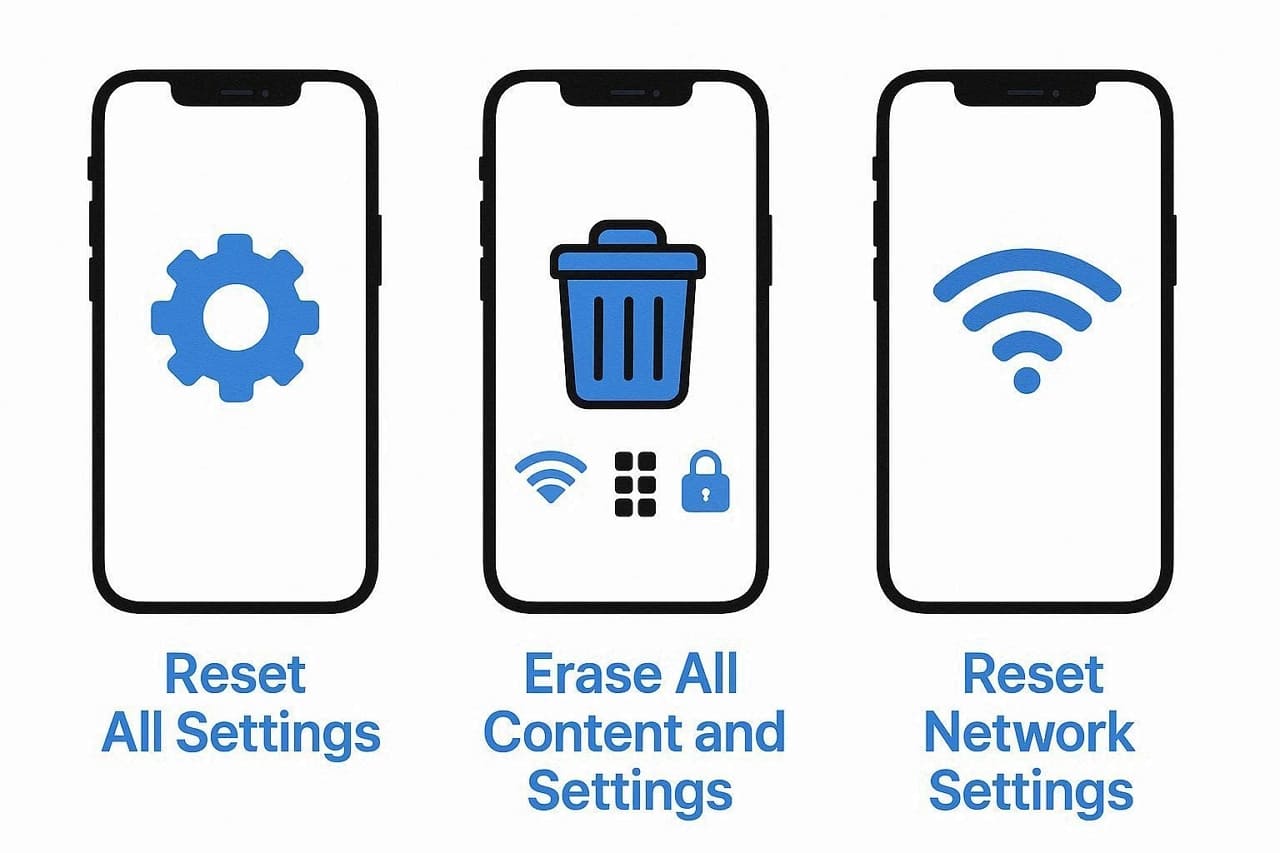
Reset All Settings
Reset All Settings restores iPhone system preferences, including Wi-Fi passwords, Bluetooth, VPN, Home screen arrangement, wallpaper, display, sounds, and notifications. However, the personal data is not lost during this process.
It secures personal data; therefore, photos, videos, apps, app data, messages, contacts, and files remain on the device. Thus, it is the best choice when glitches or configuration problems are to be solved without losing any content.
Erase All Content and Settings
This Settings completely wipes the iPhone, removing apps, app data, photos, videos, messages, accounts, Apple Pay, and all settings. Moreover, the phone returns to its original factory state, and nothing personal remains unless restored later from a backup on iCloud or a computer.
So, this is best for selling or giving away the device or for fixing serious software problems after you back up your data. It clears everything, keeping the phone like-new and your personal information safe during transfers or troubleshooting.
Reset Network Settings
Reset Network Settings clears only network data on the iPhone, including saved Wi‑Fi networks, passwords, cellular settings, VPN, and some paired network connections. It does not remove photos, apps, messages, or other settings like wallpaper and notifications. Thus, this option works best for Wi‑Fi, mobile data, hotspot, or VPN issues when other fixes do not work.
Part 2. What Happens When You Reset All Settings on an iPhone? (What Changes & What Doesn't)
Since you know what does Reset All Settings do in iPhone, review the given detailed table and further learn what will change and what remains intact:
| What Changes | Category | Details |
|---|---|---|
| What Changes | Wi‑Fi & Bluetooth | Saved Wi‑Fi networks/passwords, Bluetooth pairs |
| Network Configs | VPN settings | |
| Home Screen & Display | Layout, wallpaper, brightness, appearance mode | |
| Sounds & Alerts | Ringtone, text tone, volume, vibration, alerts | |
| Notifications & Focus | App notification settings, Focus/Do Not Disturb | |
| Privacy & Location | App permissions, location settings | |
| Keyboard & Language | Keyboard settings, dictionary, input options | |
| Apple Pay | Cards may get removed and must be added again | |
| What Doesn't Change | Photos & Videos | All media in Photos |
| Messages & Calls | iMessage, SMS history, call logs | |
| Apps & App Data | Installed apps and their local data | |
| Files & Downloads | Files in Files and other storage apps | |
| Contacts & Notes | Contacts, notes, calendars, reminders | |
| Apple ID/iCloud | Signed‑in account and iCloud content |
Pro Tip. Back Up Your iPhone Before Resetting All Settings (Recommended)
While knowing what does Reset All Settings do on an iPhone, if you decide to reset the settings, it's better to create a backup in case something goes wrong. In this regard, Dr.Fone - Phone Backup allows you to automatically and wirelessly back up iPhone, iPad, and iPod touch. The tool claims to have zero data loss during the transfer, backup, or restore process, and its usage is also seamless.
Additionally, with support for iOS 26/iPadOS 26 and iPhone 17 series, the tool also allows you to selectively choose the data to create a backup. Once created, users can preview it in folders, and incremental backups automatically save space. With no learning curve, users can either create manual backups or have them created automatically over Wi-Fi.

Wondershare Dr.Fone
Selectively backup your iPhone contacts in 3 minutes!
- One-click to backup the whole iOS device to your computer.
- Enable scheduled Wi-Fi backups to automatically protect your iOS data without manual effort.
- Allow previewing and selectively export contacts from iPhone to your computer.
- No data loss on devices during the restoration.
- Works for all iOS devices. Compatible with the latest iOS version.



Guide to Back Up iOS Manually with Dr.Fone - Phone Backup
As you have learned what does Reset All Settings do on iPhone, here is how you can create a backup of selected data if you are afraid of data loss:
- Step 1. Locate the My Backup Feature to Create a Backup
- Step 2. Monitor or Cancel the Backup If Needed
- Step 3. Choose the Preview Option to Check the Backup
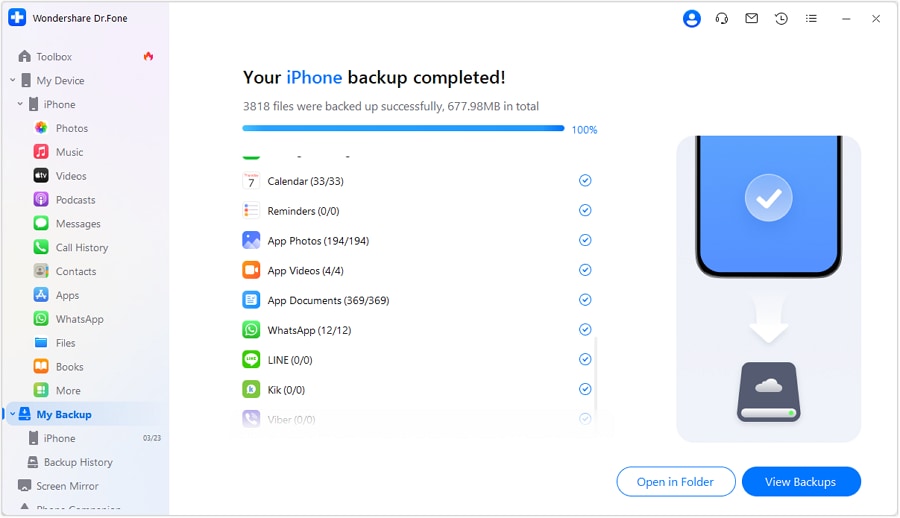
Within the "My Backup" tab, select the data you seek to create a backup for and press the "Back Up Now" button. Before that, tap the "File" icon in the "Backup Path" section to select the destination folder.
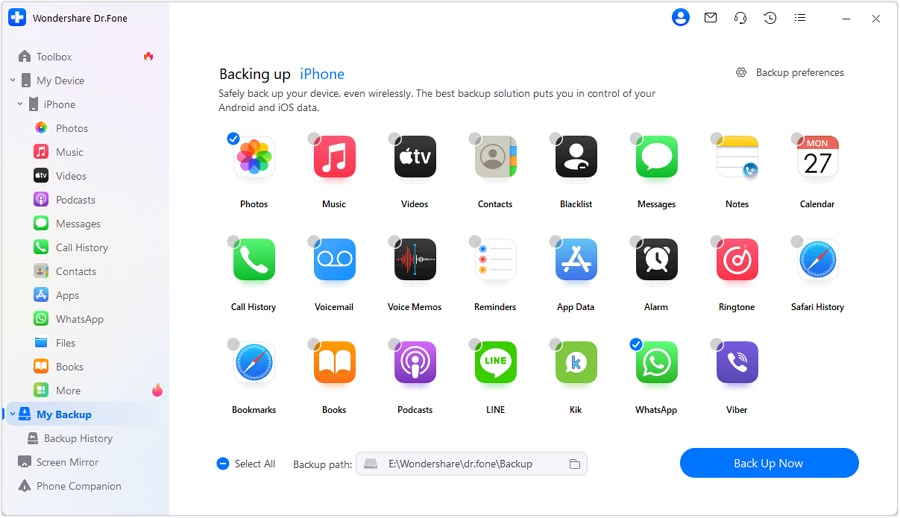
Monitor the iPhone backup process on the following interface, and select "Cancel" when needed.

After the backup is done, pick the "View Backup" or "Open in Folder" option to preview it.
safe & securePart 3. How to Reset All Settings on iPhone - Complete Guide?
Now that you understand what does iPhone Reset All Settings do, here is how you can perform it:
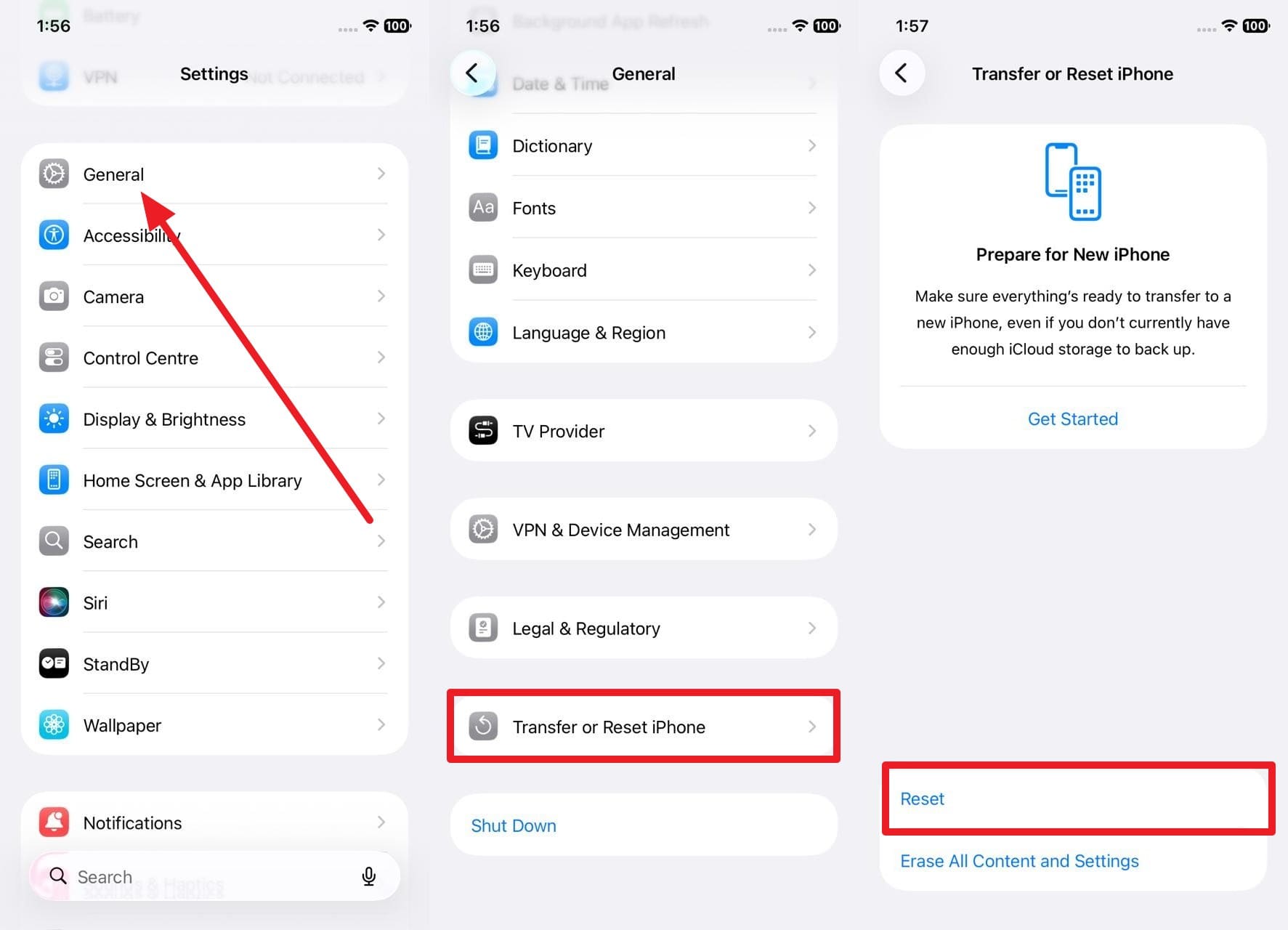
- Step 1. Access the "General" settings and choose the "Transfer or Reset iPhone" option on the new interface to select "Reset."
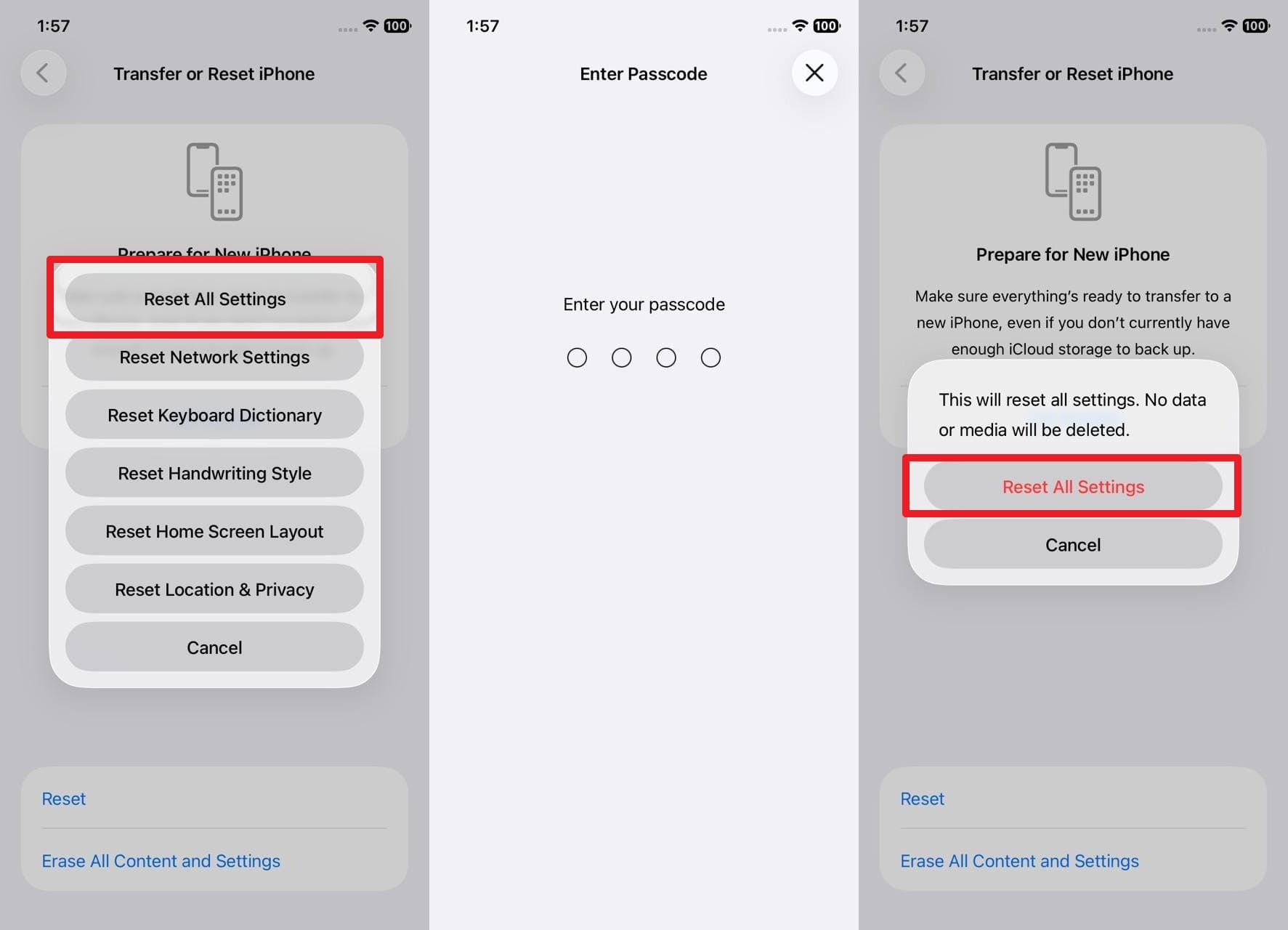
- Step 2. Pick the "Reset All Settings" option on the popup menu, enter the device passcode, and pick "Reset All Settings" to confirm the action.
Is Backing Up Required Before Using "Reset All Settings" on iPhone?
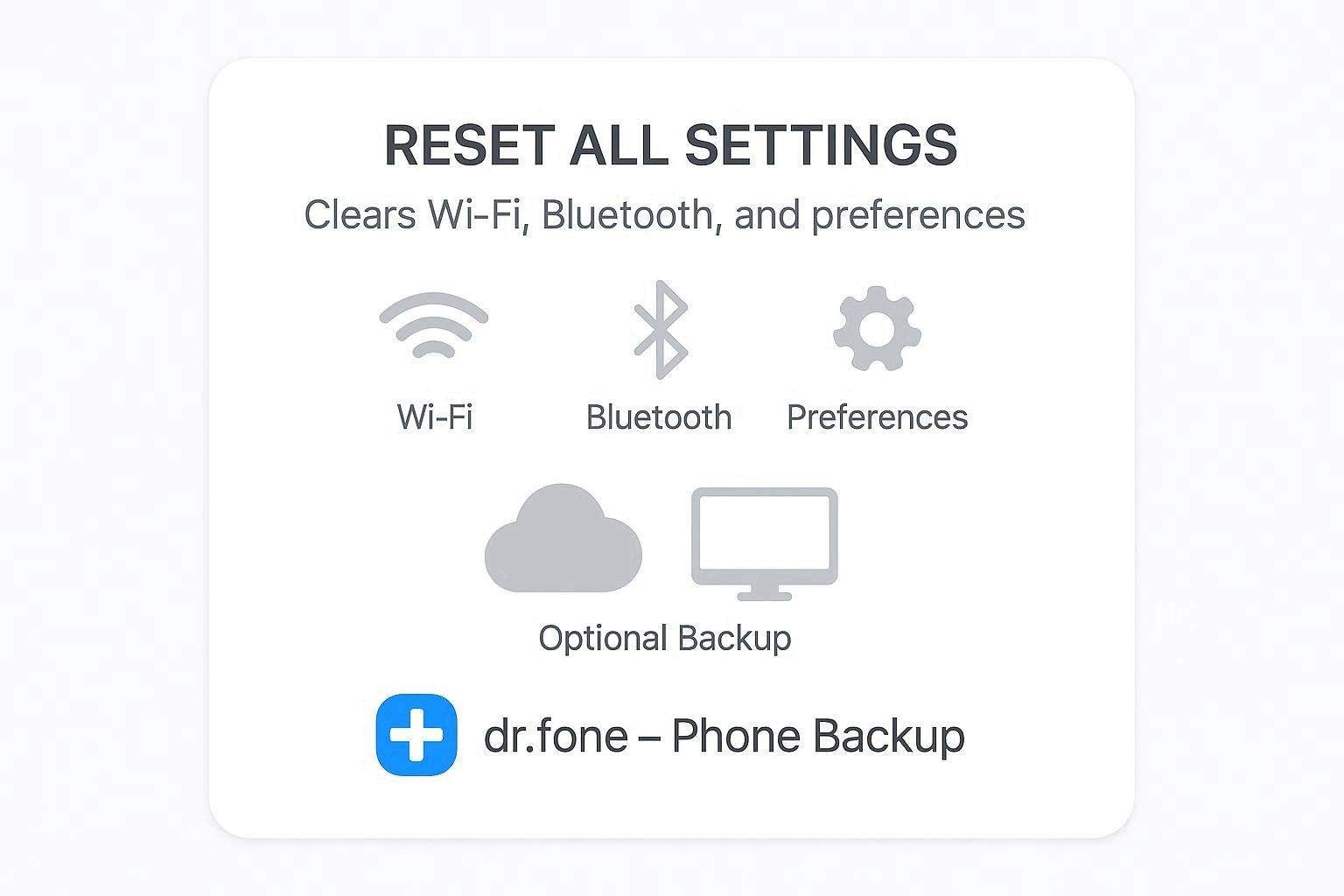
Backing up is not required before using "Reset All Settings," but it is a good safety habit. This reset changes system settings without deleting personal content like photos, messages, apps, or files, so normally you will not lose data. However, any reset carries some risk of bugs, errors, or later decisions that could fully erase the iPhone.
Therefore, a recent iCloud backup keeps your data safe if something goes wrong or if you later choose to use "Erase All Content and Settings." However, if you want to create a secure backup of selective data on your computer, Dr.Fone - Phone Backup is a recommended choice.
Why and When to Use Reset All Settings
Now that you know what does the Reset All Settings do on iPhone, here is when and why you need to perform it:
| Aspect | Why Use It | When to Use It |
|---|---|---|
| Troubleshooting | Fix minor bugs caused by messed‑up settings | After updates, if Wi‑Fi, Bluetooth, or apps act strangely |
| Performance | Clear conflicting settings that slow the phone down | When the phone feels laggy despite enough storage and reboots |
| Connectivity | Refresh Wi‑Fi / VPN / network configs | When Wi‑Fi drops, won't connect, or VPN misbehaves |
| Privacy & Permissions | Undo many custom privacy/location choices that broke features | When apps can't access the camera, mic, or location as expected |
| UI & Layout | Return to the default layout and system appearance | When the Home screen, icons, or display settings are badly messed up |
| Safer Than Full Erase | Reset the system without deleting personal data | When you want a "fresh settings start" but keep all content |
Conclusion
To wrap up, this article has answered what does Reset All Settings do on an iPhone while highlighting how it differs from Reset Network Settings and Erase All Settings. Additionally, this guide has provided clear steps for resetting all settings and the right time to use this option. Although personal data remains safe during the process, using Dr.Fone - Phone Backup is recommended as a precaution to create a secure backup on a PC.
safe & secureFAQs
 1.
Do I need an internet connection to perform this reset?2.
How long does Reset All Settings take to complete?3.
Can I undo Reset All Settings afterward?
1.
Do I need an internet connection to perform this reset?2.
How long does Reset All Settings take to complete?3.
Can I undo Reset All Settings afterward?Dr.Fone Basic:
Better Control for Your Phone
Manage, transfer, back up, restore, and mirror your device


 > How-to > Backup & Restore Solutions > What Does Reset All Settings Do on an iPhone? Full Explanation, Effects & Safety Guide
Sandra
staff Editor