

What Happens If You Restart or Reboot Your iPhone? Complete Guide
iPhone Backup
- iPhone Data Backup
- 1. Back up iPhone in Recovery Mode
- 2. Back Up iPhone With/Without iTunes
- 3. Back up iPhone to Mac
- 4. Back up iPhone/iPad to Computer
- 5. Back up iPhone to Mac Catalina
- 6. Back up Jailbreak Apps And Restore
- 7. iPhone Backup Software
- 8. Back up iPhone/iPad Easily
- 9. Back up iPhone/iPad in DFU Mode
- 10. Back up iPhone Apps and App Data
- 11. Back up Notes on iPhone and iPad
- 12. Back up iOS to External Hard Drive
- 13. Export Notes from iPhone to PC/Mac
- 14.Back up iPhone Photos to Google Photos
- 15. Back Up Your iPhone Voicemails
- 16. Back Up to External Drive
- 17.How to Back Up to NAS
- 18.Back Up iPhone With Broken Screen
- 19.Back Up iPhone to Google Drive
- 20.Buy Used iPhones
- 21.Sell Used Phone for Cash
- 22.Sell Used iPhone for Dollar
- 23.How Much is My iPhone Worth
- iPhone Data Recovery
- 1. Recover iPhone Data Without Backup
- 2. Restore Calendar on iPhone
- 3. Recover Call History on iPhone
- 4. Recover iPhone Lost Data
- 5. Restore iPhone in Recovery Mode
- 6. Undelete iPhone Backup Files
- 7. Recover Deleted iPhone Messages
- iPhone Data Restore
- 1. Restore iPhone from iTunes Backup
- 2. Restore iPhone after Downgrade
- 3. Restore iPhone from Backup
- 4. Restore iPhone from iPad Backup
- 5. Restore iPhone from DFU Mode
- 6. Restore iPhone Deleted Text Message
- iPhone Backup Problems
- 1. Find iPhone Backup Location on Mac
- 2. iPhone Backup Password Never Set
- 3. iPhone Backup Password Forget
- 4. iCloud Backup Taking Forever
- 5. iPhone Won't Backup to iCloud
- 6. iTunes Won't Backup iPhone
- iPhone Restore Problems
- 1. iTunes Stuck on Verifying iPhone
- 2. Not Space to Restore iPhone Backup
- 3. iTunes Backup Not Restoring
- 4. iPhone Won't Restore
- WhatsApp Backup & Restore
- 1. WhatsApp from Google Drive to iOS
- 2. Restore Old WhatsApp Backup
- 3. Restore WhatsApp Chat on iPhone
- 4. Retrieve WhatsApp Chat History
- 5. See Deleted Messages on WhatsApp
- 6. Restore WhatsApp Stuck on iPhone
- 7. iPhone WhatsApp to Google Drive
- 8. Back Up WhatsApp on iPhone
- 9. Backup WhatsApp Data before Changing Number
- iPhone Backup Tips
- 1. Extract Data From iPhone
- 2. Encrypt iPhone Backup
- 3. Reset iPhone Backup Password
- 4. Extract iPhone Backup in Win 10
- 5. How Long take iPhone to Backup
- 6. Find iPhone Backup Location
- 7. iPhone Backup Password
- 8. View iPhone Backup on Computer
- 9. iPhone Backup with iTunes/iCloud
- 10.Check Last Backup on iPhone
- 11. How To Backup Foldable iPhone
- 12. Best Backup Chargers for iPhone
- 13. Speed Up Your iPhone Backups
- 14. Save Data When iPhone Disabled
- ● Manage/transfer/recover data
- ● Unlock screen/activate/FRP lock
- ● Fix most iOS and Android issues
- Free Download Free Download Free Download


Oct 22, 2026 • Filed to: Backup & Restore Solutions • Proven solutions
 TL;DR:
Restarting or rebooting your iPhone safely clears short-term memory, stops hidden background processes, and resolves minor software bugs without erasing your permanently saved photos, apps, or settings.
● Only unsaved active tasks inside currently open applications are lost during the process, while local files and iCloud data remain completely unaltered.
● Initiate a standard safe restart by simultaneously holding the Power and Volume Up buttons to access the power slider, waiting 30 seconds after the screen goes black, and pressing the Power button.
● If the device experiences persistent crashes requiring a Force Restart or deeper system resets, secure your selective iOS data to a computer beforehand using Dr.Fone - Phone Backup.
Ask AI for a summary
 ChatGPT
 Perplexity
 Gemini
 Claude
 Grok
Grok
Dr.Fone Basic:
Better Control for Your Phone
Manage, transfer, back up, restore, and mirror your device
A moment comes when the iPhone acts slowly, freezes, or apps refuse to open, and nothing seems to work. Many people panic or start searching for big fixes, but the simplest step sits right in front of us: a quick restart. It is often the first trick experts use to wake a tired device and clear hidden problems.
Still, if you ask "if I restart my iPhone, what happens", this guide is your complete answer. Here, you will learn what it does, how often and when you need to do it, and what effects it will have on your data. Besides, learn how to create a secure backup with Dr.Fone on PC when your phone is experiencing reboot-related issues, and you need to resolve them.
 safe & secure
- Part 1. Quick Answer: What Happens When You Restart or Reboot Your iPhone?
- Part 2. Will I Lose Everything if I Restart My iPhone?
- Pro Tip. Back Up Your iPhone If You're Troubleshooting Repeated Issues

- Part 3. When Should You Restart or Reboot Your iPhone?
- Part 4. How to Restart or Reboot Safely - Detailed Guide
- Part 5. Troubleshooting When Restarting Your iPhone Doesn't Fix Issues
Part 1. Quick Answer: What Happens When You Restart or Reboot Your iPhone?
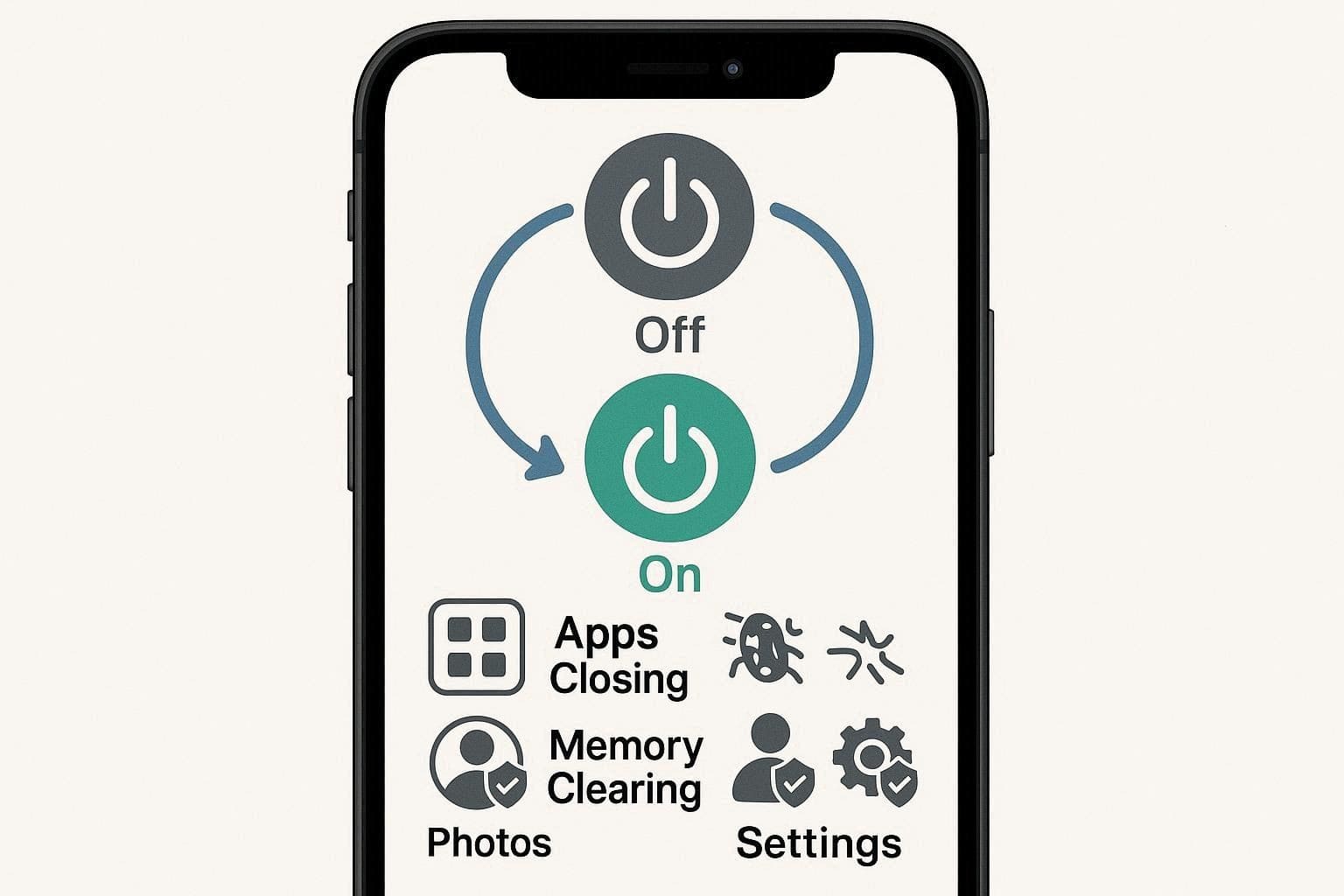
When you question what happens if you restart your iPhone, know that a restart turns the iPhone off and then back on. iOS loads clean again, apps close, bad processes stop, and hidden cache clears out. Not just that, this frees memory, fixes small bugs, and gives the phone more space to work.
Thus, a restart often improves a slow phone, fixes crashing apps, restores weak signals, and releases a stuck screen. In addition, it supports performance after updates, while photos, apps, contacts, and settings remain safe.
Reboot vs Restart: Is There a Difference?
You have been on this subject, so you may get confused with the words "Reboot" and "Restart." Reboot and restart are used interchangeably; the device simply turns off and reboots to restart the system, clear the memory, and correct minor problems. The Restart button is merely an instruction on how to initiate this process; you can interchange the two words when making basic fixes.
Part 2. Will I Lose Everything if I Restart My iPhone?
When you have important data on your phone and need to restart, the question of what happens when you restart your iPhone pops up. As a matter of fact, a restart does not erase photos, applications, messages, or settings. It just shuts the phone down, turns it back on, clears short-term tasks, and reboots the system. Therefore, everything of importance is permanently stored on the phone.
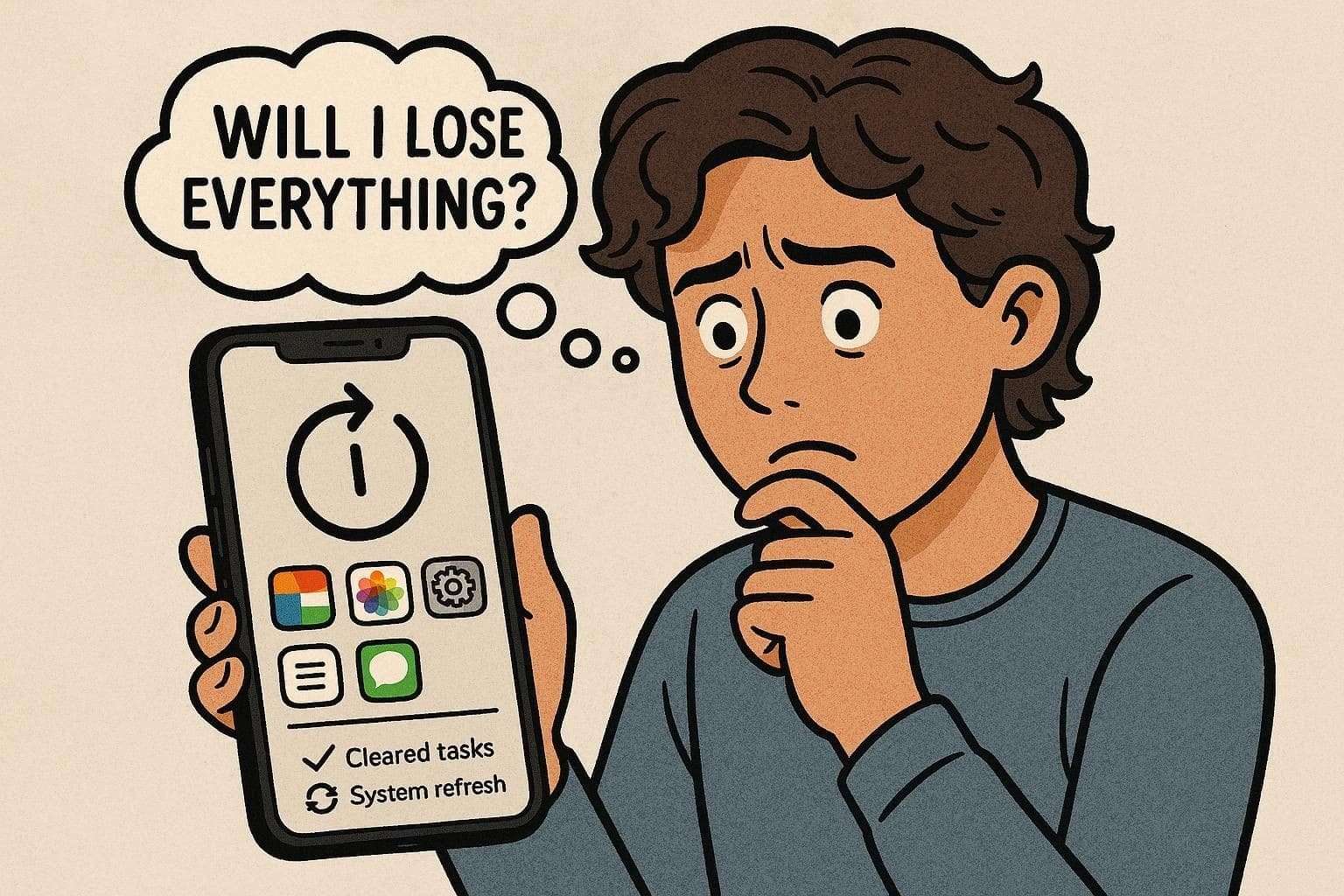
The files stored in iCloud also remain unaltered since they reside in your account on the internet. The only thing that can be lost, however, is unsaved work in an open app, a note that is not saved, or a form that is half typed. However, you can lose data only when you choose Erase All Content and Settings or perform a Factory Reset.
Pro Tip. Back Up Your iPhone If You're Troubleshooting Repeated Issues
While on the topic of backups, Dr.Fone - Phone Backup can be a solution if you want to create a PC backup in case a reboot stuck issue occurs. For users who fear their data might be lost when resolving what reboot does to your phone query, this tool can automatically and wirelessly back up an iPhone.
Users can also use it to back up iPad and iPod touch devices, with the option to selectively choose which data to keep safe. Additionally, with the choice to make a backup manually or automatically, Dr.Fone also enables you to determine the destination location on the PC. Above all, the tool takes mere seconds, needs no learning curve, and offers completely guided steps to create a backup.

Wondershare Dr.Fone
Selectively backup your iPhone contacts in 3 minutes!
- One-click to backup the whole iOS device to your computer.
- Enable scheduled Wi-Fi backups to automatically protect your iOS data without manual effort.
- Allow previewing and selectively export contacts from iPhone to your computer.
- No data loss on devices during the restoration.
- Works for all iOS devices. Compatible with the latest iOS version.



Guide to Create the Manual iOS Backup on PC or MacBook via Dr.Fone
To know how you can manually choose data to create a backup, review the listed steps for Dr.Fone – Phone Backup (iOS):
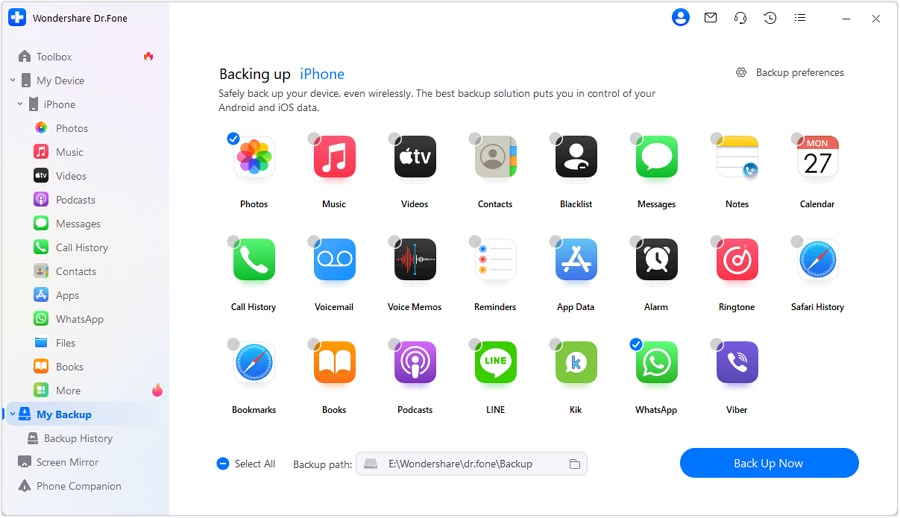
- Step 1. Access Dr.Fone Phone Backup and Choose Data
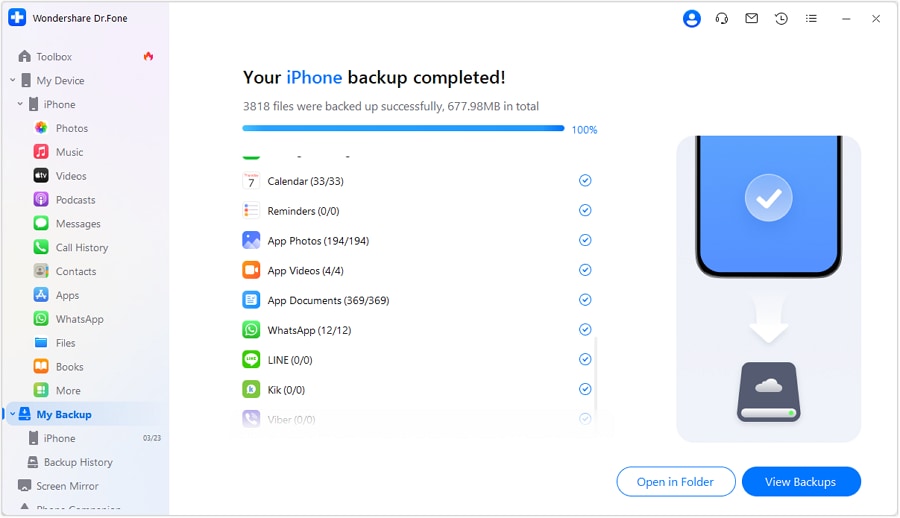
- Step 2. Let the Tool Complete the Backup or Cancel It
Choose the data types in the "My Backup" tab of the tool and expand the "Backup Path" menu to pick the destination folder. After that, press the "Back Up Now" button to start the process.
Review the progress and choose the "Cancel" button if you need to. Once it ends, click the "Open in Folder" or "View Backups" option to preview it in detail.
safe & securePart 3. When Should You Restart or Reboot Your iPhone?
Now, you know if I reboot my phone will I lose everything? So, review the listed points and understand when you need to restart your iPhone:
| Situation / Symptom | Should You Restart? | Why It Helps |
|---|---|---|
| iPhone Feels Slow or Laggy | Yes | Clears temporary processes and refreshes iOS. |
| Apps Freezing, Crashing, or Not Opening | Yes | Forces stuck apps and services to close and relaunch cleanly. |
| Touchscreen Unresponsive or Partially Stuck | Yes (Force Restart) | Breaks out of minor system hangs without erasing data. |
| Wi‑Fi, Bluetooth, or Cellular Issues | Yes | Resets network processes and often restores stable connections. |
| After Installing iOS or App Updates | Recommended | Ensure new components load properly and old ones fully unload. |
| Battery Suddenly Draining Faster Than Usual | Often worth trying | Stops misbehaving background tasks that may be stuck. |
| Camera, Sound, or Sensors Acting Weird | Yes | Reloads system services that control hardware features. |
| Phone Overheated and Slowed Down | After cooling down | Once cooled, a restart can stabilize performance and services. |
| iPhone is Completely Frozen / Won't Respond | Yes (Force Restart) | First step before more advanced recovery options. |
Part 4. How to Restart or Reboot Safely - Detailed Guide
As you are clear on what happens if I restart my phone, here is how you can safely perform it:
- Step 1. Maintain hold on the "Power" and "Volume Up" buttons to fetch the "Slide to Power Off"
slider.
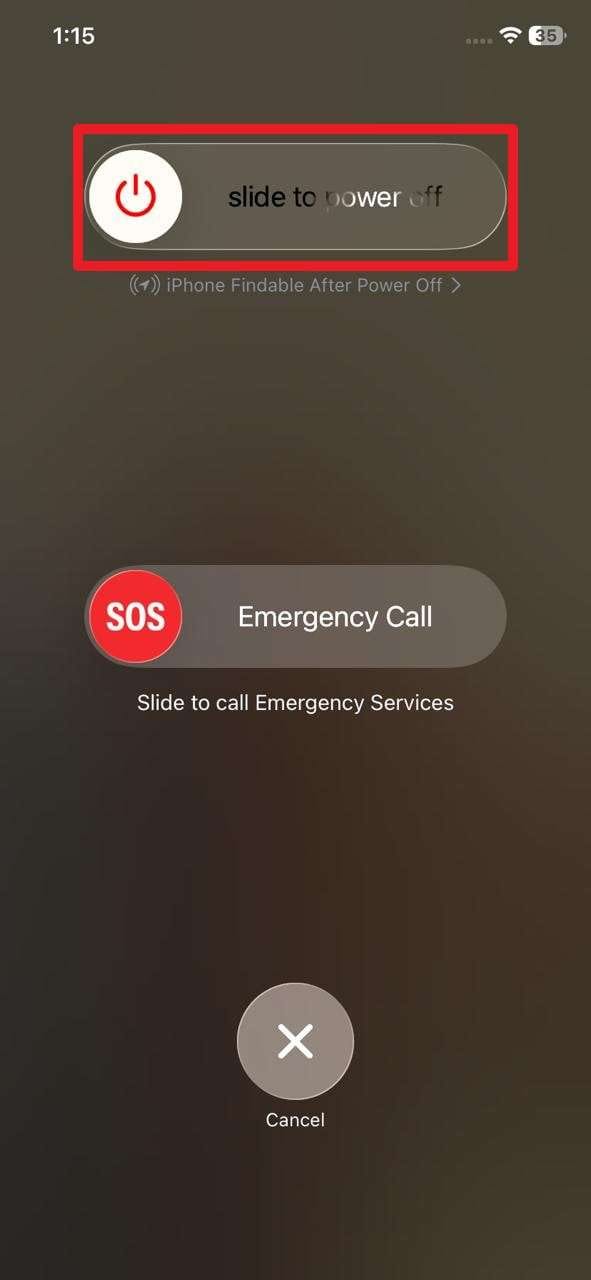
- Step 2. Now, slide it as the screen goes black, wait for 30 seconds, and press the "Power" button to turn it back on.

Part 5. Troubleshooting When Restarting Your iPhone Doesn't Fix Issues
Despite the fact that you know if I restart my phone, what will happen, you might face a restart issue while performing it. In this regard, this section provides system, software, and hardware fixes to ensure a smooth restart.
System-Level Fixes
- Force Restart: Force restart stops the phone when it freezes, and no buttons work. Hence, it forces the system to shut down and restart to recover from minor crashes and lockups, and keeps all your files safe.
- Update iOS and Apps: Updating iOS and apps gives your phone the latest fixes from Apple and developers. It removes bugs, improves security, and makes the phone work better with new apps and features. After updates, the phone often feels smoother and faster.
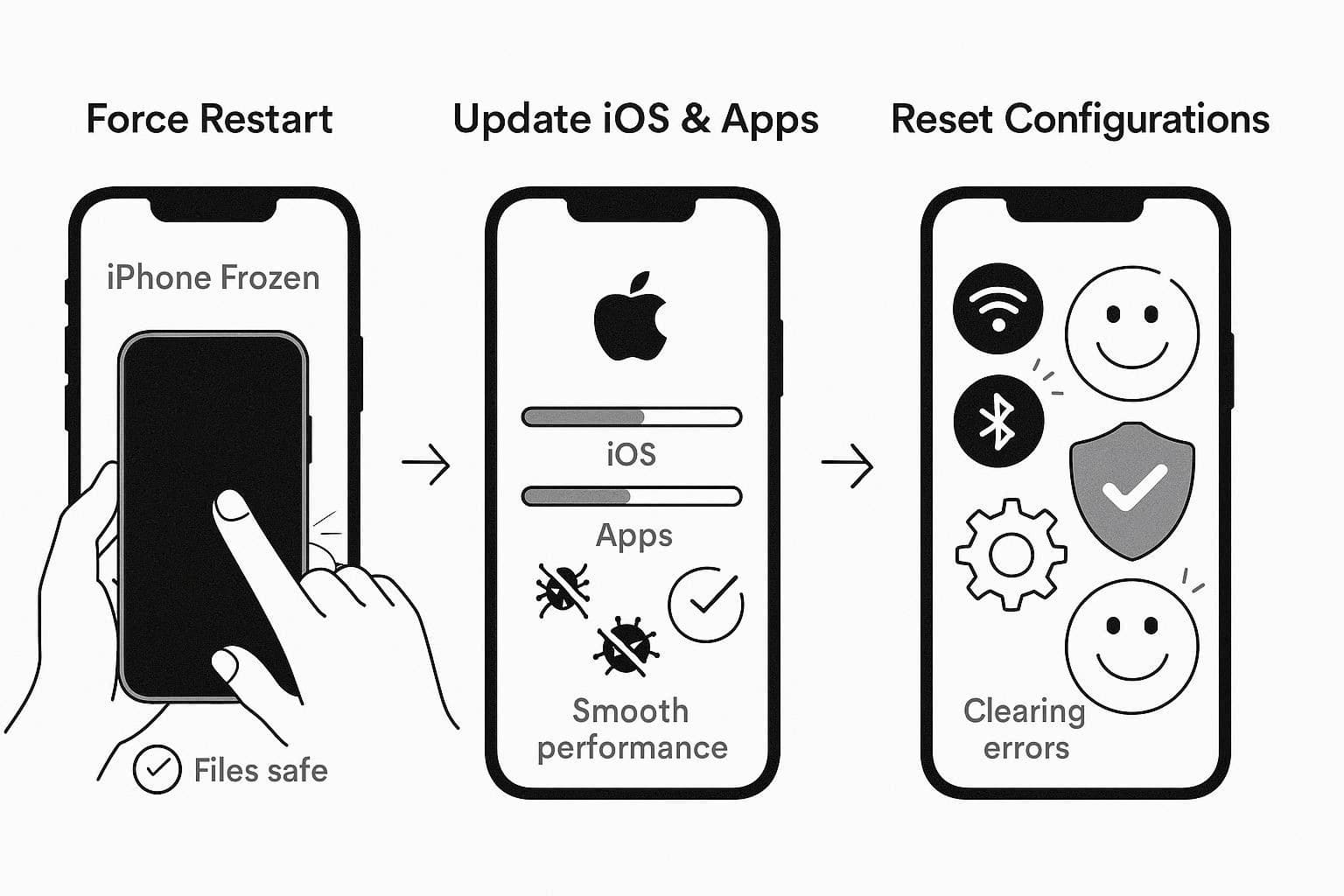
- Reset Configurations [Reset Network Settings or All Settings]: Reset Network Settings clears bad Wi-Fi, mobile data, and Bluetooth settings. On the contrary, Reset All Settings wipes only system settings and clears hidden errors, broken menus, incorrect permissions, or display bugs.
App & Software-Related Fixes
- Force Close Problematic App: Force close and reopen the app, stop a stuck app, and give it a fresh start. It clears minor issues in the app and often fixes freeze or blank screens without accessing phone data.
- Clear Space: Free up storage space to help apps run more smoothly and allow the phone to save files and install new versions.
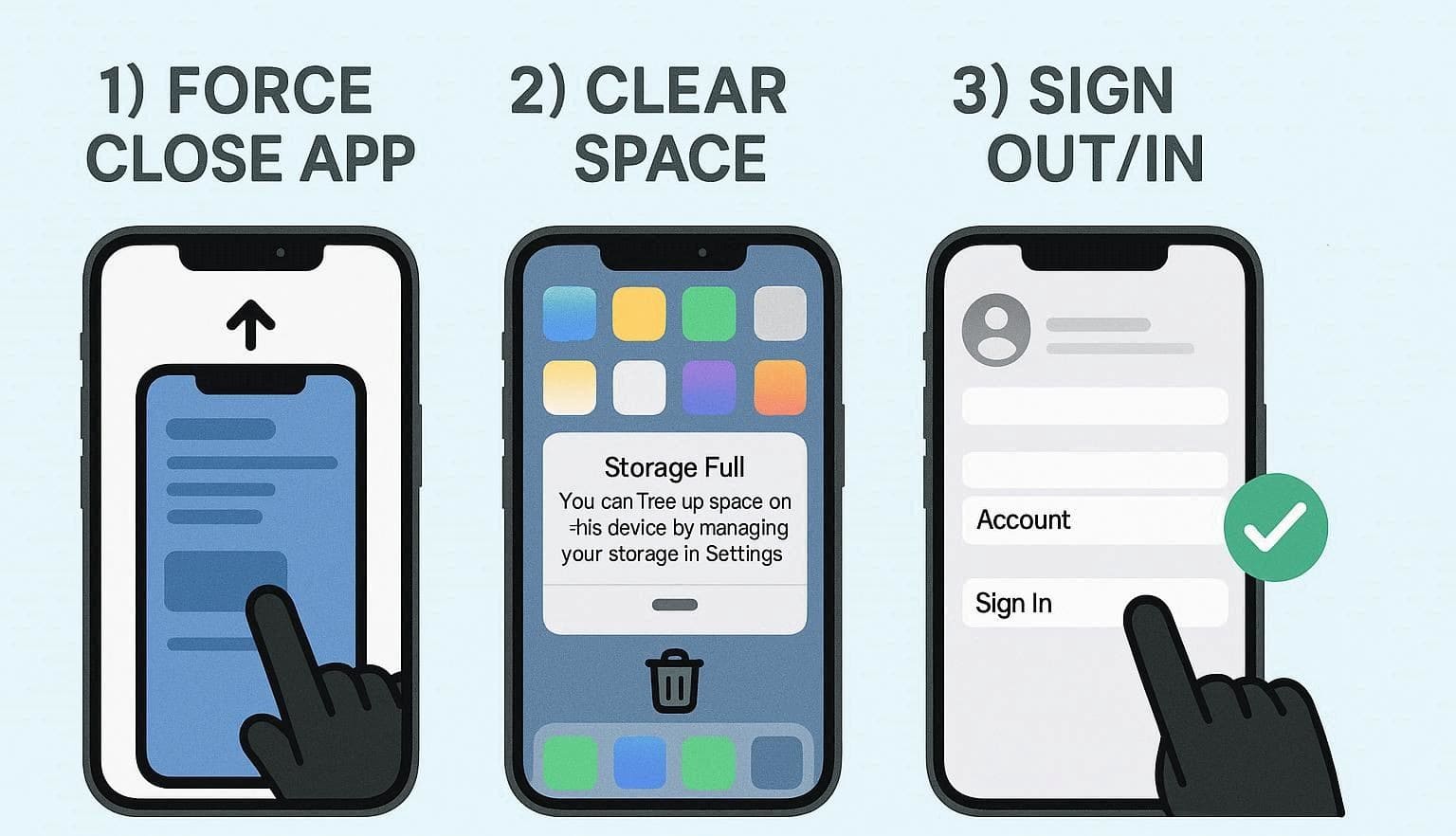
- Sign Out and Back Into Problem Services: Updating apps or signing back into services helps sync errors and loading issues. It restores access to iCloud, iMessage, and other accounts when they stop working properly.
Hardware-Related Checks
- Inspect Physical Damage: This helps you tell if the problem lies in the phone hardware and not in the software. Thus, scratches, dents, or a cracked screen point toward repair rather than a DIY fix.
- Inspect Device Openings: Cleaning ports and speakers removes dust or lint that blocks charging, sound, or the microphone. A clear port often brings back normal charging speed and better audio without any repair cost.
- Run Apple's Diagnostics: Run diagnostics or visit support to check deeper parts like the battery, screen, and internal board. Experts can confirm if a part needs repair or replacement and guide you with the right solution.
Conclusion
To sum up, this guide has answered your query of what happens if I restart my iPhone, while highlighting when you need to do it and how. Not just that, some system, app, and hardware/software fixes are also explained in case you face an issue while restarting. Even so, if you fear you might face data loss, Dr.Fone - Phone Backup is recommended to create a backup of selective data on a PC.
safe & secureFAQs
 1.
Why does Apple call it Power Off instead of Restart?2.
Does iOS display anything special during a restart?3.
Is there a limit to how many times you can restart an iPhone?
1.
Why does Apple call it Power Off instead of Restart?2.
Does iOS display anything special during a restart?3.
Is there a limit to how many times you can restart an iPhone?Dr.Fone Basic:
Better Control for Your Phone
Manage, transfer, back up, restore, and mirror your device


 > How-to > Backup & Restore Solutions > What Happens If You Restart or Reboot Your iPhone? Complete Guide
Daisy Raines
staff Editor