

 TL;DR:
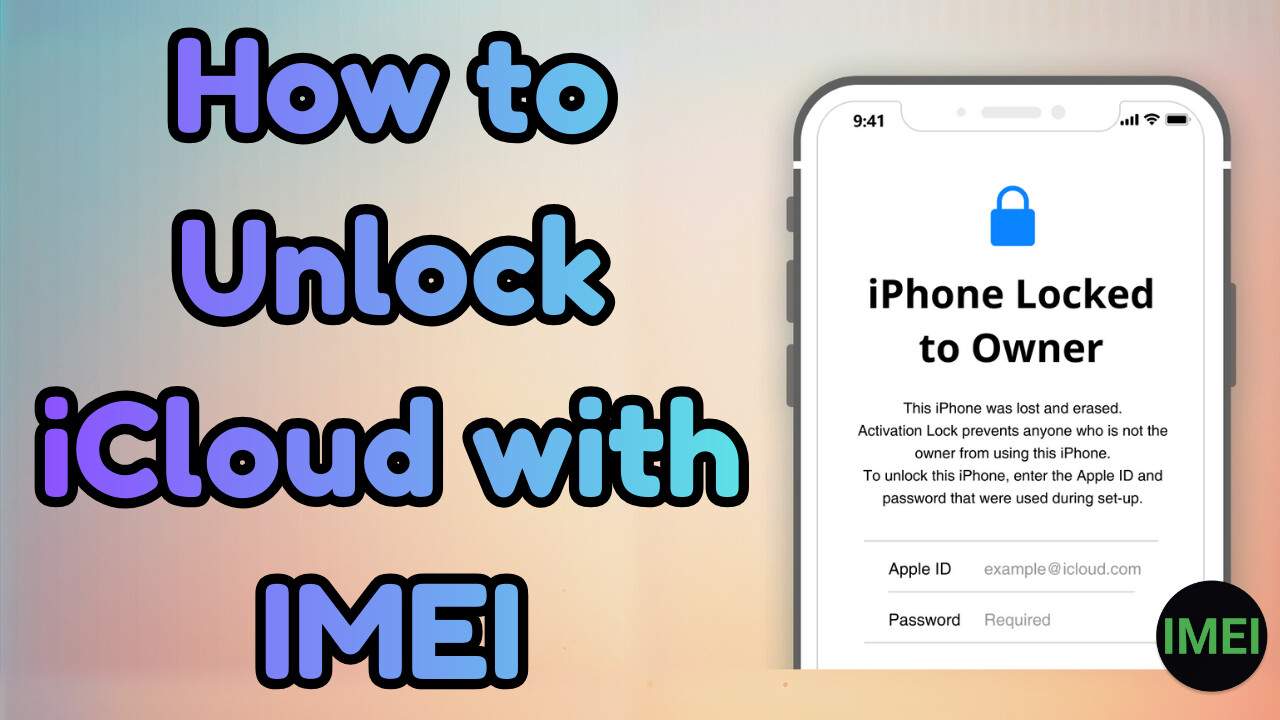
It is impossible to remove an iCloud Activation Lock using only an IMEI number because Apple links the lock directly to the Apple ID and device records, making standalone IMEI unlock websites ineffective and risky.
● Use Dr.Fone Online Unlock alongside iFixTool to bypass the lock via ECID details instead of IMEI; this workaround supports models from iPhone XR to iPhone 17 Pro Max and allows you to sign in with a new Apple ID.
● If requesting an official lock removal through Apple Support, you must provide the original receipt from Apple or an authorized seller explicitly displaying the IMEI or serial number, sale date, and store details.
● Avoid third-party unlock scams by refusing irreversible payment methods like cryptocurrency, Western Union, or gift cards, and never share your IMEI and personal documents with unverified websites.
Ask AI for a summary
 ChatGPT
 Perplexity
 Gemini
 Claude
 Grok
Grok
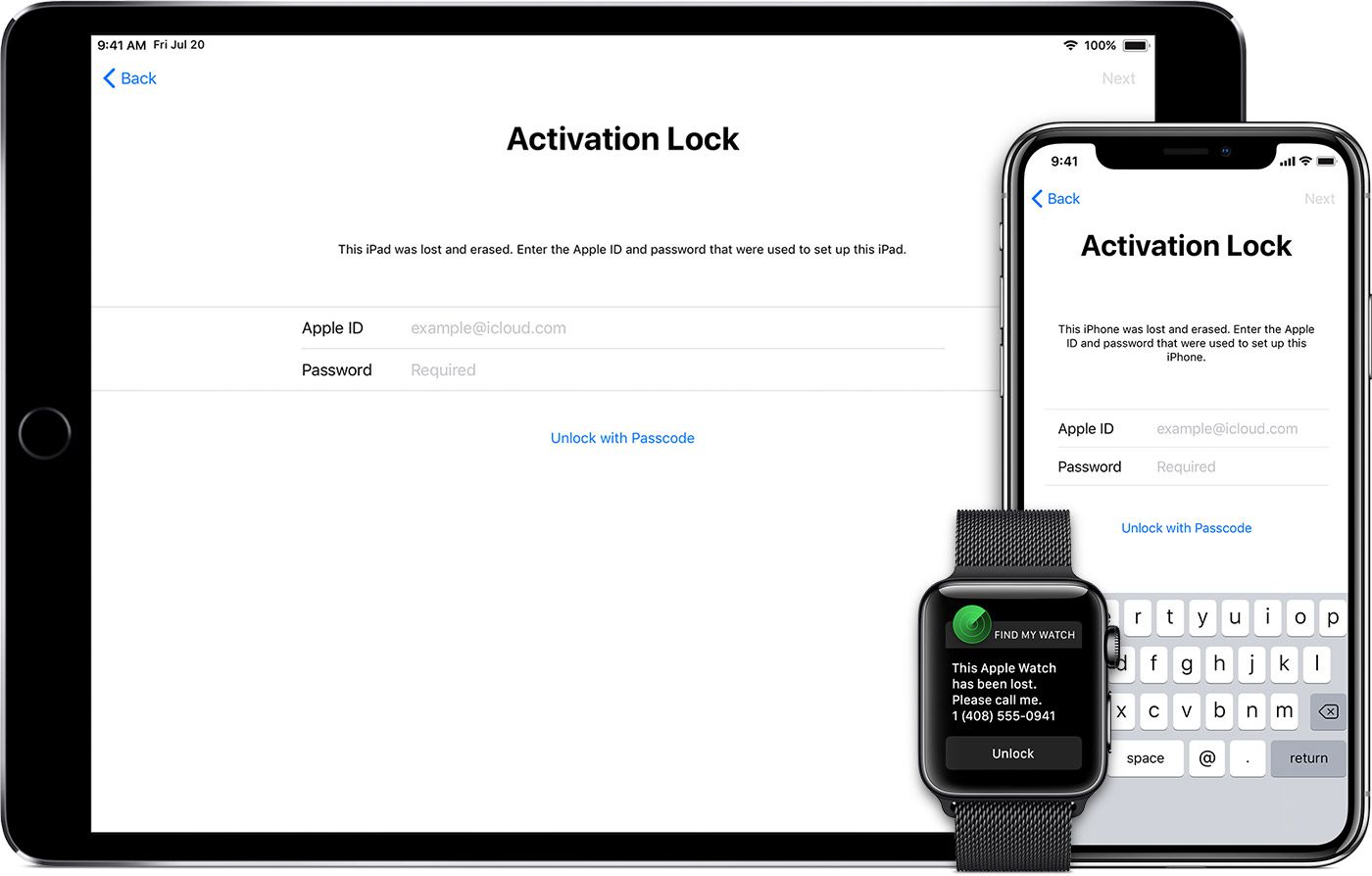
Have you bought a second-hand iPhone and cannot access it because of iCloud lock? This problem happens when the phone is still linked to the previous owner's Apple ID. Many sites claim they have iCloud unlock with IMEI facility, but this is not true in real cases. IMEI is not a magic key for activation lock, and Apple ties iCloud lock to Apple ID and device records, not just the IMEI. Hence, this ultimate guide explains what IMEI can really do, why IMEI iCloud unlock sites are risky, and what real options exist to remove activation lock. While reviewing it, learn why tools like Dr.Fone iCloud Unlock can be the safest choice of all.
 Unlock your device online safely
In this article

Part 1. What is IMEI, and How Does It Relate to iCloud Lock?
An IMEI is a hardware ID of your phone, the unique 15-digit number that identifies every mobile phone, such as the serial number. Carriers and manufacturers look up IMEI to verify the model, origin, warranty status, and blacklist status, and block stolen phones in networks. Furthermore, Apple records the IMEI, the serial number, and the Apple ID when you switch on Find My iPhone.
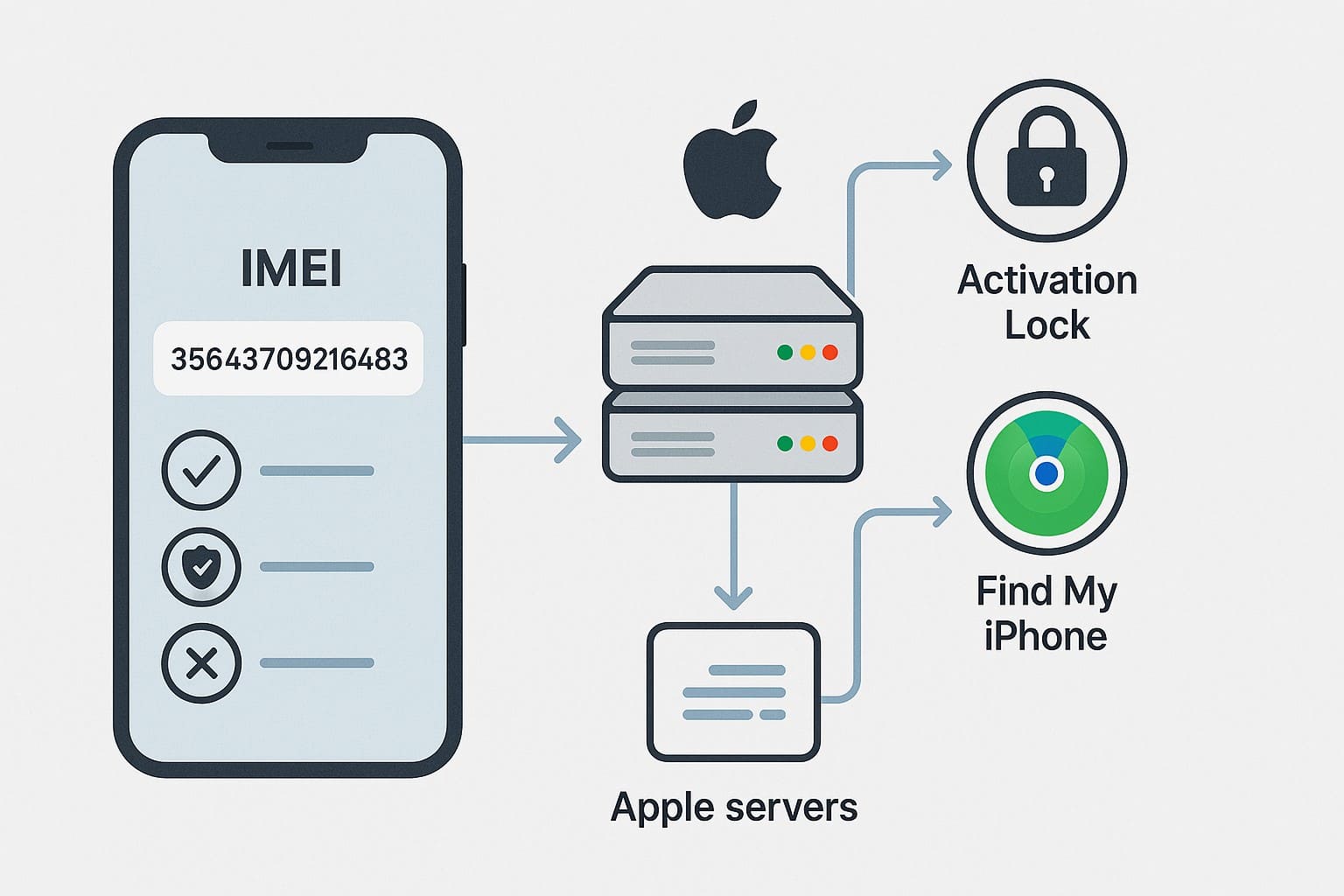
Upon activation, the gadget connects to Apple's servers, where Apple examines the record and determines whether the activation lock is enabled. IMEI aids Apple in recognizing the device, but not a password or a key that will enable IMEI iCloud unlock.
Is It Possible to Unlock iCloud with IMEI?
As mentioned, you cannot unlock iCloud using only the IMEI number because it is not a magic key for activation lock. Apple may ask for the IMEI or serial number as part of proof of purchase when you request a lock removal. Moreover, carriers use IMEI only for SIM or network unlocks, unlike iCloud. So, websites that claim free iCloud unlock with IMEI are mostly scams.
Part 2. One-Click Online Solution to Unlock iCloud Lock [Tested]
If you don't want to use sites that claim to have iCloud unlock free IMEI service, use the Dr.Fone Online Unlock tool This tool allows you to bypass activation lock seamlessly from iPhones and iPads via ECID details. As far as iPhone compatibility is concerned, it supports all models from iPhone XR to iPhone 17 Pro Max.
Users just need to access the ECID details using iFixTool, and the device is unlocked through iFixTool with Dr.Fone. No private account details are required, making it a secure iCloud activation lock removal free online IMEI bypass option. In addition, all types of users can use this tool since the process is guided and needs no learning curve. Overall, the tool offers weekly update solutions for all the supported iOS versions.
Dr.Fone Online Unlock
Easily bypass Samsung FRP, remove Xiaomi account locks, and check IMEI with one trusted tool — fast, secure, and user-friendly.
- One-click Samsung FRP removal, no tech skills required.
- Unlock Xiaomi devices without a password.
- Supports 20+ different types of IMEI checks.
- Free IMEI check with no login, no ads, and instant access.
- Fully mobile-optimized for effortless on-the-go access.
Verify your device info safely in one clickGuide to Bypass Activation Lock with ECID via Dr.Fone Online Unlock
Other than using random iCloud IMEI unlock free services, learn how safe options like Dr.Fone Online Unlock make it possible:
- Step 1. Start the iCloud Activation Bypass
- Step 2. Access the ECID and Add to Dr.Fone
- Step 3. Submit the Request and Activate Device
Access the Dr.Fone iCloud Unlock page on the browser and begin the iFixTool installation to get ECID details. Next, connect your iCloud-locked iPhone once you have installed iFixTool.
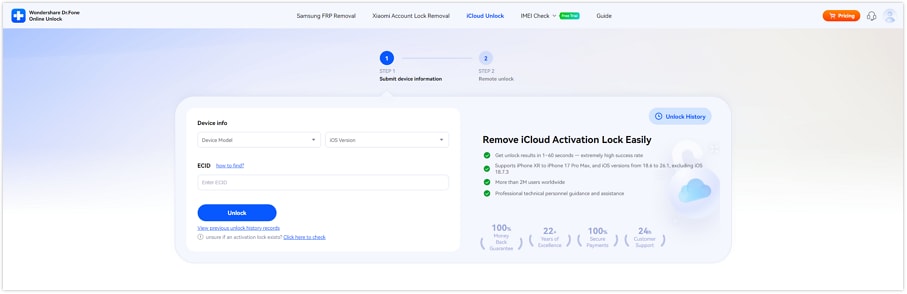
Then, add the details on the "ECID" textbox on the Dr.Fone iCloud Unlock tool as you choose the device model from the "Device Info" section. After that, press the "Unlock" button to send the request to iFixTool.
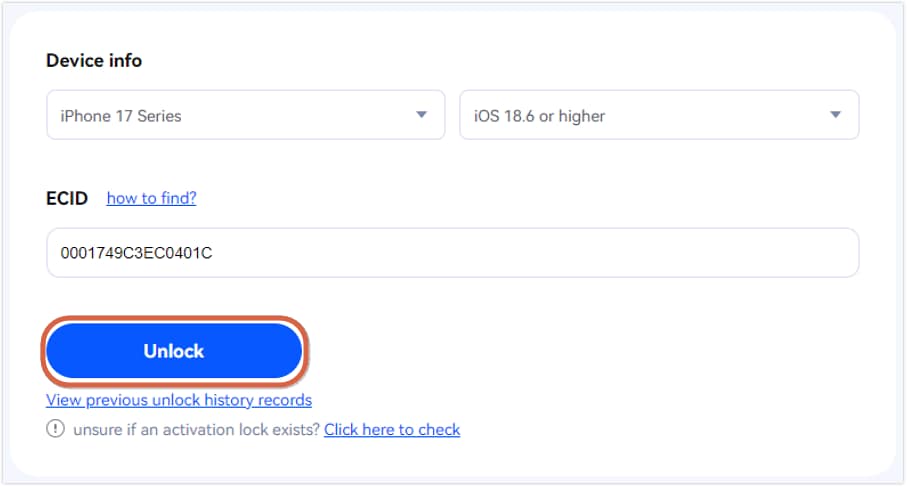
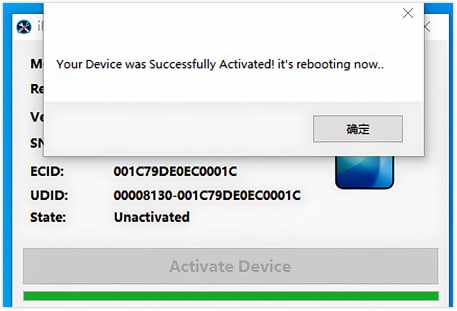
Once the request is submitted, open iFixTool and press the "Activate Device" button, following the on-screen instructions from Dr.Fone. Wait until the tool completes the process and you get the "Removal Successful" message.
Why Choose Dr.Fone iCloud Unlock
As the iCloud unlock with IMEI is not possible, learn why Dr.Fone iCloud Unlock is the best option in case:
- Designed to Be Very Easy to Use: The process uses simple steps: You enter device ECID details, and the tool handles most of the technical work. Plus, the tool uses clear buttons, so you do not need command lines or manual jailbreak steps.
- Supports Many iPhone and iPad Models: Dr.Fone claims support for many old and new iPhone and iPad models across many iOS versions. Hence, this helps users who are not sure which tool fits their device.
- Claims Access with a New Apple ID: Unlike other tools, Dr.Fone states that users can add their own Apple ID after the bypass. It also claims that most features remain functional, and the previous owner cannot relock the device.
- Part of a Larger Known Toolkit: It is a known brand with many phone tools, not just iCloud unlock. Thus, this is safer than a random one-page unlock site.
- Offers Online and Desktop Options: The iCloud bypass tool is versatile as it provides an online method and a desktop program. Some users prefer a desktop for general unlocking use, so they don't have to share device details.
Unlock your device online safelyPart 3. What to Do If You Bought a Locked iPhone
This section also covers some legitimate workarounds that you can follow to bypass activation lock, other than free iCloud IMEI services:
Fix 1. Contact the Seller for Apple ID Removal
Always contact the seller first, as they tend to be the only ones who can take it down fast and neatly. The lock is linked to the seller's Apple ID, and the phone will continue to demand such an account on a reset. Minutes later, it only takes the seller to remove the device either from the phone or from iCloud.com. To ask them to do so, therefore, follow the following guidelines:
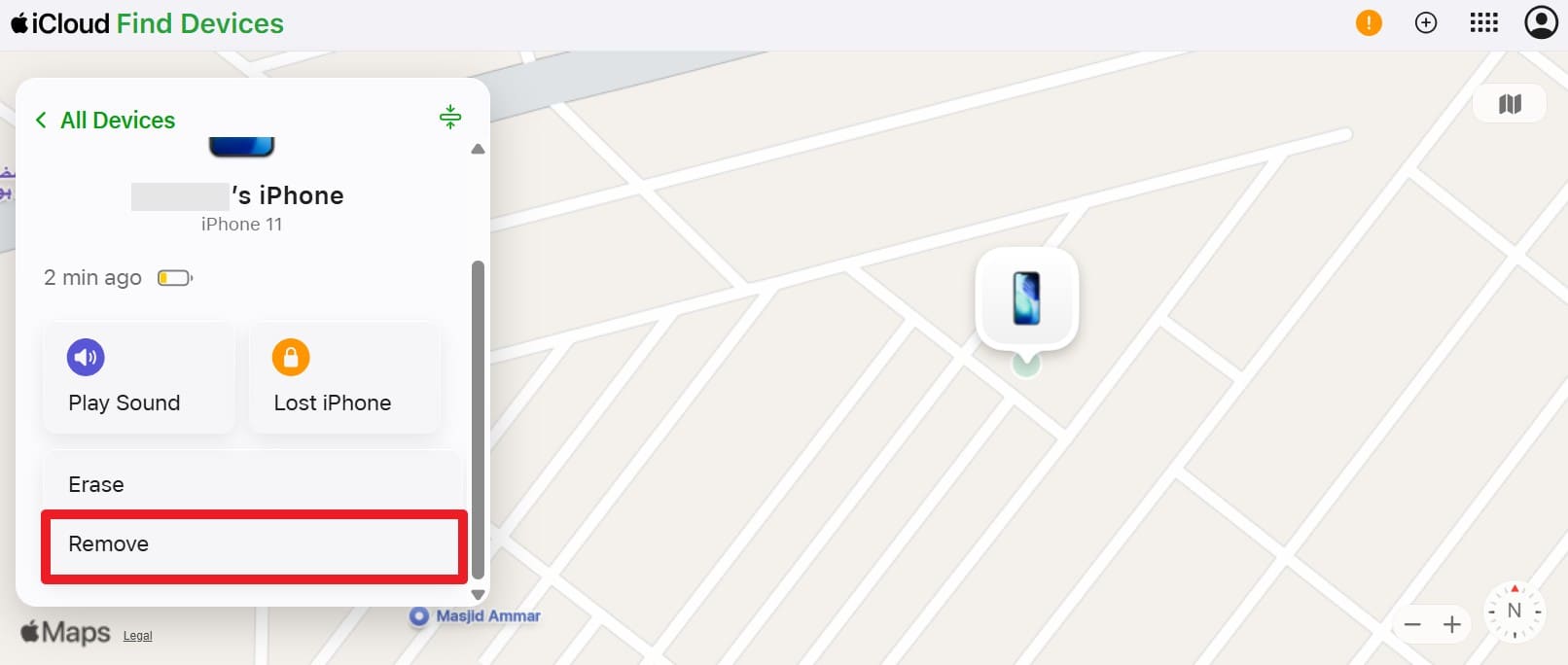
- Step 1. Go to Find My by asking the owner to sign in on iCloud.com and choose the device where you want to remove the activation lock.
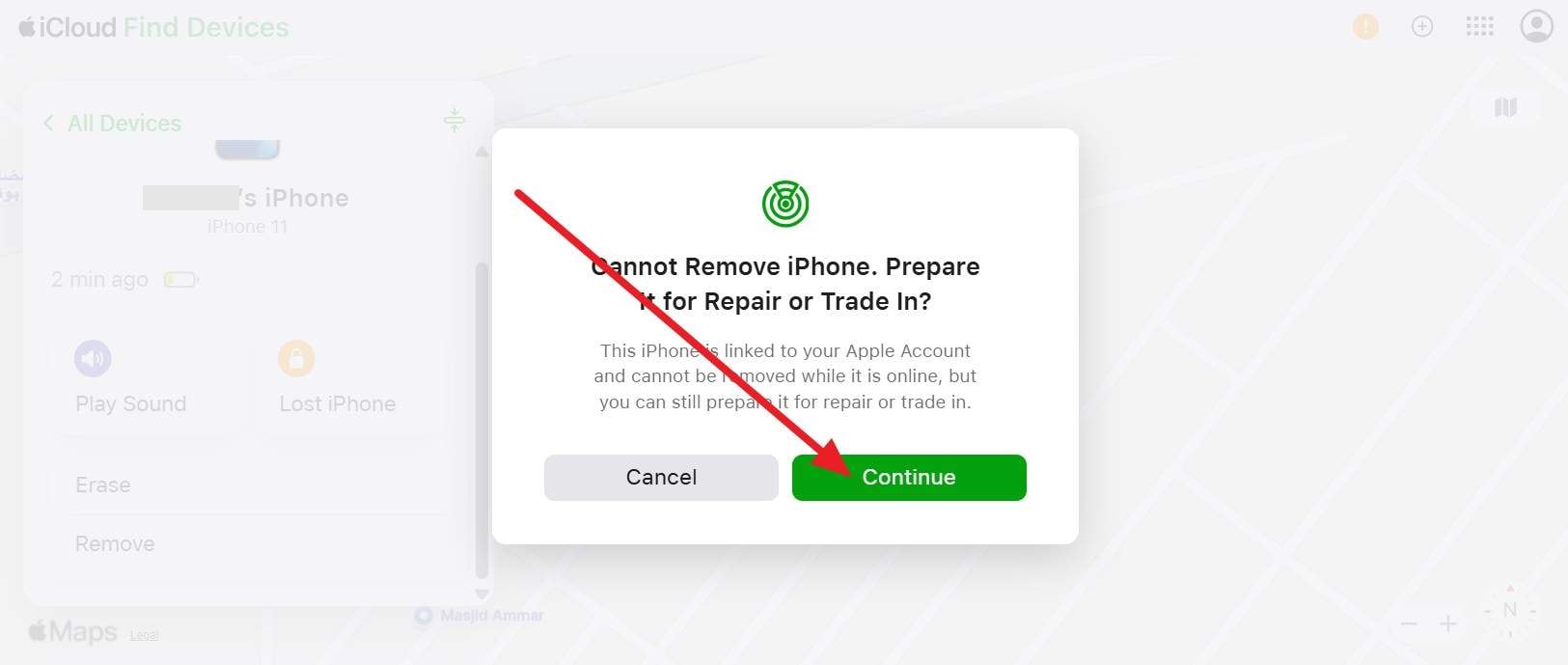
- Step 2. After that, press the "Continue" button and follow the on-screen prompts. Here, the phone will start up on the Hello screen and let you sign in with your Apple ID like a brand-new device.
Fix 2. Ask for the Original Receipt
Unlike IMEI iCloud unlock services, Apple cares about legal ownership, not who holds the phone. The original receipt from Apple or an authorized seller is the strongest proof to remove the activation lock. So, if you bought a used iPhone, ask the seller for the original receipt and a bill of sale. Besides, this rule helps stop stolen phones from being returned to use, so a lack of proof is a strong warning sign.
Fix 3. Use Apple Support with IMEI
Apple can use your IMEI only with strong proof that you own the iPhone, as the IMEI by itself cannot remove Activation Lock. So, Apple Support is the only place that can cleanly remove the old Apple ID from Apple servers.
Apple checks an original receipt from Apple or an authorized seller that shows the serial or IMEI, sale date, and store details. Hence, the phone must not be marked lost or stolen. IMEI helps Apple match the phone to the receipt, but it is not an unlock code.
Part 4. 5 Best Practices to Avoid IMEI iCloud Unlock Scams
Rather than using iCloud IMEI unlock free services, it is suggested to use legitimate ways or opt for tools like Dr.Fone iCloud Unlock. Moreover, this section introduces you to 5 practical tips to help you bypass activation lock scams.
| Best Practices/Tips | What To Do | Why It Helps |
|---|---|---|
| Treat "IMEI‑only Unlock" As a Red Flag | Avoid any site or person claiming they can fully remove iCloud with IMEI only. | Legit iCloud removal involves the Apple ID owner, ECID, or Apple with proof, not just a number. |
| Use Only Apple and The Original Owner | First, ask the seller to remove the device from their Apple ID; if that fails, contact Apple with a valid receipt. | These are the only official, reliable paths for true Activation Lock removal. |
| Never Pay via Irreversible Methods | Avoid crypto, gift cards, Western Union, and "friends and family" transfers for unlocks. | Scammers favor irreversible payments, so you can't easily dispute or recover your money. |
| Don't Share IMEI + Personal Data with Random Sites | Only give IMEI and ID documents to Apple, your carrier, or well‑known, trusted entities. | Reduces the risk of identity theft, IMEI cloning, and unauthorized use of your device's information. |
| Research Before Trusting Any Unlock Service | Check independent reviews, forums, and watch for generic promises like "100% success" or "all models, all iOS." | Most iCloud IMEI unlock offers are fake or partial bypasses; background checking filters out the worst scams. |
Conclusion
To wrap up, this guide has explained why iCloud unlock with IMEI is not possible and how Apple uses the IMEI numbers. Also, some legitimate ways are introduced to help you securely bypass the activation lock. Regarding online bypassing, tools like Dr.Fone iCloud Unlock are suggested as they solely rely on ECID details, and don't pose data theft threats.
Unlock your device online safelyFAQs
-
Q: Why do many sites claim IMEI iCloud unlock works?
A: Many sites make false claims to attract users and collect quick payments easily. However, most of these services fail to remove iCloud lock on real devices.
-
Q: Are "free IMEI iCloud unlock" sites safe?
A: All free IMEI iCloud unlock sites are unsafe and not trusted by real users. So, they may steal personal data or ask for money after fake approval.
-
Q: Does IMEI prove that I own the iPhone?
A: No, IMEI alone does not prove you are the legal device owner. Therefore, Apple still asks for a receipt or seller's proof to remove iCloud lock.



Ahmed Absal
staff Editor
Generally rated4.5(105participated)