

 TL;DR:
You can unlock your MetroPCS phone for free using the device's network settings or by contacting customer support, provided the phone is fully paid, has a clean status, and has 365 days of active use on the Metro by T-Mobile network.
● For devices manufactured after 2019, the permanent unlock option is located at Settings > Connections > More connection settings > Network Unlock and requires an active Wi-Fi connection and a non-Metro SIM card to process.
● Deployed military personnel are exempt from the 365-day rule and can request an early remote unlock, which takes up to two business days, by calling 888-863-8768 with valid documentation, the device IMEI, and billing PIN.
● Devices blacklisted for loss or theft cannot be unlocked under any circumstances, but users who simply do not meet the 365-day network requirement can utilize paid IMEI-based alternatives like Dr.Fone Online Unlock to remove the carrier restriction within 24 hours.
Ask AI for a summary
 ChatGPT
 Perplexity
 Gemini
 Claude
 Grok
Grok
 Verify your device info safely
Are you stuck with a high-end MetroPCS phone that refuses to accept a different SIM card? It is a common frustration that prevents you from using local SIMs while traveling or switching to a better data plan. While Metro by T-Mobile offers official unlocking, its strict 365-day policy often stands in the way of your digital freedom. Despite that, this guide explains how to unlock a MetroPCS phone by using the official Device Unlock app and utilizing efficient third-party tools like Dr.Fone. In situations where requirements are not met, learn how the Dr.Fone Online Unlock tool can save your day in real-time.
In this article

Part 1. MetroPCS Unlock Policy: What You Need to Know First
As you ask how I can unlock a MetroPCS phone, it's important to know if you meet their unlock requirements. To determine this, adhere to the mentioned MetroPCS prerequisites to know if you can unlock the MetroPCS phone:
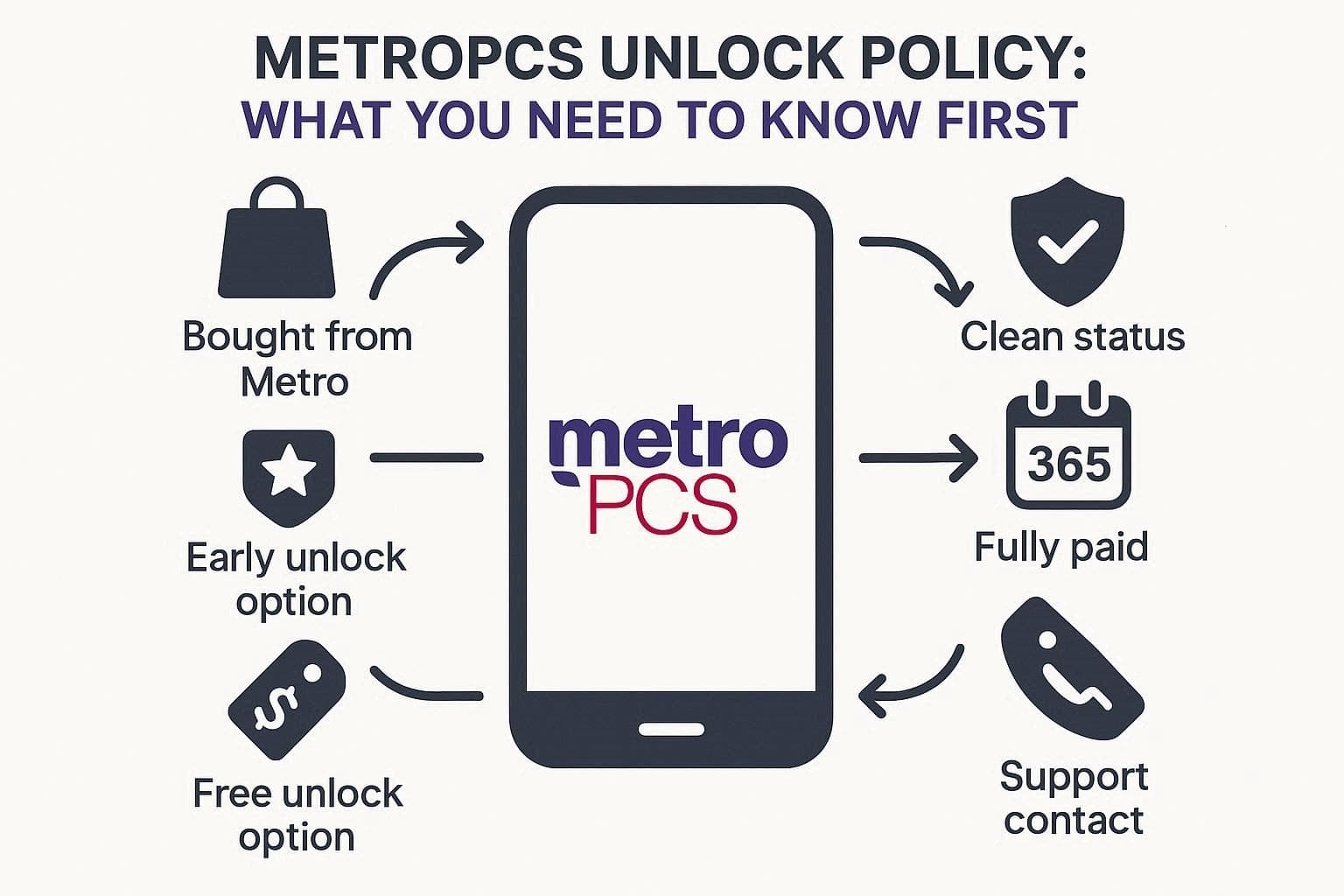
- Bought from Metro: The phone must be purchased from Metro by T-Mobile.
- Clean Status: Phone must not be lost, stolen, or blacklisted.
- Usage Time: Needs 365 days of active use on the Metro network.
- Fully Paid: Device must be fully paid, no pending balance.
- Free Unlock: Unlock is free once all conditions are met.
- Military Option: Deployed military can unlock early with valid papers.
- Support Contact: Call 888-863-8768 for more details.
Part 2. How to Unlock a Metro by T‑Mobile Phone for Free (Official Method)
If you fall into the 365-day period since activation for standard eligibility, review this section and know how you can unlock a MetroPCS phone. Here, you will learn how to contact support or use the supported apps to regain access to your device's full network potential.
Method 1: Using the Pre‑Installed Device Unlock / MyMetro App
You can rely on the Device Unlock app as it connects to Metro servers, so the unlock stays official and permanent. Additionally, if your phone meets all the rules, the process is free and needs no code. Overall, it's faster than support and safer than third-party tools, with no risk to your phone. So, to know how to unlock a phone from MetroPCS with this app, follow the instructions mentioned:
Note: On phones made after 2019, the unlock option is usually inside Settings, not a separate app. Settings > Connections > More connection settings > Network Unlock.
Prerequisites:
- Check the Unlock Status from the Network Unlock option in Settings to see whether your phone is currently locked or eligible for unlocking.
- Make sure your phone is connected to Wi‑Fi or mobile data and, ideally, has a non‑Metro SIM inserted.
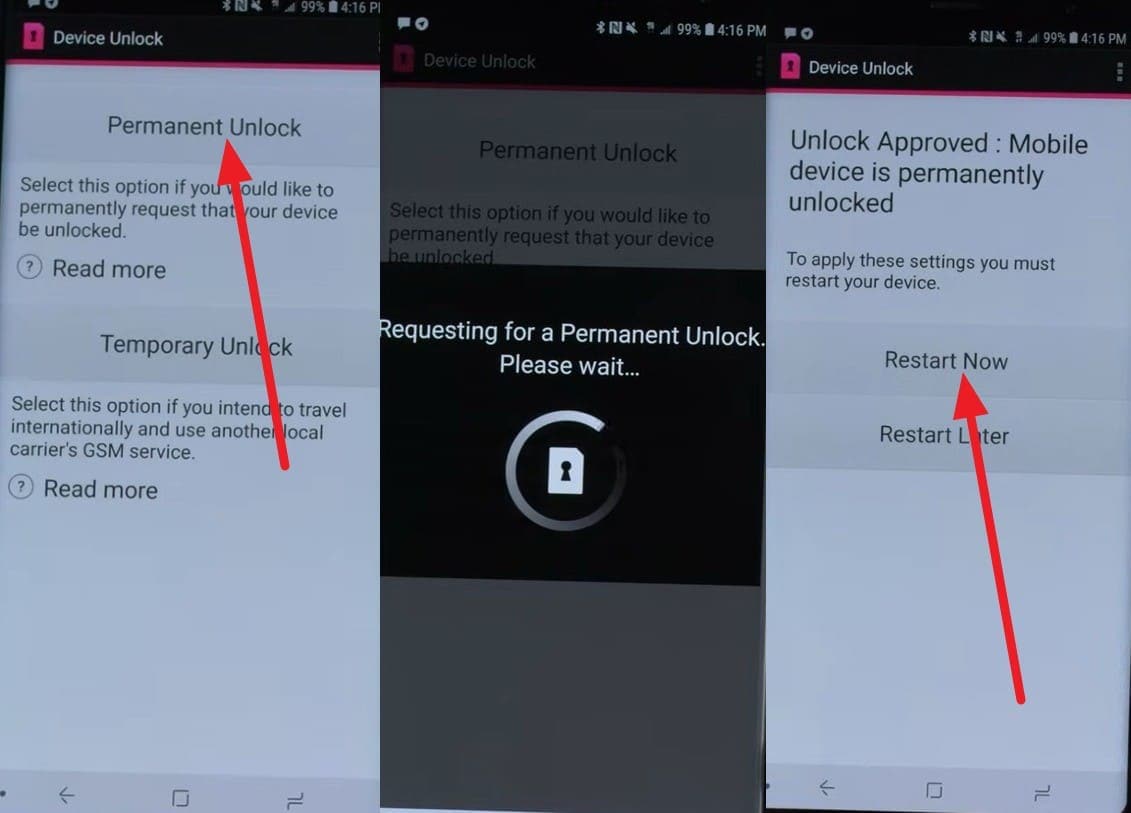
Instructions: Tap the "Permanent Unlock" option, and the app will communicate with the Metro by T-Mobile servers to verify your account eligibility. If eligible, you will see a message "Unlock Approved," so press the "Restart Now" button.
Method 2: Contact Metro by T‑Mobile Support
Other than the app, contact support to know how to permanently unlock the MetroPCS phone. This is the official backup method when the app does not work or is missing. They check your IMEI and account to confirm unlock eligibility, like 365 days of use, full payment, and a clean status. Furthermore, support helps fix issues, explains problems, and guides you safely for free, as guided ahead:
Note: 365 days is part of the requirement, not the only rule.
Prepare Your Information:
- IMEI (dial *#06# or check Settings > About phone).
- Metro phone number for that device (if available).
- Account holder name and billing PIN.
- A valid email address for any confirmation or instructions.
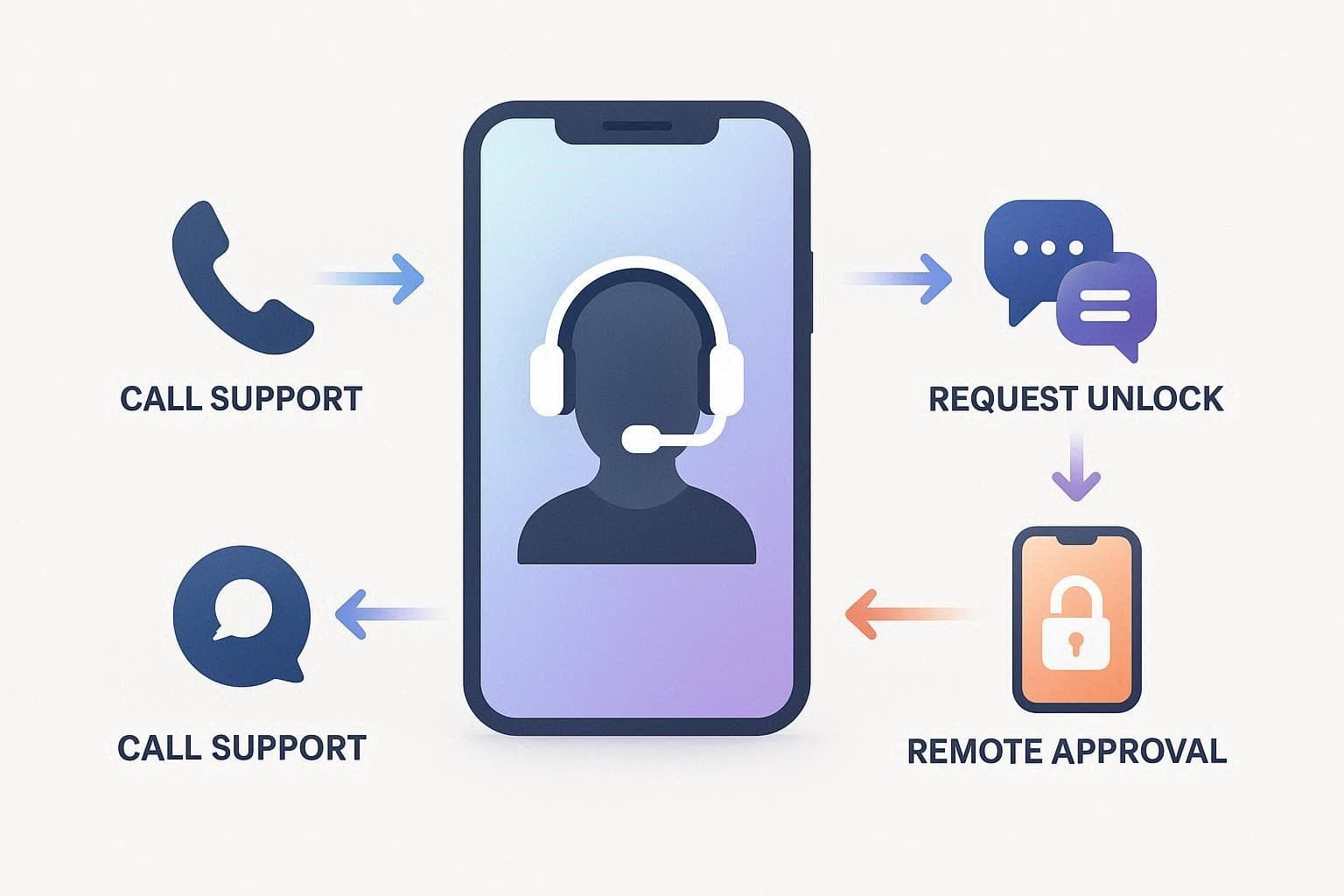
Instructions: Call 888-863-8768 or dial 611 from your Metro device and tell the agent you want to unlock your Metro phone for use on other carriers. If your phone is eligible, they unlock it remotely, and most new phones unlock within 2 business days after meeting the rules.
Part 3. How to Unlock a MetroPCS Phone More Quickly (Alternative Methods)
Let's say after knowing how to unlock a MetroPCS phone for free, you tried the mentioned official ways, but have surpassed the 365-day limit. In this case, the only solution left is to use online tools like Dr.Fone Online Unlock to remove SIM lock restrictions without any time limit.
When Third‑Party Online Unlock Tools Make Sense
Prior to knowing how you can use this tool and why it's effective. Learn when online tools become a necessity:
- You need a quicker unlock than the Metro's official waiting time.
- You agree to pay a fee for the third-party unlock convenience service.
- The Device Unlock app is missing, broken, or does not work properly.
- You stay outside the US and need remote IMEI unlock access.
Bearing all these aspects in mind, Dr.Fone Online Unlock supports various Android models, with a focus on mainstream brands like Samsung and LG. Regarding usage, it uses advanced technology to bypass network locks, ensuring the device's warranty remains intact. Along with AT&T, this innovative online tool claims to support other carriers with its upcoming weekly updates.
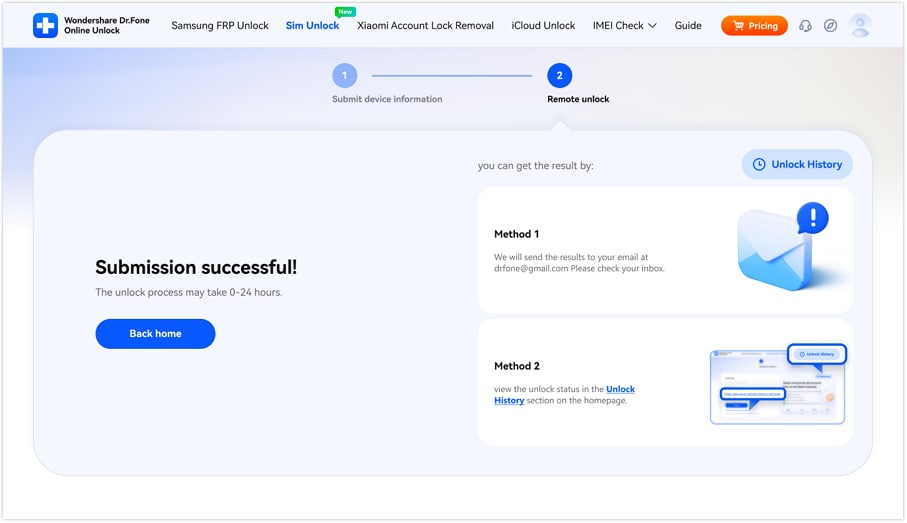
Furthermore, it features an intuitive interface, making it the right solution for MetroPCS users who can't use the Device Unlock app properly. Working only on the IMEI details, Dr.Fone guarantees 100% local and secure MetroPCS phone unlocking and enables users to preview the details for complete control over the process. Since unlocking takes 0-24 hours, you can choose from 2 options to access the detailed SIM lock removal report.
Dr.Fone Online Unlock
Easily bypass Samsung FRP, remove Xiaomi account locks, and check IMEI with one trusted tool — fast, secure, and user-friendly.
- One-click Samsung FRP removal, no tech skills required.
- Unlock iCloud & SIM lock easily and safely.
- Unlock Xiaomi devices without a password.
- Supports 20+ different types of IMEI checks.
- Free IMEI check with no login, no ads, and instant access.
- Fully mobile-optimized for effortless on-the-go access.
Verify your device info safely in one clickGuide to Unlock the MetroPCS Phone Online with Dr.Fone Online Unlock
For those seeking answers on how to unlock a Metro by T-Mobile phone using the Dr.Fone Online Unlock tool, here is the detailed guide for you:
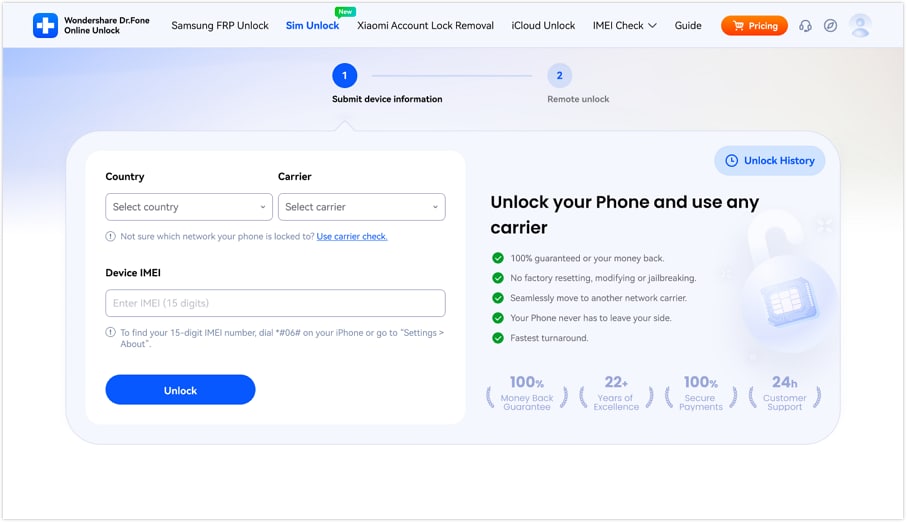
- Step 1. Add the Details on the Dr.Fone SIM Unlock Page
On the official Dr.Fone SIM Unlock page, add the carrier, country, and IMEI details and press the "Unlock" button.
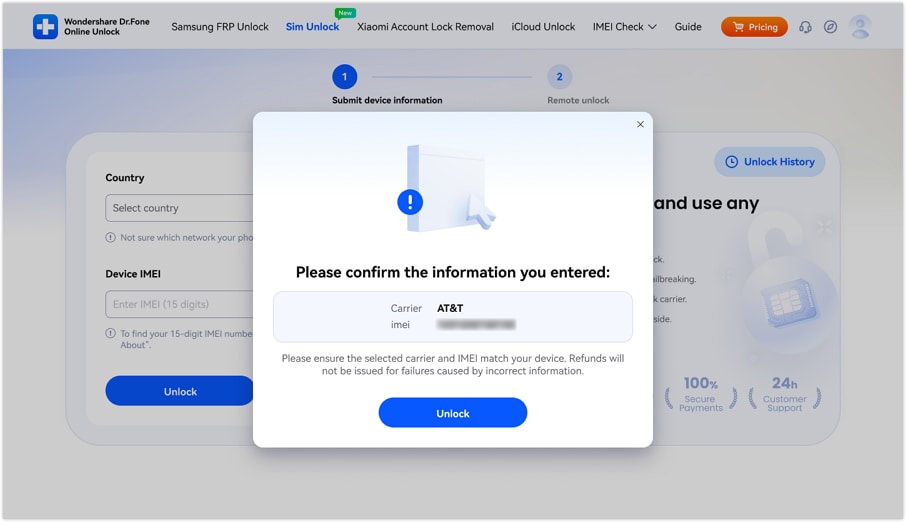
- Step 2. Review the Details to Submit a Request on the Cloud
The tool will ask you to confirm the details, review them, and choose the "Unlock" button to submit the unlock request to the cloud.
- Step 3. Monitor the Unlocking Process After 0-24 Hours
Wait for 0-24 hours, and the tool will list 2 options to review the detailed unlocking report. Pick your preferred method, review the details, and if the MetroPCS phone is unlocked, tap "Back Home."
Verify your device info safelyPart 4. When You Cannot Unlock a MetroPCS Phone
As mentioned, you cannot unlock a Metro phone if it is blacklisted due to loss, theft, or fraud. Additionally, the method will also fail when the phone is not fully paid, not brought from Metro, or does not meet the 365-day rule. In such situations, if you wonder how to unlock a MetroPCS phone, it is suggested to update the phone, restart, insert another SIM, and then check the unlock status again.
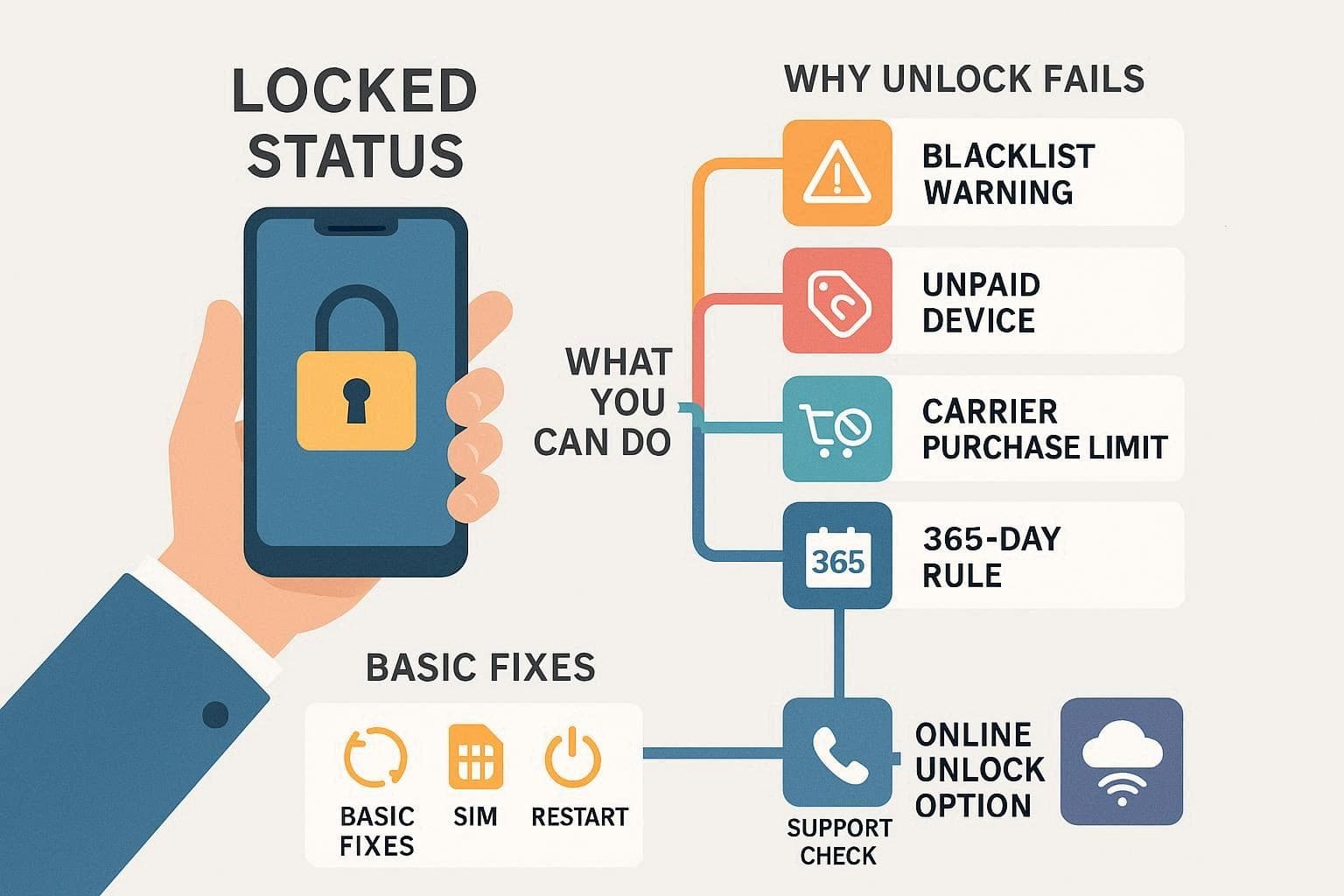
If this fails, contact the Metro support to confirm the IMEI status and eligibility issues. Hence, if there is no blacklist issue, you can rely on a trusted service like Dr.Fone Online Unlock as a last resort. Otherwise, use the phone on Wi-Fi only for apps and media, but try the listed online service first.
Conclusion
Many users want to know the simplest and most reliable solutions on how to unlock a MetroPCS phone. To that end, this detailed guide has uncovered the MetroPCS unlocking new requirements and shared 2 methods to try within the 365-day time limit. When these options fail or take too long, using Dr.Fone Online Unlock is suggested to unlock the device within 0-24 hours, using only the IMEI details.
Verify your device info safelyFAQs
-
Q. Will unlocking my Metro phone delete my data?
A. No, unlocking your MetroPCS phone does not normally delete your photos, apps, or personal data. However, always back up the data first, because rare errors or resets may happen during the process.
-
Q. How long does it take for Metro to approve an unlock?
A. Generally, the Metro approves unlock requests within 1-2 business days after you meet all the unlocking requirements. Most of the delay is expected, and in case of urgency, Dr.Fone Online Unlock ensures the device is unlocked within 0-24 hours with no skills needed.
-
Q. Is using third‑party unlock tools legal and safe?
A. Yes, it can be legal if the phone belongs to you and the tool complies with the carrier's rules. However, to be on the safe side, it is suggested to use the Dr.Fone Online Unlock tool. It provides secure, fast IMEI-based unlocking results that won't affect the warranty either.




Ahmed Absal
staff Editor
Generally rated4.5(105participated)