

 TL;DR:
Official removal via the previous owner or Apple Support with valid proof of purchase remains the only officially guaranteed method to permanently clear an iCloud Activation Lock, though services like Dr.Fone Online Unlock offer alternative ECID-based bypasses when credentials are lost.
● Offline exploit tools like Checkm8 and iRemove Tools provide only temporary local bypasses for older chips (roughly iOS 12–18.x) that will immediately relock if the device is factory reset, rebooted, or updated.
● Dr.Fone Online Unlock bypasses the need for Apple ID credentials or risky IMEI sharing by using a companion iFixTool to extract the device's ECID, marketing full removal for a specific iOS 18.6–26.1 range (excluding 18.7.3).
● A free native alternative exists for recent iOS versions by selecting "Unlock with Passcode" directly on the Activation Lock screen, strictly requiring the known device passcode and an Apple ID previously configured with two-factor authentication.
Ask AI for a summary
 ChatGPT
 Perplexity
 Gemini
 Claude
 Grok
Grok
Being locked out of your own iPhone can feel stressful and unfair. Many users buy used phones or forget account details, and then face the Activation Lock screen. This can block access to apps, photos, and even basic phone use. For many people, this turns a useful device into a useless one. That is why safe iCloud unlock services and tools matter. In this guide, some of the top iCloud unlock services, including Dr.Fone Online Unlock, will be explained to help you choose a trusted way. Moreover, learn how Dr.Fone is the best option when using ECID to send your unlock request.
 Unlock your device online safely
In this article

Part 1. What You Need to Know Before Using Any iCloud Unlock Service
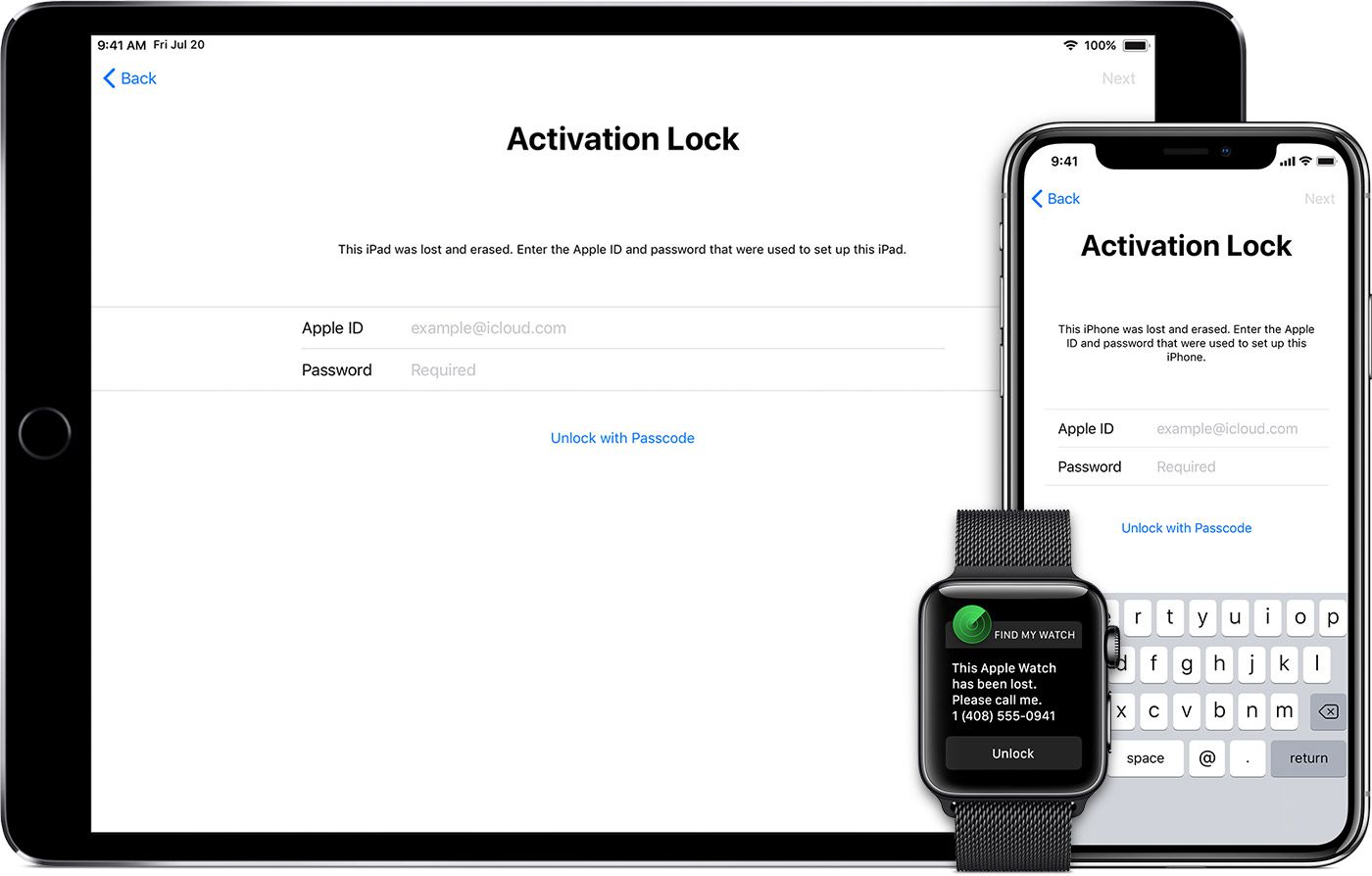
Activation Lock is something you need to get acquainted with before you seek the best iCloud unlock service. In simple terms, iCloud Activation Lock is a security feature that protects your iPhone or iPad by linking it to your Apple ID. After the device is erased, it cannot be set up again without entering the linked Apple ID and password.
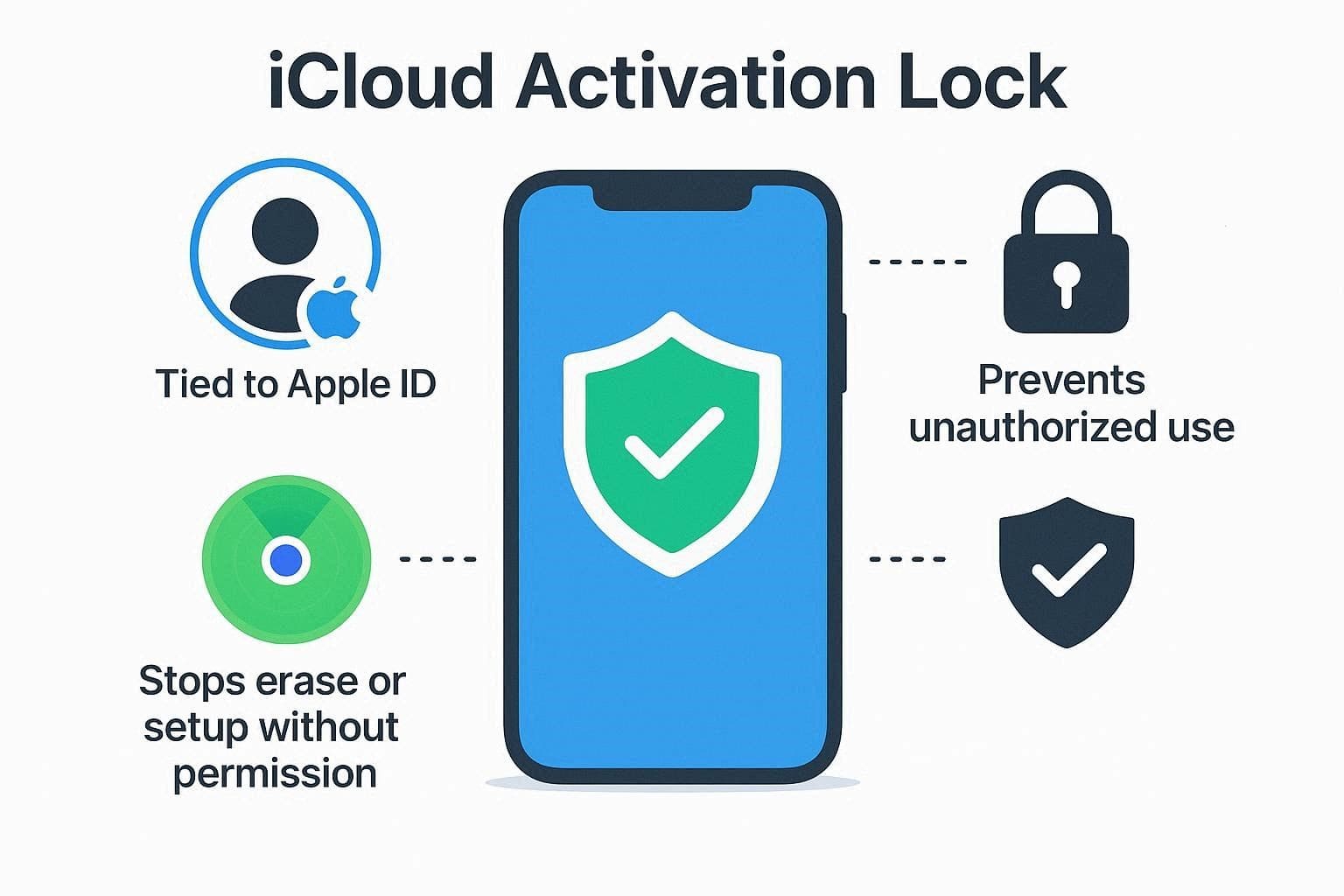
It also prevents the possibility of a person turning off Find My, deleting it, or assuming that the device is lost. Activation lock also keeps your device connected to your account, which means that no one can use it again, resell it, or configure it as a new one. The feature guarantees that your device is locked up, appears as yours in Apple systems, and cannot be used or stolen.
Difference Between iCloud Lock and Passcode Lock
To better understand how this lock differs from a passcode lock, review the detailed table below. Once you have a clear idea of both locks, choosing the right free iCloud unlock service will be seamless.
| Aspect | iCloud (Activation) Lock | Passcode Lock |
|---|---|---|
| What It Protects | Device reuse and activation after erasing it (ties the device to an Apple ID). | Access to the current data and Home Screen on the device. |
| When It Appears | During setup/activation after erase or on the "Activation Lock" screen. | On the lock screen, whenever you wake or unlock the device. |
| What is Required to Bypass | Apple ID and password (or MDM bypass code in managed environments). | The device passcode (or biometric like Face ID/Touch ID linked to that passcode). |
| Survives Factory Reset? | Yes, activation lock remains even after erasing and blocks reactivation. | No, a full erase removes the passcode itself (but activation lock may still block setup). |
| Main Purpose | Anti‑theft and anti‑resale protection for lost/stolen/erased devices. | Every day, so that others can't open and use your phone's contents. |
What iCloud Removal Service Can Actually Do?
Many iCloud removal services are limited, misleading, or completely fraudulent. They often claim to remove activation lock instantly with just an IMEI or serial number. Not just that, they promise "official server unlock" or "factory unlock" for high fees, or sell software and special cables to bypass the lock.
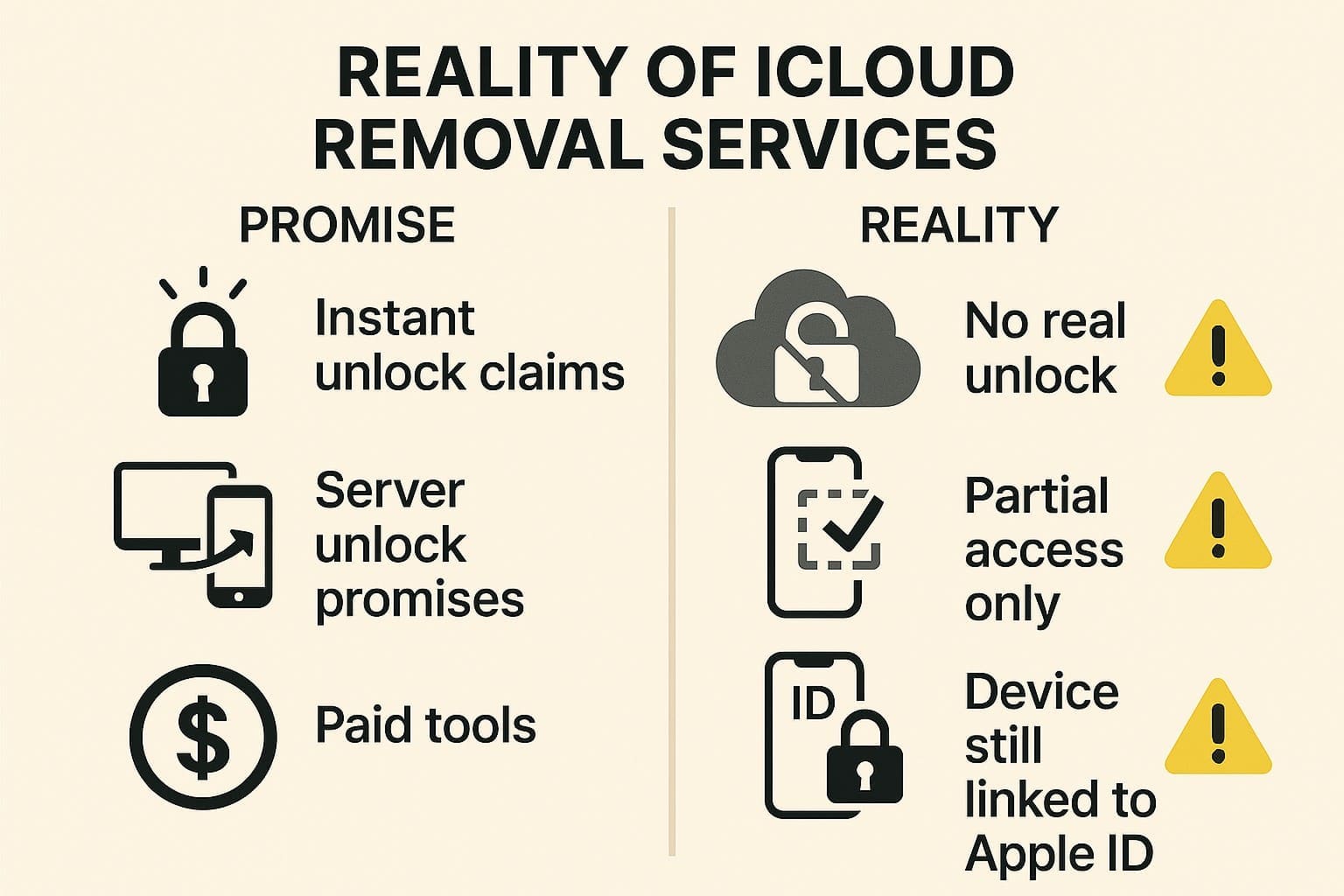
In reality, most of these sites and tools do nothing after payment and may stop responding. A few offer partial access but leave the device still locked in Apple's system. Thus, here are some risks you need to bear in mind as you choose any iCloud activation unlocker:
- Sites may steal personal info like Apple IDs and IMEIs, or install spyware.
- Unlock tools can carry viruses, keyloggers, or remote-control software for your device.
- Unofficial bypasses can make devices unstable, blocked, or unable to update properly.
- Unlocking lost or stolen devices can break laws and violate Apple's rules.
Hence, the only fully legitimate ways to remove activation lock are for the original owner to sign out or for Apple to remove it with valid proof of purchase. Otherwise, you can use Dr.Fone Online Unlock which uses ECID to identify the device and help bypass or unlock various supported models without needing the previous Apple ID.
Part 2. 6 Best and Safe iCloud Unlock Services Compared
Having the risks of online iCloud unlockers cleared, here are some safe options you can choose to bypass Activation Lock. Before that, review the given table with a quick overview of all tools to choose the right option instantly.
| iCloud Unlock Services | Method | Bypass Vs real unlock | iOS range (approx.) | Online / Offline | Typical price |
|---|---|---|---|---|---|
| Dr.Fone Online Unlock | Guided ECID‑based workflow | Market as full removal | 18.6–26.1 (Excluding 18.7.3) | Online | Paid (plan‑based) |
| UnlockMaker | IMEI/serial "server‑side" claims | Claims permanent server unlock (unverified) | "Latest iOS" (vague) | Online only | Claims are free for iCloud; others are unclear |
| Checkm8 | checkm8 BootROM exploit | Local bypass only (not removed from server) | ~iOS 12–16+ (device‑dependent) | Offline App (Win/macOS) | From ~US$15.99+ for iOS, higher for Mac |
| UnlockRiver | IMEI‑based remote processing | Claimed server unlock; mixed reports | Broad, model‑dependent | Online only | Paid per device |
| iRemoveTools | Exploit‑based bypass (incl. checkm8) | Local bypass only | ~iOS 12–18.x (varies) | Offline App (Win/macOS) | Per‑device license, reused after |
| UnlockBoot | IMEI‑based remote "iCloud removal service" for clean IMEI only | Markets as semi‑permanent/full iCloud account removal on Apple's servers (claims not independently verifiable) | Advertised for "all models" (iPhone, iPad, Apple Watch); no clear iOS range listed | Online only (submit IMEI + model on their store page) | Paid per device; exact price depends on model/option selected at checkout (not clearly listed in text excerpt) |
After having the basic idea, dive into each tool's details for iCloud activation lock removal service:
1. Dr.Fone Online Unlock
Dr.Fone Online Unlock tool is a seamless option to remove iCloud Activation Lock and uses the device's ECID and iFixTool help. Using these, users won't have to add IMEI, Apple ID password, or linked number. Not just that, one can get full support for iPhone and iPad models that most iCloud activation lock removal services lack.
Dr.Fone Online Unlock
Easily bypass Samsung FRP, remove Xiaomi account locks, and check IMEI with one trusted tool — fast, secure, and user-friendly.
- One-click Samsung FRP removal, no tech skills required.
- Unlock Xiaomi devices without a password.
- Supports 20+ different types of IMEI checks.
- Free IMEI check with no login, no ads, and instant access.
- Fully mobile-optimized for effortless on-the-go access.
Verify your device info safely in one clickGuide to Use Online Unlock to Bypass Activation Lock Seamlessly
To know how this iCloud unlocker online works via ECID, review the 3 simple steps mentioned below:
- Step 1. Access the iFixTool and Dr.Fone Online Unlock Tool
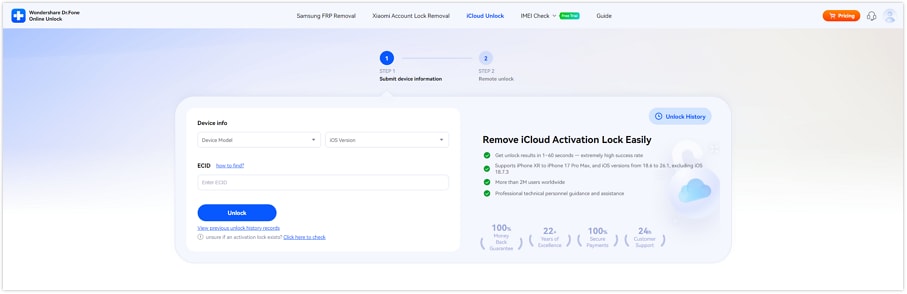
Access the Dr.Fone Online Unlock tool and install the iFixTool to access the ECID. On the tool, connect the device, and it will automatically detect and show the ECID details.
- Step 2. Enter the ECID and Device Details
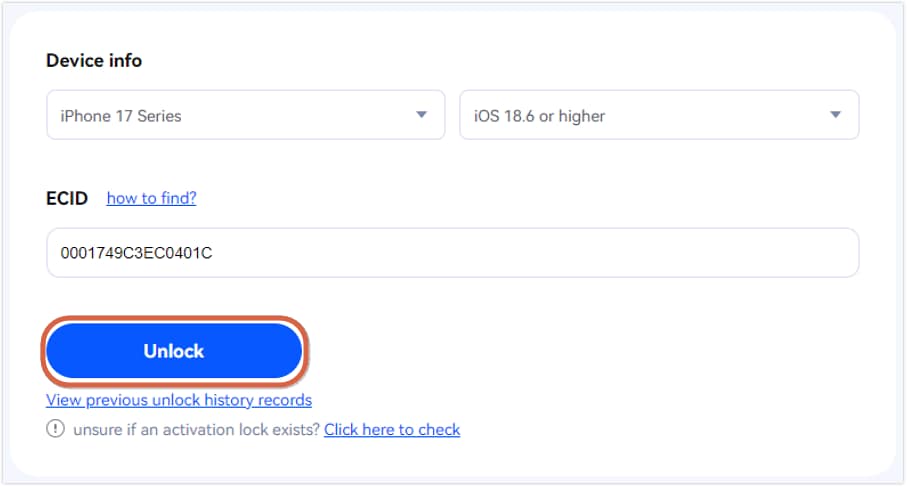
In the Dr.Fone Online Unlock tool, expand the "Device Info" menu to select the model and enter the ECID details. Once done, press the "Unlock" button to commence the activation lock bypass process.
- Step 3. Complete the Activation Lock Removal
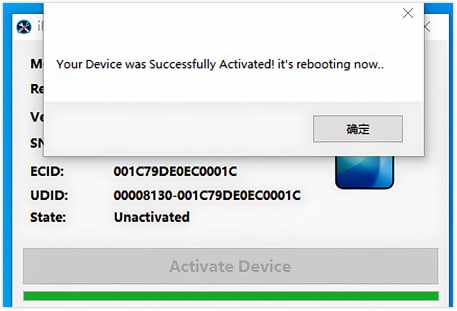
Now, wait until the tool shows "Submission Success" notification and directs you to the "Remote Unlock" section. Reopen the iFixTool after you follow the on-screen instructions and press the "Activate Device" button on iFixTool. During this time, the device will restart multiple times until you get the "Removal Successful" alert.
 Unlock your device online safely
2. UnlockMaker
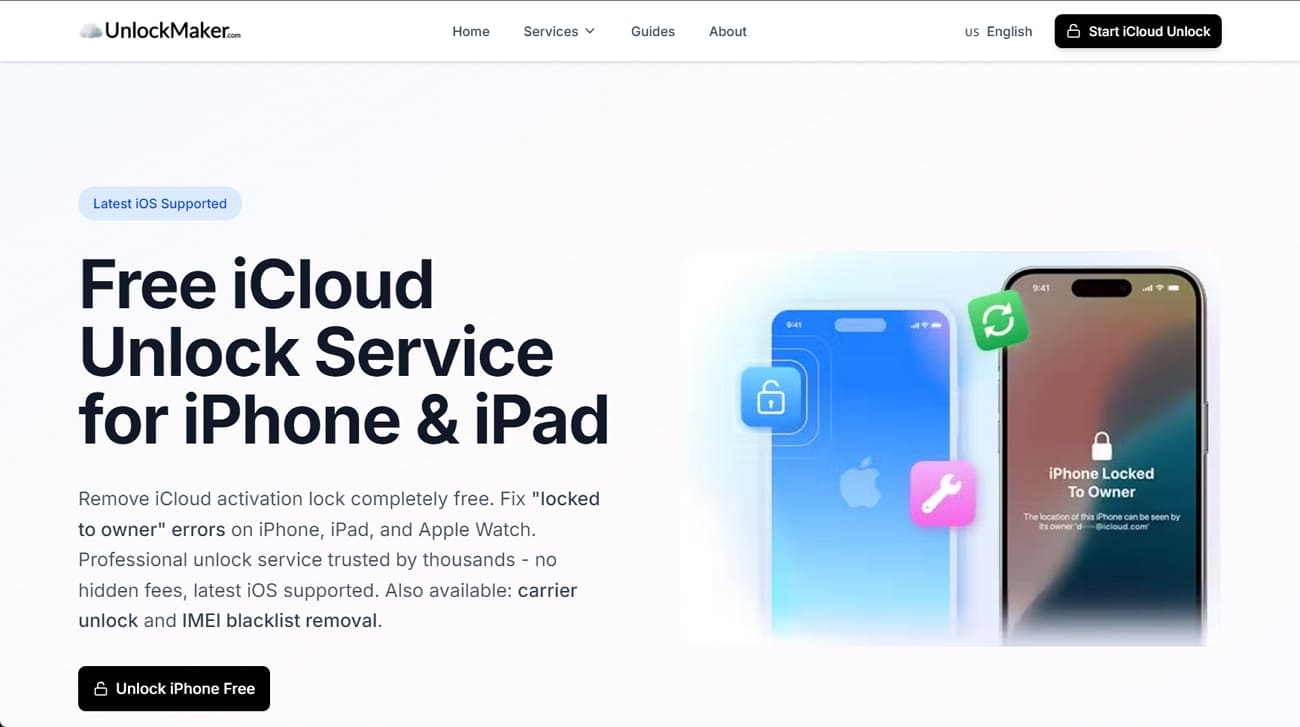
This iPhone icloud unlock service allows you to freely bypass the activation lock on iPhone, iPad, and Apple Watch. Besides, the tool offers support for the latest iOS versions and allows carrier and IMEI blacklist removal. UnlockMaker also claims to offer Apple-verified server-level removal, which requires only the user's basic details. During the process, the device's warranty is also maintained to the extent claimed by the provider.
3. Checkm8
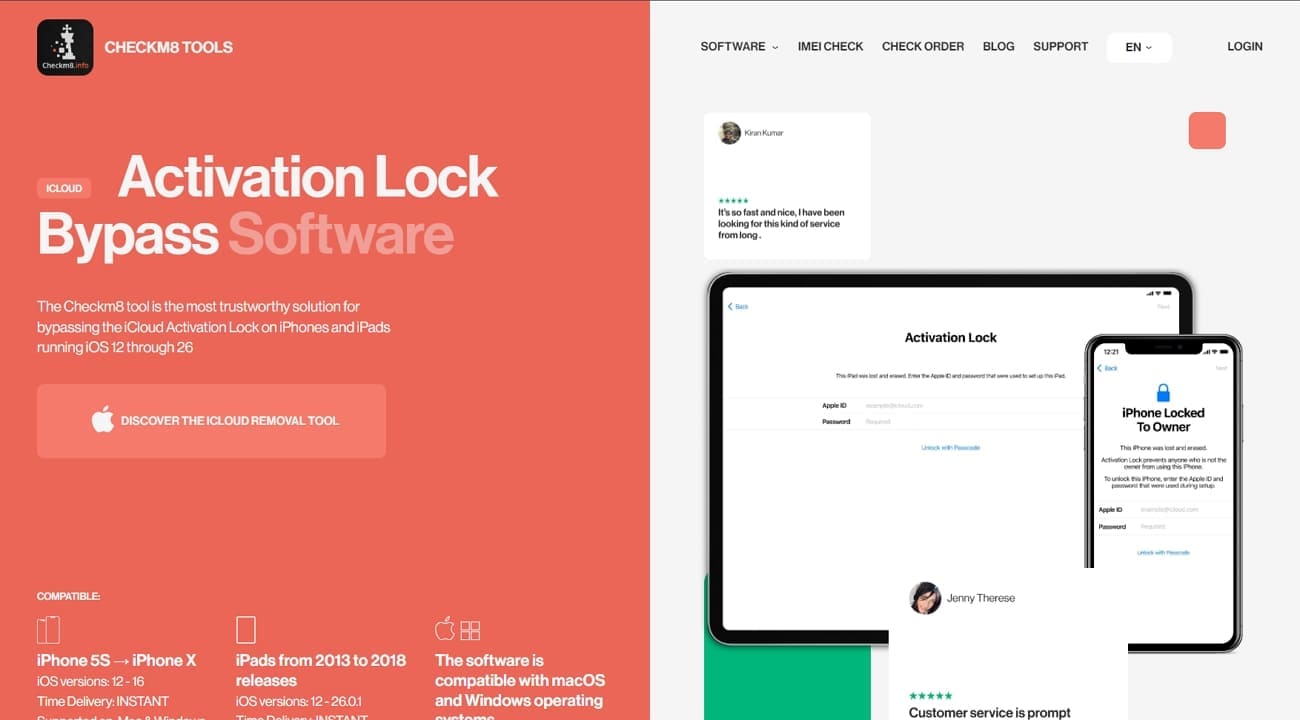
Checkm8 iCloud unlock site offers tools for older Apple devices that use a hardware exploit to bypass activation lock on specific models. This is not a true server unlock, so the device can relock after erasing and needs the bypass again. However, the tools work on Windows and macOS and include options for MDM and some Mac locks. They also offer free status checks to see if a device shows a lock status.
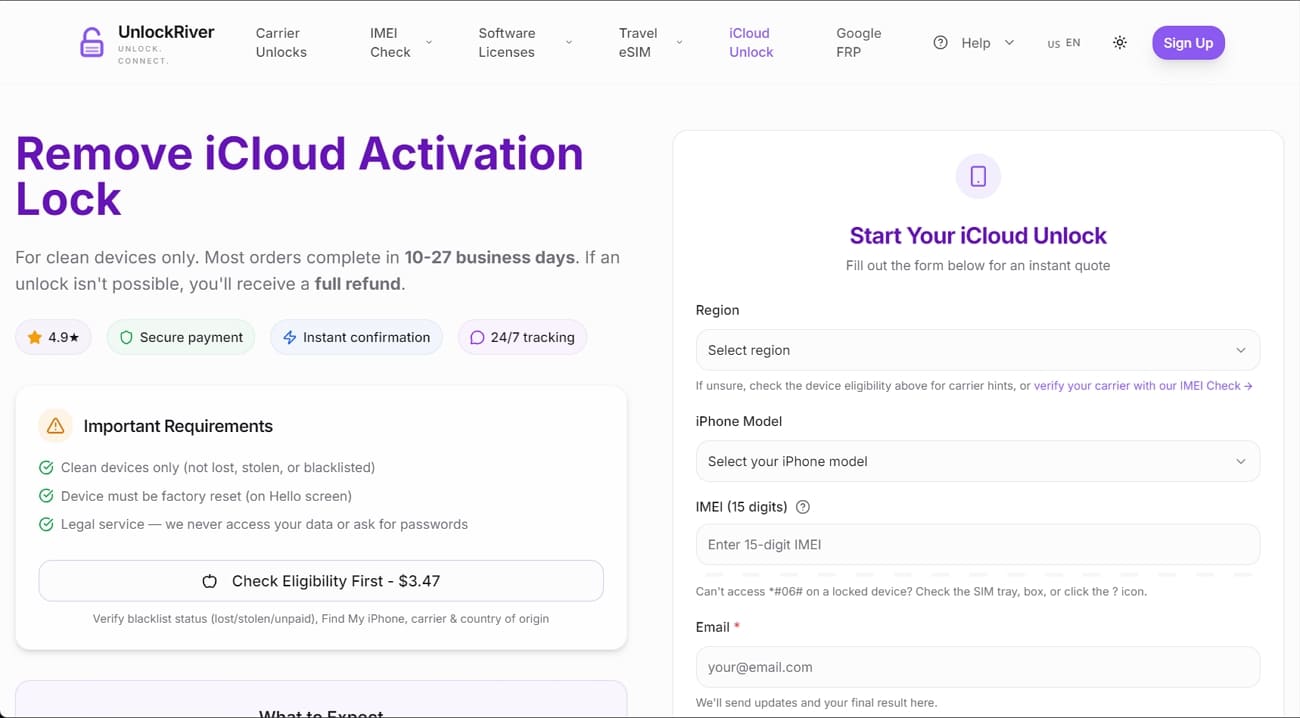
4. UnlockRiver
With this iCloud removal service, users can submit device details on the website, and the unlock process runs online with no device shipment. Moreover, UnlockRiver offers a remote, paid service that claims to bypass iCloud activation lock on some iPhone and iPad models. The platform also offers carrier unlock, Samsung FRP help, and IMEI or blacklist checks.
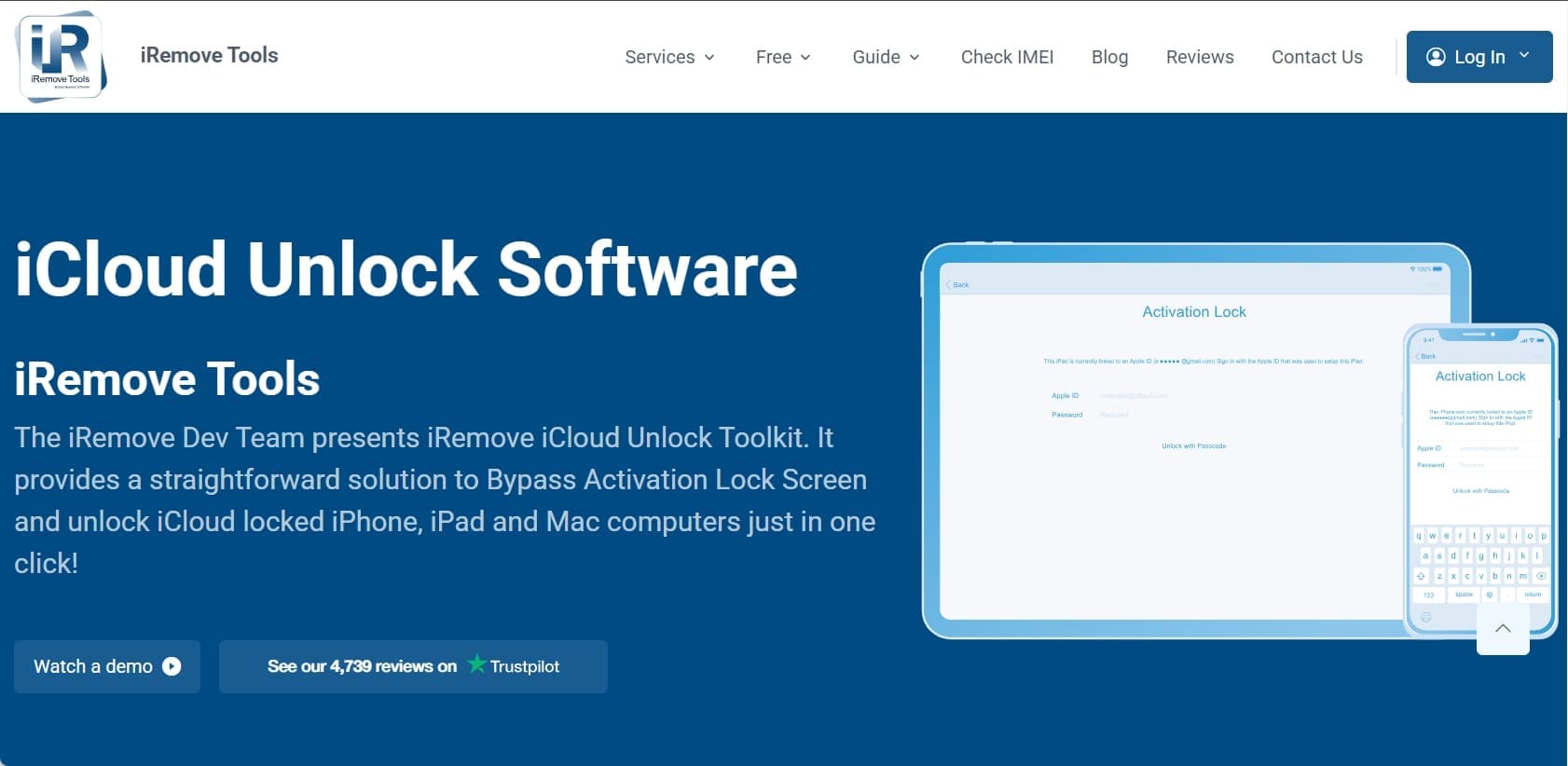
5. iRemove Tools
iRemove Tools offers desktop software that bypasses iCloud Activation Lock on some iPhone and iPad models. The iCloud unlock service uses a paid, per-device license that you can reuse on the same device after reset or update. Additionally, it works on Windows and macOS and may require a jailbreak on many modes. It also offers MDM tools for some Macs, and support depends on device model and iOS version.
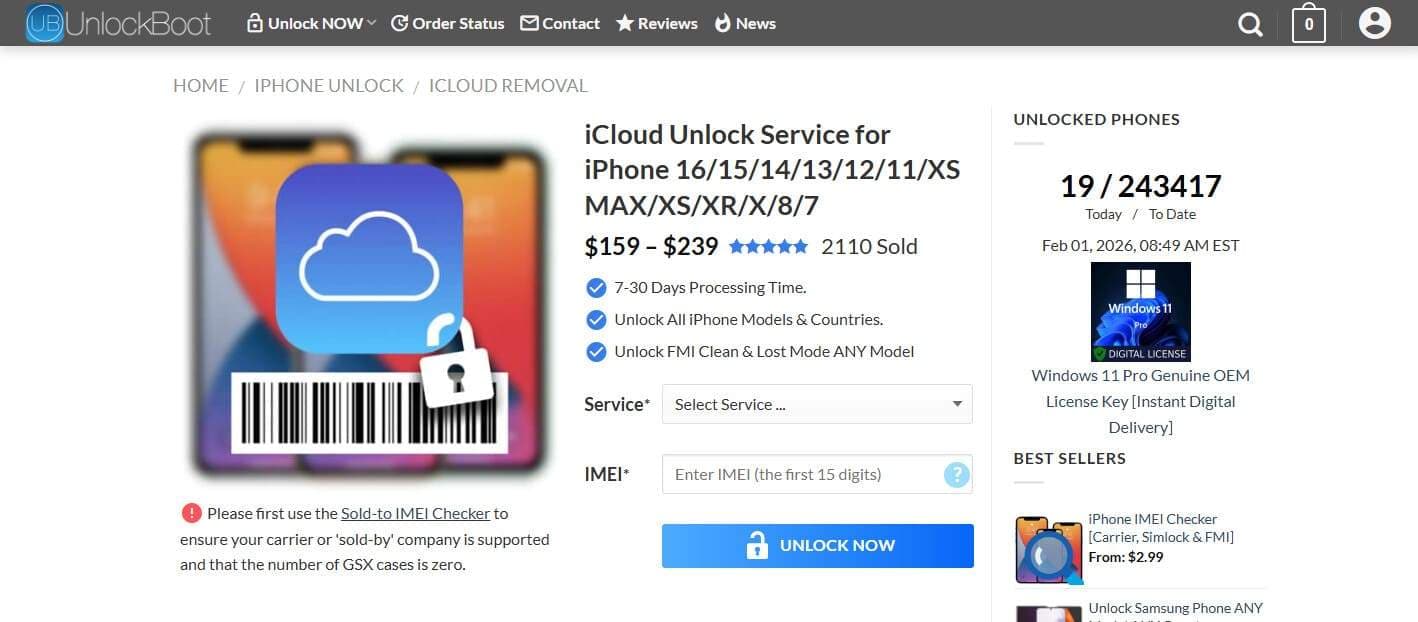
6. UnlockBoot
This iCloud removal service claims to work online using only the device IMEI and model, with no need to send the device anywhere. Additionally, it supports iPhone, iPad, and Apple Watch with a clean IMEI. In terms of working, just enter the IMEI, pay, and then wait about 10-30 days for an email saying the account is removed. Overall, the unlocking is a semi-permanent unlock, so it is safe for your data.
Part 3. Other Alternatives to iCloud Unlock Services
Other than iCloud unlock service, here are some other ways you can try to bypass iCloud activation lock:
1. Via iCloud.com (Remote Removal)
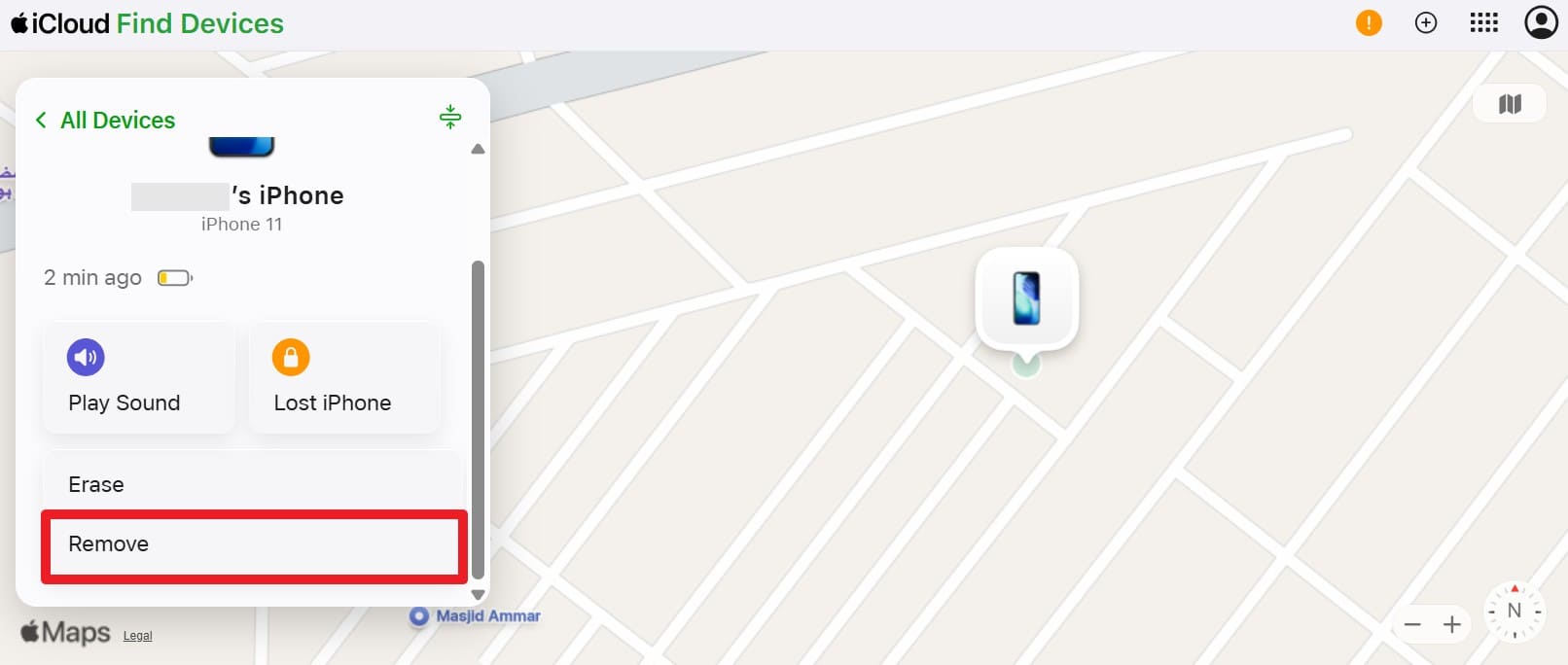
If the original owner can still use their Apple ID, they can remove the activation lock for you from iCloud.com or the Find My app. Thus, this is the main official way to unlock a second-hand device, and is guided below:
- Step 1.
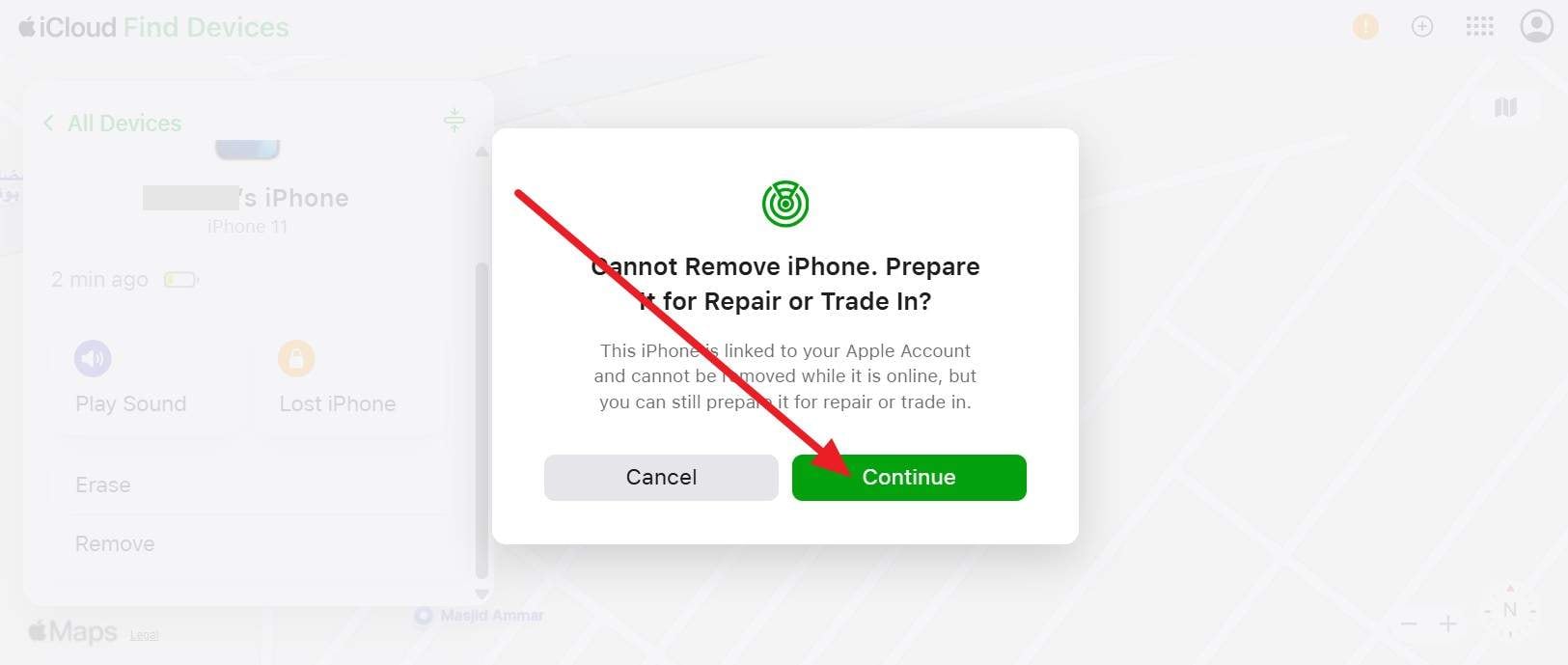
Ask the owner to log in to iCloud.com and access Find My to pick the device you seek to unlock. As they tap, ask them to pick the "Remove" option.
- Step 2.
After that, press the "Continue" on the popup and follow the on-screen instructions to remove the Apple account. Here, you can then restart the device and set it up with your own Apple ID.
2. Via Device Passcode
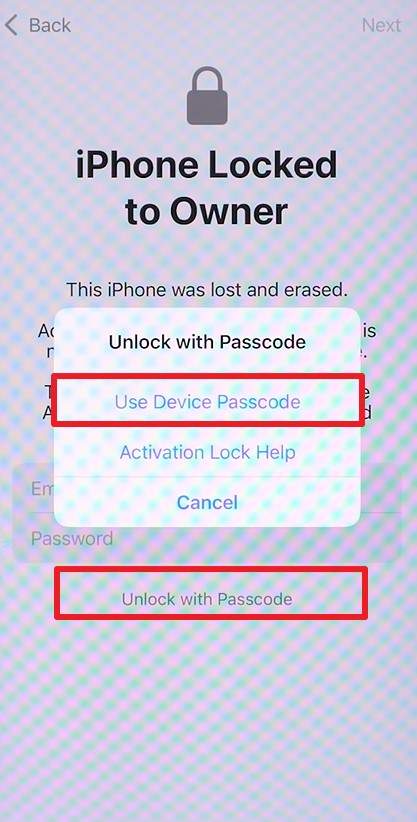
You can remove the activation lock with the method too, other than using a free iCloud unlock service. This works only on recent iOS versions, and the Apple ID must have two-factor authentication enabled with a passcode set previously. The screen should show "Unlock with Passcode" or "Use Device Passcode." So, if Apple shows this option on the lock screen and you know the correct code, here is how you can unlock it:
- Step 1.
On the Activation Lock screen, press the "Unlock with Passcode" option and pick the "Use Device Passcode" option.
- Step 2.
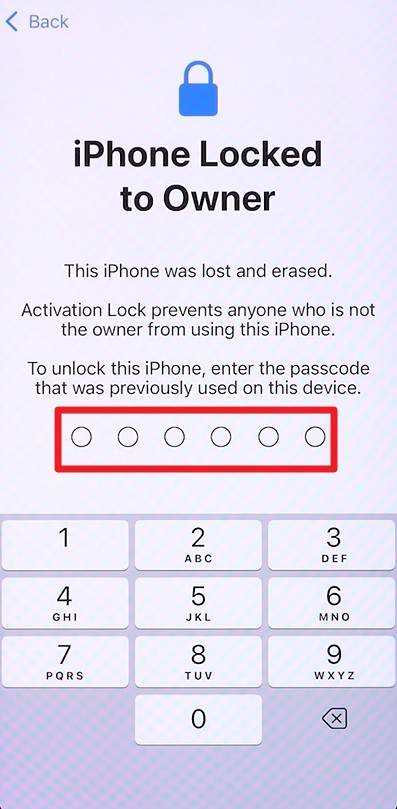
Enter the device's screen passcode, follow the prompts, and the activation lock will be cleared, and setup will continue.
3. Apple Support Request
This is the only official way to remove activation lock when you cannot use the previous owner's Apple ID. Apple may unlock the device if you show valid proof of purchase with the serial or IMEI. This method is safe, clean, and permanent, and it keeps all Apple services working with no limits. It is also the only legal option if the previous owner is unreachable.
Conclusion
To sum up, this guide has explained and compared iCloud unlock services like Dr.Fone Online and UnlockBoot to bypass activation lock. Among all, it is suggested to use Dr.Fone Online Unlock, as it uses ECID to identify the device and bypass the lock. Additionally, it offers a guided process with clear on-screen steps, making the unlocking procedure safer and easier for users.
Unlock your device online safelyFAQs
-
Q: What happens if the iCloud unlock fails?
A: If the iCloud unlock fails, the device may stay locked, and no change will happen. As a result, some services may refuse a refund, and you lose money and time.
-
Q: Is it safe to share IMEI or serial number?
A: In most cases, share the IMEI or serial number only with a trusted and known service. Otherwise, this data can be misused and cause scams or future trouble.
-
Q: Can an iCloud-locked device be used normally after unlocking?
A: If the unlock succeeds, the device can be set up and used like a normal iPhone. However, some features linked to the original Apple ID may remain unavailable depending on the method used.



James Davis
staff Editor
Generally rated4.5(105participated)