

 TL;DR:
You cannot reliably verify an iPhone's iCloud Activation Lock status using just a serial number because Apple removed its official checking tool, requiring buyers to use IMEI numbers for accurate results.
● A serial number only identifies hardware details, production year, and warranty coverage, meaning third-party websites offering serial-based lock checks rely on unverified, incomplete private databases.
● To verify lock status before purchase, use IMEI-based services like Dr.Fone Online Unlock for comprehensive, exportable blacklist reports, iUnlocker for basic Find My iPhone status, or SICKW.COM for advanced reseller carrier data.
● If you acquire an already locked device, removing the Activation Lock without the original Apple ID requires an ECID-based bypass process, which is strictly limited by the device's specific model, chip, and iOS version.
Ask AI for a summary
 ChatGPT
 Perplexity
 Gemini
 Claude
 Grok
Grok
Many iPhone buyers worry about activation locks when buying used Apple devices. This worry leads to questions about checking the lock status before purchase. So, users look for simple and trusted ways to confirm device status. Since some online services claim users can check iCloud by serial number. Thus, these tools help buyers avoid locked phones and setup problems later. Moreover, this guide explains what serial numbers can and cannot reveal. Besides, learn how Dr.Fone Online Unlock is a reliable method worth using.
 Verify your device info safely in one click
In this article

Part 1. Can You Really Check iCloud Lock with a Serial Number?
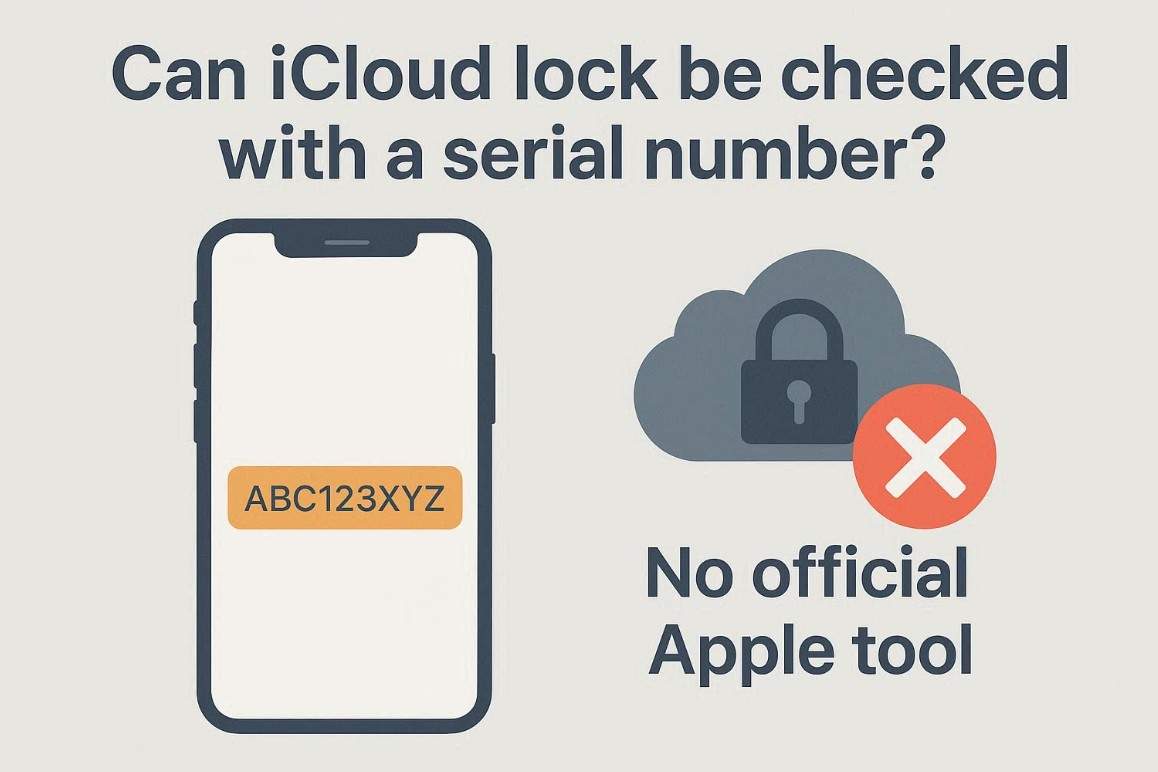
No, you cannot reliably check iCloud lock status using only a serial number. Apple does not offer any official tool for this purpose. A serial number alone cannot confirm whether an iPhone is iCloud-locked. This has been clearly explained by Apple community experts.
What Information Can a Serial Number Reveal About Your iPhone
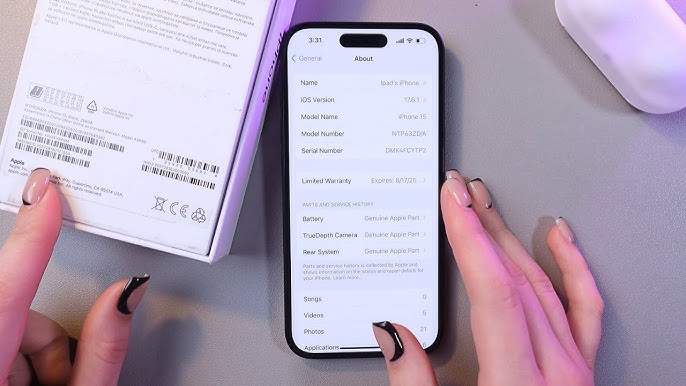
Your iPhone's serial number is a unique identifier that tells you details like model type, production year, and hardware version. It can also be used to check warranty and support coverage on Apple's official site. Yet, the serial number does not reveal activation lock status or the Apple ID linked to the device, so it cannot give you direct iCloud account information.
Some websites claim they can check iCloud by serial number online. These services use private databases instead of official Apple systems. They may guess the lock status using old or incomplete stored information. This makes iCloud check serial number results unreliable for buyers.
Is It Possible to Check the iCloud Status with a Serial Number?
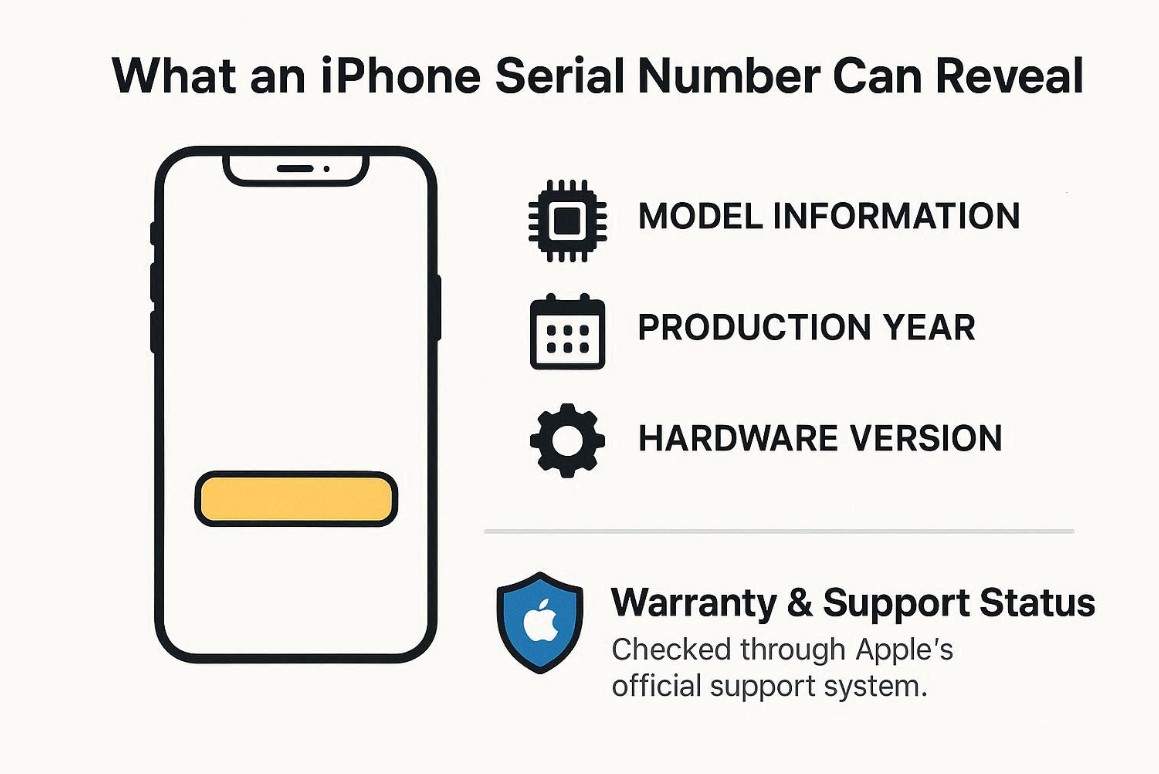
On the Apple Support Communities thread about checking lock status by serial number, Apple Community Specialist Eric-F explains the limitation. He states that an iPhone cannot be locked or unlocked using a serial number. He also confirms that users cannot check iCloud lock status this way. According to him, serial numbers alone do not provide reliable lock information. He adds that carriers may only help with IMEI-related status flags instead.
This shows that the serial number iCloud check method is not officially supported by Apple. It also means users cannot check iCloud lock by serial number. Apple previously offered an Activation Lock checker, but it was removed years ago. Today, accurate results usually need physical device access or trusted third-party tools.
Part 2. Alternative Ways to Check iCloud/Activation Lock Status (More Reliable Methods)
Since Apple does not officially support checking iCloud by serial number, many users still look for this method before buying used devices. However, reliable activation lock checker services mainly use IMEI numbers to provide accurate results. The following alternatives give clearer and more trustworthy verification than serial number checks alone.
Method 1. Dr.Fone Online Unlock (Best Overall IMEI iCloud Check)
Dr.Fone Online Unlock offers an online IMEI iCloud check with detailed results. After entering the IMEI, the tool shows a clear report with lock, model, warranty, and blacklist details. Thus, results are displayed clearly on screen, helping buyers understand device usability before purchase or resale decisions.
A key advantage is the option to export results as a downloadable PDF report. This feature helps users save, share, or verify device status later. Instead of relying on screenshots or vague checks, users receive a clear record. While many try to check iCloud lock with the serial number, this IMEI report provides stronger proof.
Dr.Fone Online Unlock
Easily bypass Samsung FRP, remove Xiaomi account locks, and check IMEI with one trusted tool — fast, secure, and user-friendly.
- One-click Samsung FRP removal, no tech skills required.
- Unlock Xiaomi devices without a password.
- Supports 20+ different types of IMEI checks.
- Free IMEI check with no login, no ads, and instant access.
- Fully mobile-optimized for effortless on-the-go access.
Verify your device info safely in one clickGuide to IMEI iCloud Check with Dr.Fone Online Unlock
Below is a simple walkthrough showing how to check iCloud status using IMEI with Dr.Fone Online Unlock:
- Step 1. Locate the IMEI Verification Page
- Step 2. Enter the IMEI Number to Start Checking
- Step 3. Review and Save the iCloud Lock Result
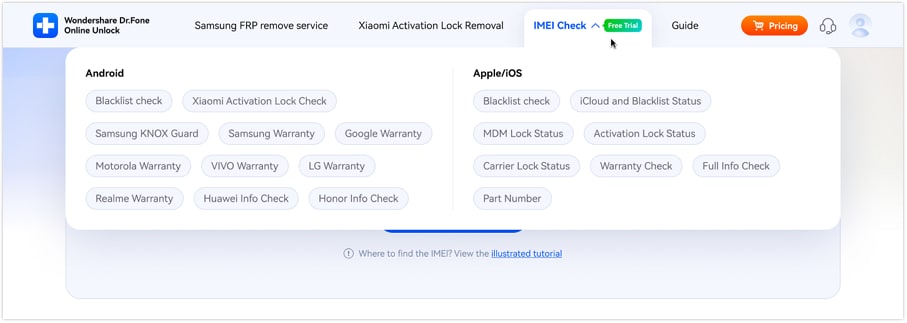
Start by visiting the Dr.Fone Online Unlock website from your web browser. Then, from the top menu, expand the "IMEI Check" menu and select the "Activation Lock Status" option to continue.
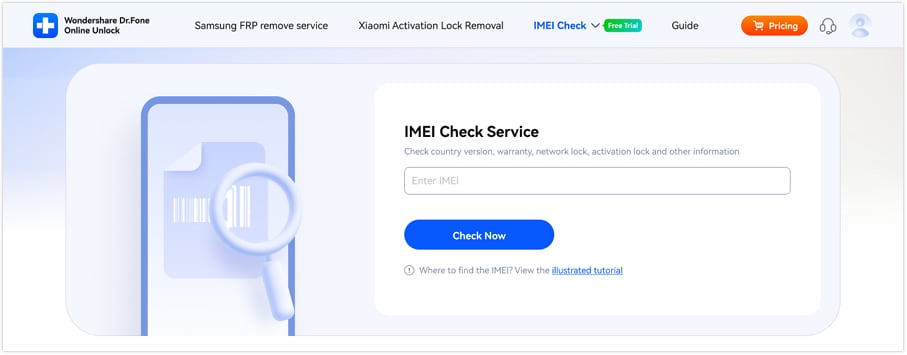
Now, type the correct IMEI number in the designated text field. Afterward, press the "Check Now" button to begin the online iCloud verification process.
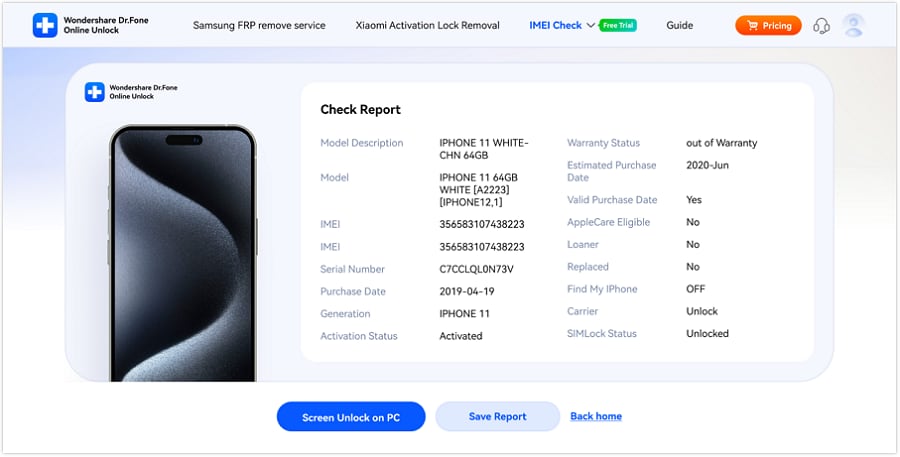
After completion, the Check Report page appears with detailed device information. Review activation lock status, Find My iPhone, and carrier details carefully. Next, use "Save Report" to export results for sharing with others.
Verify your device info safely in one click
Method 2. IMEI.org
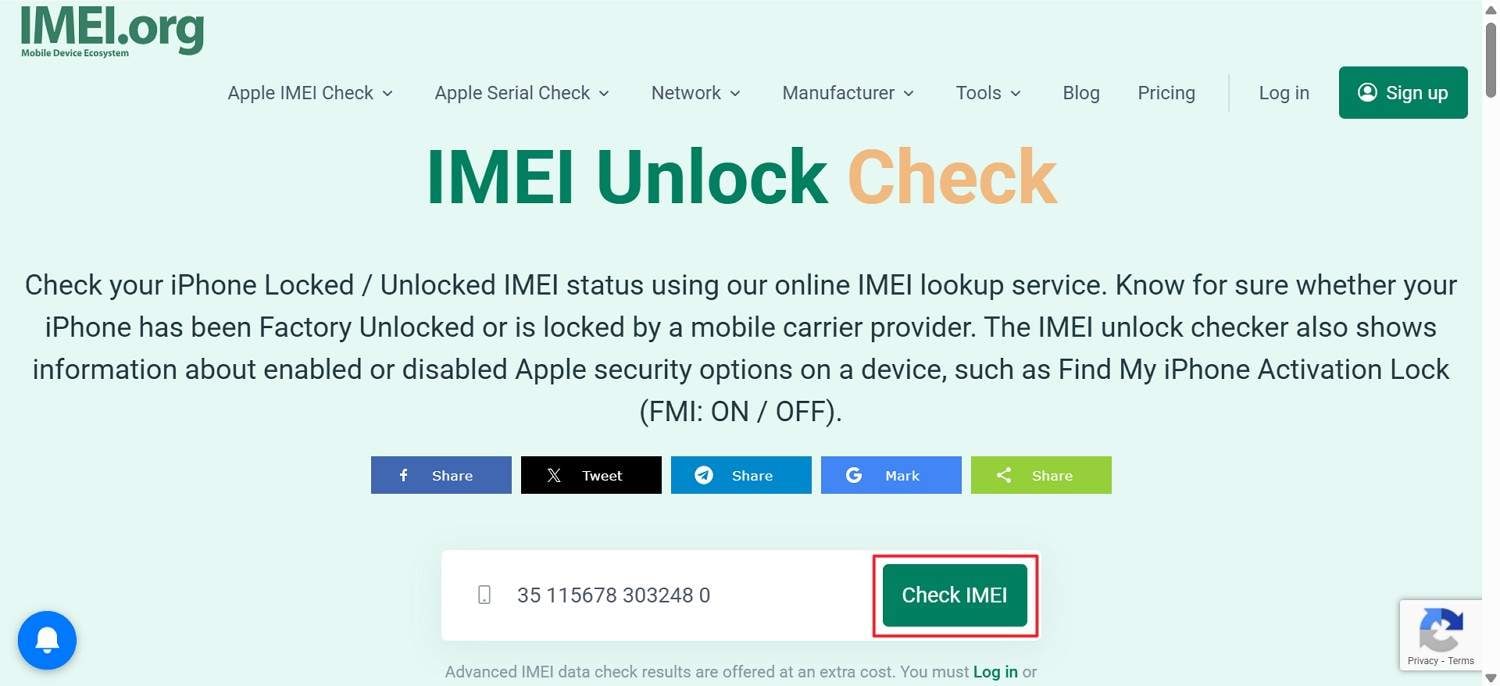
Checking the activation lock before buying a used iPhone helps avoid setup and ownership issues. Thus, IMEI.org's IMEI Unlock Check is an online tool that verifies lock status utilizing the device's IMEI number. It reports Find My iPhone (FMI) ON or OFF, which indicates whether activation lock is enabled, giving buyers clearer insight than serial-number-based checks. Follow the stepwise guide below to understand how this IMEI check works:
Instructions: Upon accessing the tool, select the "IMEI Unlock Check" feature from the drop-down menu to continue. After that, enter the "IMEI number" and hit "Check IMEI" for details.
Method 3. iUnlocker
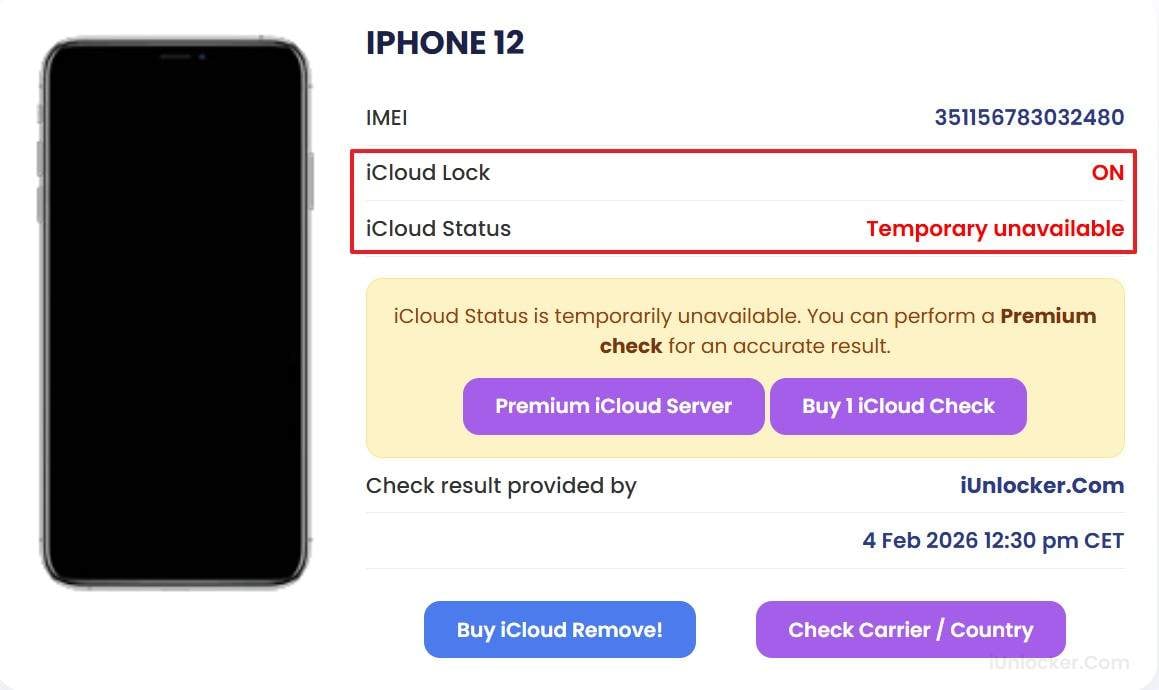
Some users prefer simple tools that show results without complex options. Meanwhile, iUnlocker offers an iCloud check serial number alternative using IMEI verification. It suits first-time buyers who check used devices online before making purchases. Plus, the lock status appears in clear labels that are easy to understand. Now, use the walkthrough below to see how this tool checks iCloud status:
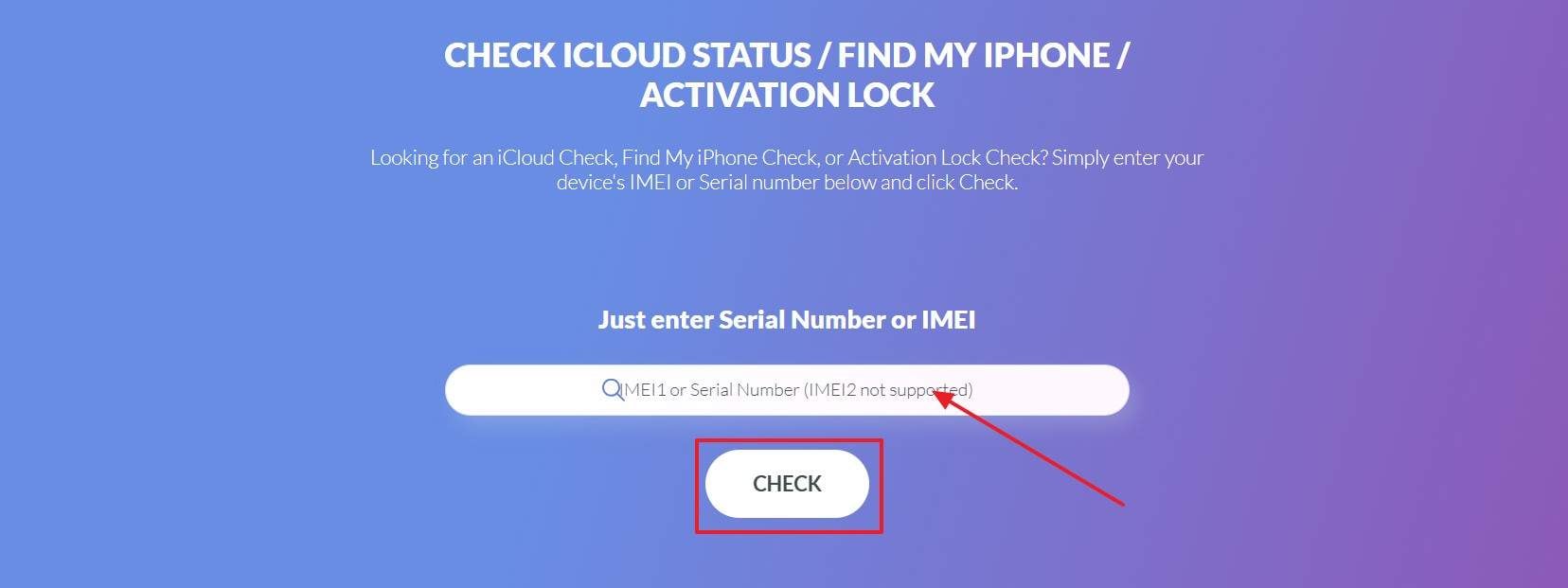
- Step 1. Start by typing the device's "IMEI Number" into the search field, then double-check the number for accuracy. Once confirmed, select the "CHECK" button to begin the online verification process.
- Step 2. Now, allow the results page to load fully on your screen. Review the displayed device information carefully. Focus on fields such as "iCloud Lock" and "iCloud Status" to determine whether the device is linked to an iCloud account.
Method 4. SICKW.COM
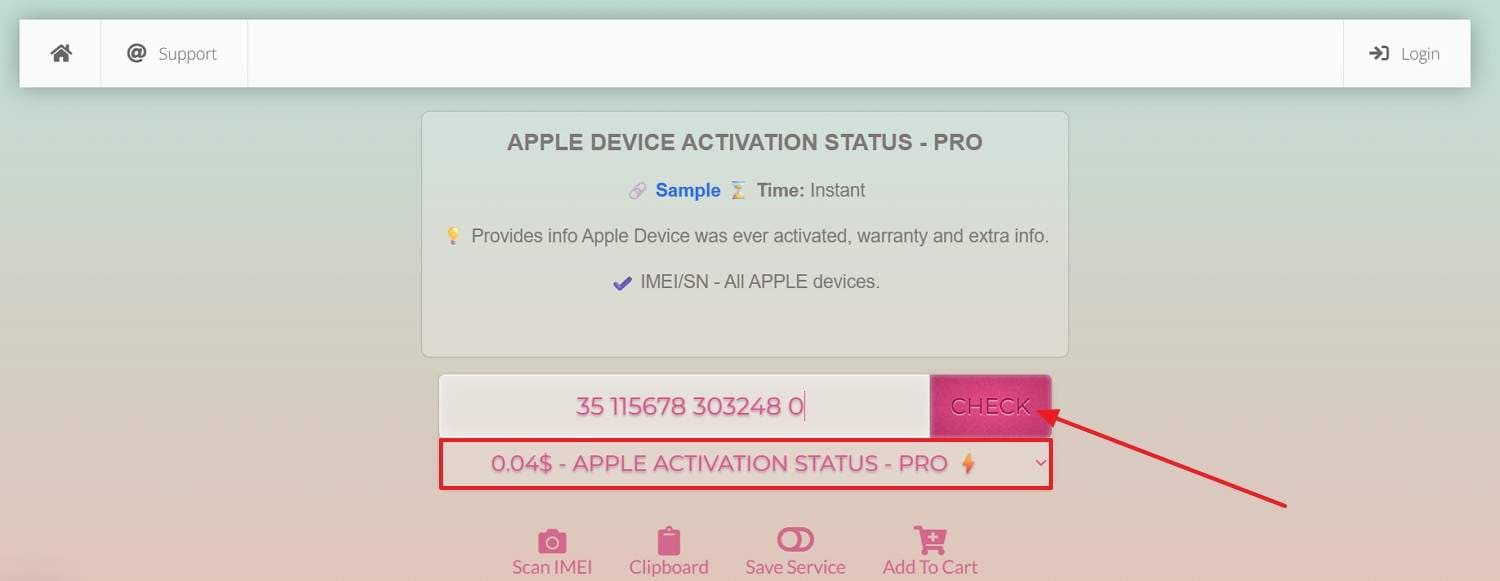
SICKW provides more detailed IMEI reports aimed at resellers and advanced users. It supports an iCloud lock check by serial number alternative using IMEI data, combined with carrier and blacklist details. Thus, reports are structured for better decision-making during buying decisions. The guide below explains how to run an IMEI iCloud check using SICKW:
Instructions: Locate the IMEI input field on the page and type in the correct "IMEI number" after selecting "Apple Activation Status Pro." Once the IMEI number is confirmed, pick the "Check" button to proceed.
Method 5. IMEI.info
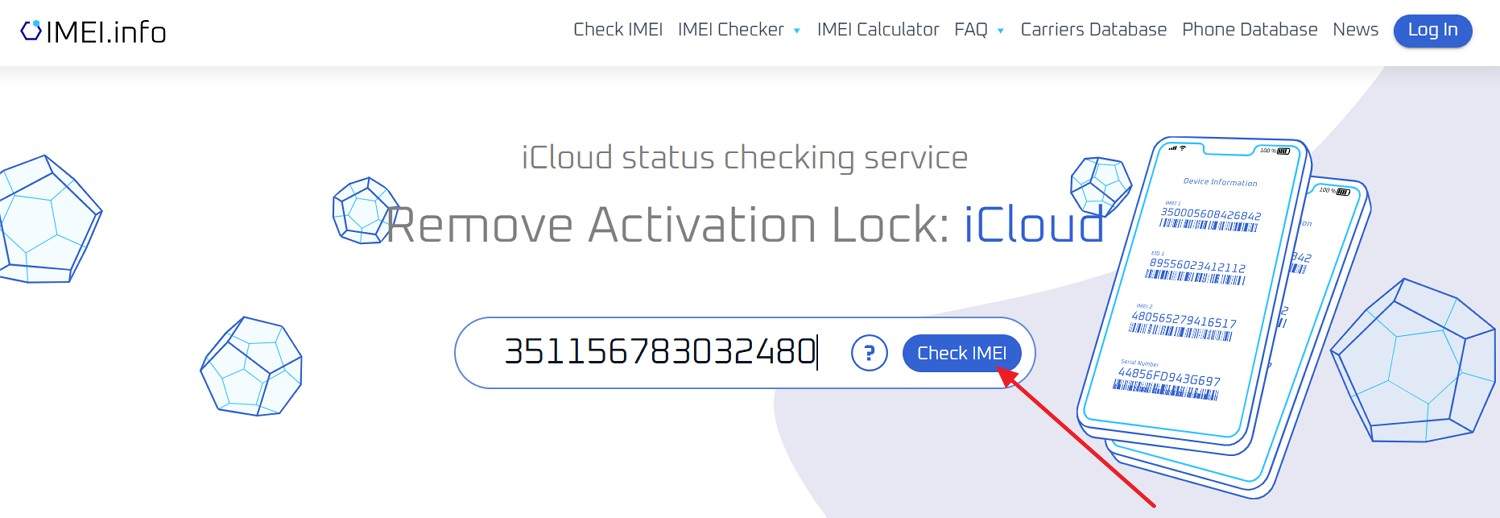
Many buyers want quick device details before making payment decisions. Therefore, this IMEFI.info iCloud checker focuses on IMEI-based lookups for Apple devices. It works as an iCloud lock check serial number replacement by showing activation indicators, model information, and device basics. Let's move forward to the guide mentioned below to try this tool:
Instructions: Upon accessing the tool, enter your "IMEI number" in the input field. Then, click the "Check IMEI" option next to the field to begin checking the iCloud status.
Part 3. What to Do If an iPhone Is iCloud Locked
When an iPhone is iCloud locked, access to apps, data, and setup becomes blocked. In such situations, Dr.Fone Online Unlock offers a guided option for supported devices. The tool is designed to bypass iCloud activation lock using an ECID-based identification process, without asking for the previous Apple ID or password. This approach helps users move forward when account details are unavailable.
Moreover, Dr.Fone Online Unlockprovides step-by-step instructions and device compatibility checks before starting the process. It focuses on clarity, controlled steps, and user guidance rather than risky shortcuts. While results depend on the device model, chip, and iOS version, this tool offers a safer and more structured option compared to unknown online iCloud unlock services.
Conclusion
To conclude, checking the activation lock before buying used iPhones prevents costly mistakes later. A check iCloud by serial number alone cannot confirm the real lock status. Apple limits serial-based verification, so IMEI tools provide more precise results. Among available options, Dr.Fone Online Unlock stands out with clear reports, guided steps, and safer verification, helping buyers make confident purchase decisions.
Verify your device info safely in one click
FAQs
-
Q: Can you check iCloud lock using only a serial number?
A: Serial numbers only show device identity, not whether iCloud Lock remains enabled. Moreover, Apple does not provide an official tool to verify activation lock by serial.
-
Q: Why are IMEI checks more reliable than serial number checks?
A: IMEI checks match devices against broader records, offering clearer activation lock results. These tools help buyers assess risks before paying sellers for used iPhones.
-
Q: Are online serial number iCloud check tools trustworthy?
A: Online tools claiming serial number iCloud checks often rely on outdated databases. Such results may mislead buyers and cause unexpected activation lock problems later.
-
Q: Which tool is safest for checking the activation lock before buying a used iPhone?
A: Dr.Fone Online Unlock provides clear IMEI-based activation lock status reports. It helps buyers confirm device usability before purchasing second-hand Apple devices.





Jane Lunes
staff Editor
Generally rated4.5(105participated)