

 TL;DR:
To unlock an Airtel SIM card locked after three incorrect PIN entries, you must input your 8-digit PUK1 code retrieved through the Airtel Thanks app, the self-care portal, SMS, customer care, or the original SIM packaging.
● You are strictly limited to 10 attempts to enter the correct PUK code before the SIM card is permanently blocked and requires a replacement.
● For offline retrieval, send an SMS formatted as "PUK <15-digit SIM number>" to 121 from another Airtel line, or call +91 98100 98100 with your account verification details ready.
● Ensure you use PUK1 rather than PUK2 to unlock the SIM PIN, and if the phone still rejects the SIM, use Wondershare Dr.Fone Online Unlock to check for underlying device-level IMEI restrictions or carrier locks.
Ask AI for a summary
 ChatGPT
 Perplexity
 Gemini
 Claude
 Grok
Grok
Looking at a PUK code prompt on your mobile can frighten you, especially when your prepaid SIM card suddenly refuses to work. A PUK code is simply a security weapon that the company Airtel deploys when it is necessary to unlock a mobile SIM card. Making all the attempts incorrectly will cause the SIM to be permanently deactivated, and you will need to get a new one. This article will demonstrate to you all the easy methods of getting your Airtel PUK code, such as online methods, SMS options, and customer care, so that you can retrieve your number without any delay. Let's check how to find the Airtel PUK code:
 Verify your device info safely in one click
In this article

Part 1. What Is an Airtel PUK Code and When Do You Need It?
Airtel PUK (Personal Unblocking Key) is a security code of 8 characters that was provided to you by Airtel at the time when you got your SIM card. Moreover, each SIM card has its own code. Besides, the PUK code is provided for those who will enter the wrong SIM PIN for three times. Without having to enter the PUK code and the unlocking of the SIM, it will not work anymore. Also, differentiating between PUK1 and PUK2 is quite essential. You will use PUK1 in a scenario where you forget your SIM PIN and want to continue using your phone as normal. PUK2, on the other hand, is a code for more secure features of the SIM, such as unlocking PIN2 service calling barring. Now let's explore how to get Airtel PUK number:
Part 2. How to Find Airtel PUK Code Online and Offline
Depending on whether you like digital ways or you want help offline, you can find your Airtel PUK code through a few simple ways. Most of the time, the fastest way is by the Airtel app, but if you have no phone, then you can also use SMS, the official website, or customer care.
Method 1 — Airtel App (Fastest Online Method)
The Airtel Thanks application is the simplest and quickest method to get Airtel PUK online code as it integrates your SIM details with your account seamlessly. All you require is to have access to your Airtel account either through another device or through a secondary SIM.
- Step 1. Launch the Airtel app on your phone. Sign in with your Airtel number or your registered account.
- Step 2. Navigate to the Help / Support section. Type "PUK code" in the support options search box.
- Step 3. View your SIM details where the PUK code is likely to be shown, or ask for help if it's not visible.
Method 2 — Online Self-Care Portal
If you don't have access to the Airtel app, going to the Airtel self-care website is another dependable method to get your PUK code. In fact, you can use this way on any browser, and it is handy especially when your SIM is locked and yet you have access to your account through email or other modes of verification.
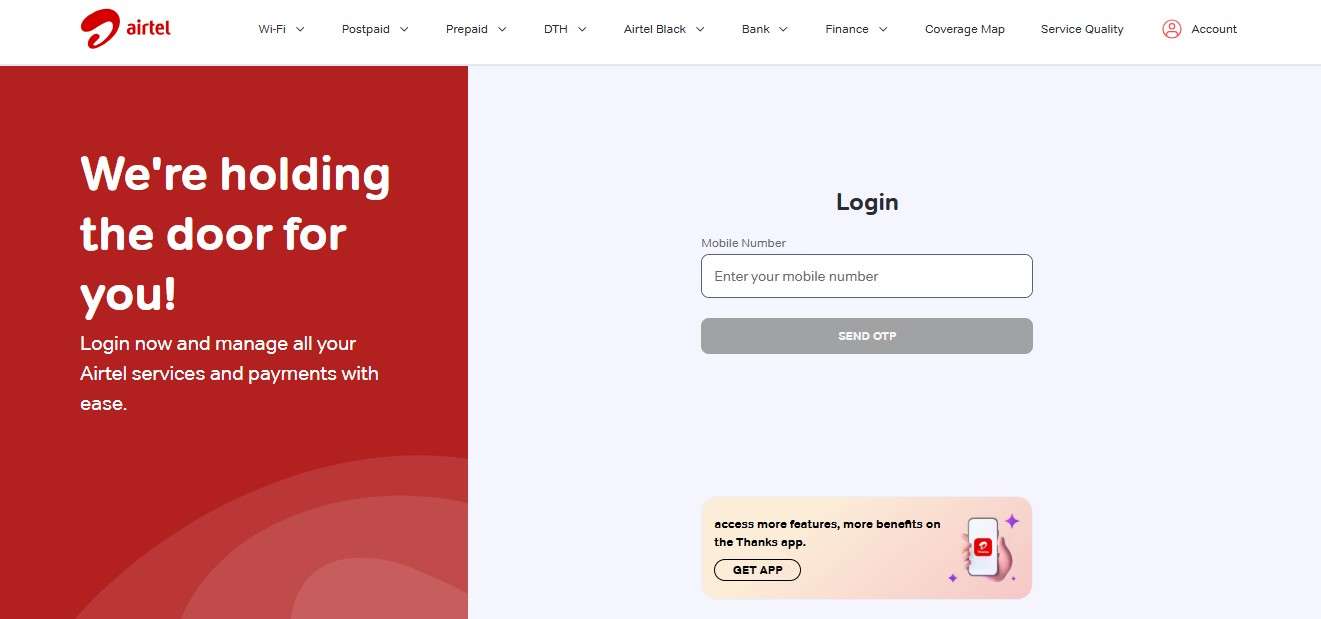
- Step 1. Go to the official Airtel self-care website. Log in using your Airtel mobile number. Complete OTP verification on an alternate number if required.
- Step 2. Navigate to SIM services / account support section (may vary with region).
- Step 3. Look for the PUK code details linked to your SIM or raise a support request to display it.
Method 3 — Get Airtel PUK Code via SMS
Even without internet connection, you can get your Airtel PUK code via SMS support. Here's how to get PUK code for Airtel through SMS:
- Step 1. Discover your SIM number (ICCID) on your SIM card. It is a sequence of 15 digits written on the card's reverse side.
- Step 2. For the initial time, share your Airtel mobile number with Airtel customer care number (e.g.785, if that is the case in your area).
- Step 3. Another SMS has to be sent to Airtel customer care (usually 121) containing the following message: PUK <15-digit SIM number>.
Method 4 — Customer Care (Most Reliable)
Call Airtel customer care by dialing 121 (from an Airtel number) or +91 98100 98100 (from any other phone). This way you can talk to a support team even when your SIM is locked; however, you have to call from another working device. It's wise to keep details ready for verification purposes, like your registered Airtel number, name of the account holder, DOB, recent recharge info, or any other ID details connected to you.
Method 5 — SIM Packaging (Backup Method)
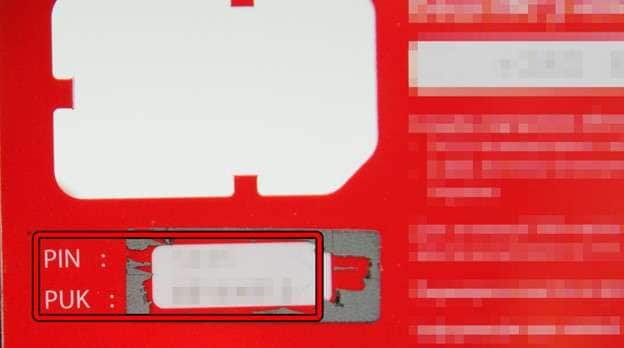
In fact, quite often the Airtel PUK code is printed on the original SIM packaging you were given at the time of purchase. Typically, this is at the rear side of the SIM card holder; sometimes it is obscured under a panel that can be scratched, or it is just printed near the SIM serial number (ICCID). You will find the words "PUK1" or "Unblocking Key" on the cover of the card where the SIM was originally attached. If the packaging is still with you, just have a good look at the back to locate the code. But if it is lost or unavailable, you will have to resort to one of the other methods described above.
Method 6 — Airtel Store (Last Resort)
In case all the online, SMS or customer care options fail, going to an Airtel store is the surest final solution. This way is highly effective if you cannot confirm your identity remotely or if the SIM card has been blocked permanently due to too many incorrect PUK entry attempts. Bring a valid photo ID (government-issued) like Aadhaar card, passport or driver's license and the SIM purchase receipt, if you have the same. The Airtel store representative will check your details with their records, give you the PUK code and help unlock the SIM.
Part 3. How to Enter the PUK Code on Your Phone Correctly — Step by Step
Now, you know how to get airtel sim PUK number! The moment you get hold of your Airtel PUK code, the first thing to do is to type it in your phone properly to unlock the SIM. Although the method is straightforward, getting the code right is the key as subsequent errors may lead to your SIM getting locked forever.
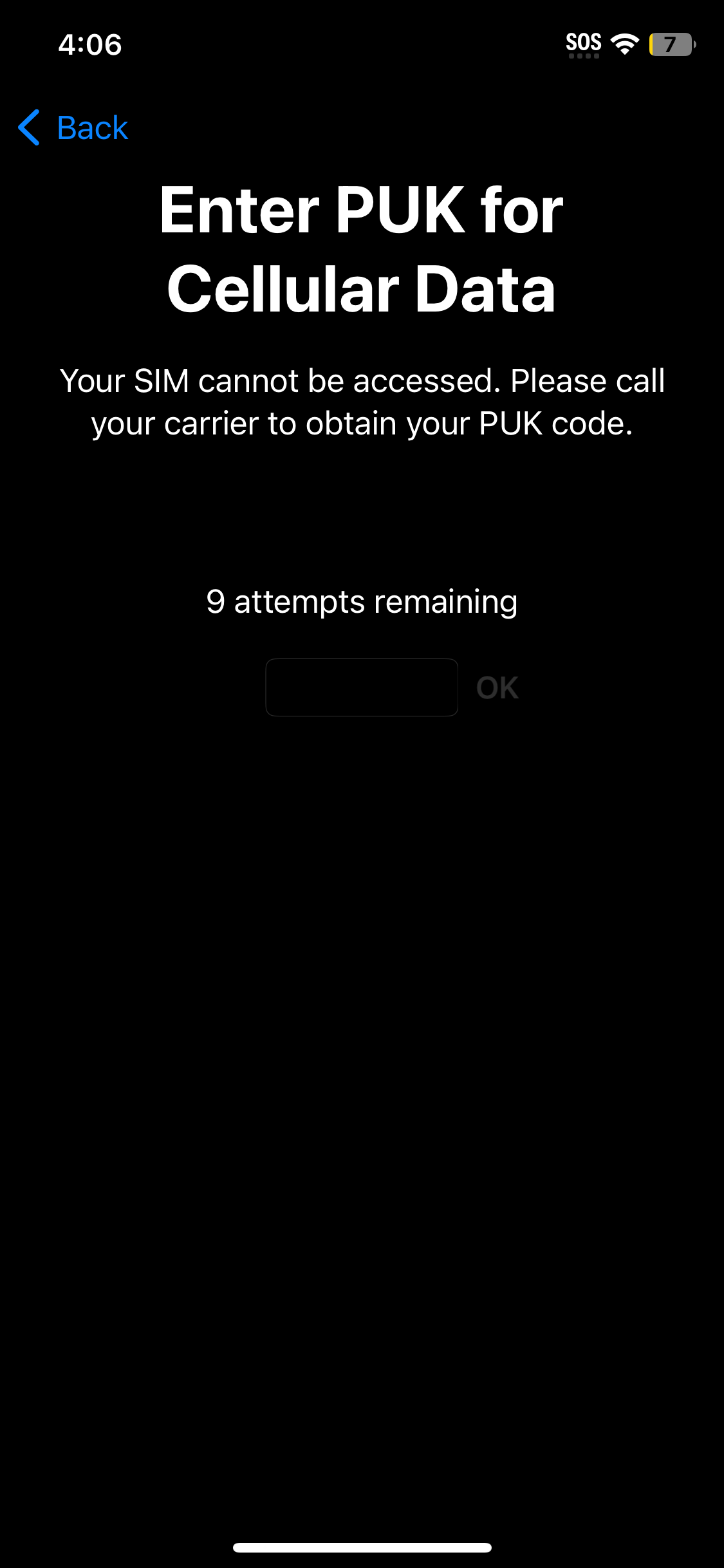
- Step 1: Make sure your phone is charged. If it's off, turn it on. The first thing that you might see is a message saying, "SIM locked, enter PUK code."
- Step 2: Carefully enter the 8-digit PUK code.
- Step 3: Once the phone understands that the PUK code is correct, it will ask you to set a new SIM PIN. This PIN should be a 4 to 6 digit number that you can remember easily.
Bonus Tip — Check Your Device's SIM Lock Status Free with IMEI Check
In fact, sometimes the problem you think is a PUK lock might not be related to your SIM at all. For example, the phone itself may be carrier-locked, or the IMEI may be restricted/blacklisted. These different problems may cause you to see similar symptoms. However, the resolution is very different since the problem is with the device rather than the SIM card.
Rather than wasting time getting a PUK code, you may check your device status on your own by using a free IMEI checking tool such as Dr.Fone Online Unlock. You can use it to check if the phone is SIM-ready or blocked at the device level, which will save you time and keep you from doing unnecessary troubleshooting.
Dr.Fone Online Unlock
Easily bypass Samsung FRP, remove Xiaomi account locks, and check IMEI with one trusted tool — fast, secure, and user-friendly.
- One-click Samsung FRP removal, no tech skills required.
- Unlock iCloud & SIM lock easily and safely.
- Unlock Xiaomi devices without a password.
- Supports 20+ different types of IMEI checks.
- Free IMEI check with no login, no ads, and instant access.
- Fully mobile-optimized for effortless on-the-go access.
Verify your device info safely in one clickHow to Check SIM Lock Status online using Wondershare Dr.Fone
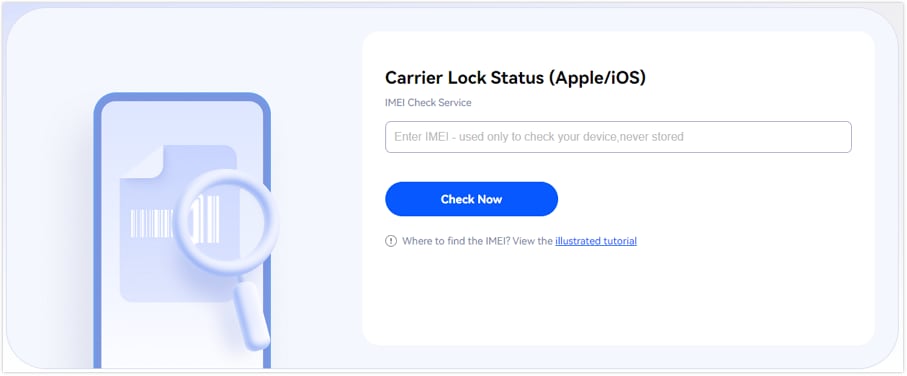
- Step 1. Navigate to the Dr.Fone SIM Unlock page. Find "IMEI Check" section, type your IMEI number, and press "Check Now".
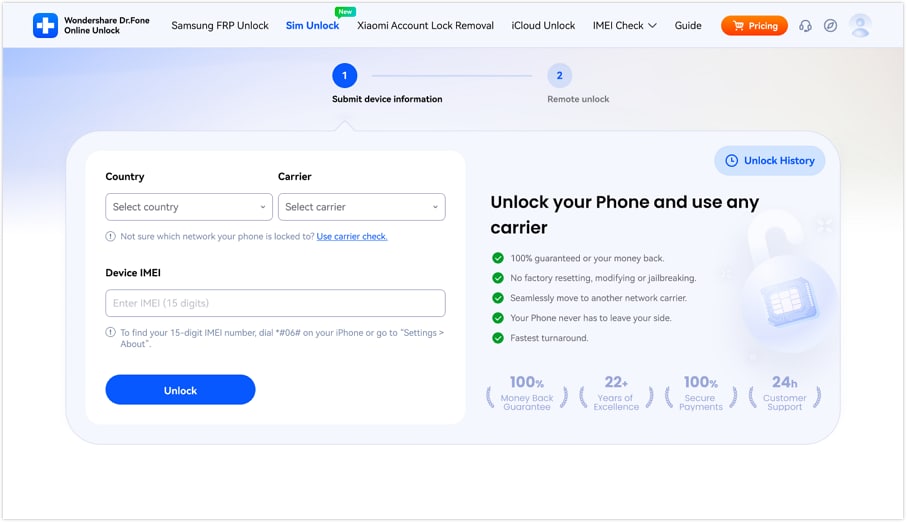
- Step 2. Select your country and then pick your network from the "Carrier" drop-down. Enter your 15-digit IMEI number.
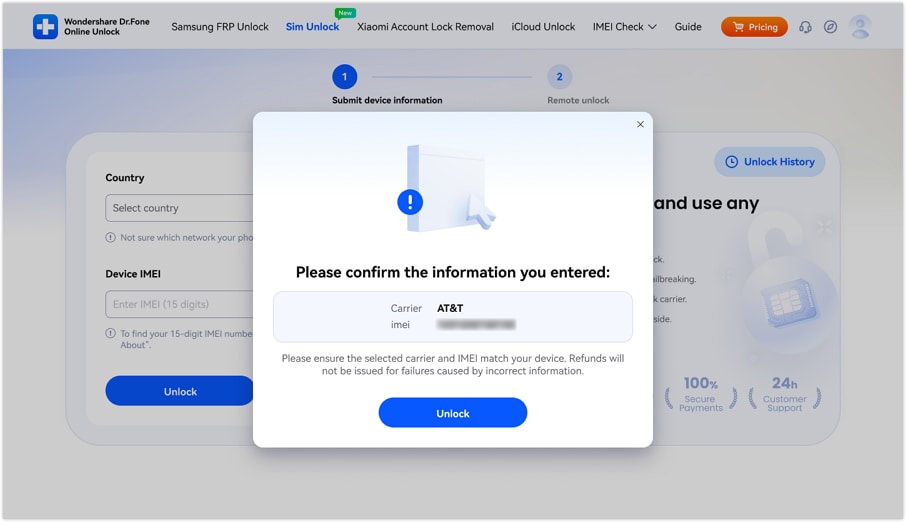
- Step 3. Double-check your IMEI and carrier info before clicking the "Confirm" button to move on with the process.
With the Dr.Fone IMEI Check platform, you will be able to gain quick entry to more than 20 variations of device verifications, such as Android and iOS blacklist status, Samsung KNOX Guard status, Apple Activation Lock, iCloud account status, MDM lock, carrier lock, Xiaomi activation lock, warranty status for different brands (Apple, Samsung, Huawei, OPPO, VIVO, etc.), and much more.
Verify your device info safely in one clickPart 4. Troubleshooting: What If the PUK Code Doesn't Work?
- Check PUK type: Only PUK1 can be used to unlock the SIM PIN, so first ensure that you are using PUK1. PUK2 cannot be used to unlock the SIM PIN, so it is useless in this situation.
- Verify entry carefully: Make sure that you are entering the 8-digit PUK code correctly every time, no typos or missing digits, and completely without any spaces.
- Request a new code: If your PUK from the internet or by SMS is incorrect, you can get a new one by contacting Airtel customer service (121 or 198).
- If you have used all your attempts: If all 10 attempts to enter the correct PUK have been used up, the SIM card becomes permanently locked.
- If you get the "Invalid PUK" message again: This kind of issue can be due to a problem with the device itself, so besides checking the SIM lock, one should also consider checking the device status.
Conclusion
An Airtel PUK code acts as a vital backup to open your SIM card if you have typed an incorrect PIN three times in a row. Of course, being locked out of the phone is quite a pain; however, the proper fix is mostly very easy if you pick the right channel, i.e. via Airtel app, online self-care portal, SMS, customer care, or even SIM packaging. The biggest thing is to act quickly and carefully enter the correct PUK to avoid your SIM from being irreversibly locked.
By using the approaches discussed in this article, you not only gain access to your number but also avoid wasting any time. But if all fails, a visit to an Airtel store not only get you the solution but also a way to re-establish your service.
Verify your device info safely in one clickFAQs
-
Q: How to generate PUK code for Airtel?
A: You cannot generate a PUK code on your own. You can only get it by official paths like the Airtel app, customer care, SMS service, or SIM packaging.
-
Q: How long is the PUK code valid?
A: A PUK code is intrinsically valid forever. However, you are only allowed 10 wrong attempts. Once you use up all of your attempts, your SIM card will be permanently locked, and you'll have to get a new one.
-
Q: Can I unlock SIM without PUK?
A: If you have a SIM that is locked with a PUK, the only way to unlock it is by entering the PUK code.




James Davis
staff Editor
Generally rated4.5(105participated)