
Galaxy Buds IMEI: What It Means & How to Check It

Jun 30, 2026 • Filed to: Online Unlock Solutions • Proven solutions
 TL;DR:
Samsung Galaxy Buds do not possess an IMEI number due to their lack of cellular connectivity, relying instead on a unique Serial Number for warranty registration, support, and device authentication.
● The Serial Number can be located on the charging case, the original packaging, or through the connected Galaxy Wearable app by navigating to Earbud Settings and selecting About Earbuds.
● Unlike a 15-digit IMEI used by carriers to manage network access, the Serial Number cannot track the physical location of the earbuds or block them if they are lost or stolen.
● Users seeking to verify their Samsung warranty, blacklist status, or device locks can input this Serial Number into the Dr.Fone Online Unlock tool to retrieve a detailed status report.
Ask AI for a summary
 ChatGPT
 Perplexity
 Gemini
 Claude
 Grok
Grok
Galaxy Buds do not have an IMEI number because they do not use mobile networks. Instead, they have a unique serial number that helps with warranty, support, and product identification. Knowing this number helps confirm your device’s authenticity and makes service requests easier.
In this guide, you will learn what the Galaxy Buds IMEI means and why earbuds do not have one. Plus, you will learn how to check the serial number in simple ways. This article will also uncover simple ways to check the Samsung warranty or product details with a simple solution.
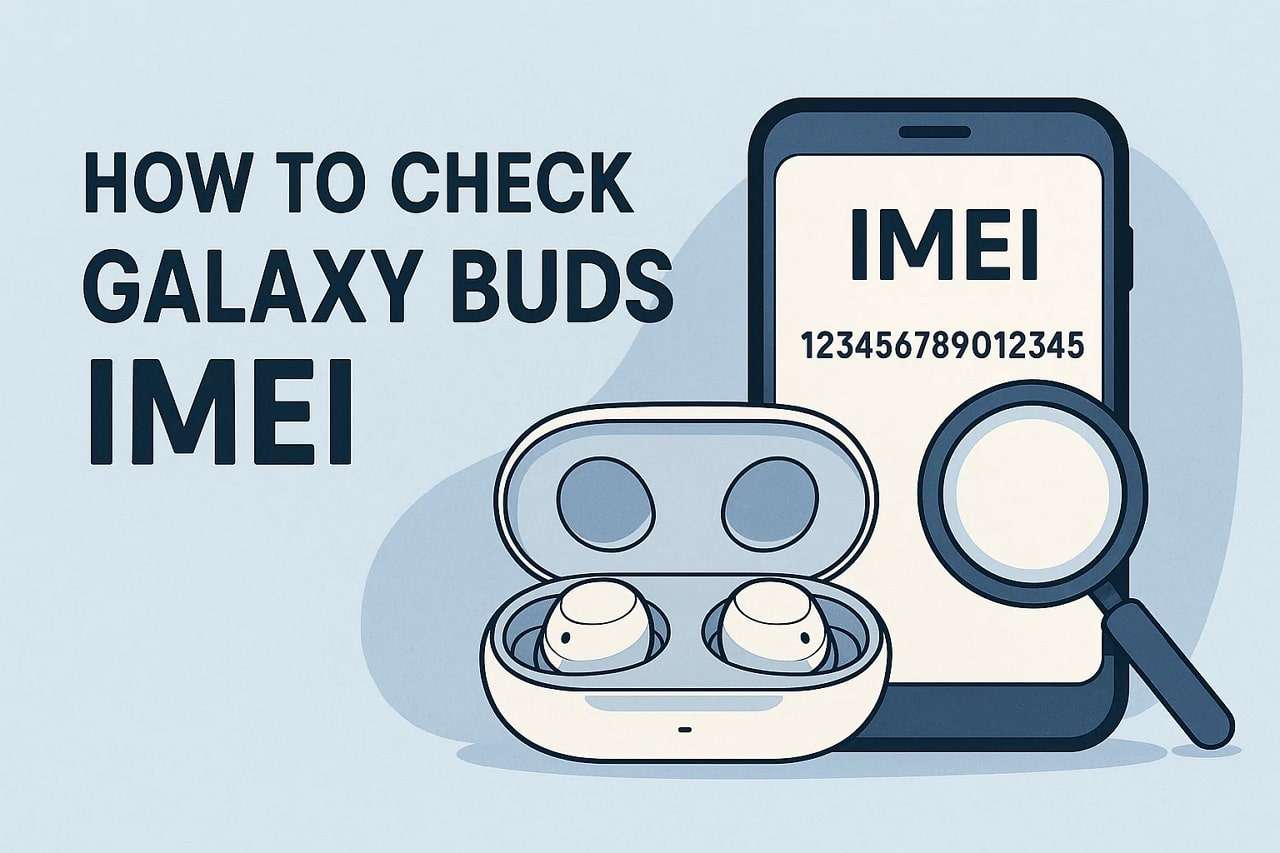

Part 1. What Is Galaxy Buds IMEI Number?
Before you seek answers related to IMEI Galaxy Buds, do you know what an IMEI number is? An IMEI, or International Mobile Equipment Identity, is a unique 15-digit code given to mobile phones and devices that use cellular networks. Its main purpose is to identify each device on GSM or similar networks.
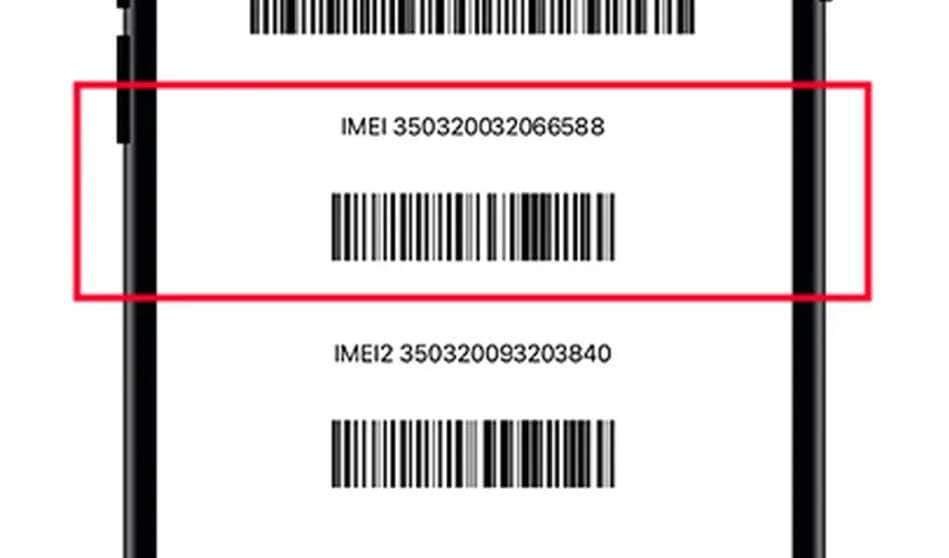
Carriers can use the IMEI to block stolen phones or track devices when necessary. In addition, this number ensures that every device is recognized individually and helps with security, repairs, and service verification.
Part 2. Do Samsung Buds Have an IMEI Number?
Earbuds such as Samsung Galaxy Buds do not have an IMEI. IMEI codes are applicable to those devices that can connect to a cellular network, e.g., phones and tablets with a SIM slot. Since the Galaxy Buds have no cellular connection and can only be connected via Bluetooth, there is no requirement for an IMEI.
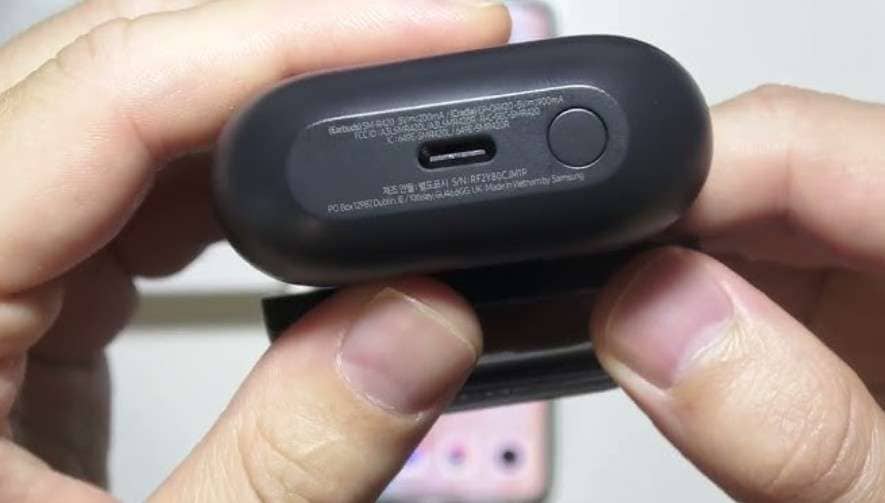
In case you need the Samsung Galaxy Buds IMEI number, then you should be aware that they do have a serial number. The serial number is a distinct identifier of a pair of earbuds. It is applied in warranty, support, and controlling the device. It is not similar to an IMEI and cannot be used to trace or disable the earbuds on a cellular network.
Difference Between IMEI and Serial Number
To save the confusion between IMEI and serial numbers, glance at the mentioned table:
|
Attribute |
IMEI |
Serial Number |
| What It Is | International Mobile Equipment Identity | Manufacturer’s unique identifier for a device |
| Format | 15-digit numeric code (globally defined) | Alphanumeric; length and format vary |
| Purpose | Identifies devices on mobile networks (GSM/CDMA) | Tracks and manages devices by manufacturer |
| Applies to | Phones, tablets, or devices with cellular radios | All Samsung products (phones, TVs, earbuds, etc.) |
| Used For | Blocking lost/stolen devices, network registration | Warranty claims, customer support, and inventory |
| Visibility | Printed in settings, device box, or found by dialing *#06# | Found in settings, on the box, or on the device label |
| Network Function | Yes: required for network operations | No: does not connect to networks |
| Bluetooth Devices | No IMEI for earbuds or watches without cellular | Yes: all have serial numbers |
Part 3. Where Do I Find My Samsung IMEI Number?
While looking for answers on how to check the IMEI of Galaxy Buds, many users search for ways to check Samsung IMEI. Since users are determined to locate the bud's serial number, here is a quick review for accessing the IMEI number:
|
Method |
Steps |
Notes |
| Phone Dialer | Open the Phone app, dial *#06#, and the IMEI will appear on the screen. | Works on most Samsung phones; quick and easy. |
| Settings Menu | Go to Settings → About Phone → Status → IMEI information. | Displays IMEI for each SIM slot if dual SIM is used. |
| Device Packaging | Check the original box; the IMEI is printed on the label. | Useful if the phone cannot be powered on. |
| SIM Tray | Remove the SIM tray; the IMEI may be printed on the tray. | Available only on some Samsung models. |
| Samsung Account | Log in to your Samsung account online and check registered devices. | Allows finding the IMEI remotely if the device is lost. |
Part 4. How to Find Galaxy Buds Serial Number
Since there is no Galaxy Buds IMEI but a serial number instead, explore the given ways and learn how to locate it:
Method 1: Galaxy Wearable App
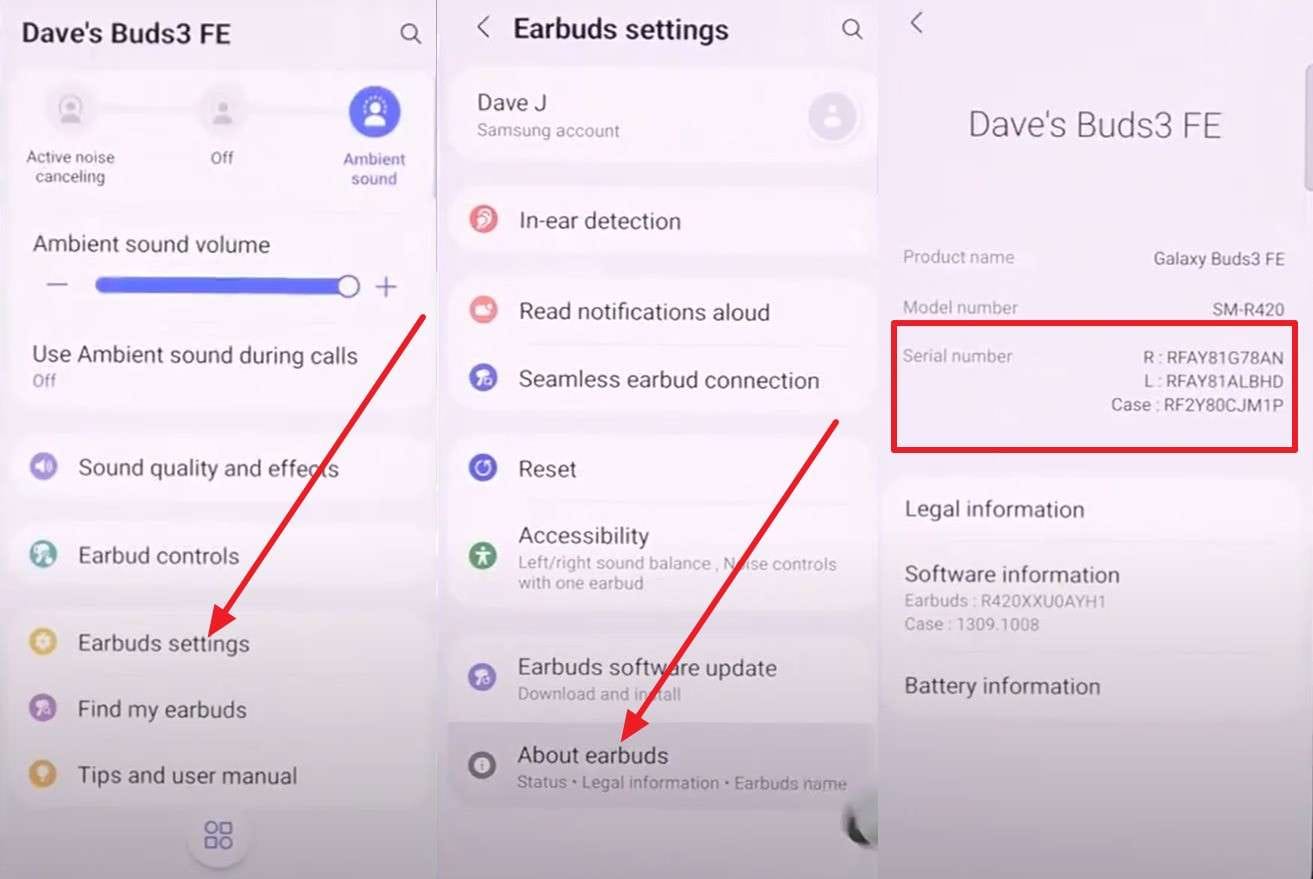
The Galaxy Wearable app allows you to control and manage your Samsung Galaxy Buds. You are able to pair and configure the earbuds, monitor their battery status, and update their firmware to improve their functionality. Besides, this application can locate lost earbuds and display device information, such as the serial number, to be used in warranty or support after following the steps listed:
Instructions. Head to the “Earbud Settings” on the app’s main interface as you scroll down. Choose the “About Earbuds” option and locate the “Serial Number” on the new screen.
Method 2: On the Product Box
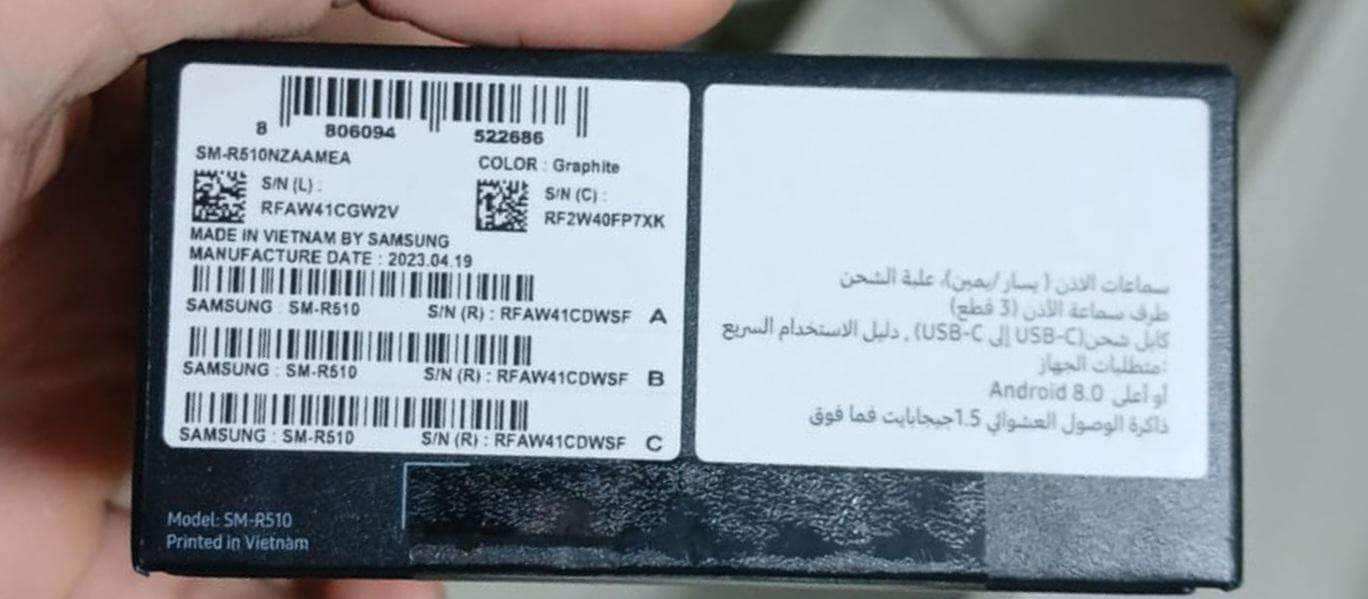
Since you can’t check the IMEI of Galaxy Buds but the serial number, locate it on the product box. Serial numbers of the earbuds and the charging case are printed on the box, which is useful in warranty claims, support, and product authenticity. It records the model number, date of manufacture, and the batches, which come in handy when updating the equipment or checking that the device is compatible with other accessories.
Method 3: Charging Case
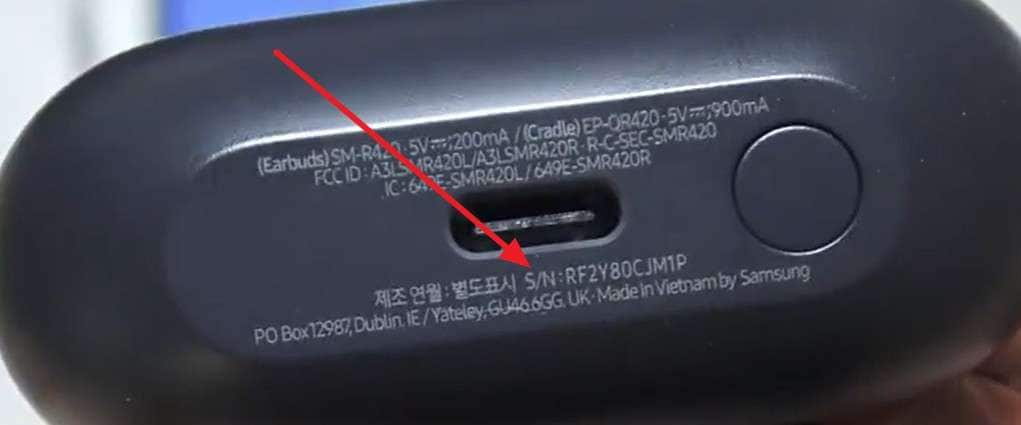
The Galaxy Buds charging case has valuable warranty, support, and evidence information. The case serial number helps you ensure that it belongs to you and is authentic. It is also useful during the repair of charging issues, connection issues, or performance issues. Since the case is always with the earbuds, you can quickly access these details even if the box or documents are unavailable.
Part 5. Using Dr.Fone Online Unlock to Check Samsung IMEI/Serial Number
Rather than looking for IMEI Galaxy Buds, if you still seek to check the Samsung IMEI or SN details, use the Dr.Fone Online Unlock solution. Using this, you can easily check whether the device is blacklisted, locked, or still under warranty in just 2 steps. Additionally, the tool allows you to access over 20 types of device verification.
This includes iOS blacklist status, Samsung KNOX Guard status, MDM lock, carrier lock, Xiaomi activation lock, etc. In terms of compatibility, the tool supports Samsung, Huawei, OPPO, VIVO, and more. Whether you check the IMEI or the SN, the tool provides a detailed report you can save to the device for later use.
Dr.Fone Online Unlock - IMEI Check
Check any device's IMEI for a free, in-depth 20+ point report—no ads, global support, and optimized for mobile.
- First free check with no login needed.
- Guaranteed ad-free experience.
- Comprehensive reports with 20+ different data points.
- Global coverage, supporting devices from all regions worldwide.
- Fully compatible and optimized for mobile devices.
 Verify your device info safely in one click
Check Samsung IMEI/SN with Dr.Fone - Online Unlock [Detailed Guide]
To know how you can use this tool to review the IMEI or SN details for Samsung, adhere to the listed guide:
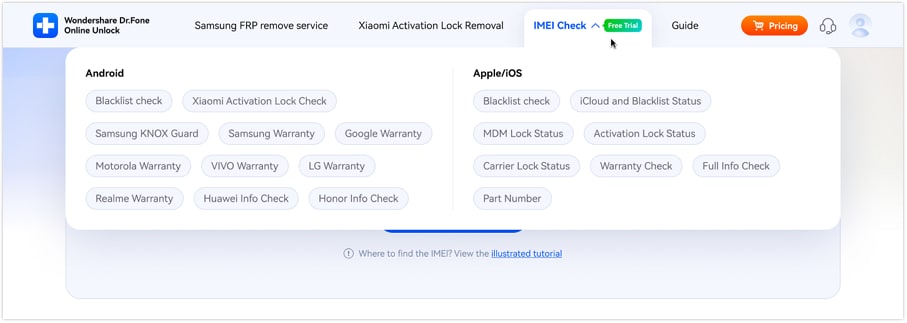
Step 1. Access Dr.Fone - Online Unlock to Check Details with IMEI
Expand the “IMEI Check” menu and select the “Samsung Warranty” option from the drop-down menu. After that, enter the IMEI number and press the “Check Now” button.
Step 2. Save the Detailed Report of Your Samsung Device
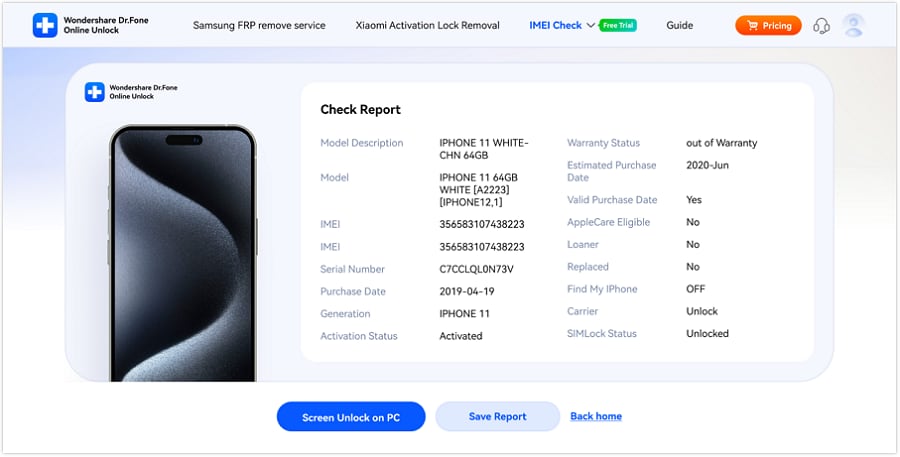
Within a few seconds, the tool will provide a detailed report with the SN and warranty details. Save it to the device by picking the “Save Report” button.
Conclusion
To wrap up, if you were looking for answers on Galaxy Buds IMEI, this guide has answered that this accessory has a Serial Number instead. So, review the listed steps on how you can access the SN number of Samsung Buds via 3 methods. However, when you want to check the warranty of Samsung, use Dr.Fone - Online Unlock and get a detailed report in a few seconds.
Verify your device info safely in one clickFrequently Asked Questions
 Q1. Can I use the serial number like an IMEI?Q2. Can I check the serial number without the case or box?Q3. Does every Galaxy Buds device have a unique serial number?Q4. Does the Galaxy Buds serial number help with warranty claims?


Android Screen Unlock
- Unlock Android Screen
- Best Unlock Apps For Android
- Unlock Android Pattern Lock
- Bypass Android lock
- Unlock Android with Broken Screen
- Unlock Android Forgot PIN
- Unlock Without Google Account
- Unlock without Factory Reset
- Unlock Android Tablets
- Reset Locked Android Phone
- SafeUnlocks Review
- Unlock Huawei Phones
- Unlock Google Pixel Phones
- Unlock OnePlus Phones
- Unlock Vivo Phones
- Unlock Sony Xperia
- Unlock LG Phones
- Unlock Mi Pattern Lock
- Unlock OPPO Phones
- Unlock Realme Phones
- Unlock LG Phones
- Unlock Honor Phone
- Unlock Kyocera Phone
- Unlock Samsung Screen
- Bypass Samsung Lock
- Unlock Samsung Password/Pin
- Top Samsung Unlock Softwares
- Samsung Unlock Code Generator
- Get Free Samsung Unlock Codes
- Samsung Galaxy Secret Code List
- Samsung Knox Disable
- Reset Samsung Galaxy A12
- Unlock Samsung S22 Ultra
- Bypass Android FRP
- Top FRP Bypass Tools
- Disable FRP
- Bypass Android FRP
- Bypass FRP with PC
- Bypass FRP with ADB
- Bypass Google Account Verification
- Custom Binary Blocked by FRP Lock
- Bypass Google Pixel FRP
- Bypass Huawei FRP
- Huawei FRP Code
- Bypass Xiaomi/Redmi/Poco FRP
- Bypass OPPO FRP
- Bypass LG FRP
- Bypass Motorola FRP
- Bypass Lenovo FRP
- Bypass Realme FRP
- Bypass ZTE FRP
- Vivo Y15a FRP Bypass
- Moto G Pure FRP Bypass
- Bypass Samsung FRP
- Galaxy Z Fold 7 FRP Bypass
- Bypass Galaxy M01 FRP
- Bypass Samsung M11 FRP
- Bypass Samsung J5 Prime FRP
- Bypass amsung A02/A02 FRP
- Bypass Samsung A10/A10s FRP
- Bypass Samsung A12 FRP
- Bypass SamsungA20/A20S FRP
- Bypass Samsung A21/A21s FRP
- Bypass Samsung Galaxy 50 FRP
- Bypass Samsung Galaxy 51 FRP
- Bypass Samsung S7 FRP
- Bypass Samsung Galaxy S22 FRP
- FRP Bypass Tools
- Test DPC APK
- FRP File Bypass
- ES File Explorer
- Maxroms FRP Bypass
- GSM Aladdin
- Android Novo Tools FRP
- GSMNeo FRP
- Phoenix Service Tool
- MRT Key Review
- XSoft FRP Unlock
- FRPFile FirmwareBD
- ZeroKnox Removal Tool
- Samflash Tool
- Techeligible FRP Unlock
- Riserom FRP Bypass
- Romstage FRP Bypass
- GSM Prime FRP
- ● Manage/transfer/recover data
- ● Unlock screen/activate/FRP lock
- ● Fix most iOS and Android issues
- Free Download Free Download



Alice MJ
staff Editor