

 TL;DR:
Using an IMEI-based online unlocking service provides a fast, remote way to switch networks without voiding your warranty or erasing personal data, serving as a practical alternative when original carriers deny the request.
● Original carriers will issue a permanent, free unlock code only if the device is fully paid off, the contract is finished, minimum network usage time is met, and the account has no fraud or theft records.
● Dr.Fone Online Unlock processes local removals within 24 hours using end-to-end encryption, but its current network compatibility is limited primarily to AT&T devices.
● For alternative requirements, Official SIM Unlock supports networks like Verizon and T-Mobile, UnlockRiver provides instant reports on lost or stolen statuses, and UnlockBase offers APIs and sub-accounts for corporate users.
Ask AI for a summary
 ChatGPT
 Perplexity
 Gemini
 Claude
 Grok
Grok
 Verify your device info safely
Imagine being stuck on the phone that won't let you switch networks, even when you find a better deal or travel abroad. A SIM lock can feel like a digital cage, but the key to freedom lies in using the ideal online unlocking solutions. Whether you seek to bypass the restrictive contract or boost the resale value of your phone, online SIM lock bypassing is a modern and effective way.
Since the proper and reliable use of tools is a must, this guide explains the top 5 options to choose from. While comparing these tools, learn how Dr.Fone Online Unlock could be the best choice to turn your locked device into a world-ready smartphone without the technical headache.
In this article

Part 1. SIM Lock Basics & Is Online Unlock Safe?
Before you choose the foremost SIM lock online removal method, you need to consider the safety of this action. To begin with, SIM lock means the phone only works with one carrier. It checks SIM network codes and blocks other SIM cards while showing an unlock PIN message. Thus, carriers use this lock to keep contract or discounted phones on their network.
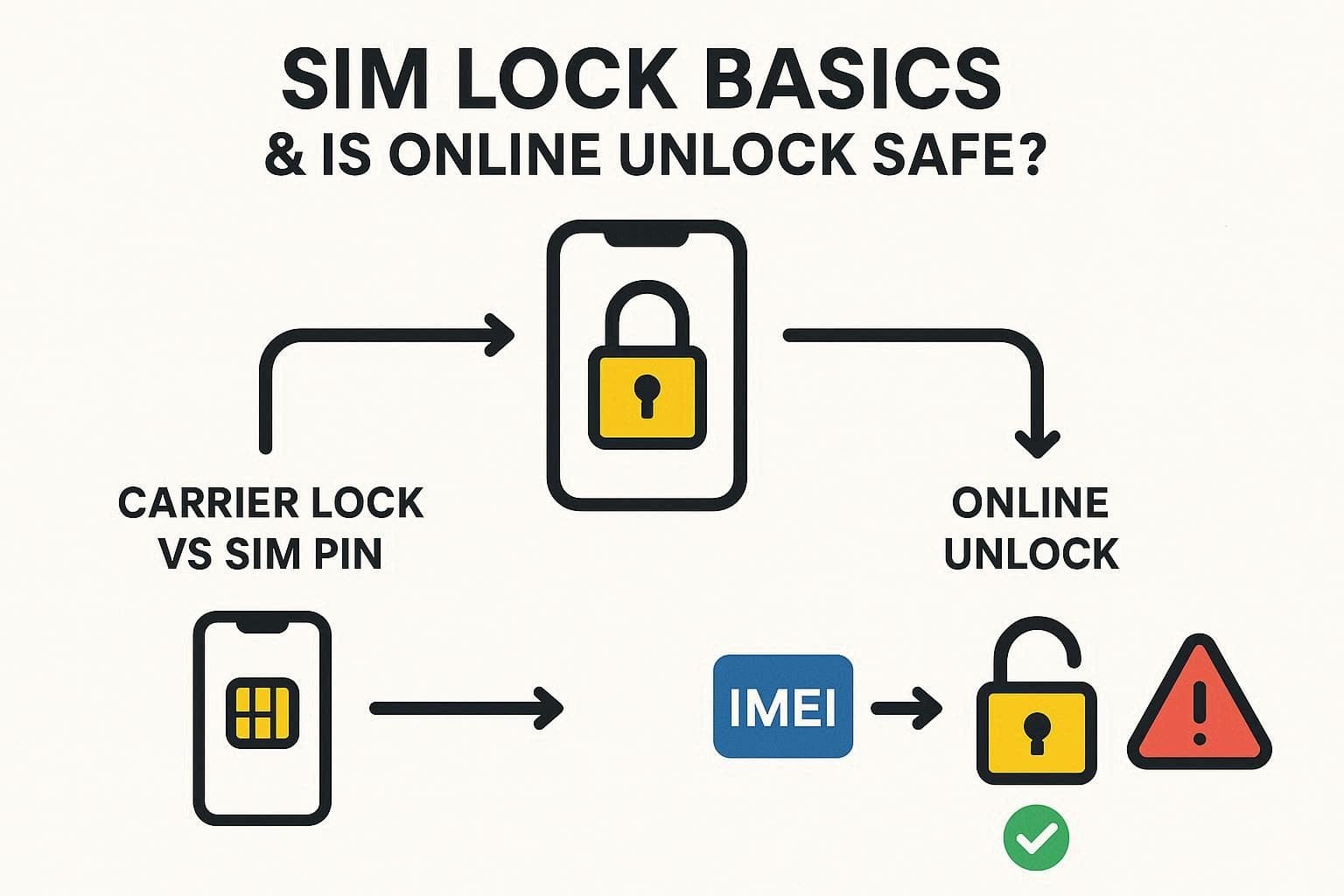
There are two types: a carrier lock that restricts network use, and a SIM PIN lock set by the user for security. Online services use IMEI, but results vary a lot. Some give working unlock codes, while others fail or charge extra fees, but if you have a reliable option, you are good to go. To stay safe, always check the carrier unlock first, then research third-party reviews carefully before using any service.
Part 2. How to Unlock SIM Lock Online (Step-by-Step): 5 Methods
So, if you want to give SIM unlock online tools a try, here are 5 options to choose from. Review the detailed comparison, key aspects, and guide, and understand which solutions are reliable and why.
1. Dr.Fone Online Unlock
With support for major carriers like AT&T (other major carriers will be supported in the future), this tool claims a 100% success rate. Since you can access it on any device online, you can unlock the SIM lock from all brands, with Android and iOS versions supported. Unlike other tools, Dr.Fone Online Unlock offers an intuitive, ad-free interface and a detailed guide on how to access IMEI details.
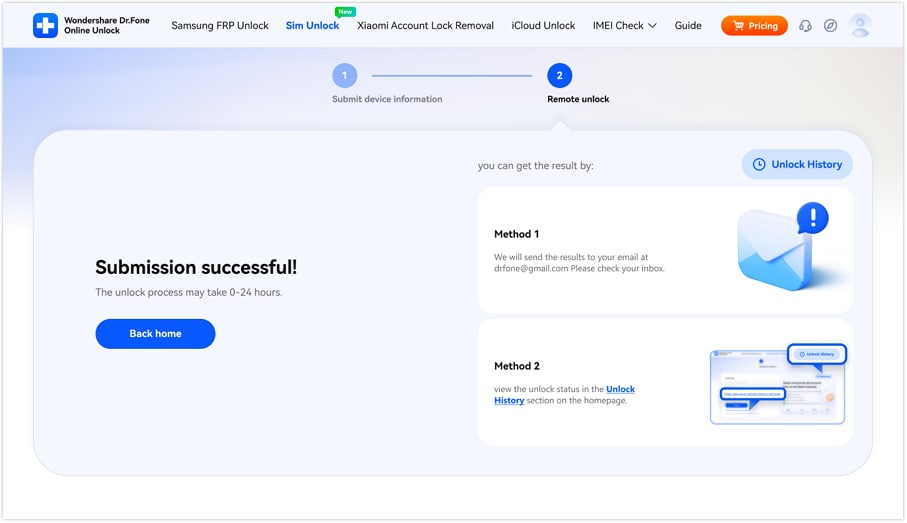
This tool ensures that all details entered in the fields, like IMEI, are kept secure via end-to-end encryption and local unlocking. As the data is not shared with a third party, you can review and confirm the details before local removal. Moreover, users can choose to fetch the unlocked history or get details about the Email once the SIM lock is removed, within 0-24 hours.
Dr.Fone Online Unlock
Easily bypass Samsung FRP, remove Xiaomi account locks, and check IMEI with one trusted tool — fast, secure, and user-friendly.
- One-click Samsung FRP removal, no tech skills required.
- Unlock iCloud & SIM lock easily and safely.
- Unlock Xiaomi devices without a password.
- Supports 20+ different types of IMEI checks.
- Free IMEI check with no login, no ads, and instant access.
- Fully mobile-optimized for effortless on-the-go access.
Verify your device info safely in one clickHow to Remove SIM Lock Using Dr.Fone Online Unlock
To know how you can use this innovative online tool to bypass the SIM lock, here is a detailed guide:
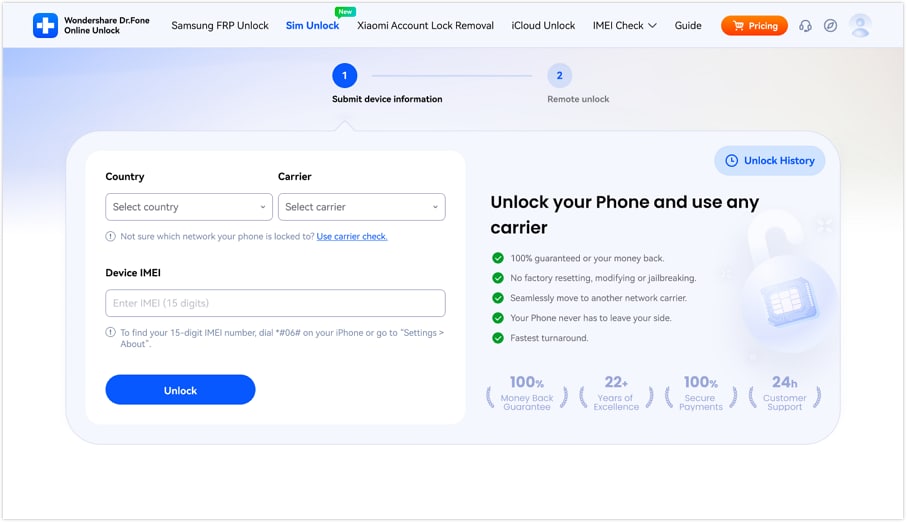
- Step 1. Access the Dr.Fone Online Unlock Toolkit
On the Dr.Fone SIM Unlock website page, enter the "Country," Carrier, and "IMEI" details, then press the "Unlock" button.
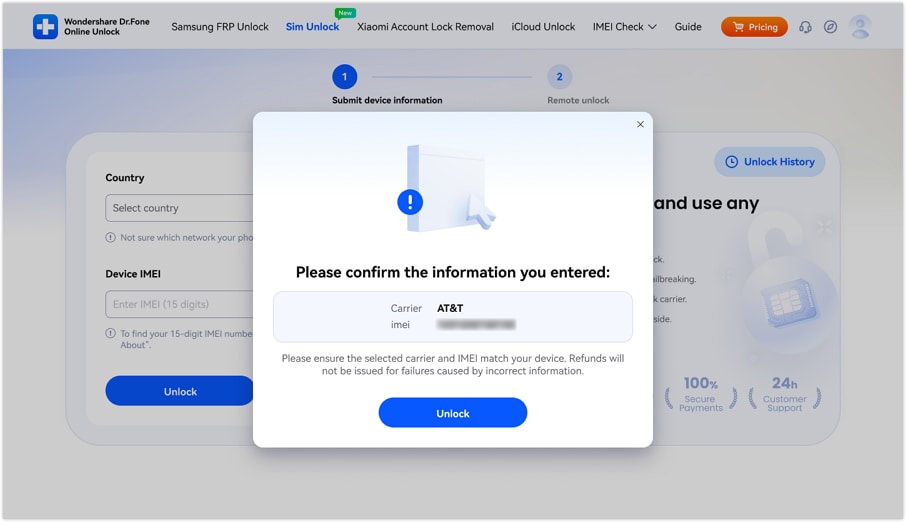
- Step 2. Confirm the Phone Details and Proceed
When the pop-up menu appears, confirm the details and press the "Unlock" button.
- Step 3. Review the SIM Bypassed Results Later
As the status bar reaches "Remote Unlock," the SIM lock will be bypassed. Afterward, choose the method to review the progress or completion status.
Verify your device info safely2. Official SIM Unlock
This is another unlock SIM online tool that uses your device's unique 15-digit code for a legal, permanent unlock. The site claims to bypass the lock within 15 minutes or 24 hours, where the remote unlocking process is 100% legal and won't void your warranty. Additionally, with support for Android and iOS models, this tool is compatible with major networks worldwide, including AT&T, Verizon, and T-Mobile, used via the given steps:
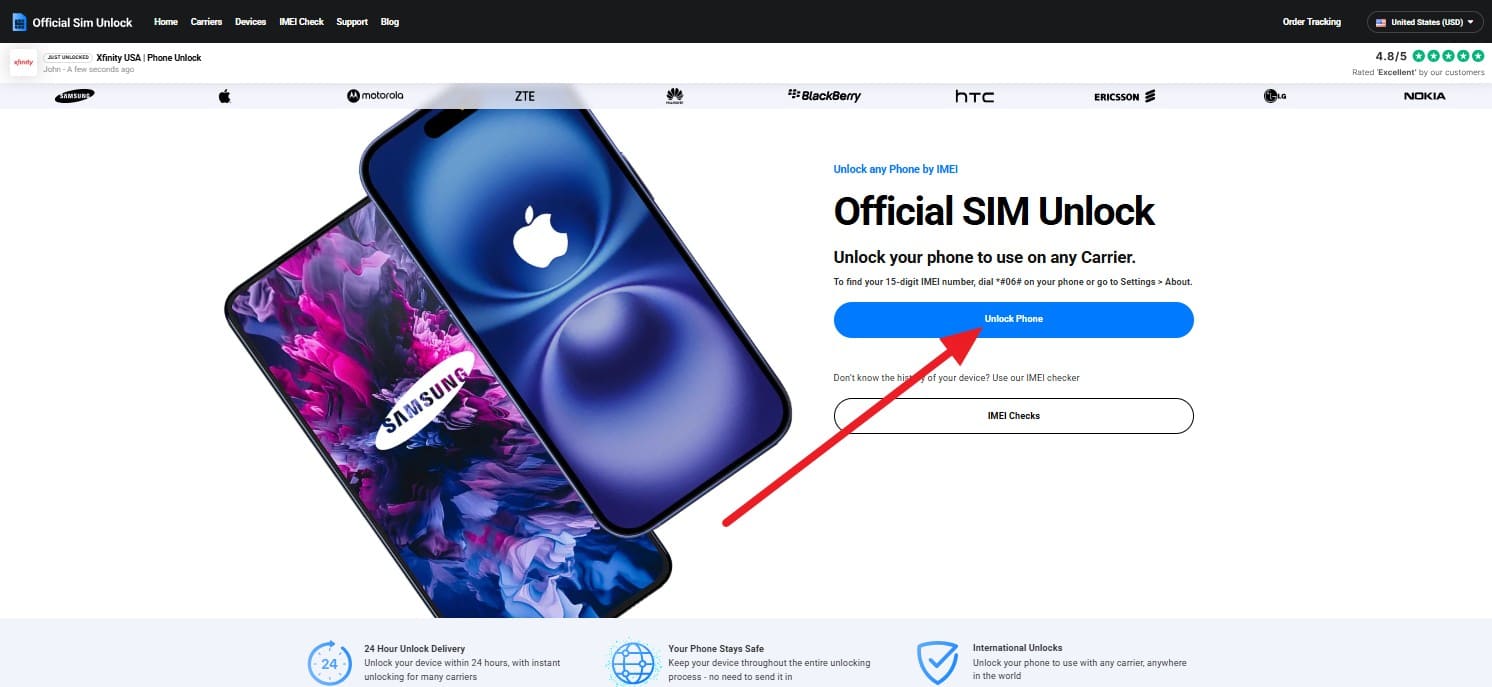
- Step 1. Tap the "Unlock Phone" option as you access the site on the desired device.
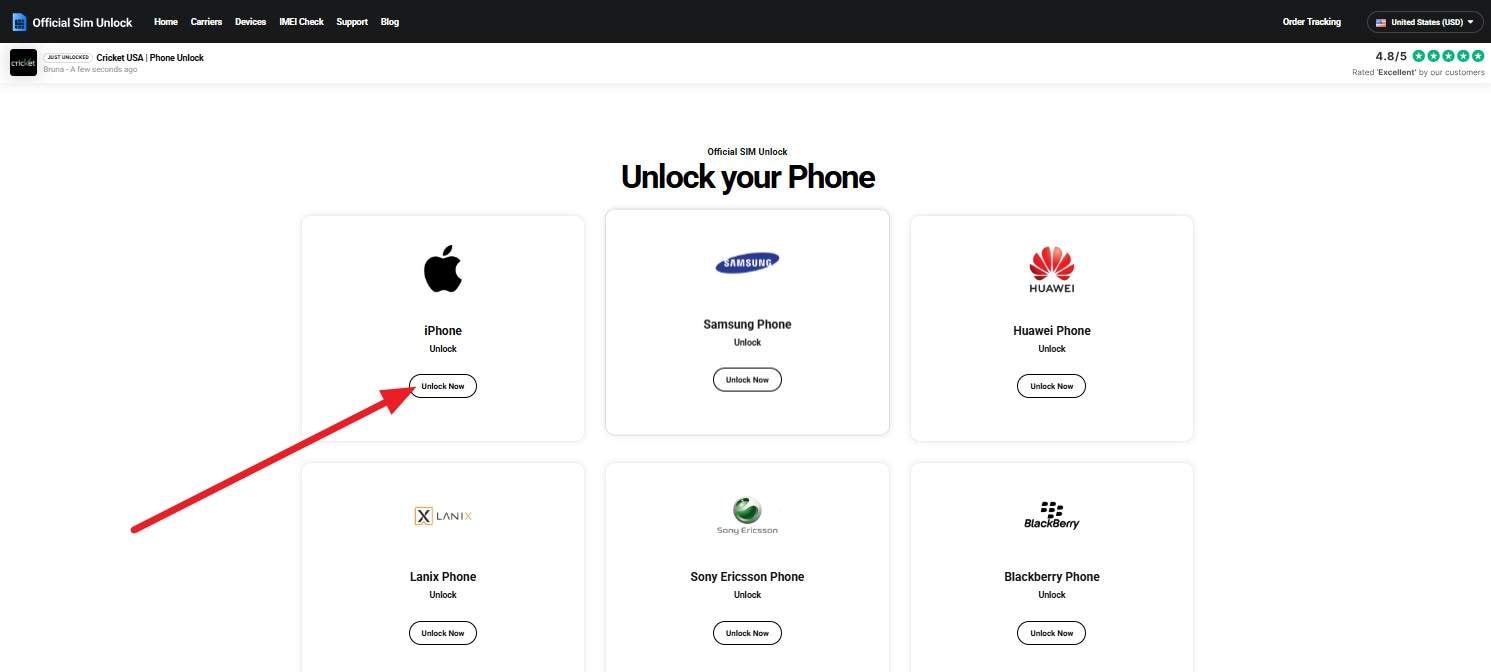
- Step 2. Choose the type of phone and version you seek to remove the SIM lock from, and pick the "Unlock Now" button.
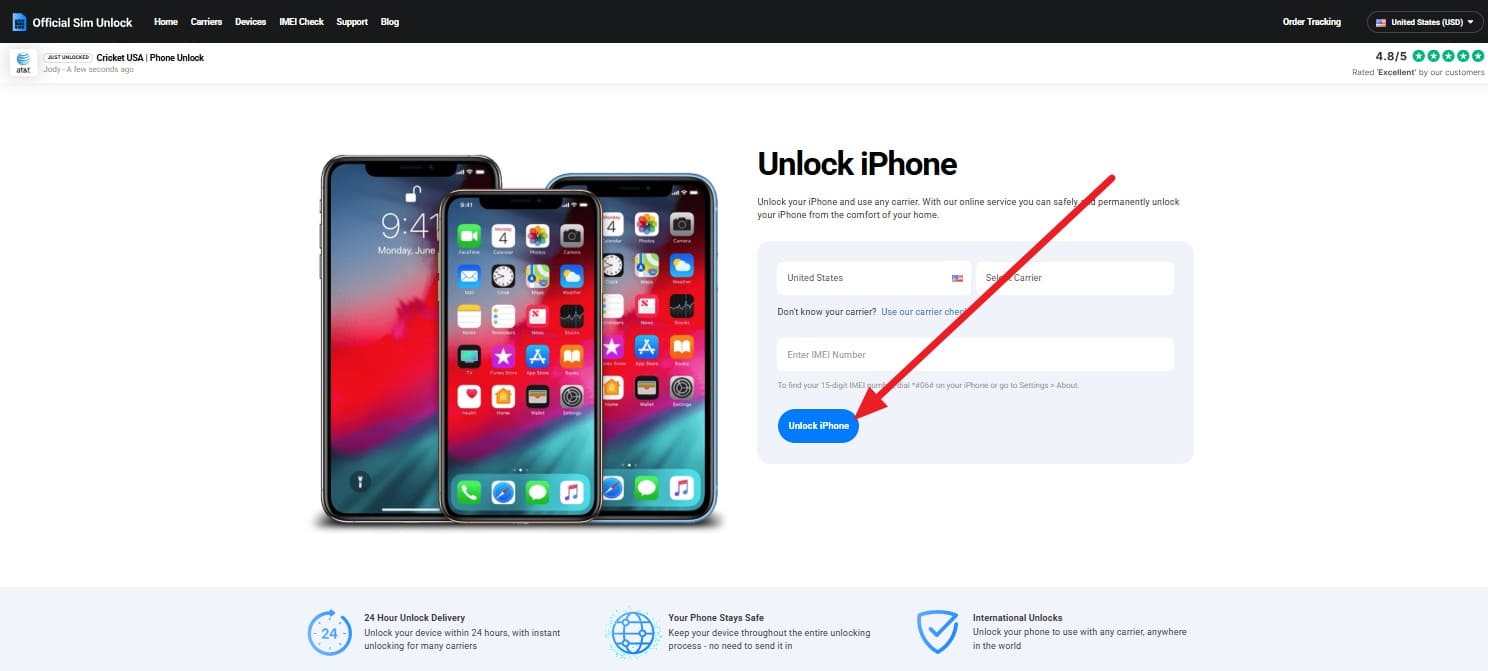
- Step 3. Add the IMEI details on the next interface while choosing the carrier and country options. After that, pick the "Unlock "iPhone (Device Type) and monitor the progress until the lock is removed.
Key Features
- Stay updated on the progress of your request with a built-in tracking page.
- Provides an optional tool to identify which network your device is locked to.
- Expertly handles everything from the latest iPhone 16 to older Android models.
3. UnlockRiver
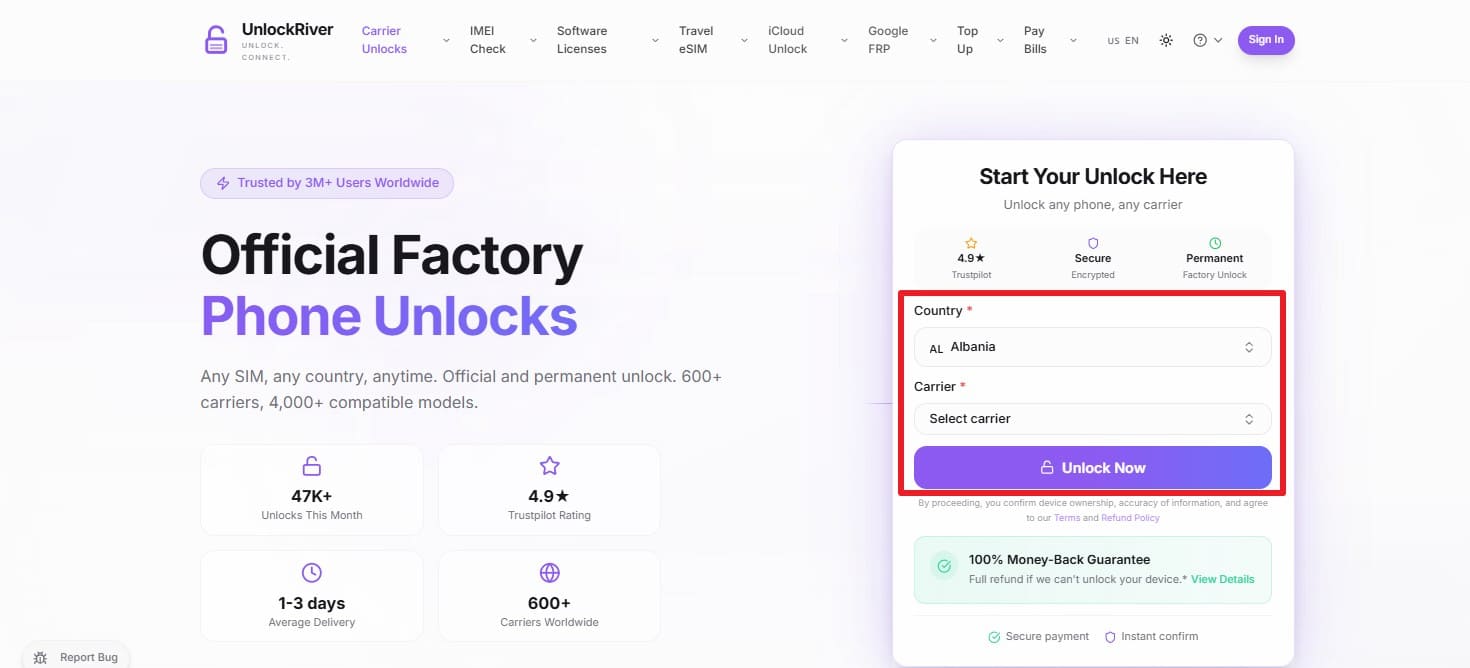
To unlock iPhone carrier free online, this tool also uses the same IMEI-based methods, but the list for Country and Carrier selection is extensive. This tool supports over 600 carriers and 4,000 phone models globally, including iPhone and Samsung. While using the IMEI details, it offers unlocking code and instant reports to verify if a device is reported lost, stolen, or barred to unlock via the simple step mentioned:
Instructions: Choose the "Country" and "Carrier" details, add the "IMEI" number, and press the "Unlock Now" button. The tool will send you the unlocking code and a detailed guide to your email, so follow it to commence SIM lock removal.
Key Features
- Unlocks are processed through official channels, so your manufacturer's warranty remains valid.
- Uses encryption to protect your device's sensitive information during the process.
- The entire process is handled remotely; you don't need to download or install programs.
4. UnlockBase
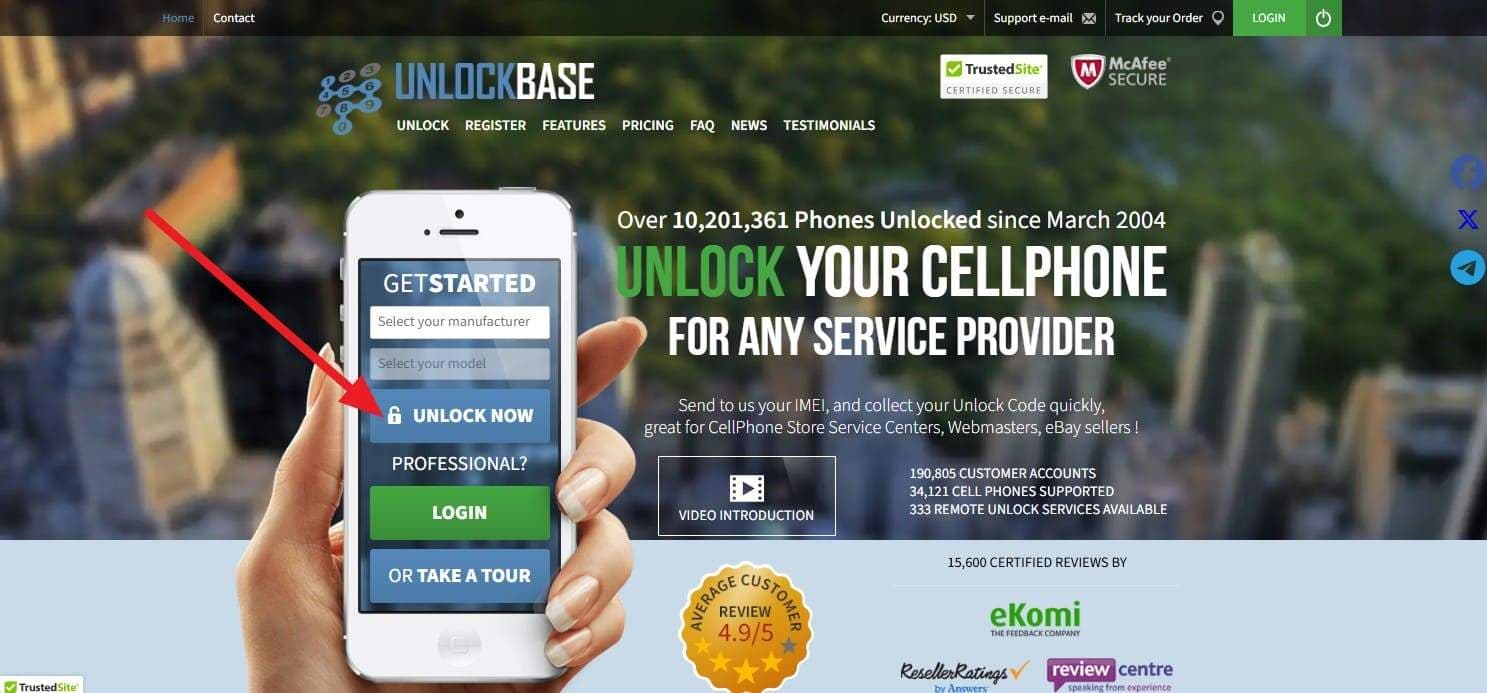
UnlockBase can also cater to the online SIM lock as it supports unlocking for more than 11,500 phone models and 835 network providers. Users can leverage the VIP Price Policy to negotiate and beat any competitor's advertised price. Furthermore, it includes a powerful developer API to help businesses automate their own unlocking services. So, to know how you can use this tool to bypass the SIM lock, follow this guide:
Instructions: Select the manufacturer and model details on the main site and tap the "Unlock Now" button. By doing so, you will receive an email with a unique code and instructions to remotely unlock the SIM lock.
Key Features
- Features a secure user dashboard with order history archived for at least 1 year.
- Most unlocks are performed by entering a simple code; no technical knowledge is needed.
- Corporate accounts can set up sub-accounts for employees with specific access limits.
5. SIM Unlock
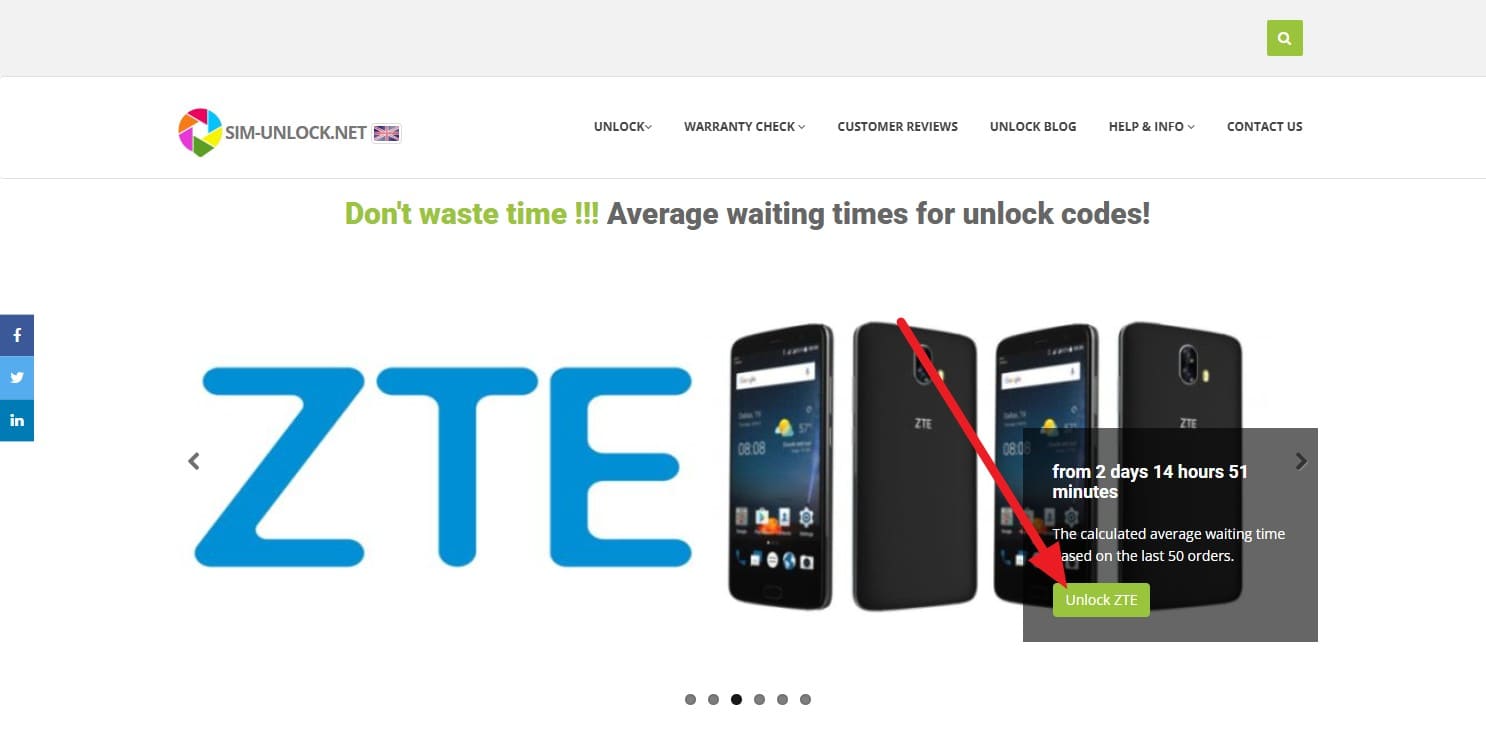
For the seamless SIM unlock online solution, this tool uses a high-speed automated system to deliver unlock codes as quickly as possible. Additionally, it uses manufacturer-recommended methods and provides real-time average wait times based on the last 50 orders for each brand. The entire process is handled by the user via email instructions; no one else needs to touch your device, as guided ahead in detail:
- Step 1. You will need to select your phone's brand, which is currently locked to, from the main interface by choosing the "Unlock (Phone Name)" option.
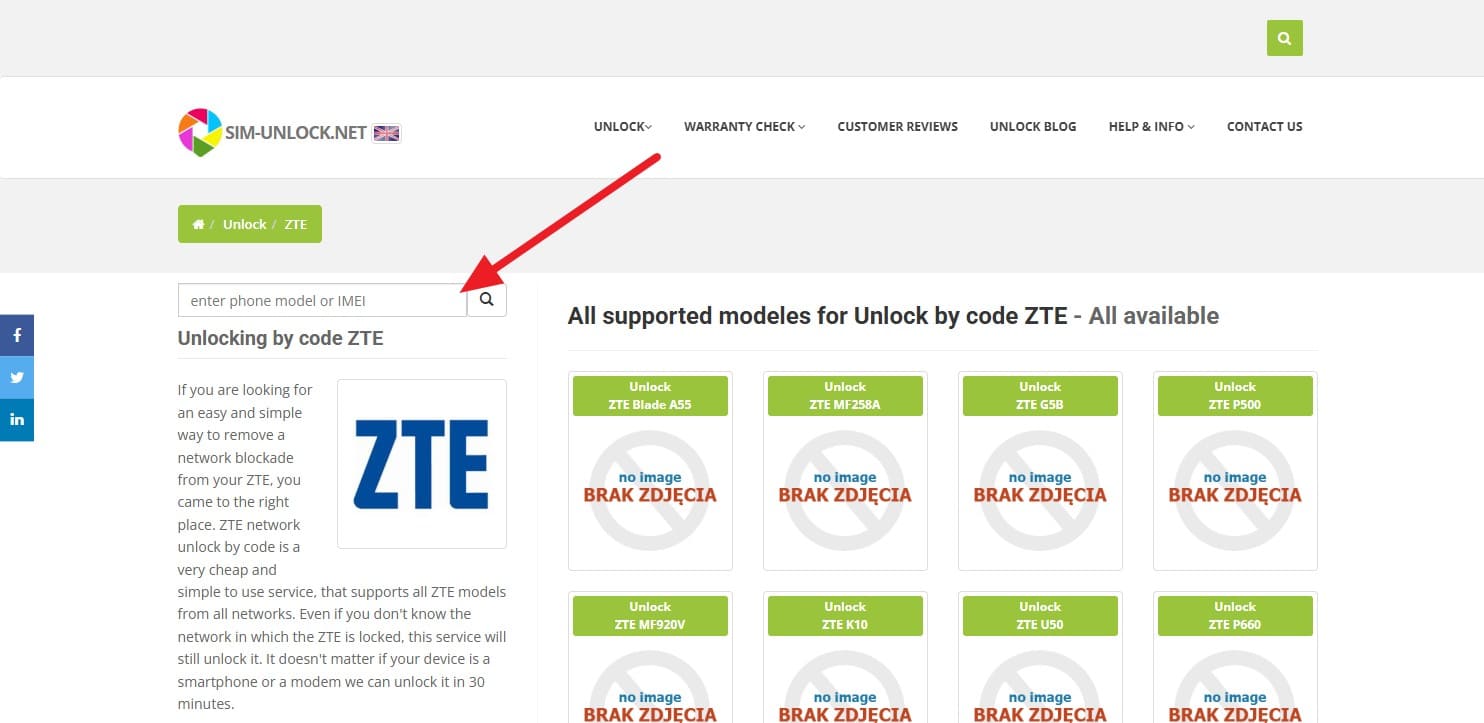
- Step 2. Add your 15-digit IMEI number, and the tool will identify your specific hardware for a legal, permanent unlock. Once processed, the system will send the unlocking instructions and the unique unlock code directly to your email address. You can check the website for real-time "average waiting times" for your specific brand.
Key Features
- Unlocks a wide variety of brands, including niche manufacturers such as Alcatel, BlackBerry, and Lenovo.
- Features a "Trace Order" tool to keep you updated on the progress of your unlock code.
- As an online system, you can request an unlock from any country at any time.
Of all the mentioned ways, if you want to choose a quick and reliable online SIM unlock way, adhere to the comparison table provided below:
Part 3. Comparison: Top Activation Lock Checker Tools at a Glance
With the basics covered, the following table shows how each activation lock checker performs at a glance:
| Metrics | Dr.Fone Online Unlock | Official SIM Unlock | UnlockRiver | UnlockBase | SIM Unlock |
|---|---|---|---|---|---|
| Speed | Fastest | Slow-medium | Medium | Medium | Medium |
| Success Rate | Very high | High | Moderate | Moderate | Moderate |
| Supported Brands | Wide | Limited (by carrier) | Wide | Wide | Wide |
| Ease of Use | Very easy | Moderate | Moderate | Moderate | Moderate |
| Tech Skills Needed | Low | Low-medium | Medium | Medium | Medium |
| Data Safety Focus | Strong | Strong | Varies | Varies | Varies |
| Customer Support | 24/7, guided | Carrier-dependent | Email/ticket | Email/ticket | Email/ticket |
| Works When the Carrier Says No | Often yes | No | Sometimes | Sometimes | Sometimes |
| Overall Convenience | Best | Low-medium | Medium | Medium | Medium |
Dr.Fone Online Unlock stands out as the top choice due to its guided process and clear activation lock results. Besides, it offers the most user-friendly and reliable experience among all the tools compared.
It's evident that Dr.Fone Online Unlock is the ideal SIM lock online removal tool since it's an all-in-one mobile toolkit that prioritizes both security and a high success rate. Unlike standalone sites that may only offer simple code generation, Dr.Fone provides a highly intuitive, guided experience with 24/7 expert support.
Part 3. When to Contact Your Original Carrier Instead
While using the unlock SIM online methods, contact your carrier when your phone is fully paid, or when the contract ends, as most carriers unlock it for free. In this regard, you must meet simple rules, such as a minimum network usage time and a clean account with no fraud or theft record. This method provides a safe, permanent unlock that works on all networks.
Conclusion
In conclusion, many users look for online SIM lock solutions that are secure and easy to use. Thus, this guide has explored 5 simple solutions, with detailed instructions on how to use them. Upon detailed comparison, usage of the Dr.Fone Online Unlock tool is suggested as it offers a detailed guide and doesn't rely on codes and guesswork. Additionally, it delivers instant, reliable results while featuring bank-grade data security.
Verify your device info safelyFAQs
-
Q: How long does an online SIM unlock take?
A: Typically, the process takes only a few minutes to hours, depending on your carrier. However, tools like Dr.Fone Online Unlock ensure the fastest turnaround time of 0-24 hours. It unlocks the SIM lock in simple 2-3 steps, limiting the hassle of waiting for the unlocking code via mail.
-
Q: Will unlocking my phone remove my data?
A: Fortunately, a standard IMEI unlock will never delete your photos, contacts, or any other personal files. Still, to be on the safe side, use the Dr.Fone Online Unlock tool that removes restrictions with high security and 100% local processing.
-
Q: Can a locked phone be unlocked from any country?
A: Yes, online services like Dr.Fone Online Unlock allow you to unlock devices remotely without needing any learning curve. This makes it the best global solution for travelers since they can get detailed reports via email or history to use later.




Daisy Raines
staff Editor
Generally rated4.5(105participated)