
iPhone Battery Yellow Color Explained: Meaning, Causes, & Fix It

Oct 24, 2026 • Filed to: Phone Repair Solutions • Proven solutions
 TL;DR:
A yellow iPhone battery icon means Low Power Mode is currently active to conserve energy by limiting background tasks, typically prompting when the battery drops below 20%.
● Leaving Low Power Mode on permanently is safe and may improve long-term battery health through fewer charge cycles, but it intentionally reduces phone speed and pauses features like iCloud sync, mail fetch, and automatic downloads.
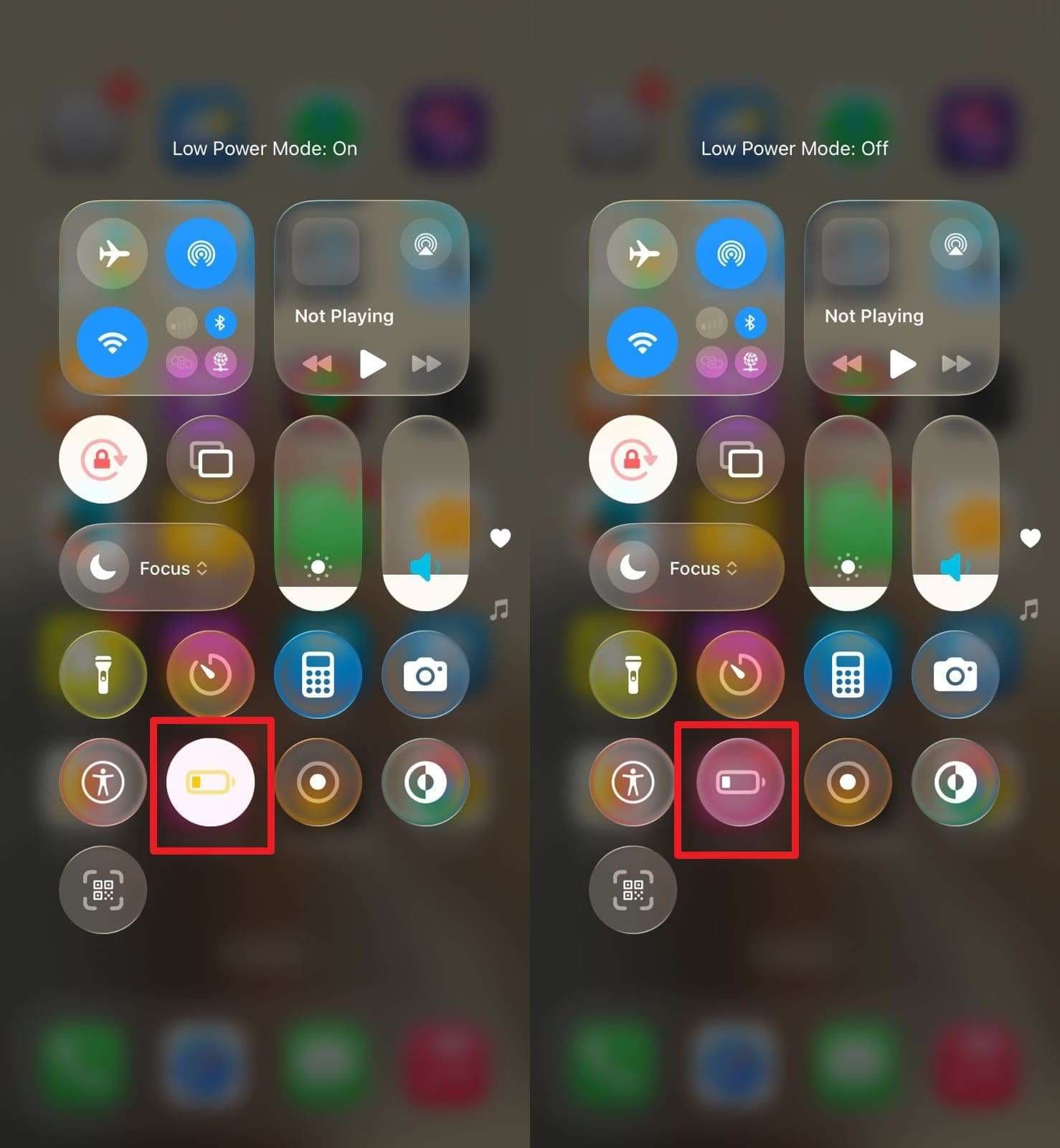
● You can immediately disable the yellow battery state by toggling off Low Power Mode in Settings > Battery or by tapping the corresponding icon in the Control Center.
● If abnormal battery drain forces frequent use of this mode, Dr.Fone - System Repair can resolve the underlying system errors without data loss and is compatible with iOS 26/iPadOS 26 and the iPhone 17 Series.
Ask AI for a summary
 ChatGPT
 Perplexity
 Gemini
 Claude
 Grok
Grok
Your iPhone sits on a desk at the end of a long day, and you unlock it to check a message. Suddenly, the battery bar shows a bright yellow color instead of the usual green, and doubt enters your mind. You wonder if the phone develops a fault or if the battery needs repair soon, since you are unaware of the "Yellow" battery and might be using the iPhone for the first time.
Given this idea, you might want to know why is my iphone battery yellow. This guide explains what does a yellow battery mean on iphone, how to turn it off, and how innovative tools like Dr.Fone - System Repair can fix battery drain issues leading to Low Power Mode.

Part 1. What Does a Yellow Battery Mean on an iPhone?
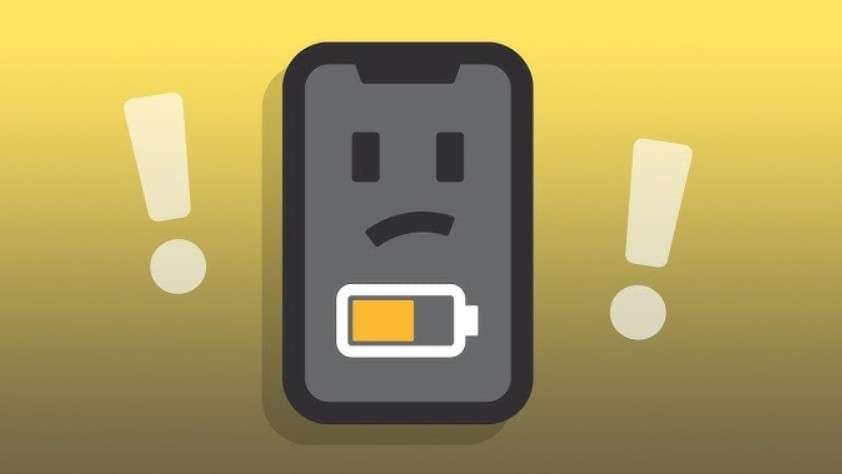
The iphone battery yellow color means Low Power Mode is on, a feature that helps your phone save charge when the battery falls low. Hence, the icon turns yellow to indicate that power save mode is active, rather than the usual green or white. To clarify, this mode may turn on automatically when the battery drops below 20% after a prompt asks whether you want it.
Moreover, Low Power Mode disables additional tasks, such as mail fetch, app refreshes, and visual effects, to conserve energy. It may also reduce phone speed and dim the screen to extend battery life.
Understanding iPhone Battery Colors (Quick Overview)
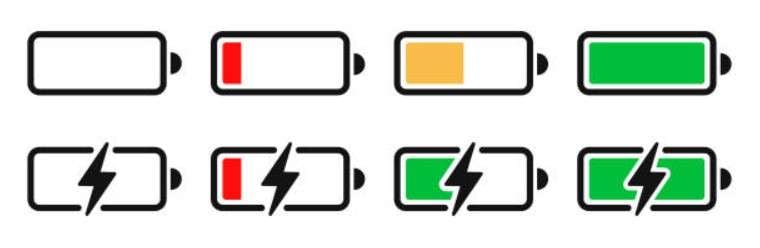
To know how the yellow color iphone battery differs from other shades like white or green, review the given differences in the table:
| Battery Color | What It Means | What You Should Do |
|---|---|---|
| Green | Normal battery level or charging. | Keep using normally; unplug if fully charged. |
| Yellow | Low Power Mode is turned on. | Optionally turn Low Power Mode off or charge your iPhone. |
| Red | The battery is critically low (under ~20%). | Plug in to charge as soon as possible. |
| Flashing Red | Very low charge or potential charging issue. | Check your cable/adapter and charge immediately. |
Pro Tip. Resolve iOS Problems and Battery Mode Glitches Using Dr.Fone
Now that you know why is iphone battery yellow but still facing charging or battery drain issues, use Dr.Fone - System Repair. This tool is designed to repair 150+ iOS system issues like battery drain, iPhone won't turn on, or is stuck at the Apple logo. Besides, it is compatible with iOS 26/iPadOS 26 and iPhone 17 Series and addresses iOS battery issues without requiring a learning curve.
Furthermore, users can use it to enter the Recovery mode for free and seek detailed guidance, since the steps are fully guided. While offering you detailed instructions, the usage of this tool is also seamless because of its intuitive interface. Hence, making it an ideal option for all types of users, you can use it to reset your iPhone without a passcode/iTunes/Finder, a versatile tool you need.

Dr.Fone - System Repair (iOS)
Repair iOS System Errors Without data loss.
- Only fix your iOS to normal, no data loss at all.
- Fix various iOS system issues stuck in recovery mode, white Apple logo, black screen, looping on start, etc.
- Upgrade and Downgrade iOS without iTunes at all.
- Work for all iPhone/iPad/iPod Touch, running on all iOS versions


How to Resolve Battery Drain or Battery Issues with Dr.Fone
While learning why is my iphone battery yellow despite charging or why the battery is draining so quickly, understand how Dr.Fone deals with this issue via the given steps:
- Step 1. Access the iOS System Repair Tool
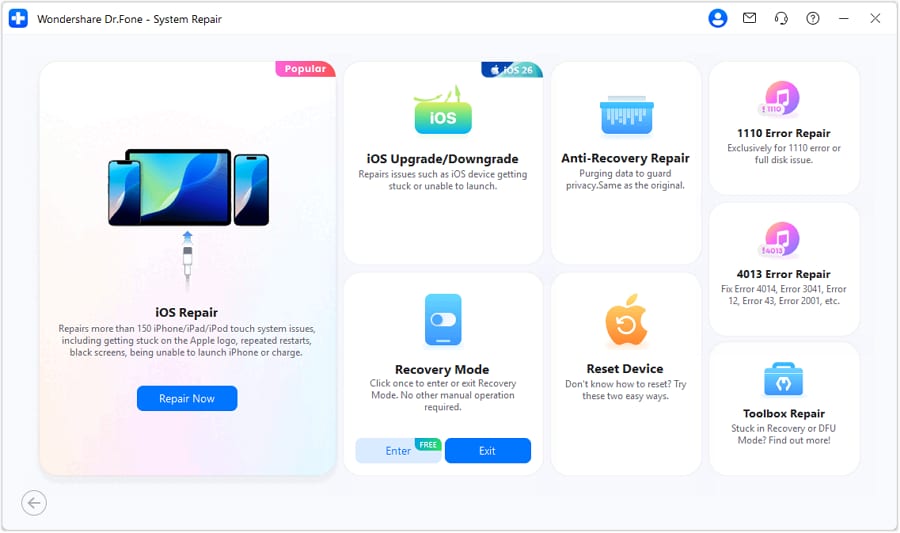
Choose the "iPhone" as the device type for the System Repair tool and pick the "iOS Repair" option on the new interface.
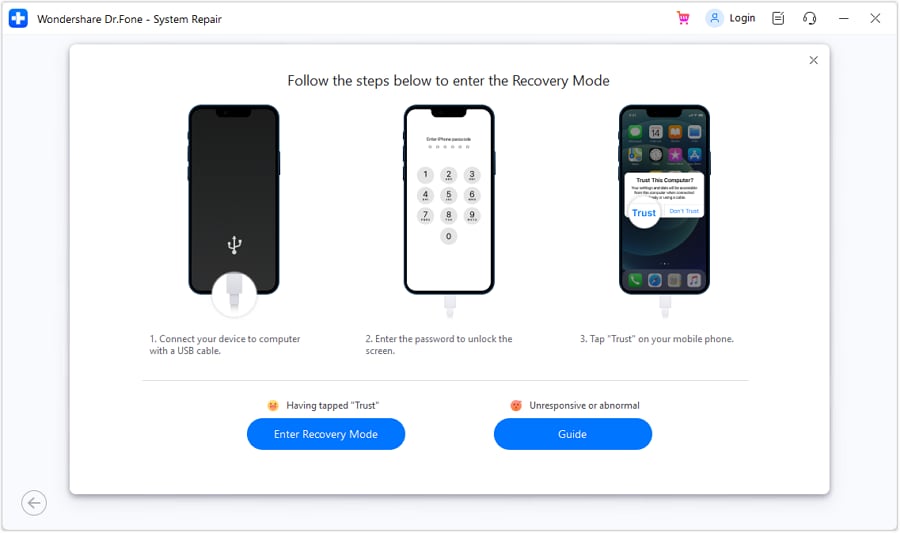
- Step 2. Choose the Standard Mode and Enter the Recovery Mode
Opt for the "Standard Mode" and click the "Enter Recovery Mode" button to continue. If you need guidance on accessing Recovery mode, press the "Guide" option.
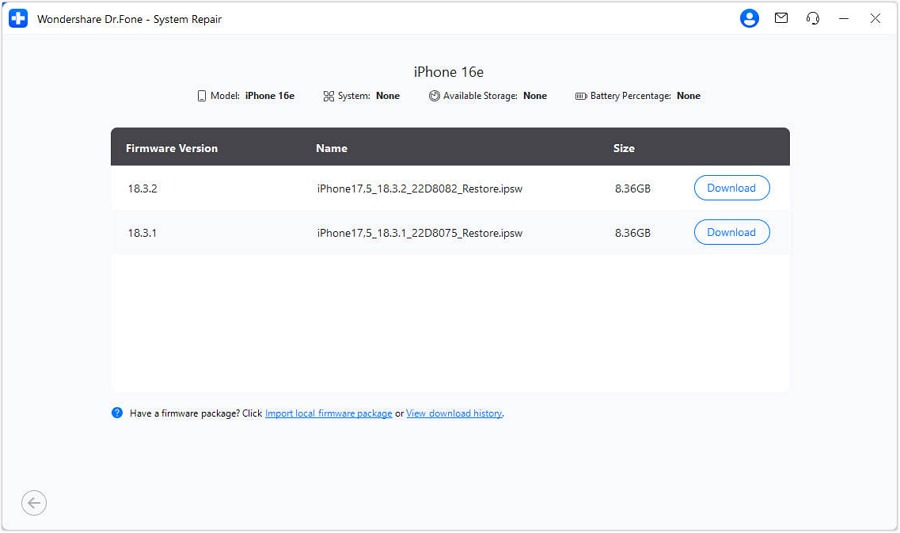
- Step 3. Download and Verify the iOS Firmware
After the tool detects the iOS firmware, select the "Download" button to start the firmware installation.
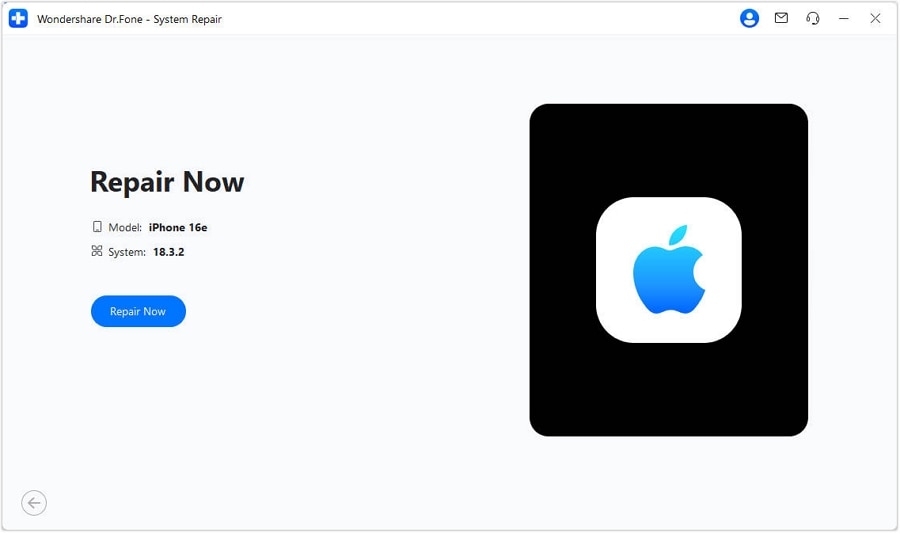
- Step 4. Continue to Repair the iOS Battery Issue
Once downloaded and verified, pick the "Repair Now" button to let the tool fix the iOS battery issue.
 safe & secure
4,624,541 people have downloaded it
Part 2. Is It Fine to Keep Low Power Mode Enabled Always?
Now that you know what does a yellow battery mean on an iphone, note that Low Power Mode is safe to use all the time. It does not harm the iPhone battery, and this mode reduces power consumption and stops unnecessary tasks, which can help the battery's health last longer. In some cases, fewer charge cycles may support better long-term life.

However, there are trade-offs if you keep it on forever. You may lose features like app refresh, auto downloads, iCloud sync, and full phone speed. Besides, the phone may feel less smooth, and updates may show up late. It works for older phones or when there's no charger available, but for full speed and fresh updates, it is best to use the mode only when needed.
How to Turn Off the Yellow Battery Icon - Simple Guide
So, if you're afraid that the iphone battery yellow bar can harm your phone, here is how you can turn it off:
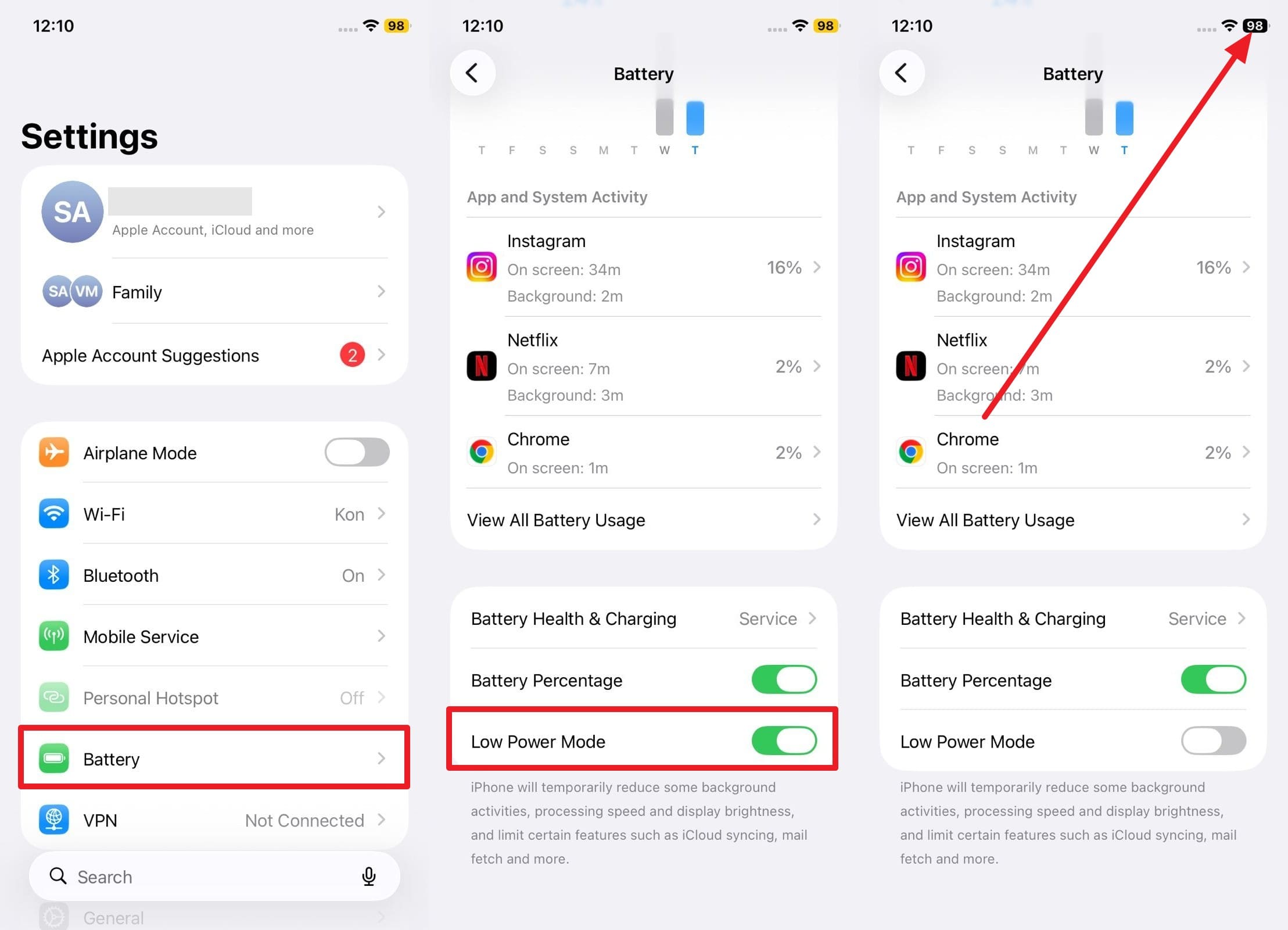
From Settings
Instructions: Select the "Battery" option in Settings, then scroll down in the new interface to toggle off "Low Power Mode."
From Control Center
Instructions: Swipe down from the Control Center and press the "Low Power Mode" next to the screen recorder icon to disable it.
Part 3. 5 Tips to Prevent Yellow Battery Mode Frequently
To reduce how often the yellow battery icon appears on your iPhone, consider these 5 helpful tips:
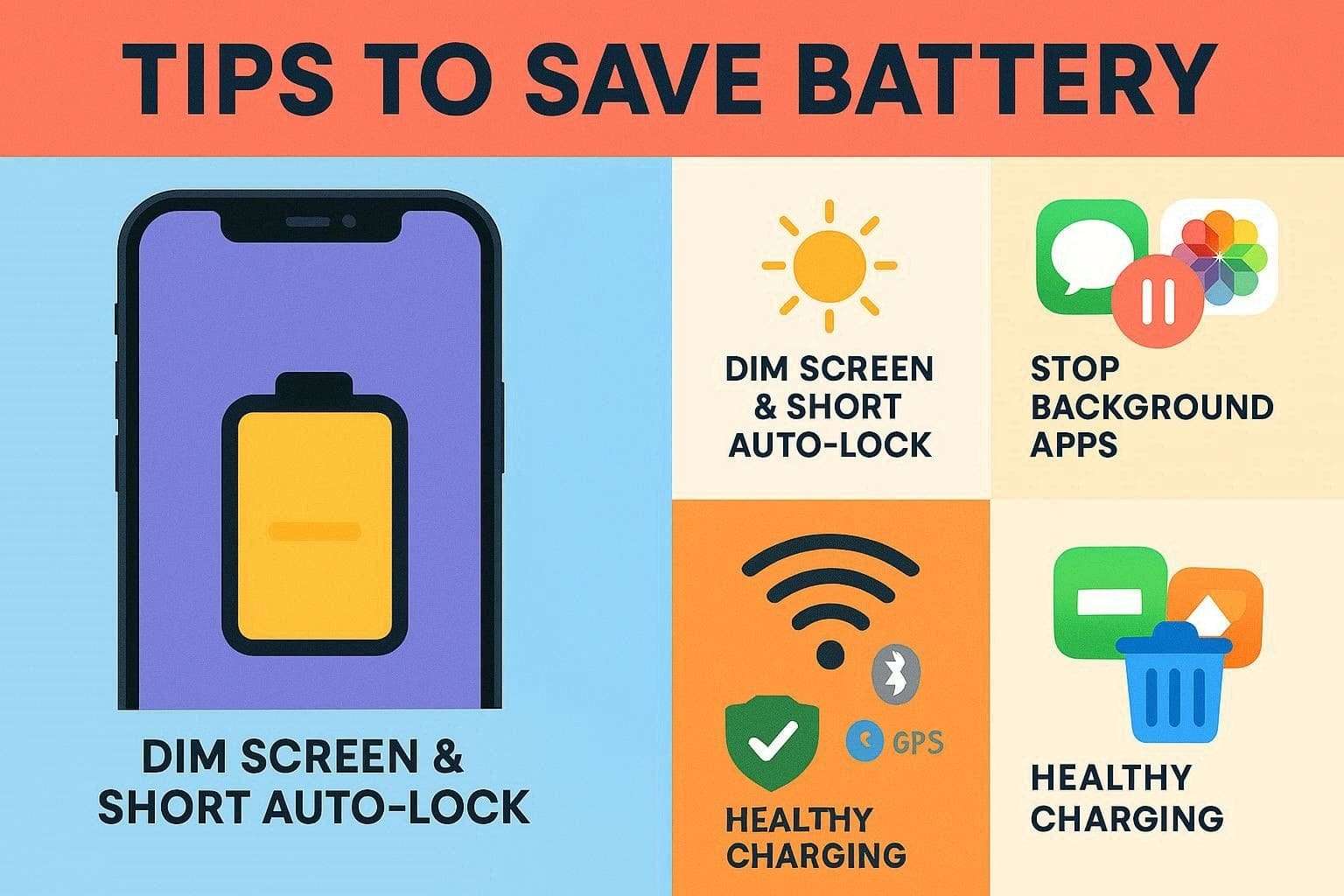
- Turn Off Screen Brightness & Auto-Lock: The screen uses the most battery, so keep brightness low in Control Center and avoid full brightness unless necessary. Moreover, adjust the auto-lock to a short time, say 30 seconds, to ensure that the phone goes off more often when it is not in use.
- Background Activity Control: Background apps can still consume power even when closed, so turn off Background App Refresh for unnecessary apps to save battery each day. Also, limit auto downloads, turn off alerts, and Lock Screen Live Activities so background tasks do not use up the battery.
- Control Connection Intelligently: Wi-Fi uses less energy than mobile information or 5G, so remain on Wi-Fi when there is a stable network, and it is ready to use at any place. Additionally, switch off Bluetooth, Personal Hotspot, or GPS-sensitive apps when you are not using them because every extra radio chip is using energy even when it is not in use.
- Optimize Charging & Battery Health: Turn on Optimized Battery Charging in Settings > Battery > Battery Health and Charging to help the phone conserve battery life and maintain peak health. Besides, one should never use non-trusted Apple chargers and cables, as this way the battery will get clean power and will not be ruined by cheap materials.
- Locate & Uninstall Battery-Hogging Apps: In Settings, go to Battery and then Battery Usage to find out which apps consume the most energy, and act right now when anything there looks excessive. Moreover, delete heavy apps, limit their usage, or switch to lighter alternatives, and update iOS regularly for better battery life.
Conclusion
To sum up, this detailed article has explained why the battery color on the iphone is yellow and whether it is safe to keep it for a long time. Moreover, some tips are provided to help avoid needing to access Low Power mode in the future. Still, if you experience frequent battery drain and use Low Power Mode, using Dr.Fone - System Repair is recommended, as the tool can fix 150+ iOS issues.
safe & secure4,624,541 people have downloaded it
FAQs
 1.
Does a yellow battery mean my iPhone is broken?2.
Will a yellow battery stop my apps from working?3.
Does Low Power Mode affect phone speed?4.
Does the yellow battery drain slower than the green?
1.
Does a yellow battery mean my iPhone is broken?2.
Will a yellow battery stop my apps from working?3.
Does Low Power Mode affect phone speed?4.
Does the yellow battery drain slower than the green?


iPhone Issues
- iPhone Storage Full
- 1. Stuck on Apple Logo Storage Full
- 2. Erase Content Settings not Working
- 3. iPhone Lagging
- 4. iPhone Running Slow
- iPhone Update Problems
- 1. Stuck on Updating iCloud Settings
- 2. iPhone Frozen During iOS Update
- 3. iPhone Checking for Update Stuck
- 4. iPhone Cellular Update Failed
- 5. iPhone Software Update Failed
- 6. iPhone Stuck on Update Requested
- 7. iPhone Update Error 1110
- 8. iPhone is Findable and Won’t Turn On
- 9. iPhone Won't Update
- 10. Update Server Couldn't Be Contacted
- 8. iPhone & iPad Security Updates
- 9. Update iPhone with/without iTunes
- 10. Can't Download or Update Apps
- iPhone Media Problems
- 1. Apple Music Song Not Available
- 2. iPhone Not Ringing
- 3. iPhone Echo Problem
- 4. iPhone Ringer Problems
- 5. iPhone Plays Music by Itself
- 6. Ringer Volume Changes by Itself
- 7. Music Won't Play on iPhone
- 8. Blurry Photos & Videos on iPhone
- 9. iPhone Volume Problems
- iPhone Sound Problems
- 1. YouTube no Sound
- 2. iPhone Microphone Problem
- 3. Test iPhone Microphone
- 4. Headphones No Sound from iPhone
- 5. No Sound on iPhone Game
- 6. iPhone Sound Not Working
- 7. iPhone Screen Recording no Sound
- iPhone Calling Problems
- 1. iPhone No Sound on Calls
- 2. Screen Goes Black During Call
- 3. iPhone Recent Calls Not Showing
- 4. iPhone Dropping Calls Issue
- 5. iPhone Calling Problem
- iPhone Camera Problems
- 1. iPhone Camera Black
- 2. iPhone Camera Blurry
- 3. iPhone Camera Not Working
- 4. iPhone Front Camera Not Working
- 5. TrueDepth Camera Not Working
- 6.Out-of-Focus Photos on iPhone 15
- iPhone Network Problems
- 1. Airpods Won't Connect to iPhone
- 2. iPhone Disabled Connect to iTunes
- 3. iPhone Not Syncing Problems
- 4. iPhone Internet Not Working
- 5. iPhone Keep Disconnecting from Wifi
- 6. iPhone WIFI Not Working
- 7. PC Not Recognizing iPhone
- 8. iPhone Stuck on Connect to iTunes
- 9. iPhone Not Showing up in iTunes
- 10. iTunes Not Detecting Your iPhone
- 11. iPhone Bluetooth Disconnect
- 12.Apple CarPlay Keeps Disconnecting
- iPhone Screen Problems
- 1. White Spots in iPhone Screen
- 2. iPhone Bleeding Screen
- 3. Turn Off iPhone When Frozen
- 4. Fix Orange Dot on iPhone
- 5. iPhone Green Screen Flickering
- 6. Green Lines in iPhone Screen
- Other iPhone Problems
- ● Manage/transfer/recover data
- ● Unlock screen/activate/FRP lock
- ● Fix most iOS and Android issues
- Free Download Free Download Free Download


 > How-to > Phone Repair Solutions > iPhone Battery Yellow Color Explained: Meaning, Causes, & Fix It
James Davis
staff Editor
Generally rated4.5(105participated)