

How to Locate a Phone Number on Google Maps: What's Possible in 2025

Sep 22, 2026 • Filed to: Virtual Location Solutions • Proven solutions
 TL;DR:
Google Maps cannot locate a personal device using a phone number because the platform tracks locations through signed-in Google accounts and voluntary user consent rather than mobile carrier networks.
● To view a live location, you must use Google Maps Location Sharing or Find My Device, which strictly require the target phone to have internet access, enabled location services, and prior permission.
● Searching a phone number directly in the app will only return public business listings, and tracking past routes requires access to the device's Google Timeline.
● Users needing to test location-based app behavior can use Dr.Fone - Virtual Location via Windows or Mac to temporarily change their own iOS or Android GPS coordinates, as the tool does not track other devices.
Ask AI for a summary
 ChatGPT
 Perplexity
 Gemini
 Claude
 Grok
Grok
Google Maps isn’t shy about showing locations. Restaurants, clinics, taxis, and even a tiny bakery you visited once. So when you paste a phone number in and get nothing back, it feels wrong.
That “blank result” is usually the moment people start chasing sketchy lookup sites, extensions, or “tracking” apps that promise a pin in seconds. Most of them don’t work. A few are worse than useless.
This guide breaks down what Google Maps can genuinely do, what it will never do, and the safe ways people actually use to locate a phone number on Google Maps when a device goes missing. Along the way, you’ll see why searches like locate a phone number on Google Maps are usually a dead end and what to do instead.
- Part 1. What Google Maps Can (and Can’t) Do with a Phone Number
- 1.1 Why Phone Numbers Don’t Auto-Appear on Maps
- 1.2 Can You Find a Person’s Location by Phone Number?
- 1.3 What You Can Actually Use Google Maps For
- Part 2. Why Google Uses Accounts Instead of Phone Numbers

- Part 3. When You Need to Change Your Own Location on Google Maps
Part 1. What Google Maps Can (and Can’t) Do with a Phone Number
Google Maps looks powerful, but it has clear limits. One of them is phone numbers.
You can’t paste a personal number into Maps and expect a location to appear. The app simply doesn’t work that way. That’s why searches like find phone number location " on Google Maps often lead to random listings or services that Google itself avoids.
1.1 Why Phone Numbers Don’t Auto-Appear on Maps
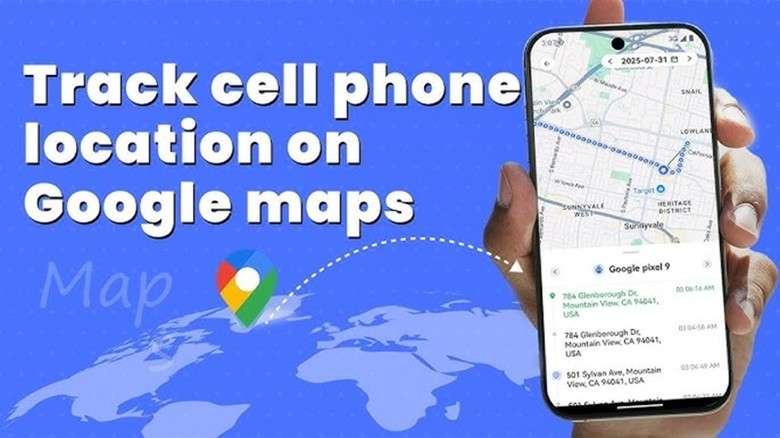
Phone numbers aren’t tied to GPS coordinates in any public database. Carriers don’t share real-time locations with Google, and Google doesn’t scan mobile networks for signals. So even if you search “find cell phone location on Google Maps”, the system has nothing to match it with unless the phone is logged into a Google account and sharing its own location voluntarily.
That’s why, when you search for a number on Google, you’ll usually see a shop or restaurant pop up. They’ve listed their details online. A personal phone number isn’t tied to any map entry, so nothing shows.
1.2 Can You Find a Person’s Location by Phone Number?
This is the question most people are really asking, even if Google can’t do it directly.
There is no built-in way to find a person’s live location using only their phone number in Google Maps. A number by itself doesn’t transmit GPS data, and Google has no access to carrier-level tracking.
Here are the only situations where a phone number helps indirectly:
- The person taps a location-sharing link sent to their phone
- The number is used to invite someone into Google Maps Location Sharing
- The phone is linked to an account you already have access to
- The person opens a map request and allows location access in their browser
In every case, the location comes from the device, not the number.
That’s why tools claiming to “find a person’s location by phone number instantly” only work when the person cooperates. Without that step, the number alone leads nowhere.
1.3 What You Can Actually Use Google Maps For
Even if you can’t search the mobile number location on Google Maps directly, you can still find:
- Your phone’s last known position
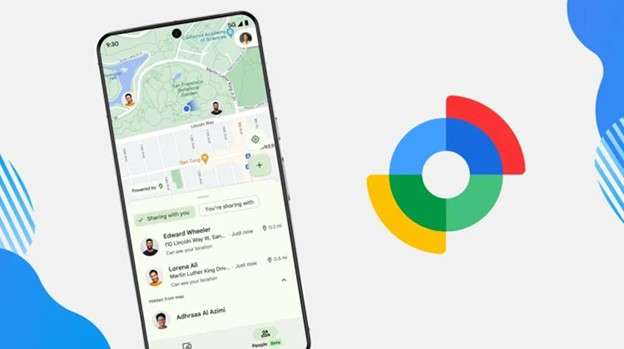
- Real-time location of someone who has shared it
- Movement history through Google Timeline
- Connected devices using Find My Device
These functions are the backbone of the “Google can track phones” idea, but none of them rely on entering a phone number.
Part 2. Why Google Uses Accounts Instead of Phone Numbers
Google locates phones by the account signed in to the device, not by the phone number. This is where most confusion begins. When users search terms like Google Maps cell phone location, they usually land on Google’s own tools, which work only with prior permission.
2.1 Location Sharing in Google Maps
Location Sharing is the closest thing Google offers to live tracking. When someone shares their location, their phone appears on the map with real-time movement updates. It feels simple because there is no searching or number entry involved.
It works only while:
- The phone has internet access
- Location services are enabled
- Sharing has not expired
This is consent-based tracking, not number-based tracking.
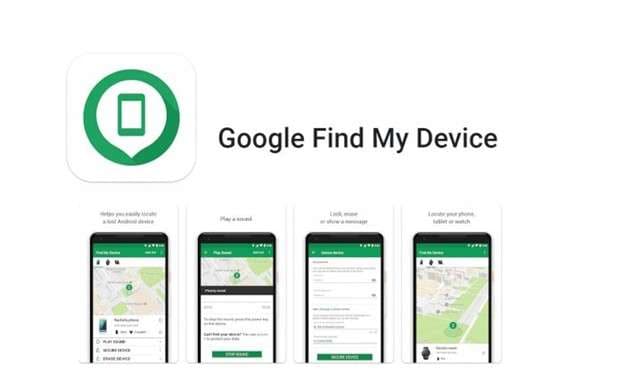
2.2 Find My Device for Lost Phones
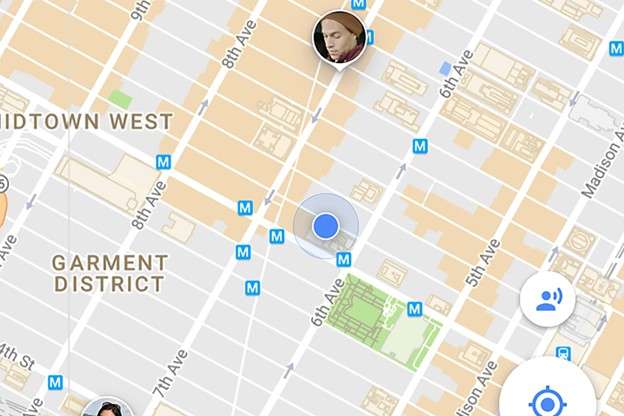
When users search for my phone on Google Maps, Google often directs them here. After signing into the correct Google account, you can:
- See the phone on a map
- Ring it
- Lock it remotely
What you cannot do is enter someone else’s number and get the same result. Google does not work backward from digits.
Part 3. When You Need to Change Your Own Location on Google Maps
If a phone number is not linked to your account and you do not share location access, tracking ends. Google Maps does not provide a way around this.
What you can control is your own device location. Google Maps and many apps rely on the GPS signal your phone sends. For route testing, map previews, or location-based app behaviour, some users change their device location instead of trying to track others.
Dr.Fone - Virtual Location(iOS/Android) supports this use case. It does not act as a phone number tracker with Google Maps and does not locate other devices. It temporarily sets a virtual GPS location on your phone, which Google Maps reads until the location is reset.
This method is commonly used to test Google Maps cell phone location behaviour without modifying system settings.

Dr.Fone - Virtual Location
1-Click Location Changer for both iOS and Android
- Teleport from one location to another across the world from the comfort of your home.
- With just a few selections on your computer, you can make members of your circle believe you’re anywhere you want.
- Stimulate and imitate movement and set the speed and stops you take along the way.
- Compatible with both iOS and Android systems.
- Work with location-based apps, like Pokemon Go, Snapchat, Instagram, Facebook, etc.


Step 1. Install and Open Virtual Location
Download Dr.Fone from Wondershare’s official website and open the Virtual Location tool from the main screen.
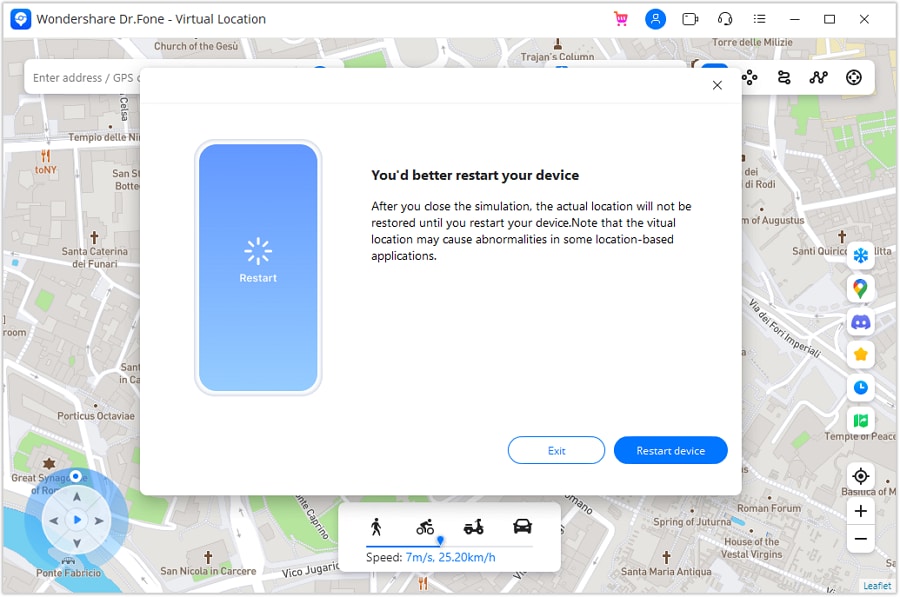
Step 2. Activate Teleport Mode
Connect your phone to the computer. When the map loads, select Teleport Mode from the top-right to choose a new location.
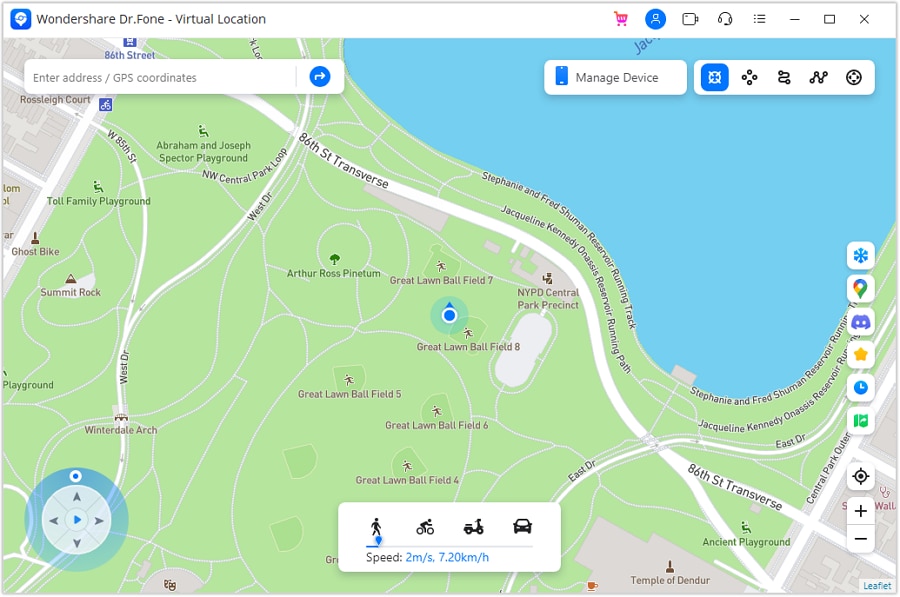
Step 3. Choose a Location
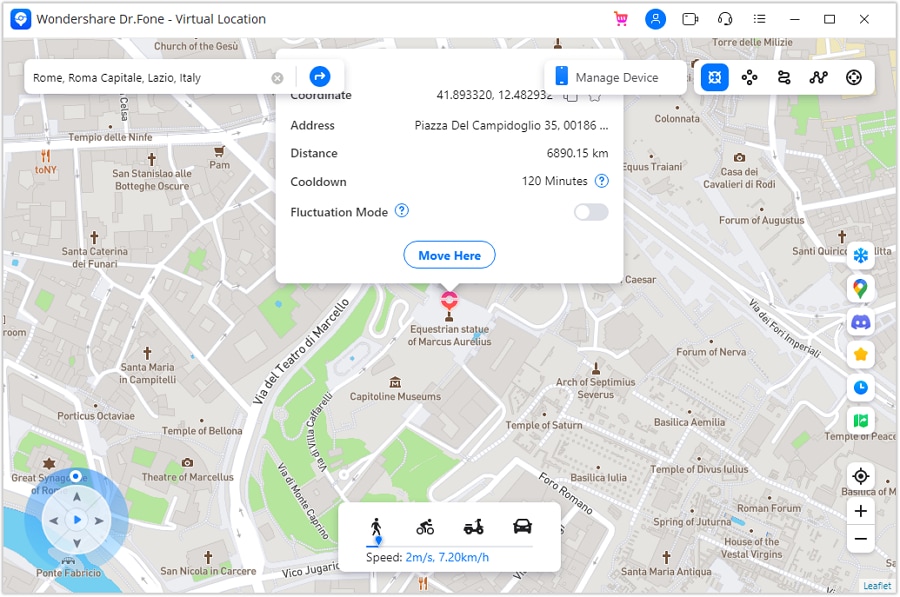
Use the search bar to enter the city or area you want to test. The map will load the selected region. If needed, reset your current pin using the location icon on the right.
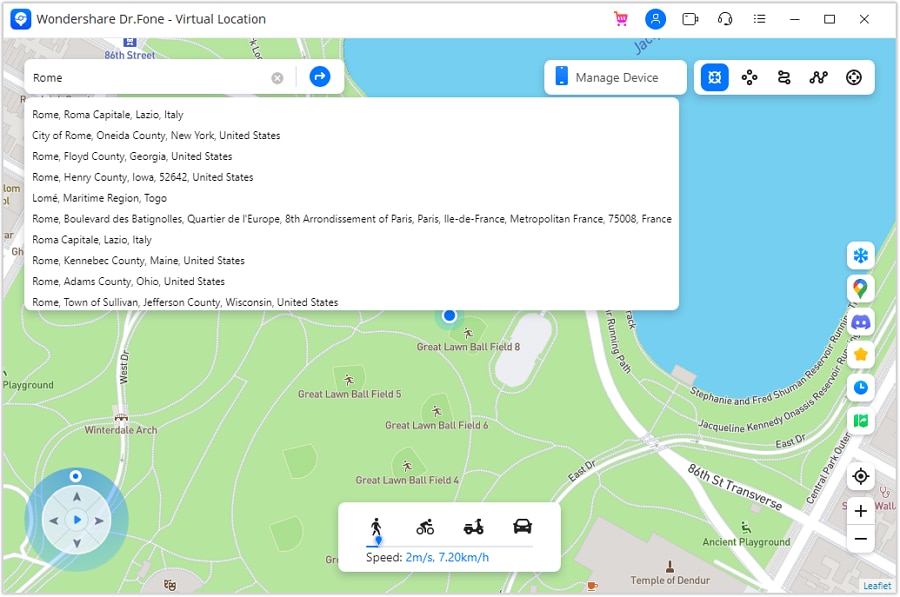
Step 4. Confirm the Move
Click Move Here to apply the change. The phone’s location updates right away.
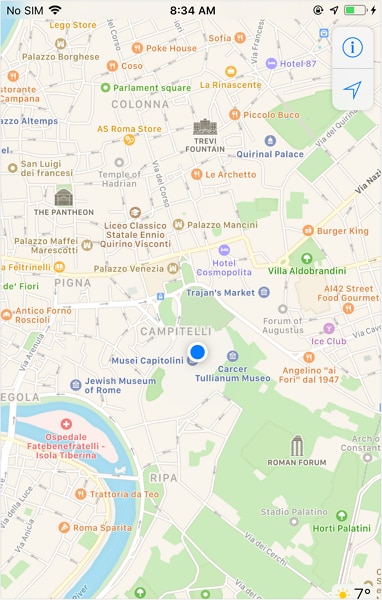
Step 5. Verify on Your Device
Open a map or Instagram on the phone and confirm the location has changed.
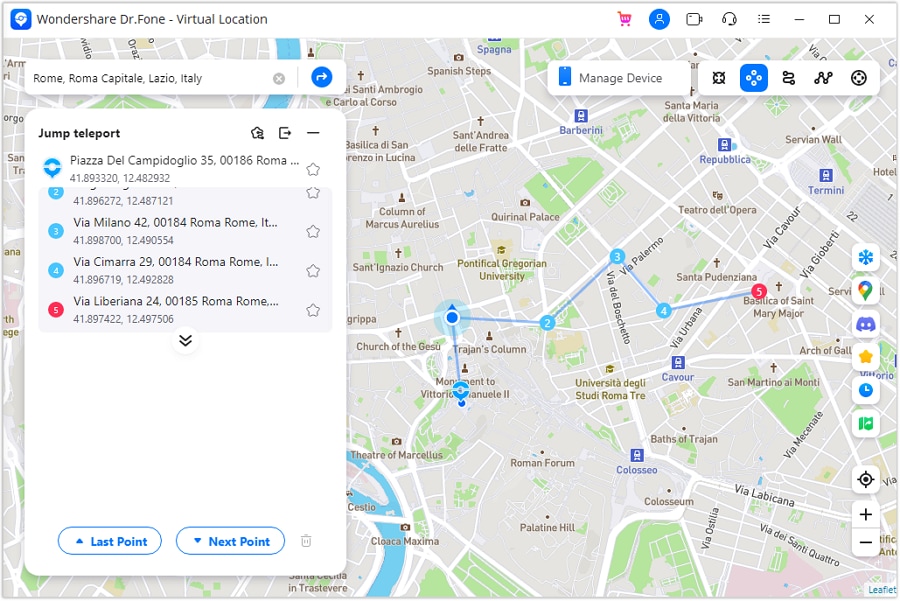
Jump Teleport Mode for Simulated Movement
If you want to test gradual movement instead of a fixed spot, Dr.Fone also offers a movement mode. This lets your GPS shift between multiple points, simulating travel through different areas. It’s useful for testing how Instagram responds to changing location signals over time.
It’s useful when the real question is whether visibility is affected by geography rather than privacy.
Conclusion
Google Maps isn’t built to locate a phone number on Google Maps, and that doesn’t change in 2025. It works through accounts, device permissions, and shared access, but it doesn’t work by turning numbers into locations.
Once you rely on the right tools, it is easier for you to manage things. Google handles device location when access exists, and when data matters more than the map, backing it up with Dr.Fone keeps you covered. The solution isn’t tracking every number but knowing what actually works and using it before problems pile up.
 safe & secure
4,624,541 people have downloaded it
FAQs
 Q1. Is there a quick way to use Google Maps to find my own phone?Q2. Can I see a caller’s exact position by searching their number on Google Maps?Q3. Is Google Earth better than Maps for locating a phone?Q4. How accurate is Google’s location history for my phone?
You Might Also Like

Virtual Location
- Change iOS Location
- 1. Best iOS Location Changers
- 2. Fake iPhone GPS Location
- 3. Change iPhone Home Address
- 4. Change iPad Weather Location
- 5. Track a Cell Phone Location
- 6. iPhone GPS not Working
- 7. iPhone “No Location Found”
- 8. iPhone “Location Not Available”
- 9. iTools Alternatives
- 10. DoPokeGo++ Alternatives
- 11. 3uTools Alternatives
- 12. Foneazy MockGo Alternatives
- 13. "No Location Found" Vs."Location Not Available"
- Change Android Location
- 1. Best Android Fake GPS Apps
- 2. Free Android Location Spoofers
- 3. Fake Android GPS Location
- 4. Android Location Settings
- 5. Fake GPS No Root
- 6. Fake GPS on Huawei
- 7. Fake GPS without Mock Location
- Hide GPS Location
- 1. Stop Sharing Location without Notifying
- 2. Fake Location on Find My Friends
- 3. Stop Google Tracking Your Location
- 4. Fake Location on Google Maps
- 5. Spoof Location on Life360
- 6. Turn Off Life 360 Without Knowing
- 7. Stop Life360 from Tracking You
- 8. Life360 Circle: Tips & Tricks
- 9. Track Location by Mobile Number
- 10. How Do I Know If My Phone Is Being Monitored
- 11. Can Life360 Track You When Your Phone is Off
- Fake GPS on Games
- 1. Play Pokémon Go Without Moving
- 2. Celebrate National Pokémon Day
- 3. Fake GPS on Mobile Legends
- 4. Spoof Ingress Prime Location
- 5. Spoof Location on Jurassic World Alive
- Fake Location on Social Apps
- 1. Fake Location on Whatsapp
- 2. Fake Location on Facebook
- 3. Fake Location on Telegram
- 4. Fake Location on Tiktok
- 5. Does Your Snap Score Increase with Chats
- 6. Fake Location on Snapchat
- 7. Add Location Filters on Snapchat
- 8. Change Location on Twitter
- 9. Change Instagram Business Location
- 10. Change Instagram Region/Country
- 11. Stop mSpy from Spying You
- 12. Change Location On Linkedin
- Fake Location on Dating Apps
- 1. Fake Hinge GPS
- 2. Top Funny Hinge Prompts
- 3. Apps Like Tinder
- 4. Enjoy Tinder Gold
- 5. Fake Tinder GPS
- 6.Tinder Keeps Crashing
- 7. Find People on Tinder
- 8. Use Grindr on a PC
- 9. Grindr Web app explained
- 10. Fake Grindr GPS
- 11. Grindr Unable to Refresh
- 12. Fake Bumble GPS
- 13. Bumble Snooze Mode Guide
- 14. Tinder vs Bumble vs Hinge
- Get Around Geo-blocking
- 1. Hola Fake GPS Alternative
- 2. Change Netflix Location
- 3. Bypass MLB TV
- 4. Change Location on YouTube TV
- 5. Change Play Store Country
- 6. Change Facebook Marketplace Location
- Followers & Unfollowers Trackers
- Location & Social Apps Tips
- 1. How to Share Live Location on Snapchat
- 2. Best Mobile Number Tracker
- 3. Best Private IG Viewer Tools
- 4. View a Private Instagram Account
- 5. Screenshot on Instagram Without Them Knowing
- 6. Does Instagram Notify When You Screenshot
- 7. Find Out If Someone Screenshots Your Instagram Story
- 8. Does Instagram Notify When You Screen Record
- 9. Fix iPhone Location Not Updating
- 10. Does Snapchat Show Who Viewed Your Profile
- ● Teleport GPS location to anywhere
- ● Play AR games without moving
- ● Spoof Location on the popular Apps
- Free Download Free Download Free Download


 > How-to > Virtual Location Solutions > How to Locate a Phone Number on Google Maps: What's Possible in 2025
James Davis
staff Editor