

How to View a Private Instagram Account: What Works and What Doesn't

Sep 22, 2026 • Filed to: Virtual Location Solutions • Proven solutions
 TL;DR:
You cannot view a private Instagram account's hidden posts without an approved follow request; any third-party "viewer" websites promising instant access are ineffective and cannot bypass platform privacy restrictions.
● To maximize approval odds, optimize your account with a real profile photo and bio before sending a single follow request, as empty burner accounts or repeated follow-unfollow cycles typically result in ignored requests or account restrictions.
● If your goal is identity verification rather than viewing the feed, look for the user's public cross-posts on other social platforms, check visible bio links, or ask mutual connections for reshared content.
● Desktop tools like Dr.Fone - Virtual Location (iOS/Android) can simulate GPS coordinates via Teleport Mode to test regional search visibility and recommendations, but altering your location strictly will not unlock restricted media.
Ask AI for a summary
 ChatGPT
 Perplexity
 Gemini
 Claude
 Grok
Grok
You land on an Instagram profile and can’t see anything beyond the name, bio, and profile photo. The posts are hidden, and the account is private. For some people, it’s an ex-colleague. For others, it’s a seller, a new contact, or an account that suddenly changed settings. Either way, the next step is usually a search for how to view Instagram private profiles.
Most results make it sound easy. They push “viewer” sites, quick tricks, and anonymous tools that don’t match how Instagram privacy works. This post focuses on the methods that are actually available, the ones that waste time, and the situations where the answer is simply “you can’t” unless the account owner approves access.
- Part 1. Can You View a Private Instagram Account?
- Part 2. How to View a Private Instagram Account (What Actually Works)
- 1. Send a follow request the right way
- 2. See what Instagram still shows you without access
- 3. Look for public reposts and cross-posts
- 4. Use mutual connections as the reality filter
- 5. Be careful with “private viewer” sites and anonymous tools
- Part 3. Does Changing Location Affect What You See on Instagram?

Part 1. Can You View a Private Instagram Account?
Yes, but only in minimal ways.
When an Instagram account is private, its content is fully restricted. Posts, stories, videos, and highlights are available only to approved followers. If you are not accepted, the content does not load at all. Instagram does not partially reveal private posts or previews.
What often causes confusion is the surface information that remains visible. A profile photo, bio, username, and sometimes follower numbers can still be seen. This makes it feel like the content is accessible with the right tool. In reality, Instagram does not deliver private content unless the account owner approves access.
Where Access Is Possible vs Not Possible
|
Situation |
What Actually Happens |
| Follow request is accepted | You gain full access through Instagram |
| Content is shared publicly elsewhere | You see a copy, not the private profile |
| A mutual follower shows the content | Access comes from the mutual, not the account |
| Entering a username into a tool | No access is granted |
| Using “private viewer” websites | No private content is retrieved |
| Anonymous or instant access claims | Do not align with Instagram privacy |
Part 2. How to View a Private Instagram Account (What Actually Works)
If you’re trying to see private Instagram profile content, it helps to start with the obvious question people skip: Are you trying to view the account’s posts, or are you trying to confirm who the account is and whether it’s legit?
That distinction matters more than it sounds. A private setting blocks content, but it doesn’t erase identity. Instagram still leaves certain surface details visible by design. Because of that, the realistic options fall into different paths. Some can lead to actual access. Others only help you confirm details, reduce risk, or decide whether access is even worth pursuing.
1. Send a follow request the right way
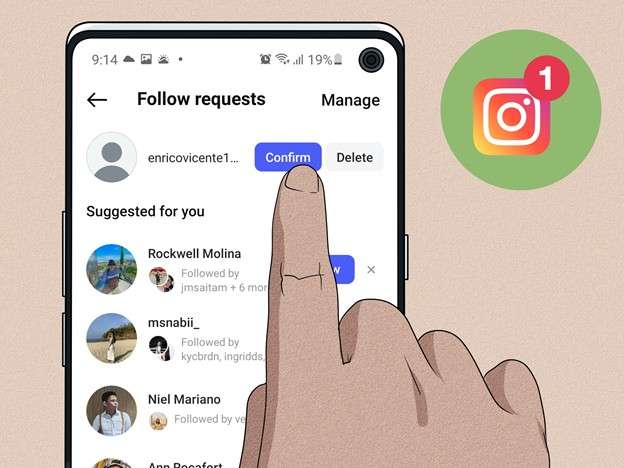
This is still the only direct answer to see a private Instagram account through Instagram itself. If you want your request to be accepted, the small details matter more than people think. Check your profile first. If your account looks empty, anonymous, or spammy, most private users ignore it. A normal profile photo, a short bio, and a few posts make the request look like a real person, not a burner. Then send the request once and leave it. Repeated follow-unfollow cycles usually backfire.
2. See what Instagram still shows you without access
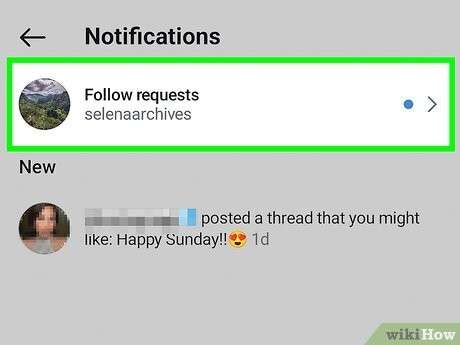
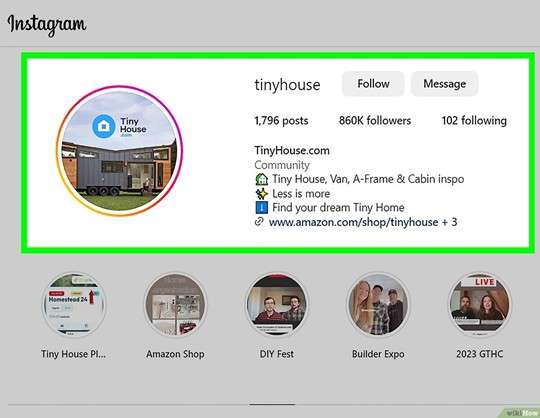
If the goal isn’t to see posts but to figure out who the account actually belongs to, the visible parts are often enough. A profile photo, username changes, bio text, linked website, and sometimes follower/following counts can give context. This doesn’t unlock the feed, but it’s useful when the real goal is “Is this the same person?” or “Is this account pretending to be someone else?”
3. Look for public reposts and cross-posts
A lot of private users still share the same photos elsewhere. The most common place is another social platform, a public business page, or a public secondary Instagram. This is the cleanest workaround when people ask how to view private instagram profiles. You’re not forcing access. You’re finding content that the owner already published publicly in another place.
4. Use mutual connections as the reality filter
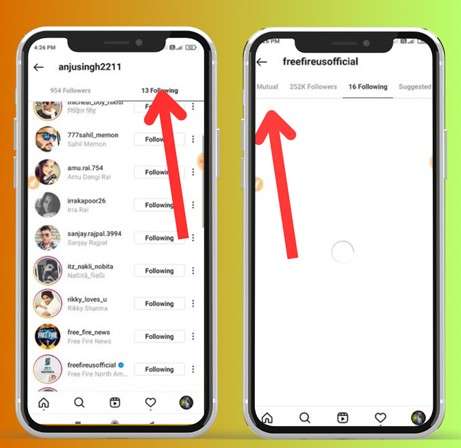
If you have mutuals, the practical route is simple: ask them directly, or check what they’ve reshared. People often confuse this with “viewing the private profile,” but it’s different. You’re seeing a copy that someone else chose to share. This method is common when someone is trying to see private Instagram account posts for context, not to collect the entire profile.
5. Be careful with “private viewer” sites and anonymous tools
If a website claims it can show you a private feed by typing a username, that’s where most people waste time. In practice, these sites either show public details only, push surveys, or funnel you into logins that you shouldn’t trust. If what you’re looking for are shortcuts and easy ways, always keep in mind that if it promises instant access without approval, it’s not describing how Instagram works.
Understanding these limits early makes it easier to choose the right path instead of cycling through options that never lead anywhere.
Part 3. Does Changing Location Affect What You See on Instagram?
After trying the usual routes, some people notice something else. The account is still private, but what shows up around it changes. Suggested profiles look different. Location tags lead to different results. In some regions, the same username appears more often in search or recommendations. That’s when the focus shifts from privacy to geography.
Changing location does not unlock posts or bypass approval. It won’t let you view a private Instagram account. What it can do is help test whether what you’re seeing is influenced by where Instagram thinks you are, especially when you’re trying to check a private Instagram account for context rather than content.
Using Dr.Fone – Virtual Location (iOS/Android)
Dr.Fone - Virtual Location is a desktop-based GPS simulation tool that allows you to change your phone’s reported location without rooting or jailbreaking. It’s commonly used for testing location-based app behavior, not for forcing access or trying to see private Instagram posts.

Dr.Fone - Virtual Location
1-Click Location Changer for both iOS and Android
- Teleport from one location to another across the world from the comfort of your home.
- With just a few selections on your computer, you can make members of your circle believe you’re anywhere you want.
- Stimulate and imitate movement and set the speed and stops you take along the way.
- Compatible with both iOS and Android systems.
- Work with location-based apps, like Pokemon Go, Snapchat, Instagram, Facebook, etc.


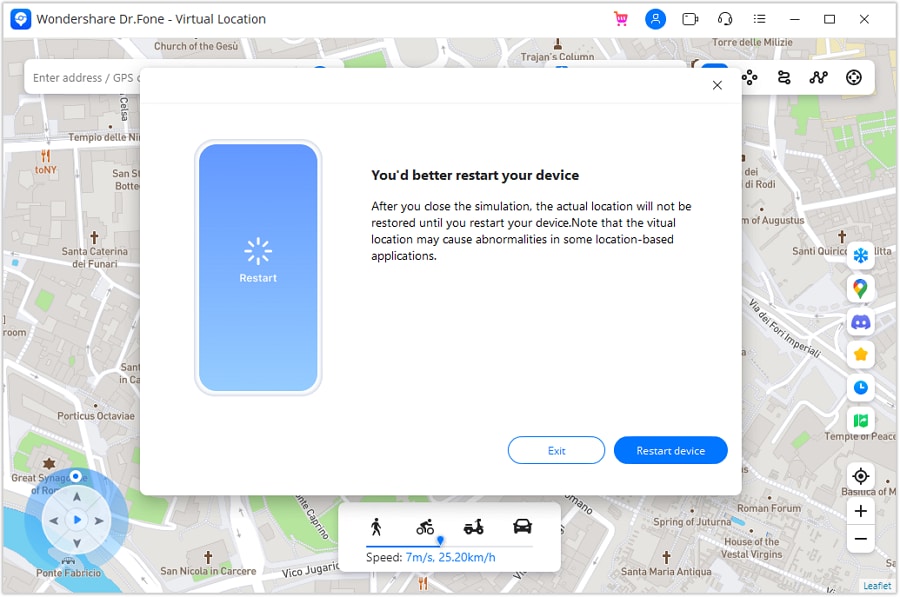
Step 1. Install and open Virtual Location
Download the desktop version of Dr.Fone from Wondershare’s official site and open the Virtual Location module from the main dashboard.
Step 2. Activate Teleport Mode
Connect your phone to the computer. From the map interface, select Teleport Mode. This lets you jump instantly to any city or region.
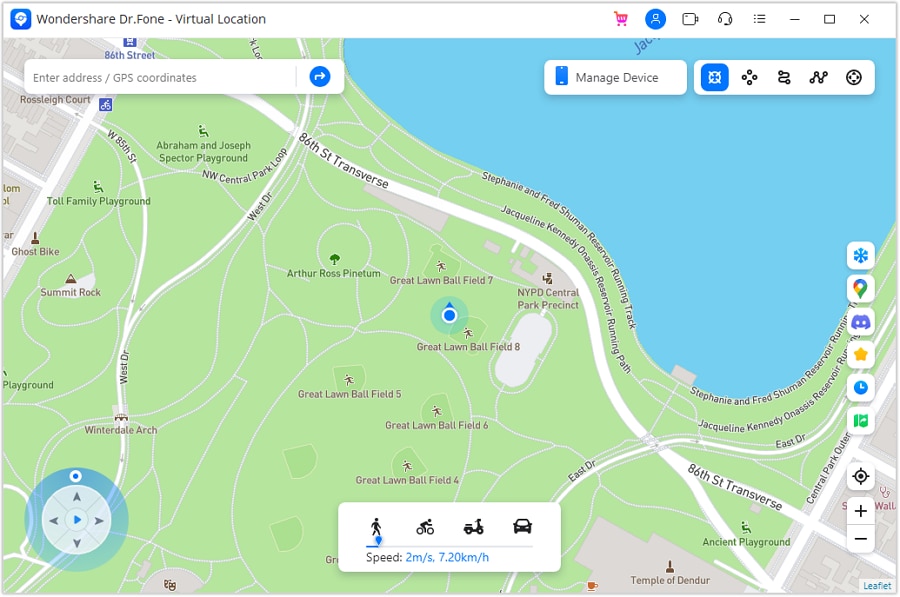
Step 3. Choose a location
Use the search bar to enter the city or area you want to simulate. The map will load the selected region. You can adjust the pin manually if needed.
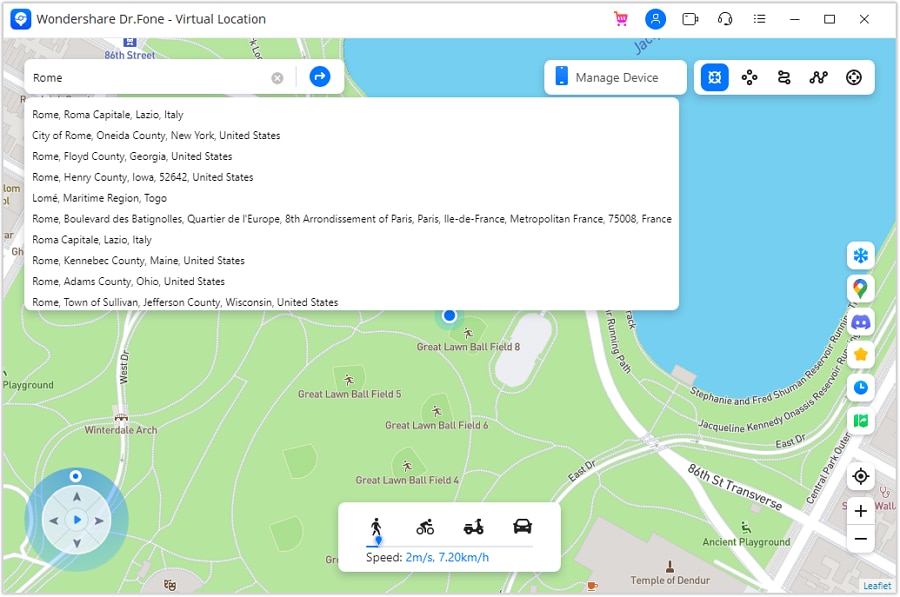
Step 4. Confirm the move
Click “Move Here” to apply the change. Your device’s GPS updates immediately.
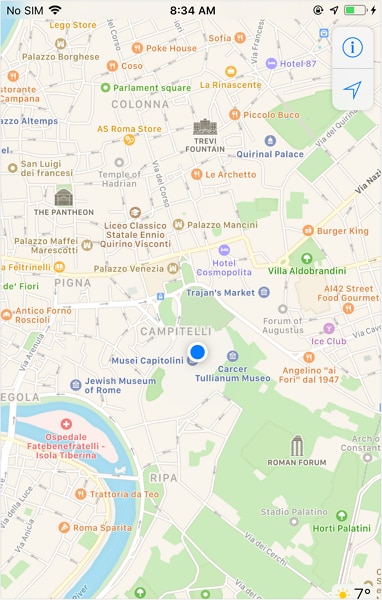
Step 5. Verify on your device
Open Instagram or a maps app on your phone and check the location tag. It should now reflect the selected region.
Dr.Fone also offers a Teleport mode that simulates travel between multiple points instead of staying fixed in one spot. This can be useful if you’re observing how the Instagram feed reacts to changing location signals over time.
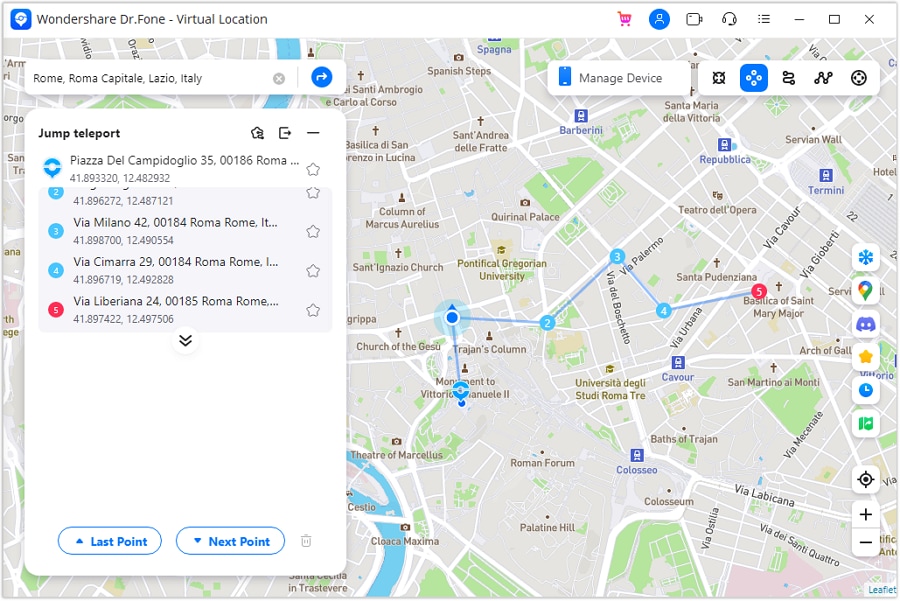
It’s important to keep expectations grounded. Changing location doesn’t let you view private Instagram profiles or reveal hidden posts. What it helps clarify is whether geography affects discovery, recommendations, or surface-level visibility rather than privacy itself.
Part 4. Conclusion
Private Instagram profiles are private by design. If an account owner does not approve you, posts and stories remain inaccessible. There is no tool, website, or shortcut that changes that rule. The only direct way to view a private Instagram account is through approval. Everything else helps with context, not access.
What does work is understanding what you are trying to learn. Sometimes the goal is identity, not content. Public details, reposts, and mutual connections often answer that question.
When visibility seems inconsistent, location can play a role. In those cases, tools like Dr.Fone – Virtual Location help test how geography affects discovery without crossing privacy boundaries. Knowing these limits saves time and avoids false promises.
 safe & secure
4,624,541 people have downloaded it
FAQs
 Q1. Why do some private Instagram accounts appear in search results more than others?Q2. Can a private Instagram account see who searched for them?Q3. Why do some private accounts show older likes or comments on public posts?Q4. Does switching devices or creating a new account change access to private profiles?Q5. Is there any risk in repeatedly checking a private Instagram account?
You Might Also Like

Virtual Location
- Change iOS Location
- 1. Best iOS Location Changers
- 2. Fake iPhone GPS Location
- 3. Change iPhone Home Address
- 4. Change iPad Weather Location
- 5. Track a Cell Phone Location
- 6. iPhone GPS not Working
- 7. iPhone “No Location Found”
- 8. iPhone “Location Not Available”
- 9. iTools Alternatives
- 10. DoPokeGo++ Alternatives
- 11. 3uTools Alternatives
- 12. Foneazy MockGo Alternatives
- 13. "No Location Found" Vs."Location Not Available"
- Change Android Location
- 1. Best Android Fake GPS Apps
- 2. Free Android Location Spoofers
- 3. Fake Android GPS Location
- 4. Android Location Settings
- 5. Fake GPS No Root
- 6. Fake GPS on Huawei
- 7. Fake GPS without Mock Location
- Hide GPS Location
- 1. Stop Sharing Location without Notifying
- 2. Fake Location on Find My Friends
- 3. Stop Google Tracking Your Location
- 4. Fake Location on Google Maps
- 5. Spoof Location on Life360
- 6. Turn Off Life 360 Without Knowing
- 7. Stop Life360 from Tracking You
- 8. Life360 Circle: Tips & Tricks
- 9. Track Location by Mobile Number
- 10. How Do I Know If My Phone Is Being Monitored
- 11. Can Life360 Track You When Your Phone is Off
- Fake GPS on Games
- 1. Play Pokémon Go Without Moving
- 2. Celebrate National Pokémon Day
- 3. Fake GPS on Mobile Legends
- 4. Spoof Ingress Prime Location
- 5. Spoof Location on Jurassic World Alive
- Fake Location on Social Apps
- 1. Fake Location on Whatsapp
- 2. Fake Location on Facebook
- 3. Fake Location on Telegram
- 4. Fake Location on Tiktok
- 5. Does Your Snap Score Increase with Chats
- 6. Fake Location on Snapchat
- 7. Add Location Filters on Snapchat
- 8. Change Location on Twitter
- 9. Change Instagram Business Location
- 10. Change Instagram Region/Country
- 11. Stop mSpy from Spying You
- 12. Change Location On Linkedin
- Fake Location on Dating Apps
- 1. Fake Hinge GPS
- 2. Top Funny Hinge Prompts
- 3. Apps Like Tinder
- 4. Enjoy Tinder Gold
- 5. Fake Tinder GPS
- 6.Tinder Keeps Crashing
- 7. Find People on Tinder
- 8. Use Grindr on a PC
- 9. Grindr Web app explained
- 10. Fake Grindr GPS
- 11. Grindr Unable to Refresh
- 12. Fake Bumble GPS
- 13. Bumble Snooze Mode Guide
- 14. Tinder vs Bumble vs Hinge
- Get Around Geo-blocking
- 1. Hola Fake GPS Alternative
- 2. Change Netflix Location
- 3. Bypass MLB TV
- 4. Change Location on YouTube TV
- 5. Change Play Store Country
- 6. Change Facebook Marketplace Location
- Followers & Unfollowers Trackers
- Location & Social Apps Tips
- 1. How to Share Live Location on Snapchat
- 2. Best Mobile Number Tracker
- 3. Best Private IG Viewer Tools
- 4. View a Private Instagram Account
- 5. Screenshot on Instagram Without Them Knowing
- 6. Does Instagram Notify When You Screenshot
- 7. Find Out If Someone Screenshots Your Instagram Story
- 8. Does Instagram Notify When You Screen Record
- 9. Fix iPhone Location Not Updating
- 10. Does Snapchat Show Who Viewed Your Profile
- ● Teleport GPS location to anywhere
- ● Play AR games without moving
- ● Spoof Location on the popular Apps
- Free Download Free Download Free Download


 > How-to > Virtual Location Solutions > How to View a Private Instagram Account: What Works and What Doesn't
James Davis
staff Editor