

Best Private IG Viewer Tools for Viewing Instagram Profiles

Sep 22, 2026 • Filed to: Virtual Location Solutions • Proven solutions
 TL;DR:
No private IG viewer can bypass Instagram server-level security to reveal hidden posts or stories, meaning legitimate tools only surface cached metadata, historical profile changes, or public activity signals.
● Inflact and Glassagram are best suited for users needing background context, as they extract historical public data or monitor accounts for public-to-private status shifts without granting access to restricted content.
● Picuki and StoriesIG provide anonymous viewing and downloading capabilities strictly for accounts that are currently public, failing entirely on private profiles.
● If content visibility is limited by geography rather than account privacy settings, Dr.Fone Virtual Location allows iOS and Android users to spoof their GPS to test regional tags and explore feeds safely.
Ask AI for a summary
 ChatGPT
 Perplexity
 Gemini
 Claude
 Grok
Grok
Private Instagram profiles stop interaction before it starts. You can see a username, a profile photo, maybe a bio, but nothing more. For many users, that limitation leads to searches for a private IG viewer usually to check whether an account is legitimate, active, or worth engaging with.
The issue is that most private insta viewer sites blur the line between visibility and access. Some only surface public metadata, others recycle old snapshots, and a few exist purely to push verification loops or collect data. This list focuses on the tools people encounter most often, what they actually reveal, and where private profile viewing stops being realistic.
- Part 1. Do Private IG Viewer Tools Actually Work?
- Part 2. Top Private Insta Profile Viewer Tools
- 1. Inflact Profile Analyzer (Public & Historical Signals)
- 2. Glassagram (Activity Monitoring, Not Viewing)
- 3. Picuki (Public Content & Context Check)
- 4. StoriesIG (Anonymous Story Viewing for Public Accounts)
- 5. Instagram Web
- Part 3. How These Insta Profile Viewer Tools Compare in Practice

- Part 4. [Bonus Tip] Testing Instagram Visibility by Changing Location with Dr.Fone Virtual Location
Part 1. Do Private IG Viewer Tools Actually Work?
In short, not in the way most sites suggest.
A private Instagram account is protected at the server level. Posts, stories, and follower lists are delivered only to approved followers. If access is denied, third-party tools cannot retrieve that content, regardless of how they are branded as a private IG viewer.
This is why people look for these tools, usually to:
- Check whether an account exists
Some Insta profile viewer tools surface public metadata or cached profile details. - See if an account appears active
Limited activity indicators may show when an account was previously public. - Verify basic profile details before engagement
Profile photos or bios that were once public can offer minimal context.
What these tools show are partial signals, not access. Claims of anonymous viewing of private posts or stories have no technical basis.
A realistic tool can support these checks. It cannot bypass Instagram’s approval system. Tools that promise more often lead to failed results, verification loops, or unnecessary risk.
The next section reviews the private Insta viewer tools people encounter most often and explains what each one actually provides.
Part 2. Top Private Insta Profile Viewer Tools
1. Inflact Profile Analyzer (Public & Historical Signals)
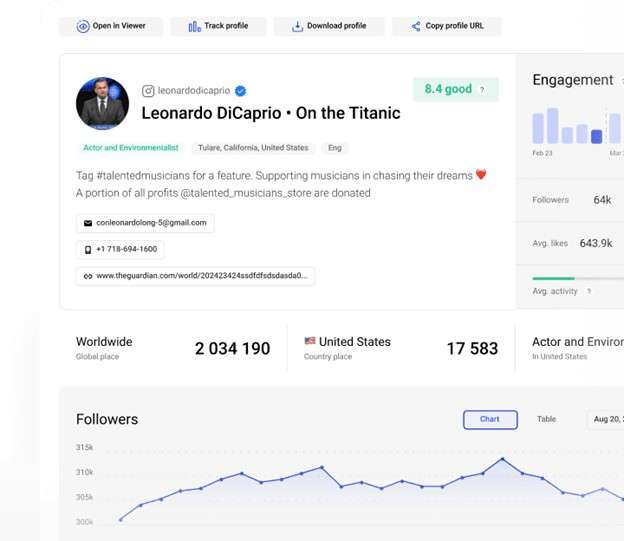
Inflact is often mentioned in searches for private Insta viewer tools, but its real value lies in profile analysis, not access.
It does not unlock private posts. Instead, it surfaces public-facing and historical data that can help assess whether a private account is legitimate or active.
Features
- Public profile data extraction
- Username and profile photo history
- Bio and link change tracking
- Engagement estimates (when public data exists)
Pros&Cons
|
👍🏼Pros |
👎🏼Cons |
|
|
|
|
|
|
2. Glassagram (Activity Monitoring, Not Viewing)
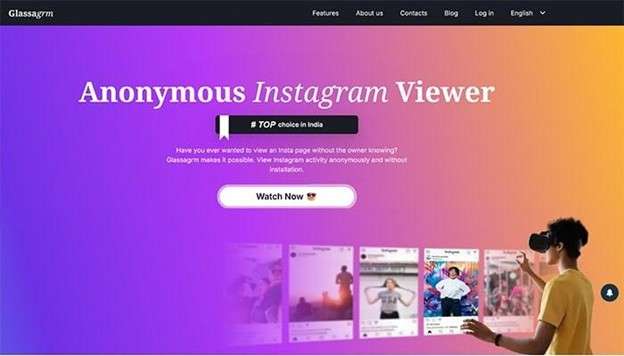
Glassagram appears frequently in private profile viewers for Instagram searches due to its monitoring-based positioning.
It does not show private content. What it does instead is track observable changes over time and notify users when visibility shifts.
Features
- Profile activity monitoring
- Alerts for public/private status changes
- Tracking of public posts and story activity
- Time-based activity summaries
Pros&Cons
|
👍🏼Pros |
👎🏼Cons |
|
|
|
|
|
|
3. Picuki (Public Content & Context Check)
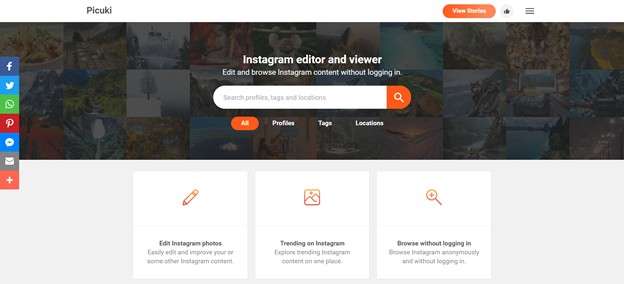
Picuki is commonly associated with insta profileviewer searches because it allows Instagram browsing without logging in.
It works only for public content, but it’s useful when checking whether a private account previously posted publicly or maintains any visible context.
Features
- Public post and profile viewing
- Caption and hashtag access
- Image and video download for public posts
Pros&Cons
|
👍🏼Pros |
👎🏼Cons |
|
|
|
|
|
|
4. StoriesIG (Anonymous Story Viewing for Public Accounts)
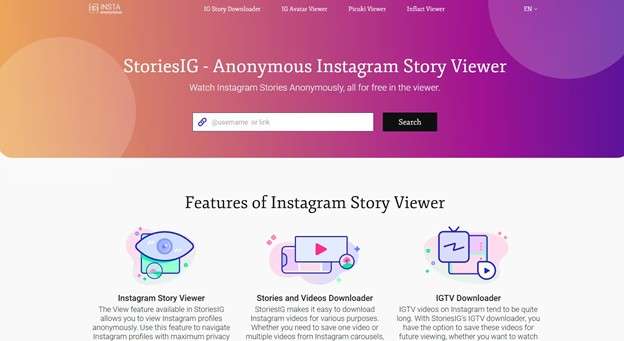
StoriesIG is often incorrectly promoted as a private Instagram story viewer, but its real function is narrower.
It allows anonymous viewing of stories only when the account is public.
Features
- Anonymous story viewing
- Story downloads for public accounts
- No login required
Pros&Cons
|
👍🏼Pros |
👎🏼Cons |
|
|
|
|
|
|
5. Instagram Web
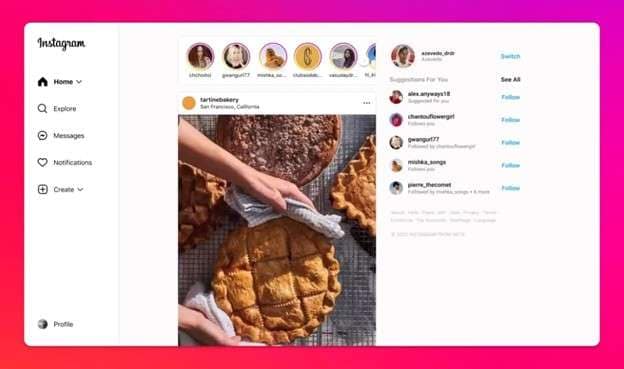
Surprisingly, Instagram’s own web interface is one of the safest InstaViewer options when expectations are realistic.
While it doesn’t bypass privacy, it allows users to view profile metadata and sometimes preview limited elements without triggering app-based notifications.
Features
- Profile metadata viewing
- Bio, profile photo, and follower count (if visible)
- No third-party risk
Pros&Cons
|
👍🏼Pros |
👎🏼Cons |
|
|
|
|
|
|
Part 3. How These Insta Profile Viewer Tools Compare in Practice
By this point, one thing should be clear: these tools don’t compete on “access,” because none of them bypass private accounts.
|
Tool |
Primary Use Case |
Works on Private Accounts? |
Data Freshness |
Visibility Trigger |
User Risk Level |
Best Used When |
| Inflact Profile Analyzer | Profile legitimacy & history checks | No | Medium (historical + cached) | Public changes only | Low | You need background context on a renamed or recycled account |
| Glassagram | Long-term activity monitoring | No | Delayed (event-based) | Status or activity changes | Low–Medium | You want alerts if an account switches from private to public |
| Picuki | Quick public-content verification | No | Real-time (public only) | Existing public posts | Medium | You’re checking if a private account ever posted publicly |
| StoriesIG | Anonymous story viewing | No | Real-time (public only) | Active public stories | Medium | You want to view stories without logging in |
| Instagram Web | Official profile inspection | No | Real-time | Instagram’s own visibility rules | Very Low | You want the safest, most accurate snapshot of what’s visible |
Part 4. [Bonus Tip] Testing Instagram Visibility by Changing Location with Dr.Fone Virtual Location
Up to this point, the tools discussed focus on what can be seen from the outside. In practice, another limitation often matters just as much: visibility shaped by geography.
Instagram does not surface the same content, hashtags, or suggestions everywhere. Location influences explore feeds, story discovery, and reach.
Why Changing Location Can Help
Instagram uses location signals to adjust recommendations. Temporarily shifting your GPS location helps you:
- Preview regional trends and hashtags
- Check how posts surface in different cities
- Test local tags for future campaigns
- See whether reach is location-limited rather than content-related
This isolates location as a variable, which profile viewers and analytics tools cannot do.

Dr.Fone - Virtual Location
1-Click Location Changer for both iOS and Android
- Teleport from one location to another across the world from the comfort of your home.
- With just a few selections on your computer, you can make members of your circle believe you’re anywhere you want.
- Stimulate and imitate movement and set the speed and stops you take along the way.
- Compatible with both iOS and Android systems.
- Work with location-based apps, like Pokemon Go, Snapchat, Instagram, Facebook, etc.


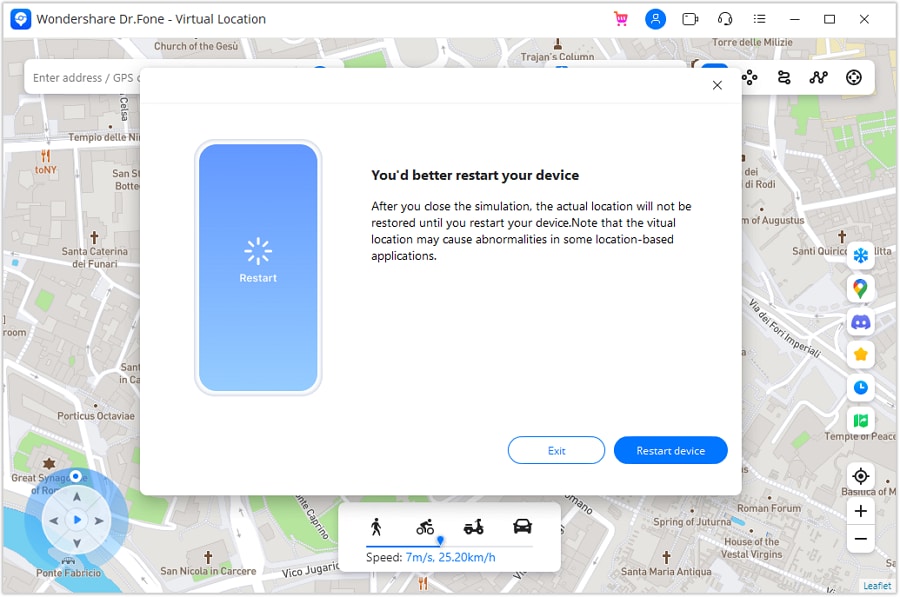
Dr.Fone - Virtual Location does not view private profiles. It allows you to change your phone’s reported location, which Instagram and other apps read as real until reset. This makes it useful for testing visibility and discovery without interacting with other accounts.
Step 1. Install and Open Virtual Location
Download the desktop version of Dr.Fone from Wondershare’s official site and open the Virtual Location module from the main dashboard.
Step 2. Activate Teleport Mode
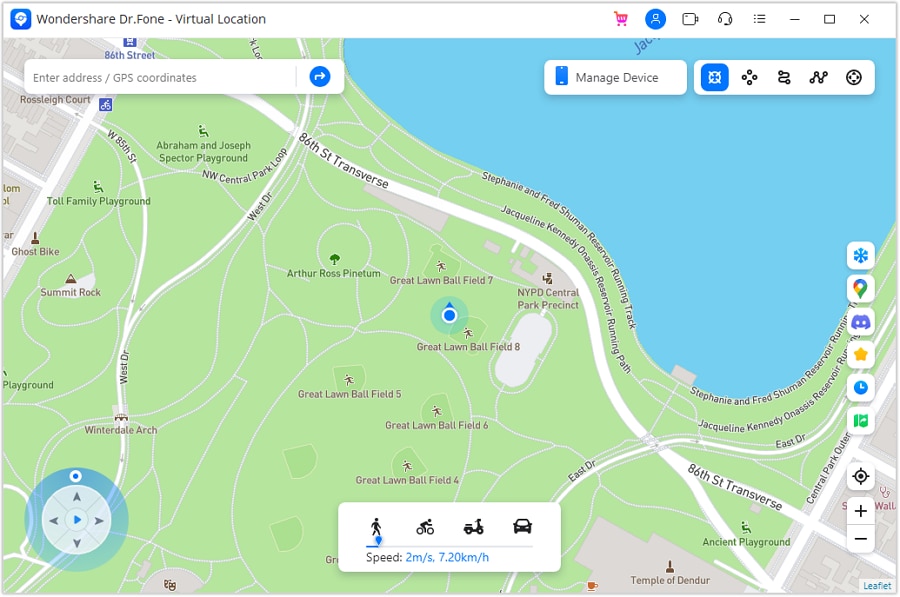
Connect your phone to the computer, then select Teleport Mode from the top-right of the map interface. This mode lets you jump instantly to any city or region.
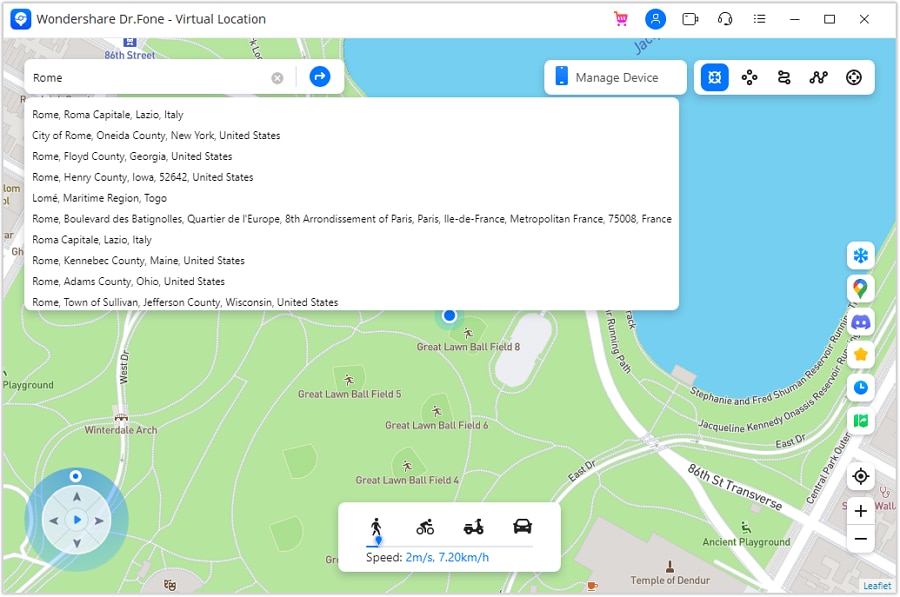
Step 3. Choose a Location
Use the search bar to enter the city or area you want to test. The map will load the selected region. If needed, reset your current pin using the location icon on the right.
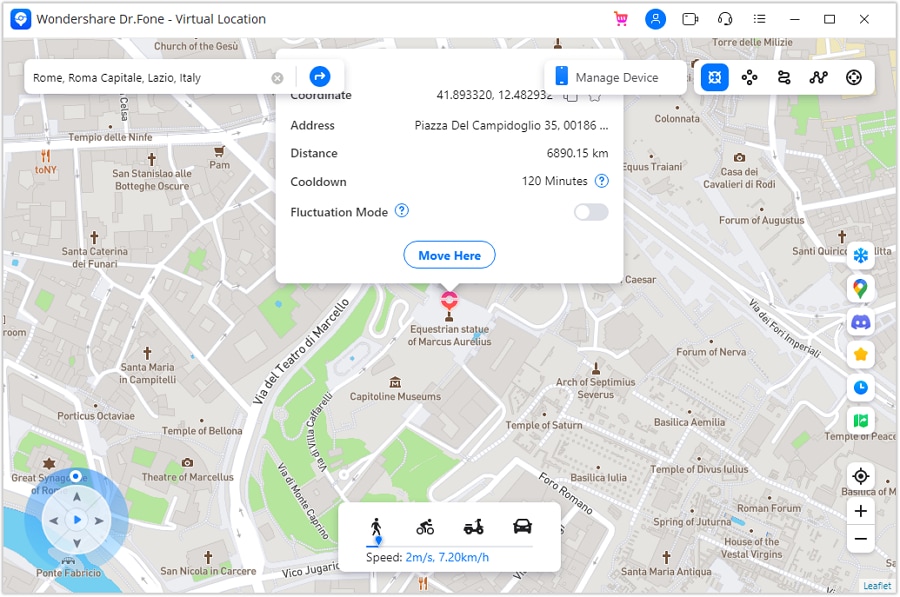
Step 4. Confirm the Location
Click Move Here to apply the location change. Your device’s GPS will update immediately.
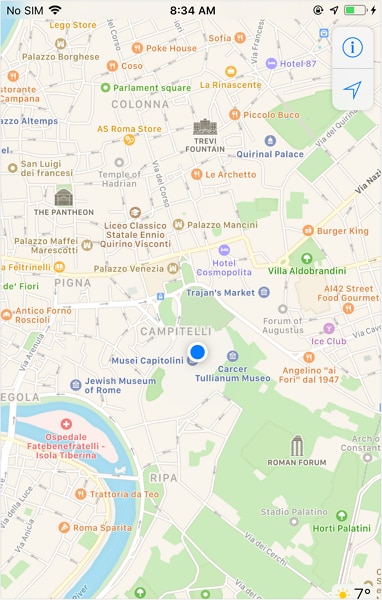
Step 5. Verify on Your Device
Open Instagram or a maps app on your phone and check the location tag. It should now reflect the selected region.
Jump Teleport Mode for Simulated Movement
If you want to test gradual movement instead of a fixed spot, Dr.Fone also offers a movement mode. This lets your GPS shift between multiple points, simulating travel through different areas. It’s useful for testing how Instagram responds to changing location signals over time.
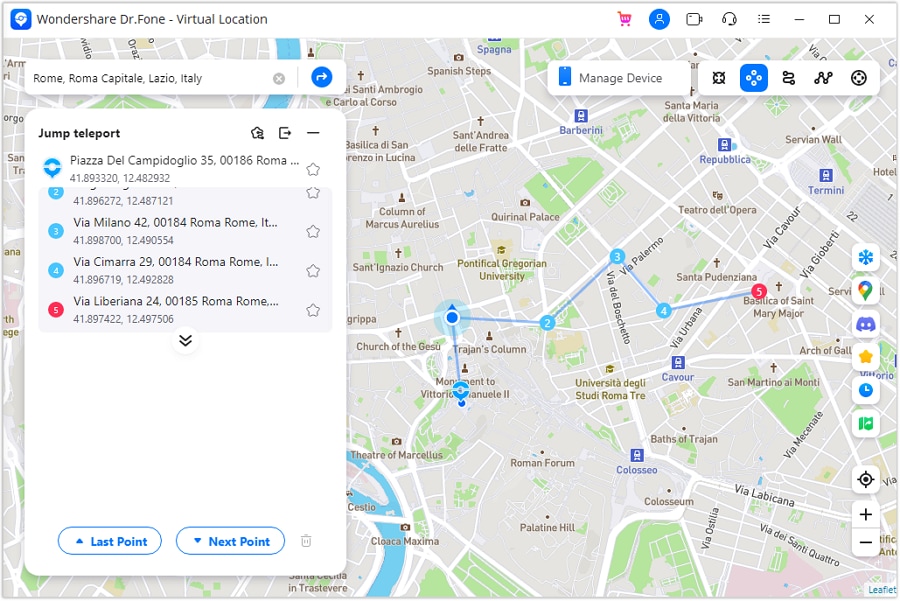
It’s useful when the real question is whether visibility is affected by geography rather than privacy.
Part 5. Conclusion
Searching for a private IG viewer often leads to inflated claims and blurred boundaries between what’s restricted and what’s simply unseen. The tools that last are the ones that stay within those limits, offering context, monitoring, or public signals rather than promising access they can’t deliver.
When visibility questions extend beyond profiles into reach and discovery, changing variables like location can provide clarity without crossing privacy lines. Used that way, tools such as Dr.Fone – Virtual Location don’t replace an insta_viewer; they complement it by addressing a different constraint. The distinction matters, especially when accuracy is more valuable than illusion.
 safe & secure
4,624,541 people have downloaded it
FAQs
 Q1. Can any private IG viewer show posts from a private account?Q2. Why do some private Insta viewer sites show partial results?Q3. Is it safe to use third-party insta profileviewer websites?Q4. Does changing location help with viewing private profiles?
You Might Also Like

Virtual Location
- Change iOS Location
- 1. Best iOS Location Changers
- 2. Fake iPhone GPS Location
- 3. Change iPhone Home Address
- 4. Change iPad Weather Location
- 5. Track a Cell Phone Location
- 6. iPhone GPS not Working
- 7. iPhone “No Location Found”
- 8. iPhone “Location Not Available”
- 9. iTools Alternatives
- 10. DoPokeGo++ Alternatives
- 11. 3uTools Alternatives
- 12. Foneazy MockGo Alternatives
- 13. "No Location Found" Vs."Location Not Available"
- Change Android Location
- 1. Best Android Fake GPS Apps
- 2. Free Android Location Spoofers
- 3. Fake Android GPS Location
- 4. Android Location Settings
- 5. Fake GPS No Root
- 6. Fake GPS on Huawei
- 7. Fake GPS without Mock Location
- Hide GPS Location
- 1. Stop Sharing Location without Notifying
- 2. Fake Location on Find My Friends
- 3. Stop Google Tracking Your Location
- 4. Fake Location on Google Maps
- 5. Spoof Location on Life360
- 6. Turn Off Life 360 Without Knowing
- 7. Stop Life360 from Tracking You
- 8. Life360 Circle: Tips & Tricks
- 9. Track Location by Mobile Number
- 10. How Do I Know If My Phone Is Being Monitored
- 11. Can Life360 Track You When Your Phone is Off
- Fake GPS on Games
- 1. Play Pokémon Go Without Moving
- 2. Celebrate National Pokémon Day
- 3. Fake GPS on Mobile Legends
- 4. Spoof Ingress Prime Location
- 5. Spoof Location on Jurassic World Alive
- Fake Location on Social Apps
- 1. Fake Location on Whatsapp
- 2. Fake Location on Facebook
- 3. Fake Location on Telegram
- 4. Fake Location on Tiktok
- 5. Does Your Snap Score Increase with Chats
- 6. Fake Location on Snapchat
- 7. Add Location Filters on Snapchat
- 8. Change Location on Twitter
- 9. Change Instagram Business Location
- 10. Change Instagram Region/Country
- 11. Stop mSpy from Spying You
- 12. Change Location On Linkedin
- Fake Location on Dating Apps
- 1. Fake Hinge GPS
- 2. Top Funny Hinge Prompts
- 3. Apps Like Tinder
- 4. Enjoy Tinder Gold
- 5. Fake Tinder GPS
- 6.Tinder Keeps Crashing
- 7. Find People on Tinder
- 8. Use Grindr on a PC
- 9. Grindr Web app explained
- 10. Fake Grindr GPS
- 11. Grindr Unable to Refresh
- 12. Fake Bumble GPS
- 13. Bumble Snooze Mode Guide
- 14. Tinder vs Bumble vs Hinge
- Get Around Geo-blocking
- 1. Hola Fake GPS Alternative
- 2. Change Netflix Location
- 3. Bypass MLB TV
- 4. Change Location on YouTube TV
- 5. Change Play Store Country
- 6. Change Facebook Marketplace Location
- Followers & Unfollowers Trackers
- Location & Social Apps Tips
- 1. How to Share Live Location on Snapchat
- 2. Best Mobile Number Tracker
- 3. Best Private IG Viewer Tools
- 4. View a Private Instagram Account
- 5. Screenshot on Instagram Without Them Knowing
- 6. Does Instagram Notify When You Screenshot
- 7. Find Out If Someone Screenshots Your Instagram Story
- 8. Does Instagram Notify When You Screen Record
- 9. Fix iPhone Location Not Updating
- 10. Does Snapchat Show Who Viewed Your Profile
- ● Teleport GPS location to anywhere
- ● Play AR games without moving
- ● Spoof Location on the popular Apps
- Free Download Free Download Free Download




Alice MJ
staff Editor