

Find Out If Someone Screenshots Your Instagram Story: 2026 Full Guide

Sep 04, 2026 • Filed to: Virtual Location Solutions • Proven solutions
 TL;DR:
Instagram does not notify users when someone screenshots or screen records their stories, feed posts, or profile highlights; screenshot alerts are strictly limited to disappearing content and Vanish Mode chats within Direct Messages.
● Bypassing Vanish Mode alerts requires using a secondary physical camera or utilizing Dr.Fone - Screen Mirror via PC or Mac, as the in-app Airplane Mode workaround yields unreliable results.
● The platform's no-alert policy applies universally across public and private accounts, meaning creators receive no analytics, viewer icons, or notifications even for content shared exclusively to their Close Friends list.
● To manually alter geotags on Instagram stories or posts, users can utilize Dr.Fone - Virtual Location to spoof GPS coordinates and simulate movement on devices running up to Android 16 and iOS 26.
Ask AI for a summary
 ChatGPT
 Perplexity
 Gemini
 Claude
 Grok
Grok
You might want to know if someone screenshots your Instagram story? Many users feel curious and concerned because Instagram does not notify users of regular screenshots. Therefore, this complete guide explains what is possible and what is not, showing safe methods to monitor your stories and protect your content.
Review this so that you can understand Instagram’s features better and keep your posts secure while enjoying social sharing. While learning whether you can see if someone screenshots your Instagram story, you will also discover how to fake an Instagram post or story location using a seamless solution.
- Part 1. Can Instagram Detect If You Take a Screenshot?
- Part 2. Can You Find Out Who Screenshotted Your Story?
- Part 3. Screenshots of Instagram Posts: Can You Detect Them?
- Part 4. How to Take Screenshots on Instagram Without Being Noticed?

- Bonus Tip. Secretly Fake Your Instagram Posts or Stories Location | Dr.Fone - Virtual Location
Part 1. Can Instagram Detect If You Take a Screenshot?
When one asks how to know if someone screenshots your IG story, know that Instagram can detect screenshots, but it only alerts users in very few cases. For regular posts, stories, reels, profiles, and story highlights, no alert appears. Even Close Friends stories do not show screenshot notices, and Instagram also does not show any list that reveals who took a screenshot of a story or post.
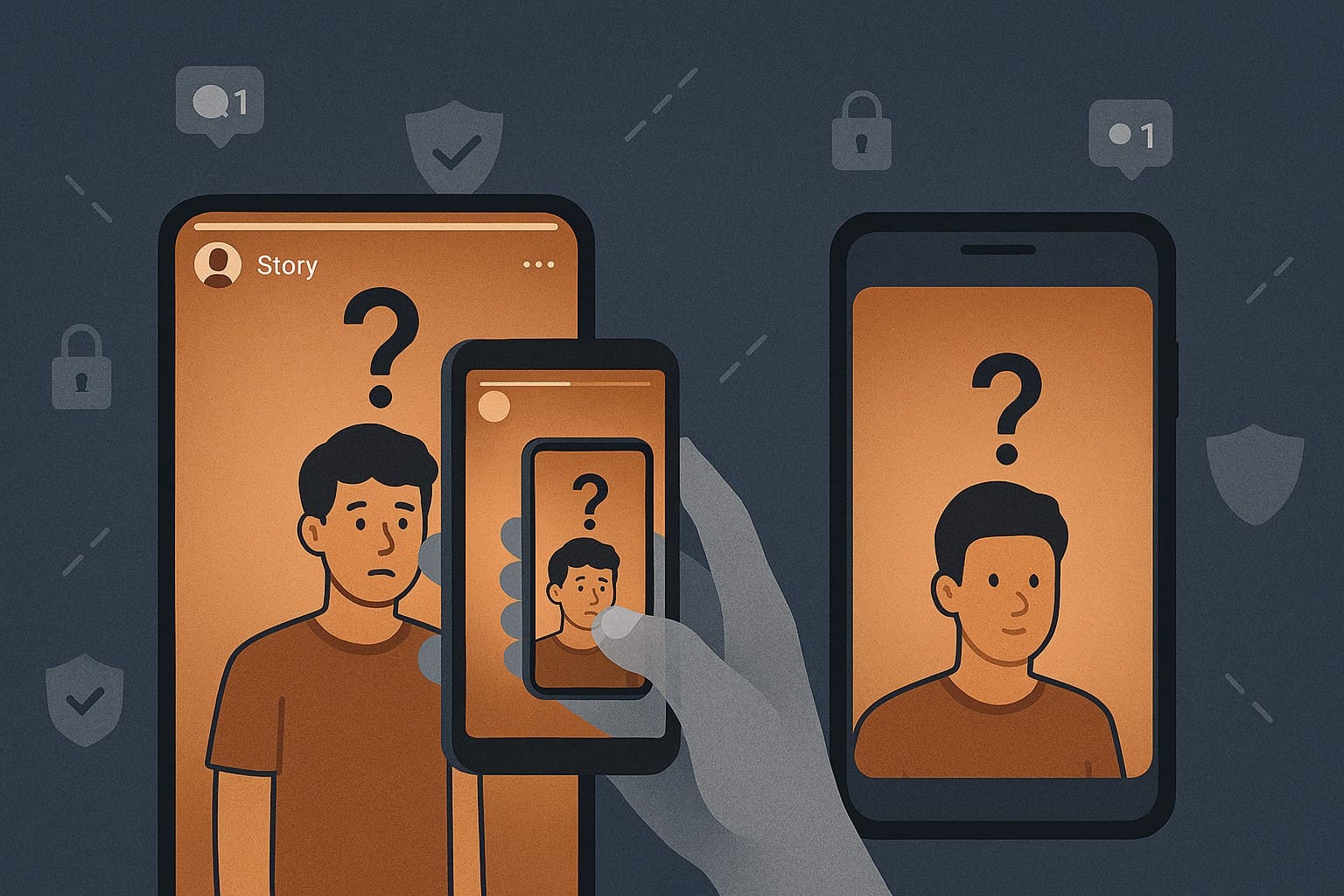
Alerts only appear in special Direct Message cases, mainly when someone screenshots a disappearing photo, video, or Vanish Mode chat. In these cases, Instagram shows an icon inside that chat, and these alerts stay limited to that conversation only. Normal messages, photos, or videos in standard DMs do not trigger screenshot alerts.
Part 2. Can You Find Out Who Screenshotted Your Story?
For situations where one asks, Can you see who screenshots your Instagram stories? The answer is no. Instagram does not allow users to see who took a screenshot of their story. There is no list, icon, alert, or count that shows story screenshots, and that person can only view the normal story viewers list.
As far as alerts are concerned, Instagram limits screenshot alerts to disappearing messages in direct chats, such as Vanish Mode.
Part 3. Screenshots of Instagram Posts: Can You Detect Them?
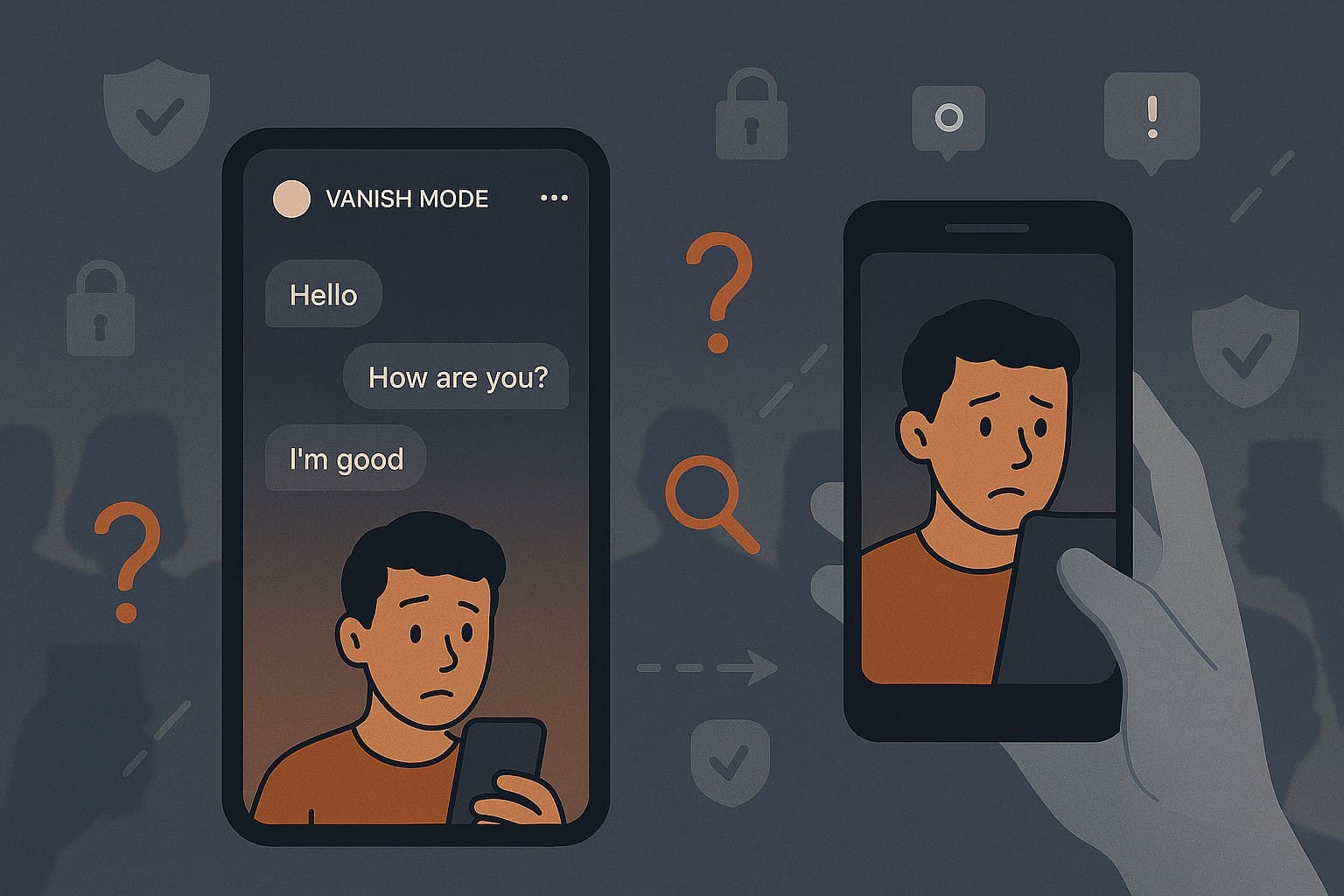
The answer is still no for users who ask, can you see if someone screenshots your Instagram post. It sends no alert when someone screenshots feed posts, carousels, reels, highlights, or profiles. Additionally, users cannot view any list or data related to post screenshots, and Instagram does not track this information.
To better understand how this alert system differs between public and private accounts, anyone who can view your post can take a screenshot of a public account. Still, Instagram does not send any alerts or keep any record of who took the screenshot. For private accounts, only approved followers can view your posts and take screenshots, still with no alerts to the creator.
Part 4. How to Take Screenshots on Instagram Without Being Noticed?
After having the basics on how to know if someone screenshots your Instagram DM, post, or story, you might want to capture screenshots of someone's DMs. This urge rises when the chat is in Vanish Mode, and the given ways list how you can do that, without being noticed:
- Take Screenshots/Screen Recording with a Different Device
Some people use a second phone or camera to capture Instagram vanish mode chats because Instagram only detects screenshots on the same device. This method avoids screenshot alerts because the app cannot detect another device. Additionally, it bypasses app protections without risky mods or third-party tools that can harm accounts. A second device lowers the risk of account flags and still works even if Instagram blocks software tricks.

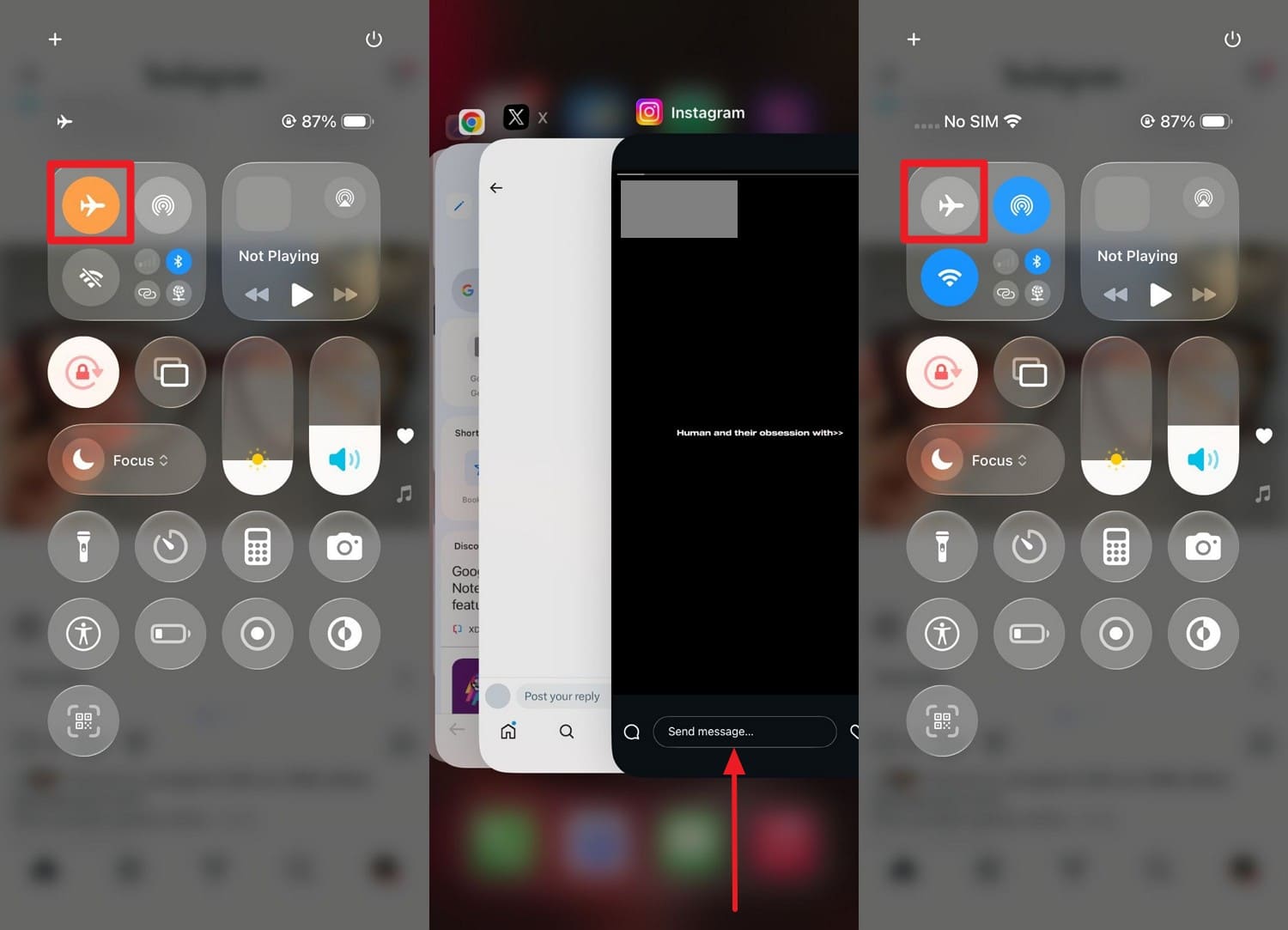
- Airplane Mode Method (Works on App)
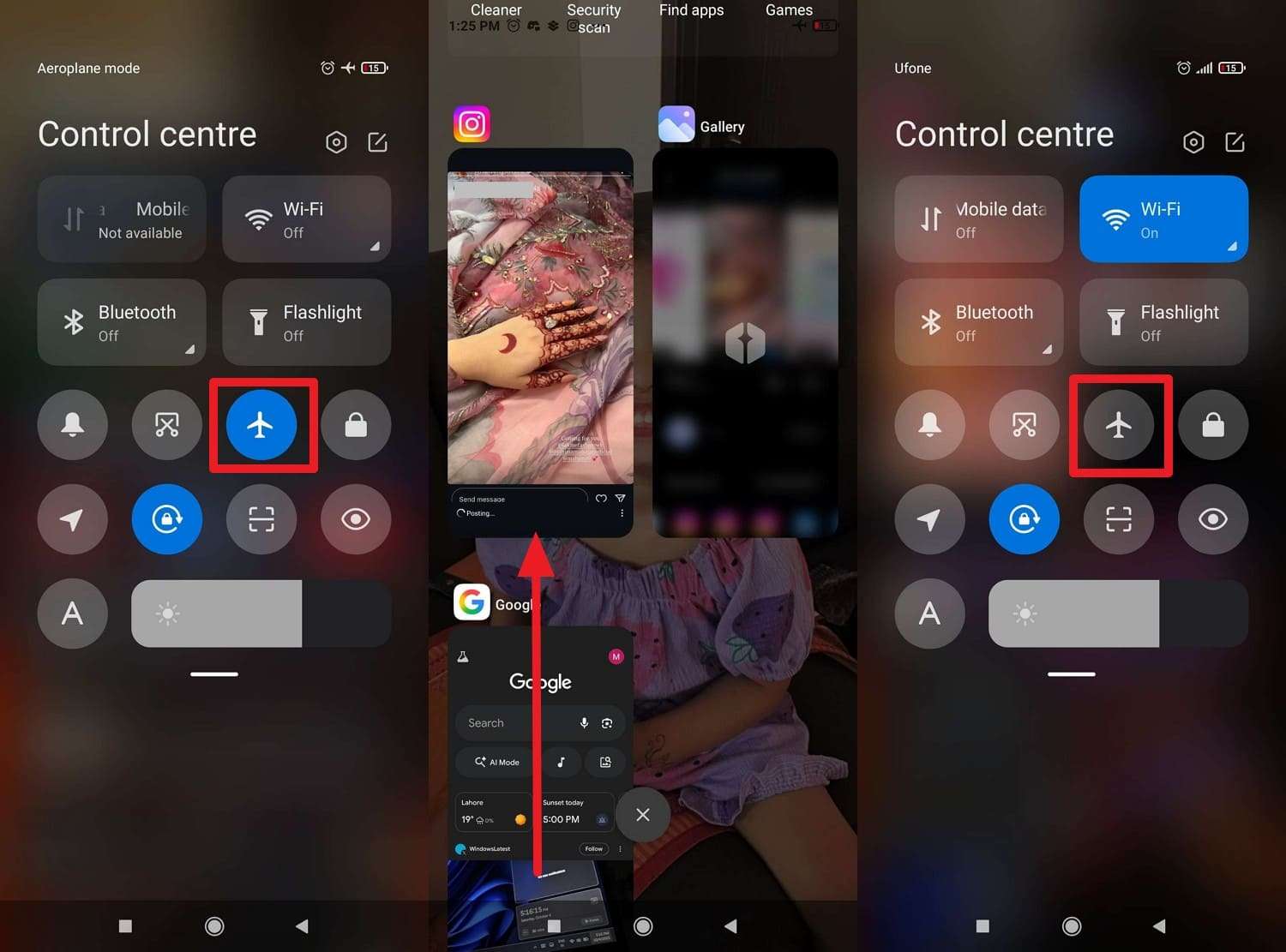
Other than DMs, if you want to take a screenshot of someone’s story and want to avoid appearing in the Viewer list, try the Airplane Mode trick. So, users who ask Can I see if someone screenshots my Instagram story, this method uses phone settings only, and the idea is that the story loads first. Only then does airplane mode block data, so the view may not register.
It can also work for public, private, or Close Friends stories if the content loads before offline mode. However, the results are unreliable, and this action could undermine trust and privacy. Still, if you want to know how to perform it, review the given guidelines:
For Android
Step 1. Wait for the stories to load, go to the Home page on IG, and without leaving the app, scroll down on the Quick Settings to enable the “Airplane” mode.
Step 2. Open the specific story, take a screenshot while the app displays the cached data, then quit the app. After that, disable the Airplane mode on the phone and use the screenshot later.
For iPhone
Instructions. While being in the IG app, wait for all stories to load and enable the “Airplane” mode from Control Center. Take a screenshot of the preloaded story, exit the app, and disable Airplane Mode.
- Utilize the Screen Mirroring Feature
While learning how to know if someone screenshots on Instagram, you can also use a screen mirroring solution to take screenshots of stories or posts. In this regard, Dr.Fone - Screen Mirror offers USB and Wi-Fi connections to mirror the screen to a PC or Mac.
Other Android and iOS users can later capture screenshots or record the screen without being caught. Plus, establishing a connection with Dr.Fone Link App is seamless and is guided ahead:
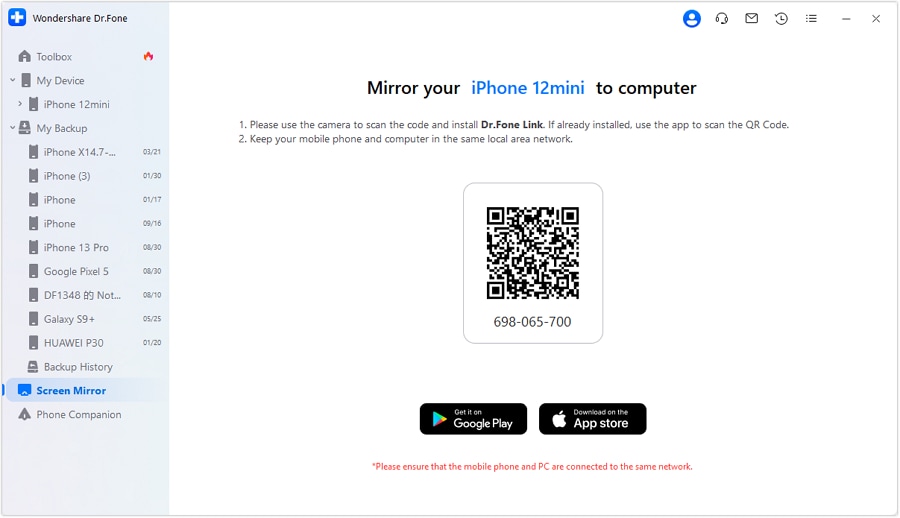
Step 1. Locate the QR Code to Install the App
As you access the Screen Mirror tool on PC or Mac, install Dr.Fone Link on your smartphone by scanning the QR code within the “Screen Mirror” tab.
Step 2. Establish the Connection & Take a Screenshot
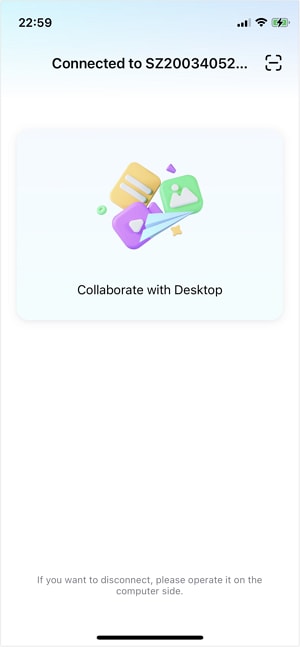
Now, establish the connection between devices by tapping the "Scan QR Code" icon. Then, take a screenshot as you open the IG app on the computer.
Bonus Tip. Secretly Fake Your Instagram Posts or Stories Location | Dr.Fone - Virtual Location
Now that you know whether you can see who screenshots your Instagram stories, you may want to fake your location to spark curiosity among followers. In this case, Dr.Fone - Virtual Location enables you to simulate the GPS movement along the route you draw manually or with the JoyStick. The JoyStick proves to be handy when one wants to simulate the location in AR games and offers flexibility.
Additionally, this tool works with location-based apps like Pokémon GO and Ins while being compatible with the latest Android 16 and iOS 26. As far as the simulation of movement is concerned, you can choose from one route to multiple or jump to the Teleport mode. Other than this, users can import and export the GPX files of various paths to save and view favorite routes.

Dr.Fone - Virtual Location
1-Click Location Changer for both iOS and Android
- Teleport from one location to another across the world from the comfort of your home.
- With just a few selections on your computer, you can make members of your circle believe you’re anywhere you want.
- Stimulate and imitate movement and set the speed and stops you take along the way.
- Compatible with both iOS and Android systems.
- Work with location-based apps, like Pokemon Go, Snapchat, Instagram, Facebook, etc.


Guide to Teleport and Fake Location on Instagram with Dr.Fone
Since Dr.Fone – Virtual Location offers you the ability to control GPS location on up to 5 iOS devices, here is how you can teleport in just one click:
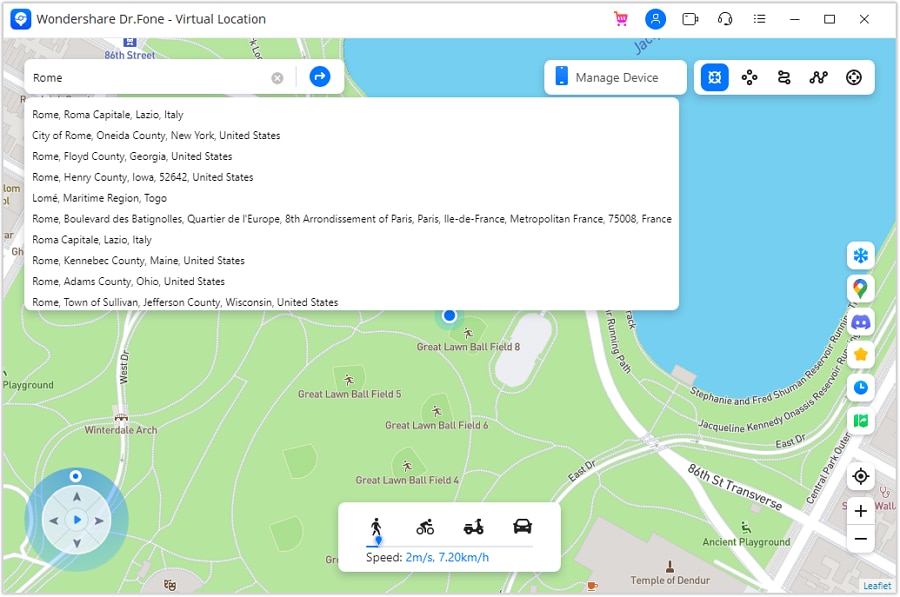
Step 1. Activate the Teleport Mode
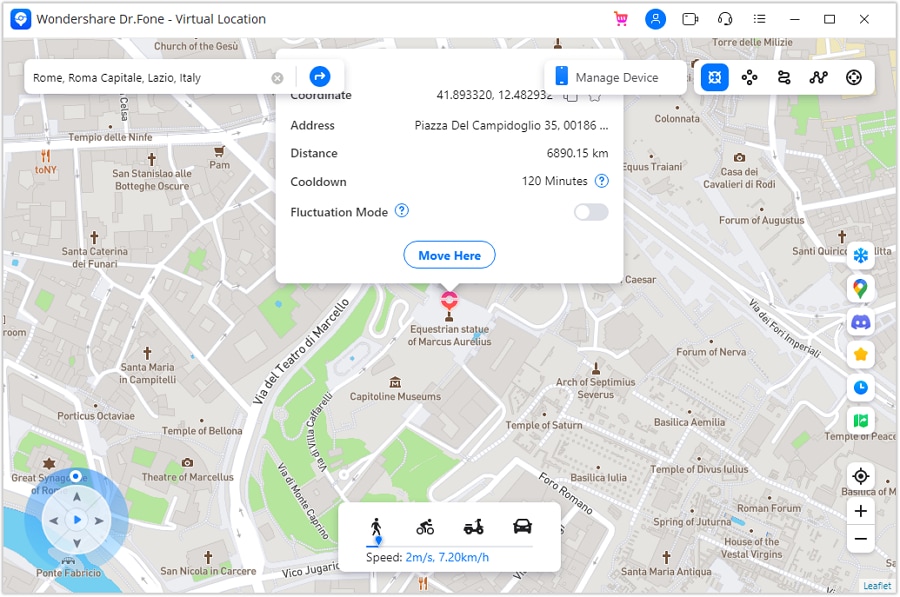
Enable the “Teleport” mode from the top right corner after launching the Virtual Location tool and search for a specific location via the search box.
Step 2. Confirm the Location to Teleport Smoothly
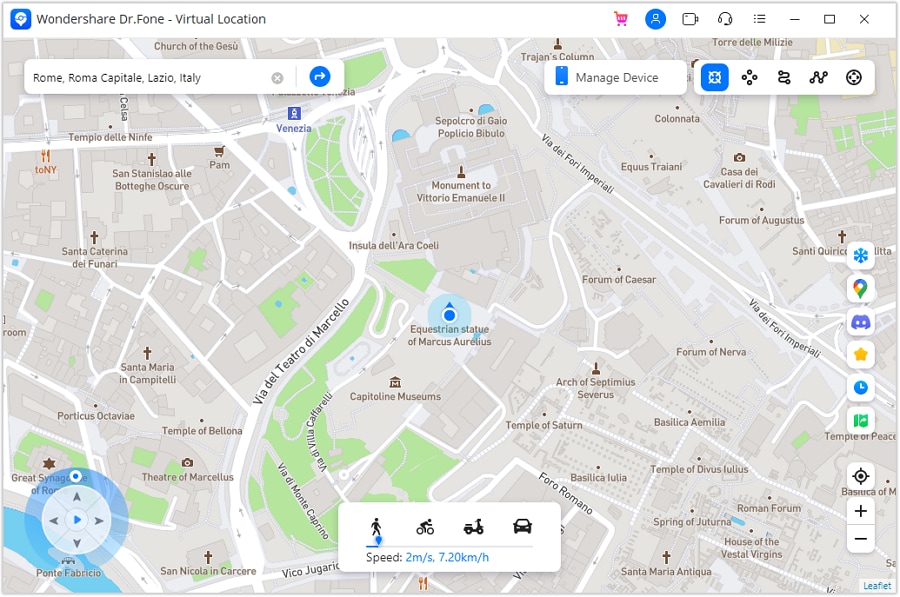
On a certain location where you want to teleport to, press the “Move Here” option, and the location will be changed.
Afterward, confirm the location by opening the Maps location on your device and share the location story in the Stories tab on IG.
Conclusion
To wrap up, this guide has given answers to those who question whether you can see if someone screenshots your Instagram story, DMs, or posts. You also explored how this alert mechanism differs for private or public accounts and how alerts appear in Vanish Mode. While understanding this, if you get the urge to add a fake location in your IG stories or posts, Dr.Fone - Virtual Location is suggested.
 safe & secure
4,624,541 people have downloaded it
FAQs
 Q1. Can screen recording trigger alerts for stories?Q2. Do story highlights change screenshot behavior?Q3. Can Instagram detect screenshots taken from another device?
You Might Also Like
Virtual Location
- Change iOS Location
- 1. Best iOS Location Changers
- 2. Fake iPhone GPS Location
- 3. Change iPhone Home Address
- 4. Change iPad Weather Location
- 5. Track a Cell Phone Location
- 6. iPhone GPS not Working
- 7. iPhone “No Location Found”
- 8. iPhone “Location Not Available”
- 9. iTools Alternatives
- 10. DoPokeGo++ Alternatives
- 11. 3uTools Alternatives
- 12. Foneazy MockGo Alternatives
- 13. "No Location Found" Vs."Location Not Available"
- Change Android Location
- 1. Best Android Fake GPS Apps
- 2. Free Android Location Spoofers
- 3. Fake Android GPS Location
- 4. Android Location Settings
- 5. Fake GPS No Root
- 6. Fake GPS on Huawei
- 7. Fake GPS without Mock Location
- Hide GPS Location
- 1. Stop Sharing Location without Notifying
- 2. Fake Location on Find My Friends
- 3. Stop Google Tracking Your Location
- 4. Fake Location on Google Maps
- 5. Spoof Location on Life360
- 6. Turn Off Life 360 Without Knowing
- 7. Stop Life360 from Tracking You
- 8. Life360 Circle: Tips & Tricks
- 9. Track Location by Mobile Number
- 10. How Do I Know If My Phone Is Being Monitored
- 11. Can Life360 Track You When Your Phone is Off
- Fake GPS on Games
- 1. Play Pokémon Go Without Moving
- 2. Celebrate National Pokémon Day
- 3. Fake GPS on Mobile Legends
- 4. Spoof Ingress Prime Location
- 5. Spoof Location on Jurassic World Alive
- Fake Location on Social Apps
- 1. Fake Location on Whatsapp
- 2. Fake Location on Facebook
- 3. Fake Location on Telegram
- 4. Fake Location on Tiktok
- 5. Does Your Snap Score Increase with Chats
- 6. Fake Location on Snapchat
- 7. Add Location Filters on Snapchat
- 8. Change Location on Twitter
- 9. Change Instagram Business Location
- 10. Change Instagram Region/Country
- 11. Stop mSpy from Spying You
- 12. Change Location On Linkedin
- Fake Location on Dating Apps
- 1. Fake Hinge GPS
- 2. Top Funny Hinge Prompts
- 3. Apps Like Tinder
- 4. Enjoy Tinder Gold
- 5. Fake Tinder GPS
- 6.Tinder Keeps Crashing
- 7. Find People on Tinder
- 8. Use Grindr on a PC
- 9. Grindr Web app explained
- 10. Fake Grindr GPS
- 11. Grindr Unable to Refresh
- 12. Fake Bumble GPS
- 13. Bumble Snooze Mode Guide
- 14. Tinder vs Bumble vs Hinge
- Get Around Geo-blocking
- 1. Hola Fake GPS Alternative
- 2. Change Netflix Location
- 3. Bypass MLB TV
- 4. Change Location on YouTube TV
- 5. Change Play Store Country
- 6. Change Facebook Marketplace Location
- Followers & Unfollowers Trackers
- Location & Social Apps Tips
- 1. How to Share Live Location on Snapchat
- 2. Best Mobile Number Tracker
- 3. Best Private IG Viewer Tools
- 4. View a Private Instagram Account
- 5. Screenshot on Instagram Without Them Knowing
- 6. Does Instagram Notify When You Screenshot
- 7. Find Out If Someone Screenshots Your Instagram Story
- 8. Does Instagram Notify When You Screen Record
- 9. Fix iPhone Location Not Updating
- 10. Does Snapchat Show Who Viewed Your Profile
- ● Teleport GPS location to anywhere
- ● Play AR games without moving
- ● Spoof Location on the popular Apps
- Free Download Free Download Free Download


 > How-to > Virtual Location Solutions > Find Out If Someone Screenshots Your Instagram Story: 2026 Full Guide
Julia Becker
staff Editor