

How to Unlock an iPhone 7 Plus iCloud Lock Safely

Oct 10, 2026 • Filed to: Screen Lock Removal • Proven solutions
 TL;DR:
Clearing an iPhone 7 Plus iCloud Activation Lock requires the original Apple ID credentials, a remote Find My removal by the previous owner, Apple Support intervention with proof of purchase, or a desktop bypass tool if official routes are exhausted.
● Official removal restores full device functionality but strictly requires matching Apple ID login details, direct cooperation from the seller to remove the device remotely, or original purchase documentation containing the serial or IMEI number.
● Dr.Fone - Screen Unlock (iOS) provides a USB-connected bypass option for models from iPhone 5s to the iPhone 17 series running up to iOS 26, but utilizing this specific method may restrict cellular calling and full iCloud services.
● Standard iTunes factory resets or recovery mode restores cannot erase the lock because it remains tethered to Apple servers, and users must avoid online instant IMEI unlock websites due to data theft risks and inevitable failure.
Ask AI for a summary
 ChatGPT
 Perplexity
 Gemini
 Claude
 Grok
Grok
You turn on the iPhone and expect the usual setup screens. Instead, it stops and asks for an Apple ID you don’t recognise, with no option to skip. This is what an iPhone 7 Plus iCloud-locked screen looks like in real life. It often appears after a reset. Sometimes it’s a used phone that wasn’t signed out. In other cases, it’s your own device, tied to an Apple ID you haven’t used in years. Either way, the setup goes nowhere.
Once the iPhone 7 Plus activation lock appears, restoring again won’t help. The lock isn’t stored on the device. It’s linked to Apple’s servers. This guide explains the methods that actually work, when Apple options apply, and what to do when they don’t, without relying on unsafe shortcuts.

- Part 1: Why iPhone 7 Plus Shows the iCloud Activation Lock Screen
- Part 2: Ways to Unlock an iCloud-Locked iPhone 7 Plus
- Method 1: Unlock Using the Apple ID Already Linked to the Device
- Method 2: Recover the Apple ID Password
- Method 3: Remove the iPhone from iCloud Using the Previous Owner’s Account
- Method 4: Request Activation Lock Removal From Apple
- Method 5: Professional iCloud Unlock Tool (When Apple Options Don’t Apply)

- Part 3: Comparison: Which iPhone 7 Plus Unlock Method Is Right for You?
Part 1. Why iPhone 7 Plus Shows the iCloud Activation Lock Screen
It usually happens when people try to set up a second-hand purchased phone. Here are the most common reasons people face iPhone 7 Plus activation lock:
- The device is second-hand, and the previous owner never removed their iCloud account.
- The phone was erased or restored while “Find My” was still enabled.
- You forgot the Apple ID and password originally used on the device.
- The iPhone belonged to a family member, company, or relative, and the account details are unavailable.
- The device was reset using iTunes, but the lock reappeared during setup.
Many people don’t realise that erasing a phone doesn’t clear Activation Lock. It’s linked to Apple’s servers, not the device.
That’s why unlocking an iPhone 7 Plus requires the right approach. In the next sections, you’ll see when Apple’s official options work, when owner help is required, and what realistically applies if neither is available.
Part 2. Ways to Unlock an iCloud-Locked iPhone 7 Plus
When an iPhone 7 Plus iCloud locked screen appears, it’s not a random error. Apple’s servers still recognise an Apple ID tied to the device, even though the phone itself no longer shows that account.
This is why many quick fixes fail. Restoring through iTunes, erasing from settings, or repeating setup won’t clear the iPhone 7 Plus activation lock unless the link to that Apple ID is properly removed.
There are only a few situations where unlocking actually works. What actually works depends on who still has access to the Apple ID and whether the device remains linked to it.
Method 1: Unlock Using the Apple ID Already Linked to the Device
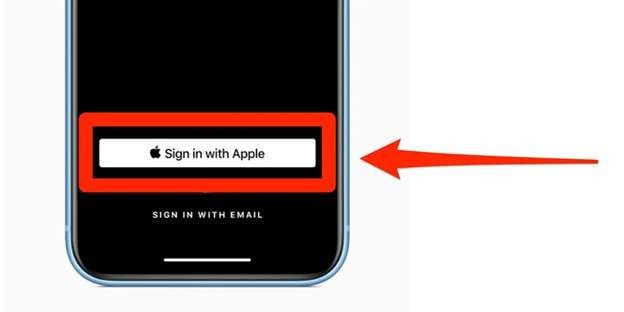
If the Apple ID on the screen is yours (or you know the login), you don’t need tricks. Just enter that same Apple ID and password on the setup page and continue. That’s the direct way to clear the activation lock on iPhone 7 Plus and keep everything working normally.
Method 2: Recover the Apple ID Password
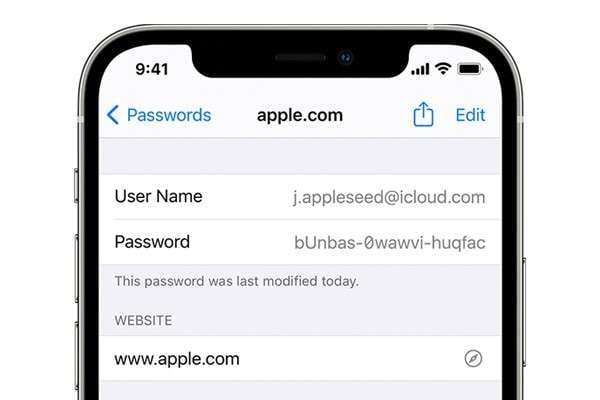
When the Apple ID is yours, but the password is gone, don’t loop through restores. Go through Apple’s recovery, reset the password, then come back to the setup screen and sign in with the new password. If the account matches what Apple has on record for the device, the iPhone 7 Plus activation lock will lift.
Method 3: Remove the iPhone from iCloud Using the Previous Owner’s Account
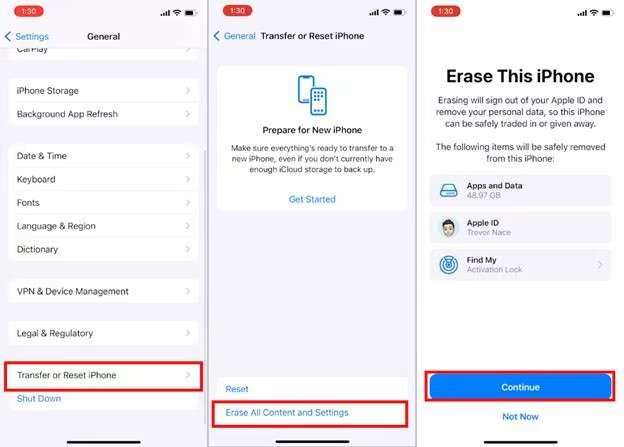
Sometimes, with the purchase of second-hand phones, the activation lock remains from the previous owner’s iCloud. The device was reset, but it remained linked to the previous owner’s iCloud account. If the seller still has access to their Apple ID, they can remove the device remotely through iCloud. The phone doesn’t need to be returned or handed over.
Once the device is removed from Find My, setup can continue without the lock returning.
Method 4: Request Activation Lock Removal From Apple
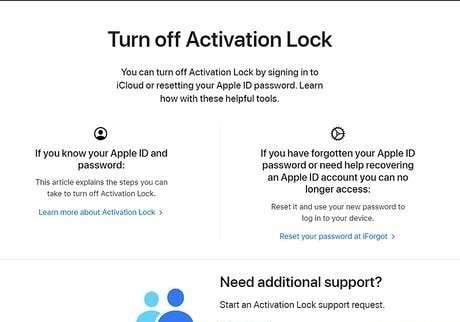
If you are the legal owner and have valid proof of purchase, Apple may remove the lock after verification. This process is manual, it takes time, and approval depends entirely on documentation matching the device.
Method 5: Professional iCloud Unlock Tool (When Apple Options Don’t Apply)
Sometimes you’re stuck in the “no way forward” scenario:
- The Apple ID on the screen isn’t yours
- The seller disappeared
- Password recovery isn’t possible
- And the iPhone is basically a paperweight
That’s usually when people start hunting for shady “IMEI unlock” sites. The problem is that most of those are either fake, risky, or both.
Dr.Fone - Screen Unlock (iOS) is one of the tools designed for these situations. It’s a desktop-based unlock tool that includes a dedicated workflow for removing or bypassing iCloud Activation Lock on iPhones and iPads.
What Dr.Fone Is Designed to Handle
Dr.Fone – Screen Unlock (iOS) supports iCloud Activation Lock removal across a wide range of Apple devices and scenarios, including:
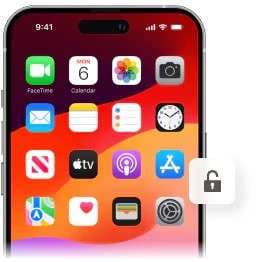
- iPhones and iPads locked to a previous owner’s iCloud account
- Devices where the Apple ID or iCloud password has been forgotten
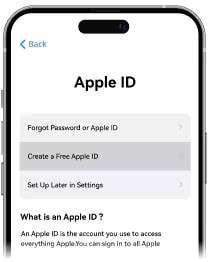
- Second-hand iDevices that were never properly signed out
- iCloud-locked devices that cannot be activated after a reset
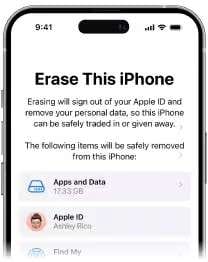
Dr.Fone is compatible with older models like iPhone 5s through the newest iPhone 17 series, and supports iOS 26, which makes it relevant even for recently updated devices.

Dr.Fone - Screen Unlock (iOS)
Unlock iPhone/iPad Lock Screen Without Hassle.
- Simple, click-through, process.
- Remove screen passcodes, Face ID, Touch ID and Apple ID with ease.
- Bypass iCloud Activation Locks without Password.
- Bypass MDM and screen time without data loss.
- Supports the latest iOS version fully!



How the Dr.Fone iCloud Activation Lock Workflow Works
Dr.Fone runs directly on your computer and does not depend on online or IMEI-based unlocking. Once connected, the software guides you through a structured process to address the Activation Lock screen directly.
The process is designed to be simple and guided:
Step 1. Open the unlock module
After installing Dr.Fone on your computer, launch the program and enter the toolbox. From there, open the iOS screen unlock section. This is where all account- and setup-related locks are handled.

Step 2. Select the Activation Lock option
You’ll see several unlock paths inside the module. Choose the option related to iCloud or Apple ID lock removal. This ensures the process targets the setup block, not the screen passcode or data wipe.
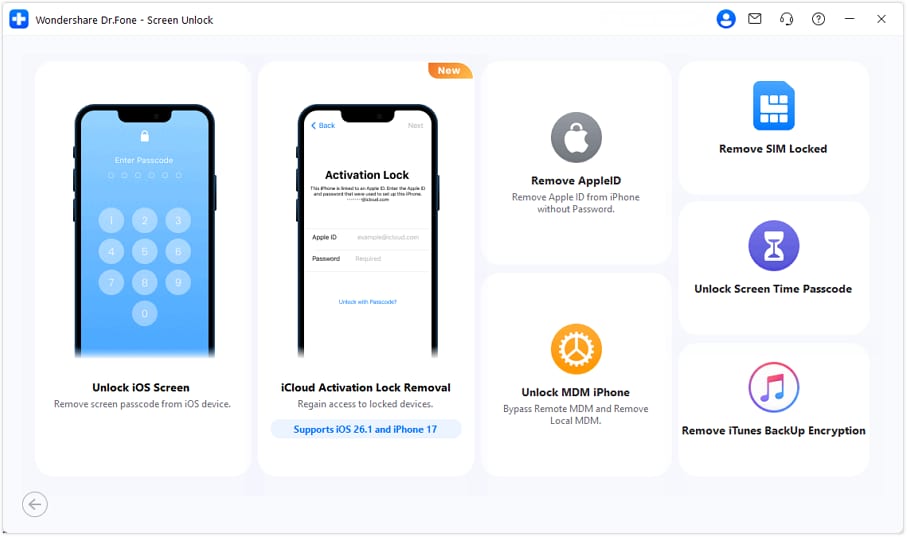
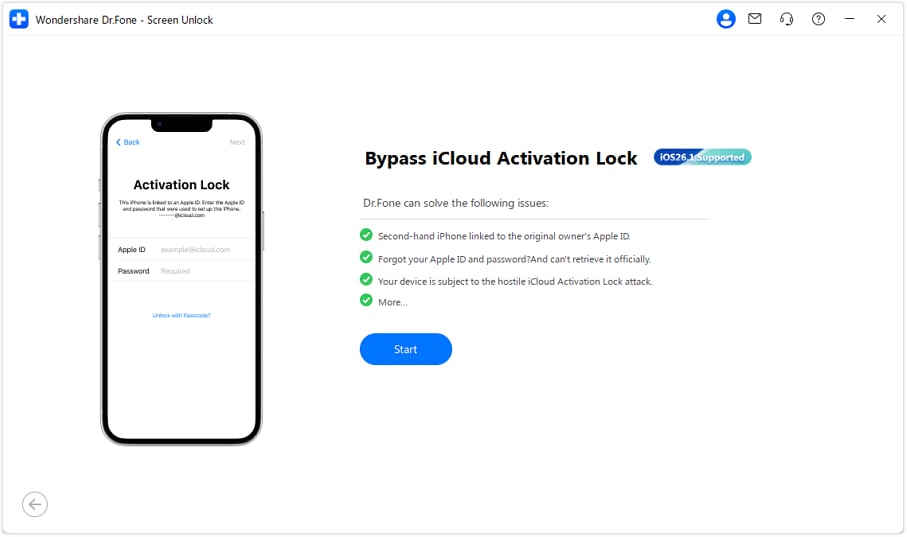
Step 3. Start the unlock flow
Once the correct option is selected, begin the process. At this stage, nothing is changed on the device yet. The software prepares the workflow that matches your iPhone 7 Plus and its current iOS version.
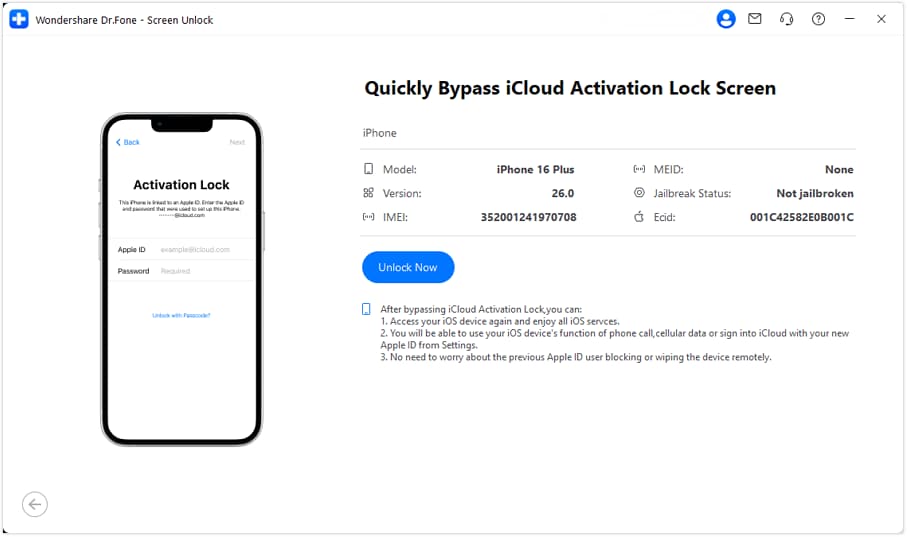
Step 4. Connect the iPhone 7 Plus
Use a USB cable to connect the phone to the computer. Dr.Fone will read the device information automatically. You’ll be shown the detected model and system version so you can confirm everything matches before continuing.
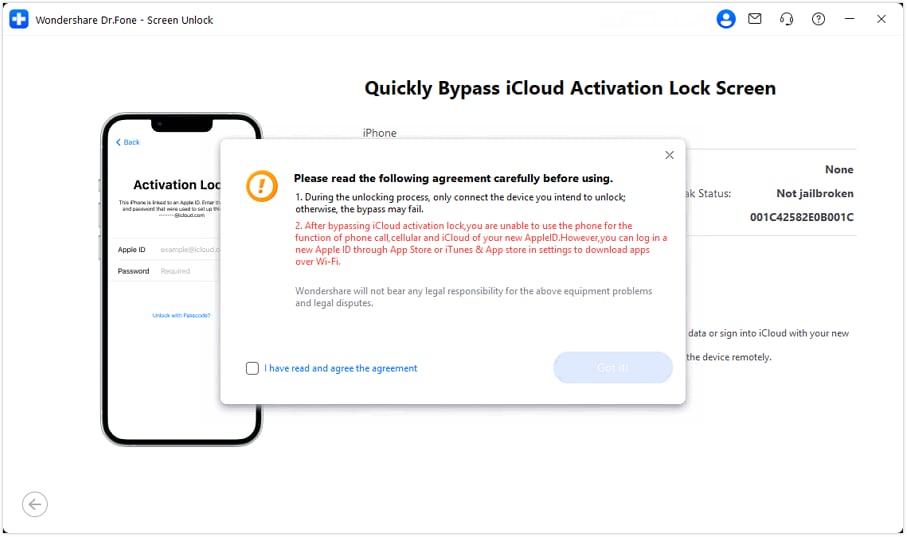
Step 5. Confirm the conditions
Before proceeding, the tool displays a short notice explaining how the Activation Lock bypass works and what limitations may apply afterward. After reviewing this, confirm to move forward.
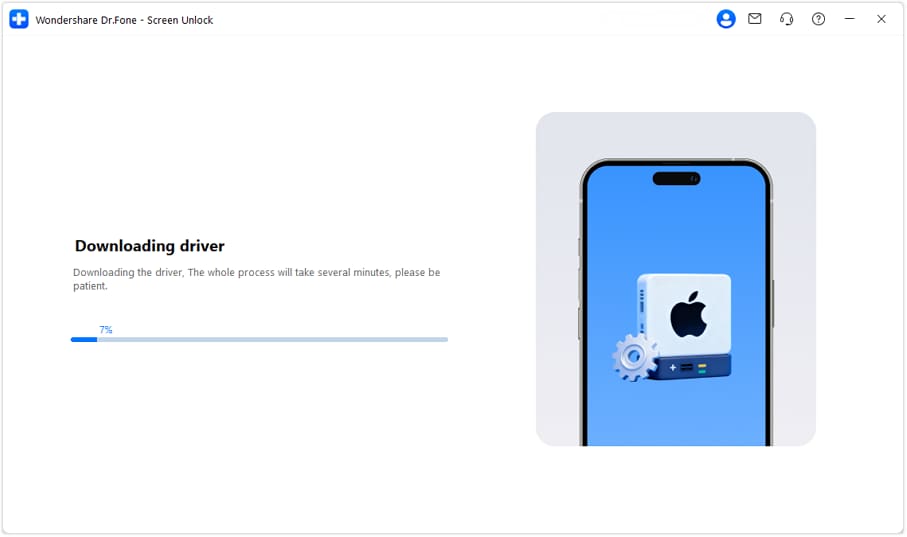
Step 6. System preparation
Dr.Fone installs the necessary components in the background. This part doesn’t require any interaction, but the phone must stay connected. Depending on the system, this may take a few minutes.
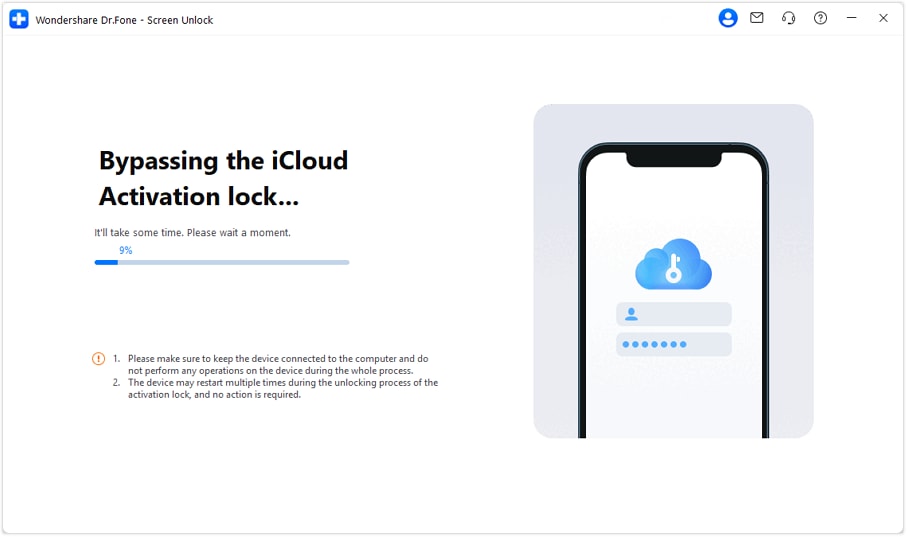
Step 7. Lock removal in progress
The software begins addressing the Activation Lock screen directly. During this phase, the iPhone may restart more than once. These restarts are expected and part of the process.
Step 8. Access restored
When the process finishes, the phone restarts and proceeds past the iCloud Activation Lock screen. Setup can then continue, allowing you to sign in with a new Apple ID and use the device again.

Supported Devices and iOS Versions
Dr.Fone – Screen Unlock (iOS) lists broad device and system support, including:
- iPhone models from iPhone 5s through iPhone 17 / 17 Pro / 17 Pro Max
- iPads across multiple generations
- Compatibility with iOS 26 and earlier versions
This ongoing support is crucial, as many unlock tools cease to function after major iOS updates.
What to Expect Before Choosing This Route
This option works differently from Apple’s official removal process, so expectations matter.
- Dr.Fone – Screen Unlock (iOS) is generally considered a last resort after Apple-approved solutions are no longer possible.
- Depending on the device and iOS version, bypassing iCloud Activation Lock may affect certain features tied directly to Apple services.
- Cellular calling and full iCloud functionality may not behave the same way after the bypass process.
Because of this, Dr.Fone isn’t positioned as a shortcut or replacement for Apple ID access. This option is available when the device remains locked even though you’re the legitimate owner.
Part 3. Comparison: Which iPhone 7 Plus Unlock Method Is Right for You?
The outcome of all iCloud lock solutions depends on who controls the Apple ID, whether Find My is enabled, and what access you still have. This comparison helps you quickly see which option actually fits your situation, instead of trying methods that are guaranteed to fail.
|
Method |
Key Strengths |
Limitations |
Best For |
| Apple ID Sign-In | - Official Apple method - Fully removes Activation Lock - Keeps all device features intact |
Requires a correct Apple ID & password | Users who know the Apple ID linked to the iPhone 7 Plus |
| Apple ID Password Recovery | - Apple-approved - Restores full access after reset - No data manipulation |
Can fail if account recovery is blocked | Owners who forgot their Apple ID password but can verify account ownership |
| Previous Owner iCloud Removal | - Permanent Activation Lock removal - Works remotely via iCloud - No tools required |
Requires cooperation from the previous owner | Buyers of second-hand iPhone 7 Plus who can still contact the seller |
| Apple Support (Proof of Purchase) | - Official and permanent solution - Restores full device functionality |
- Requires a valid receipt with serial/IMEI - Approval not guaranteed |
Legal owners with original purchase documentation |
| Dr.Fone – Screen Unlock (iOS) | - Does not require an Apple ID - Works when Apple routes fail - Supports iPhone 7 Plus up to iPhone 17 - Compatible with iOS 26 |
Certain iCloud/cellular features may be limited after bypass | Users who are locked out permanently and need a usable device |
| iTunes Restore | - Free - Reinstalls iOS cleanly |
- Activation Lock remains - Requires screen access or a trusted computer |
Users are trying to fix system issues, not remove iCloud lock |
| Recovery Mode Restore | - Works even if the phone won’t boot - Force system reinstall |
- Does NOT remove Activation Lock - Still asks for Apple ID after reset |
Users with disabled or unresponsive devices |
| Random “Online Bypass” Services | Claims instant unlock | - High scam risk - No real Activation Lock removal - Possible data theft |
Not recommended for any scenario |
Part 4. Conclusion
An iPhone 7 plus icloud locked screen can feel like a dead end, but it rarely is. The outcome depends on access, not luck. Some situations resolve cleanly through Apple. Others require patience, documentation, or a different kind of solution altogether. If the activation lock iPhone 7 plus appears after a reset, then choosing the right options early helps you avoid delays and unsafe shortcuts.
Once you understand your situation and choose the right path, a locked iPhone 7 Plus doesn’t have to stay unusable.
 safe & secure
4,624,541 people have downloaded it
FAQs
 Q1. Can you legally remove Activation Lock on an iPhone 7 Plus?Q2. Is it possible to unlock an iPhone 7 Plus without the Apple ID?Q3. Does factory resetting remove iCloud Activation Lock?Q4. Are online “instant bypass” websites safe?Q5. Will all features work after an iCloud bypass?


iPhone Unlock
- Access Locked iPhone
- 1. Reset Locked iPhone Without iTunes
- 2. Erase Locked iPhone
- 3. Get Into Locked iPhone
- 4. Factory Reset Locked iPhone
- 5. Reset Locked iPhone
- 6. iPhone Is Disabled
- 7. Fix iPhone Unavailable Issue
- 8. Forgot Locked Notes Password
- 9. Unlock Total Wireless Phone
- 10. Review of doctorSIM Unlock
- iPhone Lock Screen
- 1. Lock Apps on iPhone
- 2. Bypass iPhone Passcode
- 3. Unlock Disabled iPhone Without PC
- 4. Disable One More Minute Screen Time
- 5. Unlock iPhone Passcode Screen
- 6. Reset iPhone Password
- 7. Disable iOS Call Recording Notification
- 8. Remove Carrier Lock/SIM Restrictions
- 9. Get iMei Number on Locked iPhone
- 10. Add a New Face ID
- 11. iPhone Passcode Expired Pop-Up
- 12. Control Display Rotation
- 13. Fix iPhone is Disabled Connect to iTunes
- 14. Fix Turn Passcode Off Greyed Out
- 15. Get iPhone out of Demo Mode
- 16. Unlock Unresponsive Screen
- 17. iPhone Ask for Passcode After Reset
- Remove iCloud Lock
- 1. Unlock an iPhone 7 Plus iCloud
- 2. iOS 18 iCloud Unlock
- 3. iOS 26 iCloud Unlock
- 4. Crack iCloud-Locked iPhones to Sell
- 5. Jailbreak iCloud Locked iPhone
- 6. What To Do If You Bought A Locked iPhone?
- 7. Fix iPhone Unavailable No Erase Option
- 8. Find iCloud Email Address on Apple Device
- 9. Broque Ramdisk iCloud Bypass
- Unlock Apple ID
- 1. Remove Payment Method on iPhone
- 2. Create a New Apple ID Account
- 3. Change Apple ID on iPad
- 4. Change Your Apple ID Password
- 5. Apple ID Not Active
- 6. Fix Wrong Apple ID Issue on iPhone
- 7. Fix This Person Is Not Active
- 8. New iCloud Terms and Conditions
- 9. Fix Apple ID Account Unavailable
- 10.Find Apple ID by IMEI
- 11. Unlink 2 iPhones with the Same Apple ID
- 12. Reset Password at appleid.apple.com
- 13. App Store Keep Asking for Password
- 14. Find Apple ID Password No Reset
- 15. Trusted Devices List Not Available
- Remove SIM Lock
- 1. Unlock iPhone Using Unlock Chip
- 2. Unlock iPhone for Free
- 3. Unlock iPhone Online
- 4. Factory Unlock iPhone
- 5. SIM Unlock iPhone
- 6. Unlock AT&T iPhone
- 7. Unlock iPhone with IMEI Code
- 8. Unlock iPhone without SIM Card
- 9. Unlock Cricket iPhone
- 10. Unlock iPhone with/without SIM Card
- 11. Unlock T-Mobile iPhone
- 12. Unlock Verizon iPhone
- 13. iPhone IMEI Checker
- 14. Unlock Xfinity iPhone
- 15. Unlock iPhone From The Carrier
- 16. Turbo SIM iPhone
- 17. Get the Sprint Unlock Codes
- 18. Unlock a Sprint Phone
- 19. Fix When iPhone Says No Sim
- Unlock iPhone MDM
- 1. Remove MDM from iPhone
- 2. Remote Management on iPhone
- 3. MDM VS MAM
- 4. Top MDM Bypass Tools
- 5. IoT Device Management
- 6. Unified Endpoint Management
- 7. Enterprise Mobility Management
- 8. Top 10 Proxy Websites
- 9. Hindilinks4u Alternatives
- Unlock Screen Time Passcode
- 1. Reset Screen Time Passcode
- 2. Turn Off Screen Time without Passcode
- 3. Screen Time Passcode Not Working
- 4. Disable Parental Controls
- 5. Bypass Screen Time on iPhone Without Password
- 6. Delete Screen Time History on iPhone
- 7. Turn Off Downtime on iPhone
- 8. Download Age Restricted Videos
- MDM Unblock Games/Websites
- 1. Basketball Stars Game Unblocked
- 2. Play Getaway Shootout Unblocked
- 3. Play Build Now GG Unblocked
- 4. BitLife Unblocked
- 5. 10 Best Unblocked Anime Websites
- 6. Best Unblocked Game Websites
- 7. 1v1 LOL Unblocked
- 8. Get Poly Track Unblocked
- 9. Music Websites Unblocked
- 10. Spotify Unblocked
- 11. Interstellar Proxy Review
- Unlock Apple Watch
- Unlock iPod Touch
- ● Manage/transfer/recover data
- ● Unlock screen/activate/FRP lock
- ● Fix most iOS and Android issues
- Free Download Free Download Free Download




Daisy Raines
staff Editor